
In the complex ecosystem of social media, digital boundaries are enforced through a variety of software mechanisms designed to protect user privacy and curate individual experiences. Among these, the “block” feature is perhaps the most absolute tool at a user’s disposal. However, Instagram—owned by Meta—has intentionally designed the blocking experience to be ambiguous for the person being restricted. Unlike a deleted account or a temporary deactivation, a blocked account remains active in the database but becomes invisible or inaccessible to specific user IDs.
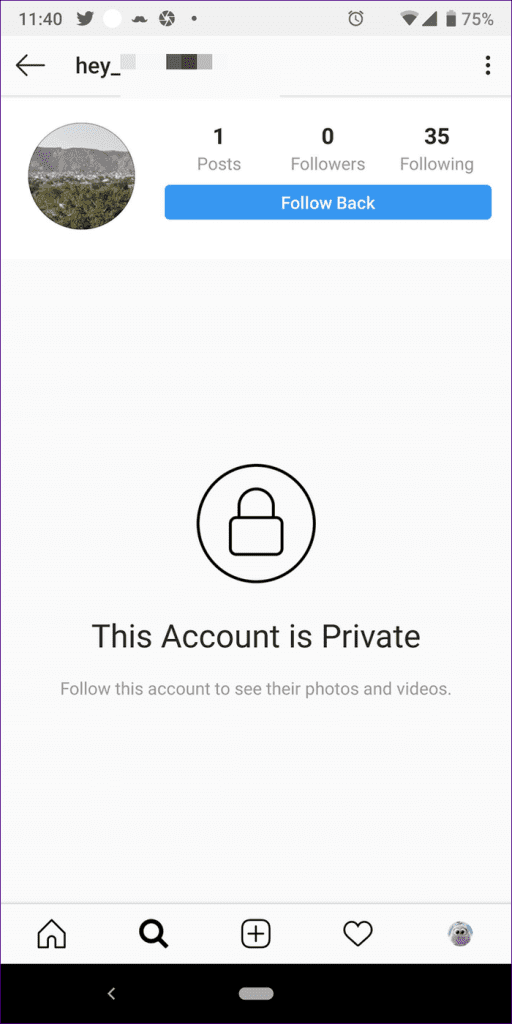
Understanding what a blocked Instagram account looks like requires an analysis of the platform’s User Interface (UI) behavior, API limitations, and the underlying logic of its privacy algorithms. This guide explores the technical indicators of a block and how the app’s architecture handles these restricted interactions.
1. Decoding the Interface: Visual and Functional Indicators of a Block
When one user blocks another on Instagram, the platform immediately modifies the way data is served to the blocked party’s device. These changes are subtle but consistent, signaling a break in the digital handshake between two accounts.
The “User Not Found” and “No Posts Yet” Paradox
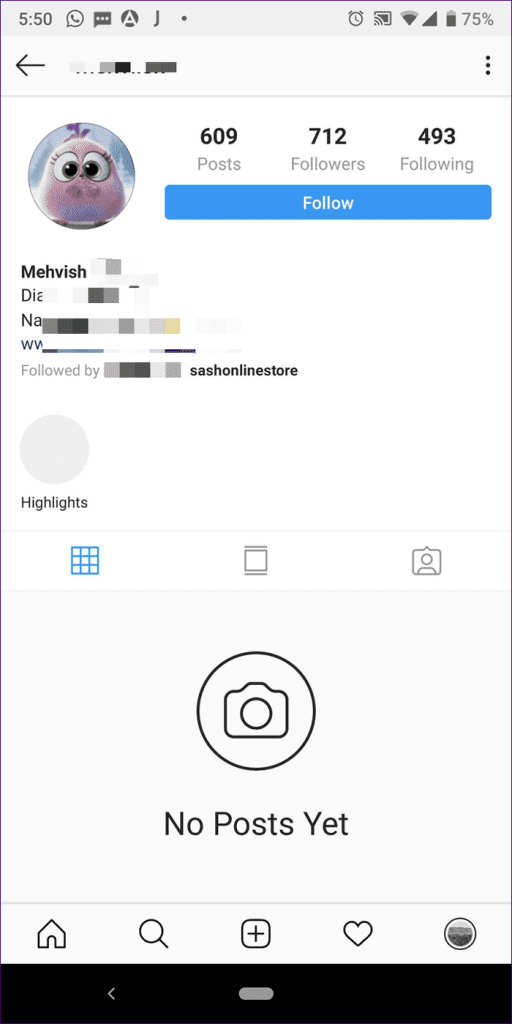
The most common technical symptom of being blocked is the “User Not Found” error message. When you attempt to visit a profile that has blocked you, the header—including the username and profile picture—may initially load from the device’s cache. However, the grid where photos usually appear will display “No Posts Yet,” even if the post count at the top indicates hundreds of uploads. This occurs because the Instagram server denies the request for media assets associated with that specific User ID.
Disappearing Follower and Following Lists
In a standard profile view, tapping the “Followers” or “Following” count opens a list of users. On a blocked profile, these lists will appear empty or will fail to load entirely. From a technical standpoint, the app’s backend executes a query to fetch the relationship data; however, if a block is active, the permissions layer of the database returns a null result to the requester.
The Missing Follow Button Logic
Typically, when viewing a profile you do not follow, you see a blue “Follow” button. If you have been blocked, you might still see this button, but tapping it will result in no action. The button may briefly change to “Following” or “Requested” before snapping back to its original state. This is a result of the client-side app attempting to send a follow request to the server, which the server then rejects based on the block status, forcing the UI to revert to its previous state.
2. Technical Mechanics: How Instagram Manages Restricted Access
The “block” function is more than just a visual filter; it is a complex instruction set within Instagram’s permissions architecture. Meta utilizes a robust database management system where every interaction is checked against a permissions matrix.
Soft Blocks vs. Hard Blocks
In the tech community, a “soft block” refers to the process of blocking and then immediately unblocking a user. This forces the other person to unfollow you without their knowledge. A “hard block,” which is the standard blocking feature, creates a persistent barrier. The software creates a “block record” in the database that links User A and User B. Every time User B (the blocked party) attempts to pull data related to User A, the system checks this record and serves a 404-style limitation.
API Restrictions and Third-Party Tools
Many users attempt to use third-party “Unfollower Tracker” apps to see who has blocked them. From a technical security perspective, these apps are often unreliable and pose a risk to digital security. Instagram’s API (Application Programming Interface) has become increasingly restrictive regarding relationship data. Most legitimate API calls do not explicitly state “User X has blocked you”; instead, they simply stop returning data for that user, making it difficult for external software to distinguish between a block and a deleted account without violating Meta’s Terms of Service.
Threaded Communication and DM Persistence
Direct Messages (DMs) provide a unique look at how Instagram handles historical data versus new data. If you were blocked, your previous conversation thread remains visible in your inbox. However, any new messages sent will never be delivered. Technically, the message is stored in the sender’s local database but is never pushed to the recipient’s server-side inbox. Furthermore, if you are in a group chat with someone who has blocked you, the app may prompt you with a notification asking if you wish to remain in the group, as the platform’s logic must account for “overlapping” social spaces.
3. Verification Methods: Testing the Block Hypothesis
Because Instagram does not send a notification when a block occurs, users must rely on technical “stress tests” to determine their status. These methods exploit the difference between a global account deletion and a targeted block.
The Search Bar and URL Test
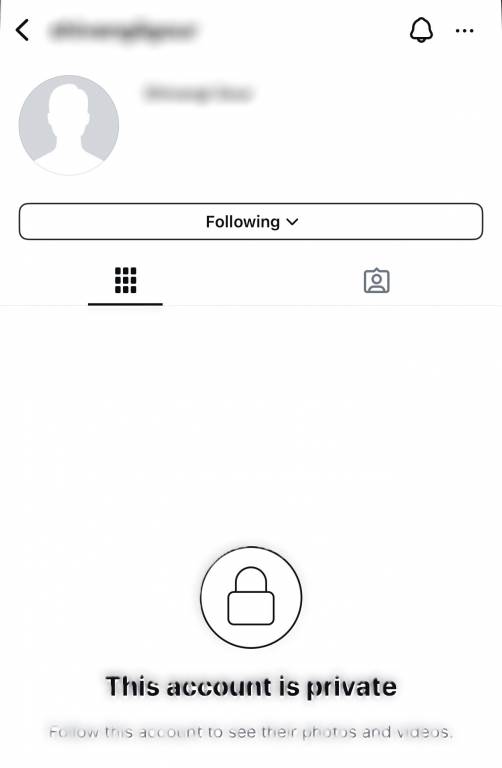
The most direct way to verify a block is through a browser-based search. Every Instagram profile has a unique URL: instagram.com/[username]. If you log out of your account (or use an “Incognito” window) and navigate to that URL, a visible profile indicates that the account is active. If that same profile is invisible when you are logged in, the technical conclusion is a block. This confirms that the server is specifically filtering content based on your logged-in credentials.
Mention and Tagging Limitations
Instagram’s software prevents blocked users from “mentioning” or “tagging” the person who blocked them. If you attempt to type their handle in a caption or comment and the autocomplete feature fails to suggest their account, or if the tag disappears immediately after posting, it is a clear indicator of a restricted relationship. The system’s tagging logic is programmed to ignore handles that have an active block record associated with the requester’s ID.
Using Secondary Profiles
Since blocking is ID-specific, a secondary account (or “finsta”) will typically be able to see the profile in question. However, Meta has introduced a “Block [User] and any other accounts they may have or create” feature. This utilizes device-level identifiers (such as the IP address or device ID) to extend the block across multiple accounts owned by the same user, showcasing a more sophisticated level of digital fingerprinting and security.
4. Privacy, Security, and Ethical Software Design
The technical design of the block feature is rooted in user safety and digital security. In the realm of software engineering, “privacy by design” is a principle that ensures users have total control over their data visibility.
Why Blocked Users Aren’t Notified
From a digital security standpoint, notifying a user that they have been blocked can lead to escalation or harassment on other platforms. By maintaining a level of “plausible deniability” through “User Not Found” errors, Instagram’s developers prioritize the safety of the person initiating the block. It creates a technical buffer that allows a user to “disappear” from someone’s digital world without triggering an immediate confrontation.
Reporting vs. Blocking: The Backend Difference
While blocking simply severs the connection between two IDs, “Reporting” triggers an algorithmic review of the content. When a report is filed, a snapshot of the account’s recent activity is sent to Meta’s moderation AI and human reviewers. Technically, a block is a client-side and database-level preference, whereas a report is a request for platform-wide enforcement.
Data Retention and Block Lists
When a user blocks another, the data (likes, comments, and tags) previously shared between them isn’t necessarily deleted; it is hidden. If the user decides to unblock the individual later, the software can instantaneously restore the visibility of those past interactions. This indicates that the block acts as a “conditional visibility” layer rather than a permanent data-deletion command.
5. The Evolution of Social Restrictions: AI and Future Trends
As social media platforms move toward more nuanced moderation, the concept of a “block” is evolving. Meta is increasingly relying on AI to manage these interactions.
The Rise of “Restrict” Mode
Instagram recently introduced “Restrict” as a middle ground between public access and a hard block. Technically, restriction allows the blocked user to see your posts and comment, but their comments are only visible to them. This “shadow-moderation” is a sophisticated technical solution to bullying, where the harasser is unaware that their interactions are being filtered out by the system.
AI-Driven Proactive Blocking
Future iterations of Instagram’s security suite may involve AI that predicts unwanted interactions. By analyzing patterns of behavior—such as rapid-fire commenting or high-frequency profile visits—the platform may suggest “proactive blocks” or automatically hide profiles from users who exhibit “bot-like” or predatory technical signatures.
Cross-Platform Synchronization
As Meta integrates the backends of Instagram, WhatsApp, and Messenger, we are seeing the emergence of cross-platform blocking. In the future, a block on one app may technically propagate across the entire Meta ecosystem, using a centralized “Safety Identity” for each user. This requires a massive synchronization of databases, ensuring that a user’s privacy preferences are respected regardless of which specific app they are using.
In summary, a blocked Instagram account is characterized by a series of failed data requests and UI anomalies. From the “User Not Found” error to the non-functional “Follow” button, these technical cues are the result of a deliberate architecture designed to balance user privacy with platform stability. Understanding these mechanics provides a clearer picture of how modern social media apps manage the complex web of human relationships through code.
aViewFromTheCave is a participant in the Amazon Services LLC Associates Program, an affiliate advertising program designed to provide a means for sites to earn advertising fees by advertising and linking to Amazon.com. Amazon, the Amazon logo, AmazonSupply, and the AmazonSupply logo are trademarks of Amazon.com, Inc. or its affiliates. As an Amazon Associate we earn affiliate commissions from qualifying purchases.