
When you encounter a “Bad Gateway” error, it’s a common yet often perplexing message that appears in your web browser. It’s the digital equivalent of hitting a brick wall while navigating the internet, leaving you wondering what went wrong and how to proceed. This error code, specifically 502 Bad Gateway, is a server-side response, meaning the problem doesn’t lie with your device or your internet connection, but rather with the servers that are supposed to deliver the website you’re trying to access. Understanding what a bad gateway signifies is crucial for anyone who uses the internet, from casual users to those involved in web development and IT operations.
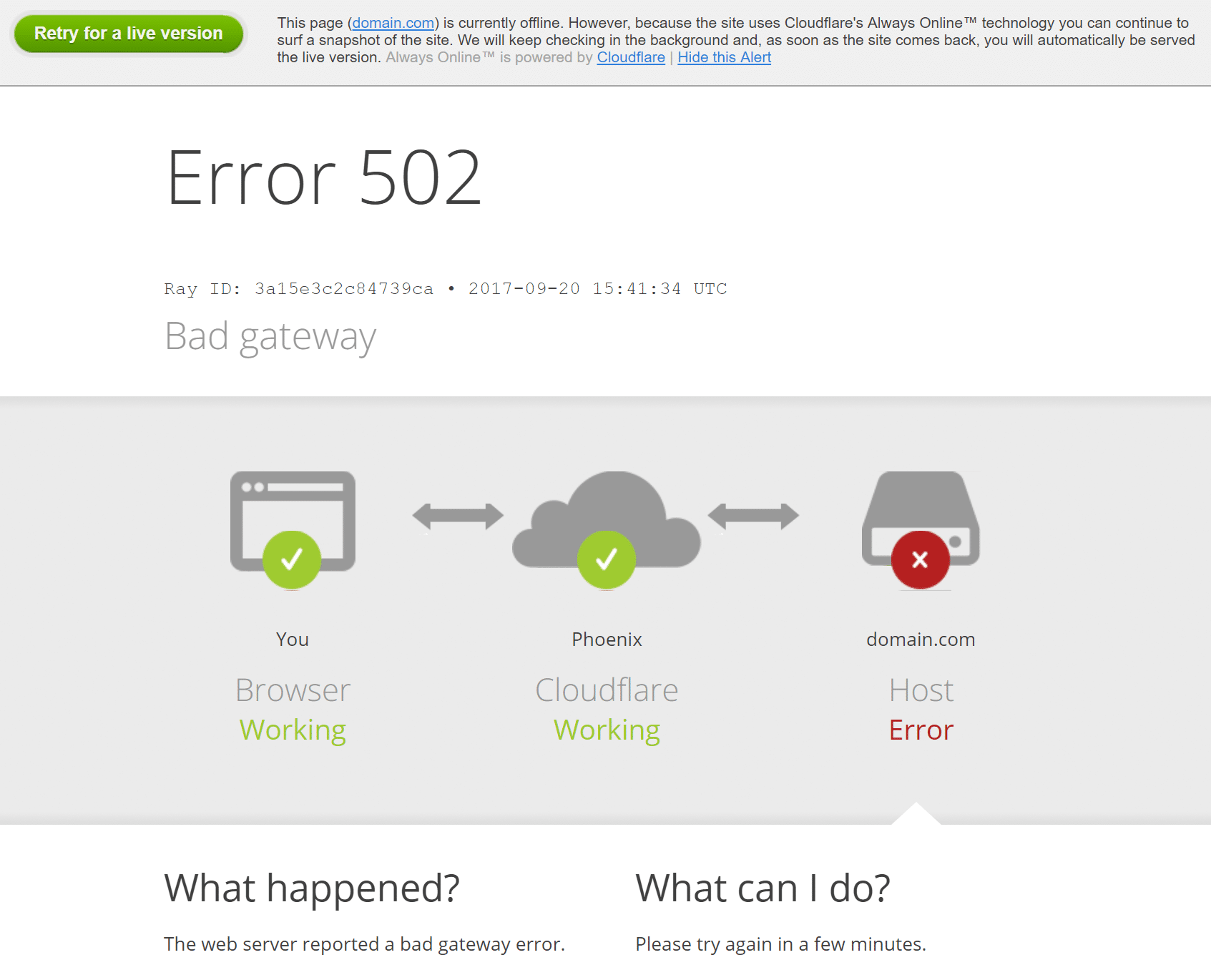
This article delves into the technical intricacies behind the 502 Bad Gateway error, exploring its causes, the technical infrastructure it reveals, and the troubleshooting steps involved in resolving it. We will focus exclusively on the technological underpinnings of this error, providing an in-depth look for those seeking a comprehensive understanding within the realm of technology.
Understanding the Network Architecture Behind the Error
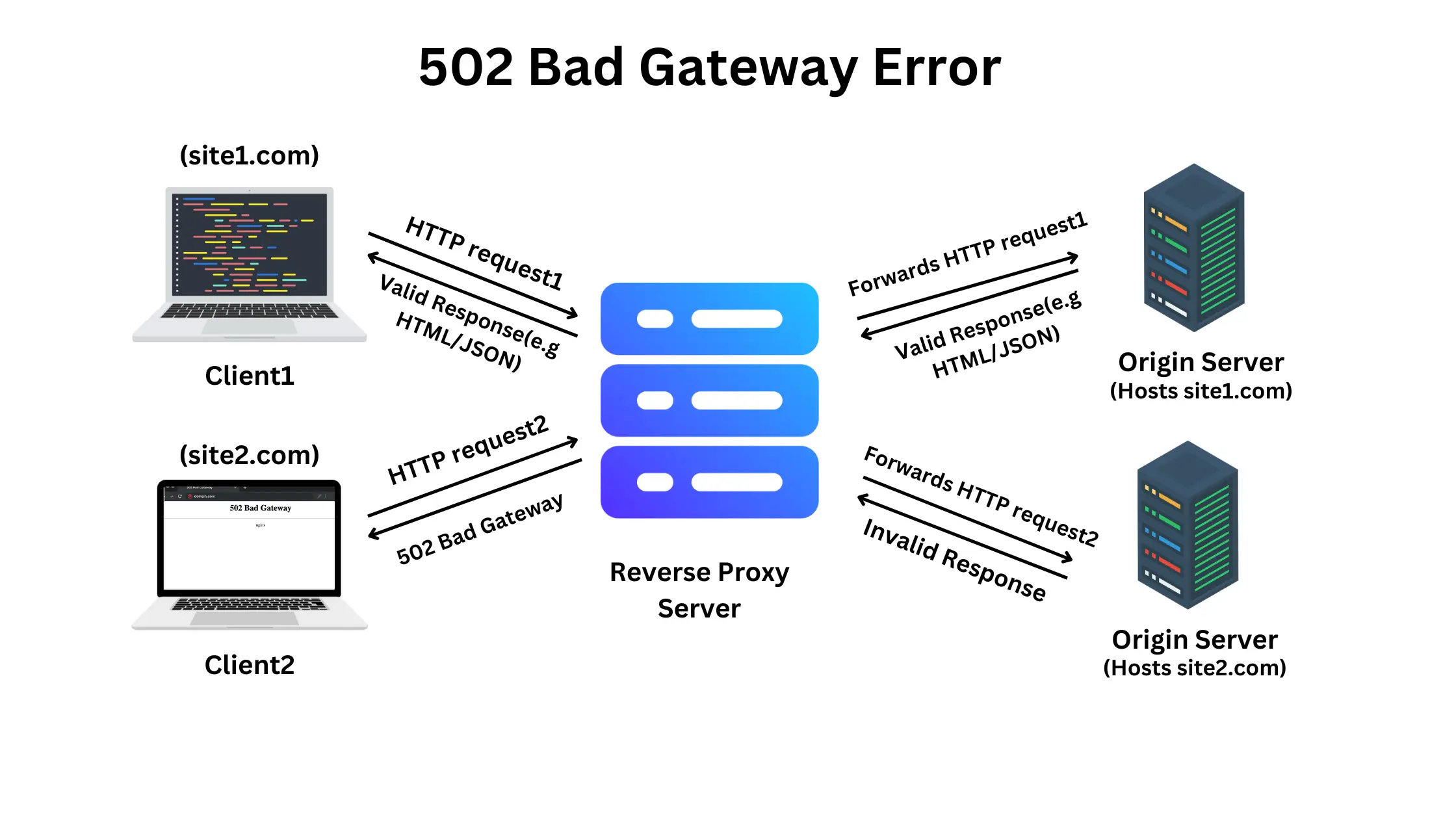
The internet, as we experience it, is a complex network of interconnected servers, routers, and clients (your devices). When you request a webpage, your browser sends a request to a server. This server might then need to communicate with other servers to gather all the necessary information – such as databases, APIs, or content delivery networks (CDNs) – before it can finally send the complete webpage back to your browser. A 502 Bad Gateway error arises when one of these intermediary servers, acting as a gateway or proxy, receives an invalid response from another server further up the chain.
The Role of Gateways and Proxies in Web Communication
In the context of web communication, a gateway is a server that acts as an intermediary between two different networks or systems. In the case of web servers, a gateway often refers to a proxy server. A proxy server sits between the client (your browser) and the origin server (where the website’s files are hosted). It can perform various functions, including caching content, filtering requests, or distributing traffic.
When a client requests a resource, the request first goes to the proxy server. The proxy server then forwards this request to the appropriate upstream server. The upstream server processes the request and sends a response back to the proxy. The proxy then relays this response to the client. A 502 Bad Gateway error occurs when the proxy server receives an invalid or no response from the upstream server it was trying to communicate with. This invalid response can manifest in several ways: the upstream server might be down, overloaded, unresponsive, or it might be returning a response that the gateway server cannot interpret.
Differentiating Between Client-Side and Server-Side Errors
It’s important to distinguish 502 Bad Gateway from client-side errors. Client-side errors are typically indicated by 4xx status codes, such as 404 Not Found (resource doesn’t exist) or 403 Forbidden (access denied). These errors mean that the problem lies with the client’s request or the client’s ability to access the resource.
Conversely, 5xx status codes, like 502 Bad Gateway, are server-side errors. They indicate that the problem is with the web server itself or the infrastructure supporting it. This means that even though your internet connection and device are functioning correctly, the server responsible for delivering the content is unable to fulfill the request. This distinction is crucial for effective troubleshooting, as it directs the focus of investigation to the server infrastructure rather than the end-user’s setup.
Common Causes of a 502 Bad Gateway Error
The 502 Bad Gateway error is a symptom of a communication breakdown between servers. While the exact cause can vary, several common culprits are frequently identified. These range from simple network congestion and server overload to more complex issues with software configurations and external dependencies.
Server Overload and Network Congestion
One of the most frequent reasons for a 502 Bad Gateway error is server overload. When a web server receives an unusually high volume of traffic, it can become overwhelmed and unable to process all incoming requests efficiently. This can lead to requests timing out or servers becoming unresponsive, resulting in the gateway server receiving an invalid or no response. Network congestion, which refers to a high volume of data traffic across the internet infrastructure, can also contribute to this problem by slowing down communication between servers. This can delay responses to the point where they are considered invalid by the gateway.
Firewall Blocking and Network Issues
Firewalls are essential for network security, but misconfigurations or overly aggressive rules can sometimes inadvertently block legitimate traffic between servers. If a firewall between the gateway server and the upstream server is blocking communication, the gateway will not receive a valid response, leading to a 502 Bad Gateway error. Similarly, general network issues, such as router failures, DNS problems, or connectivity issues within the data center hosting the servers, can disrupt the communication flow and trigger this error. These problems can be intermittent and difficult to diagnose, requiring deep network diagnostics.
Upstream Server Failures and Unresponsive Services
The 502 Bad Gateway error directly points to an issue with an upstream server. This upstream server could be the origin server hosting the website, a database server, an API server, or any other service that the gateway server relies on to fulfill the client’s request. If this upstream server is experiencing a hardware failure, software crash, or is simply unresponsive due to maintenance or other issues, the gateway server will be unable to retrieve the necessary information and will report the error. This can also happen if an application running on the upstream server encounters an unhandled exception or hangs indefinitely.
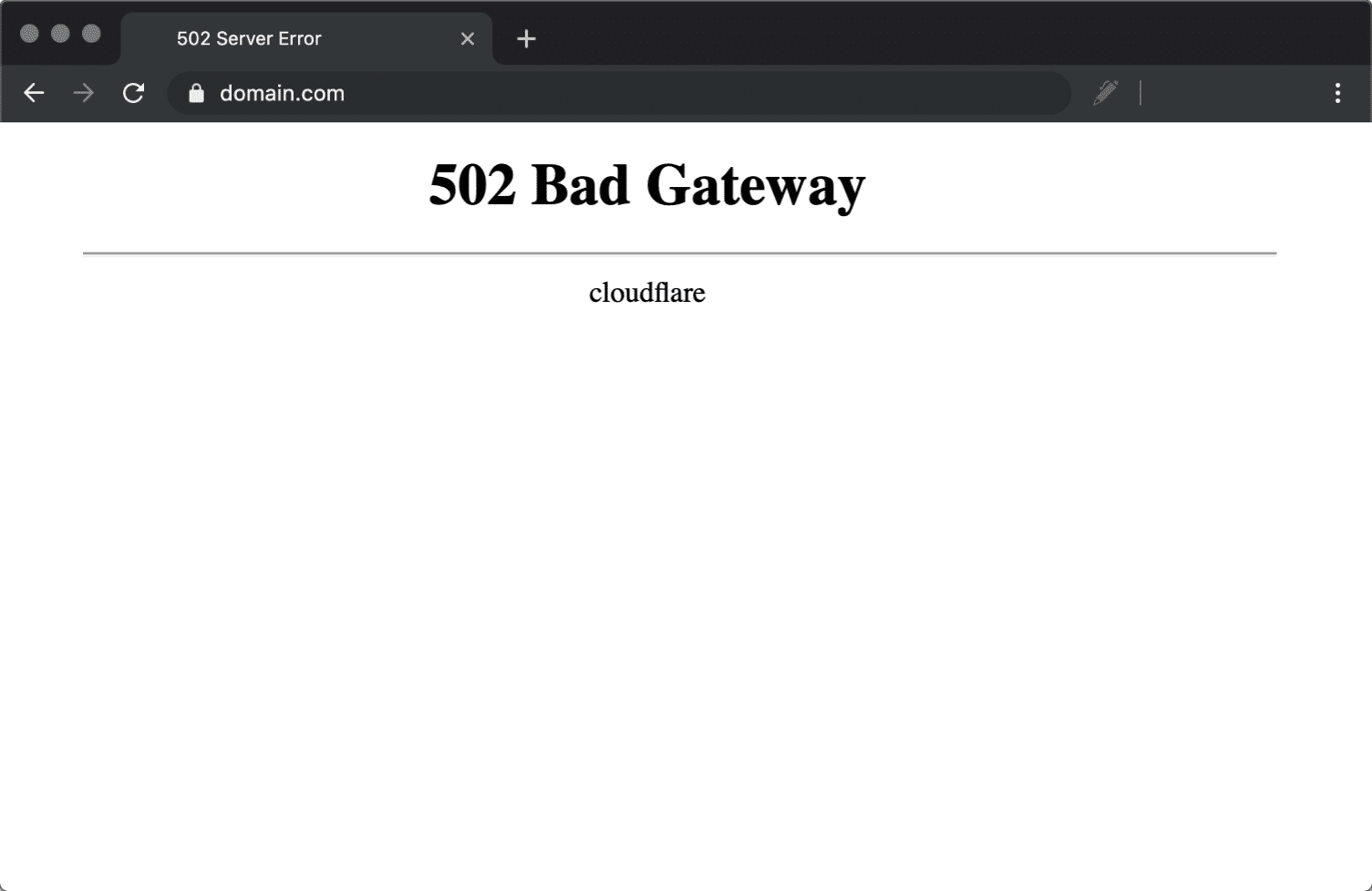
Software Bugs and Misconfigurations
Complex web applications and server environments often involve multiple software components and intricate configurations. A bug in the software running on either the gateway server or the upstream server, or a misconfiguration in how they communicate, can lead to invalid responses. For instance, an improperly configured load balancer, which distributes traffic across multiple servers, could direct requests to an unhealthy server or fail to correctly forward responses. Similarly, issues with API integrations, where one service relies on another for data, can result in 502 errors if the called API is not functioning as expected or returns data in an unexpected format.
Troubleshooting a 502 Bad Gateway Error
When you encounter a 502 Bad Gateway error, there are several steps you can take to diagnose and potentially resolve the issue, depending on whether you are an end-user or managing the server infrastructure.
Basic Troubleshooting for End-Users
For the average internet user, a 502 Bad Gateway error usually indicates a temporary issue with the website’s servers. The simplest and often most effective troubleshooting step is to refresh the page. Pressing F5 or clicking the refresh button in your browser can sometimes resolve the issue if it was a transient network hiccup. If refreshing doesn’t work, clearing your browser’s cache and cookies can help, as corrupted cache data might be interfering with the request.
Another common step is to try a different browser or an incognito window. This helps determine if the issue is specific to your current browser settings or extensions. If the website loads correctly in another browser or incognito mode, then the problem likely lies with your primary browser’s configuration. You can also try accessing the website from a different device or network. If the site works on your phone using mobile data but not on your computer via Wi-Fi, it might indicate a local network issue or a problem with your internet service provider (ISP). Finally, checking if the website is down for everyone by using an online “Is it down?” tool can confirm if the problem is widespread or isolated to your connection.
Advanced Troubleshooting for Website Administrators and Developers
For those responsible for the website’s infrastructure, troubleshooting a 502 Bad Gateway error requires a more in-depth approach, focusing on the server-side. The first step is to check server logs. Web servers typically generate logs that record all incoming requests and server responses. Examining these logs can reveal specific error messages, timeouts, or connection failures that provide clues to the root cause. This includes looking at the logs for both the gateway/proxy server and the upstream application servers.
Next, verifying server health and resource utilization is critical. Administrators should check if the upstream servers are running and responsive. Tools can monitor CPU usage, memory consumption, and disk I/O on the servers. If any server is experiencing high resource utilization, it might be overwhelmed and need scaling or optimization. It’s also important to test connectivity between servers. Using tools like ping or traceroute from the gateway server to the upstream servers can help identify network connectivity issues.
Reviewing firewall rules and network configurations is another crucial step. Ensure that firewalls are not inadvertently blocking communication between the gateway and upstream servers. This includes checking security groups in cloud environments and network access control lists (ACLs). If the website relies on external services or APIs, checking the status of those dependencies is vital. Ensure that all required services are running and accessible. Finally, temporarily disabling recent code deployments or configuration changes can help isolate if a recent update introduced a bug that is causing the 502 error. Rolling back to a previous stable version can often resolve the issue if a recent change is the culprit.
The Impact and Implications of 502 Errors
The 502 Bad Gateway error, while seemingly a minor technical glitch, can have significant consequences for users, businesses, and the overall perception of a website’s reliability. Understanding these impacts highlights the importance of proactive monitoring and rapid resolution of such issues.
User Experience and Trust Erosion
For end-users, encountering a 502 Bad Gateway error repeatedly or for extended periods can be incredibly frustrating. It disrupts their ability to access information, complete tasks, or engage with online services. This consistent unavailability or unreliability erodes user trust in the website or application. If users cannot depend on a service to be accessible, they are likely to seek alternatives, leading to decreased engagement, customer churn, and potential loss of revenue. From a business perspective, a website that frequently displays server errors projects an image of unprofessionalism and technical incompetence.
Business and Revenue Impact
The implications of 502 Bad Gateway errors extend directly to business operations and revenue generation. For e-commerce sites, even a short period of unavailability can result in lost sales and significant financial losses. For businesses that rely on their website for lead generation, customer support, or service delivery, a persistent 502 error can cripple their operations. This impacts not only direct revenue but also brand reputation and customer loyalty. In competitive markets, users will quickly migrate to more stable and reliable platforms, making downtime a critical business concern.
The Importance of Robust Server Infrastructure and Monitoring
The prevalence of 502 Bad Gateway errors underscores the necessity of investing in robust and scalable server infrastructure. This includes utilizing reliable hosting providers, employing load balancing techniques to distribute traffic effectively, and having a well-designed network architecture. Equally important is the implementation of comprehensive monitoring systems. These systems can detect potential issues, such as server overload or connectivity problems, before they escalate into 502 errors that impact users. Proactive monitoring allows administrators to identify and address underlying problems swiftly, minimizing downtime and ensuring a seamless user experience. Continuous performance tuning and regular security audits are also vital to maintain the health and stability of the web infrastructure, ultimately preventing the occurrence of such disruptive gateway errors.