
In the rapidly evolving landscape of smart home technology and DIY hardware integration, the bridge between digital software and physical infrastructure is often a literal copper wire. For tech enthusiasts, developers, and hardware hackers, understanding the foundational elements of electrical systems is as crucial as mastering a new programming language. When you open a junction box to install a smart switch or a custom IoT sensor, the first and most critical question you must answer is: “What colour is the hot wire?”
In the world of electrical engineering and consumer technology, “hot” refers to the wire that carries the active electrical current from the power source to the device. Identifying this wire correctly is the difference between a successful smart home upgrade and a catastrophic hardware failure—or worse, a safety hazard.
Global Standards and Technical Specifications
The difficulty in identifying wire colours lies in the lack of a singular, universal standard. Electrical codes have evolved differently across continents, influenced by local regulations and historical engineering practices. For anyone working with international tech hardware or retrofitting older buildings with modern gadgets, recognizing these variations is the first step in hardware literacy.
The North American Standard (NEC)
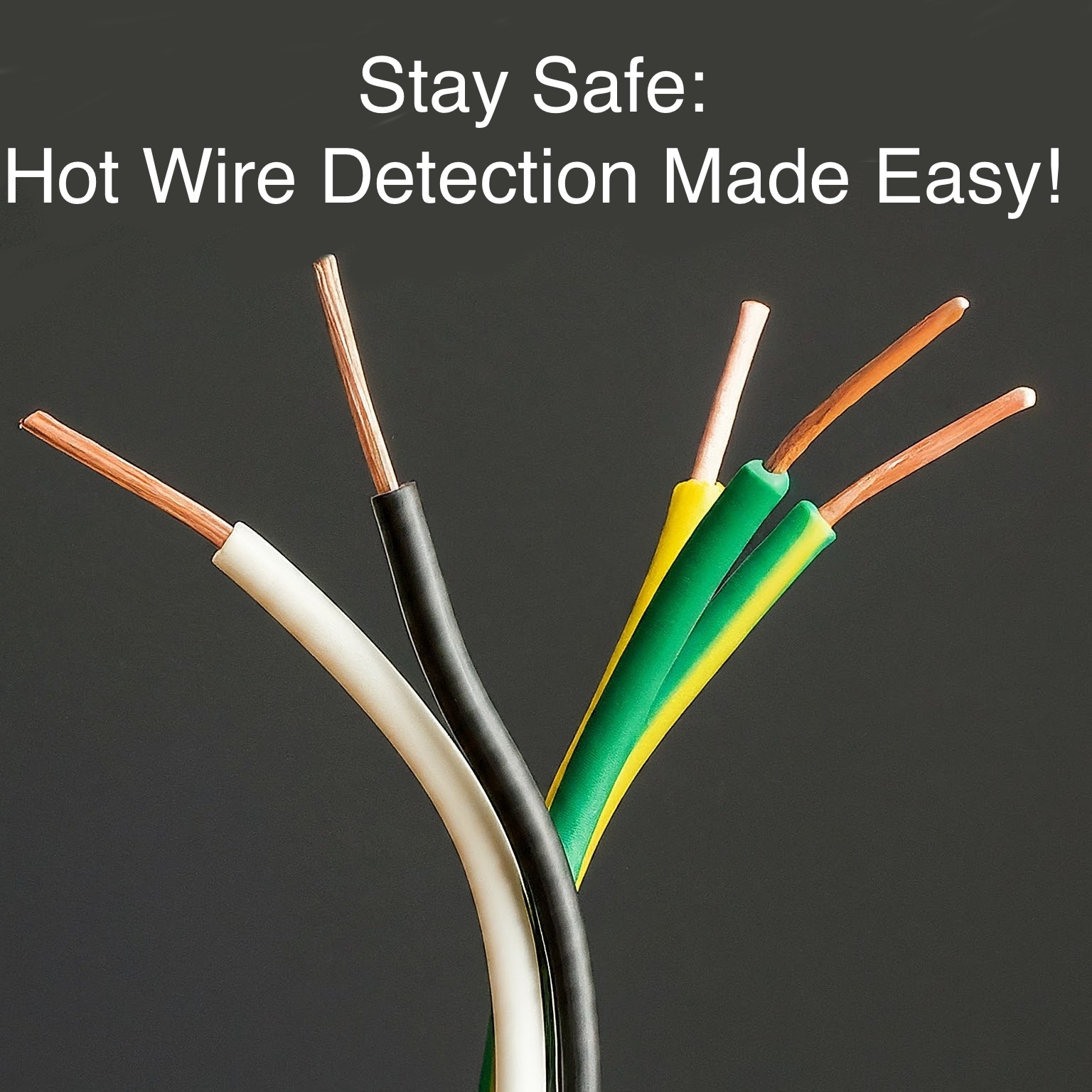
In the United States and Canada, the National Electrical Code (NEC) dictates the colour coding for residential and commercial wiring. In a standard 120-volt AC circuit, the “hot” wire is almost always Black. This is the wire that delivers the 120V charge to your components.
However, complexity arises in multi-way switching or 240V circuits. In these scenarios, Red is often used as a second hot wire or a “traveller” wire. For tech hobbyists working on high-draw devices like server racks or smart climate control systems, recognizing that both black and red wires carry a live load is essential for maintaining equipment integrity.
The International/European Standard (IEC)
For those working with technology in Europe, the United Kingdom, and many parts of Asia, the International Electrotechnical Commission (IEC) standards apply. In these regions, the coding shifted significantly in the early 2000s to harmonize across borders. The hot wire (often referred to as the “Line” wire) is Brown.
Before this harmonization, many UK systems used Red as the hot wire. This creates a unique challenge for modern tech installers working in “brownfield” environments where legacy wiring meets contemporary IoT hardware. Always verify the age of the infrastructure before assuming the colour code based on modern standards.
The Ground and Neutral Distinction
Understanding the hot wire requires understanding its counterparts. In North America, the White wire is the Neutral, and the Green or bare copper wire is the Ground. In IEC-compliant regions, the Neutral is Blue, and the Ground is Yellow/Green striped. Identifying the hot wire is a process of elimination; if you can pinpoint the neutral and the ground, the remaining wire is your energized lead.
Integrating Smart Home Technology and IoT Hardware
The rise of the “Smart Home” has moved electrical wiring from the domain of specialized contractors into the hands of tech-savvy consumers. From smart thermostats to networked lighting arrays, the installation of these devices requires a sophisticated understanding of how power is routed through a circuit.
The Challenge of the Smart Switch
One of the most common tech upgrades is the installation of smart switches (e.g., those from manufacturers like Lutron, Shelly, or TP-Link). Unlike traditional “dumb” switches, which merely break the circuit on the hot wire, smart switches are essentially miniature computers. They require constant power to maintain a Wi-Fi or Zigbee connection.
To function, most high-end smart switches require a “Neutral” wire to complete their own internal circuit. When a tech enthusiast opens a switch box and sees a tangle of black, white, and red wires, they must identify the “Line” (the hot wire coming from the breaker) and the “Load” (the hot wire going to the light fixture). Connecting these backwards can result in a device that powers on but cannot control the light, or a device that fails to boot entirely due to insufficient voltage.

Powering DIY Microcontrollers
For developers working with ESP32 or Raspberry Pi systems to automate home functions, the intersection of AC mains and DC low-voltage is a critical zone. Using “buck converters” to step down 120V/230V AC to 5V DC allows these chips to run directly off home power. In this context, misidentifying the hot wire when connecting the AC side of the transformer can lead to “hot chassis” scenarios, where the ground of your tech project becomes electrified, potentially frying your sensors and posing a significant shock risk to the user.
Digital Tools and Diagnostic Tech for Identification
While colour coding provides a roadmap, the professional tech perspective demands verification. In hardware circles, the mantra is “trust, but verify.” Several digital tools have become essential for anyone interfacing with electrical systems.
Non-Contact Voltage Testers (NCVT)
The NCVT is the first line of defense for a tech installer. These pen-shaped gadgets detect the electromagnetic field surrounding a live wire. By placing the tip near a wire, the device lights up or chirps if it detects voltage. This is the fastest way to identify which wire is “hot” without having to strip insulation or make physical contact with the conductor. For a tech reviewer or smart home blogger, this tool is as fundamental as a screwdriver.
Digital Multimeters (DMM)
The multimeter is the most versatile tool in the hardware hacker’s kit. By setting the DMM to AC Voltage mode, you can measure the potential difference between wires.
- Hot to Neutral: Should read ~120V (or ~230V).
- Hot to Ground: Should read ~120V (or ~230V).
- Neutral to Ground: Should read 0V.
This diagnostic capability allows tech pros to troubleshoot “phantom voltage” or identify “switched hots”—wires that are only live when a specific switch elsewhere in the house is flipped. In complex smart home mesh networks, these diagnostic steps ensure that the hardware is receiving clean, consistent power.
Circuit Mapping Software
Advanced tech integration often involves mapping the electrical footprint of a building. Modern “Smart Breaker” panels and energy monitoring apps (like Sense or Emporia) use machine learning to identify the “electrical signature” of different devices. While they don’t tell you the colour of the wire, they provide a digital overlay of your home’s infrastructure, helping you identify which “hot” wire is feeding your server room versus your kitchen appliances.
Security, Safety, and the Future of Hardware Interfacing
As we move toward an era of increased electrification—driven by EV charging, home battery backups (like the Tesla Powerwall), and AI-driven energy management—the physical wiring of our tech becomes a security and stability concern.
Hardware Security and Tampering
In the realm of digital security, physical access is often the ultimate vulnerability. For secure facilities, the “hot wire” isn’t just a power source; it’s a potential vector for side-channel attacks. Power Line Communication (PLC) technology allows data to be transmitted over the very wires providing electricity. Understanding which wire is the hot lead is essential for installing filters that prevent data leakage through a building’s power grid.
The Shift to DC Microgrids
The future of technology may eventually render the “hot wire” colour debate moot. There is a growing movement toward DC (Direct Current) microgrids in tech-heavy homes. Since most of our gadgets—LED lights, laptops, phones, and IoT sensors—run on DC, converting AC to DC at every single outlet is inefficient.
In a DC-standardized home, we would see a shift toward USB-C power delivery integrated into the walls. In these systems, the “hot” wire is replaced by a sophisticated negotiation protocol where the device and the power source communicate via software to determine the correct voltage and current. This transition represents the ultimate convergence of electrical engineering and computer science.

Conclusion: The Importance of Technical Literacy
Whether you are a developer setting up a home lab, a hobbyist installing a smart security system, or a tech professional managing hardware infrastructure, the ability to identify the hot wire is a fundamental skill. It bridges the gap between the abstract world of software and the tangible world of physics.
While the black wire (in North America) or the brown wire (in Europe) is the standard answer to “what colour is the hot wire,” the true tech professional knows that the colour is just a signal. The reality is found through measurement, understanding of local standards, and a rigorous commitment to safety protocols. As our homes and offices become more integrated with AI and IoT, the “wires” may become more hidden, but the principles of how we power our digital lives remain as vital as ever. Always ensure power is disconnected at the breaker before investigating a circuit, and when in doubt, consult a professional who understands both the code of the electrical board and the code of the software running on it.
aViewFromTheCave is a participant in the Amazon Services LLC Associates Program, an affiliate advertising program designed to provide a means for sites to earn advertising fees by advertising and linking to Amazon.com. Amazon, the Amazon logo, AmazonSupply, and the AmazonSupply logo are trademarks of Amazon.com, Inc. or its affiliates. As an Amazon Associate we earn affiliate commissions from qualifying purchases.