
In the dynamic landscape of modern commerce, effective financial management is not merely an administrative task; it is the bedrock of business sustainability and growth. For countless small to medium-sized enterprises (SMEs) worldwide, the quest for streamlined financial operations often leads to one prominent solution: QuickBooks. More than just a simple accounting program, QuickBooks has evolved into a comprehensive financial ecosystem designed to empower businesses to take control of their money, understand their performance, and strategically plan for the future.
At its core, QuickBooks serves as a digital ledger, meticulously tracking every penny that enters and exits a business. However, its capabilities stretch far beyond basic record-keeping. It is a robust financial tool that automates tedious manual processes, provides critical insights through detailed reporting, and helps businesses remain compliant with financial regulations. Understanding “what QuickBooks can do” means delving into its multifaceted features that touch every aspect of a company’s financial health, from daily transactions to long-term fiscal planning.
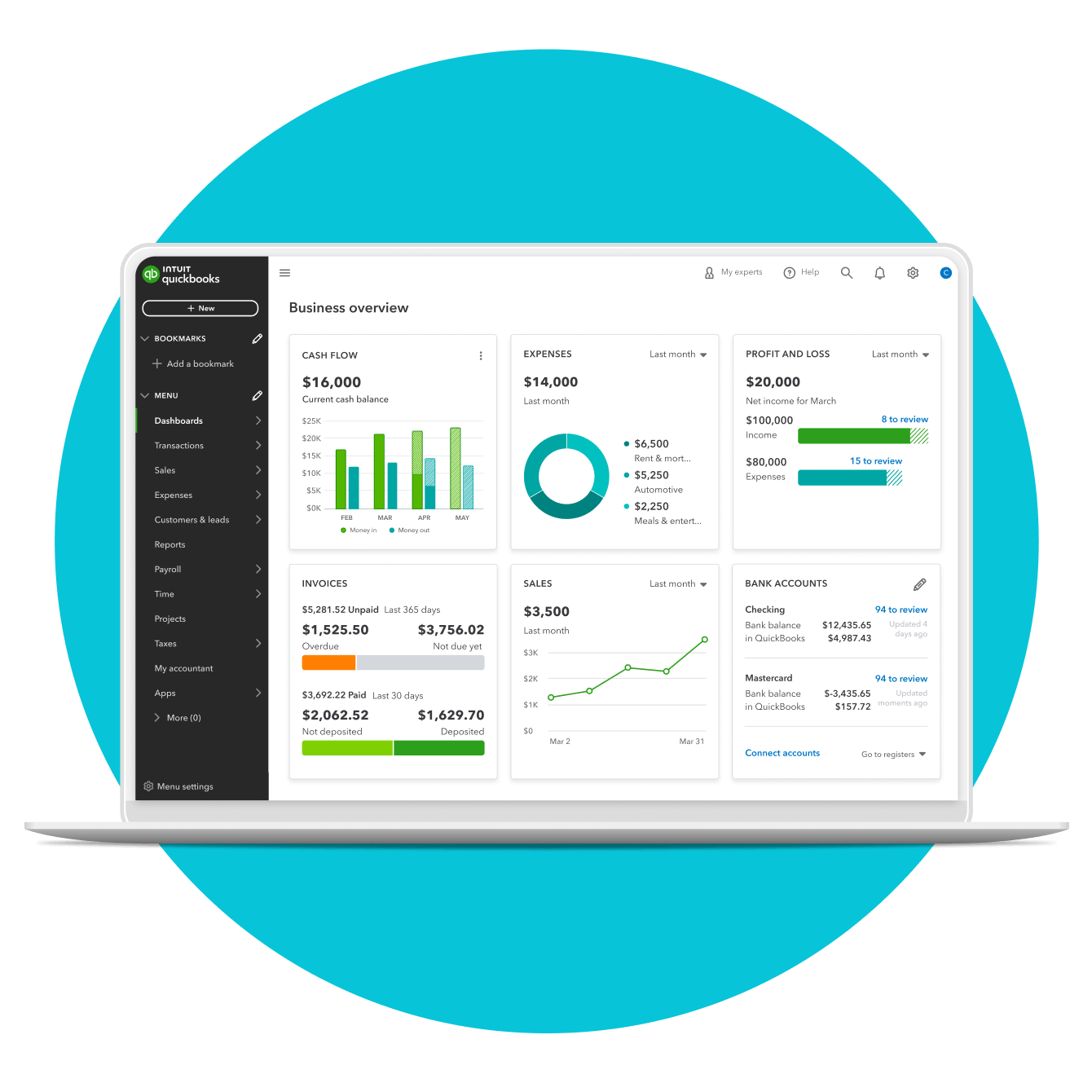
Streamlining Core Financial Operations
The daily rhythm of any business involves a constant flow of transactions. Managing this flow efficiently is paramount to maintaining accurate financial records and ensuring operational smoothnes. QuickBooks excels at automating and simplifying these fundamental financial operations, freeing up valuable time and resources for business owners.
Automated Bookkeeping and Transaction Management
The foundation of sound financial management is accurate bookkeeping. Historically, this involved meticulous manual entry, a process prone to human error and significant time consumption. QuickBooks revolutionizes this by automating much of the process. Upon connection to bank accounts and credit cards, QuickBooks can automatically import transactions, categorizing them based on predefined rules or machine learning. This significantly reduces manual data entry, ensuring that income and expenses are recorded promptly and accurately.
Beyond simple recording, QuickBooks allows for detailed tracking of every financial event. Users can tag transactions, attach receipts, and reconcile accounts against bank statements, ensuring that every financial entry matches real-world activity. This systematic approach not only saves time but also provides an indisputable audit trail, crucial for financial transparency and error detection. The ability to quickly search and filter transactions by date, vendor, customer, or amount means that specific financial information is always just a few clicks away, offering unprecedented control over financial data.
Effortless Invoicing and Accounts Receivable
Revenue generation hinges on efficient invoicing and the subsequent collection of payments. QuickBooks simplifies the entire accounts receivable process, transforming what can be a cumbersome task into a streamlined operation. Businesses can create professional, customizable invoices in minutes, complete with their branding, product details, and payment terms. These invoices can then be sent directly to customers via email, often with integrated payment links that allow clients to pay online using credit cards or ACH transfers.
The system automatically tracks the status of each invoice – whether it’s sent, viewed, partially paid, or overdue. This proactive tracking is invaluable for cash flow management, as it allows businesses to identify outstanding payments at a glance and send automated reminders to clients. Furthermore, QuickBooks can apply payments to specific invoices, making reconciliation straightforward and reducing the likelihood of payment discrepancies. By reducing the time spent on creating and chasing invoices, QuickBooks directly contributes to a healthier cash flow and improved customer relations.
Efficient Bill Payment and Accounts Payable
Just as crucial as collecting money is managing money going out. Accounts payable—the bills a business owes—can become a complex web without proper management. QuickBooks provides tools to manage vendor bills efficiently, ensuring that payments are made on time while optimizing cash outflow. Businesses can enter vendor bills as they are received, scheduling payments according to due dates and payment terms. This helps avoid late fees and maintain good relationships with suppliers.
The platform offers various payment options, including electronic payments directly from QuickBooks, allowing businesses to pay vendors securely and efficiently. By centralizing bill management, businesses gain a clear picture of their upcoming financial obligations. This visibility is vital for cash flow forecasting, enabling management to allocate funds appropriately and avoid liquidity shortages. Properly managed accounts payable also contributes to accurate expense tracking, which is essential for profitability analysis and tax preparation.
Gaining Deeper Financial Insight and Control
Beyond daily operations, QuickBooks empowers businesses with the tools to analyze their financial health, make informed decisions, and strategize for future growth. Its reporting capabilities and budgeting features transform raw data into actionable intelligence.
Comprehensive Financial Reporting
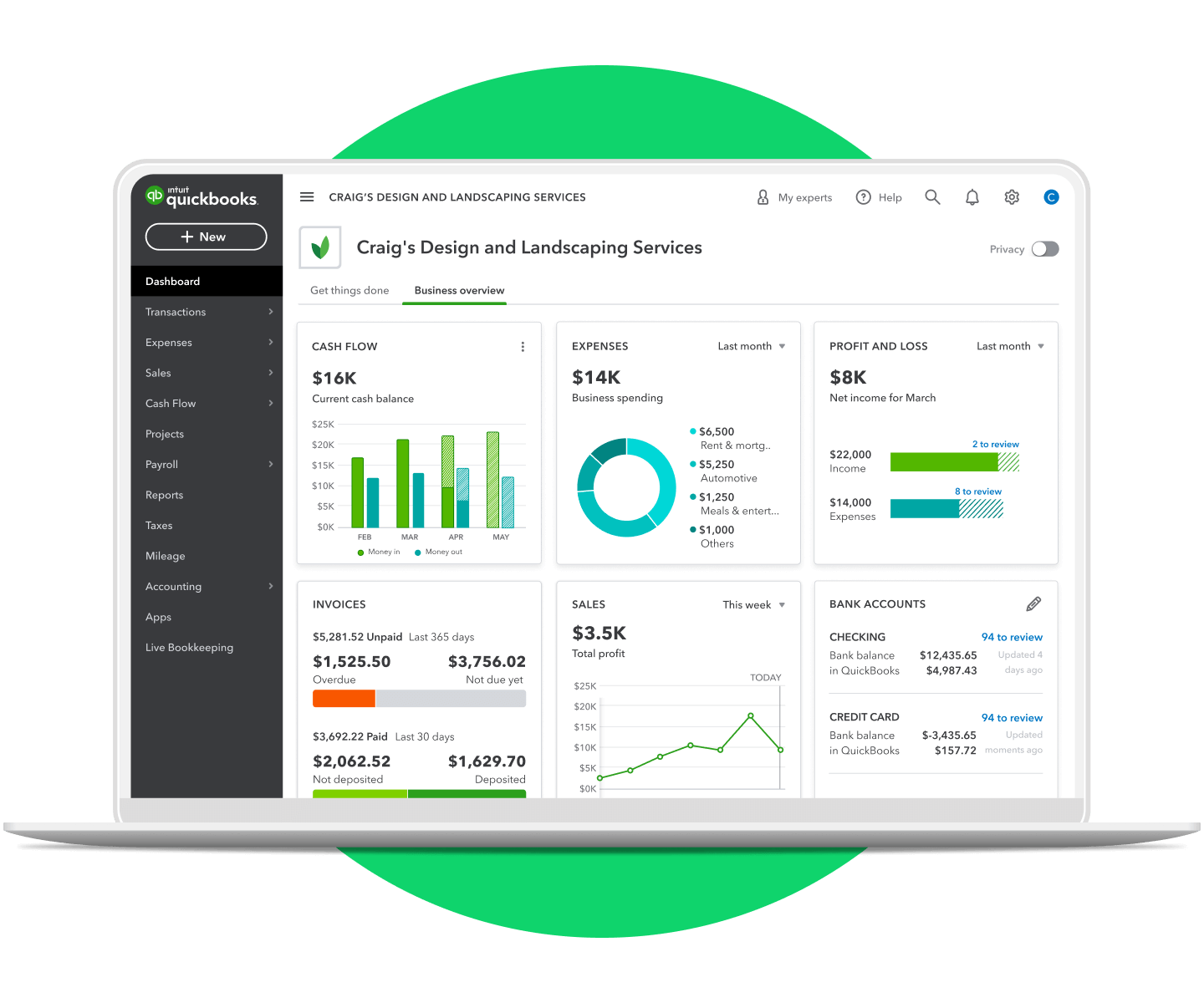
One of QuickBooks’ most powerful features is its extensive suite of financial reports. These reports are not just summaries; they are deep dives into a company’s financial performance and position. Key reports include the Profit and Loss (Income Statement), which details revenues and expenses over a period, revealing profitability; the Balance Sheet, which provides a snapshot of assets, liabilities, and equity at a specific point in time; and the Cash Flow Statement, which tracks the movement of cash in and out of the business, vital for liquidity assessment.
Beyond these core statements, QuickBooks offers dozens of customizable reports covering areas like sales by customer, expenses by vendor, budget vs. actuals, and more. Users can tailor these reports by date range, specific accounts, or even custom fields, extracting precisely the data they need. These insights are indispensable for strategic planning, identifying trends, pinpointing areas of inefficiency, and making data-driven decisions regarding pricing, spending, and investment.
Budgeting, Forecasting, and Cash Flow Management
Strategic financial planning is impossible without robust budgeting and forecasting tools. QuickBooks allows businesses to create detailed budgets for various accounts and periods, enabling them to set financial targets and track progress against them. By comparing actual financial performance to budgeted figures, businesses can quickly identify deviations and take corrective action. This proactive approach to budgeting is critical for controlling expenses, optimizing resource allocation, and achieving financial goals.
Furthermore, QuickBooks aids in cash flow management, an often-overlooked yet critical aspect of business survival. By tracking accounts receivable and payable, and providing insights into future income and expenses, the software helps businesses project their cash position. This foresight allows them to anticipate potential shortfalls or surpluses, enabling timely decisions such as securing short-term financing, delaying non-essential expenditures, or investing surplus cash strategically. Effective cash flow management, facilitated by QuickBooks, is a cornerstone of financial stability and operational continuity.
Inventory Management and Cost Tracking
For businesses that sell physical products, managing inventory efficiently is directly linked to profitability. QuickBooks provides tools for tracking inventory levels, managing product costs, and monitoring sales performance. Users can enter products, assign unique SKUs, track quantities on hand, and set reorder points. When sales are made, inventory levels are automatically updated, preventing stockouts and overstocking—both of which can lead to lost sales or tied-up capital.
The system also helps track the cost of goods sold (COGS), which is crucial for calculating gross profit and understanding true product profitability. By integrating inventory data with sales and purchasing, businesses gain a holistic view of their product lifecycle and financial impact. This level of detail empowers businesses to optimize purchasing strategies, negotiate better with suppliers, and make informed decisions about product pricing and assortment.
Simplifying Tax Preparation and Compliance
The annual ritual of tax preparation can be daunting and complex for businesses. QuickBooks significantly alleviates this burden by organizing financial data in a structured, tax-ready format, ensuring compliance and potentially reducing tax liabilities.
Organized Data for Tax Filings
At tax time, the primary challenge is often gathering and organizing all the necessary financial documentation. QuickBooks’ meticulous record-keeping solves this problem by centralizing all income, expense, asset, and liability data. The software can generate specific tax reports, classifying transactions according to common tax categories, making it easier for business owners or their accountants to complete tax returns.
From detailed expense reports to summaries of payroll taxes paid, QuickBooks ensures that all relevant financial information is easily accessible and verifiable. This not only saves significant time during tax season but also minimizes the risk of errors that could lead to audits or penalties. The accuracy and completeness of data within QuickBooks provide a solid foundation for confident tax compliance.
Payroll Management and Tax Remittance
For businesses with employees, payroll management adds another layer of complexity, encompassing wage calculations, deductions, and tax withholdings. QuickBooks offers integrated payroll services that automate these processes. Businesses can manage employee details, track hours worked, calculate gross pay, and apply various deductions (e.g., taxes, benefits, retirement contributions).
Beyond just calculating net pay, QuickBooks Payroll automatically calculates and files payroll taxes with the appropriate federal and state agencies. It also generates essential year-end tax forms, such as W-2s for employees and 1099s for contractors. This integrated approach ensures that businesses remain compliant with payroll tax regulations, avoiding costly penalties and providing peace of mind to both employers and employees regarding accurate and timely payments and filings.
Enhancing Business Efficiency Through Integration
In today’s interconnected business world, no software operates in a vacuum. QuickBooks’ ability to integrate with a vast ecosystem of other financial and business applications further amplifies its value, creating a more cohesive and efficient operational environment.
Connecting with Banks and Other Financial Institutions
One of the cornerstones of QuickBooks’ automation is its seamless integration with thousands of banks and credit unions. This direct connection allows for the automatic download of transactions, eliminating manual data entry and ensuring that the financial records in QuickBooks are always up-to-date with real-world bank activity. This real-time synchronization is crucial for accurate cash flow management and timely reconciliation.
Beyond transactional data, some integrations can facilitate direct bill payments or even payroll disbursements, further consolidating financial operations within a single platform. This connectivity not only saves time but also reduces the potential for errors that can arise from manual reconciliation between separate systems.
Integration with Business Applications for Holistic Management
QuickBooks extends its utility by integrating with a wide array of third-party business applications. These integrations can cover various functions, including Customer Relationship Management (CRM) systems, Point-of-Sale (POS) systems, e-commerce platforms (like Shopify or Amazon), time tracking apps, expense reporting tools, and even industry-specific solutions.
For example, an e-commerce integration means that sales orders and customer data from an online store can automatically flow into QuickBooks, updating inventory, sales figures, and customer accounts without manual intervention. A CRM integration can link sales activities to invoicing. These integrations create a unified operational picture, preventing data silos and ensuring that financial information is consistent across all business functions. This holistic approach to management optimizes workflows, reduces redundant tasks, and provides a more comprehensive view of business performance.
Tailoring Solutions for Diverse Business Needs
Recognizing that businesses come in all shapes and sizes, with varying needs and complexities, QuickBooks offers a range of versions and customization options to ensure it can effectively serve a broad spectrum of users.
QuickBooks Desktop vs. Online: Choosing the Right Fit
QuickBooks offers two primary platforms: QuickBooks Desktop and QuickBooks Online. Each has distinct advantages tailored to different business models and preferences. QuickBooks Desktop, the traditional installed software, is often favored by businesses requiring more robust industry-specific features, advanced reporting, or offline access. It provides powerful customization options and is well-suited for businesses with complex inventory needs or those that prefer a one-time software purchase model.
QuickBooks Online, on the other hand, is a cloud-based subscription service. Its key advantages include accessibility from anywhere with an internet connection, automatic updates, and easier collaboration with accountants. It is highly scalable, offering different service tiers to grow with a business, and boasts a vast ecosystem of third-party app integrations. The choice between Desktop and Online often boils down to a business’s operational style, mobility requirements, and specific feature demands, all of which impact their financial management strategy.
Industry-Specific Features and Add-ons
Beyond the core functionalities, QuickBooks provides specialized versions and numerous add-ons designed to meet the unique requirements of various industries. For instance, QuickBooks Desktop offers industry-specific editions like Accountant, Contractor, Retail, and Manufacturing & Wholesale, each with tailored features and reports pertinent to that sector. These editions address specific financial nuances, such as progress invoicing for contractors or inventory tracking by lot number for manufacturers.
For QuickBooks Online, the flexibility comes through its extensive app marketplace. Businesses can find specialized apps for niche requirements, such as advanced job costing, field service management, or sophisticated financial analytics. This modular approach allows businesses to customize their financial management system to perfectly match their operational needs without being bogged down by unnecessary features, ensuring that the software remains a relevant and powerful financial tool regardless of the industry.
In conclusion, QuickBooks has cemented its position as an indispensable financial tool by offering a comprehensive suite of features that address virtually every aspect of business finance. From automating daily bookkeeping and simplifying invoicing to providing deep financial insights through robust reporting and streamlining tax preparation, it empowers businesses to not only manage their money but to truly understand and strategically leverage it for sustained success. For any business aiming for financial clarity, operational efficiency, and scalable growth, understanding and harnessing the full potential of QuickBooks is a critical step towards achieving those objectives.
aViewFromTheCave is a participant in the Amazon Services LLC Associates Program, an affiliate advertising program designed to provide a means for sites to earn advertising fees by advertising and linking to Amazon.com. Amazon, the Amazon logo, AmazonSupply, and the AmazonSupply logo are trademarks of Amazon.com, Inc. or its affiliates. As an Amazon Associate we earn affiliate commissions from qualifying purchases.