
The modern home cinema experience has evolved far beyond simple stereo speakers. As high-fidelity audio becomes more accessible, hardware manufacturers like Samsung have integrated sophisticated digital signal processing (DSP) into their mid-range offerings. The Samsung HW-Q600B soundbar stands as a testament to this evolution, bridging the gap between entry-level audio and premium cinematic immersion. Central to its performance are its specific “Sound Modes,” which allow users to tailor the audio output to their specific content and environment.
Understanding these modes is not merely about toggling through settings; it is about understanding how the 3.1.2 channel system utilizes its physical drivers and software algorithms to manipulate sound waves. Whether you are a cinephile, a competitive gamer, or a casual viewer, mastering the HW-Q600B’s sound modes is essential for maximizing your technological investment.
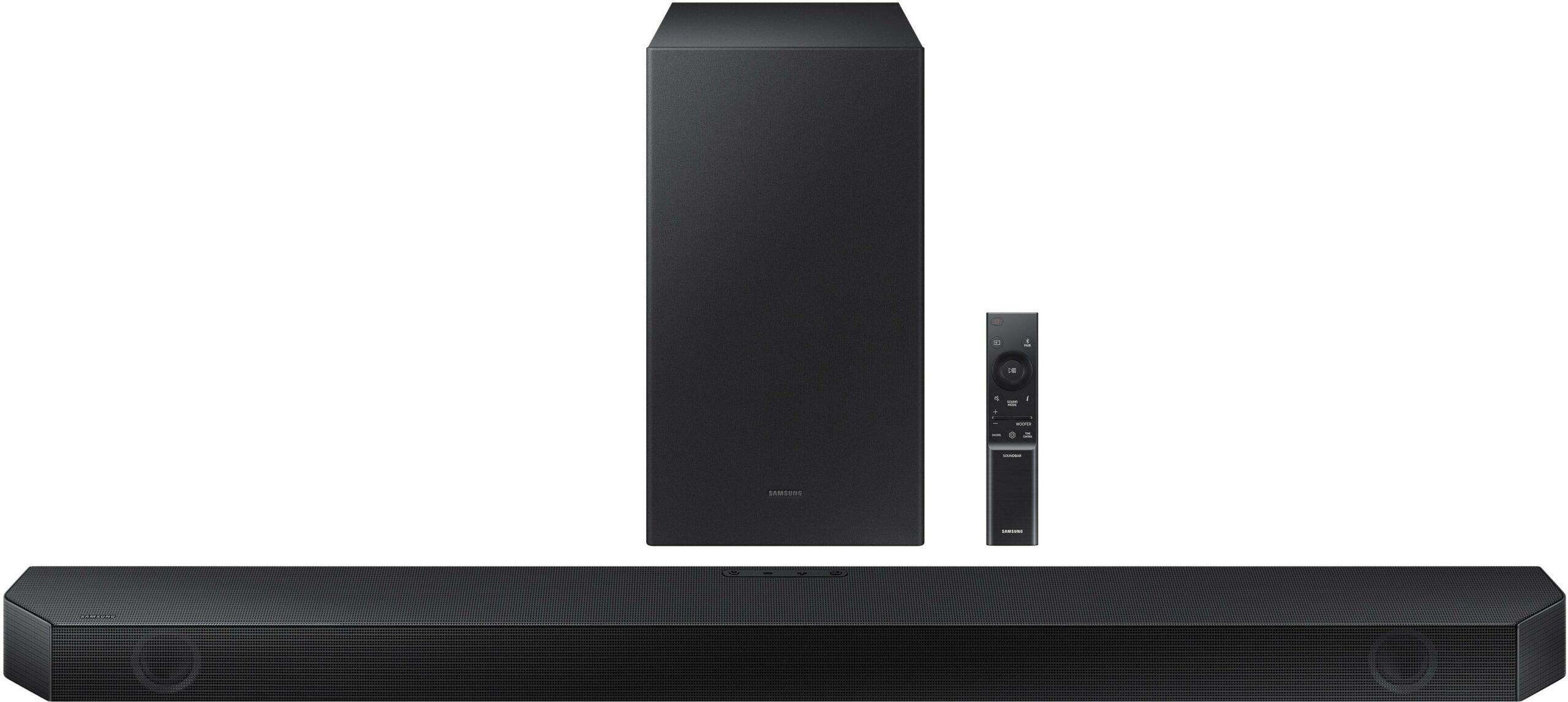
The Core Sound Modes of the HW-Q600B
The Samsung HW-Q600B features four primary sound modes: Standard, Surround Sound Expansion, Game Mode Pro, and Adaptive Sound. Each mode utilizes the soundbar’s internal hardware—including the dedicated center channel and the upward-firing drivers—in distinct ways.
Standard Mode: The Purist’s Foundation
Standard mode is the most transparent setting available on the HW-Q600B. In this mode, the soundbar outputs the original audio signal exactly as it was encoded, without additional spatial processing or equalization enhancements. If you are watching a 2.0 channel broadcast, the soundbar will play it as a 2.0 or 2.1 signal (utilizing the subwoofer).
This mode is highly recommended for music listening. Many audiophiles prefer Standard mode because it preserves the intended soundstage of a studio recording. By avoiding artificial expansion, the HW-Q600B ensures that vocals remain centered and instruments maintain their natural timbre.
Surround Sound Expansion: Creating Depth
When you want a more “enveloping” experience but aren’t necessarily watching a Dolby Atmos-encoded film, Surround Sound Expansion is the go-to setting. This mode employs psychoacoustic processing to widen the soundstage. It attempts to “upmix” standard stereo or 5.1 content to utilize the soundbar’s full 3.1.2 capability.
The technology behind this mode focuses on virtualizing height and width. By bouncing sound off the ceiling and side walls, the HW-Q600B creates the illusion of a larger room. This is particularly effective for older action movies or live sports broadcasts where environmental atmosphere is key to the viewing experience.
Game Mode Pro: Precision and Directionality
Gaming requires a different audio profile than cinema. While movies prioritize “bloom” and atmosphere, gaming requires “directional clarity.” Game Mode Pro is specifically engineered to highlight directional cues, such as footsteps or gunfire, which can provide a competitive advantage in first-person shooters or open-world RPGs.
The HW-Q600B’s Game Mode Pro works in tandem with Samsung’s Acoustic Beam technology. This hardware feature uses a series of holes in the top of the bar to act as a “flute,” directing sound precisely across the room. In this mode, the DSP prioritizes low-latency processing and sharpens high-frequency sounds to ensure the player can pinpoint exactly where an in-game sound is originating.
Adaptive Sound: AI-Driven Optimization
Adaptive Sound is perhaps the most technologically advanced mode on the HW-Q600B. It utilizes a real-time analysis algorithm to scan the incoming audio signal frame-by-frame. Based on the content detected—whether it is a quiet dialogue-heavy scene, a news broadcast, or a loud explosion—the soundbar automatically adjusts the EQ and volume levels.
One of the standout features of Adaptive Sound is “Active Voice Amplifier” logic. If the system detects that the background noise in a scene is competing with the dialogue, it intelligently boosts the frequencies associated with human speech. This ensures that you can hear every word clearly, even at lower volumes, without having to constantly adjust the remote.
The Synergy of Hardware and Object-Based Audio
While the sound modes offer manual control, the HW-Q600B’s true power is unlocked through its compatibility with object-based audio formats: Dolby Atmos and DTS:X. These are not “modes” in the traditional sense, but rather advanced audio technologies that override standard settings to provide a three-dimensional soundscape.
The 3.1.2 Channel Configuration
To understand why the sound modes work so effectively, one must look at the hardware. The “3” represents the front left, right, and center channels. The “1” represents the wireless subwoofer. The “2” represents the upward-firing drivers.
When a sound mode like “Surround Expansion” is active, it is these upward-firing drivers that do the heavy lifting. They project sound at an angle toward the ceiling, which then reflects down toward the listener. This physical manipulation of sound is what separates the Q600B from cheaper, virtual-only soundbars.

Object-Based Audio Integration
When the HW-Q600B detects a Dolby Atmos or DTS:X signal (usually via the HDMI eARC connection), it enters a specialized playback state. In this state, sound is no longer treated as “channels” but as “objects” that can be placed anywhere in a 3D space.
The sound modes still interact with these formats. For example, using Adaptive Sound while watching a Dolby Atmos film allows the AI to fine-tune the object-based delivery based on your room’s acoustics. This creates a seamless integration between the hardware’s physical capabilities and the software’s intelligent processing.
Optimizing the HW-Q600B for Your Environment
Technology is only as good as its implementation. To get the most out of the HW-Q600B’s sound modes, users must consider the physical environment and the connection architecture.
Calibration and Room Acoustics
Because the HW-Q600B relies on sound reflection (especially for Surround and Game modes), the layout of your room matters. For the best height effects, the soundbar should be placed on a flat surface with no obstructions above it. High, flat ceilings are ideal for the upward-firing drivers to bounce sound effectively.
If you find that the “Adaptive Sound” mode feels too bright or the “Standard” mode feels too flat, the HW-Q600B allows for manual EQ adjustments. You can fine-tune the treble and bass, and more importantly, adjust the volume level of the “Top” channels independently. Increasing the “Top” channel volume can enhance the sense of overhead immersion in Atmos content.
The Importance of HDMI eARC
To fully utilize the high-bitrate audio required for these modes to shine, using the HDMI eARC (Enhanced Audio Return Channel) is crucial. While an optical cable can carry 5.1 sound, it lacks the bandwidth for Dolby Atmos or the advanced metadata used by Adaptive Sound.
Connecting your soundbar to your TV’s eARC port ensures that the handshaking between the two devices is instantaneous. This reduces “lip-sync” issues and allows the soundbar to receive the highest quality raw data, giving the DSP modes more information to work with when processing the audio.
Ecosystem Synergy: Q-Symphony and Future-Proofing
For users who own a compatible Samsung Neo QLED or OLED TV, the HW-Q600B unlocks an additional layer of technological integration known as Q-Symphony.
What is Q-Symphony?
Traditionally, when you connect a soundbar, the TV speakers are muted. Q-Symphony changes this by allowing the TV’s built-in speakers to work in harmony with the soundbar. When this is active, the TV speakers handle the higher-frequency directional sounds and additional height, while the HW-Q600B focuses on the core soundstage and low-end frequencies.
This synergy enhances every sound mode. In “Game Mode Pro,” for instance, Q-Symphony provides even more localized audio points, making the environment feel more granular. It is a prime example of how brand-specific ecosystems can enhance hardware performance through software synchronization.
Maintaining Performance through Firmware
Like any modern tech gadget, the HW-Q600B is subject to software improvements. Samsung frequently releases firmware updates that can refine the algorithms used in “Adaptive Sound” or improve the stability of the wireless subwoofer connection.
Users should periodically check the SmartThings app or the Samsung support website for updates. A firmware patch can often resolve “muffled” dialogue issues or improve the “punch” of the Standard mode, ensuring that the device remains a high-performing piece of tech for years to come.

Conclusion: Choosing the Right Mode for the Moment
The Samsung HW-Q600B is a sophisticated piece of audio engineering that offers versatility through its distinct sound modes. There is no “best” mode, only the right mode for the specific context.
For the purest musical experience, Standard is king. For a cinematic feel with older content, Surround Sound Expansion provides the necessary scale. For the competitive edge in digital worlds, Game Mode Pro is indispensable. And for the user who wants a “set it and forget it” experience that intelligently adapts to every scene, Adaptive Sound represents the pinnacle of Samsung’s consumer audio AI.
By understanding the technical nuances of these modes and how they interact with the 3.1.2 channel hardware, you can transform a simple living room into a dynamic acoustic environment, fully realizing the potential of the HW-Q600B soundbar.
aViewFromTheCave is a participant in the Amazon Services LLC Associates Program, an affiliate advertising program designed to provide a means for sites to earn advertising fees by advertising and linking to Amazon.com. Amazon, the Amazon logo, AmazonSupply, and the AmazonSupply logo are trademarks of Amazon.com, Inc. or its affiliates. As an Amazon Associate we earn affiliate commissions from qualifying purchases.