
In the ever-evolving digital landscape, staying connected and informed is paramount. For billions worldwide, Facebook serves as a central hub for social interaction, news consumption, and information gathering. To facilitate this constant engagement, platforms like Facebook employ a sophisticated array of tools designed to grab user attention and deliver timely updates. Among these, Facebook push notifications stand out as a primary mechanism for achieving this. But what exactly are they, how do they function, and what implications do they hold for users and the platform itself?
At their core, push notifications are alerts sent by an application (in this case, Facebook) to a user’s device, appearing on their screen even when the app is not actively open. They are designed to be concise, attention-grabbing, and contextually relevant, aiming to prompt a user to engage with the app or a specific piece of content. For Facebook, these notifications serve as a digital outstretched hand, beckoning users back to the platform for a myriad of reasons, from a friend’s birthday to a breaking news story or a new message.
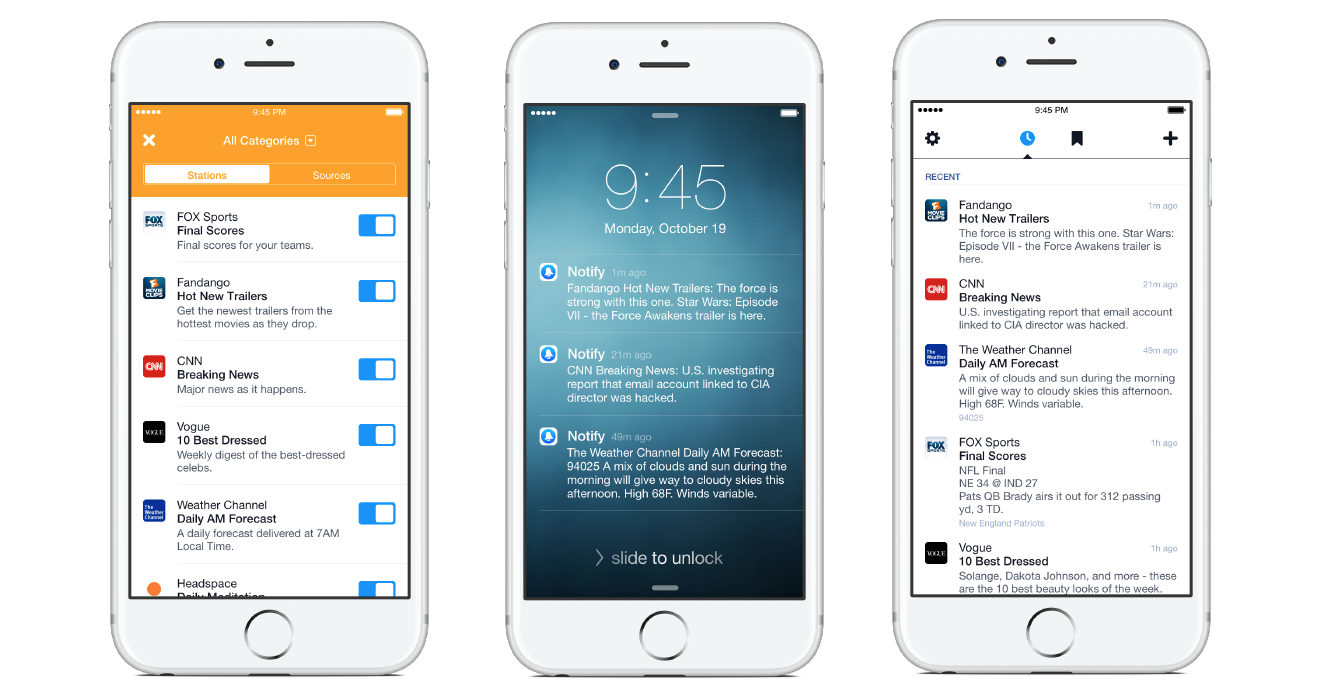
Understanding Facebook push notifications delves into the intricate interplay between user behavior, platform algorithms, and mobile operating system functionalities. They are not merely random alerts; rather, they are the product of sophisticated data analysis and a strategic intent to maximize user engagement and, by extension, platform utility. This article will explore the multifaceted nature of Facebook push notifications, examining their technical underpinnings, their role in user experience, and the broader implications for individuals interacting with the world’s largest social network.
The Technical Mechanics of Facebook Push Notifications
The seamless delivery of Facebook push notifications is a testament to advanced technological architecture. These alerts don’t materialize out of thin air; they are the result of a carefully orchestrated process involving the Facebook application, its servers, and the push notification services provided by mobile operating systems. Understanding this technical backbone is crucial to appreciating their omnipresence and the power they wield in shaping user interaction.
How Push Notifications Are Delivered
The journey of a Facebook push notification begins with an event occurring on the Facebook platform that is deemed relevant to a specific user. This could be anything from a new friend request, a comment on a post, a message, an event invitation, or even a reminder about a memory from years past.
-
Event Trigger: The initial trigger is an action or an update within Facebook’s vast network that matches a user’s notification preferences or is flagged by Facebook’s algorithms as potentially interesting. For instance, if a friend tags you in a photo, this event is registered by Facebook’s servers.
-
Server-Side Processing: Facebook’s servers then process this event. They identify the intended recipient and formulate the content of the notification, which includes a brief message and potentially an associated action or deep link to the specific content within the app.
-
Push Notification Service Interaction: Facebook’s servers don’t directly push notifications to your device. Instead, they communicate with the platform-specific push notification service provided by the mobile operating system. For Android devices, this is Google’s Firebase Cloud Messaging (FCM), and for iOS devices, it’s Apple Push Notification service (APNs).
-
Device Registration: When you install the Facebook app and grant it permission to send notifications, your device registers with these push notification services. This registration involves obtaining a unique device token. The Facebook app sends this token, along with your user ID, to Facebook’s servers.
-
Transmission to Device: When a notification is ready, Facebook’s servers send it to the appropriate push notification service (FCM or APNs). This service then uses the device token to locate your specific device and deliver the notification to your device’s operating system.
-
OS Handling and Display: The mobile operating system receives the notification and handles its display. This includes making the alert appear on your lock screen, in the notification shade, or as a banner at the top of your screen, depending on your device’s settings and the app’s configuration. It may also trigger a sound or vibration.
The Role of Platform-Specific Services (FCM & APNs)
Firebase Cloud Messaging (FCM) and Apple Push Notification service (APNs) are the critical intermediaries. They are designed to be highly efficient and reliable, ensuring that notifications are delivered even when the Facebook app isn’t running in the foreground. These services act as a bridge between the application servers and the end-user devices, managing the complexities of network connectivity, device states, and message routing.
- FCM (for Android): FCM is part of Google’s Firebase platform. It allows developers to send notifications and data messages to client apps reliably. FCM handles device connection management, message queuing, and delivery, optimizing battery usage and data consumption.
- APNs (for iOS): APNs is Apple’s proprietary service for push notifications. It enables third-party applications to send notifications to iOS, iPadOS, macOS, and watchOS devices. APNs ensures that notifications are delivered promptly and securely.
Without these dedicated services, each app would have to maintain a persistent connection to its servers on every device, which would be incredibly inefficient and drain device batteries rapidly. FCM and APNs abstract this complexity, allowing developers like Facebook to focus on generating and sending relevant content.
Data Exchange and Notification Content
The content of a Facebook push notification is meticulously crafted. It typically includes:
- A Title: Often the name of the app (“Facebook”) or a brief summary of the event.
- A Message Body: The core of the notification, informing the user about what has happened (e.g., “John Smith commented on your post,” “It’s Sarah Johnson’s birthday!”).
- An Icon: The Facebook app icon or a relevant image.
- An Action (Optional): When tapped, the notification can direct the user to a specific part of the Facebook app, such as the post that was commented on, the friend’s profile, or the message thread.
The data exchanged between Facebook’s servers and the push notification services is minimal but highly structured. It contains identifiers for the recipient device and the payload of the notification itself. This efficient data exchange ensures that notifications are delivered quickly without consuming excessive bandwidth.
Customization and User Control over Facebook Notifications
While Facebook push notifications are a powerful tool for engagement, their effectiveness hinges on a user-friendly experience. Recognizing that not all notifications are created equal, and that user preferences vary wildly, Facebook offers extensive options for customization, allowing individuals to curate their notification experience to suit their needs and preferences. This control is not just a feature; it’s a crucial element in maintaining user satisfaction and preventing notification fatigue.
Navigating Facebook’s Notification Settings
Within the Facebook application and on its website, users can access a dedicated section for managing their notifications. This central hub is the gateway to tailoring the alerts received. The path to these settings typically involves navigating through the main menu, often represented by three horizontal lines or a profile icon, then scrolling down to “Settings & Privacy,” and subsequently selecting “Settings,” followed by “Notifications.”
Once in the notification settings, users are presented with a granular level of control over various types of alerts. This allows them to empower or disable specific notification categories based on their perceived importance and relevance.
Granular Control Over Notification Types
Facebook categorizes its notifications into numerous types, enabling users to fine-tune their experience. These categories often include:
- Activity on Your Posts: Alerts for likes, comments, shares, and reactions to your content.
- Activity on Your Account: Notifications related to security alerts, friend requests, tagging, and mentions.
- Reminders: Alerts for upcoming birthdays, anniversaries, events you’ve expressed interest in, or memories from past years.
- People You May Know: Suggestions for new friends based on your network and interactions.
- Videos: Notifications about new videos from pages you follow or recommended videos.
- Groups: Updates from groups you are a member of, such as new posts, comments, or administrative actions.
- Events: Notifications about events you’ve created, are attending, or have been invited to.
- Pokes: Alerts when someone pokes you.
- From Friends: Updates from your close friends, often prioritized.
- From Pages You Follow: Notifications about updates from the Facebook Pages you’ve liked or followed.
- Friend Activity: Updates on what your friends are doing on the platform, such as posting photos or liking content.
- Live Videos: Alerts when friends or pages you follow go live.
- Birthdays: Reminders for friends’ upcoming birthdays.
- App and Website Activity: Notifications related to third-party apps and websites that use Facebook Login.
For each of these categories, users can typically choose to enable or disable push notifications entirely. More advanced options might allow users to select specific sub-categories within a broader type, further refining the alerts they receive. For instance, within “Groups,” a user might opt to receive notifications only for administrator announcements but not for every individual post.
Platform-Specific Customization (Push, Email, SMS)

Beyond the content and type of notifications, Facebook also allows users to control the method of delivery. The primary focus is on push notifications sent to the mobile device. However, users can also often choose to receive notifications via:
- Email: These are often more detailed summaries or digests of activity that may have occurred while the user was offline.
- SMS (Text Messages): For critical alerts, such as security notifications or password reset codes, SMS can be an option, though less common for general platform updates due to cost and potential for spam.
The ability to switch between these channels, or to disable certain channels altogether, provides a layered approach to managing incoming information. For example, someone who wants to stay completely off their phone during work hours might disable push notifications but still opt for an end-of-day email summary of important Facebook activity.
The Impact of Customization on User Experience
The extensive customization options are designed to combat “notification fatigue” – the overwhelming experience of receiving too many alerts, which can lead to users ignoring or disabling all notifications. By empowering users to choose what matters most to them, Facebook aims to ensure that the notifications they do receive are relevant and actionable, thereby increasing the likelihood of user engagement. This personalized approach transforms push notifications from potential annoyances into valuable, timely information, enhancing the overall user experience and fostering a more controlled and intentional interaction with the platform.
The Strategic Role of Facebook Push Notifications in Engagement
Facebook push notifications are far more than just a passive alert system; they are a sophisticated and integral component of Facebook’s broader engagement strategy. By strategically leveraging these alerts, the platform aims to foster continuous user interaction, drive content consumption, and ultimately, maintain its position as a dominant digital social space. The design and deployment of these notifications are deeply intertwined with user psychology and algorithmic optimization.
Driving User Re-engagement and Retention
The primary objective of most push notifications is to bring users back to the application. For Facebook, this translates to keeping users on the platform for longer durations and returning more frequently.
- Prompting Immediate Action: Notifications for messages, friend requests, or event invitations are designed to elicit an immediate response. The urgency and personal relevance of these alerts make them highly effective in driving immediate re-engagement.
- Highlighting New Content and Activity: Alerts about new posts from friends, trending topics, or updates from followed pages serve to inform users of fresh content, sparking curiosity and encouraging them to explore what’s new. This is particularly important for a content-driven platform like Facebook.
- Combating User Attrition: In a competitive digital landscape, retaining users is paramount. By consistently providing value through timely updates, Facebook aims to prevent users from disengaging and migrating to alternative platforms. Push notifications act as a persistent, albeit controllable, reminder of the value and social connections available on Facebook.
Algorithmic Personalization and Content Discovery
Facebook’s sophisticated algorithms play a crucial role in determining which push notifications are sent to which users. This personalization is key to making the alerts relevant and valuable, thereby increasing their effectiveness.
- Predictive Engagement: Algorithms analyze user behavior, past interactions, connections, and expressed interests to predict what content or activity is most likely to be of interest to an individual user. This might include suggesting a friend’s photo album based on past interactions with that friend, or highlighting a trending news story relevant to the user’s demographic or stated interests.
- Content Discovery: Push notifications can serve as a powerful tool for content discovery. By highlighting popular posts, trending topics, or new videos from pages a user follows, Facebook can guide users towards content they might not have otherwise found. This is especially important for the vast amount of content generated on the platform daily.
- Personalized Recommendations: The platform uses notifications to recommend new friends, groups, or pages that align with a user’s profile and network. This proactive approach aims to expand a user’s social graph and increase their overall engagement with different facets of the platform.
Fostering Social Interaction and Community Building
At its heart, Facebook is about connecting people. Push notifications are instrumental in facilitating and encouraging these connections.
- Facilitating Communication: Alerts for messages, comments, and reactions directly support interpersonal communication. They ensure that users are aware of interactions with their friends and family, fostering a sense of connectedness and encouraging ongoing dialogue.
- Promoting Participation: Notifications about events, group discussions, and community updates encourage users to participate in social activities, both online and offline. Reminders for upcoming events or discussions in a group can prompt users to RSVP, contribute to a conversation, or attend a gathering.
- Strengthening Social Ties: Birthday reminders, anniversary notifications, and alerts about friends’ significant life events serve to strengthen social bonds by prompting users to acknowledge and celebrate these milestones. This reinforces the social fabric that Facebook aims to build and maintain.
The Influence on User Behavior and Platform Economics
The constant stream of personalized push notifications, while designed to be helpful, can also subtly influence user behavior. By directing attention and prompting action, these notifications contribute to the platform’s economic model, which is largely based on advertising.
- Increased Time on Platform: More time spent on Facebook means more opportunities for users to see advertisements. Push notifications are a critical tool in achieving this increased dwell time.
- Targeted Advertising Opportunities: The data gathered from user interactions with push notifications, and the subsequent actions taken, further refines Facebook’s understanding of user preferences. This allows for more precise targeting of advertisements, increasing their effectiveness for advertisers and their value to Facebook.
- Driving Specific Actions: Notifications can be crafted to encourage specific user actions, such as visiting a marketplace listing, responding to an event invitation from a business, or clicking on a sponsored content link disguised as a notification.
In essence, Facebook push notifications are a finely tuned engine of engagement, designed to keep users connected, informed, and actively participating on the platform. They are a powerful example of how technology can be strategically deployed to shape user behavior and drive platform growth.
The Future of Facebook Push Notifications
As technology advances and user expectations evolve, the landscape of Facebook push notifications is poised for further development. The trends indicate a move towards even greater personalization, smarter delivery, and enhanced user control, all aimed at making these alerts more valuable and less intrusive. The platform is not static; it constantly iterates to optimize user experience and maintain its relevance.
Towards Smarter and More Contextual Alerts
The future of push notifications lies in their ability to become not just timely, but truly intelligent. This involves a deeper understanding of user context, intent, and potential needs.
- Proactive Assistance: Instead of merely reacting to events, future notifications might proactively offer solutions or information based on a user’s current situation. For example, a notification could appear if a user is searching for restaurants in a new city, offering relevant Facebook recommendations or reviews.
- Predictive Needs: Algorithms may become sophisticated enough to anticipate a user’s needs before they even arise. This could manifest as notifications about traffic conditions before a scheduled event or suggestions for relevant content based on upcoming travel plans.
- Dynamic Content Adaptation: Notifications may dynamically adapt their content and delivery method based on the user’s current activity and device. For instance, a subtle banner notification might appear on a desktop while a more prominent alert with sound might be used on a mobile device when the user is less engaged.
Enhanced Personalization and User Agency
While personalization is already a hallmark of Facebook notifications, future iterations will likely offer even greater depth and user control.
- AI-Powered Notification Management: Artificial intelligence could be employed to learn a user’s notification preferences more effectively, automatically adjusting settings to optimize relevance and minimize interruptions. This could involve AI learning which notifications are consistently ignored or acted upon, and adjusting future alerts accordingly.
- “Do Not Disturb” Intelligence: Beyond simple scheduling, future “Do Not Disturb” modes could become contextually aware, allowing critical notifications (e.g., from close family) to break through while silencing less important ones.
- Feedback Loops for Refinement: Users will likely have more intuitive ways to provide feedback on the relevance of notifications, creating a direct learning loop for the algorithms that govern their delivery. This could involve simple “thumbs up/down” options or more detailed feedback mechanisms.

Integration with Emerging Technologies
The evolution of Facebook push notifications will also be shaped by the integration of emerging technologies.
- Augmented Reality (AR) and Virtual Reality (VR): As AR and VR technologies become more mainstream, push notifications might extend into these immersive environments. Imagine receiving a notification for a virtual event or a collaborative AR experience overlaid onto your physical surroundings.
- Wearable Technology: With the proliferation of smartwatches and other wearables, notifications will need to be optimized for these smaller, glanceable screens. This will necessitate even more concise and actionable alert formats.
- Cross-Platform Continuity: Future notifications may seamlessly transition across devices. A notification that appears on your phone could be dismissed or acted upon on your tablet or desktop computer, creating a more fluid and integrated user experience.
The future of Facebook push notifications is about striking an ever-finer balance between utility and user experience. By embracing smarter technologies and empowering users with more granular control, Facebook aims to ensure that these alerts remain a valuable tool for connection and information, rather than a source of distraction or annoyance. The ongoing evolution of this feature reflects Facebook’s commitment to adapting to the changing digital landscape and user expectations, ensuring its continued relevance in the lives of billions.
aViewFromTheCave is a participant in the Amazon Services LLC Associates Program, an affiliate advertising program designed to provide a means for sites to earn advertising fees by advertising and linking to Amazon.com. Amazon, the Amazon logo, AmazonSupply, and the AmazonSupply logo are trademarks of Amazon.com, Inc. or its affiliates. As an Amazon Associate we earn affiliate commissions from qualifying purchases.