
In the modern landscape of data management and software efficiency, time is the most valuable commodity. For professionals who spend hours navigating spreadsheets, the repetition of formatting cells, moving data points, and generating reports can become a significant bottleneck. This is where Excel Macros enter the fold. Far from being just a niche feature for power users, macros represent a fundamental bridge between standard spreadsheet usage and sophisticated software automation.
Understanding what Excel macros are—and more importantly, how they function within the broader tech ecosystem—is essential for anyone looking to leverage digital tools to their full potential. At its core, an Excel macro is a programmable script that allows users to automate repetitive tasks, turning a complex series of manual clicks and keystrokes into a single, instantaneous command.

Understanding the Fundamentals of Excel Macros
To appreciate the power of a macro, one must first understand the technology that drives it. While many users interact with Excel through its grid interface, there is a robust programming layer beneath the surface that allows for deep customization and automation.
Defining the Macro: VBA and Automation
A macro is essentially a recorded sequence of actions or a piece of code written in a specific programming language called Visual Basic for Applications (VBA). VBA is an event-driven programming language developed by Microsoft that is built into most desktop Office applications.
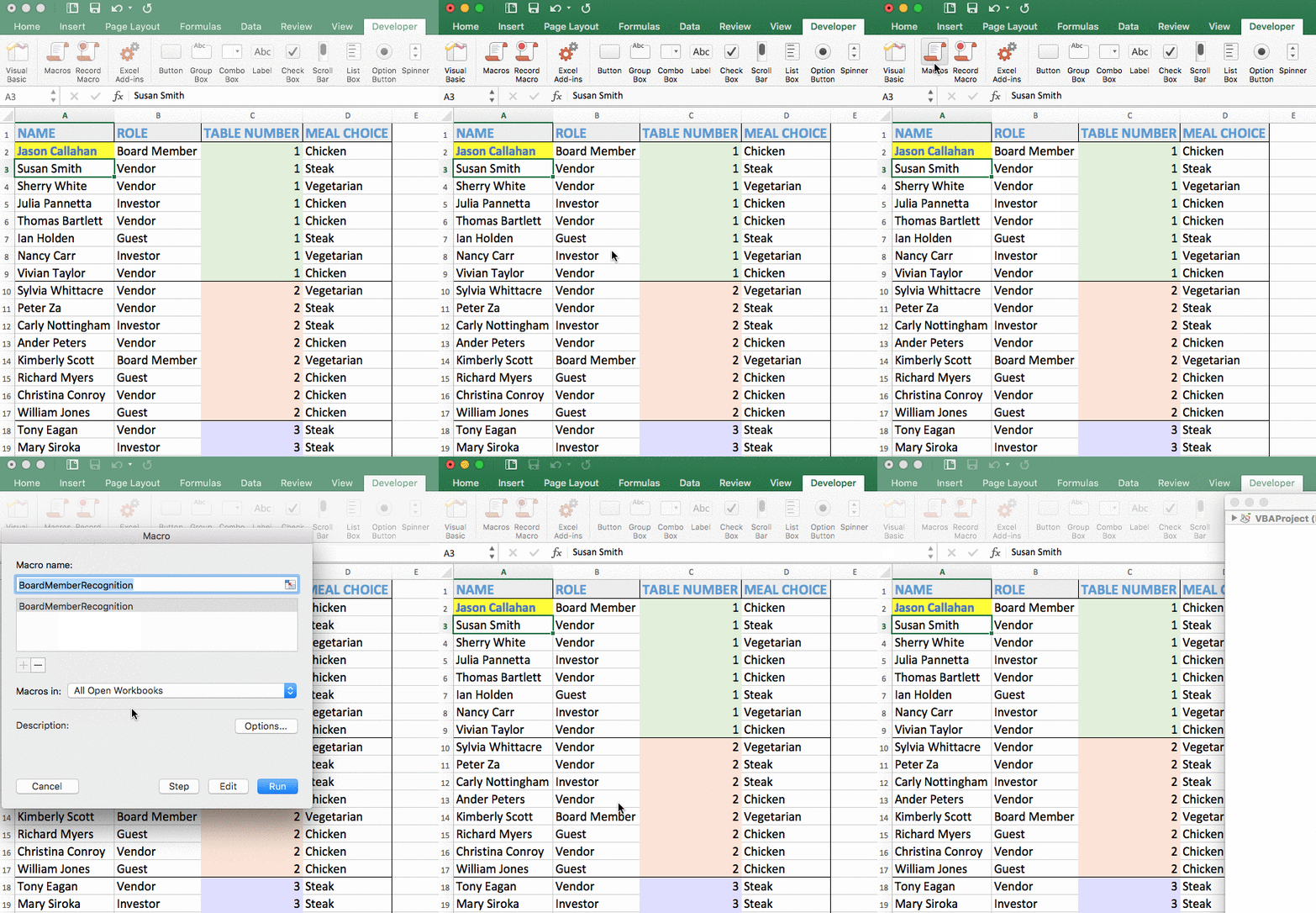
When you create a macro, you are essentially providing the software with a “recipe.” Once the macro is triggered—whether by clicking a button, using a keyboard shortcut, or opening a specific file—Excel executes those instructions with robotic precision. This eliminates the variability of human input and ensures that the software performs the task exactly the same way every time.
The Macro Recorder vs. Manual Coding
There are two primary ways to create a macro in the Excel tech environment: using the Macro Recorder or writing VBA code manually.
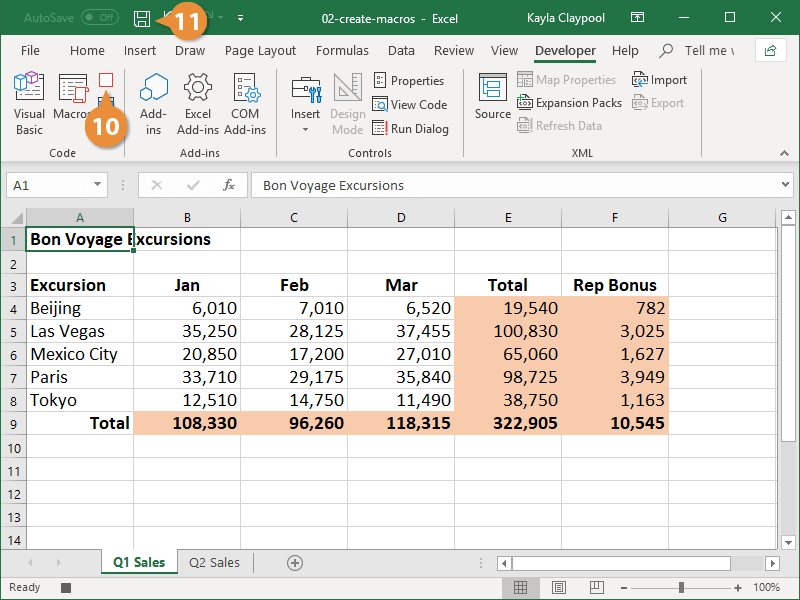
The Macro Recorder acts like a digital shadow. When turned on, it “watches” every movement the user makes—selecting a cell, changing a font color, or inserting a formula—and translates those actions into VBA code in the background. This is an excellent tool for beginners or for automating simple, linear tasks.
However, Manual VBA Coding is where the true technical potential lies. By opening the Visual Basic Editor (VBE), users can write complex scripts that include logic, such as “If/Then” statements and loops. This allows the macro to make decisions based on the data it encounters, making the automation dynamic rather than just a static replay of recorded actions.
Why Macros are Essential in Modern Software Ecosystems
In the context of technology and software development, efficiency is defined by the reduction of friction. Macros serve as a primary friction-reduction tool in data-heavy environments. As datasets grow in size and complexity, the manual handling of information becomes not only tedious but also technically unsustainable.
Eliminating Human Error and Increasing Precision
One of the most significant advantages of employing macros is the removal of human error. Even the most skilled data analyst is prone to fatigue or distraction, which can lead to a misplaced decimal point or a missed row of data. A macro, being a piece of software logic, does not suffer from these limitations.
In technical fields where data integrity is paramount—such as software testing logs, engineering calculations, or digital security audits—the precision offered by an automated script ensures that the output is consistently accurate. By codifying a process, a team ensures that the “Standard Operating Procedure” is hardcoded into the workflow itself.
Scaling Productivity Through Algorithmic Efficiency
Productivity in the tech world is often measured by throughput. If a process that takes a human twenty minutes can be reduced to two seconds via a macro, the productivity gain is exponential. This allows tech professionals to shift their focus from “data processing” to “data analysis.”
Instead of spending the morning cleaning up CSV exports from a database, a developer or IT manager can run a macro that formats the data, removes duplicates, and generates a pivot table in seconds. This shift allows for higher-level cognitive work, such as interpreting the trends the data reveals or troubleshooting the underlying systems that generated the data in the first place.
Practical Applications and Common Use Cases
To see the value of macros, we must look at how they are applied in real-world technical scenarios. From IT administration to software development, macros act as a versatile utility knife for data manipulation.
Data Cleaning and Formatting at Scale
Tech professionals often deal with “dirty data”—unstructured information pulled from various APIs, software logs, or external databases. Often, this data arrives in a format that is unreadable or incompatible with other software tools.
A macro can be designed to perform a comprehensive “sweep” of a dataset. This might include:
- Trimming excess spaces from strings of text.
- Converting Unix timestamps into readable date formats.
- Parsing complex strings into multiple columns using specific delimiters.
- Applying uniform styling to ensure the data meets corporate documentation standards.
Generating Complex Automated Reports
For many IT departments, weekly reporting on system uptime, security breaches, or resource allocation is a mandatory task. Generating these reports manually involves pulling data from multiple sheets, calculating averages, and creating visual charts.
A well-constructed macro can automate the entire reporting lifecycle. It can be programmed to open several different workbooks, extract the necessary metrics, perform the calculations, and even generate a finalized PDF report ready for distribution. This creates a “set it and forget it” workflow that ensures reporting is never delayed by human workload.
Creating Custom Functions (UDFs)
Beyond just moving data around, VBA allows users to create User Defined Functions (UDFs). While Excel has hundreds of built-in formulas like SUM or VLOOKUP, technical projects often require niche calculations that don’t exist in the standard library. By writing a macro as a function, you can create a custom formula—for example, a tool that calculates the specific checksum of a data string—and use it across your spreadsheet just like any other native Excel function.
Security, Best Practices, and the Future of Automation
While macros offer incredible power, they are also a focal point for digital security and software evolution. As with any tool that executes code, there are risks and responsibilities involved in their use.
Navigating Security Risks: Macro-Enabled Files (.xlsm)
From a digital security perspective, macros are powerful because they can interact with the operating system, access files, and communicate with other applications. Unfortunately, this power can be exploited by malicious actors to create “macro viruses.”
Because of this, Microsoft introduced the .xlsm file extension. Unlike a standard .xlsx file, an .xlsm file explicitly tells the user and the system that the workbook contains embedded code. Modern security protocols in Excel also disable macros by default, requiring the user to “Enable Content.” For IT professionals, managing macro security settings via Group Policy is a critical component of maintaining a secure software environment. It is a best practice to only run macros from trusted sources and to digitally sign macros used within a corporate network.
The Transition to Office Scripts and Power Automate
The tech landscape is shifting toward cloud-based solutions, and Excel is evolving accordingly. While VBA macros remain the gold standard for desktop automation, Microsoft has introduced Office Scripts for the web version of Excel.
Office Scripts use TypeScript (a superset of JavaScript), which is more aligned with modern web development standards than the aging VBA language. Furthermore, the integration of Power Automate allows Excel to interact with other cloud apps like Microsoft Teams, Outlook, and SharePoint without needing the file to be open.
However, VBA macros are not going away anytime soon. Their ability to handle deep, complex logic on the local machine remains unmatched for heavy-duty data processing. The future of Excel automation likely lies in a hybrid approach: using VBA for complex local calculations and Power Automate or Office Scripts for cloud-based connectivity.
Conclusion
Excel macros represent the democratization of software automation. They provide a gateway for users to transition from being passive consumers of software to active developers of their own tools. By understanding the mechanics of VBA, the benefits of algorithmic precision, and the necessity of digital security, tech-savvy professionals can transform their relationship with data.
In an era defined by the rapid expansion of digital information, the ability to automate the mundane is not just an advantage—it is a necessity. Whether you are cleaning server logs, managing complex software projects, or building custom analytical tools, Excel macros remain one of the most accessible and powerful instruments in the modern technologist’s toolkit. By mastering macros, you aren’t just saving time; you are building a more robust, scalable, and error-free digital workflow.
aViewFromTheCave is a participant in the Amazon Services LLC Associates Program, an affiliate advertising program designed to provide a means for sites to earn advertising fees by advertising and linking to Amazon.com. Amazon, the Amazon logo, AmazonSupply, and the AmazonSupply logo are trademarks of Amazon.com, Inc. or its affiliates. As an Amazon Associate we earn affiliate commissions from qualifying purchases.