
In the rapidly evolving landscape of 3D modeling, computer-aided design (CAD), and spatial computing, the concept of coplanar points serves as a fundamental building block. While the term originates from classical Euclidean geometry, its implications in the digital tech sector are profound. From the rendering of photorealistic environments in gaming engines to the precision of robotic limb movements in manufacturing, understanding how points interact on a two-dimensional plane within a three-dimensional space is essential for developers, engineers, and digital artists alike.
Understanding the Fundamentals: The Definition of Coplanarity
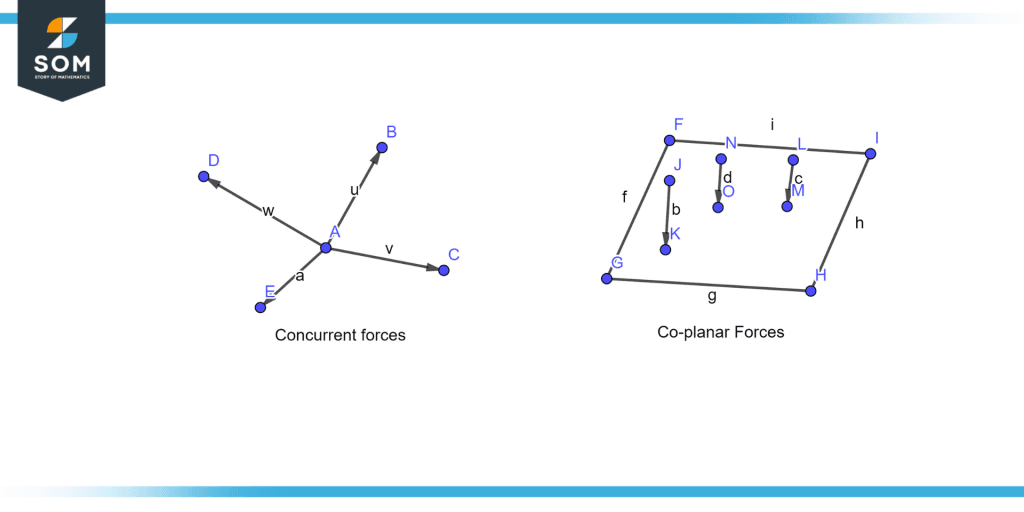
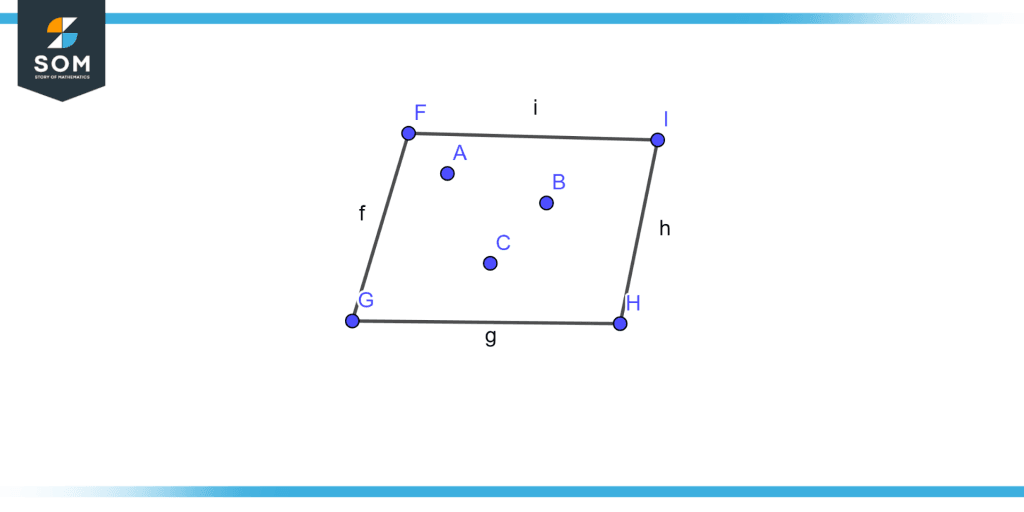
At its simplest level, coplanar points are a set of points that all lie within the same single geometric plane. In a three-dimensional Cartesian coordinate system, any two points are inherently collinear (forming a line), and any three points—provided they are not in a straight line—are inherently coplanar, as they define a unique plane. However, the complexity arises when a fourth point is introduced. For that fourth point to be considered coplanar with the first three, it must satisfy specific mathematical conditions that align it with the flat surface defined by the others.

The Mathematical Basis in Tech Development
For software developers building 3D engines, verifying coplanarity is a matter of linear algebra. If we have a set of points in a 3D space, we can determine if they are coplanar by calculating the scalar triple product of vectors formed by these points. If the volume of the parallelepiped defined by the vectors is zero, the points are coplanar.
In modern software architecture, this isn’t just an abstract exercise. Algorithms frequently use the “dot product” and “cross product” to calculate surface normals. If a set of points intended to form a polygon is not coplanar, the software may struggle to determine which way the “face” is pointing. This results in visual artifacts known as “shading errors,” where the digital surface appears to flicker or display inconsistent shadows.
Visualization in 3D Space
In a tech context, visualize a flat sheet of digital glass. Any pixel or vertex you place on that sheet is coplanar with every other vertex on that sheet. If you “pull” one vertex out of alignment, the sheet must bend or fold to reach it. In the world of high-end rendering, “bent” polygons are a source of significant computational overhead and visual instability. Therefore, maintaining coplanar integrity is a primary goal in professional digital asset creation.
The Role of Coplanar Points in 3D Modeling and CAD Software
In the realm of Computer-Aided Design (CAD) and 3D modeling software like Blender, Autodesk Maya, or SolidWorks, coplanar points are the difference between a clean, functional model and a broken one. When designers create “meshes”—the skeletal structures of 3D objects—they work primarily with vertices (points), edges (lines), and faces (planes).
Mesh Topology and Planar Polygons
A “polygon” in 3D modeling is usually a triangle or a quad (a four-sided shape). Because any three points define a plane, triangles are always coplanar. This is why graphics cards (GPUs) are designed to process triangles; they are mathematically “safe.” However, most designers prefer working with quads because they allow for better “edge flow” and cleaner deformations during animation.
The challenge with quads is that their four points are not always coplanar. If two vertices of a quad are moved in opposite directions, the quad becomes “non-planar.” In professional tech workflows, non-planar quads are often considered “bad geometry.” They can cause issues during the “triangulation” phase—when the software converts the model for a game engine—leading to unexpected folds in what should be a flat surface.
Avoiding Non-Planar Quads in Digital Design
Advanced modeling tools now include “checkers” that highlight non-planar faces. When a designer is building a digital twin of a consumer electronic device or a piece of architectural hardware, ensuring that all points on a flat surface are strictly coplanar is vital. This ensures that light reflects off the surface realistically. In the tech industry, this is often referred to as “surface continuity.” If the points are not coplanar, the specular highlights (the bright spots of light) will look warped, breaking the illusion of a solid, high-quality material.
The Importance of Precision in Engineering Software
In mechanical engineering and industrial design software, the precision of coplanar points is even more critical. When designing parts for 3D printing or CNC machining, surfaces that are meant to be flush must have perfectly coplanar vertices. If a mounting bracket is designed with non-coplanar points, the physical object may not sit flat against its counterpart, leading to structural weaknesses or assembly failures. Here, coplanarity is not just a visual requirement; it is a functional necessity for hardware integrity.
Coplanar Points in Game Development and Real-Time Rendering
Game engines like Unreal Engine 5 and Unity rely heavily on the mathematics of planes to render complex worlds at 60 frames per second. Every wall, floor, and ceiling in a digital environment is essentially a collection of coplanar points organized into triangles.
Collision Detection Algorithms
One of the most tech-intensive aspects of game development is collision detection. When a player character walks across a floor, the engine must constantly check if the character’s “hitbox” is intersecting with the environment. To optimize this, engines use “collision planes.”
By identifying large sets of coplanar points that form a floor, the engine can simplify the math. Instead of checking against thousands of individual points, it checks against a single mathematical plane. This drastically reduces the CPU load, allowing for more complex physics and AI behaviors to run simultaneously.
Ray Tracing and Surface Intersections
The recent tech revolution in “Ray Tracing” has brought the importance of coplanar points back to the forefront. Ray tracing simulates the way light bounces off surfaces. When a “ray” of light hits a polygon, the engine calculates the reflection angle based on the plane defined by that polygon’s points. If those points are coplanar, the math is straightforward. If the surface is irregular or the vertices are improperly aligned, the ray-tracing algorithm must perform additional calculations to determine the local “average” plane, which can significantly slow down performance and lead to “noise” in the rendered image.
Optimization Techniques for GPU Processing
Modern GPUs are optimized for “stream processing,” where they handle massive amounts of geometric data in parallel. Coplanarity allows for a technique called “face culling.” If a set of coplanar points forms a face that is pointing away from the camera, the GPU can skip rendering it entirely. This optimization is a cornerstone of digital graphics, ensuring that hardware resources are only spent on what the user actually sees.
Advanced Applications: Computer Vision, AI, and Robotics
Beyond the screen, the concept of coplanar points is a linchpin in the fields of Artificial Intelligence (AI) and robotics, specifically in how machines perceive and interact with the physical world.
Point Cloud Processing and SLAM
Technologies like LIDAR (Light Detection and Ranging) and depth-sensing cameras produce “point clouds”—millions of individual points in 3D space. For a self-driving car or a vacuum robot to understand its environment, it must categorize these points.
One of the primary tasks in “Simultaneous Localization and Mapping” (SLAM) is to identify coplanar points within these clouds. When a robot identifies a large group of coplanar points, it recognizes a “plane,” which it interprets as a floor, a wall, or a tabletop. This allows the AI to navigate safely, knowing that a flat surface provides a predictable path for movement.
Feature Matching in Augmented Reality (AR)
Augmented Reality apps, such as those built with Apple’s ARKit or Google’s ARCore, rely on finding coplanar points in the user’s room. When you “place” a virtual furniture item on your floor via your phone screen, the AR software is scanning the environment for “feature points.” It looks for groups of points that are coplanar to define the surface where the virtual object will sit. If the software cannot find enough coplanar points, the virtual object will appear to “drift” or “sink” into the floor, ruining the immersion.
Calibration of Digital Twins
In the context of “Industry 4.0,” digital twins are virtual replicas of physical factories. To create an accurate digital twin, engineers use laser scanners to capture the facility. The software then processes these billions of points, looking for coplanar clusters to recreate the flat surfaces of walls, floors, and machinery. This automated “scan-to-BIM” (Building Information Modeling) process relies entirely on the geometric logic of coplanarity to turn raw data into a structured digital environment.
Troubleshooting and Best Practices in Tech Workflows
For professionals working in these tech niches, managing coplanar points is a daily task that requires both software proficiency and a solid grasp of geometry.
Identifying Coplanar Errors in 3D Printing
In additive manufacturing, “non-manifold geometry” is a common error caused by non-coplanar points. If a face is supposed to be flat but its points are misaligned, the “slicer” software (which prepares the model for the printer) may become confused about which side of the face is the “inside” and which is the “outside.” This can lead to holes in the print or total failure. Tech-savvy designers use “Planarize” tools in their software to force selected vertices back onto a single plane, ensuring a “water-tight” mesh ready for production.
Automation Tools for Correcting Geometric Alignment
As the industry moves toward automation, AI-driven plugins are now available that automatically detect and fix non-coplanar points in complex scenes. In large-scale game level design, these tools scan the environment for “Z-fighting”—a visual glitch where two coplanar surfaces occupy the same space and flicker as they compete for rendering priority. By slightly offsetting these planes or merging the points, the software ensures a smooth user experience.
The evolution of coplanar points from a textbook definition to a cornerstone of modern technology highlights the enduring relevance of geometry. Whether it is a developer optimizing a shader, an architect designing a skyscraper in VR, or an AI navigating a living room, the ability to define, verify, and manipulate points on a plane is what allows our digital and physical worlds to align seamlessly. As we move further into the era of spatial computing and autonomous systems, the precision of these points will only become more vital to the tech we use every day.
aViewFromTheCave is a participant in the Amazon Services LLC Associates Program, an affiliate advertising program designed to provide a means for sites to earn advertising fees by advertising and linking to Amazon.com. Amazon, the Amazon logo, AmazonSupply, and the AmazonSupply logo are trademarks of Amazon.com, Inc. or its affiliates. As an Amazon Associate we earn affiliate commissions from qualifying purchases.