
Apple’s SharePlay has fundamentally transformed the way we consume digital media, turning solitary screen time into a synchronous social experience. Introduced as a marquee feature of FaceTime, SharePlay allows users to stream movies, listen to music, and navigate applications in perfect harmony with friends and family, regardless of geographic distance. As the ecosystem matures, an increasing number of developers are integrating this API to foster deeper engagement and shared digital interaction.
The Evolution of Synchronous Media Consumption
The concept of “co-watching” or “co-listening” was once limited to physical proximity. However, the technical architecture behind SharePlay solves the latency issues that previously plagued third-party synchronization tools. By leveraging Apple’s native integration, SharePlay ensures that playback controls—play, pause, and rewind—are mirrored across all participants’ devices simultaneously, creating a seamless experience that feels as if you are sitting in the same room.
Video Streaming Giants
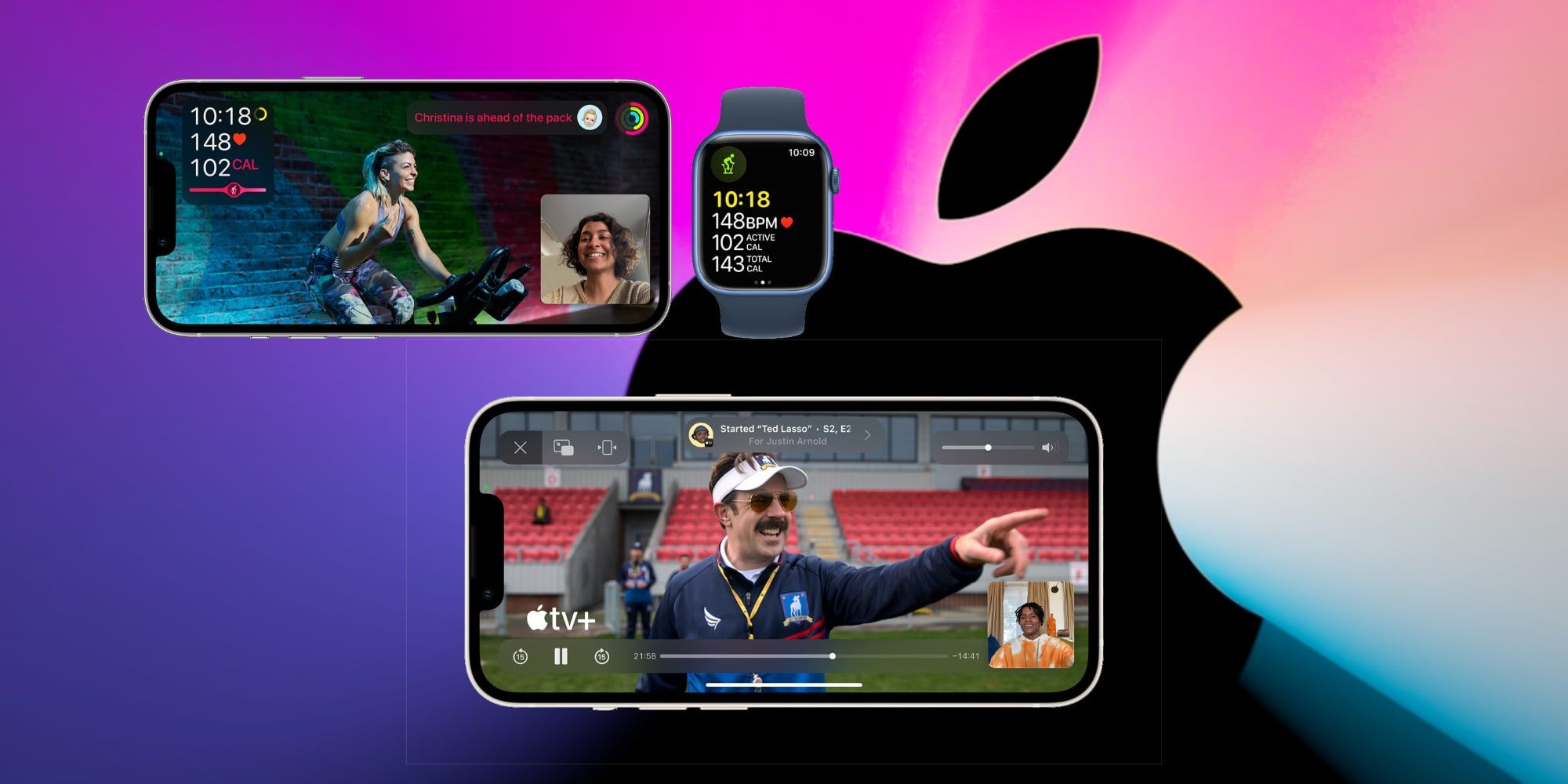
The most prominent category of apps supporting SharePlay remains video streaming services. Major platforms have recognized that the future of streaming is social.
- Apple TV+ and Disney+: These services offer the most robust SharePlay experiences. Because they are integrated deep into the iOS and tvOS frameworks, they handle buffering and multi-device synchronization with near-zero latency. Users can host “watch parties” where the playback is perfectly synced, and the FaceTime audio overlays subtly when someone speaks, ensuring the content remains the primary focus while the conversation flows naturally.
- Paramount+ and Hulu: These services have followed suit, allowing subscribers to bring friends into their content libraries. The implementation here often includes a “Share” icon directly within the media player interface, making it trivial to broadcast a specific episode or film to a FaceTime call.
Music and Audio Integration
Music is inherently social, and SharePlay has breathed new life into the digital listening party.
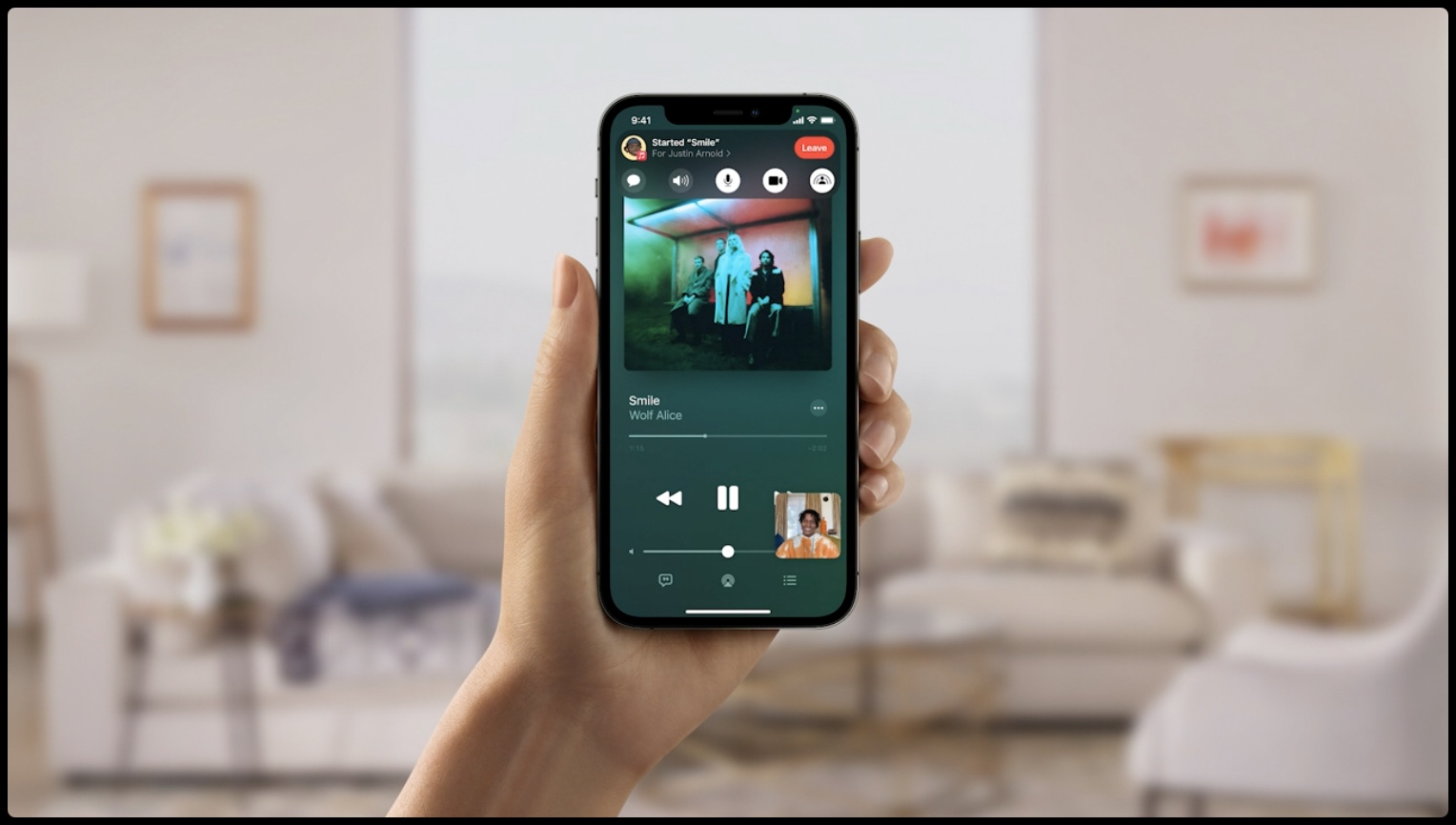
- Apple Music: As the native audio service, Apple Music provides the gold standard for SharePlay. Participants can listen to an album or a curated playlist together, and crucially, any participant can add songs to a collaborative queue. This democratizes the listening experience, allowing everyone in the FaceTime call to act as a DJ.
- SoundCloud and TuneIn Radio: These platforms have also adopted the technology, allowing users to discover new tracks or listen to live radio broadcasts together. This is particularly effective for long-distance friends who use music discovery as a primary method of bonding.
Productivity and Utility Apps: Beyond Entertainment
While media consumption dominates the SharePlay conversation, the feature’s true potential lies in its utility within productivity and collaboration software. Developers are increasingly using SharePlay to turn static apps into interactive workspaces.
Collaborative Planning and Design
Tools that previously required screen-sharing—which often suffers from lag and poor resolution—now use SharePlay to create a localized, real-time shared state.
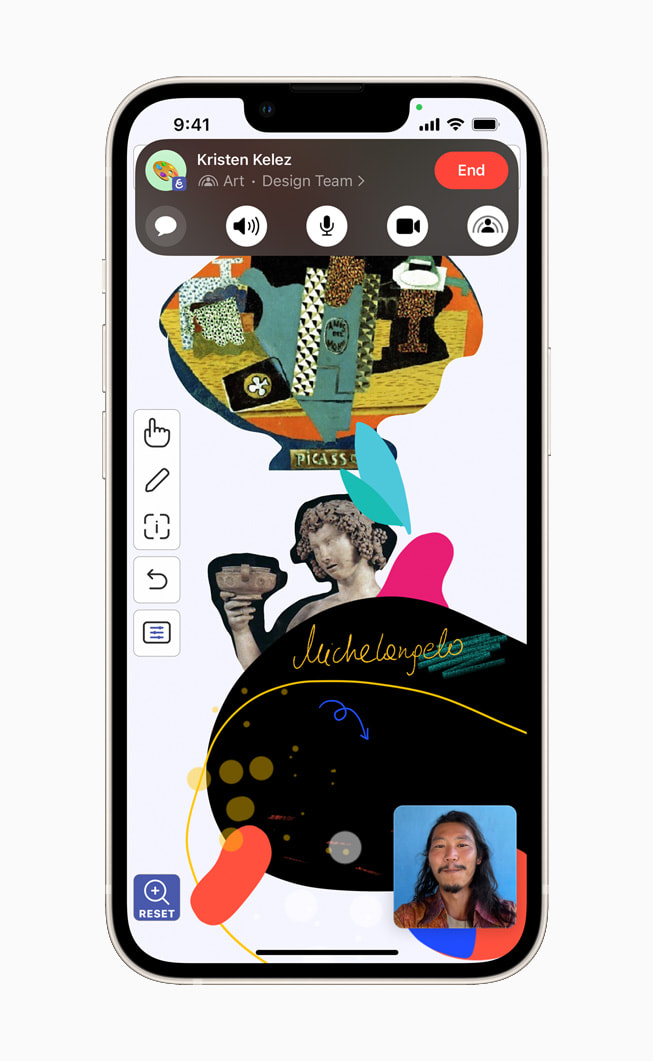
- Freeform: Apple’s own digital whiteboard app is perhaps the best example of utility-focused SharePlay. Participants can brainstorm, sketch, and organize projects on a giant, infinite canvas. Because the data sync is handled by SharePlay, every pen stroke and sticker placement appears instantly on all devices, making it an essential tool for remote creative teams.
- Craft and Notes Apps: Several note-taking applications have experimented with SharePlay to allow users to review documents or collaborate on research together. Rather than sending a file back and forth, users can open the same document in SharePlay, ensuring they are both looking at the exact same paragraph while discussing edits over FaceTime.
Education and Skill Development
The educational sector has found a niche in SharePlay for tutoring and peer-to-peer learning. Apps like Kahoot! utilize SharePlay to host real-time quizzes where friends can compete head-to-head in a live game environment. This shifts the focus from passive learning to active engagement, proving that SharePlay is not just a tool for relaxation, but a powerful asset for interactive pedagogy.
Technical Requirements and Best Practices for Users
To get the most out of SharePlay-enabled applications, users must adhere to a few specific prerequisites. Understanding these technical constraints can save time and prevent frustration during a session.
Device and Software Compatibility
SharePlay requires all participants to be running the latest compatible versions of iOS, iPadOS, or macOS. Because the feature relies on Apple’s proprietary synchronization protocols, mixed-OS environments where one party is on an outdated software build may fail to initiate the session.
- Hardware Limitations: While SharePlay is highly efficient, streaming high-definition content to multiple devices simultaneously requires a robust internet connection for all participants. If one participant experiences significant network jitter, the synchronization may temporarily pause or drop for that user, highlighting the importance of a stable Wi-Fi connection over cellular data.
- Permission Settings: Occasionally, apps may require specific privacy permissions to share activity status. Users should ensure that their “SharePlay” settings are enabled in the system-wide FaceTime preferences.
Managing Privacy and Session Control
One of the most important aspects of using SharePlay is managing who can control the content. Most apps provide a “Share” button within the FaceTime menu that allows users to invite people from their contacts list. Once the session begins, it is critical to understand the permission structure:
- Host Control: In many streaming apps, the person who initiates the SharePlay session is the “Host.” They typically have priority control over playback.
- Collaborative Control: In music apps like Apple Music, the session is usually democratic. All participants can pause, skip, or add tracks.
- Privacy: Users should be mindful that SharePlay broadcasts the activity status to the participants of the FaceTime call. If you are watching private or sensitive content, always double-check your privacy settings or terminate the SharePlay session before switching to a different application.
The Future of Shared Digital Spaces
As the API for SharePlay becomes more accessible to third-party developers, the line between “app” and “social experience” will continue to blur. We are moving toward a future where “social-first” development becomes the default for software design.
The Shift Toward Real-Time Synchronization
We anticipate that more fitness, cooking, and shopping apps will adopt SharePlay. Imagine a scenario where two friends can browse an online retail site together, viewing the same product catalog in real-time and discussing potential purchases, or working out alongside each other using an exercise app that syncs metrics across two devices. The hardware capability exists; the bottleneck is now purely in the creative implementation by developers.
Augmented Reality and Spatial Computing
With the rise of spatial computing, SharePlay is poised to evolve into a 3D experience. As developers gain access to deeper integration within the visionOS environment, we expect SharePlay to evolve from a 2D screen-sharing format into a 3D immersive experience. In this context, “what apps support SharePlay” will expand to include interactive 3D models, shared AR games, and virtual environments where the sense of presence is exponentially higher.
The current landscape of SharePlay-supported apps is a testament to how Apple’s ecosystem can bridge the gap between digital isolation and collaborative connection. Whether you are using it to catch up on a prestige drama with a long-distance partner, collaborating on a design project, or competing in a live trivia game, the key is to stay informed about which apps offer the most stable and feature-rich experiences. As the developer community continues to embrace this framework, the boundaries of what we can do together while apart will continue to expand.
aViewFromTheCave is a participant in the Amazon Services LLC Associates Program, an affiliate advertising program designed to provide a means for sites to earn advertising fees by advertising and linking to Amazon.com. Amazon, the Amazon logo, AmazonSupply, and the AmazonSupply logo are trademarks of Amazon.com, Inc. or its affiliates. As an Amazon Associate we earn affiliate commissions from qualifying purchases.