
In an increasingly data-driven world, the ability to quickly and accurately calculate percentages is not just a niche skill but a fundamental literacy. From understanding sales discounts and calculating tips to analyzing financial reports and scientific data, percentages form the backbone of countless daily interactions and professional decisions. While the underlying mathematical concept of percentages—a fraction out of 100—is straightforward, the practical application often benefits immensely from the speed and precision offered by a calculator. This guide delves into the indispensable role of calculators in mastering percentage calculations, exploring their functionalities, and offering a comprehensive tutorial for various scenarios. In the age of smart devices and ubiquitous computing, understanding how to leverage these tools transforms a potentially tedious task into a swift and simple operation.
The Ubiquitous Power of Percentages in the Digital Age
The digital revolution has amplified our interaction with numerical data, making the efficient manipulation of percentages more critical than ever. Whether you’re a student tackling a statistics problem, a consumer navigating a seasonal sale, a business professional analyzing market share, or a programmer optimizing algorithms, percentages are a constant. Our reliance on technology for numerical tasks has grown exponentially, positioning the calculator—whether a physical device, a smartphone app, or a software function—as a cornerstone tool.
Understanding the Core Concept
At its heart, a percentage is a way of expressing a number as a fraction of 100. The term “percent” literally means “per hundred.” This universal notation allows for easy comparison of quantities that might otherwise be disparate. For example, comparing “15 out of 60” to “20 out of 80” is simpler when expressed as “25%” for both, immediately revealing their proportional equality. The simplicity and universality of percentages make them an ideal language for communication across various disciplines and everyday scenarios.
Why Calculators Are Essential for Percentage Calculations
While basic percentage calculations can sometimes be done mentally or on paper, complexity quickly increases with larger numbers, decimals, or multiple steps. This is where calculators shine. They eliminate the potential for human error in arithmetic, dramatically speed up the process, and handle precision with ease. For tech enthusiasts, the calculator isn’t just a number-crunching device; it’s a testament to computational efficiency, a gadget designed to augment human cognitive abilities in quantitative tasks. The built-in percentage function, memory features, and advanced operations found in many calculators are specifically engineered to streamline these calculations.
Evolution of Calculation Tools
The journey from abacus to modern digital calculators illustrates humanity’s continuous quest for computational efficiency. Early mechanical calculators laid the groundwork, but it was the advent of electronic calculators in the 1960s and 70s that truly democratized numerical processing. Today, calculators range from basic handheld devices to sophisticated scientific and graphing calculators, integrated smartphone apps, and powerful spreadsheet software. Each iteration offers enhanced features and interfaces, but the core objective remains the same: to provide accessible, accurate, and rapid computational power. Understanding how these tools have evolved underscores their inherent technological value and their enduring relevance in our tech-centric world.
Mastering Basic Percentage Calculations on Your Device
Whether you’re using a simple four-function calculator, a smartphone calculator app, or a desktop utility, the fundamental methods for calculating percentages remain largely consistent. The key is to understand the mathematical operations involved and how your specific device interprets inputs.
Finding a Percentage of a Number (e.g., Sales Tax, Discount)
This is one of the most common applications. To find ‘X percent of Y’, you typically convert the percentage to a decimal and multiply it by the number.
-
Manual Method: If you want to find 15% of 200:
-
Convert the percentage to a decimal: 15 ÷ 100 = 0.15
-
Multiply the decimal by the number: 0.15 × 200 = 30
-
-
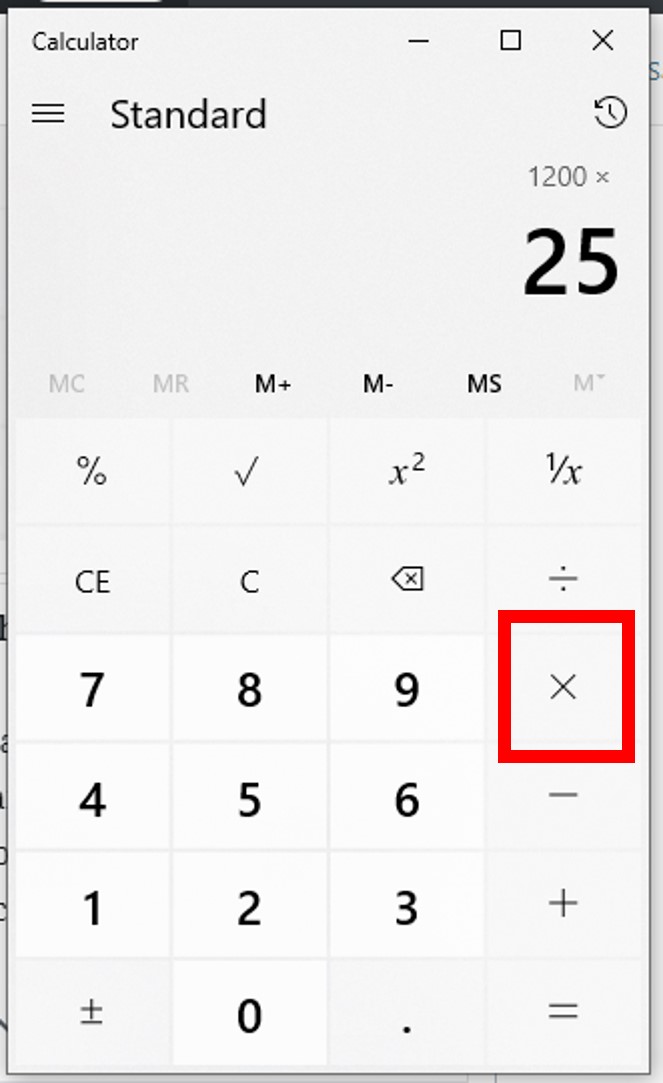
Using the ‘%’ Key: Many calculators have a dedicated ‘%’ key, which often simplifies this process.
-
Enter the number: 200
-
Press the multiplication key: ×
-
Enter the percentage: 15
-
Press the percentage key: %
-
The result should be displayed: 30
-
For discounts, you would subtract this value from the original number (e.g., 200 – 30 = 170). For sales tax, you would add it (e.g., 200 + 30 = 230). Some advanced calculators and apps can handle these additions/subtractions automatically if you chain the operations correctly.
Calculating Percentage Increase or Decrease (e.g., Growth Rates, Price Changes)
This calculation helps determine the relative change between two numbers.
-
Formula: ((New Value – Old Value) / Old Value) × 100
-
Example (Increase): An item priced at $50 increases to $65.
-
Find the difference: 65 – 50 = 15
-
Divide the difference by the old value: 15 ÷ 50 = 0.3
-
Multiply by 100 to get the percentage: 0.3 × 100 = 30% increase.
-
-
Example (Decrease): An item priced at $80 decreases to $64.
-
Find the difference: 80 – 64 = 16
-
Divide the difference by the old value: 16 ÷ 80 = 0.2
-
Multiply by 100 to get the percentage: 0.2 × 100 = 20% decrease.
-
Some calculators might allow for direct chained operations like (65 - 50) / 50 * 100 =, but always be mindful of order of operations (PEMDAS/BODMAS).
Determining What Percentage One Number is of Another (e.g., Test Scores, Proportions)
To find what percentage ‘X’ is of ‘Y’ (e.g., what percentage 45 is of 60):
-
Formula: (X / Y) × 100
-
Manual Method:
-
Divide X by Y: 45 ÷ 60 = 0.75
-
Multiply by 100: 0.75 × 100 = 75%
-
-
Using the ‘%’ Key: Some calculators allow for
45 ÷ 60 %, which will directly display 75. Be aware that the functionality of the ‘%’ key can vary significantly between calculator models and apps. For instance, in some calculators,45 ÷ 60 =followed by%might give you the remainder expressed as a percentage of the dividend, which is not what we want here. The most reliable method is typically to perform the division and then multiply by 100.
Advanced Percentage Functions and Calculator Features

Modern calculators, especially scientific and graphing models, offer functionalities that go beyond simple arithmetic, enabling more complex percentage-related calculations with greater ease.
Utilizing the Percentage Key (%) Effectively
The ‘%’ key on a calculator is perhaps one of its most misunderstood features due to its varied implementations.
-
As a “divide by 100” operator: In many calculators, entering
15 %will display0.15. This means it effectively acts as a shortcut for converting a percentage to its decimal equivalent. -
Combined with arithmetic:
200 × 15 %calculates 15% of 200 (displaying 30). -
For percentage add/subtract: Some calculators allow
200 + 15 %to directly calculate 200 plus 15% of 200 (200 + 30 = 230). Similarly,200 - 15 %calculates 200 minus 15% of 200 (200 – 30 = 170). This feature is particularly useful for quick price adjustments with tax or discounts.
Understanding your specific calculator’s manual is crucial for maximizing the utility of its percentage key.
Handling Reverse Percentage Calculations (e.g., Original Price After Discount)
Reverse percentages involve finding the original amount before a percentage change was applied. This is a common scenario in retail (finding original price before VAT or discount) or finance.
-
Example: An item costs $120 after a 20% discount. What was its original price?
-
If there was a 20% discount, the $120 represents 100% – 20% = 80% of the original price.
-
Convert the remaining percentage to a decimal: 80 ÷ 100 = 0.8
-
Divide the current value by this decimal: 120 ÷ 0.8 = 150.
The original price was $150.
-
This requires careful conceptual understanding rather than a specific calculator function, though the division step is easily executed.
Exploring Scientific and Graphing Calculator Capabilities
Scientific and graphing calculators offer even more sophisticated features. While their primary use might be trigonometry or calculus, their enhanced memory, variable storage, and multi-line display can be invaluable for complex percentage problems. For instance:
-
Chain Calculations: Performing multiple percentage changes in sequence, storing intermediate results in memory.
-
Programming: Graphing calculators can be programmed to automate repetitive percentage calculations for specific scenarios, such as compound interest over various periods or statistical analysis involving percentages.
-
Equation Solving: For more advanced users, these calculators can solve equations where the unknown is a percentage or an original value based on percentage change, leveraging their symbolic manipulation capabilities. These features transform the calculator from a simple arithmetic tool into a powerful computational device for tech-savvy users.
Beyond the Handheld: Percentage Calculations in Software and Apps
The concept of a “calculator” extends far beyond physical devices. Digital tools, from spreadsheet software to specialized apps, provide even more robust and flexible environments for percentage calculations, especially when dealing with large datasets or complex models.
Spreadsheet Software (Excel, Google Sheets) for Complex Scenarios
Spreadsheets like Microsoft Excel or Google Sheets are arguably the most powerful percentage calculation tools available to the average user. Their grid-based structure, formula capabilities, and functions make them ideal for:
-
Automating calculations: Apply a single percentage formula to an entire column or row of data.
-
“What If” analysis: Easily change percentage rates (e.g., interest rates, tax rates) and instantly see the impact on various financial figures.
-
Visualizing data: Create charts and graphs to represent percentage distributions, growth, or decline.
-
Advanced functions: Use functions like
RATE,PV,FVfor financial percentages (e.g., compound interest), orPERCENTILE,RANK.EQfor statistical analysis.
The flexibility of referencing cells and building complex formulas makes spreadsheets indispensable for business, finance, and academic applications requiring sophisticated percentage management.
Dedicated Percentage Calculator Apps and Online Tools
The app ecosystem offers numerous dedicated percentage calculators for smartphones and tablets. These apps often provide user-friendly interfaces specifically tailored for common scenarios like:
-
Tip calculators: Input bill amount and desired tip percentage to instantly calculate tip and total.
-
Discount calculators: Enter original price and discount percentage to find the final price and savings.
-
Loan/Mortgage calculators: Factor in interest rates (percentages) over time.
Many online percentage calculators also exist, offering quick, browser-based solutions without needing to download an app. These tools often simplify complex calculations into intuitive input fields, perfect for quick checks and everyday use.
Integrating Percentage Calculations into Business Software
Beyond general-purpose tools, percentage calculations are deeply embedded within specialized business software across various industries:
-
Accounting software: Automatically calculates sales tax, VAT, discounts, profit margins.
-
CRM (Customer Relationship Management) systems: Analyze sales conversion rates, customer retention percentages.
-
Project management tools: Track project completion percentages, resource allocation percentages.
-
E-commerce platforms: Apply promotional discounts, calculate shipping costs based on order value percentages.
The seamless integration of percentage calculations into these systems ensures accuracy, efficiency, and real-time insights, allowing businesses to operate more intelligently and responsively.
Tips for Accuracy and Troubleshooting Common Errors
Even with advanced tools, human input and understanding are crucial for accurate percentage calculations. A few best practices can help prevent common mistakes.
Double-Checking Inputs and Outputs
The most frequent source of error is incorrect data entry. Always take a moment to verify the numbers you’ve entered into the calculator or software. For critical calculations, perform the operation twice or use a slightly different method to cross-verify the result. If a number seems unusually high or low, it’s a strong indicator to re-evaluate your inputs and process.
Understanding Decimal vs. Percentage Display Modes
Some calculators or software environments might display results as decimals (e.g., 0.25) while others directly display percentages (e.g., 25%). Be conscious of which format your tool is using and convert as necessary. For instance, if your calculator shows 0.05 when you expect 5%, remember that 0.05 is the decimal equivalent of 5%, and you’d multiply by 100 to get the percentage display. Conversely, if an input field asks for a percentage, entering “5” might be interpreted as 5%, or it might be interpreted as “500%” if the system expects a decimal like “0.05”. Context is key.

Practicing with Real-World Scenarios
The best way to become proficient is through practice. Use everyday situations to hone your skills:
-
Calculate the discount on a sale item.
-
Figure out the tip for a restaurant bill.
-
Determine the percentage increase in your utility bill from last month.
-
Analyze the nutritional percentages on food labels.
Regular practice not only reinforces your understanding of the calculations but also familiarizes you with the nuances of your chosen calculator or software, turning complex percentage problems into second nature.
In conclusion, understanding how to effectively use a calculator for percentage calculations is an essential skill in our tech-driven world. From basic handheld devices to sophisticated software, these tools empower us to navigate a myriad of quantitative challenges with speed, precision, and confidence. By mastering the core concepts, leveraging device functionalities, and practicing diligently, anyone can become adept at manipulating percentages, thereby enhancing their personal, academic, and professional capabilities in the digital age.
aViewFromTheCave is a participant in the Amazon Services LLC Associates Program, an affiliate advertising program designed to provide a means for sites to earn advertising fees by advertising and linking to Amazon.com. Amazon, the Amazon logo, AmazonSupply, and the AmazonSupply logo are trademarks of Amazon.com, Inc. or its affiliates. As an Amazon Associate we earn affiliate commissions from qualifying purchases.