
In an era where digital connectivity and on-demand content define our entertainment consumption, air travel might seem like a temporal disruption to our viewing habits. However, major airlines like American Airlines have heavily invested in sophisticated in-flight entertainment (IFE) systems designed to keep passengers engaged and entertained throughout their journey. Far from being a mere amenity, these systems represent a complex integration of hardware, software, and connectivity solutions that bring a personalized cinema experience directly to your seat. Understanding how to navigate and optimize these technologies is key to transforming your travel time into an enjoyable escape. This guide delves into the technical aspects of accessing and enjoying movies and other media on American Airlines, ensuring you’re fully equipped to make the most of your airborne digital experience.

Decoding American Airlines’ In-Flight Entertainment System
American Airlines employs a multi-faceted approach to in-flight entertainment, leveraging both traditional seatback displays and contemporary personal device streaming. This hybrid model caters to a wide range of passenger preferences and aircraft configurations, but requires a foundational understanding of each component to unlock its full potential.
Seatback Screens: The Traditional Experience Reinvented
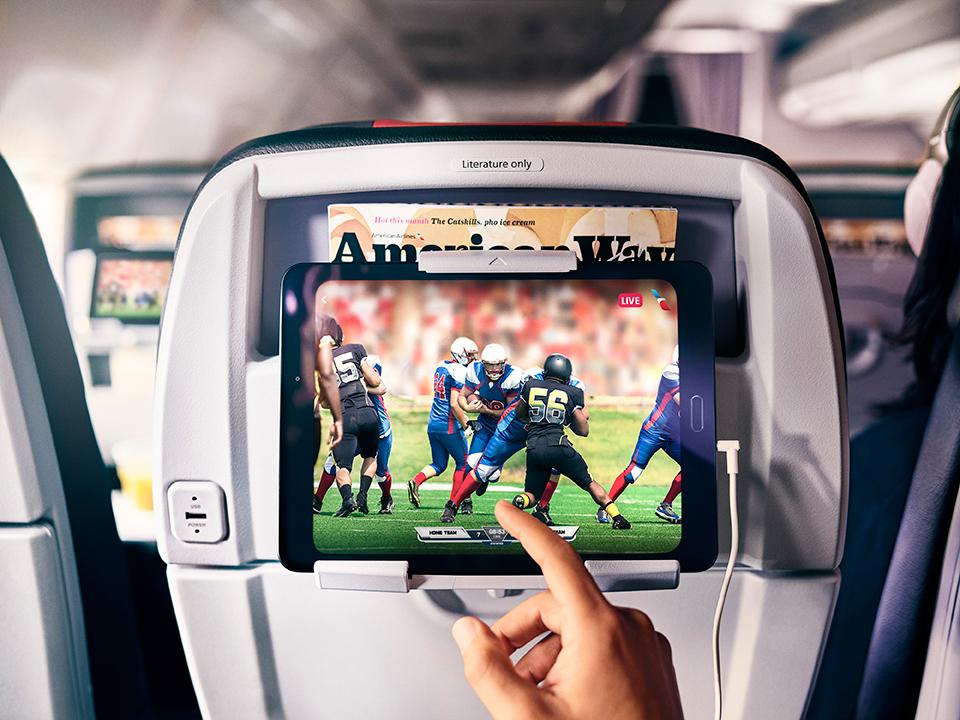
For many years, seatback screens were the gold standard for in-flight entertainment. While some modern aircraft configurations are moving towards a “personal device only” model, a significant portion of American Airlines’ fleet still features these integrated displays. These systems are typically powered by embedded operating systems, often highly customized Linux or Android variants, running proprietary media players. Passengers can access a curated library of movies, TV shows, games, and audio content directly from the touch-sensitive interface.
From a technological standpoint, these screens represent a significant engineering feat, combining durable hardware designed for continuous operation in a challenging environment with user-friendly software interfaces. Resolution varies by aircraft type and age, but newer installations often boast HD or even Full HD displays, providing crisp visuals. The content is securely stored on central servers within the aircraft, streamed locally to each screen, minimizing bandwidth strain and ensuring a robust playback experience irrespective of external internet connectivity. Understanding the navigation—typically intuitive touch gestures or sometimes a remote control—is the first step in leveraging this robust, self-contained entertainment hub.
Personal Device Streaming: Your Pocket-Sized Cinema
A growing trend, especially on newer or retrofitted aircraft, is the reliance on personal device streaming. This system transforms your smartphone, tablet, or laptop into the entertainment hub, accessing content via the aircraft’s internal local area network (LAN), distinct from the external internet connection. American Airlines’ specific implementation requires passengers to download the official American Airlines app before boarding, as the app serves as the portal to the streaming content.
Technically, this system functions similarly to a home media server. Content is hosted on servers on board the aircraft, and your device connects to the aircraft’s Wi-Fi network (often labeled “AA-Inflight” or similar). Once connected, the American Airlines app acts as the client-side player, fetching and streaming the media files over the internal Wi-Fi to your device. This method offers unparalleled flexibility, allowing users to watch content on their preferred screen size and with their personal headphones. However, it also places responsibility on the passenger to ensure their device is adequately charged, has sufficient free storage for the app, and that the app itself is up to date and functional. The quality of the streaming can be influenced by the number of concurrent users on the internal network, though airlines employ sophisticated traffic management and caching techniques to mitigate congestion.
Content Library: What to Expect from the Digital Vault
The digital library available on American Airlines’ IFE systems is extensive and meticulously curated. It typically includes a diverse selection of new releases, classic films, popular TV series, documentaries, and children’s programming. The content is licensed from major studios and distributors, and refresh cycles ensure that new titles are regularly added, usually on a monthly basis. Beyond visual media, many systems offer audio channels, podcasts, and even interactive games.
Technically, the content is encoded in various formats optimized for efficient streaming and playback on the onboard systems. Digital rights management (DRM) protocols are rigorously applied to protect copyrighted material, which is why downloading content directly from the airline’s system to a personal device is not an option. The user interface on both seatback screens and within the American Airlines app is designed for easy browsing, often categorizing content by genre, language, and audience rating. Accessibility features, such as closed captions and audio descriptions, are also typically integrated, highlighting the inclusive design principles applied to modern IFE solutions.
Preparing Your Tech for Seamless Viewing
To ensure an uninterrupted and enjoyable movie-watching experience on American Airlines, a bit of pre-flight technical preparation can go a long way. This involves readying your personal devices, downloading essential applications, and considering supplementary gadgets.
Downloading the American Airlines App: Your Digital Boarding Pass to Entertainment
For passengers intending to stream content to their personal devices, the American Airlines mobile application is not merely a utility for checking in or managing bookings; it is the indispensable gateway to the in-flight entertainment library. It is crucial to download and install this app before your flight, ideally while you still have reliable internet access. The app is available on both iOS and Android platforms and frequently receives updates.
Technically, the app integrates a proprietary media player module that is designed to interface with the aircraft’s onboard content servers. Attempting to download or update the app in-flight, especially if Wi-Fi access is limited or unavailable, can lead to frustration. Furthermore, opening the app and potentially performing a quick test of its functionality (e.g., browsing content categories while on the ground) can help identify any potential issues before you’re soaring at 30,000 feet. A common issue passengers face is realizing too late that their app version is outdated or that they simply haven’t installed it, rendering the personal device streaming option inaccessible.
Pre-Downloading Content from Personal Streaming Services
While American Airlines offers a robust content library, true tech-savvy travelers often diversify their entertainment options. This involves pre-downloading movies and TV shows from personal subscription services like Netflix, Amazon Prime Video, Disney+, or HBO Max onto your device. Many streaming platforms offer an offline viewing feature, allowing subscribers to download content directly to their device’s internal storage, which can then be accessed without any internet connection.
This strategy is particularly valuable for long-haul flights or in situations where the airline’s IFE system might be unavailable or limited (e.g., on smaller regional jets). The technical process typically involves selecting the download icon next to a title within the respective streaming app. Users should ensure they have sufficient storage space on their device and initiate downloads well in advance, as high-definition content can consume significant bandwidth and storage. This redundant approach ensures that even if airline systems encounter glitches or you simply prefer your own curated content, you won’t be without entertainment.
Essential Gadgets and Accessories
Beyond your primary viewing device, a few key gadgets and accessories can significantly enhance your in-flight movie experience.
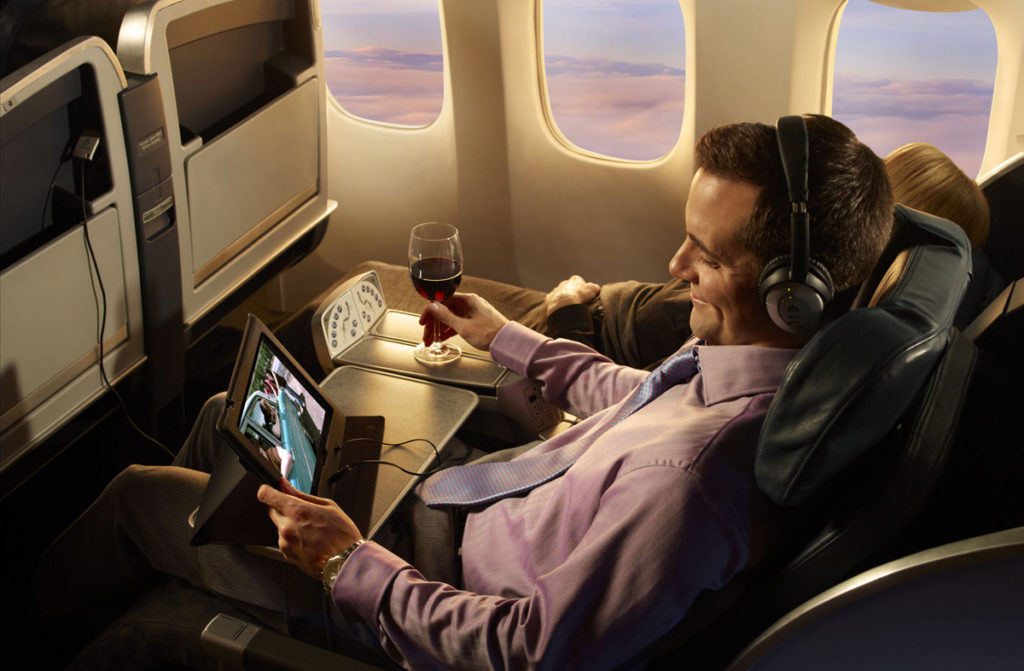
- Noise-Canceling Headphones: Aircraft cabins are inherently noisy environments. High-quality noise-canceling headphones are arguably the most impactful accessory for any traveler, significantly improving audio clarity and immersion. They use active noise cancellation technology, employing microphones to pick up ambient noise and generate an inverse sound wave to cancel it out. This dramatically reduces engine hum and cabin chatter, allowing you to hear dialogue and soundtracks with much greater precision.
- Portable Power Bank: A fully charged device is fundamental for personal streaming. Given that not all seats offer accessible power outlets (or that their charging speed might be slow), a high-capacity portable power bank is invaluable. Modern power banks with USB-C Power Delivery (PD) can rapidly charge tablets and even some laptops, ensuring your device lasts the entire flight, even through multiple movies.
- USB Charging Cables: Always carry the appropriate charging cables for all your devices. While some aircraft offer USB ports, the type and power output can vary.
- Tablet Stand/Holder: For hands-free viewing, especially if you’re using a tablet, a compact, foldable tablet stand can be a game-changer. Some even clip onto the tray table, providing an ergonomic viewing angle without hogging your tray space.
Connecting to American Airlines’ Wi-Fi and Streaming
Utilizing the aircraft’s connectivity for streaming is a core component of American Airlines’ IFE strategy. However, distinguishing between the internal network for content streaming and the external internet Wi-Fi for general browsing is critical.
Understanding Wi-Fi Options and Pricing
American Airlines typically operates two distinct Wi-Fi networks onboard:
- Internal Local Area Network (LAN) for IFE: This network is usually free and dedicated solely to streaming the airline’s entertainment content via the American Airlines app. It does not provide access to the internet. Connecting to this network is straightforward: simply enable Wi-Fi on your device, select the “AA-Inflight” (or similar) network, and then open the American Airlines app to access the content.
- External Internet Wi-Fi: For broader internet access—browsing, email, social media, and accessing your own streaming services (if bandwidth allows)—American Airlines partners with providers like Viasat or Gogo (now Intelsat). This service is almost always paid, often offered through various pricing tiers (e.g., hourly, full flight, or monthly subscriptions for frequent travelers). The underlying technology varies by provider but typically involves satellite broadband connections, which can be susceptible to latency and variable speeds depending on geographical location and satellite availability.
It’s important to remember that even with paid internet Wi-Fi, streaming high-definition video from external services like Netflix or YouTube can be challenging due to bandwidth limitations and prioritization protocols designed to ensure basic connectivity for all users. Prioritizing pre-downloaded content or the airline’s internal streaming is often a more reliable approach for guaranteed video playback.
Troubleshooting Common Connectivity Issues
Encountering technical glitches with in-flight Wi-Fi or streaming is not uncommon. Here are some troubleshooting tips:
- Check Airplane Mode: Ensure your device is in airplane mode, but Wi-Fi is specifically enabled.
- Restart Wi-Fi: Toggling your device’s Wi-Fi off and on can resolve minor connection hiccups.
- Forget and Rejoin Network: If you’re having persistent issues, “forget” the “AA-Inflight” network on your device and try reconnecting.
- Restart App/Device: A simple restart of the American Airlines app or even your entire device can often clear software conflicts.
- Clear App Cache (Android): For Android users, clearing the app’s cache (Settings > Apps > American Airlines > Storage > Clear Cache) can sometimes resolve performance issues.
- Check for Obstructions: While rare, physical obstructions or interference from other devices can sometimes impact Wi-Fi signal strength in localized areas.
- Seek Flight Attendant Assistance: If all else fails, flight attendants might have general information or be able to reset the IFE system if it’s a broader issue.
Optimizing Your Device for Streaming
To ensure smooth streaming, especially on the internal LAN:
- Close Background Apps: Apps running in the background can consume processing power and memory, potentially affecting streaming performance.
- Disable Notifications: Temporarily disabling notifications prevents interruptions during your movie.
- Low Power Mode: While essential for extending battery life, be aware that low power modes can sometimes throttle CPU performance, potentially impacting high-resolution streaming. Monitor your experience and adjust as needed.
- Update Software: Ensure your device’s operating system and the American Airlines app are fully updated before your flight, as updates often include performance improvements and bug fixes.
Maximizing Your In-Flight Movie Experience
Beyond getting the technology to work, optimizing your overall in-flight movie experience involves attention to detail, from audio quality to power management, and even a peek into future innovations.
Audio Quality: Headphone Selection and Tips
Audio is half the experience, and in a noisy aircraft, quality headphones are paramount. As discussed, noise-canceling headphones offer the best immersion. When using seatback screens, you might need a standard 3.5mm jack. Some older aircraft might even have dual-prong jacks, for which adapters are available, though increasingly rare. For personal device streaming, Bluetooth headphones are convenient, but ensure they are fully charged. Wired headphones avoid battery concerns and latency issues sometimes associated with Bluetooth. For the absolute best audio, consider high-fidelity over-ear headphones, though their bulk might be a consideration for travel. Testing your headphones with your device before boarding is a simple but effective pre-flight check.
Power Management: Keeping Your Devices Charged
Long flights demand robust power management. Even with a power bank, strategic usage is key. Charge all devices to 100% before leaving home. If your seat has a USB port, use it, but be aware that their power output might be limited. Some aircraft also have standard AC power outlets (like those at home), which are ideal for charging faster or powering laptops. Always prioritize charging devices you intend to use for entertainment first. Dimming your screen brightness and closing unnecessary apps can extend battery life significantly, allowing for more uninterrupted viewing time.
Future Trends: Enhancements in In-Flight Entertainment Tech
The future of in-flight entertainment is poised for exciting technological advancements. We can anticipate:
- Enhanced Connectivity: The rollout of next-generation satellite internet will bring significantly faster and more reliable Wi-Fi, potentially enabling seamless 4K streaming from external services, even at altitude.
- Personalized Content Recommendations: Leveraging AI and machine learning, IFE systems could soon offer highly personalized content recommendations based on viewing history, preferences, and even passenger demographics, mirroring the sophistication of home streaming platforms.
- Augmented Reality (AR) and Virtual Reality (VR): While still nascent, AR and VR could transform the in-flight experience, offering immersive virtual environments, interactive games, or even therapeutic experiences that reduce travel anxiety. Passengers might be able to ‘step into’ a movie or explore virtual destinations.
- Seamless Multi-Device Integration: Expect more intuitive hand-offs between personal devices and seatback screens, allowing users to start a movie on their phone and seamlessly continue it on the seatback display without losing their place.
- Advanced Seatback Technology: Brighter, higher-resolution OLED screens with improved touch responsiveness and haptic feedback could become standard, elevating the visual and interactive experience.
Embracing the Future of Airborne Entertainment
Watching movies on American Airlines is no longer a passive act but an interactive technological experience. By understanding the intricacies of their IFE systems, preparing your personal devices, and equipping yourself with the right accessories, you can transform your flight into a personal cinematic journey. As technology continues to evolve, so too will the capabilities of in-flight entertainment, promising even more immersive and personalized experiences for the discerning traveler. Embracing these tech tools and tips ensures that your time above the clouds is not just about reaching a destination, but also about enjoying the journey, one frame at a time.
aViewFromTheCave is a participant in the Amazon Services LLC Associates Program, an affiliate advertising program designed to provide a means for sites to earn advertising fees by advertising and linking to Amazon.com. Amazon, the Amazon logo, AmazonSupply, and the AmazonSupply logo are trademarks of Amazon.com, Inc. or its affiliates. As an Amazon Associate we earn affiliate commissions from qualifying purchases.