
Major League Soccer (MLS) has rapidly ascended to become one of North America’s most dynamic and engaging sports leagues, captivating a growing fanbase with its high-octane action and star power. As the league expands its global footprint and local rivalries intensify, the demand for seamless, comprehensive access to every single match has never been higher. However, in the modern digital landscape, the methods for watching live sports have evolved dramatically, moving beyond traditional cable packages into a realm dominated by sophisticated streaming technologies and dedicated digital platforms. This guide serves as your essential technical walkthrough, demystifying the various ways to access MLS content and ensuring you leverage the best technological solutions to catch every single goal, save, and assist. We’ll delve into the software, hardware, and network considerations that are paramount for an uninterrupted and immersive viewing experience.
The Digital Revolution of MLS Broadcasting
The landscape of sports media consumption has undergone a seismic shift, with digital streaming services increasingly becoming the primary conduits for delivering live action to fans. MLS has been at the forefront of this transformation, embracing innovative technological partnerships to redefine how its content is distributed and consumed.
The Era of Exclusive Streaming
Gone are the days when a comprehensive cable subscription was the sole gatekeeper to every professional sports match. For MLS, this paradigm shifted fundamentally with the advent of exclusive streaming agreements. This move is a direct reflection of broader technological trends, where consumers increasingly demand on-demand access, personalized content experiences, and the flexibility to watch across a multitude of devices. The underlying technology for this shift involves robust content delivery networks (CDNs), advanced video encoding and decoding algorithms, and sophisticated digital rights management (DRM) systems to ensure secure and authorized access. For leagues like MLS, transitioning to an exclusive streaming model allows for greater control over their broadcast product, enabling them to innovate with features and tailor the viewing experience in ways traditional linear television often cannot. It also centralizes the content, making it easier for fans to find everything in one digital hub, rather than channel surfing.
Apple TV MLS Season Pass: A Game-Changer
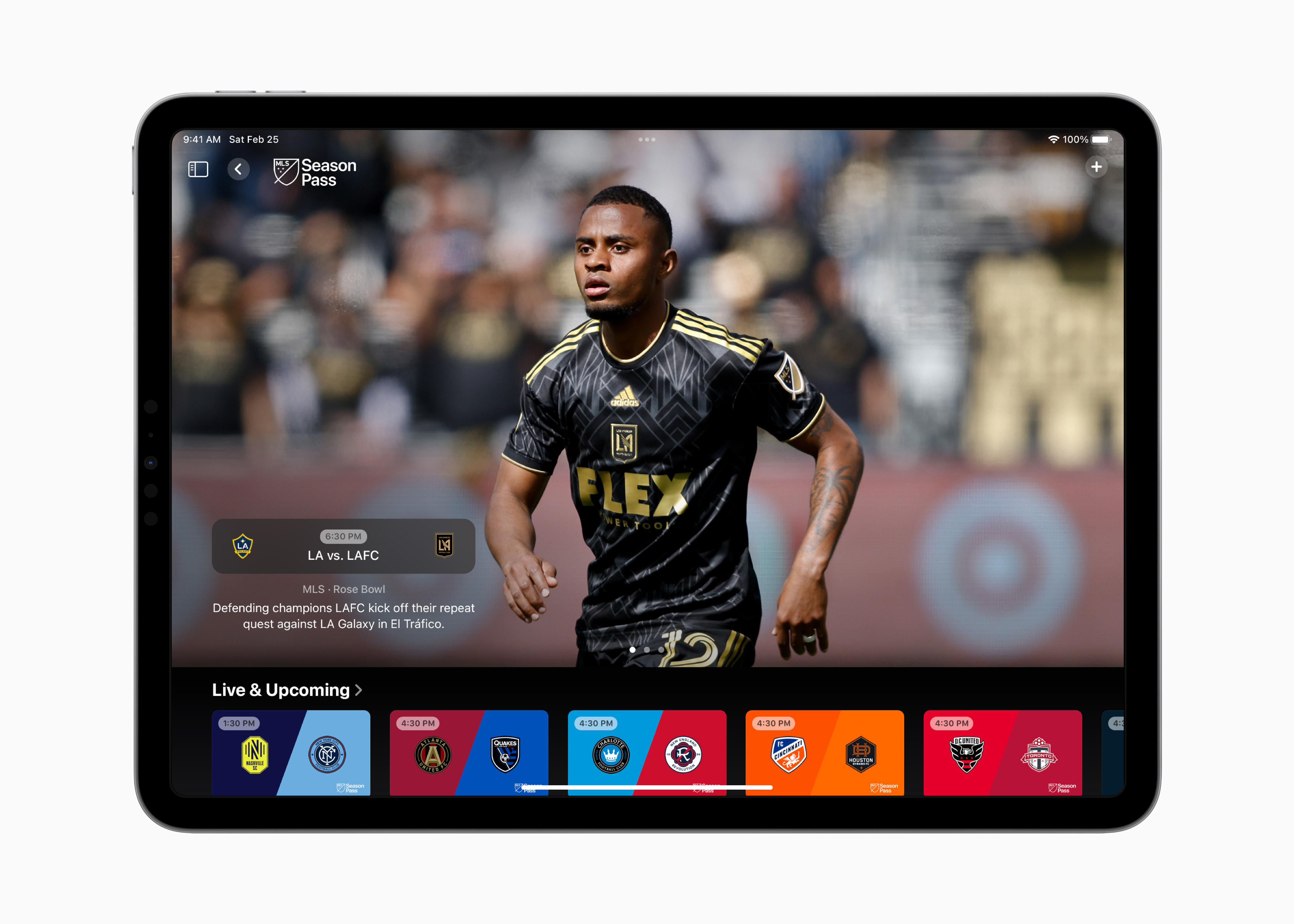
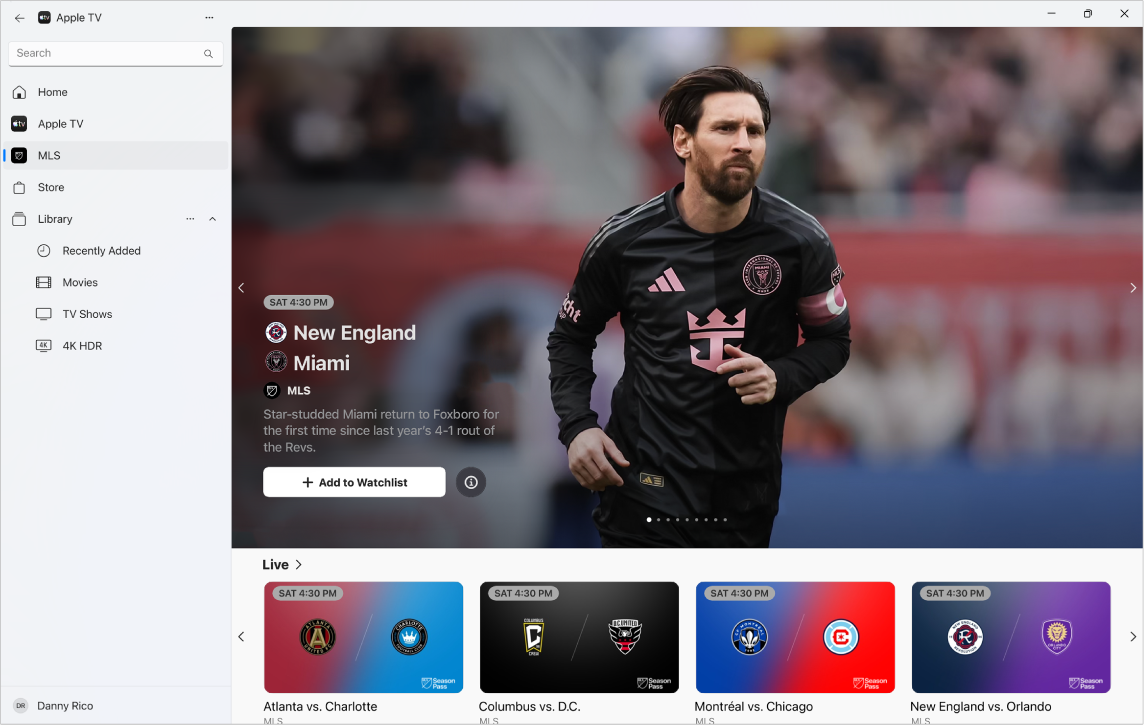
At the heart of MLS’s digital strategy is its groundbreaking 10-year partnership with Apple. This collaboration has birthed the MLS Season Pass, an exclusive subscription service available worldwide through the Apple TV app. From a technological standpoint, the MLS Season Pass is a prime example of a dedicated content application, designed from the ground up to offer an unparalleled viewing experience. It provides access to every single live MLS match, including the playoffs and the MLS Cup, without local blackouts – a significant technological advancement over previous regional broadcast restrictions. Beyond live games, the Season Pass offers an extensive library of on-demand content, including full match replays, highlights, club-specific content, and original programming. The Apple TV app, acting as the software interface, leverages Apple’s ecosystem strengths, providing a seamless user experience, intuitive navigation, and high-quality streaming capabilities optimized across its vast array of compatible devices. This partnership is a testament to the power of integrating content with a sophisticated digital platform to create a truly immersive and accessible fan experience globally.
Navigating the MLS Season Pass Ecosystem
Once subscribed to the MLS Season Pass, understanding its multi-platform accessibility and feature-rich interface is crucial to maximizing your viewing pleasure. This section delves into the practical technology aspects of utilizing the service.
Accessing the Pass Across Devices
One of the greatest strengths of the MLS Season Pass, facilitated by the Apple TV app, is its broad device compatibility. This digital ecosystem ensures that you can tune into matches whether you’re at home or on the go, across a diverse range of hardware:
- Apple Devices: Naturally, the experience is highly optimized for iPhones, iPads, Apple TV 4K streaming boxes, and Mac computers. The native integration provides fluid performance and leverages features like AirPlay for casting to larger screens.
- Smart TVs: Modern smart televisions from leading manufacturers such as Samsung, LG, Sony, VIZIO, and Panasonic typically have the Apple TV app pre-installed or available for download. This eliminates the need for external gadgets, simplifying your setup.
- Streaming Sticks and Set-Top Boxes: Popular streaming hardware like Roku devices, Amazon Fire TV sticks, and Google TV (Chromecast with Google TV) all support the Apple TV app, making it accessible even on older TVs.
- Gaming Consoles: PlayStation (PS4, PS5) and Xbox (Xbox One, Series X|S) consoles also host the Apple TV app, transforming your gaming rig into a comprehensive sports viewing station.
- Web Browsers: For maximum flexibility, the MLS Season Pass can also be accessed directly via web browsers on any computer by visiting tv.apple.com. This offers a software-based solution that doesn’t require a specific app installation.
This extensive device compatibility underscores the technological commitment to universal access, ensuring fans are not locked into a single type of hardware.
Interface and Features for the Modern Fan
The user interface (UI) and user experience (UX) of the Apple TV app, particularly within the MLS Season Pass section, are designed with the modern sports fan in mind. The intuitive navigation allows subscribers to easily browse upcoming matches, watch live games, or dive into on-demand content. Key features include:
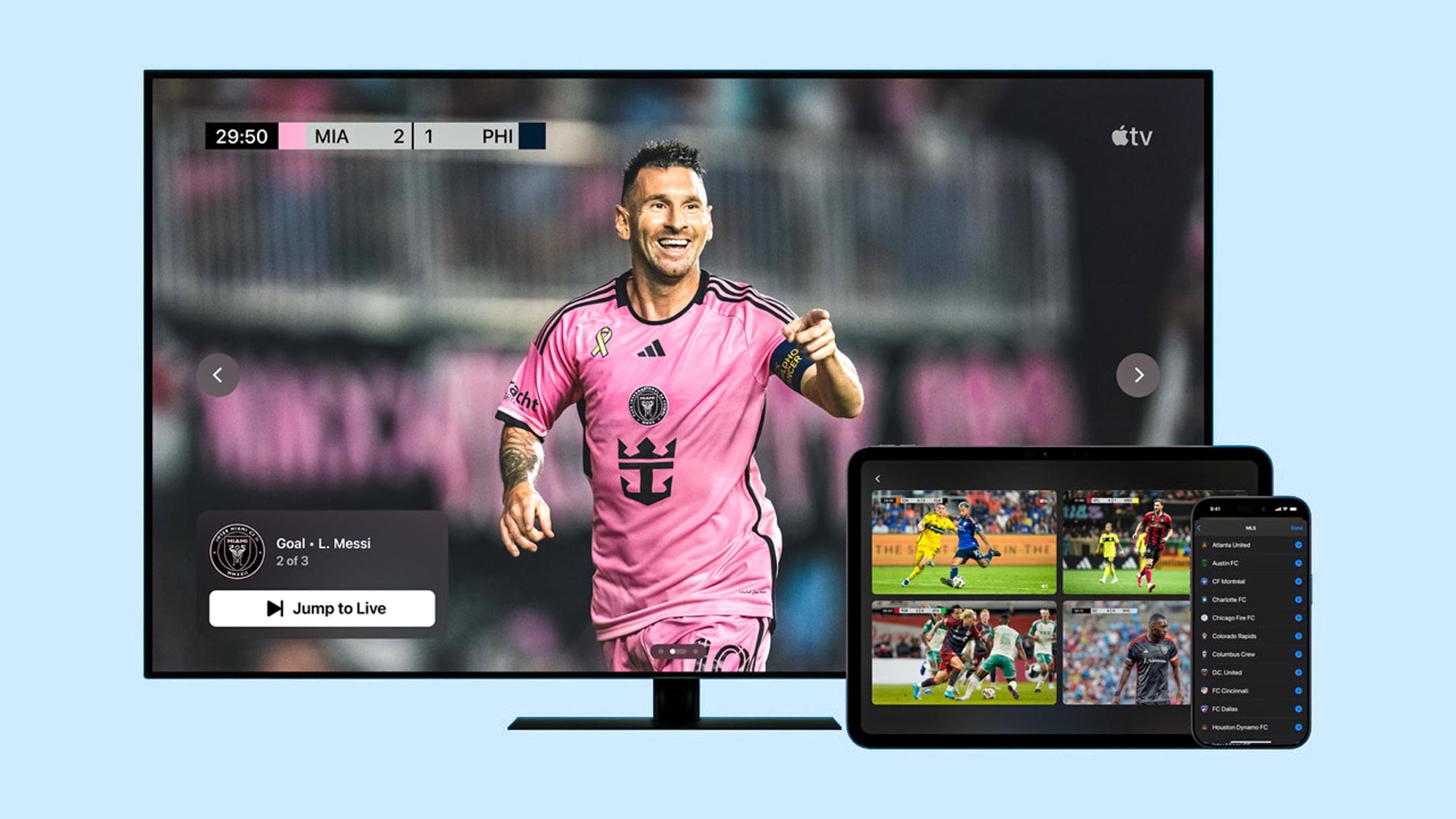
- Multilingual Commentary: Offering matches with commentary in English, Spanish, and French, catering to a diverse global audience. This dynamic audio switching feature is a testament to the app’s advanced software capabilities.
- Real-time Stats and Graphics: During live matches, the app often integrates real-time statistical overlays and dynamic graphics, powered by backend data processing, to enrich the viewing experience without obscuring the action.
- Matchday Live Show: A dedicated pre-game show providing analysis and updates, digitally integrated into the app experience.
- No Blackouts: A critical technological advantage, ensuring that fans can watch their local team’s matches without geographical restrictions, which was a common frustration with older broadcast models.
- High-Definition Streaming: The service supports high-definition video quality, often up to 4K, dependent on your device and internet connectivity, leveraging advanced video codecs for optimal clarity.
Troubleshooting and Technical Support
Even with the most robust technology, occasional issues can arise. Common technical challenges might include buffering (often related to internet speed), login difficulties (digital security/account access), or app crashes. For these instances, Apple provides comprehensive technical support resources. Users can typically find troubleshooting guides within the Apple TV app’s help section, or visit Apple’s support website. Ensuring your device’s operating system and the Apple TV app itself are updated to the latest software versions can resolve many common glitches. For account-related issues or subscription management, Apple ID support is the primary channel.
Beyond the Season Pass: Supplementary Viewing Options
While the MLS Season Pass is the definitive technological solution for comprehensive MLS coverage, there are a few supplementary avenues to access select content, particularly for those looking for introductory experiences.
Free Matches on Apple TV and MLS App
Recognizing the importance of broader exposure, Apple and MLS make a limited selection of matches available for free each week. These free games can be accessed directly through the Apple TV app on any compatible device, or sometimes via the official MLS app (which typically integrates with the Apple TV app for video playback). This strategy acts as a digital gateway, allowing potential subscribers to sample the high-quality streaming and user experience before committing to the full Season Pass. It showcases the “software as a service” model, providing a demo through the same underlying technology.
Traditional Broadcasts (Limited Scope)
While streaming dominates, a very small number of MLS matches are still broadcast on linear television networks in the United States and Canada. These typically include national broadcasts on channels like FOX, FS1, or TSN/RDS in Canada. These traditional broadcasts utilize older analog and digital over-the-air or cable technologies, providing a different, and generally less comprehensive, viewing experience compared to the exclusive streaming service. They serve to maintain a presence on conventional platforms, but they do not offer the complete league coverage or advanced digital features found in the Apple TV app. It’s important for fans to check local listings for these specific, limited engagements.
MLSNEXT Pro and Leagues Cup
Beyond the primary MLS season, the Apple TV app also integrates coverage for related competitions. The MLSNEXT Pro league, which serves as a developmental league, often has its matches streamed through the Apple TV app, sometimes for free. The Leagues Cup, an annual tournament featuring MLS and Liga MX teams, is also primarily accessible through the MLS Season Pass, leveraging the same streaming infrastructure. This consolidation of content within a single “app” underscores the league’s strategy to provide a central digital hub for all its professional soccer properties.
Optimizing Your MLS Viewing Experience
To truly unlock the potential of the MLS Season Pass and enjoy every match in pristine quality, several technological factors relating to your home network and viewing equipment are crucial.
Ensuring Reliable Internet Connectivity
The bedrock of any high-quality streaming experience is a robust and stable internet connection. For watching MLS in HD or 4K, a fast and consistent broadband connection is indispensable.
- Recommended Speeds: For standard HD streaming, a minimum download speed of 5-10 Mbps is generally recommended. For 4K Ultra HD streaming, this jumps to 20-25 Mbps or higher. Keep in mind that these are minimums, and if multiple devices are using your network simultaneously, you’ll need more bandwidth.
- Connection Types: Fiber optic and cable internet connections typically offer the best speeds and reliability for streaming. DSL and satellite internet can sometimes struggle with the demands of high-definition video.
- Wi-Fi vs. Ethernet: While Wi-Fi offers convenience, a wired Ethernet connection directly from your router to your streaming device (if supported) provides the most stable and fastest connection, minimizing buffering and latency issues. If using Wi-Fi, ensure your router is modern (e.g., Wi-Fi 6 compatible) and positioned optimally to avoid signal interference.
Choosing the Right Streaming Device
Your choice of “gadget” or streaming device significantly impacts the quality and ease of your viewing experience.
- Apple TV 4K: Often considered the premium option for Apple TV app users, offering superior performance, native 4K HDR support, and seamless integration within the Apple ecosystem. Its powerful processor ensures smooth navigation and quick app loading.
- Smart TVs with Native Apps: Modern smart TVs provide a convenient, all-in-one solution. Ensure your TV’s operating system is regularly updated, as older or less powerful smart TV processors can sometimes lead to slower app performance.
- Roku, Fire TV, Google TV: These dedicated streaming sticks and boxes are excellent, cost-effective gadgets for converting any HDMI-enabled TV into a smart streaming hub. Look for models that support 4K and HDR if your TV does.
- Gaming Consoles: PS5 and Xbox Series X|S offer powerful hardware that can handle 4K streaming effortlessly, making them versatile entertainment systems.
Consider factors like processing power, support for 4K/HDR, user interface responsiveness, and remote control design when selecting your primary viewing device.
Audio and Video Settings Customization
Within the Apple TV app and your chosen viewing device’s settings, you can often customize aspects of your audio and video output to enhance the experience.
- Video Resolution: Ensure your device and TV are set to output the highest resolution supported (e.g., 4K, 1080p). The Apple TV app will dynamically adjust stream quality based on your internet speed, but optimal settings on your hardware are key.
- HDR (High Dynamic Range): If your TV supports HDR10 or Dolby Vision, confirm these settings are enabled on your TV and streaming device for richer colors and contrast.
- Audio Output: For a more immersive experience, if you have a soundbar or home theater system, configure your device to output surround sound (e.g., Dolby Digital 5.1) if available and supported by the broadcast.
These “software” and “gadget” settings are crucial for achieving the best possible picture and sound quality.
The Future of Sports Broadcasting: What MLS Teaches Us
The MLS Season Pass is more than just a place to watch soccer; it’s a blueprint for the future of sports media, driven by technological innovation.
Personalization and On-Demand Content
The model exemplifies a shift towards fan-centric content delivery. Users have unprecedented control over what they watch (every game, specific teams, highlights) and when they watch it (live or on-demand replays). This level of personalization, powered by robust content management systems and user profile data, contrasts sharply with rigid traditional broadcasting schedules. The ability to pause, rewind, and fast-forward live content, or rewatch entire matches at one’s leisure, represents a significant technological leap in viewer empowerment.
Data Integration and Enhanced Fan Engagement
As streaming technology evolves, expect even deeper integration of data and interactive elements. Future iterations of apps like the MLS Season Pass could leverage AI and real-time data analytics to offer highly personalized statistical overlays, interactive betting features, fan polls, and direct social media integration, all within the live stream. Imagine an augmented reality mode where statistics are displayed over the field in real-time on a tablet, or a multi-camera option that allows you to switch perspectives dynamically. These advancements will transform passive viewing into an active, engaging experience.
Global Accessibility through Digital Platforms
The partnership also highlights the power of digital platforms to break down geographical barriers. A fan in Japan can watch an MLS game live at the same time and with the same quality as a fan in New York. This global accessibility, facilitated by cloud-based streaming infrastructure and efficient content delivery networks, significantly expands the league’s reach and fosters a more interconnected international fanbase. It demonstrates how technology can unite diverse audiences under a shared passion.
In conclusion, watching MLS today is fundamentally a technological endeavor. From understanding the nuances of the Apple TV MLS Season Pass app to optimizing your home network and choosing the right streaming gadgets, leveraging technology is key to experiencing the beautiful game to its fullest. As MLS continues to grow and innovate, its broadcasting strategy will undoubtedly remain at the cutting edge of digital media, shaping the future of how we consume live sports globally. Embrace the digital revolution, and you’ll never miss a moment of the action.
aViewFromTheCave is a participant in the Amazon Services LLC Associates Program, an affiliate advertising program designed to provide a means for sites to earn advertising fees by advertising and linking to Amazon.com. Amazon, the Amazon logo, AmazonSupply, and the AmazonSupply logo are trademarks of Amazon.com, Inc. or its affiliates. As an Amazon Associate we earn affiliate commissions from qualifying purchases.