
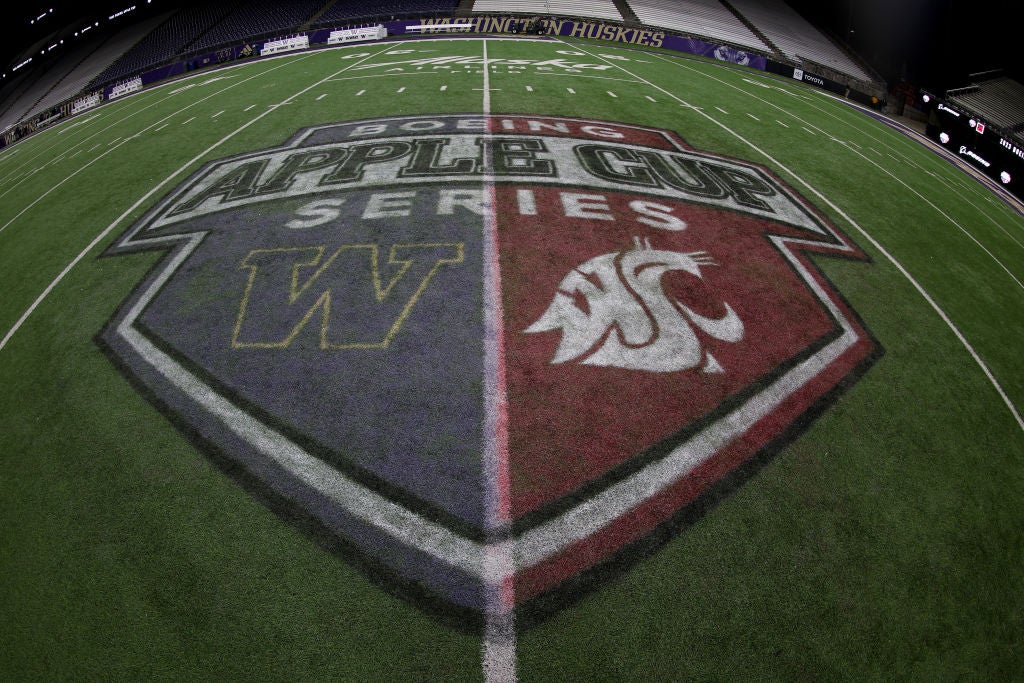
The Apple Cup, an iconic rivalry game between the University of Washington Huskies and the Washington State Cougars, consistently delivers thrilling collegiate football action. For fans eager to catch every pass, tackle, and touchdown in 2024, navigating the evolving landscape of sports broadcasting is key. What was once a simple matter of tuning into a single cable channel has transformed into a sophisticated ecosystem of streaming services, apps, and connected devices. This guide delves into the technological avenues available, ensuring you’re perfectly positioned to experience the excitement of the Apple Cup from anywhere.
Decoding the Modern Sports Streaming Ecosystem
The way we consume live sports has undergone a profound transformation, driven largely by advancements in digital technology. Traditional cable subscriptions, while still prevalent, are increasingly being supplemented—or entirely replaced—by a diverse array of streaming platforms. Understanding this ecosystem is the first step to securing your front-row seat for the Apple Cup 2024.
The Evolution from Broadcast TV to Digital Platforms
For decades, sports viewing was synonymous with terrestrial or cable television. Viewers would tune into major networks like ABC, CBS, NBC, or specialized sports channels like ESPN. The digital age, however, has ushered in an era of unprecedented choice and flexibility. The proliferation of high-speed internet, smart devices, and sophisticated streaming protocols has paved the way for services that deliver live content directly to consumers, bypassing traditional intermediaries. This shift is not merely about convenience; it represents a fundamental change in how media rights are distributed and how content is accessed. Major sports leagues and collegiate conferences now strike multi-faceted deals that often include exclusive streaming rights for certain games or entire seasons, making it imperative for fans to know which digital platform holds the key to their desired event.
Key Players in Live Sports Streaming
The current streaming landscape is populated by a multitude of players, each offering a unique package of content, features, and pricing structures. For live sports, these generally fall into a few categories:
- Virtual Multichannel Video Programming Distributors (vMVPDs): These are essentially “cord-cutting” alternatives to cable, offering bundles of live TV channels over the internet. Popular examples include YouTube TV, Sling TV, Hulu + Live TV, and FuboTV. They often carry the major sports networks (ESPN, FOX, CBS, NBC) and regional sports networks, making them a comprehensive option for general sports fans.
- Direct-to-Consumer (DTC) Sports Streaming Services: These platforms are often owned or operated by specific sports leagues, broadcasters, or content providers. Examples include ESPN+ (offering exclusive live games and extensive archives), Peacock (NBC Sports content), Paramount+ (CBS Sports content), and specific conference networks like the Pac-12 Network’s streaming options. These services are crucial for accessing games that might not be on a main broadcast channel.
- Network-Specific Apps: Many traditional broadcasters offer their own apps (e.g., FOX Sports App, CBS Sports App, ESPN App) that allow authenticated cable or vMVPD subscribers to stream live content included in their package. Some may also offer limited free content or subscription tiers for non-subscribers.
For the Apple Cup 2024, fans will need to determine which of these services will carry the game. This typically involves identifying the primary broadcast network (e.g., ESPN, FOX, or potentially the Pac-12 Network, depending on broadcast rights for the year) and then aligning with a streaming service that includes that channel in its lineup.
Official Broadcast and Streaming Pathways for Apple Cup 2024
Pinpointing the exact channel and streaming service for the Apple Cup 2024 is paramount to avoiding last-minute scrambling. While specific broadcast details are usually confirmed closer to the event, historical trends and current media rights agreements offer strong indicators.
Identifying Primary Broadcast Channels
Historically, the Apple Cup, given its prominence as a significant rivalry game, has been featured on major national sports broadcasting networks. Depending on the conference’s media rights deals (which can evolve year to year), the game is most likely to air on:
- ESPN or an ESPN affiliate (e.g., ESPN2, ESPNU): ESPN holds extensive rights for college football, including many high-profile games. If the game is on an ESPN channel, it will also be simultaneously streamable via the ESPN app (requiring a cable/vMVPD subscription login) and potentially through ESPN+ for exclusive content.
- FOX or FS1: FOX also has a robust college football schedule, often featuring key Big Ten, Big 12, and Pac-12 (for its final year) matchups. Games on FOX channels are typically accessible via the FOX Sports App with a TV provider login.
- The Pac-12 Network: As the dedicated network for the Pac-12 Conference, it’s a possible destination, especially if the game’s scheduling aligns with their broadcast priorities. Access to the Pac-12 Network usually requires a specific cable or vMVPD package that includes it.
Fans should closely monitor official announcements from the University of Washington, Washington State University, the athletic conferences, and major sports media outlets in the weeks leading up to the Apple Cup for the definitive broadcast schedule.
Direct-to-Consumer Streaming Options and Subscriptions
Once the primary broadcast channel is identified, selecting the appropriate streaming service becomes straightforward.
- For ESPN/ESPN2/ESPNU games:
- vMVPDs: Services like Sling TV (Sling Orange package), YouTube TV, Hulu + Live TV, and FuboTV all typically include ESPN channels. These are comprehensive solutions for a wide range of live TV.
- ESPN+: While not all ESPN linear channel content is on ESPN+, it often features exclusive college football games and replays. It’s a valuable add-on for serious fans.
- For FOX/FS1 games:
- vMVPDs: YouTube TV, Hulu + Live TV, FuboTV, and Sling TV (Sling Blue package) generally carry FOX and FS1.
- FOX Sports App: As mentioned, this app allows authenticated users to stream the live broadcast.
- For Pac-12 Network games:
- vMVPDs: Availability of the Pac-12 Network can vary significantly between services. Check specifically if your chosen vMVPD (e.g., Sling TV, FuboTV, Vidgo) includes it.
- Pac-12 Now App: This app provides live streaming with a cable or satellite subscription that includes the Pac-12 Network.
When choosing a service, consider not only its channel lineup but also its user interface, device compatibility, simultaneous stream limits, and additional features like cloud DVR. Many services offer free trials, which can be an excellent way to test them out before committing to a subscription, especially if you only need it for a specific event like the Apple Cup.
Essential Gear and Connectivity for an Optimal Viewing Experience
Watching the Apple Cup 2024 in high definition with minimal interruptions requires more than just the right subscription. Your hardware and internet connection play crucial roles in delivering a seamless, high-quality streaming experience.
Choosing Your Device and Display
The flexibility of modern streaming means you have a wide array of devices to choose from, each offering distinct advantages:
- Smart TVs: Most modern smart TVs come with built-in apps for major streaming services. This offers the most integrated and often the most visually impressive experience, especially for larger screens and 4K content. Ensure your TV’s operating system is up-to-date for optimal performance.
- Streaming Sticks/Boxes: Devices like Roku, Amazon Fire TV Stick, Apple TV, and Google Chromecast transform any HDMI-enabled display into a smart TV. They are affordable, portable, and often feature robust app libraries and intuitive interfaces. They are excellent for older TVs or for streamlining app access on newer ones.
- Computers/Laptops: Watching on a desktop or laptop offers flexibility, especially for multitasking or if you prefer a keyboard and mouse interface. Modern browsers are highly optimized for streaming, but ensure your system meets minimum requirements for HD video playback.
- Mobile Devices (Smartphones/Tablets): Perfect for on-the-go viewing or if you prefer a personal screen. Most streaming apps are fully optimized for iOS and Android, offering features like picture-in-picture. Ensure your device has enough battery life or is connected to power.
Regardless of your choice, prioritize devices capable of streaming at least 1080p (Full HD) to enjoy the crisp visuals of college football. For those with 4K TVs, check if the broadcast or streaming service offers a 4K feed, though this is still less common for live sports.
Internet Connectivity Requirements
A stable and sufficiently fast internet connection is the backbone of any good streaming experience. Without it, you’ll encounter frustrating buffering, pixelated images, and dropped connections.
- Bandwidth: For standard definition (SD) streaming, 3-5 Mbps is usually sufficient. For high definition (HD, 1080p), aim for at least 10-25 Mbps per stream. If multiple devices in your household will be streaming simultaneously, you’ll need higher speeds. For any potential 4K streams, 25-50 Mbps or more is recommended.
- Wi-Fi vs. Ethernet: While Wi-Fi offers convenience, a wired Ethernet connection provides superior stability and speed, especially critical for live sports where every second counts. If your streaming device or smart TV has an Ethernet port, use it for the best experience. If relying on Wi-Fi, ensure your router is centrally located, up-to-date, and supports modern standards (e.g., Wi-Fi 5 or Wi-Fi 6) to minimize interference and maximize throughput.
- Data Caps: Be mindful of any data caps imposed by your Internet Service Provider (ISP). Streaming live HD content, especially for a full football game, consumes a significant amount of data.
To check your current internet speed, use online speed test tools (e.g., Speedtest.net). If your speeds are consistently below recommended thresholds, consider upgrading your internet plan or optimizing your home network.
Enhancing Audio and Visuals
Beyond basic connectivity, a few tweaks can significantly elevate your Apple Cup viewing.
- Audio: For a truly immersive experience, consider a soundbar or a full surround sound system. Many streaming services support Dolby Digital or similar audio formats, which can bring the roar of the crowd and commentator analysis to life. Even good quality headphones can make a difference, especially for mobile viewing.
- Display Settings: Adjust your TV’s picture settings. Sports modes are often available, enhancing motion smoothness and color vibrancy. Experiment with brightness, contrast, and motion interpolation settings to find what looks best for fast-moving action. Disable any unnecessary post-processing that might introduce lag or artifacts.
By optimizing your hardware and ensuring robust connectivity, you create a dedicated viewing environment that truly does justice to the spectacle of the Apple Cup.
Navigating Geo-Restrictions and International Access
For fans traveling abroad or residing outside the United States, accessing the Apple Cup 2024 can present a unique challenge: geo-restrictions. These digital borders dictate which content is available in specific geographical regions. Fortunately, technology offers a solution in the form of Virtual Private Networks (VPNs).
What are Geo-Restrictions and Their Impact
Geo-restrictions are technological barriers that limit access to internet content based on a user’s geographical location. Broadcasters and streaming services implement these restrictions due to licensing agreements, which often grant exclusive distribution rights for specific regions. This means that a streaming service available in the U.S. might not offer the same content (or even be accessible at all) to users in Canada, the UK, or elsewhere.
For Apple Cup fans, this can manifest in a few ways:
- Service Unavailability: A U.S.-based streaming service might simply be inaccessible from an international IP address.
- Content Blackouts: Even if the service works, the specific game might be blacked out due to local broadcast rights in the user’s current location.
These restrictions are enforced by checking a user’s IP address, which reveals their geographical location.
How VPNs Facilitate International Streaming
A Virtual Private Network (VPN) offers a robust technical solution to bypass geo-restrictions. Here’s how it works:
- Encryption and Tunneling: When you connect to a VPN server, your internet traffic is encrypted and routed through a secure “tunnel” to the VPN server.
- IP Address Masking: The VPN server then forwards your request to the internet, but instead of your actual IP address, the destination website or streaming service sees the IP address of the VPN server.
- Location Spoofing: By choosing a VPN server located in the desired country (e.g., the U.S. for Apple Cup), you effectively “spoof” your location, making it appear as though you are browsing from within that country.
This trick allows you to access content and services that would otherwise be restricted in your actual geographical location. For watching the Apple Cup 2024 from abroad, you would connect to a VPN server in the U.S., then access your chosen U.S.-based streaming service (like YouTube TV, Sling TV, or ESPN+ if you have a valid subscription).
Selecting a Reliable VPN Provider
Not all VPNs are created equal, especially when it comes to streaming live sports. When choosing a VPN, consider these crucial technical aspects:
- Server Network and Locations: Look for providers with a vast network of servers, particularly a strong presence in the U.S. (multiple cities/states) to give you options and reduce congestion.
- Speed and Performance: Streaming live HD video is data-intensive. A good VPN must offer high-speed servers to prevent buffering and maintain picture quality. Look for providers that explicitly market themselves as fast for streaming.
- Security and Privacy: While your primary goal is access, a VPN’s core function is security. Ensure the provider offers strong encryption protocols (e.g., OpenVPN, WireGuard), a strict no-logs policy, and features like a kill switch (which cuts your internet if the VPN connection drops, preventing IP leaks).
- Device Compatibility: Verify that the VPN has dedicated apps for your streaming devices (computers, smartphones, tablets, and ideally, smart TVs or streaming sticks via router configuration).
- Customer Support: Responsive 24/7 customer support can be invaluable if you encounter technical issues.
- Ability to Bypass Geo-Restrictions: Some streaming services actively try to block VPNs. Choose a reputable provider known for consistently bypassing these blocks. ExpressVPN, NordVPN, and Surfshark are frequently cited as strong performers in this regard.
While a VPN is a powerful tool, it’s essential to remember that you still need a valid subscription to the streaming service carrying the Apple Cup. The VPN merely provides the means to access that service from a restricted location.
Troubleshooting Common Streaming Challenges
Even with the perfect setup, technological glitches can occasionally disrupt your Apple Cup viewing. Understanding common issues and their quick fixes can save you from missing a crucial play.
Resolving Buffering and Lag
Buffering, where the video pauses to load, is perhaps the most frustrating streaming issue. Lag, or delayed video/audio, is similarly disruptive. Both are usually symptoms of an insufficient data flow.
- Check Internet Speed: The first step is always to verify your internet connection. Run a speed test. If it’s significantly lower than recommended for HD streaming (10-25 Mbps), contact your ISP.
- Reduce Network Congestion: If other devices on your network are downloading large files, gaming online, or streaming simultaneously, they can hog bandwidth. Pause or limit their activity.
- Optimize Wi-Fi Signal: Move closer to your router, remove obstructions, or consider using an Ethernet cable for a more stable connection. If your router is old, an upgrade might be necessary.
- Close Background Applications: On your computer or mobile device, close any unnecessary apps or browser tabs that might be consuming resources.
- Lower Stream Quality: Most streaming apps allow you to manually lower the video quality (e.g., from HD to SD). This uses less bandwidth and can reduce buffering, albeit at the cost of picture clarity.
- Restart Devices: A simple restart of your modem, router, and streaming device can often clear up temporary network or device-specific glitches.
Addressing Login and Account Problems
Account-related issues can prevent access even when your connection is solid.
- Double-Check Credentials: Ensure you’re entering the correct username and password. Pay attention to capitalization and special characters.
- Reset Password: If you’re unsure, initiate a password reset through the streaming service’s website.
- Verify Subscription Status: Confirm that your subscription is active and in good standing, and that payment information is up-to-date.
- Clear Cache/Cookies: On web browsers or streaming apps, clearing the cache and cookies can resolve issues where old data interferes with login processes.
- Update App/Browser: Ensure your streaming app or web browser is updated to its latest version. Outdated software can cause compatibility issues.
- Simultaneous Stream Limits: Some services limit the number of devices that can stream simultaneously. Ensure you haven’t exceeded this limit on other devices.
Picture Quality and Audio Sync Issues
Problems with visual clarity or audio being out of sync with the video can detract significantly from the viewing experience.
- Adjust Stream Quality Settings: Most apps have an “auto” quality setting. Sometimes, manually setting it to a specific HD resolution (e.g., 1080p) can help stabilize quality, assuming your internet can handle it.
- Check Device Output Settings: Ensure your streaming device (e.g., Roku, Apple TV) is set to output the correct resolution for your TV (e.g., 1080p).
- Inspect HDMI Cables: A faulty or loose HDMI cable can cause picture degradation or flickering. Try reseating or replacing the cable.
- Audio Delay Settings: Some smart TVs or sound systems have audio delay settings. Experiment with these to synchronize the audio and video.
- Disable VPN (Temporarily): If you’re using a VPN and experiencing issues, try temporarily disabling it to see if the VPN itself is causing the performance degradation. If so, try a different server or a different VPN provider.
- System Updates: Ensure your TV’s firmware and your streaming device’s operating system are fully updated. Software bugs can often be resolved with an update.
By systematically addressing these common technical hurdles, you can quickly get back to enjoying the intense rivalry of the Apple Cup 2024, ensuring technology enhances, rather than hinders, your viewing experience.
aViewFromTheCave is a participant in the Amazon Services LLC Associates Program, an affiliate advertising program designed to provide a means for sites to earn advertising fees by advertising and linking to Amazon.com. Amazon, the Amazon logo, AmazonSupply, and the AmazonSupply logo are trademarks of Amazon.com, Inc. or its affiliates. As an Amazon Associate we earn affiliate commissions from qualifying purchases.