
In an increasingly digital world, streaming services have become the cornerstone of modern entertainment. Among the myriad options, Amazon Prime stands out not just for its vast library of movies and TV shows but also for its integration into a broader ecosystem of benefits. Understanding how to effectively navigate and utilize Amazon Prime Video is key to maximizing its value. This guide will walk you through everything from signing up to optimizing your viewing experience across various devices, ensuring you can seamlessly access your favorite content, anytime, anywhere.
Understanding Amazon Prime: More Than Just Free Shipping
Often perceived primarily for its expedited shipping benefits, Amazon Prime is a multifaceted subscription service that bundles an array of digital advantages, with video streaming being one of its most compelling features. For many, “how to watch Amazon Prime” specifically refers to tapping into this rich video content.
What is Amazon Prime Video?
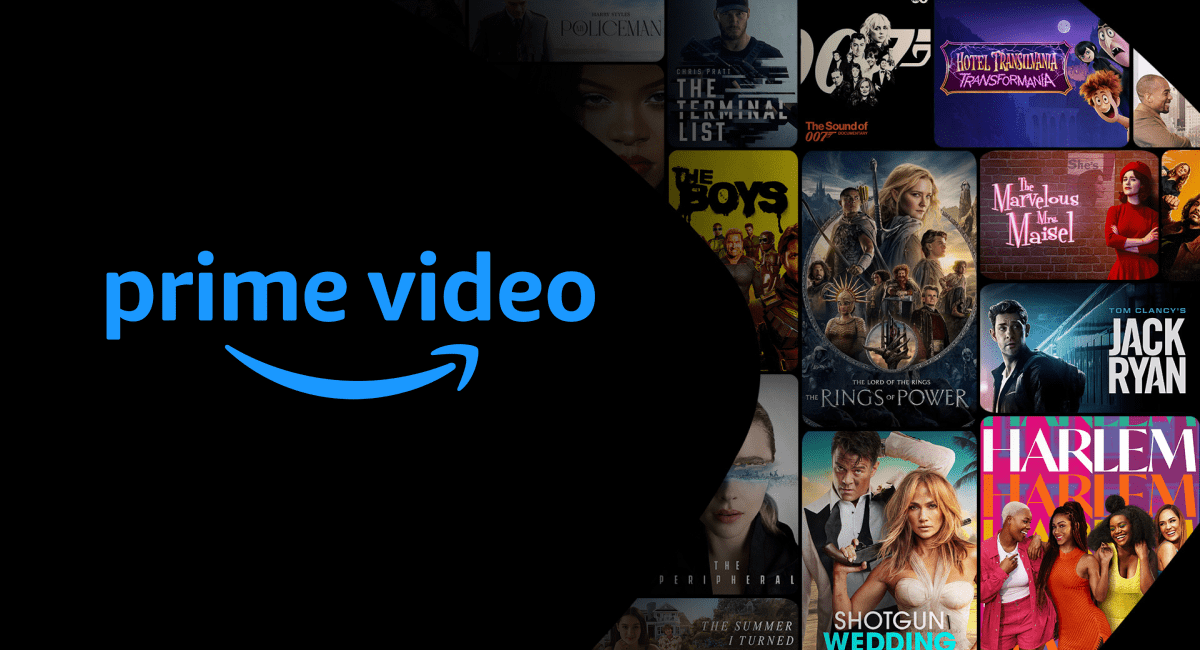
Amazon Prime Video is the streaming component of the Amazon Prime subscription. It offers an expansive catalog of movies, TV series, documentaries, and Amazon Originals – critically acclaimed and award-winning productions developed in-house. From epic fantasies like The Lord of the Rings: The Rings of Power to compelling dramas such as The Marvelous Mrs. Maisel and action-packed series like Reacher, the platform provides a diverse selection to cater to every taste.
Beyond the content included with a Prime subscription, Prime Video also serves as a digital storefront where users can rent or purchase movies and TV shows not available within the subscription, or subscribe to additional “Prime Video Channels” like HBO, Showtime, or Paramount+ directly through the Amazon platform. This hybrid model offers unparalleled flexibility, consolidating various entertainment options under one digital roof.
The Ecosystem of Prime Benefits
While our focus here is squarely on watching video content, it’s worth briefly noting that Prime Video is part of a larger tech ecosystem. A single Prime membership unlocks a host of other digital perks:
- Prime Music: Access to millions of songs and ad-free playlists.
- Prime Reading: A rotating selection of free eBooks, magazines, and comics.
- Prime Gaming: Free games, in-game content, and a free Twitch channel subscription.
- Unlimited Photo Storage: Secure cloud storage for photos.
These integrated services highlight Amazon’s strategic approach to digital engagement, creating a comprehensive technological offering that extends far beyond just video, but it’s the video content that primarily drives the “how to watch” query for most users.
Getting Started: Accessing Amazon Prime Video
Before you can dive into Amazon’s extensive content library, a few foundational steps are required. These steps ensure you have the necessary access credentials and platform membership.
Membership Requirements
To watch Amazon Prime Video, an active Amazon Prime membership is essential. If you don’t already have one, the process is straightforward:
- Visit the Amazon Prime Website: Navigate to the main Amazon website or the Prime landing page.
- Sign Up for a Free Trial or Full Membership: Amazon typically offers a 30-day free trial for new members, which includes full access to Prime Video. If you’ve used a trial before or prefer to jump straight in, you can sign up for a monthly or annual membership. The membership fee is a gateway to the service, but the focus here is on accessing the technology, not the financial aspect itself.
- Provide Payment Information: Even for a free trial, Amazon requires a valid payment method on file. This ensures seamless continuation of service should you choose not to cancel after the trial.
Once your Prime membership is active, you gain immediate access to the Prime Video library included with your subscription.
Creating or Logging into Your Amazon Account
The gateway to all Amazon services, including Prime Video, is your Amazon account.
- Existing Users: If you already shop on Amazon, simply use your existing email address and password to log in. This unified account system streamlines access across Amazon’s various digital properties.
- New Users: If you’re new to Amazon entirely, you’ll need to create an account. This involves providing your name, email address, and creating a secure password. It’s a quick process that sets up your digital identity within the Amazon ecosystem, allowing you to manage your Prime membership and access all associated services.
Ensuring your account details are secure and up-to-date is crucial for uninterrupted access and protecting your personal information within the tech platform.
Watching on Any Device: A Multi-Platform Experience
One of the greatest strengths of Amazon Prime Video lies in its ubiquitous availability. Whether you’re at home or on the go, there’s likely a device ready to stream your favorite shows. This multi-platform approach ensures a seamless viewing experience across various technological environments.
Streaming on Smart TVs and Media Players
For the ultimate home theater experience, watching Prime Video on a big screen is preferred. Most modern smart TVs come with the Amazon Prime Video app pre-installed or available for download.
- Smart TVs: Simply navigate to your TV’s app store (e.g., Samsung Smart Hub, LG Content Store, Android TV) and search for “Amazon Prime Video.” Download, install, and then log in with your Amazon account credentials.
- Streaming Media Players: Devices like Amazon Fire TV Stick, Roku, Apple TV, Google Chromecast, and NVIDIA Shield all support Prime Video. You’ll typically find the app in their respective app stores. Plug the device into your TV’s HDMI port, connect to Wi-Fi, and log in. Amazon Fire TV devices, being Amazon’s own, offer the most integrated experience with voice commands via Alexa.
- Gaming Consoles: Modern gaming consoles such as PlayStation (PS4, PS5) and Xbox (One, Series X/S) also host the Prime Video app. Download it from the console’s store, log in, and enjoy.
Mobile Freedom: Smartphones and Tablets
The Amazon Prime Video app for smartphones and tablets (iOS and Android) offers unparalleled flexibility. This is particularly useful for on-the-go viewing and for utilizing the offline download feature.
- Download the App: Search for “Amazon Prime Video” in the Apple App Store (for iOS) or Google Play Store (for Android) and install it.
- Log In: Use your Amazon account details to sign in.
- Stream or Download: You can stream content directly over Wi-Fi or cellular data, or download titles to watch offline later, ideal for travel or areas with limited internet access. The app’s interface is optimized for touchscreens, providing intuitive navigation.
Desktop Viewing: Web Browsers
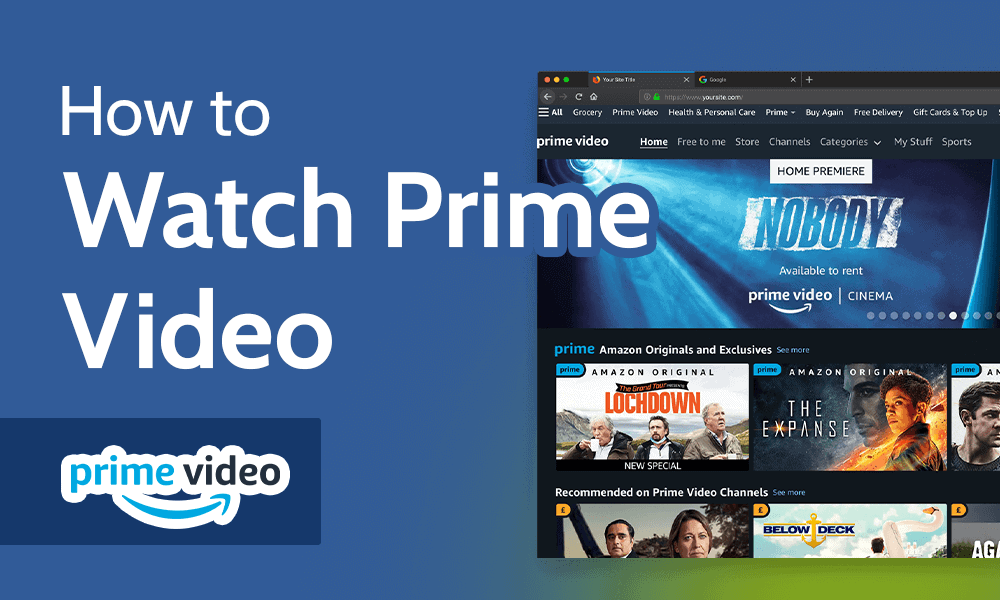
If you prefer watching on your computer, no special software is needed. Amazon Prime Video is fully accessible through most modern web browsers.
- Visit the Website: Go to primevideo.com.
- Log In: Enter your Amazon account credentials.
- Start Watching: The browser interface is user-friendly, allowing you to browse, search, and manage your watchlist just like on dedicated apps. Ensure your browser is up-to-date for optimal performance and security.
The beauty of Prime Video’s tech infrastructure is its ability to remember where you left off, regardless of the device, thanks to cloud synchronization.
Enhancing Your Viewing Experience: Features and Customization
Amazon Prime Video is designed with a suite of features aimed at making your viewing experience more personalized, engaging, and secure. Understanding these technological nuances can significantly improve how you interact with the platform.
User Profiles: Tailored Entertainment for Everyone
To cater to multiple viewers within a single household, Prime Video allows for the creation of up to six user profiles (one primary and five secondary).
- Personalized Recommendations: Each profile maintains its own watch history, watchlist, and personalized recommendations, ensuring that family members don’t interfere with each other’s viewing preferences.
- Easy Switching: Switching between profiles is simple, typically done from the app’s home screen or main menu, making it easy for each user to jump directly into their tailored content. This multi-profile capability is a core technological convenience for shared accounts.
Parental Controls: Safe Viewing for the Family
For households with children, Prime Video offers robust parental control features to manage what younger viewers can access.
- Content Restrictions: You can set age restrictions for content (e.g., G, PG, PG-13, R) that applies across all devices linked to the profile.
- Purchase Restrictions: A PIN can be required for any purchases or rentals, preventing unauthorized transactions.
- Device-Specific Settings: Parental controls can be configured for specific devices, allowing for different levels of restriction based on where and who is watching. This granularity gives parents precise control over their children’s digital consumption.
Offline Downloads: Entertainment On-the-Go
One of the most appreciated features for mobile users is the ability to download selected titles for offline viewing.
- How it Works: Within the Prime Video app on smartphones and tablets, simply select a movie or TV episode and tap the “Download” button.
- Managing Downloads: Downloads are stored locally on your device and can be accessed from the “Downloads” section of the app. You can manage storage by deleting content once you’ve watched it.
- Limitations: Note that not all content is available for download due to licensing agreements, and downloads typically have an expiry period once you start watching or after a certain number of days. This feature leverages local device storage to provide access independent of internet connectivity.
X-Ray Integration: Deep Dive into Content
Amazon’s exclusive X-Ray feature, powered by IMDb (which Amazon owns), provides an immersive, interactive viewing experience.
- Real-time Information: While watching, you can tap or pause the screen to instantly see information about actors on screen, the music playing, trivia, and even jump to specific scenes.
- Enhanced Engagement: X-Ray transforms passive viewing into an active exploration of the content, offering behind-the-scenes insights without needing to leave the app. This is a powerful integration of database technology with streaming media.
4K UHD and HDR Streaming
For those with compatible TVs and internet connections, Prime Video supports stunning 4K Ultra HD (UHD) and High Dynamic Range (HDR) streaming.
- Requirements: To enjoy 4K HDR, you need a 4K HDR-compatible TV, a device capable of streaming 4K HDR (e.g., Fire TV Stick 4K, newer smart TVs), and a fast internet connection (typically 15-25 Mbps or higher).
- Accessing 4K Content: Prime Video clearly labels content available in 4K UHD and HDR. The platform automatically adjusts the quality based on your device and internet speed, but you can often manually check or adjust settings within the app.
Audio Options: Surround Sound and Subtitles
Prime Video offers a variety of audio and subtitle options to enhance accessibility and personal preference.
- Audio Tracks: Many titles include multiple audio tracks, allowing you to switch between original language, dubbed versions, or descriptive audio for the visually impaired.
- Subtitles and Closed Captions: Extensive subtitle options are available, with customizable font size, color, and background, aiding accessibility for hearing-impaired viewers or those who prefer to watch in a foreign language.
These features collectively demonstrate Amazon Prime Video’s commitment to a versatile and user-centric viewing experience, leveraging technology to empower the viewer.
Troubleshooting and Best Practices
Even with the most robust technology, occasional hiccups can occur. Knowing how to troubleshoot common issues and adopting best practices can help maintain a smooth, uninterrupted Prime Video experience.
Common Connectivity Issues and Solutions
Most streaming problems stem from internet connectivity.
- Slow/Buffering Video: This is often due to insufficient internet bandwidth.
- Solution: Check your internet speed (a quick online test can help). If it’s below the recommended speed for HD (5 Mbps) or 4K (15-25 Mbps), try reducing the number of devices using your network, moving closer to your Wi-Fi router, or restarting your router.
- “No Internet Connection” Error:
- Solution: Ensure your device is connected to Wi-Fi or cellular data. Try resetting your modem and router. If the issue persists, contact your internet service provider.
- App Freezing/Crashing:
- Solution: Close the Prime Video app completely and restart it. If on a device like a smart TV or streaming stick, try restarting the device itself (unplugging it for 30 seconds can often resolve minor glitches).
App Updates and Device Compatibility
Keeping your software up-to-date is crucial for performance and security.
- Update Your Apps: Regularly check for updates for the Amazon Prime Video app on all your devices. These updates often include bug fixes, performance enhancements, and new features.
- Device Firmware: Ensure your smart TV, streaming stick, or gaming console’s operating system is running the latest firmware. Outdated software can lead to compatibility issues or hinder optimal performance.
Maximizing Video Quality
To consistently enjoy the best possible picture and sound, consider these tips:
- Wired Connection: For devices capable of it, an Ethernet cable provides a more stable and faster internet connection than Wi-Fi, especially for 4K streaming.
- Close Background Apps: On computers or mobile devices, close unnecessary background applications that might consume bandwidth or system resources.
- Adjust Device Settings: Some TVs or streaming devices have specific settings to optimize video playback or upscale content. Explore these options in your device’s settings menu.
Managing Your Devices
Amazon Prime Video tracks the devices you use. While there’s generally no strict limit on the number of devices you can register, there are limits on simultaneous streams.
- Simultaneous Streams: You can typically stream up to three videos simultaneously using the same Amazon account, but only two concurrent streams of the same video at any given time.
- Removing Old Devices: If you’ve sold or no longer use a device, it’s good practice to remove it from your Amazon account’s “Manage Your Content and Devices” settings. This enhances security and helps keep your device list clean.
By understanding these common troubleshooting steps and best practices, you can ensure a reliable and high-quality streaming experience with Amazon Prime Video.

Conclusion
Amazon Prime Video represents a significant technological leap in how we consume entertainment, offering a vast, diverse library accessible across an impressive array of devices. From the convenience of signing up and logging in to leveraging advanced features like user profiles, parental controls, offline downloads, and X-Ray integration, the platform is designed for flexibility and user engagement. While occasional technical issues may arise, armed with the knowledge to troubleshoot and optimize your setup, you can ensure a seamless and enjoyable streaming experience. Ultimately, knowing “how to watch Amazon Prime” means mastering its multi-device accessibility, leveraging its smart features, and ensuring your tech setup is ready to deliver premium entertainment directly to your screen.
aViewFromTheCave is a participant in the Amazon Services LLC Associates Program, an affiliate advertising program designed to provide a means for sites to earn advertising fees by advertising and linking to Amazon.com. Amazon, the Amazon logo, AmazonSupply, and the AmazonSupply logo are trademarks of Amazon.com, Inc. or its affiliates. As an Amazon Associate we earn affiliate commissions from qualifying purchases.