
Venmo has become a ubiquitous financial tool for peer-to-peer transactions, simplifying the process of exchanging money among friends, family, and increasingly, for small business payments. Understanding its mechanics is crucial for efficient personal finance management, allowing users to seamlessly integrate digital payments into their daily financial routines. This guide will walk through the essential steps and considerations for receiving money via Venmo, highlighting its role as a key financial instrument.
Understanding Venmo as a Financial Tool
Venmo, at its core, is a mobile payment service owned by PayPal. It facilitates the quick and easy transfer of funds directly between users’ accounts, bypassing traditional banking delays for many transactions. For individuals, Venmo serves multiple purposes: splitting bills, sharing expenses, receiving payments for casual services, or even collecting contributions for group activities. From a financial management perspective, it offers a digital ledger for these informal transactions, providing a clear record of money in and out.

Setting up a Venmo account is the first step toward leveraging this financial tool. Users typically link their bank account, debit card, or credit card to their Venmo profile. While linking a bank account or debit card is necessary for transferring funds out of Venmo, users can receive money even if only a phone number or email is associated with their profile. However, to access or transfer those funds, a verified bank account or debit card must eventually be linked. This integration with conventional banking infrastructure makes Venmo a powerful bridge between digital and traditional financial systems.
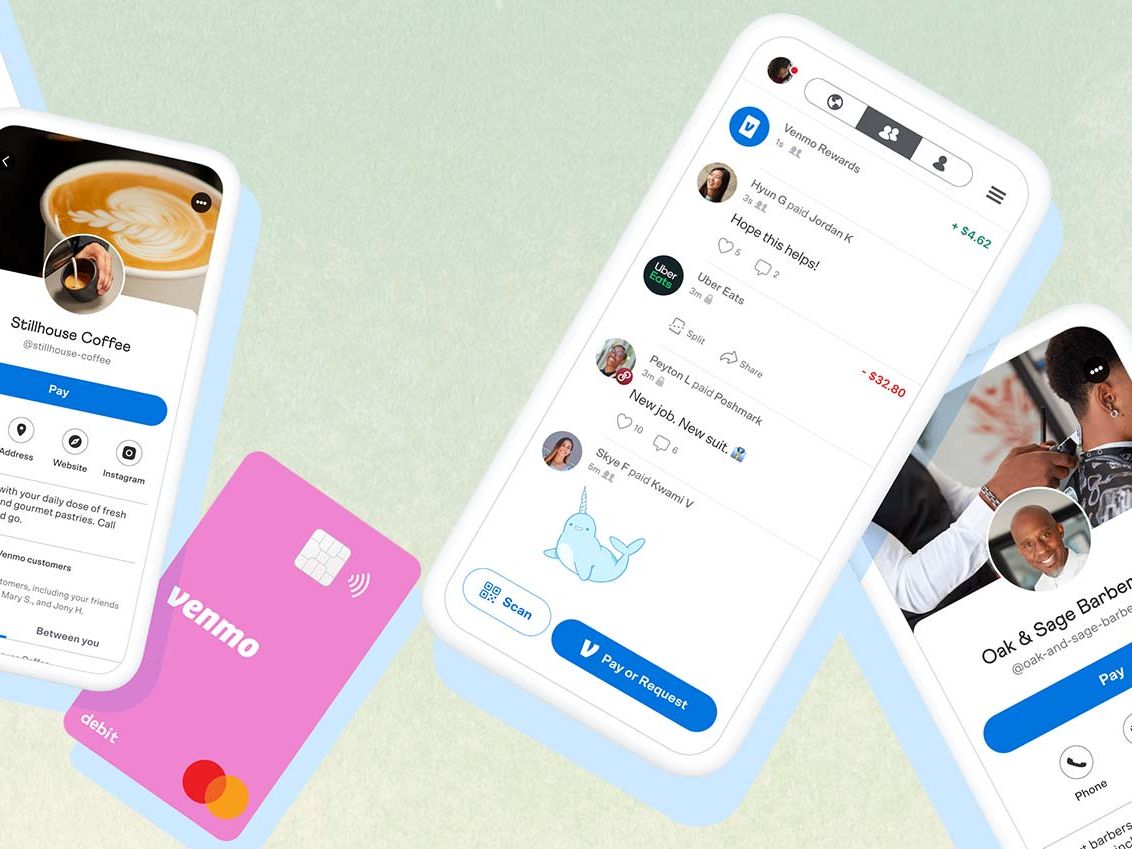
The platform’s social feed, while optional to use publicly, also offers a unique layer to personal finance interactions. It normalizes digital payments, making the act of settling debts or receiving payments less formal and more integrated into social exchanges. This feature, when used appropriately, can indirectly foster better financial communication among individuals regarding shared expenses.
The Mechanics of Receiving Funds on Venmo
Receiving money on Venmo is generally a straightforward process, designed for user convenience. There are primarily two ways funds can arrive in your Venmo account: direct payments initiated by another user or through a money request you send. Both methods deposit funds directly into your Venmo balance, making them immediately available for use within the platform or for transfer to your linked bank account.
Direct Payments
The most common way to receive money is when another Venmo user sends it to you directly. For this to occur, the sender needs your Venmo username, phone number, or email address associated with your account. Once they initiate the payment:
- Notification: You will typically receive an in-app notification, an email, or a text message (depending on your notification settings) informing you that money has been sent to you.
- Automatic Deposit: The funds are automatically credited to your Venmo balance. There’s no action required on your part to “accept” the payment, assuming the sender used the correct identifying information.
- Transaction History: The transaction will appear in your personal Venmo feed and your transaction history, providing a digital record of the incoming funds. This record is valuable for tracking personal income or expenses.
It’s crucial to ensure your linked payment methods (bank account, debit card) are up-to-date and verified if your intention is to transfer these funds out of Venmo. For new users, or users who haven’t fully verified their identity, there might be initial limits on transaction amounts or the ability to transfer funds, which is a standard financial security measure.
Requesting Money
Sometimes, instead of waiting for a direct payment, it’s more efficient to send a request for money. This is particularly useful for splitting bills, collecting payment for services rendered, or reminding someone about an outstanding debt.
- Initiating a Request: To request money, navigate to the “Pay & Request” button within the Venmo app. You will then select the contact(s) from whom you wish to request money.
- Specifying Amount and Memo: Enter the amount you are requesting and, importantly, add a clear memo explaining the reason for the request (e.g., “Dinner last night,” “Share of rent,” “Web design services”). A clear memo aids in financial tracking and avoids confusion.
- Sending the Request: Once sent, the recipient receives a notification. They can then choose to pay the request from their Venmo balance, linked bank account, or card.
- Funds Received: Upon their payment, the funds are deposited into your Venmo balance, identical to a direct payment.
Using the request feature can streamline personal financial interactions, providing a gentle reminder and a direct mechanism for others to settle their portion of shared expenses. It also adds a layer of professionalism for those using Venmo for casual freelancing or side hustles.
Managing Your Venmo Balance

Once money is received into your Venmo account, it resides in your Venmo balance. This balance can be utilized in several ways: to make payments to other Venmo users, to pay at select merchants that accept Venmo, or to transfer out to your linked bank account. Effective management of this balance is key to leveraging Venmo as a practical financial tool.
Instant vs. Standard Transfers
The decision of how quickly to access your funds outside of Venmo often comes down to two options:
- Standard Transfer: This option is free and typically takes 1–3 business days for the funds to appear in your linked bank account. This is the default and most cost-effective method for users who aren’t in immediate need of the cash. It mirrors the standard ACH transfer times familiar in traditional banking.
- Instant Transfer: For a small fee (usually 1.75% of the transfer amount, with a minimum fee of $0.25 and a maximum fee of $25), you can transfer funds to an eligible debit card or bank account typically within 30 minutes. This option provides immediate liquidity, making it invaluable for urgent financial needs or when managing cash flow for small businesses or side hustles. The fee should be weighed against the urgency of accessing the funds.
Understanding these transfer options is vital for personal financial planning, allowing users to decide whether the convenience of immediate access outweighs the associated cost. It emphasizes the importance of budgeting and anticipating financial needs.
Venmo Debit Card Options
Venmo also offers financial products like the Venmo Debit Card and the Venmo Credit Card, which expand the utility of your Venmo balance beyond the app.
- Venmo Debit Card: This Mastercard debit card is linked directly to your Venmo balance. Any money you receive on Venmo is immediately accessible through this card for purchases anywhere Mastercard is accepted. This effectively turns your Venmo balance into a fully functional checking account substitute for daily spending, eliminating the need to transfer funds to a traditional bank account before using them. It can simplify budgeting by keeping Venmo-received funds separate for specific spending categories.
- Venmo Credit Card: While a credit card works differently by offering a line of credit, it integrates with the Venmo app for managing rewards and payments. For receiving money, the debit card is more directly relevant, turning your Venmo balance into spendable cash instantly.
These card options elevate Venmo from a mere peer-to-peer payment app to a more comprehensive financial ecosystem, enabling users to receive, hold, and spend money with greater flexibility.
Enhancing Your Financial Security on Venmo
While Venmo offers immense convenience, maintaining financial security is paramount. As with any financial tool, vigilance can prevent potential issues.
- Verify Recipient/Sender: Always double-check the username, phone number, or email address of the person you are transacting with. Sending money to the wrong person on Venmo is often irreversible. Similarly, ensure that payment requests you receive are from legitimate contacts.
- Strong, Unique Passwords: Use a strong, unique password for your Venmo account and enable two-factor authentication (2FA). 2FA adds an extra layer of security, requiring a code from your phone in addition to your password for login attempts.
- Beware of Scams: Be cautious of unsolicited payments, especially from unknown individuals, or requests to send money back. Common scams involve overpayment for items or services, with the scammer then asking for a partial refund. Always verify the legitimacy of the transaction before taking any action. Venmo is designed for transactions between people who know and trust each other.
- Monitor Activity: Regularly review your transaction history. This allows you to quickly spot any unauthorized activity and report it to Venmo support immediately.
- Link Verified Accounts: Link and verify your bank account and debit card. This not only allows you to transfer funds but also adds a layer of security, as Venmo knows the legitimate financial institutions connected to your account.
By adhering to these security best practices, users can protect their financial assets and ensure a safe experience while leveraging Venmo for receiving money.
Best Practices for Receiving Payments Efficiently
Optimizing your use of Venmo for receiving payments involves more than just knowing how the app works; it’s about integrating it smartly into your personal financial management strategy.
- Clear Communication: When someone owes you money, communicate clearly that Venmo is your preferred payment method and provide your exact Venmo handle (username, phone number, or email). This prevents delays and ensures payments are directed correctly.
- Descriptive Memos: Encourage senders to include descriptive memos with their payments. This helps both parties track transactions and makes it easier to categorize income for personal budgeting or tax purposes, especially if you’re using Venmo for side hustles.
- Understand Limits: Be aware of Venmo’s weekly spending and transfer limits. While receiving money generally doesn’t have a limit, there are limits on how much you can transfer out of your account, especially if your identity isn’t fully verified. Understanding these limits prevents unexpected hold-ups.
- Keep Your App Updated: Ensure your Venmo app is always updated to the latest version. Updates often include security enhancements, bug fixes, and new features that improve the overall user experience and financial security.
- Financial Record Keeping: Treat Venmo transactions as part of your overall financial picture. For significant or recurring payments, consider exporting your transaction history periodically for better record-keeping and integration with personal finance software. This is particularly important for those who rely on Venmo for part of their income.
By adopting these best practices, individuals can maximize the efficiency and security of using Venmo as a core component of their personal financial toolkit, ensuring smooth and reliable money reception.
aViewFromTheCave is a participant in the Amazon Services LLC Associates Program, an affiliate advertising program designed to provide a means for sites to earn advertising fees by advertising and linking to Amazon.com. Amazon, the Amazon logo, AmazonSupply, and the AmazonSupply logo are trademarks of Amazon.com, Inc. or its affiliates. As an Amazon Associate we earn affiliate commissions from qualifying purchases.