
In the rapidly evolving landscape of digital finance, Venmo has transitioned from a simple peer-to-peer (P2P) payment tool into a comprehensive financial ecosystem. While many users initially link their debit or credit cards to facilitate quick transfers, there is a growing trend toward treating the Venmo balance as a standalone digital wallet. Using your Venmo balance directly—rather than pulling funds from a linked bank account or card—offers several financial advantages, including better budget tracking, faster transaction speeds, and a layer of separation between your primary bank account and daily micro-transactions.
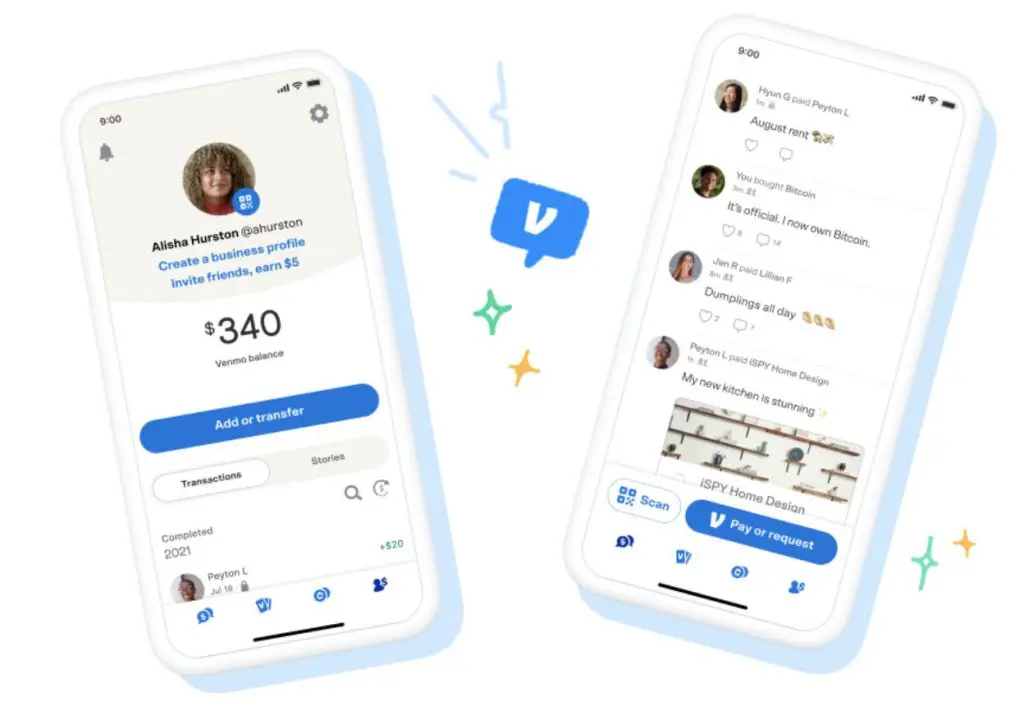
However, the process of using your balance isn’t always as intuitive as it seems. Because of federal regulations and Venmo’s own internal policies, there are specific steps and verification requirements that must be met before your balance becomes your primary source of funding. Understanding how to navigate these settings is essential for anyone looking to optimize their personal finance workflow through the app.
Understanding the Venmo Ecosystem: Why Balance Matters
To effectively use Venmo as a financial tool, one must first understand how the platform categorizes funds. When someone sends you money, it sits in your Venmo “Balance.” For many users, the instinct is to immediately “Cash Out” to a traditional bank account. However, keeping those funds within the app allows for a more fluid spending experience, especially for those who receive frequent payments from side hustles, roommates, or freelance gigs.
The Shift from Peer-to-Peer to Everyday Spending
Initially, Venmo was designed for “splitting the tab.” Today, it is accepted by millions of merchants, both online and in-person. By using your balance instead of a card, you are essentially using “found money” or earnings that haven’t yet touched your main savings. This can be a powerful psychological tool for budgeting. For instance, some users designate their Venmo balance specifically for “fun money” or dining out, ensuring that these discretionary expenses don’t eat into the funds allocated for rent or utilities in their primary checking account.
Benefits of Keeping Funds in the App
Utilizing your balance offers several logistical perks. First, transactions funded by a Venmo balance are typically instantaneous and do not incur the processing delays sometimes associated with bank transfers. Second, it reduces the number of line items on your bank statement, making it easier to reconcile your primary accounts at the end of the month. Finally, for those concerned about digital security, using a Venmo balance acts as a buffer; if a merchant’s payment system is compromised, only the funds in your Venmo account are at risk, rather than your entire bank balance or credit line.
Setting Up Your Venmo Account for Balance Use
The most common reason users find themselves unable to spend their Venmo balance is a lack of identity verification. Under the USA PATRIOT Act and various banking regulations, Venmo is required to verify the identity of users who wish to hold and spend a balance within the app. Without this step, any money sent to you essentially sits in a “pending” state where your only option is to transfer it out to a bank.
Identity Verification (The “Catch”)
To use your balance for payments, you must sign up for what Venmo calls a “Venmo Balance” account. This is a formal process where you provide the platform with legal identification. Until this is completed, Venmo acts merely as a pass-through entity. Once verified, the app functions more like a mobile checking account.
The verification process typically requires your legal name, physical address, social security number, and date of birth. In some instances, Venmo may request a photo of your government-issued ID. While some users are hesitant to share this data, it is a standard requirement for any regulated financial tool in the United States.
How to Verify Your Identity
To begin the process, navigate to the “Settings” menu within the Venmo app and look for the “Identity Verification” tab. If you have been prompted to verify your identity after receiving a payment, you can follow the in-app instructions directly from your transaction feed. Once submitted, verification is often instant, though it can take a few business days if manual review is required. After you receive confirmation, your balance is unlocked, and you gain the ability to select “Venmo Balance” as a payment source during checkout.
Step-by-Step Guide: Making Your Balance the Default
Once your identity is verified, you have the technical capability to spend your balance. However, the app does not always default to this method. You must be proactive in selecting it during the transaction process to ensure your linked card isn’t charged instead.
Paying Friends via Balance
When you initiate a payment to a friend, the “Pay” screen will display a default payment method at the bottom, just above the “Pay” button. If this currently shows your debit card or bank account, tap on the payment method. A menu will slide up, showing all available funding sources. If you have a verified identity and a positive balance, “Venmo Balance” will appear as an option. Select it, and then proceed with the payment.

It is important to note that if your payment amount exceeds your current Venmo balance, the app will usually revert to your default backup payment method (your card or bank) for the entire amount. Venmo generally does not allow “split” payments where a portion comes from the balance and the remainder comes from a card for P2P transfers.
Using Balance for Merchant Purchases
For online shopping or using Venmo at authorized merchants (like PayPal-enabled sites or in-app purchases), the process is similar. During the checkout flow, when you select Venmo as your payment option, you will be redirected to the Venmo app to authorize the transaction. Here, you must ensure the “Venmo Balance” toggle is selected. If you have the Venmo Debit Card, using your balance becomes even more seamless, as the card pulls directly from your balance by default for every swipe.
The Role of the Venmo Debit Card
For those serious about using Venmo balance as a primary financial tool, the Venmo Mastercard is a game-changer. Unlike a traditional credit card, the Venmo Debit Card is linked directly to your balance. This allows you to spend your Venmo funds at any physical or online retailer that accepts Mastercard, even if they don’t explicitly offer a “Pay with Venmo” button. This effectively turns your Venmo app into a functional bank account with a physical debit component, providing the ultimate flexibility for balance utilization.
Troubleshooting Common Issues
Even after verification, users sometimes encounter hurdles when trying to spend their balance. Understanding these friction points can prevent frustration during a transaction.
Why Your Card Is Still Being Charged
The most frequent complaint is that the app “ignored” the balance and charged a linked card anyway. This often happens because the user did not manually change the payment method on the final confirmation screen. Venmo remembers the last used payment method for specific types of transactions. If you last paid a friend using a credit card, the app may default to that card for the next payment. Always double-check the funding source before hitting “Confirm.”
Another common reason is the “All or Nothing” rule. As mentioned previously, if you are trying to send $50 but only have $45 in your Venmo balance, Venmo will not use the $45 and take $5 from your bank. Instead, it will take the full $50 from your bank account to ensure the transaction is completed in one single movement of funds.
Insufficient Funds and Backup Payments
To avoid transaction declines, Venmo offers a “Backup Payment” feature for users with a Venmo Debit Card. If this is enabled and your balance is insufficient, Venmo will automatically pull money from your linked bank account in increments of $10 to cover the difference. While convenient, this can lead to unexpected bank withdrawals. If your goal is to strictly use only the money currently in your Venmo account for budgeting purposes, you should ensure that backup payments are disabled in your card settings.
Security and Best Practices for Digital Wallets
As you shift toward using your Venmo balance as a primary spending tool, your security strategy must evolve. Treating a digital wallet like a bank account requires a higher level of vigilance regarding account access and fund management.
Managing Large Balances
While keeping a few hundred dollars in Venmo for daily spending is convenient, it is generally advised not to keep your life savings in a digital wallet. Unlike traditional bank accounts, Venmo balances are not always automatically covered by FDIC insurance unless you have specifically added funds through the app or have a Venmo Debit Card. To maximize safety, use Venmo for operational cash—money you intend to spend within the month—and move surplus funds to a high-yield savings account where they can earn interest and enjoy full institutional protection.

Fraud Protection and Privacy
When using your balance, ensure your account is protected with multi-factor authentication (MFA) and biometric locks (FaceID or Fingerprint). Because Venmo payments are often instantaneous and difficult to reverse, a compromised account can lead to a total loss of your balance quickly.
Furthermore, consider your privacy settings. By default, Venmo transactions are often set to “Public” or “Friends Only.” When you start using your balance for more frequent, private purchases, you should navigate to the Privacy settings and set your default transaction visibility to “Private.” This ensures that your spending habits—and the fact that you are maintaining a significant balance—are not visible to the public or your social circle, adding a layer of social security to your financial life.
By mastering these settings and understanding the regulatory requirements, you can transform Venmo from a simple social app into a powerful, streamlined component of your personal financial toolkit. Using your balance instead of a card is the first step toward more intentional and organized digital spending.
aViewFromTheCave is a participant in the Amazon Services LLC Associates Program, an affiliate advertising program designed to provide a means for sites to earn advertising fees by advertising and linking to Amazon.com. Amazon, the Amazon logo, AmazonSupply, and the AmazonSupply logo are trademarks of Amazon.com, Inc. or its affiliates. As an Amazon Associate we earn affiliate commissions from qualifying purchases.