
In the modern business landscape, the digitization of financial management is no longer a luxury—it is a technical necessity. QuickBooks has long stood as the gold standard for Small and Medium Enterprise (SME) accounting software, providing a robust suite of tools designed to streamline bookkeeping, tax preparation, and financial reporting. However, the true value of QuickBooks lies not just in its existence, but in the proficiency with which it is utilized. Mastering this software requires an understanding of its interface, its automated features, and its ability to integrate into a broader technological ecosystem.
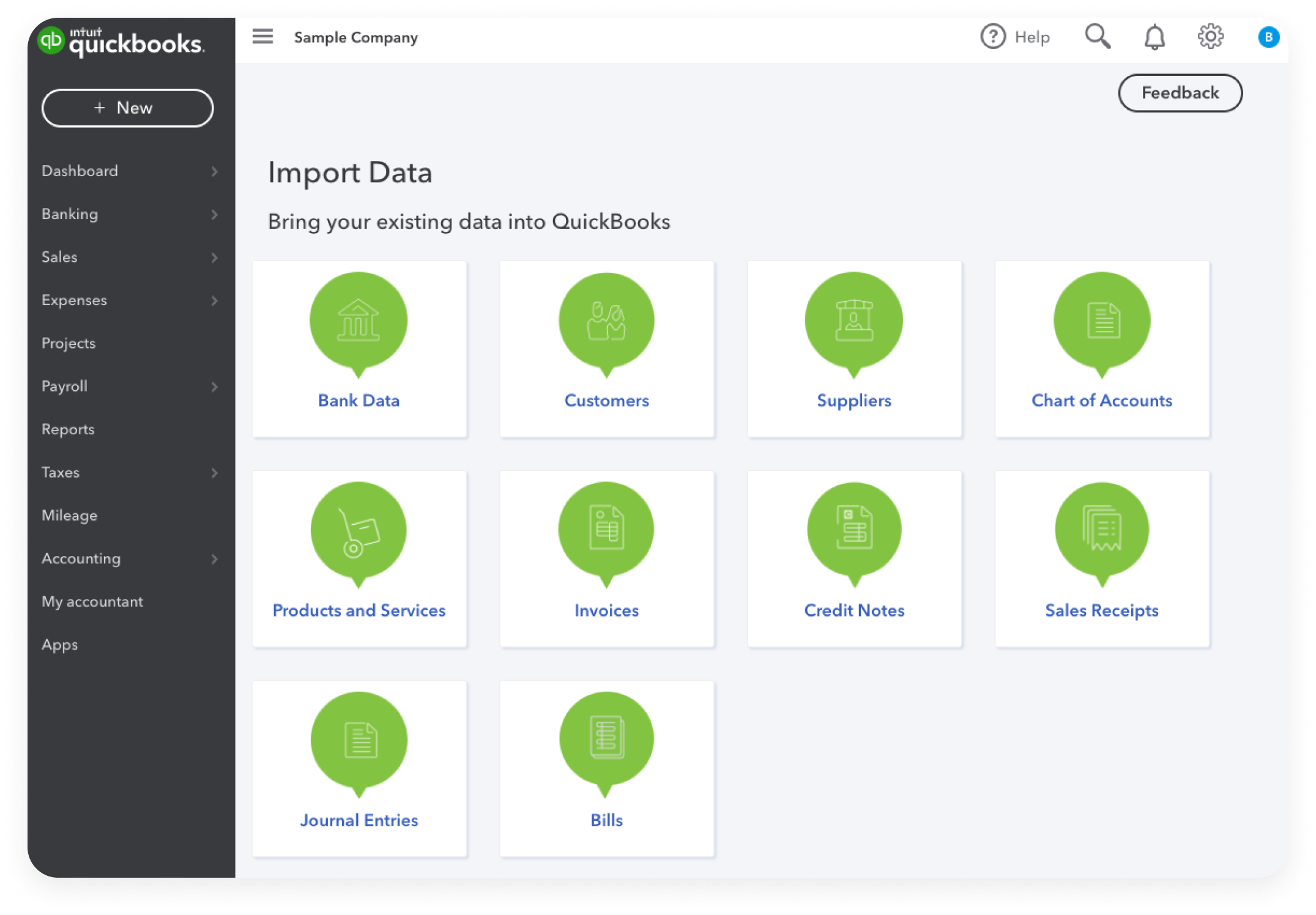
This guide explores the technical intricacies of using QuickBooks, focusing on setting up a digital financial foundation, leveraging automation to reduce manual entry, and maintaining data integrity through advanced security protocols.
Getting Started: Setting Up Your Digital Financial Ecosystem
Before recording a single transaction, a user must properly configure the software environment. The initial setup is the most critical phase; errors made here can lead to systemic data inaccuracies that become increasingly difficult to rectify as the business scales.
Choosing the Right Version: Online vs. Desktop
The first technical decision involves choosing between QuickBooks Online (QBO) and QuickBooks Desktop. QBO is a cloud-native SaaS (Software as a Service) platform, offering the advantage of real-time collaboration, automatic updates, and seamless mobile access. In contrast, QuickBooks Desktop is a locally installed application that offers more granular control over complex inventory and specific industry-focused features. For most modern businesses seeking agility and integration with other cloud tools, QuickBooks Online is the preferred choice, providing an API-rich environment that supports a wide range of third-party applications.
Configuring the Chart of Accounts
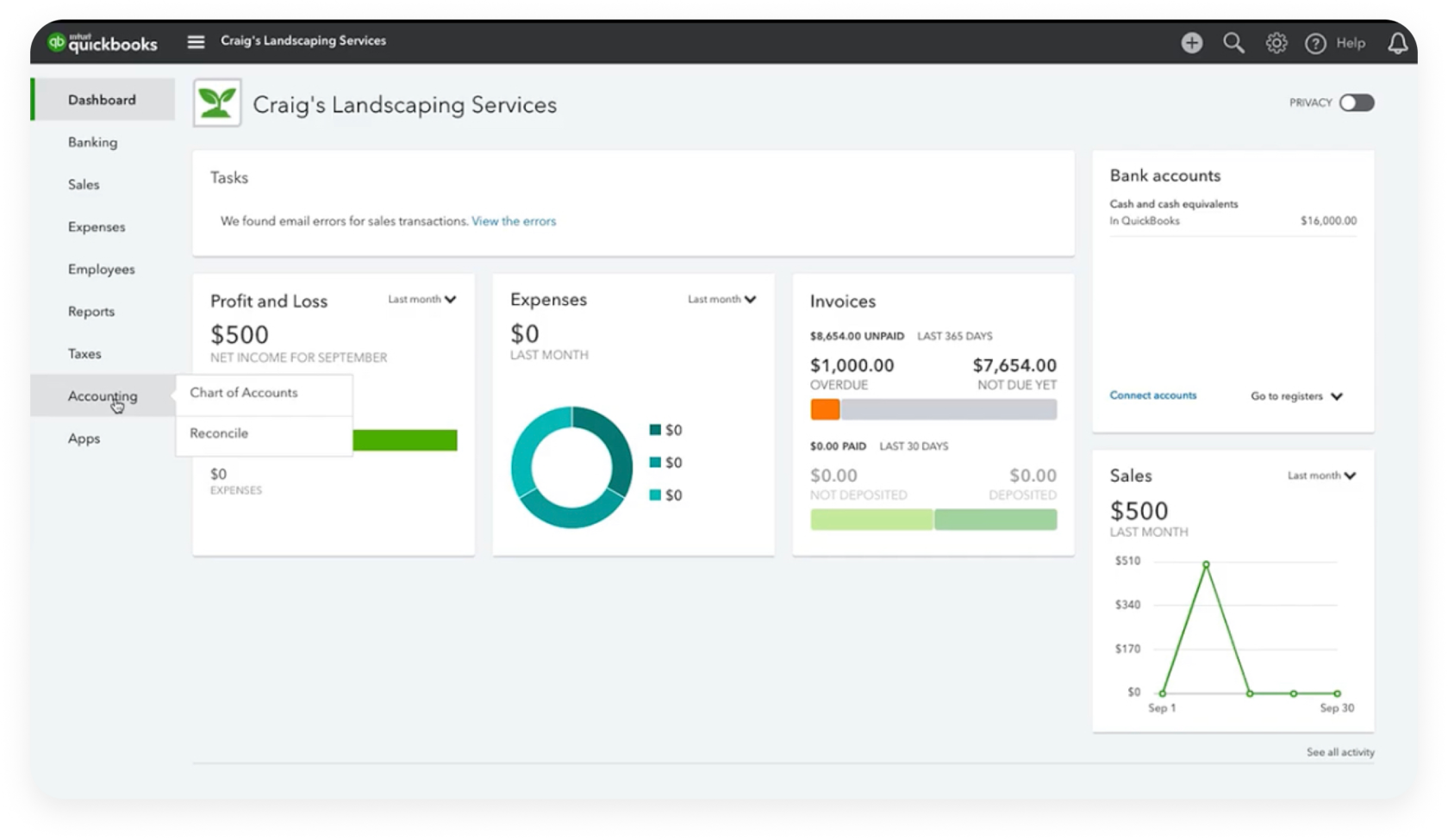
The Chart of Accounts (COA) is the backbone of the QuickBooks database. It is a categorized list of every asset, liability, equity, income, and expense account. When setting up the COA, it is vital to follow a logical numbering system and clear nomenclature. Technically, the COA allows the software to map data to the correct financial statements. Users should customize these accounts to mirror their specific business model, ensuring that the granularity of the data matches the reporting needs of management.
Integrating Third-Party Apps and APIs
One of the most powerful features of the QuickBooks ecosystem is its extensibility. Through the QuickBooks App Store, users can connect the software to CRM systems like Salesforce, payment processors like Stripe, or specialized inventory management tools. These integrations utilize APIs (Application Programming Interfaces) to synchronize data automatically. By setting up these connections early, you ensure that data flows bi-directionally, reducing the need for manual CSV imports and minimizing the risk of human error.
Streamlining Workflows through Automation
The primary goal of using advanced accounting software is to move away from the “shoebox” method of bookkeeping and toward a high-velocity, automated workflow. QuickBooks utilizes machine learning and optical character recognition (OCR) to automate the most tedious aspects of data entry.
Setting Up Automated Bank Feeds
The core of QuickBooks’ automation is the Bank Feed. By linking your business bank accounts and credit cards via a secure, encrypted connection (Oauth2), QuickBooks pulls transaction data directly from the financial institution. This eliminates the need to manually enter every check or debit card purchase. Once the feed is active, the software attempts to “match” downloaded transactions with existing records in the system, or it suggests categories based on historical data.
Utilizing Bank Rules and AI Categorization
To maximize efficiency, users should implement “Bank Rules.” These are logic-based instructions (If/Then statements) that tell QuickBooks how to handle specific recurring transactions. For example, a rule can be set so that any transaction containing the string “Adobe” is automatically categorized as “Software Subscription” and assigned to the “Marketing” department. Over time, the software’s internal AI learns from user corrections, becoming increasingly accurate at predictive categorization, which significantly reduces the hours spent on monthly reconciliations.
Digital Receipt Management and OCR
QuickBooks includes a powerful “Receipts” feature that leverages OCR technology. By taking a photo of a physical receipt via the mobile app or forwarding an email to a designated QuickBooks address, the software extracts key data points: the vendor, date, amount, and last four digits of the payment card. It then attempts to match the receipt to a banked transaction. This creates a digital paper trail that is invaluable for audit protection and ensures that no tax-deductible expense is overlooked.
Advanced Data Management and Reporting
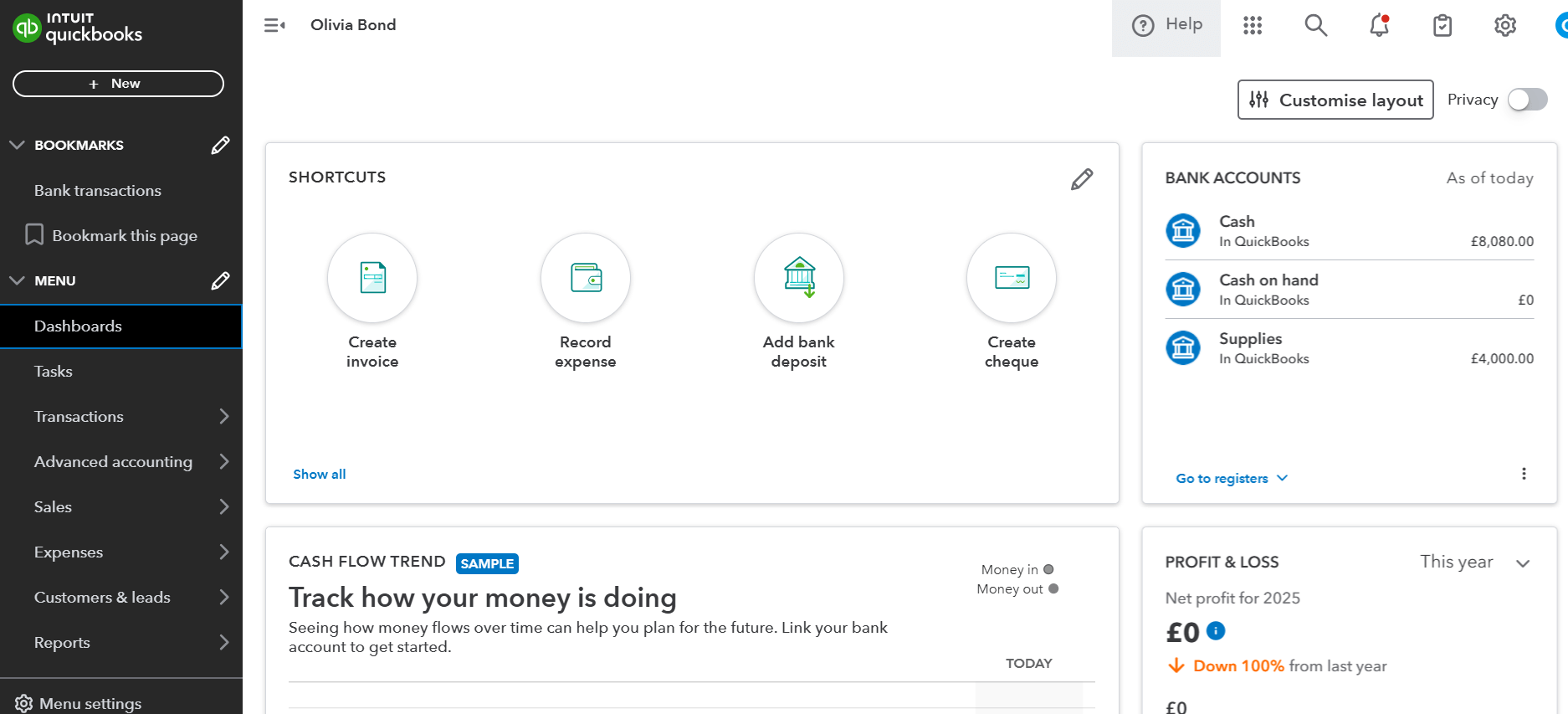
A database is only as useful as the insights that can be extracted from it. QuickBooks offers a sophisticated reporting engine that allows users to move beyond basic Profit and Loss statements into deep-dive data analysis.
Customizing Financial Reports for Stakeholders
While QuickBooks provides standard templates for Balance Sheets and Cash Flow Statements, the “Custom Reports” feature allows for much higher technical specificity. Users can filter data by date ranges, specific vendors, or “Classes” (which represent different business segments or locations). By saving these customized report settings, management can generate “one-click” insights into the technical health of the company, identifying which product lines are generating the highest margins and where overhead is surging.
Tracking Projects and Job Costing
For businesses that operate on a project basis—such as software development firms or construction companies—QuickBooks offers a “Projects” module. This feature allows for “job costing,” which is the process of assigning specific labor costs, materials, and overhead to an individual project. By utilizing the time-tracking integration, employees can log hours directly against a project, allowing the software to calculate real-time profitability. This level of technical granularity is essential for businesses that need to understand their “burn rate” on a per-contract basis.
Inventory Management and Technical Tracking
For product-based businesses, QuickBooks provides a robust inventory sub-ledger. This system tracks “Quantity on Hand” and calculates the “Cost of Goods Sold” (COGS) using the FIFO (First-In, First-Out) method. Technically, this ensures that as inventory is sold, the oldest costs are moved from the Balance Sheet to the Income Statement first. Users can set “reorder points,” triggering automated alerts when stock levels fall below a certain threshold, thus preventing supply chain disruptions.
Security, Permissions, and Data Integrity
Given that QuickBooks houses a company’s most sensitive financial data, technical security and internal controls are paramount. The software provides several layers of protection to ensure data remains both accurate and secure.
Multi-User Access and Role-Based Permissions
QuickBooks allows for multiple users to work within the same file simultaneously. However, giving every employee full administrative access is a significant security risk. The software utilizes Role-Based Access Control (RBAC). For example, a sales representative might be granted permission to create invoices and view customer lists but be restricted from viewing the company’s bank balances or payroll data. Setting these permissions correctly is a vital step in maintaining internal financial controls and preventing “insider” data breaches.
The Audit Log and Data Integrity
Every action taken within QuickBooks—from deleting a transaction to changing a customer’s address—is recorded in the “Audit Log.” This is an immutable chronological record that shows who made a change and when. From a technical and forensic accounting perspective, the Audit Log is the first place to look if there are discrepancies in the books. It prevents the “disappearance” of transactions and provides a clear trail of accountability for the entire accounting team.
Cloud Security and Two-Factor Authentication (2FA)
For users of QuickBooks Online, the software resides on Intuit’s enterprise-grade servers, which utilize 128-bit SSL encryption. To further harden the technical perimeter, users must enable Two-Factor Authentication (2FA). This ensures that even if a password is compromised, an unauthorized actor cannot access the financial data without a secondary verification code. Regular backups are handled automatically by the cloud infrastructure, providing a level of disaster recovery that is often difficult for small businesses to maintain on-premise.
Optimizing the Tech Stack for Scalability
As a business grows, its technical needs evolve. QuickBooks is designed to scale, but this requires proactive management and regular software hygiene.
Preparing for Year-End Closures
The “Close the Books” feature is a technical lock that prevents users from editing transactions in a prior period. This is essential once taxes have been filed or financial statements have been finalized. By setting a closing date and a password, the administrator ensures that the historical data remains “frozen,” preserving the integrity of the company’s financial history and ensuring that the beginning balances for the new year are accurate.
Future-Proofing with Regular Software Updates
For Desktop users, staying current with the latest version is a technical requirement for security patches and payroll tax table updates. For Online users, while updates are automatic, it is important to periodically review the “What’s New” release notes. QuickBooks frequently introduces new AI-driven features, such as improved cash flow forecasting or enhanced batch editing tools, which can further optimize business workflows.
In conclusion, QuickBooks is far more than a digital ledger; it is a sophisticated financial operating system. By mastering the technical setup, leveraging the power of automation, and enforcing rigorous security protocols, businesses can transform their accounting department from a back-office chore into a strategic data hub. Proficiency in QuickBooks allows business owners to spend less time on manual entry and more time analyzing the data that drives growth, ensuring a competitive edge in an increasingly digital economy.
aViewFromTheCave is a participant in the Amazon Services LLC Associates Program, an affiliate advertising program designed to provide a means for sites to earn advertising fees by advertising and linking to Amazon.com. Amazon, the Amazon logo, AmazonSupply, and the AmazonSupply logo are trademarks of Amazon.com, Inc. or its affiliates. As an Amazon Associate we earn affiliate commissions from qualifying purchases.