
In the dynamic landscape of modern commerce, effective financial management is not merely a task; it’s the bedrock of sustainable growth and strategic decision-making. For countless small to medium-sized businesses, QuickBooks has emerged as the indispensable financial tool, simplifying complex accounting processes and providing actionable insights into fiscal health. Far beyond a simple ledger, QuickBooks is a comprehensive ecosystem designed to empower business owners and financial managers to take control of their money, optimize cash flow, and navigate the intricate world of business finance with confidence.
This guide delves into the practical application of QuickBooks, focusing exclusively on how its features translate into tangible financial benefits for your enterprise. We will explore its capabilities from initial setup to advanced financial reporting, demonstrating how this powerful software can transform your understanding and management of money, driving efficiency, ensuring compliance, and ultimately, fostering prosperity. Whether you’re a budding entrepreneur or a seasoned business owner, mastering QuickBooks is a critical step towards financial acumen and operational excellence.
I. Setting Up Your Financial Foundation in QuickBooks
The journey to effective financial management with QuickBooks begins with a meticulous setup process. Laying a solid foundation ensures that all subsequent financial data is accurately captured, categorized, and reported, providing a clear and reliable picture of your business’s monetary health from day one. This initial phase is crucial for establishing the integrity of your financial records.
Initial Company Setup and Chart of Accounts
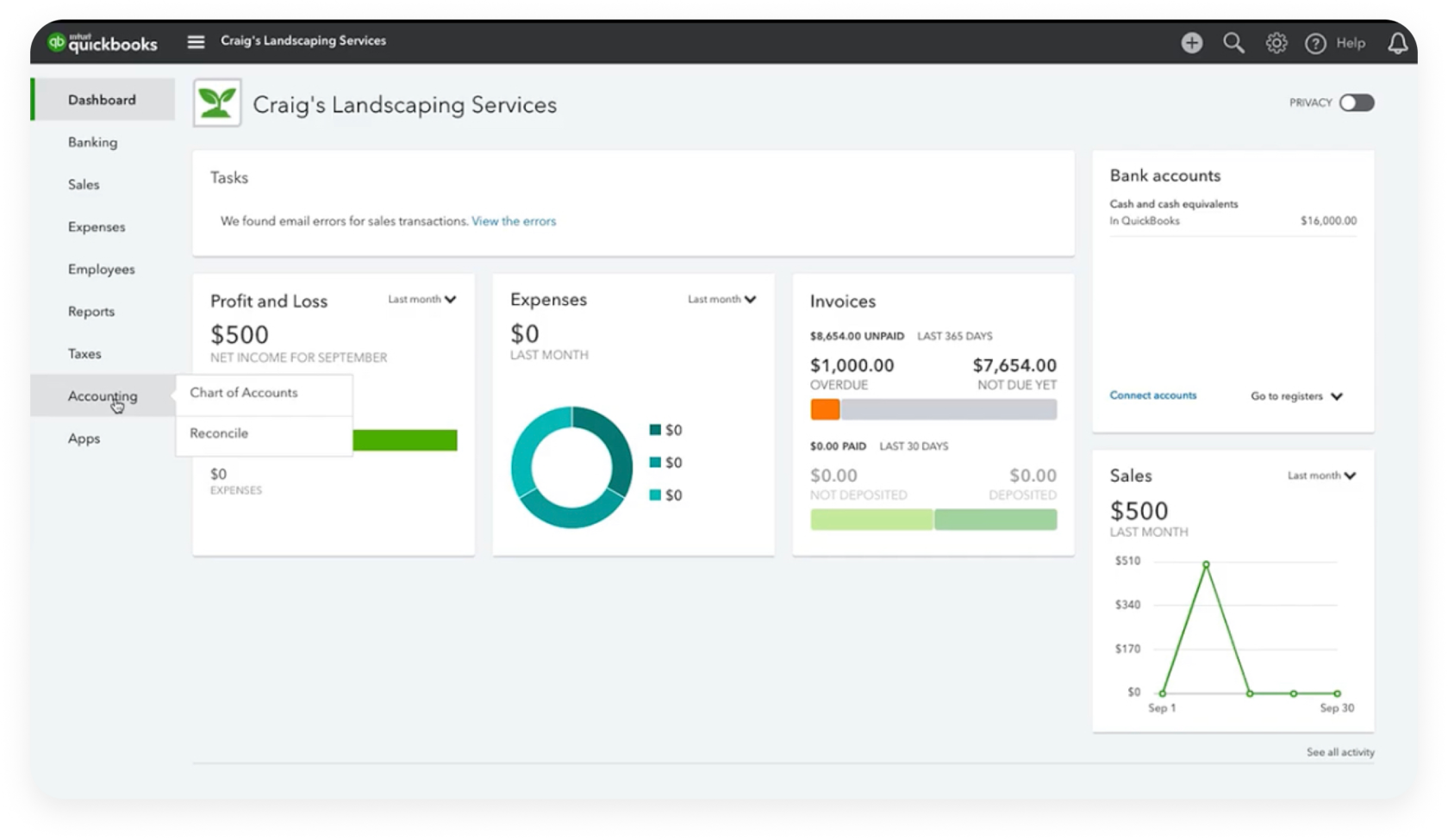
The very first step involves setting up your company profile within QuickBooks. This includes vital information such as your company name, legal structure, tax ID, and industry. These details inform how QuickBooks structures certain default financial settings and reports. More critically, you’ll need to establish your Chart of Accounts. This is the backbone of your accounting system, a categorized list of all the accounts your business uses to track its money, including assets, liabilities, equity, income, and expenses. QuickBooks provides a default chart of accounts based on your industry, but it’s essential to customize it to reflect the specific financial activities and needs of your business. A well-organized Chart of Accounts ensures that every transaction is assigned to the correct financial category, which is paramount for accurate financial reporting and tax preparation. Taking the time to refine these accounts, adding specific expense categories relevant to your operations or unique revenue streams, will pay dividends in clarity and precision down the line.
Connecting Bank Accounts and Credit Cards
In the modern digital age, manual data entry is a significant drain on time and a common source of error. QuickBooks revolutionizes this by allowing direct integration with your business bank accounts and credit cards. This process, often referred to as bank feeds, automatically imports transaction data directly into your QuickBooks file. Once connected, you can review, categorize, and reconcile transactions with remarkable efficiency. This not only saves countless hours that would otherwise be spent on manual entry but also significantly reduces the likelihood of missed transactions or incorrect postings. The continuous stream of financial data provides a near real-time overview of your cash position and spending patterns, enabling quicker financial decisions and more proactive cash flow management. This automation is a cornerstone of modern financial tools, ensuring that your books are always up-to-date and reflect the true financial movements of your business.
Importing Existing Data and Contact Information
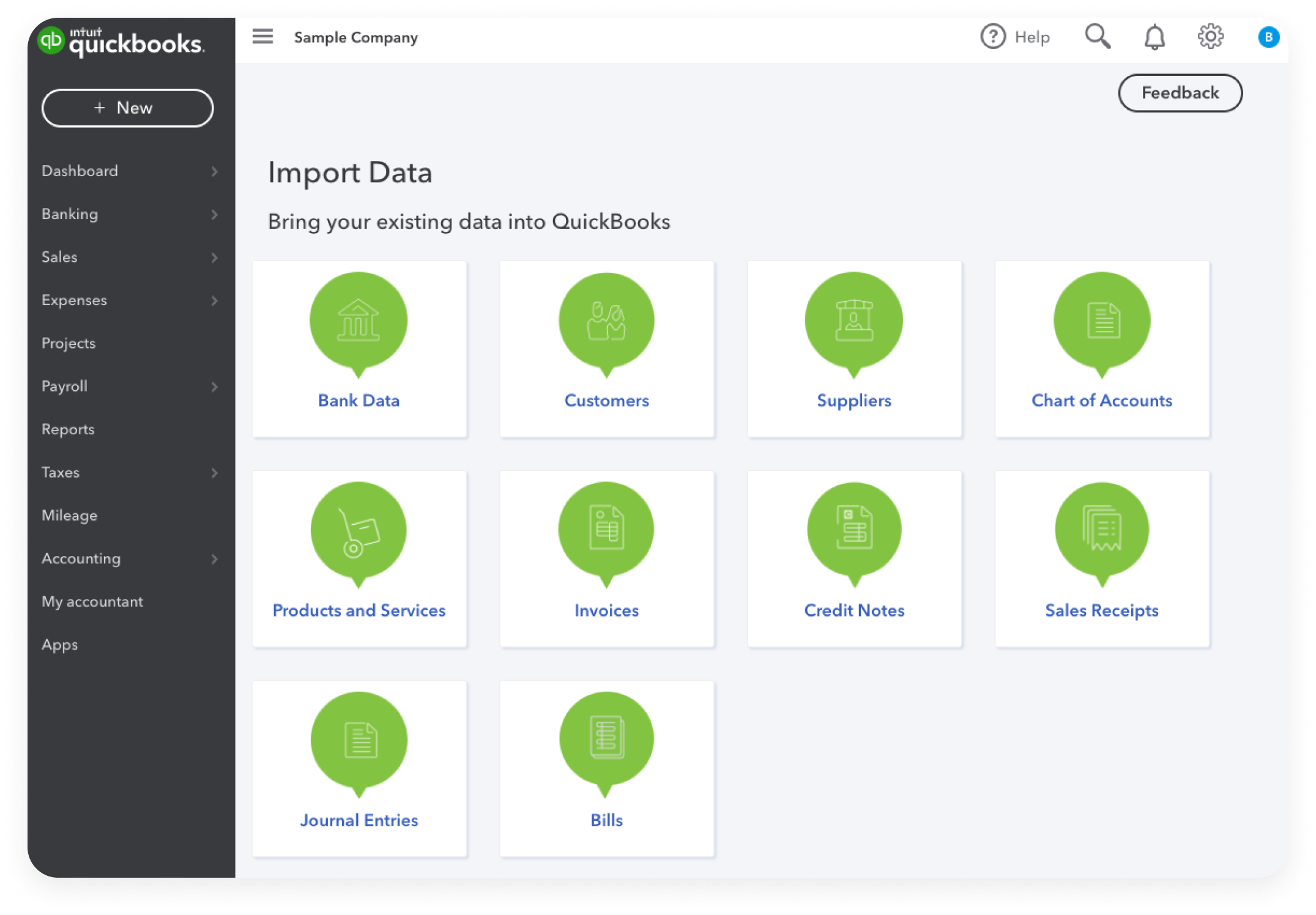
For businesses transitioning to QuickBooks or expanding their operations, importing existing financial data and contact information is a critical component of the setup process. This can include lists of customers, vendors, products, services, and outstanding invoices or bills. QuickBooks offers various tools and templates to facilitate these imports, typically via CSV files. Accurately transferring this historical data ensures continuity in your financial records and prevents the need for double entry or manual recreation of past financial positions. Furthermore, populating your customer and vendor lists with comprehensive contact details, payment terms, and historical transaction information streamlines future invoicing, bill payments, and financial communications. A robust database of contacts is invaluable for managing accounts receivable and payable, fostering strong relationships, and maintaining an organized financial ecosystem. The precision in this step minimizes disruption and allows you to leverage QuickBooks’ full financial capabilities from the moment you go live.
II. Streamlining Daily Financial Operations
Once your QuickBooks foundation is robustly established, the software transforms into an indispensable tool for managing the everyday financial pulse of your business. It streamlines the transactional elements of your operations, ensuring that money flows efficiently in and out, and that every financial interaction is meticulously recorded. This constant vigilance over daily monetary movements is key to maintaining a healthy financial state.
Managing Income: Invoicing and Sales Receipts
The lifeblood of any business is its revenue, and QuickBooks offers powerful features to manage income generation from start to finish. Creating professional invoices is intuitive, allowing you to customize templates with your branding, add detailed product or service descriptions, set payment terms, and apply sales tax automatically. Beyond mere aesthetics, QuickBooks invoices are integrated directly into your financial reports, automatically tracking accounts receivable. When payments are received, you can easily record them against open invoices, ensuring that customer balances are always accurate. For immediate transactions, such as retail sales, QuickBooks facilitates the creation of sales receipts, recording the revenue directly and often integrating with point-of-sale systems. The ability to track outstanding invoices, send payment reminders, and even accept online payments through integrated processing solutions significantly improves cash flow by reducing the time it takes to get paid. This comprehensive approach to income management provides clarity on your revenue streams and enhances the efficiency of your collections process.
Tracking Expenses: Bills, Payments, and Bank Feeds
Controlling expenses is as crucial as generating income, and QuickBooks provides a granular view of every dollar spent. When you receive a bill from a vendor, you can enter it into QuickBooks, creating an accounts payable record. This allows you to track what you owe, when it’s due, and to whom. When the time comes to pay, you can process vendor payments directly through QuickBooks, either by printing checks, initiating online bank transfers, or linking to third-party payment services. This systematic approach ensures that you never miss a payment, avoid late fees, and maintain good relationships with your suppliers. Crucially, the integration with bank feeds (as discussed in Section I) automatically imports all your bank and credit card transactions. This feature allows you to quickly categorize these expenses against your Chart of Accounts, eliminating manual data entry and ensuring that every expenditure is accurately recorded. By consistently tracking expenses, businesses gain invaluable insights into where their money is going, identifying areas for potential cost savings and optimizing spending patterns to improve profitability.
Payroll Management and Vendor Payments
For businesses with employees, payroll management can be one of the most complex and time-consuming financial tasks, laden with compliance requirements and potential penalties. QuickBooks offers robust payroll services that can be integrated directly into your accounting system. This allows you to manage employee information, track hours, calculate wages, deduct taxes and other withholdings, and generate paychecks or direct deposits. QuickBooks also automates the calculation and remittance of payroll taxes, ensures compliance with federal and state regulations, and generates necessary tax forms like W-2s and 1099s. This integration simplifies a critical financial operation, reducing the risk of errors and freeing up valuable time. Beyond employees, QuickBooks also efficiently handles payments to contractors and other vendors, facilitating the creation of 1099 forms at year-end for non-employee compensation. By centralizing payroll and vendor payments, QuickBooks provides a unified financial hub, ensuring accurate record-keeping for both internal operations and external reporting requirements, thus strengthening the financial integrity and compliance posture of your business.
III. Harnessing QuickBooks for Financial Insight
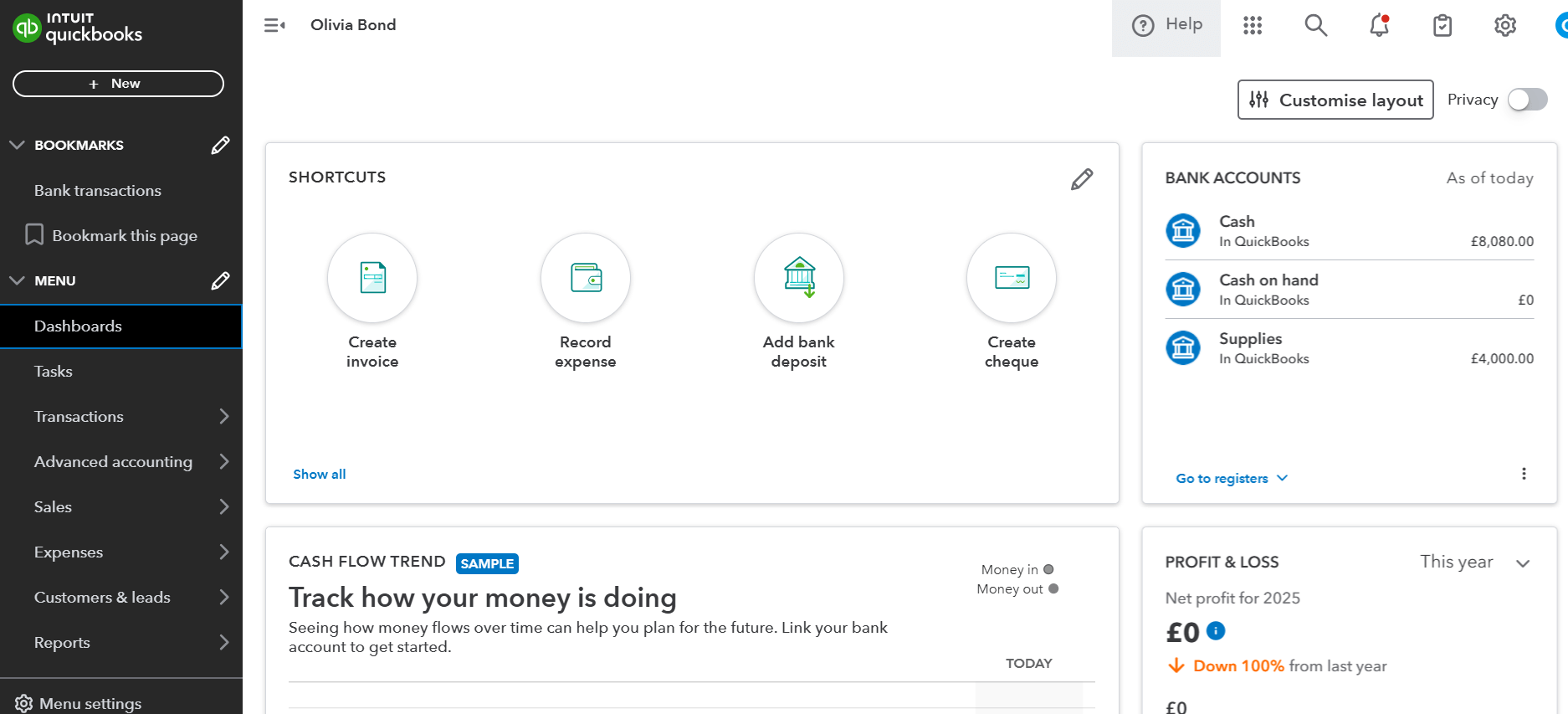
Beyond its transactional capabilities, QuickBooks truly distinguishes itself as a powerful financial intelligence tool. Its ability to aggregate, process, and present financial data in meaningful ways empowers business owners to move beyond mere record-keeping and into strategic financial analysis. This section explores how QuickBooks transforms raw data into actionable insights, helping you understand your money better.
Generating Key Financial Reports (P&L, Balance Sheet, Cash Flow)
At the heart of QuickBooks’ financial insight capabilities lies its robust reporting suite. With just a few clicks, you can generate essential financial statements that provide a snapshot of your business’s monetary performance and position. The Profit & Loss (P&L) Statement, also known as an Income Statement, reveals your company’s revenues, costs, and expenses over a period, ultimately showing your net profit or loss. This report is crucial for understanding profitability and operational efficiency. The Balance Sheet provides a comprehensive view of your company’s assets, liabilities, and equity at a specific point in time, offering insights into your financial health and solvency. Finally, the Statement of Cash Flows tracks the actual movement of money in and out of your business across operating, investing, and financing activities, highlighting liquidity and solvency. These core reports are invaluable for assessing performance, identifying trends, making informed decisions about pricing, expenses, and investments, and communicating your financial standing to stakeholders, lenders, or investors. QuickBooks allows for customization of these reports, enabling you to focus on specific periods, compare performance, and drill down into underlying transactions for deeper analysis.
Reconciling Accounts for Accuracy
Accuracy is paramount in financial management, and account reconciliation is a critical process for ensuring the integrity of your QuickBooks data. Reconciliation involves comparing the transactions recorded in your QuickBooks bank and credit card accounts against your actual bank statements. This process helps identify discrepancies, such as missing transactions, duplicate entries, or bank errors, allowing you to correct them promptly. By reconciling accounts regularly, typically monthly, you gain confidence that your QuickBooks records accurately reflect the money movements in your real-world accounts. This not only prevents costly errors and ensures that your financial reports are reliable but also serves as a crucial internal control against fraud or unauthorized transactions. QuickBooks provides a guided reconciliation process, matching imported transactions with those you’ve entered, making it a straightforward yet immensely powerful tool for maintaining financial precision. A reconciled set of books is a credible set of books, offering peace of mind and a solid foundation for all financial decisions.
Budgeting and Forecasting within QuickBooks
Strategic financial planning is impossible without effective budgeting and forecasting. QuickBooks offers features that allow businesses to create and monitor budgets directly within the software, aligning financial goals with actual performance. You can set specific budget amounts for income and expense categories over defined periods, then compare actual financial results against these budgeted figures. This comparison provides immediate feedback on your financial performance, highlighting areas where you are overspending or underperforming against revenue targets. This insight is critical for making timely adjustments to your financial strategy, whether it’s cutting discretionary expenses, reallocating funds, or exploring new income opportunities. While QuickBooks’ forecasting capabilities may be less robust than dedicated financial planning software, its ability to analyze historical data and compare it against future projections can help in anticipating cash flow needs, planning for seasonal variations, and setting realistic financial targets for growth. Integrating budgeting directly into your accounting system makes it a living, breathing component of your financial strategy, rather than a static document.
IV. Advanced Strategies for Financial Growth with QuickBooks
Beyond the fundamental bookkeeping and reporting, QuickBooks offers a suite of advanced features designed to support more complex business operations and contribute directly to financial growth. Leveraging these capabilities allows businesses to fine-tune their financial management, address specific operational challenges, and capitalize on opportunities for expansion and efficiency.
Inventory Management and Job Costing
For businesses dealing with physical products, efficient inventory management is a direct driver of profitability and cash flow. QuickBooks allows you to track inventory quantities, costs, and sales, providing real-time insights into what you have on hand, what’s selling, and what needs reordering. This prevents stockouts that can lead to lost sales and overstocking that ties up valuable capital. By accurately valuing inventory (e.g., using FIFO or average cost methods), businesses can ensure their Cost of Goods Sold (COGS) is precise, leading to more accurate gross profit calculations. For service-based businesses or those undertaking project work, job costing is an invaluable feature. QuickBooks enables you to track income and expenses specifically related to individual projects or jobs. This means you can accurately determine the true profitability of each endeavor, identifying which types of projects are most lucrative and which might be unprofitable. This granular financial insight empowers better bidding, resource allocation, and strategic decision-making, directly influencing the financial success and growth trajectory of your business.
Sales Tax Management and Compliance
Navigating the complexities of sales tax can be a significant financial burden and compliance risk for businesses. QuickBooks simplifies this by automating sales tax calculations, collections, and reporting. Based on your business location and the sales tax rates applicable to your products or services, QuickBooks can automatically apply the correct sales tax to invoices and sales receipts. It tracks the sales tax collected from customers and creates liabilities for amounts owed to various taxing authorities. When it’s time to file, QuickBooks generates comprehensive sales tax reports, making it straightforward to accurately prepare and remit your sales tax payments. This automation not only saves considerable time but also minimizes the risk of errors and penalties due to non-compliance, safeguarding your business’s financial integrity. For businesses operating in multiple jurisdictions or selling across state lines, this feature becomes indispensable in managing the varying sales tax regulations and ensuring financial accountability.
Leveraging Third-Party Integrations for Enhanced Functionality
The true power of QuickBooks as a financial tool is significantly amplified by its vast ecosystem of third-party integrations. QuickBooks connects with hundreds of specialized applications, extending its functionality to cover virtually every aspect of business operations, from payment processing and e-commerce to CRM, project management, and advanced analytics. For instance, integrating with a payment processor can streamline online payments and automatically record them in QuickBooks. Connecting with an e-commerce platform means sales data flows directly into your financial records. A CRM integration can link sales activities to financial outcomes, while a time-tracking app ensures accurate billing for services. By leveraging these integrations, businesses can create a highly customized and efficient financial workflow that eliminates manual data transfer between disparate systems, reduces errors, and provides a holistic view of financial performance tied to operational activities. This interconnectedness allows your business to scale its financial capabilities without being constrained by the core QuickBooks offering, fostering greater efficiency and facilitating financial growth across all departments.
V. Best Practices for Ongoing Financial Health
Mastering QuickBooks is not a one-time endeavor but an ongoing commitment to financial discipline. To truly leverage this powerful tool for long-term financial health and sustained growth, businesses must adopt best practices that ensure data integrity, security, continuous learning, and strategic external collaboration.
Regular Data Backup and Security
The financial data stored within QuickBooks is arguably one of your business’s most valuable assets. Therefore, implementing robust data backup and security protocols is non-negotiable. For desktop versions, regular manual or automated backups to external drives or cloud storage are essential to protect against data loss due due to hardware failure, software corruption, or unforeseen disasters. For QuickBooks Online, while Intuit handles cloud backups, it’s still prudent to export key reports periodically and maintain strong password practices. Beyond backups, maintaining vigilance over access controls is crucial. Restrict user access based on roles and responsibilities, ensuring that only authorized personnel can view or modify sensitive financial information. Employing multi-factor authentication and staying informed about cybersecurity best practices protects against unauthorized access and financial fraud. Proactive data security safeguards your financial records, ensuring continuity and peace of mind even in the face of unexpected challenges.
Continuous Learning and Utilizing Support Resources
QuickBooks is a dynamic platform, regularly updated with new features, improvements, and changes in accounting standards. To maximize its financial benefits, continuous learning is key. Intuit provides an extensive range of support resources, including detailed help articles, video tutorials, community forums, and webinars. Taking advantage of these resources can help you discover new functionalities, troubleshoot issues, and deepen your understanding of how to apply QuickBooks more effectively to your specific financial needs. Many independent trainers and online courses also offer specialized instruction. Staying current with the software and accounting principles ensures that your business is always operating with the most efficient and compliant financial processes. Investing time in continuous learning translates directly into improved financial management capabilities and a more strategic approach to your money.
Consulting with Professionals (Accountants, Bookkeepers)
While QuickBooks empowers business owners to manage much of their financial operations, it is not a substitute for professional financial expertise. Partnering with a qualified accountant or bookkeeper who is proficient in QuickBooks can elevate your financial management to an entirely new level. These professionals can help with initial setup, review your Chart of Accounts, ensure proper categorization of transactions, perform complex reconciliations, and provide invaluable insights during tax season. They can interpret your financial reports, identify trends, suggest cost-saving measures, and assist with strategic financial planning, ensuring your business remains compliant and fiscally sound. For complex tax situations, auditing, or high-level financial strategy, an accountant’s expertise is indispensable. Integrating your QuickBooks data with your financial professional allows for seamless collaboration, ensuring that your business benefits from both the efficiency of the software and the wisdom of expert financial guidance. This symbiotic relationship is a hallmark of truly optimized business finance.
aViewFromTheCave is a participant in the Amazon Services LLC Associates Program, an affiliate advertising program designed to provide a means for sites to earn advertising fees by advertising and linking to Amazon.com. Amazon, the Amazon logo, AmazonSupply, and the AmazonSupply logo are trademarks of Amazon.com, Inc. or its affiliates. As an Amazon Associate we earn affiliate commissions from qualifying purchases.