
The evolution of technology has profoundly reshaped our daily interactions, and few areas have seen as dramatic a transformation as financial transactions. Gone are the days when a bulky wallet filled with cash and cards was the only way to conduct business. Today, the ubiquitous smartphone has emerged as a powerful financial tool, capable of facilitating secure and seamless payments with just a tap or a glance. Mobile payments, once a futuristic concept, are now an integral part of modern commerce, offering unparalleled convenience, speed, and often, enhanced security compared to traditional methods.
This guide delves into the mechanics of using your phone to pay, exploring the underlying technologies, setup procedures, and essential security considerations. Whether you’re a tech enthusiast eager to embrace the latest innovations or simply looking for a more efficient way to manage your transactions, understanding mobile payments is key to navigating the digital economy. From the common contactless payment systems like Apple Pay and Google Pay to the security measures that protect your financial data, we will unpack everything you need to know to confidently integrate your phone into your payment routine.
The Technological Foundation of Mobile Payments
At the heart of most modern phone payment systems lies a set of sophisticated technologies designed to enable quick, secure data exchange between your device and a payment terminal. Understanding these foundational elements is crucial for appreciating the efficiency and robustness of mobile transactions.
Near Field Communication (NFC): The Core of Contactless Payment
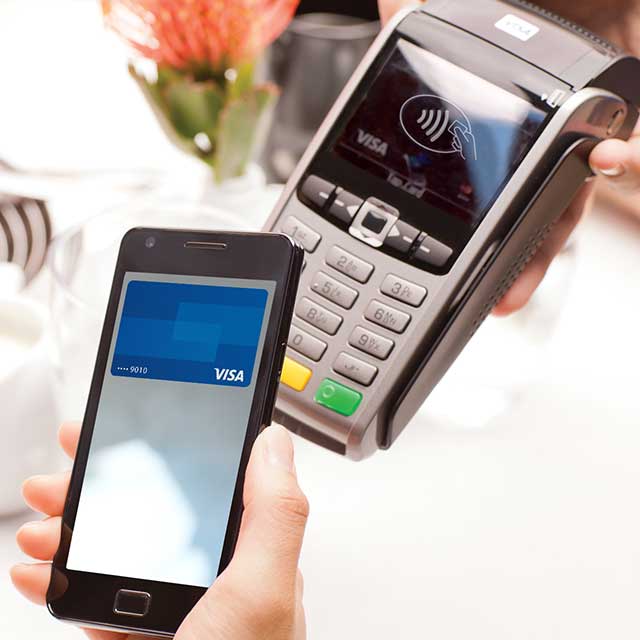
The primary technology enabling physical “tap-to-pay” transactions with your smartphone is Near Field Communication, or NFC. NFC is a short-range wireless technology that allows two electronic devices to communicate when they are within a few centimeters of each other. In the context of mobile payments, an NFC chip in your smartphone communicates with an NFC-enabled payment terminal. When you hold your phone near the terminal, a secure data exchange occurs, transmitting your encrypted payment information. This process is incredibly fast, typically completing within a second or two, making it significantly quicker than swiping a card or inserting it into a chip reader.
Digital Wallets and Tokenization: Securing Your Financial Data
While NFC facilitates the physical connection, the software side of mobile payments is managed by digital wallet applications such as Apple Wallet, Google Wallet, and Samsung Wallet. These apps securely store virtual representations of your credit and debit cards. When you add a card to your digital wallet, the actual card number is not stored directly on your phone or transmitted during a transaction. Instead, a process called tokenization occurs.
Tokenization replaces your sensitive card details with a unique, encrypted “token” or surrogate number. This token is useless if intercepted by a fraudster, as it cannot be reverse-engineered to reveal your original card number. During a payment, the token is sent to the merchant’s payment processor, which then communicates with your bank to authorize the transaction. This layered security approach ensures that your real card information remains private and protected, significantly reducing the risk of data breaches.
Biometric Authentication: Your Personal Security Key
An essential layer of security for mobile payments is biometric authentication. Most smartphones today incorporate advanced biometric features such as fingerprint scanners (e.g., Touch ID) and facial recognition systems (e.g., Face ID, Google Face Unlock). Before a mobile payment can be authorized, your device will typically require you to authenticate your identity using one of these methods. This ensures that even if your phone is lost or stolen, an unauthorized person cannot easily make purchases using your stored cards. This personal authentication step adds a critical barrier against fraud, making mobile payments often more secure than physical card transactions where a stolen card might only require a signature or PIN.
Setting Up Your Smartphone for Mobile Payments
Transitioning to using your phone for payments is a straightforward process, primarily involving activating your device’s capabilities and linking your payment methods to your digital wallet. The steps may vary slightly depending on your smartphone’s operating system (iOS or Android), but the core principles remain the same.
Activating NFC and Installing Digital Wallet Apps
For Android users, ensure that NFC is enabled in your phone’s settings (usually found under ‘Connected devices’ or ‘More connections’). Most modern Android phones come pre-installed with Google Wallet (formerly Google Pay). If not, it can be downloaded from the Google Play Store. For iPhone users, Apple Wallet is pre-installed and NFC is always active by default. There are no separate settings to enable NFC on an iPhone. Samsung device owners will find Samsung Wallet (formerly Samsung Pay) pre-installed, often alongside Google Wallet.
Adding Your Payment Cards to Your Digital Wallet
Once your digital wallet app is ready, the next step is to add your credit, debit, or even loyalty cards.
- For Apple Wallet: Open the Wallet app, tap the ‘+’ icon in the top right corner, then select ‘Debit or Credit Card’. You can use your camera to scan the card details or enter them manually. Follow the prompts to verify your card with your bank.
- For Google Wallet: Open the app, tap the ‘Add a card’ button (often a plus icon), and choose ‘Payment card’. You can scan your card or manually enter the details. Complete the bank verification process.
- For Samsung Wallet: Open the app, tap the ‘+’ icon or ‘Add payment card’, and either scan your card or enter the information. Verify with your bank as prompted.
During the verification process, your bank or card issuer will confirm your identity, often by sending a one-time passcode via SMS, email, or requiring you to call them. This is a crucial security step to ensure you are the legitimate cardholder. You can typically add multiple cards and select a default card for quicker transactions.
Customizing Security and Preferences
Your digital wallet app also allows you to manage security settings and preferences. You can often set a primary card for transactions, view your transaction history, and manage notifications. Importantly, ensure that your phone’s screen lock (PIN, pattern, fingerprint, or facial recognition) is always active. This is the primary line of defense protecting your digital wallet and the financial information within it. Regular software updates are also vital, as they often include security patches that protect against new vulnerabilities.
Making a Payment with Your Phone
Once your phone is set up, making a payment is remarkably simple and fast, whether you’re at a physical store, shopping online, or sending money to a friend.
Contactless Payments at Point-of-Sale (POS) Terminals
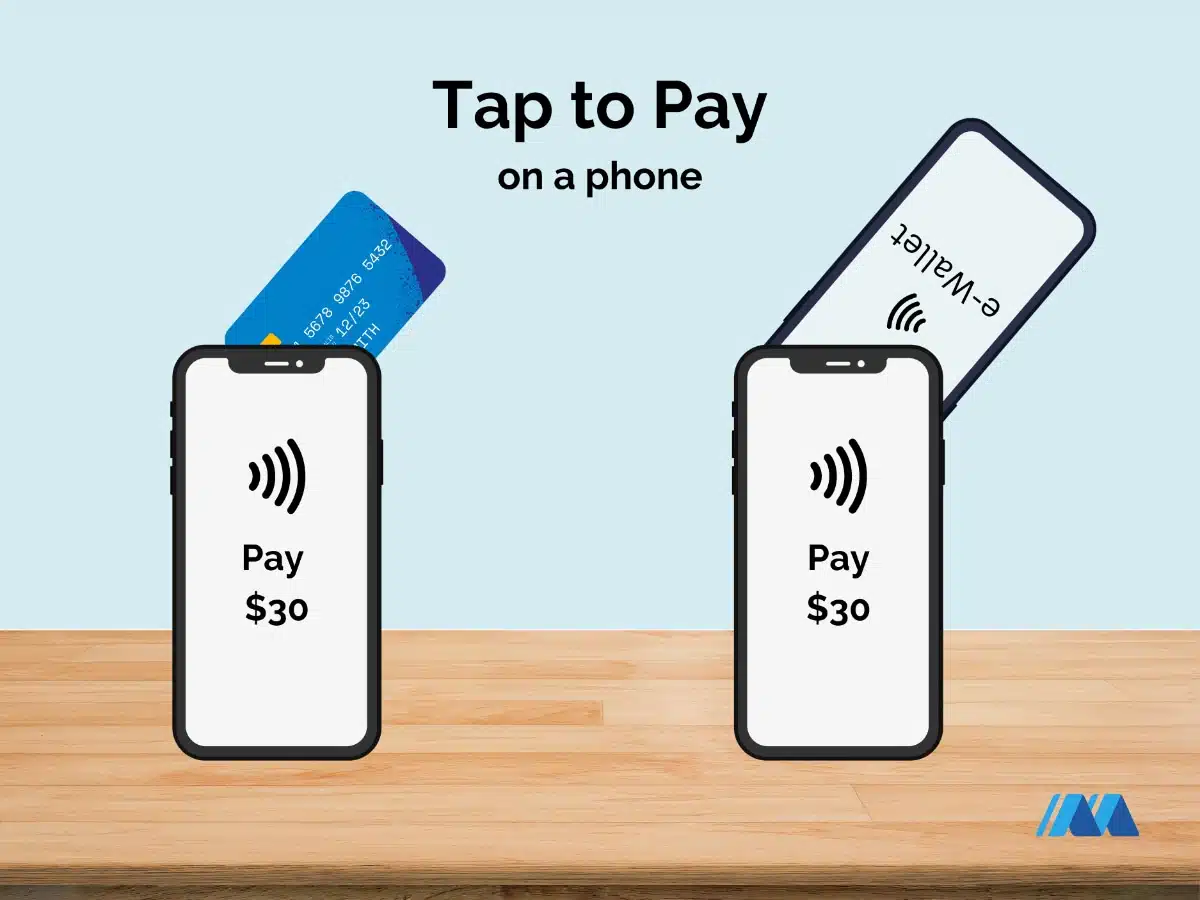
For in-store purchases, look for the contactless payment symbol (four curved lines) on the payment terminal.
- Wake Your Phone/Open Wallet: For iPhones, double-click the side button (or home button for older models) to bring up Apple Wallet, or simply hold your phone near the reader if Face ID is enabled and you’re ready to pay with your default card. For Android phones, simply unlock your phone and hold it near the terminal. Some phones may require you to open the Google Wallet/Samsung Wallet app first, or confirm the transaction with a PIN or biometric.
- Authenticate: Your phone will prompt you to authenticate using your fingerprint, face scan, or PIN.
- Tap and Go: Hold the top or back of your phone near the contactless reader on the terminal. A confirmation sound or vibration, along with a checkmark on your phone screen, will indicate that the payment was successful. The transaction is usually completed within seconds.
Online and In-App Purchases
Mobile payment systems also streamline online shopping and in-app purchases. When checking out on a website or within an app, you’ll often see options like “Pay with Apple Pay” or “Buy with Google Pay.” Selecting these options automatically populates your payment and shipping information using the details stored in your digital wallet, eliminating the need to manually enter card numbers, expiry dates, and addresses. You then authenticate the purchase with your biometric data or PIN, making the online checkout process quicker and more secure.
Peer-to-Peer (P2P) Payments
Beyond merchant transactions, your phone can also facilitate peer-to-peer (P2P) payments, allowing you to send money directly to friends and family. While not strictly “phone to pay” at a terminal, these services leverage your phone and banking connections. Apps like Venmo, PayPal, Cash App, and Zelle (often integrated into banking apps) allow you to link your bank account or debit card and send funds to another user’s phone number or email address. These transactions are typically instant or near-instant, making it easy to split bills, pay back friends, or contribute to group expenses.
Digital Security and Best Practices
While mobile payment systems are built with robust security measures, user awareness and best practices are crucial for maintaining the integrity of your financial data.
Understanding Tokenization and Encryption
As discussed, tokenization replaces your actual card number with a unique, one-time-use token during transactions. This means that even if a data breach occurs at a merchant’s system, hackers would only obtain these useless tokens, not your real card details. Furthermore, all communication between your phone, the terminal, and your bank is protected by strong encryption protocols, scrambling the data to prevent interception and deciphering by unauthorized parties. These technologies work in concert to create a highly secure environment for your payments.
Leveraging Biometric Authentication and Screen Locks
The requirement for biometric authentication (fingerprint or face ID) or a secure PIN/password to authorize a transaction is perhaps the most significant security advantage of mobile payments over physical cards. Ensure these features are always enabled on your device. Never disable your screen lock or use an easily guessable PIN. If your phone is lost or stolen, these measures prevent unauthorized access to your digital wallet. Additionally, modern smartphones often include features that allow you to remotely wipe your device if it falls into the wrong hands, further protecting your sensitive data.
Vigilance and Software Updates
Staying vigilant is always important. Regularly review your bank statements for any suspicious activity. If you notice an unrecognized transaction, contact your bank immediately. Furthermore, always keep your smartphone’s operating system and all apps, especially your digital wallet, updated to the latest versions. Software updates frequently include critical security patches that address newly discovered vulnerabilities, keeping your device and your financial information protected against evolving threats. Be wary of unsolicited messages or emails asking for your payment details, and only download apps from official app stores.
Advantages and the Future Landscape of Mobile Payments
The benefits of using your phone to pay extend beyond mere convenience; they represent a significant step forward in secure and efficient financial management.
Enhanced Convenience, Speed, and Hygiene
The primary advantage is undoubtedly convenience. Your phone is almost always with you, eliminating the need to carry multiple cards or cash. Transactions are typically faster than chip-and-PIN methods, reducing checkout times. In a world increasingly conscious of hygiene, contactless payments also offer a touch-free alternative to handling cash or touching shared card readers. This combination of speed, accessibility, and cleanliness makes mobile payments a compelling choice for everyday transactions.
Integration with Loyalty Programs and Rewards
Many digital wallet apps allow you to integrate loyalty cards and store them alongside your payment cards. Some even automatically apply loyalty points when you pay, streamlining the process of earning rewards. Financial institutions and third-party apps are also increasingly offering specific rewards or cashback incentives for using mobile payment methods, further enhancing their value proposition. This synergy creates a richer, more integrated shopping experience.
The Evolving Horizon: QR Codes and Global Reach
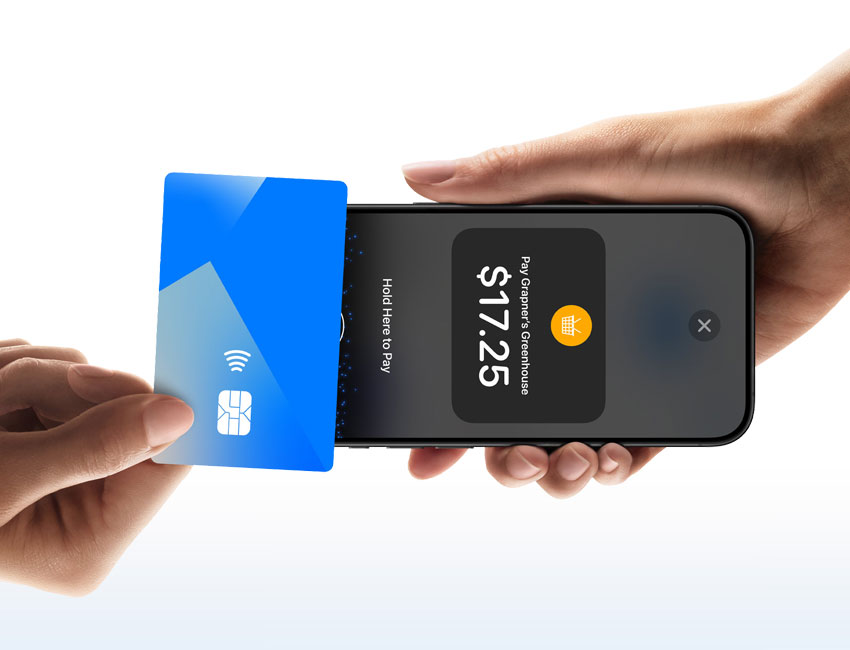
The future of mobile payments continues to evolve rapidly. While NFC dominates in many Western markets, QR code-based payments are prevalent in Asia and gaining traction globally. These systems allow users to scan a QR code displayed by a merchant (or vice versa) to initiate a payment, often linking directly to bank accounts or digital wallets without requiring an NFC-enabled terminal. The rise of cryptocurrencies and blockchain technology also hints at future payment paradigms, potentially offering decentralized and highly secure transaction methods directly from your phone. As technology advances, mobile payments are set to become even more diverse, interconnected, and globally accessible, further cementing the smartphone’s role as the ultimate financial instrument.
In conclusion, using your phone to pay is not merely a trend but a fundamental shift in how we manage our money and conduct transactions. By leveraging robust technologies like NFC, tokenization, and biometric authentication, mobile payment systems offer a secure, efficient, and increasingly ubiquitous alternative to traditional payment methods. As you embrace this technology, remember to prioritize digital security and maintain awareness of evolving best practices. With your smartphone, the power of seamless financial transactions is truly at your fingertips, paving the way for a more streamlined and secure economic future.
aViewFromTheCave is a participant in the Amazon Services LLC Associates Program, an affiliate advertising program designed to provide a means for sites to earn advertising fees by advertising and linking to Amazon.com. Amazon, the Amazon logo, AmazonSupply, and the AmazonSupply logo are trademarks of Amazon.com, Inc. or its affiliates. As an Amazon Associate we earn affiliate commissions from qualifying purchases.