
In an age dominated by sophisticated computing devices, the humble calculator might seem like an anachronism to some. Yet, this unassuming gadget remains an indispensable tool, evolving from basic arithmetic devices to powerful scientific and graphing instruments. Far from being rendered obsolete, the calculator has integrated itself into our smartphones, computers, and specialized software, solidifying its place as a foundational piece of technology that empowers accuracy and efficiency across countless disciplines.
Understanding how to effectively utilize a calculator, whether a physical device or a digital application, extends far beyond simple addition and subtraction. It’s about unlocking its full potential to solve complex equations, analyze data, and accelerate problem-solving. This guide delves into the core functionalities, advanced features, and best practices for mastering your calculator, transforming it from a mere number-cruncher into a sophisticated technological assistant.

The Foundations: Understanding Basic Operations and Calculator Types
At its heart, every calculator is designed to perform mathematical operations. However, the scope and complexity of these operations vary dramatically depending on the calculator’s type. Grasping the fundamentals is the first step toward harnessing its full technological power.
Decoding the Standard Calculator
The most common and accessible calculator is the standard or basic model. These devices are equipped for fundamental arithmetic and often include a few utility functions.
- Basic Arithmetic Operators (+, -, ×, ÷): These are the core functions for addition, subtraction, multiplication, and division. Inputting numbers and pressing these operators sequentially builds your calculation.
- The Equals (=) Button: This button executes the pending operations and displays the final result. It’s the command that tells the calculator to finalize the current expression.
- Clear (C/CE) Buttons: Understanding the difference between ‘C’ (Clear All) and ‘CE’ (Clear Entry) is crucial. ‘CE’ typically clears only the last number or operation entered, allowing you to correct a mistake without restarting the entire calculation. ‘C’ clears everything, resetting the calculator to zero. Some calculators combine these into a single button that toggles between clearing the last entry and clearing all.
- Memory Functions (M+, M-, MR, MC): These powerful features allow you to store and recall numbers.
- M+ (Memory Plus): Adds the current displayed number to the memory.
- M- (Memory Minus): Subtracts the current displayed number from the memory.
- MR (Memory Recall): Displays the number currently stored in memory.
- MC (Memory Clear): Clears the memory, setting its value back to zero.
- Using memory functions can significantly streamline multi-step calculations, preventing errors from re-typing intermediate results.
Exploring Different Calculator Varieties
The calculator landscape is diverse, each type engineered for specific technological applications and user needs.
- Standard/Basic Calculators: Ideal for everyday budgeting, quick arithmetic, and simple computations. Their interface is straightforward, focusing on ease of use.
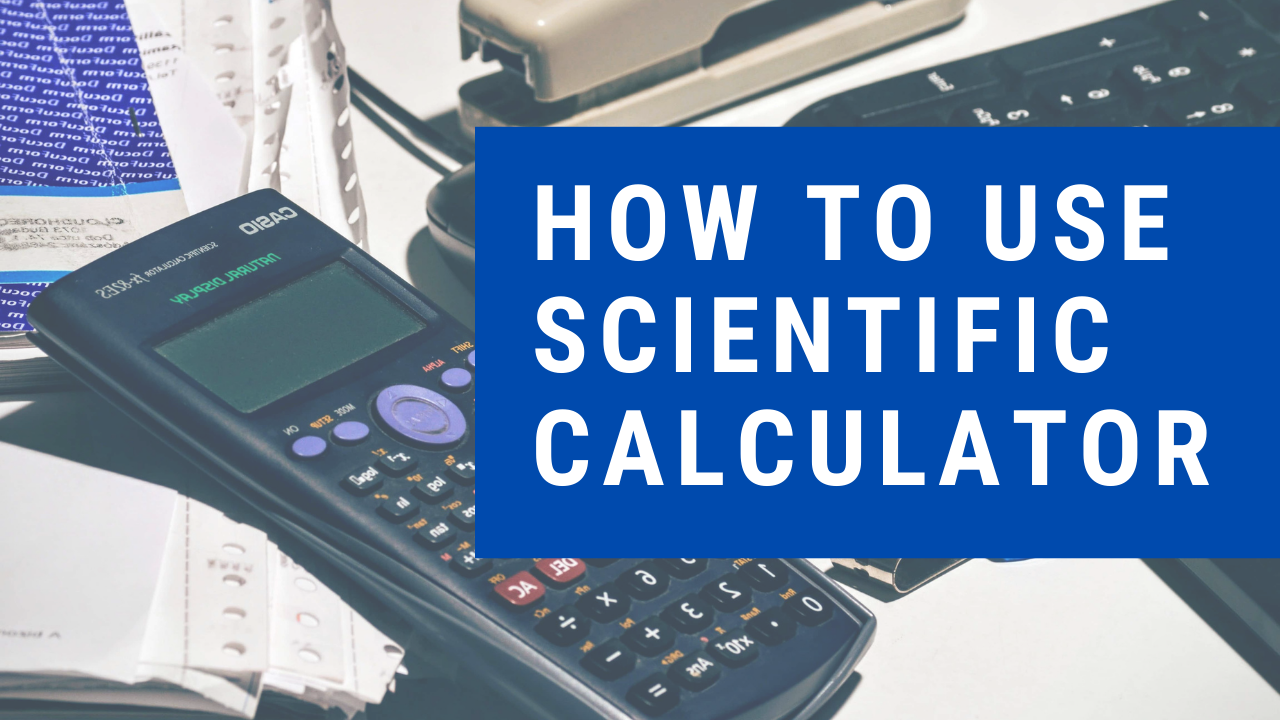
- Scientific Calculators: A significant technological leap, scientific calculators introduce functions essential for algebra, trigonometry, calculus, and statistics. They feature buttons for exponents, roots, logarithms, trigonometric functions (sin, cos, tan), and often parentheses for managing the order of operations. These are staples for students in STEM fields and professionals requiring more complex computations.
- Graphing Calculators: Representing a pinnacle in portable calculation technology, graphing calculators can plot functions, solve systems of equations, perform matrix operations, and even execute simple programs. Their large screens and symbolic manipulation capabilities make them indispensable for advanced mathematics, physics, and engineering. They essentially serve as mini-computers, offering visual representations of mathematical concepts.
- Financial Calculators: While their core function relates to money, the technology behind financial calculators is specialized for Time Value of Money (TVM) calculations. Buttons for N (number of periods), I/Y (interest rate per year), PV (present value), PMT (payment), and FV (future value) simplify complex financial modeling tasks. From a technological perspective, they are specialized algorithms bundled into a user-friendly interface.
- Online/Software Calculators: The ubiquity of computing devices has led to a proliferation of digital calculators. These range from the built-in calculators in operating systems (Windows Calculator, macOS Calculator) to web-based tools and dedicated mobile apps. Their advantages include accessibility, integration with other software, and often advanced features that can be updated or expanded digitally.
Beyond Basics: Unlocking Intermediate and Scientific Functions
Moving beyond fundamental operations, scientific and advanced calculators offer a robust set of functions that are critical for academic, professional, and technical tasks. Mastering these features transforms your calculator into a powerful computational device.
Percentages, Exponents, and Roots
These operations are common across many disciplines and are easily handled by most scientific calculators, and even some advanced basic ones.
- Percentages (%): Typically, the ‘%’ button functions as a converter or an operator. To calculate a percentage of a number (e.g., 15% of 200), you might enter
200 × 15 %. To add a percentage (e.g., 200 + 15% tax), you might enter200 + 15 %, and the calculator automatically calculates200 + (0.15 * 200). Understanding your specific calculator’s behavior for this button is key. - Exponents (x^y or ^): Used to raise a number to a power. For example,
5^3(5 cubed) would be entered as5 [x^y] 3 =. This function is fundamental in algebra, physics, and compound interest calculations. - Square Root (√) and Cube Root: The square root function finds the number that, when multiplied by itself, equals the input (e.g.,
√9 = 3). Cube root (often3√xor accessed via a shift function) finds the number that, when multiplied by itself three times, equals the input. These are indispensable in geometry and various scientific formulas.
Navigating Scientific Calculator Features
Scientific calculators are purpose-built for advanced mathematical and scientific computations, featuring specialized buttons and modes.
- Trigonometric Functions (sin, cos, tan) and Their Inverses: These are vital for geometry, physics, and engineering. You input the angle (in degrees or radians, depending on the calculator’s mode) and press the function button. The inverse functions (sin⁻¹, cos⁻¹, tan⁻¹, often accessed via a ‘2nd’ or ‘Shift’ key) calculate the angle given the trigonometric ratio. Crucially, ensure your calculator is in the correct angle mode (DEG for degrees, RAD for radians, or GRAD for gradians) before performing these calculations.
- Logarithmic and Exponential Functions (log, ln, e^x, 10^x):
logusually denotes the base-10 logarithm, whilelndenotes the natural logarithm (base e).10^xande^xare their respective inverse functions, raising 10 or Euler’s number (e ≈ 2.71828) to a given power. These functions are critical in fields like chemistry, biology, finance, and engineering for modeling growth, decay, and scaling.
- Parentheses and Order of Operations (PEMDAS/BODMAS): Scientific calculators inherently understand the order of operations. Using parentheses
(and)allows you to dictate the sequence of calculations, ensuring complex expressions are evaluated correctly. For example,(5 + 3) × 2will yield16, whereas5 + 3 × 2will yield11due to multiplication taking precedence. - Factorials (n!), Permutations (nPr), and Combinations (nCr): These functions are found on scientific calculators and are essential for probability and statistics.
n!(factorial) calculates the product of an integer and all the integers below it (e.g.,5! = 5 × 4 × 3 × 2 × 1 = 120).nPr(permutations) calculates the number of ways to arrange ‘r’ items from a set of ‘n’ items where order matters.nCr(combinations) calculates the number of ways to choose ‘r’ items from a set of ‘n’ items where order does not matter.

Advanced Applications and Specialized Calculator Technologies
For users pushing the boundaries of computation, advanced calculators offer powerful capabilities that can tackle complex problems and visualize abstract concepts. These devices represent a significant leap in portable computing technology.
Graphing Calculators: Visualizing Data and Solving Complex Equations
Graphing calculators are essentially compact, specialized computers with robust mathematical processing and display capabilities.
- Inputting Functions (y=f(x)): Users can input one or more mathematical functions (e.g.,
y = x^2 - 2x + 1) into the calculator. The device then processes these equations. - Plotting Graphs: A key feature is the ability to display the graph of these functions on its screen. This visual representation helps in understanding function behavior, identifying roots, and observing trends—a truly insightful technological feature.
- Finding Roots, Intersections, Minimums/Maximums: Graphing calculators include analysis tools to automatically find the x-intercepts (roots), points where two graphs intersect, and the local minimum or maximum values of a function. This capability significantly reduces the time and effort in analytical problem-solving.
- Matrix Operations: Many graphing calculators can perform matrix additions, subtractions, multiplications, inversions, and determinants, which are fundamental in linear algebra and various engineering applications.
- Programming Capabilities: Advanced graphing calculators often allow users to write and execute simple programs. This feature transforms the calculator into a customizable problem-solving tool, capable of automating repetitive calculations or performing specific algorithms.
Leveraging Memory and Constants for Efficiency
Beyond simple number storage, calculators offer sophisticated memory and constant functions that enhance computational workflow.
- Storing and Recalling Values: While standard memory functions (M+, MR) are common, many advanced calculators allow you to store multiple values in named variables (e.g., A, B, X, Y). This is incredibly useful in multi-step problems where you need to reuse specific results without re-entering them.
- Using Constant Functions: Some calculators have a ‘K’ (Constant) function, which allows you to perform the same operation repeatedly with a stored number. For instance, if you want to multiply several numbers by
2.5, you could input2.5 [×] [K], then subsequent number inputs followed by=would automatically multiply by2.5. This is a powerful feature for repetitive calculations and data scaling. - Chain Calculations and the ‘ANS’ Button: Most scientific and graphing calculators have an ‘ANS’ (Answer) button. This button recalls the result of the last calculation performed. This is invaluable for chaining operations together, where the output of one step becomes the input for the next, significantly reducing input errors and improving workflow.
Best Practices, Troubleshooting, and the Future of Calculator Tech
Maximizing the utility of your calculator involves not only understanding its functions but also adopting smart practices and staying aware of its evolving technological landscape.
Tips for Accuracy and Speed
Even with advanced features, human error is a factor. Adopting good habits can prevent mistakes and improve efficiency.
- Double-Checking Inputs: The most common source of error is incorrect data entry. Always quickly review the numbers and operations on the display before pressing ‘=’.
- Understanding Display Limits and Precision: Calculators have finite display space and internal precision. Be aware of how many decimal places are shown and what the calculator’s internal precision is for very large or very small numbers (often displayed in scientific notation).
- Using the “ANS” Button for Subsequent Calculations: As mentioned, ‘ANS’ is a powerful tool for chaining calculations, reducing the chance of transcription errors.
- Battery Management (for physical devices): Ensure your calculator has adequate power. Unexpected power loss can lead to lost work or inaccurate results. Many modern calculators use solar power or have long-lasting batteries.
Common Pitfalls and How to Avoid Them
Awareness of common errors can save significant time and frustration.
- Incorrect Order of Operations: Always use parentheses to explicitly define the order of operations, even if you think the calculator will interpret it correctly. This eliminates ambiguity.
- Angle Mode Errors (Degrees vs. Radians): This is a very common mistake in trigonometry. Always verify your calculator’s mode (DEG or RAD) matches the problem’s requirements.
- Misinterpreting Scientific Notation: Numbers like
3.45E+12or1.23E-05can be confusing. Remember ‘E’ (or ‘exp’) means “times 10 to the power of.” - Button Mashing vs. Deliberate Input: Rapid, imprecise button pressing can lead to skipped inputs or unintended operations. Practice deliberate, clear input.
The Evolving Landscape of Digital Calculation
The future of calculators is intrinsically linked to broader technological advancements, moving beyond dedicated physical devices.
- Integration into Smartphones and Computers: The calculator is now a standard app on virtually all smart devices and operating systems. These digital versions often include basic, scientific, and programmer modes, offering instant access to powerful computation.
- Specialized Software Tools: Beyond basic apps, advanced mathematical software (e.g., MATLAB, Wolfram Alpha, GeoGebra) incorporates sophisticated calculators for symbolic manipulation, numerical analysis, and data visualization far beyond what a handheld device can achieve.
- Cloud-Based Calculators and Collaborative Features: Online calculators leverage cloud computing for complex tasks and offer features for sharing calculations or collaborating on problems.
- The Role of AI in Future Calculation Interfaces: As AI advances, we can anticipate more intuitive and powerful calculation interfaces. Natural language processing could allow users to simply speak complex problems to a calculator, while machine learning might optimize calculation strategies or offer insights based on input data. The convergence of computational power and artificial intelligence promises a new era for problem-solving.
The calculator, in its various forms, remains an indispensable technological artifact. From the simplest arithmetic tasks to the most intricate scientific equations, it empowers users with speed, precision, and efficiency. By understanding its foundational operations, mastering its advanced features, and embracing best practices, you can transform this potent tool into a powerful extension of your analytical capabilities, ready to tackle the challenges of a data-driven world. As calculator technology continues to evolve, lifelong learning about its capabilities will ensure you stay ahead, leveraging these devices to their fullest potential.
aViewFromTheCave is a participant in the Amazon Services LLC Associates Program, an affiliate advertising program designed to provide a means for sites to earn advertising fees by advertising and linking to Amazon.com. Amazon, the Amazon logo, AmazonSupply, and the AmazonSupply logo are trademarks of Amazon.com, Inc. or its affiliates. As an Amazon Associate we earn affiliate commissions from qualifying purchases.