
In an increasingly digital economy, the convenience of online shopping has become indispensable. American Express Gift Cards offer a flexible and secure payment method, bridging the gap between traditional gifting and the seamless experience of e-commerce. Designed to provide recipients with the freedom to choose what they want, these cards empower users to make purchases across a vast array of online merchants. However, for many, the process of successfully navigating an online checkout using a gift card can sometimes present minor hurdles. This comprehensive guide aims to demystify the process, offering clear, actionable steps and insightful tips to ensure a smooth and successful online shopping experience with your American Express Gift Card, firmly grounding our discussion in sound personal finance practices.
Preparing Your American Express Gift Card for Seamless Online Transactions
Before you embark on your online shopping spree, a few preparatory steps can significantly enhance your experience and prevent common frustrations. Treating your gift card like any other financial instrument by ensuring it’s ready for use is a cornerstone of responsible financial management.
Understanding Card Activation and Registration Requirements
While many American Express Gift Cards come pre-activated, meaning they are ready for immediate use upon receipt, it’s always prudent to confirm this status. Some cards, especially those purchased from third-party retailers, might require a quick activation step, often involving a phone call or a visit to a dedicated activation website mentioned on the card packaging. This initial check is a fundamental step in ensuring your financial tool is operational.
Beyond activation, American Express strongly recommends – and in many cases, requires – that you register your gift card online. Registration is paramount for online transactions primarily because it links a billing address to your card. When you make an online purchase, merchants typically perform an Address Verification System (AVS) check. If the billing address entered during checkout does not match the address registered with your gift card, the transaction may be declined, even if sufficient funds are available. This security measure is designed to protect both you and the merchant from fraudulent activity. Registering usually involves visiting the American Express Gift Card website, entering your card details, and providing your current residential address. This simple step can save you considerable troubleshooting later.
Verifying Your Card Balance Before Shopping
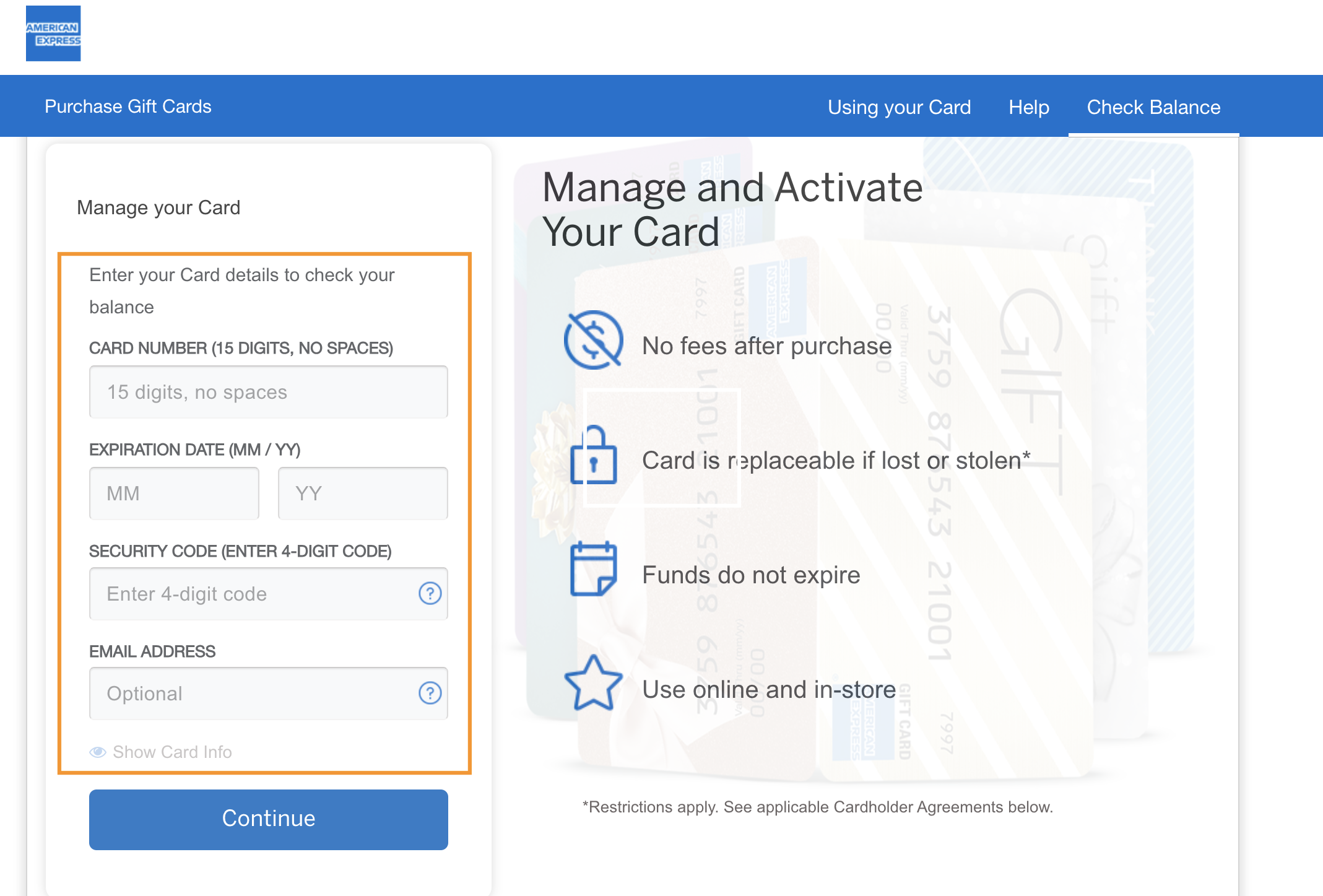
Imagine reaching the checkout only to find your card lacks sufficient funds. To avoid such a scenario, always verify your card’s balance before initiating an online purchase. American Express provides a straightforward online portal where you can enter your card number and security code to instantly view your remaining balance. This practice is not just about convenience; it’s a vital aspect of managing your financial resources effectively. Knowing your exact balance allows you to plan your purchases accordingly, preventing declined transactions and helping you decide if you need to combine it with another payment method or adjust your shopping cart. This proactive approach ensures you maximize the utility of your gift card and adhere to prudent spending habits.
A Step-by-Step Guide to Using Your Amex Gift Card Online
Once your card is activated and registered, and you’re aware of its balance, using it for online purchases is remarkably similar to using a standard credit or debit card. The key lies in understanding the nuances specific to gift cards in the payment process.
Navigating the Checkout Process with Your Gift Card
When you’ve added your desired items to your shopping cart and proceeded to checkout, you’ll typically be presented with various payment options. Look for the “Credit Card,” “Debit Card,” or “American Express” option. Despite being a gift card, it functions on the American Express network and should be selected as such.
You will then be prompted to enter your card details:
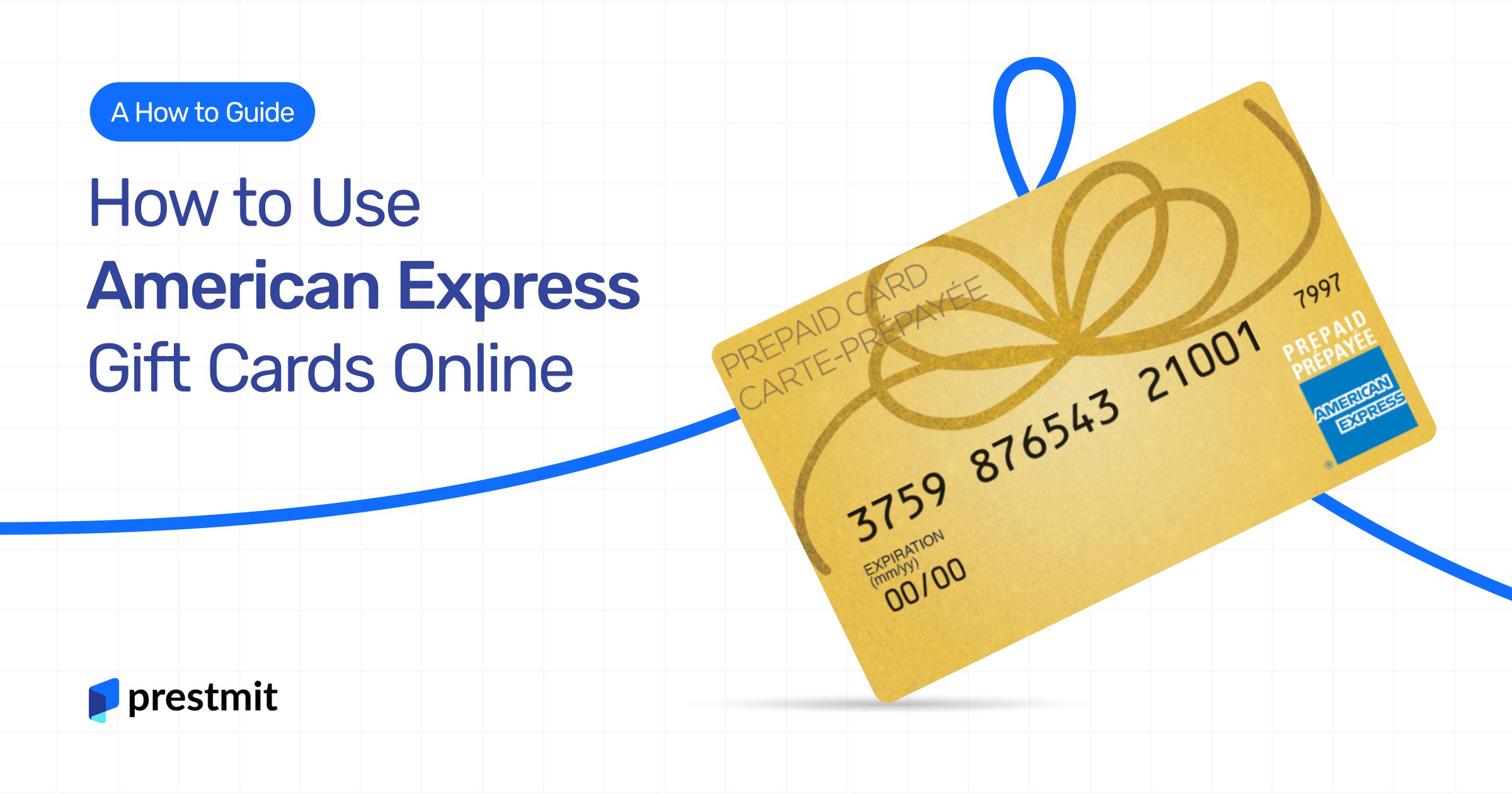
- Card Number: This is the 15-digit number printed on the front of your American Express Gift Card.
- Expiration Date: Found on the front of the card, usually in MM/YY format.
- Security Code (CID/CVV): For American Express cards, this is a 4-digit number located on the front of the card, above the main card number, typically on the right side.
Crucially, when asked for the billing address, you must enter the exact address you registered with the American Express Gift Card. As discussed, this AVS match is critical for the transaction to go through successfully. Any discrepancy can lead to a decline, even if all other details are correct.
Strategies for Purchases Exceeding Your Card Balance
One of the most common challenges users face is attempting to purchase an item that costs more than the remaining balance on their gift card. Most online merchants offer the flexibility to split payments, allowing you to use your gift card for part of the purchase and another form of payment (like a credit card or another gift card) for the remainder.

Here’s how to typically handle this scenario:
- Know Your Balance: Again, verify the exact amount on your Amex Gift Card.
- Attempt Payment with Gift Card First: At checkout, enter your Amex Gift Card details and the registered billing address. If the merchant’s system recognizes the gift card, it will usually deduct the full available balance from your order total.
- Complete with Second Payment Method: The system will then prompt you to pay the remaining balance using another credit card, debit card, or sometimes even another gift card.
It’s important to note that not all merchants support split payments automatically. If a merchant’s system doesn’t allow for partial payments with a gift card, you might need to adjust your order to match the gift card’s balance or purchase a store gift card from that merchant with your Amex gift card first, and then use the store gift card combined with another payment method. This highlights the importance of understanding merchant policies, a key aspect of astute financial planning for online purchases.
Overcoming Common Obstacles and Ensuring Financial Security
Even with careful preparation, issues can arise. Understanding common problems and implementing security best practices can save you time and protect your financial interests.
Troubleshooting Card Declines and Transaction Errors
A declined transaction can be frustrating, but pinpointing the cause is usually straightforward. Common reasons for declines include:
- Incorrect Card Information: A typo in the card number, expiration date, or security code. Double-check all entries.
- Billing Address Mismatch: This is the most frequent culprit for registered gift cards. Ensure the billing address exactly matches the one you registered with American Express.
- Insufficient Funds: Your purchase total exceeds the card’s balance. Always verify your balance before shopping, and be prepared to use a second payment method.
- Merchant Does Not Accept Gift Cards: While rare for major retailers, some smaller or niche online shops might not process gift card payments, especially those without a robust payment gateway.
- Attempting an Authorization Hold: Some services (e.g., car rentals, hotel bookings, gas stations) place a temporary authorization hold that can be greater than the actual purchase amount. Gift cards are generally not recommended for these types of transactions due to the difficulty in managing these holds, which can deplete your card’s balance temporarily.
If a decline occurs, first re-verify your card details and billing address. If the issue persists and you’re certain of sufficient funds, contact American Express Gift Card customer service for assistance. Documenting the transaction details and error messages can significantly expedite the resolution process.
Protecting Your Gift Card Details and Personal Information
Just like a credit card, your American Express Gift Card details are valuable and should be protected. Treat the gift card number, expiration date, and security code as sensitive financial information.
- Shop on Secure Websites: Always ensure the website you are purchasing from uses “HTTPS” in its URL and displays a padlock icon, indicating a secure connection.
- Avoid Phishing Scams: Be wary of unsolicited emails or messages asking for your gift card details. American Express will never ask for this information via unsecure channels.
- Keep Your Card Physically Safe: If you have the physical card, store it in a secure place until its balance is depleted. Make a note of the card number and customer service number in case the card is lost or stolen, though gift cards often have limited protections compared to traditional credit cards.
- Monitor Your Balance: Regularly checking your balance helps you track expenditures and quickly identify any unauthorized transactions, another critical element of sound personal finance.
Maximizing the Value and Utility of Your Amex Gift Card
Beyond simply making purchases, strategic use of your American Express Gift Card can enhance its value and integrate it smoothly into your broader financial landscape.
Understanding Fees, Expiration Dates, and dormancy
While American Express Gift Cards are generally free of purchase fees for the recipient (the purchaser might pay a fee), it’s important to be aware of any potential dormancy fees or expiration dates. Most American Express Gift Cards sold in the U.S. do not expire and do not carry dormancy fees, especially those purchased after the CARD Act of 2009. However, it’s always wise to check the cardholder agreement or the back of your card for specific terms and conditions. Being informed about these details prevents unexpected deductions and ensures you utilize the full value of your gift. This vigilance is a key aspect of managing any financial instrument.
Creative Uses for Remaining Small Balances
Once you’ve made a larger purchase, you might be left with a small, seemingly insignificant balance on your gift card. Don’t let these small amounts go to waste! Even a few dollars can be put to good use:
- Online Micro-Purchases: Use it for digital content, a small item from Amazon, a coffee order via a mobile app, or contribute to a larger purchase.
- Consolidate Funds: If you have multiple gift cards with small balances, you might be able to use one to purchase a larger e-gift card from a favorite retailer (e.g., Starbucks, Amazon), effectively consolidating the funds into a single, more usable balance.
- Charitable Donations: Many charities accept online donations, providing an excellent way to put a small remaining balance towards a good cause.
- Reloadable Cards: Some services allow you to add funds to a reloadable card (like a Starbucks card) using an Amex gift card, which can be a practical way to use up a small, awkward balance.
By actively thinking about how to deplete the full balance, you ensure that every cent of your gift is utilized, reflecting a careful and resourceful approach to managing your financial resources.
Conclusion: Empowering Your Online Spending with Amex Gift Cards
American Express Gift Cards are powerful financial tools that offer convenience and flexibility for online shopping. By understanding the activation and registration process, meticulously verifying your balance, and correctly entering your details at checkout, you can navigate the digital marketplace with confidence. Adopting smart financial practices—like being aware of billing address requirements, planning for split payments, troubleshooting common issues, and protecting your card information—transforms a simple gift into a seamless and secure online payment method. Embrace these insights to unlock the full potential of your American Express Gift Card, ensuring that every online purchase is as effortless and rewarding as the gift itself, reinforcing wise personal financial management.
aViewFromTheCave is a participant in the Amazon Services LLC Associates Program, an affiliate advertising program designed to provide a means for sites to earn advertising fees by advertising and linking to Amazon.com. Amazon, the Amazon logo, AmazonSupply, and the AmazonSupply logo are trademarks of Amazon.com, Inc. or its affiliates. As an Amazon Associate we earn affiliate commissions from qualifying purchases.