
In the dynamic landscape of online commerce, gift cards have emerged as a versatile and popular payment method, offering convenience for both givers and recipients. Among these, the American Express Gift Card stands out as a widely recognized financial instrument, often given for celebrations, incentives, or as a thoughtful gesture. Meanwhile, Amazon reigns supreme as the undisputed king of e-commerce, a veritable marketplace where virtually anything can be purchased with a few clicks. The intersection of these two entities – using an American Express Gift Card to make a purchase on Amazon – is a common scenario for many consumers. While seemingly straightforward, navigating the nuances of this transaction effectively requires a clear understanding of both the card’s characteristics and Amazon’s payment processes.
This guide will demystify the process, transforming what might seem like a simple transaction into an optimized financial maneuver. We’ll delve into the intricacies of American Express Gift Cards, prepare you for a smooth shopping experience on Amazon, and provide a step-by-step walkthrough, ensuring you maximize the utility and value of your gift card. Far from just a basic instruction manual, this article offers insights into smart financial practices surrounding gift card usage, empowering you to spend wisely and without frustration.
Understanding American Express Gift Cards
Before diving into the mechanics of purchasing on Amazon, it’s essential to grasp what an American Express Gift Card is and how it operates. Unlike traditional credit cards or debit cards linked to a bank account, gift cards possess unique characteristics that dictate their use.
What is an American Express Gift Card?
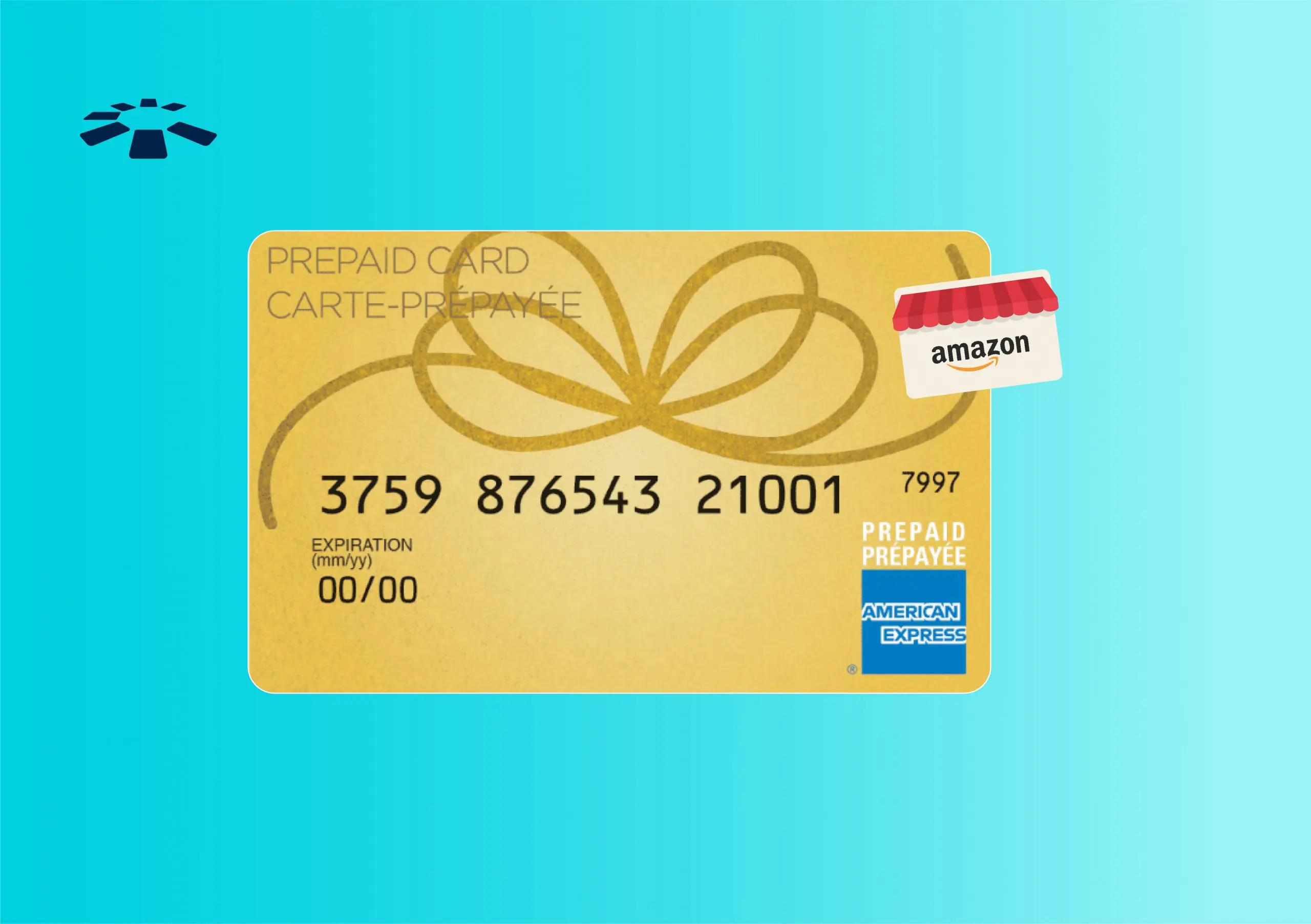
An American Express Gift Card is a prepaid financial instrument issued by American Express, loaded with a specific monetary value chosen at the time of purchase. It is not a credit card; therefore, it does not involve a credit line, credit checks, or accruing interest. Instead, it functions much like a debit card, allowing the holder to spend up to the amount pre-loaded onto the card. Once the funds are depleted, the card typically cannot be reloaded, distinguishing it from a standard prepaid debit card that often offers reloading capabilities. They are widely accepted at merchants that welcome American Express cards, both online and in physical stores, offering a broad scope of usability.
Key Characteristics and Limitations
While universally accepted where Amex is welcome, these gift cards come with specific characteristics and potential limitations that savvy users should be aware of:
- Prepaid Nature: The most defining characteristic is that it’s a prepaid card. You can only spend the amount loaded onto it. This makes it an excellent tool for budgeting or controlling spending, as there’s no risk of going into debt.
- Expiration Dates: American Express Gift Cards generally have an expiration date printed on them. While the funds themselves usually do not expire (federal law mandates that funds on gift cards cannot expire for at least five years), the physical card might. If your card expires with a balance remaining, you can typically request a replacement card with the remaining funds.
- Fees: Some American Express Gift Cards may carry an activation fee at the time of purchase, but generally, there are no ongoing maintenance fees or dormancy fees that chip away at the balance, unlike some other prepaid cards. It’s always wise to check the terms and conditions provided with the card.
- No PIN: Most Amex Gift Cards do not come with a PIN, meaning they are primarily designed for signature-based transactions (in-store) or online use where a PIN is not required. For online purchases, they are processed like credit cards.
- Billing Address Requirement: This is a crucial point for online transactions. Although not linked to a personal bank account, for security and fraud prevention, online merchants often require a billing address to be associated with the card. We’ll explore this further in the preparation section.
- Non-Reloadable: As mentioned, once the funds are exhausted, the card typically becomes invalid and cannot be replenished.
Why They’re Popular
American Express Gift Cards enjoy popularity for several reasons rooted in financial convenience and security:
- Gifting Convenience: They offer the flexibility of cash without the impersonal nature, allowing recipients to choose exactly what they want.
- Budgeting Tool: For personal finance, they can serve as an excellent budgeting mechanism. Allocating a specific amount for online shopping or a particular purchase ensures overspending is prevented.
- Security for Online Purchases: Using a gift card for online transactions can add a layer of security. If the card details are compromised, the exposure is limited to the balance on the card, rather than a linked bank account or primary credit line.
- Widely Accepted: The robust network of American Express means these cards are accepted by a vast majority of online and brick-and-mortar retailers, including Amazon, making them highly practical.
Preparing Your Amex Gift Card for Amazon Purchases
A smooth transaction on Amazon begins with proper preparation of your American Express Gift Card. Skipping these crucial steps can lead to frustrating declines at checkout.
Registering Your Gift Card
This is arguably the most critical step for successful online use. Many online retailers, including Amazon, use Address Verification Systems (AVS) to prevent fraud. When you try to use a credit or debit card, the system checks if the billing address entered matches the address on file with the card issuer. Since a gift card isn’t tied to a personal address by default, you must register one.
To do this:
- Visit the American Express Gift Card website: Look for the URL on the back of your card or the accompanying packaging, usually something like AmexGiftCard.com.
- Locate the “Register Card” or “Set ZIP Code” section: You’ll typically need to enter your card number, expiration date, and the security code (CID).
- Enter your billing address (including ZIP code): This should be the same address you intend to use as your shipping and billing address on Amazon. If you don’t have a permanent address, use the address where you receive mail. Once registered, the Amex system will have a billing address on file to match during online transactions.
Checking Your Balance
Before embarking on your Amazon shopping spree, always check the exact balance on your American Express Gift Card. This prevents surprises at checkout and helps you plan your purchase accurately. You can typically check your balance on the same American Express Gift Card website where you registered it, by entering your card details. Knowing your balance is vital for determining if your chosen item can be fully covered or if you’ll need to employ strategies like splitting payments.
Understanding Potential Hurdles
While Amex Gift Cards are versatile, be aware of common issues:
- Small Balances: If only a small amount remains on the card, it might not be enough to cover your intended purchase, requiring a secondary payment method.
- Merchant Restrictions: Although rare with Amazon, some niche online merchants may have specific restrictions on gift card use.
- Pre-authorizations: Occasionally, certain services (like streaming subscriptions or recurring billing) might attempt a pre-authorization greater than your available balance, leading to a decline. Amazon usually handles this gracefully for one-time purchases, but it’s worth noting for future reference.
Step-by-Step Guide to Using Your Amex Gift Card on Amazon
With your American Express Gift Card registered and its balance known, you’re ready to make your purchase on Amazon.
Adding the Card to Your Amazon Account
- Log in to your Amazon account: Navigate to “Your Account” from the main menu.
- Go to “Payment Options”: Under the “Ordering and shopping preferences” section, click on “Your Payments.”
- Add a new payment method: Select “Add a payment method,” then “Add a credit or debit card.”
- Enter your gift card details: Input the 15-digit card number, the expiration date, and the 4-digit security code (CID) from the front of the card.
- Enter the billing address: Crucially, use the exact billing address (including the ZIP code) that you registered with your American Express Gift Card online. Even though it’s a gift card, Amazon treats it like a credit card for payment processing.
- Save the card: Once all details are correctly entered, save the card. It will now appear in your list of payment methods.
The Checkout Process
When you’re ready to make a purchase:
- Add items to your cart: Shop as you normally would on Amazon.
- Proceed to checkout: Once you’re ready, click “Proceed to checkout.”
- Select shipping options: Choose your preferred shipping address and speed.
- Select your payment method: On the payment selection screen, you will see your saved American Express Gift Card listed. Select it.
- Review your order: Double-check all details, including the item, shipping address, and payment method.
- Place your order: Click “Place your order.”
Dealing with Insufficient Funds
What happens if your Amex Gift Card doesn’t have enough to cover the entire purchase? Amazon has a robust system for this:
- Automatic Split Payment: Amazon is usually smart enough to recognize if a card’s balance is insufficient. If your Amex Gift Card only covers a portion of your total, Amazon will often automatically prompt you to use a second payment method (e.g., a credit card, debit card, or another Amazon gift card) to cover the remaining balance.
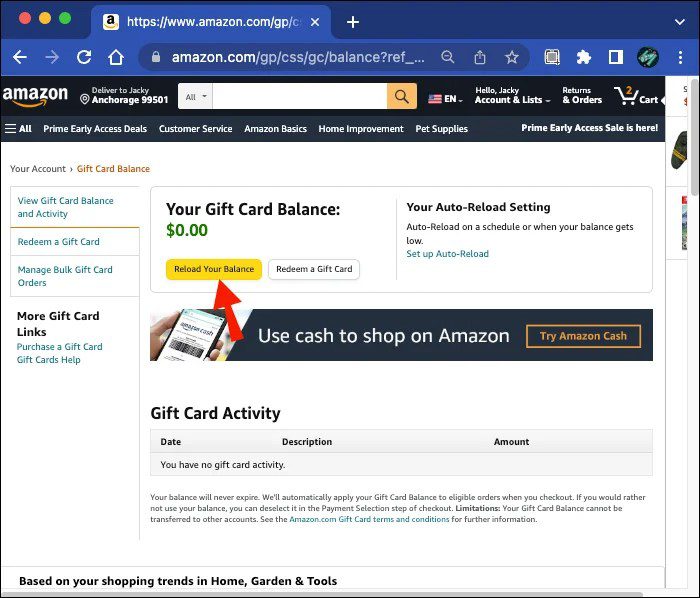
- Manual Split (if necessary): In some cases, you might need to manually ensure the gift card balance is maximized first. The best way to guarantee this is to apply the full Amex Gift Card balance to your Amazon account as an Amazon Gift Card balance.
- Go to “Reload Your Balance” or “Redeem a Gift Card” on Amazon.
- Use your American Express Gift Card as the payment method to purchase an Amazon Gift Card (or reload your own balance) for the exact amount remaining on the Amex card.
- This moves the full value of the Amex card into your Amazon account, where it will automatically apply to future purchases, effectively solving any split-payment issues.
Maximizing Your Amex Gift Card Value on Amazon
Beyond the basic transaction, there are strategic ways to ensure you get the most out of your American Express Gift Card on Amazon, especially for those pesky residual balances.
The Amazon Gift Card Balance Strategy
This is arguably the most effective method for fully utilizing every last cent on your Amex Gift Card, especially when the remaining balance is small or won’t cover a full item.
- Check remaining balance: Use the Amex Gift Card website to find the exact balance.
- Purchase an Amazon Gift Card: Go to Amazon’s “Reload Your Balance” page or purchase an e-gift card for yourself. Enter the exact amount of your remaining Amex Gift Card balance as the value for the Amazon Gift Card.
- Use your Amex Gift Card as payment: During checkout for the Amazon Gift Card, select your American Express Gift Card as the payment method.
- Apply to your account: The value is now an Amazon Gift Card balance, which will automatically apply to your next Amazon purchase, eliminating any issues with partial payments or tiny leftover amounts on the Amex card. This effectively converts your Amex Gift Card balance into Amazon credit, which never expires and can be combined seamlessly with any other payment method.
Combining with Other Payment Methods
As discussed, Amazon is adept at handling split payments. If your Amex Gift Card covers only a portion of your purchase, you can designate it first, and then use a credit card, debit card, or your existing Amazon Gift Card balance to pay the remainder. This flexibility ensures you don’t have to abandon a purchase simply because one payment method doesn’t cover the full cost. Always prioritize using the gift card first to deplete its balance.
Tips for Troubleshooting and Avoiding Issues
- Double-check details: Always verify the card number, expiration date, and CID when entering them. A single typo can lead to a decline.
- Ensure billing address matches: The registered billing address on the Amex Gift Card website must match the one you use on Amazon. This is the most common reason for online transaction failures with gift cards.
- Clear browser cache/cookies: Sometimes, technical glitches can occur. Clearing your browser’s cache and cookies or trying a different browser can resolve minor issues.
- Contact Amex Support: If you’ve followed all steps and still face persistent issues, contact American Express Gift Card customer service. They can verify the card’s status and help troubleshoot.
- Contact Amazon Support: If the issue seems to be on Amazon’s side (e.g., an error message after successful card entry), their customer service can provide assistance.
Financial Prudence with Gift Cards
Beyond the mechanics, using gift cards effectively ties into broader personal finance principles. Employing mindful strategies ensures gift cards truly enhance your financial well-being rather than becoming sources of frustration or missed opportunities.
Budgeting and Tracking Your Gift Card Spend
Treating gift card balances as part of your overall spending budget is a smart financial habit. When you receive an Amex Gift Card, consider it a specific allocation of funds. Instead of seeing it as “free money,” integrate it into your spending plan. If you have a category for “online shopping” or “discretionary spending,” the gift card can fulfill that budget, allowing you to reallocate cash saved to other financial goals like savings or debt repayment. Track your gift card spending just as you would any other expenditure to maintain a clear picture of your financial flow.
Security Best Practices
While gift cards offer a layer of security by limiting exposure, they are not immune to all risks:
- Treat like cash: If lost or stolen, gift cards are generally not replaceable unless you have the original purchase receipt and the card details recorded.
- Keep card details secure: Don’t share your gift card number or security code with anyone you don’t trust.
- Online vigilance: Only use your gift card on reputable websites like Amazon. Be wary of phishing attempts or scams asking for gift card details.
- Register promptly: Registering your gift card as soon as you receive it not only enables online purchases but can sometimes offer a small degree of protection or recovery options if problems arise.
The Value Proposition of Gift Cards in Personal Finance
From a personal finance perspective, gift cards offer a unique value:
- Convenience and Flexibility: They combine the specific intent of a gift (e.g., for Amazon) with the flexibility for the recipient to choose.
- Spending Control: For those prone to impulse buying, a fixed-value gift card can impose a natural spending limit.
- Emergency Fund Supplement (minor): While not a substitute for a true emergency fund, a gift card can provide a small buffer for unexpected discretionary purchases.
- Avoiding Debt: Unlike credit cards, gift cards inherently prevent debt accumulation, making them a financially sound option for many consumers.
In conclusion, utilizing your American Express Gift Card on Amazon is a straightforward process once you understand the necessary preparation and Amazon’s payment ecosystem. By registering your card, checking its balance, and intelligently navigating the checkout, you can ensure a seamless transaction. Moreover, by employing strategies like converting residual balances to Amazon Gift Card credit, you maximize the value of your gift, turning every dollar into a successful purchase. This blend of practical application and financial foresight empowers you to shop smart, making your Amex Gift Card a truly valuable financial tool in your personal arsenal.
aViewFromTheCave is a participant in the Amazon Services LLC Associates Program, an affiliate advertising program designed to provide a means for sites to earn advertising fees by advertising and linking to Amazon.com. Amazon, the Amazon logo, AmazonSupply, and the AmazonSupply logo are trademarks of Amazon.com, Inc. or its affiliates. As an Amazon Associate we earn affiliate commissions from qualifying purchases.