
In an increasingly digital world, the ability to effortlessly convert numerical formats is a fundamental skill, especially for those navigating fields reliant on precision and clarity. The simple act of transforming a decimal into a fraction, while seemingly basic, underpins critical operations in engineering, finance, science, and even everyday problem-solving. While the mathematical principles are timeless, modern calculators – from the ubiquitous scientific models to advanced graphing powerhouses and intuitive smartphone apps – have become indispensable tools for executing this conversion with speed and accuracy. This article will serve as a comprehensive guide, demystifying the process, exploring the technological nuances, and equipping you with the knowledge to leverage your calculator effectively.
Understanding the “Decimal to Fraction” Conversion
The journey from a decimal to a fraction is more than a mere numerical shuffle; it’s about translating one representation of a quantity into another, often revealing deeper insights or facilitating clearer communication. Decimals express parts of a whole using a base-10 system, while fractions represent the same quantity as a ratio of two integers.
Why the Conversion Matters
The necessity of converting decimals to fractions stems from several key areas:
- Precision and Accuracy: In many technical disciplines, fractions offer exact values that decimals, particularly those that are non-terminating or recurring, can only approximate. For instance, 1/3 is precisely 0.333… but the decimal representation always involves rounding, however subtle. Engineering tolerances, chemical concentrations, and architectural measurements often demand the absolute precision that fractions provide.
- Conceptual Clarity: Fractions can sometimes convey the nature of a quantity more intuitively. A fraction like 3/4 immediately communicates “three out of four parts,” which can be more accessible than its decimal equivalent of 0.75, especially when dealing with physical divisions or ratios.
- Mathematical Operations: Certain mathematical contexts or algorithms might be simplified or require fractional inputs. For instance, simplifying complex fractions or working with certain trigonometric functions often benefits from a fractional representation.
- Historical and Standardized Practices: Some industries or traditional practices maintain a preference for fractions. Think of carpentry measurements often expressed in fractions of an inch, or stock prices historically quoted in fractions before decimalization.
The Underlying Math: A Quick Review
Before diving into calculator functionalities, a brief understanding of the mathematical basis is helpful. Terminating decimals (e.g., 0.25) can be easily converted by placing the decimal part over a power of 10 and simplifying (0.25 = 25/100 = 1/4). Repeating decimals (e.g., 0.333…) require a slightly more algebraic approach, involving setting the decimal equal to a variable and manipulating equations to eliminate the repeating part. While your calculator automates this, knowing the “why” enhances your understanding of its output. The calculator essentially performs these steps internally, identifying patterns and simplifying the resulting fraction to its lowest terms.
Navigating Your Calculator: A Step-by-Step Guide
The method for converting decimals to fractions varies significantly depending on the type and model of calculator you’re using. However, most modern scientific and graphing calculators have a dedicated function for this purpose.
Scientific Calculators: The Standard Approach
Scientific calculators, such as those from Texas Instruments (TI), Casio, Sharp, and HP, are workhorses for students and professionals alike. Their decimal-to-fraction conversion capabilities are usually straightforward.
- Input the Decimal: Enter your decimal number into the calculator’s display. For example, type
0.75or0.33333333. - Locate the Conversion Button: This is the crucial step. Look for buttons labeled:
F<>DorF<=>D(Fraction to Decimal or vice versa)a b/c(Mixed number/fraction button, often used to enter fractions, but sometimes doubles for conversion)S<=>D(Standard to Decimal, also common on Casio models)->FRAC(Often accessed via aSHIFTor2ndfunction key, followed by a specific button likeMATHorPRB).
- Press the Button: Once you’ve entered the decimal, press the identified conversion button. If it’s a secondary function, you’ll need to press
SHIFTor2ndfirst. - Interpret the Result: The calculator will display the decimal as a simplified fraction. For 0.75, it should show
3/4. For 0.33333333, it will likely show1/3(or1┘3depending on the display format). If it displays a mixed number (e.g.,1_2/3), there’s usually another function to convert it to an improper fraction if needed.
Example (Casio fx-ES/EX series):
0.75 -> Press S<=>D -> Result 3/4
0.3333333 -> Press S<=>D -> Result 1/3
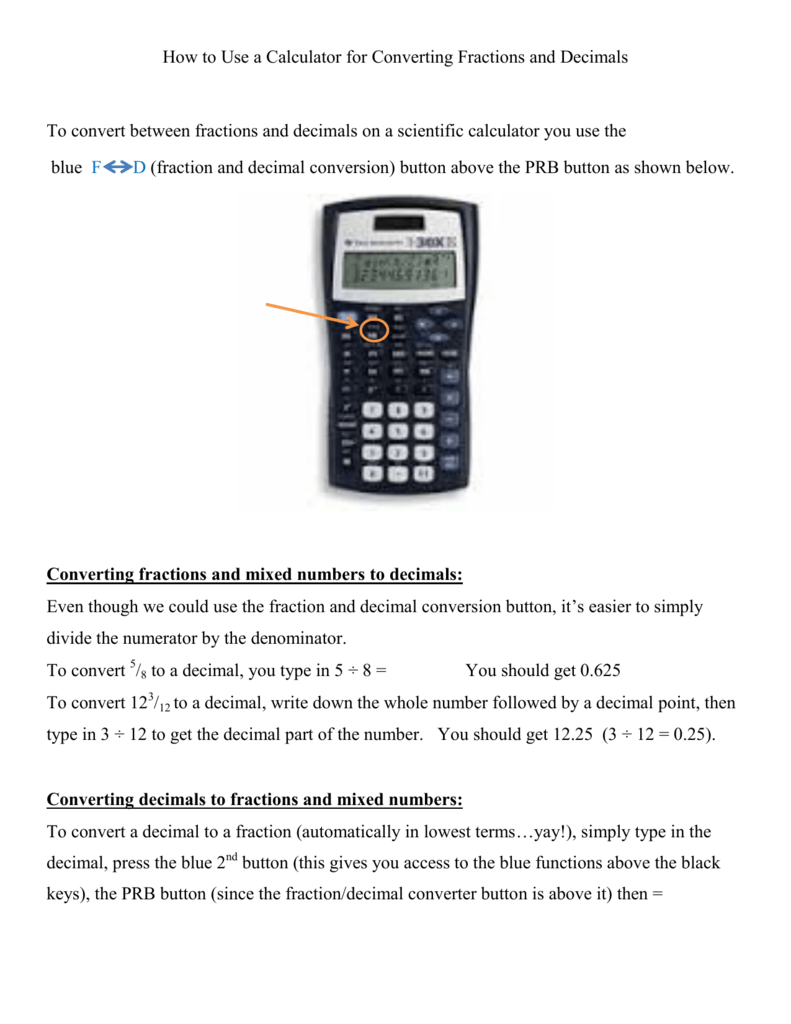
Example (TI-30XA/IIs series):
0.75 -> Press 2nd -> Press PRB (which has F<->D above it) -> Result 3/4
0.3333333 -> Press 2nd -> Press PRB -> Result 1/3
Graphing Calculators: Advanced Functionality
Graphing calculators like the TI-83, TI-84 Plus, or Casio fx-9750GII offer even more robust options, often found within a “MATH” or “FRAC” menu.
- Input the Decimal: Enter your decimal.
- Access the Math Menu: Press the
MATHbutton. - Select the Fraction Option: Navigate to the
FRACorNUMmenu withinMATH. You’ll typically see options like1:->Fracor similar. - Execute: Select the
->Fracoption and pressENTER. The calculator will then convert the decimal on the previous line to a fraction.
Example (TI-84 Plus):
0.75 (then press ENTER)
MATH -> 1:->Frac -> ENTER -> Result 3/4
0.3333333 (then press ENTER)
MATH -> 1:->Frac -> ENTER -> Result 1/3
Graphing calculators often handle more complex decimals and can sometimes provide better accuracy for repeating decimals due to their higher internal precision.
Online Calculators and Apps: Digital Convenience
For those without a physical calculator at hand, or who prefer a digital interface, a plethora of online tools and smartphone applications offer seamless decimal-to-fraction conversion.
- Web Search: A simple search for “decimal to fraction calculator online” will yield numerous results. Websites like Wolfram Alpha, Desmos, or dedicated math calculators provide input fields where you enter the decimal and click a “Convert” or “Calculate” button.
- Smartphone Apps: App stores (iOS App Store, Google Play Store) host many calculator apps, some free and some paid, that include this functionality. Many popular scientific calculator apps mimic their physical counterparts, offering
F<>Dor->FRACbuttons. These apps often boast user-friendly interfaces, larger displays, and the convenience of being on a device you always carry.
The advantage of online tools and apps is their accessibility and often superior display of the resulting fraction (e.g., stacked numerator/denominator).
Basic Calculators: Manual Method (Limitations)

Most basic four-function calculators lack a dedicated decimal-to-fraction conversion button. In this scenario, a manual or approximate method is required:
- Identify Decimal Places: Count the number of decimal places.
- Create an Initial Fraction: Place the decimal digits over a power of 10 corresponding to the number of decimal places. For example, 0.625 has three decimal places, so it becomes 625/1000.
- Simplify (Manually): You would then need to manually simplify this fraction by finding the greatest common divisor (GCD) of the numerator and denominator and dividing both by it. This can be cumbersome and highlights the value of scientific calculators.
- Limitations: This method only works for terminating decimals. Repeating decimals cannot be accurately converted without more advanced algebraic techniques or a calculator with that specific function.
Common Pitfalls and Troubleshooting
While calculators streamline the conversion process, users can encounter issues. Understanding these common pitfalls and how to troubleshoot them is key to effective use.
Understanding Calculation Limitations
- Recurring Decimals and Display Precision: Calculators have finite display and internal precision. When you input a repeating decimal like 0.33333333, the calculator can only process a finite number of ‘3’s. Most advanced calculators are sophisticated enough to recognize these patterns and return the correct fraction (1/3). However, if you input a long, non-repeating decimal that is an approximation of an irrational number (e.g., a truncated value of Pi), the calculator will attempt to find the “closest” simple fraction, which might not be mathematically precise to the original irrational number.
- Large Denominators: For extremely complex decimals, the resulting fraction might have a very large numerator and denominator, which can still be unwieldy. The calculator will always return the most simplified fraction it can derive within its computational limits.
- Irrational Numbers: It’s important to remember that truly irrational numbers (like π or √2) cannot be expressed as a simple fraction of two integers. If you input a decimal approximation of an irrational number, the calculator will return a fraction that approximates that decimal, but it won’t be exact.
Error Messages and Their Meanings
- SYNTAX ERROR: This usually means you’ve typed something incorrectly, perhaps trying to use the fraction conversion button before entering a number, or pressing an invalid sequence of keys.
- MATH ERROR / DOMAIN ERROR: This is less common for decimal-to-fraction conversion but can occur if an intermediate step in a complex calculation leads to an impossible mathematical operation (e.g., division by zero). For fraction conversion, it might indicate an attempt to convert something non-numerical.
- OVERFLOW ERROR: This indicates that the resulting numerator or denominator is too large for the calculator’s display or internal memory. While rare for typical decimal-to-fraction conversions, it could happen with extremely small or large numbers if the calculator tries to represent them as a fraction.
Calculator Model Variations
The most frequent “troubleshooting” issue is simply not knowing where the specific function is located on a particular calculator model.
- Consult the Manual: The user manual is your best friend. It provides exact instructions, button locations, and explanations for specific functions.
- Online Resources: A quick search like “Casio fx-991EX decimal to fraction” or “TI-84 convert decimal to fraction” will usually bring up video tutorials, forum posts, or manufacturer support pages detailing the process for your specific model.
- Experiment: Don’t be afraid to press buttons. Many functions are clearly labeled, and a little exploration can quickly reveal the correct sequence. Just ensure you know how to clear your input if you make a mistake!
Beyond Basic Conversion: Practical Applications and Advanced Tips
The ability to convert decimals to fractions is not just an academic exercise; it has tangible applications across various professional and personal domains.
Precision in Engineering and Manufacturing
In fields like mechanical engineering, civil engineering, and manufacturing, components often require dimensions specified in exact fractions for design, machining, and assembly. For instance, drill bits, pipe diameters, and material thicknesses are frequently measured in fractions of an inch. A blueprint might call for a 1/16-inch tolerance, not a 0.0625-inch tolerance, even though they are mathematically equivalent. Being able to convert between these formats on the fly ensures that measurements taken with digital calipers (often displaying decimals) can be accurately matched to fractional specifications. This minimizes errors, reduces material waste, and ensures product quality and safety.
Real-World Financial Scenarios
While modern stock prices are predominantly quoted in decimals, historically, and in some niche markets, fractions are still used. Moreover, in personal finance, understanding fractional parts of a whole can be useful for calculating interest rates, profit margins, or dividing assets. For example, if you’re calculating an interest rate of 1.25%, understanding it as 1 and 1/4 percent might offer a clearer perspective, especially when explaining it to others. When dealing with shared investments or properties, expressing ownership as a fraction (e.g., 1/5 share) can sometimes be more intuitive than a decimal percentage. The calculator ensures these conversions are flawless, empowering individuals to manage their money with greater clarity.
Programming Calculators for Custom Conversions
Advanced graphing calculators, such as the TI-83/84 Plus series or HP Prime, offer programming capabilities. For users who frequently perform specific types of conversions or need to integrate this function into a larger routine, writing a custom program can be highly efficient. For example, a specialized program could take a decimal input and not only convert it to a simplified fraction but also present it as a mixed number and an improper fraction simultaneously, or even check for common denominator possibilities with other input fractions. This level of customization elevates the calculator from a mere tool to a tailored computational assistant, catering to highly specific workflow needs.
The Evolution of Calculator Technology and Conversion Tools
The humble act of converting a decimal to a fraction has journeyed alongside the remarkable evolution of computational technology itself. From its manual, labor-intensive origins to the instant digital solutions of today, this particular function reflects broader trends in how we interact with numbers and tools.
From Slide Rules to Digital Powerhouses
Before the advent of electronic calculators, engineers and scientists relied on slide rules for multiplication, division, and other complex calculations. While ingenious, slide rules were analog devices that provided approximations, making precise decimal-to-fraction conversions a mental exercise in number theory and simplification. Early electronic calculators in the 1970s brought unprecedented speed and accuracy to basic arithmetic. However, dedicated F<>D buttons or ->FRAC functions were a later development, emerging as scientific calculators grew more sophisticated, capable of handling complex algorithms for prime factorization and simplification necessary for fractional output. This marked a significant leap, freeing users from manual calculation and reducing the potential for human error.

The Future of Computational Tools
Today’s calculators are far more than mere number crunchers. They are compact computers with impressive processing power, extensive memory, and connectivity features. The “decimal to fraction” function, once a specialized addition, is now standard. Looking ahead, the integration of Artificial Intelligence (AI) and cloud computing promises even more intuitive and powerful conversion tools. Imagine calculators that can not only convert but also explain the mathematical rationale, suggest alternative fractional representations based on context, or even learn user preferences for displaying results. Cloud-connected calculators could access vast databases of mathematical constants and conversion factors, ensuring unparalleled accuracy and flexibility. Furthermore, the convergence of physical calculators with advanced software interfaces on tablets and smartboards hints at a future where computational tools are seamlessly integrated into our learning and working environments, making even complex conversions feel effortless and insightful.
In conclusion, the ability to transform decimals into fractions using a calculator is a testament to the power of modern technology in simplifying complex tasks. By understanding your tool, knowing its capabilities, and recognizing its limitations, you can harness this function to enhance precision, clarity, and efficiency in virtually any numerical pursuit. As technology continues to evolve, these essential computational tools will only become more intuitive and integrated, empowering users to unlock even deeper insights from the world of numbers.
aViewFromTheCave is a participant in the Amazon Services LLC Associates Program, an affiliate advertising program designed to provide a means for sites to earn advertising fees by advertising and linking to Amazon.com. Amazon, the Amazon logo, AmazonSupply, and the AmazonSupply logo are trademarks of Amazon.com, Inc. or its affiliates. As an Amazon Associate we earn affiliate commissions from qualifying purchases.