
In the rapidly evolving landscape of personal finance, digital payment applications and online banking platforms have become indispensable tools for managing money. Among the most popular are Cash App and Chime, each offering unique features and benefits. Cash App, known for its peer-to-peer payments, investing capabilities, and quick access to funds, caters to a broad user base seeking convenience. Chime, on the other hand, stands out as a leading challenger bank, offering a mobile-first approach to banking with features like early direct deposit, fee-free overdrafts, and credit builder tools.
While both platforms aim to simplify financial transactions, users often find themselves needing to transfer funds between them. This necessity arises from various situations: perhaps a user received money on Cash App but primarily uses Chime for daily spending and bill payments, or they wish to consolidate funds into their main Chime account. Whatever the reason, understanding the mechanisms, potential costs, and timelines involved in moving money from Cash App to Chime is crucial for effective personal finance management. This guide will provide a professional, insightful, and engaging walkthrough, ensuring you can navigate these digital financial tools with confidence and security.
Understanding Cash App and Chime: Modern Financial Tools
Before delving into the transfer process, it’s essential to grasp the core functionalities and distinctions between Cash App and Chime. Both are instrumental in modern personal finance, yet they serve slightly different primary purposes, which often necessitates interoperability.
What is Cash App?
Cash App, developed by Block, Inc., is primarily a mobile payment service that allows users to send and receive money, often referred to as “cashtags.” Beyond peer-to-peer transfers, it offers a linked debit card (Cash Card) for spending, enables users to buy and sell Bitcoin and stocks, and even facilitates direct deposits. Its user-friendly interface and multi-faceted approach make it a popular choice for quick transactions and micro-investments.
What is Chime?
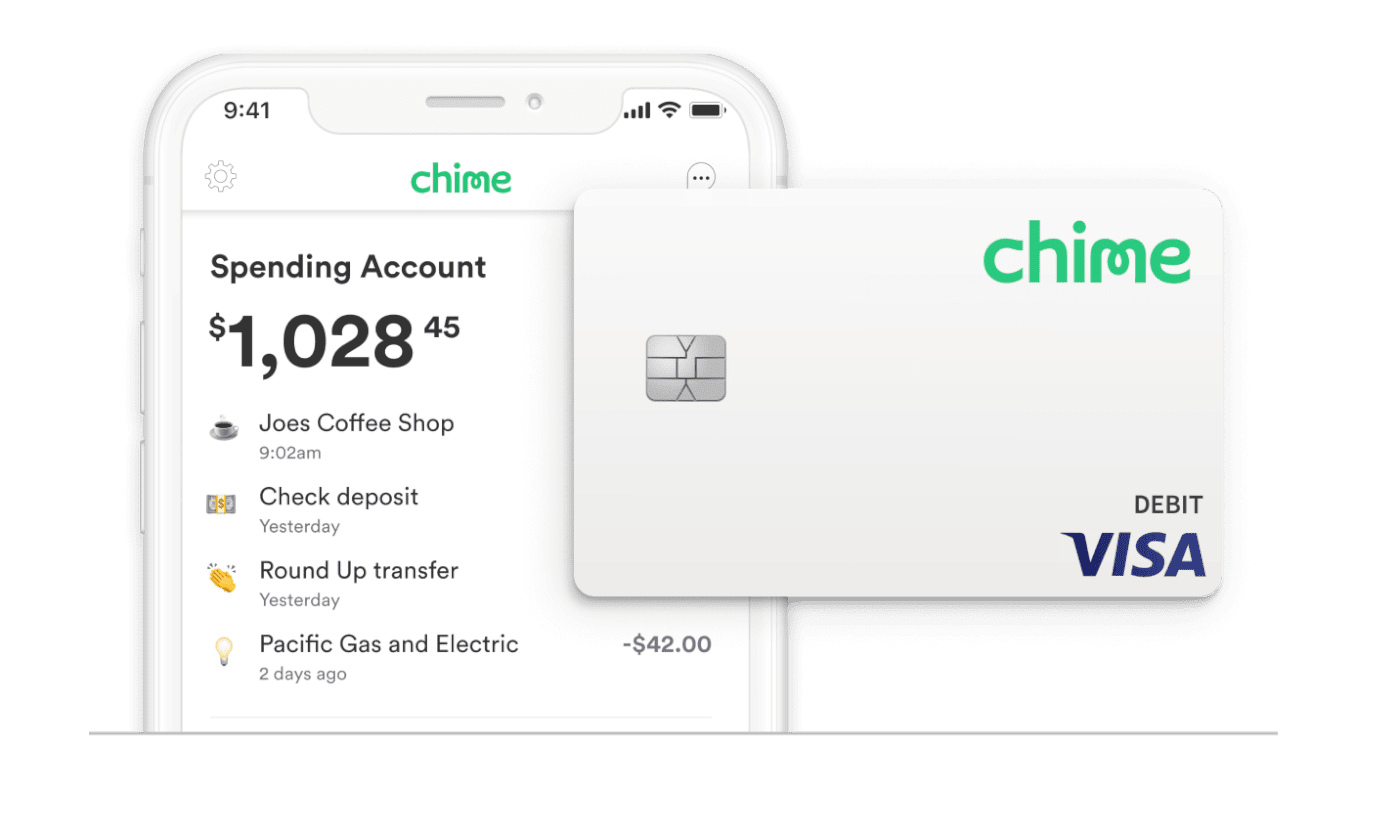
Chime operates as a financial technology company, not a traditional bank, providing banking services through partners like The Bancorp Bank and Stride Bank, N.A. It offers checking accounts (Spending Accounts), savings accounts, and a secured credit card (Chime Credit Builder Visa® Card) designed to help users improve their credit. Chime’s appeal lies in its commitment to fee-free banking, early access to paychecks, and a strong mobile app experience, positioning it as a convenient alternative to conventional banking for many.
Why Bridge the Gap Between Them?
The need to transfer funds between Cash App and Chime typically stems from the complementary nature of their services. A user might receive a payment from a friend or customer on Cash App and want to move it to their Chime account, which might be their primary hub for bills, savings, and general spending due to its banking features. Conversely, they might need to consolidate funds received on Cash App into their main Chime account to leverage Chime’s budgeting tools or early direct deposit features. Efficiently moving funds ensures that users can centralize their finances and utilize each platform’s strengths without friction.
Method 1: Direct Transfer via Linked Bank Account
The most straightforward and commonly used method for moving money from Cash App to Chime involves linking your Chime spending account to your Cash App profile. This treats your Chime account as any other external bank account within Cash App’s ecosystem.
Prerequisites for Direct Transfers
To ensure a smooth direct transfer, you’ll need:
- An active Cash App account with funds available.
- An active Chime Spending Account.
- Your Chime account and routing numbers (easily found in the Chime app under “Settings” or “Move Money”).
- A stable internet connection.
Step-by-Step: Linking Chime to Cash App
- Open Cash App: Launch the Cash App on your mobile device.
- Navigate to Profile/Banking: Tap the profile icon (usually a circle with your picture or avatar) in the top right corner.
- Select “Linked Banks”: Scroll down and select “Linked Banks.”
- Link Bank: Tap “Link Bank” or “Add Bank.”
- Enter Chime Details: Cash App will typically use Plaid to securely connect to your bank. Search for “Chime” and follow the prompts to log in to your Chime account using your Chime credentials. Alternatively, if Plaid isn’t an option or you prefer manual entry, you can select “Don’t see your bank?” or “Link Bank Manually” and input your Chime account and routing numbers. Ensure you use the account and routing numbers for your Chime Spending Account.
- Confirmation: Once successfully linked, your Chime account will appear in your “Linked Banks” list on Cash App.
Initiating the Transfer from Cash App
Once your Chime account is linked, you can initiate a transfer:
- Go to Banking Tab: From the Cash App home screen, tap the “Banking” tab (the house icon or dollar sign icon, depending on your app version) at the bottom.
- Tap “Cash Out”: Select the “Cash Out” option.
- Enter Amount: Input the desired amount you wish to transfer from your Cash App balance.
- Choose Transfer Speed: You’ll typically be presented with two options:
- Standard Deposit: This is usually free and takes 1-3 business days.
- Instant Deposit: This incurs a small fee (typically 0.5% to 1.75%, with a minimum fee of $0.25) but delivers funds to your Chime account almost immediately.
- Confirm Transfer: Review the details, including the amount and selected speed, and confirm the transfer. The funds will then be sent to your linked Chime account.
Important Considerations for Direct Transfers
While direct transfers are convenient, remember:
- Verification: Ensure your Cash App and Chime accounts are fully verified to avoid transfer limitations.
- Account Numbers: Always double-check that you’ve entered the correct Chime account and routing numbers. Incorrect details can lead to delays or lost funds.
- Primary Bank: Make sure you’re linking your primary Chime Spending Account, not a savings account or credit builder account, for seamless transactions.
Fees, Limits, and Timelines: What You Need to Know
Understanding the financial implications of your transfers – specifically fees, limits, and the time it takes for funds to arrive – is paramount for effective financial planning.
Understanding Cash App Transfer Fees
Cash App generally offers free standard deposits, but convenience comes at a price:
- Standard Deposits: These typically take 1-3 business days to arrive in your linked Chime account and are usually free of charge.
- Instant Deposits: If you need the money immediately, Cash App charges a fee, typically ranging from 0.5% to 1.75% of the transfer amount, with a minimum fee of $0.25. This fee is clearly displayed before you confirm an instant transfer.
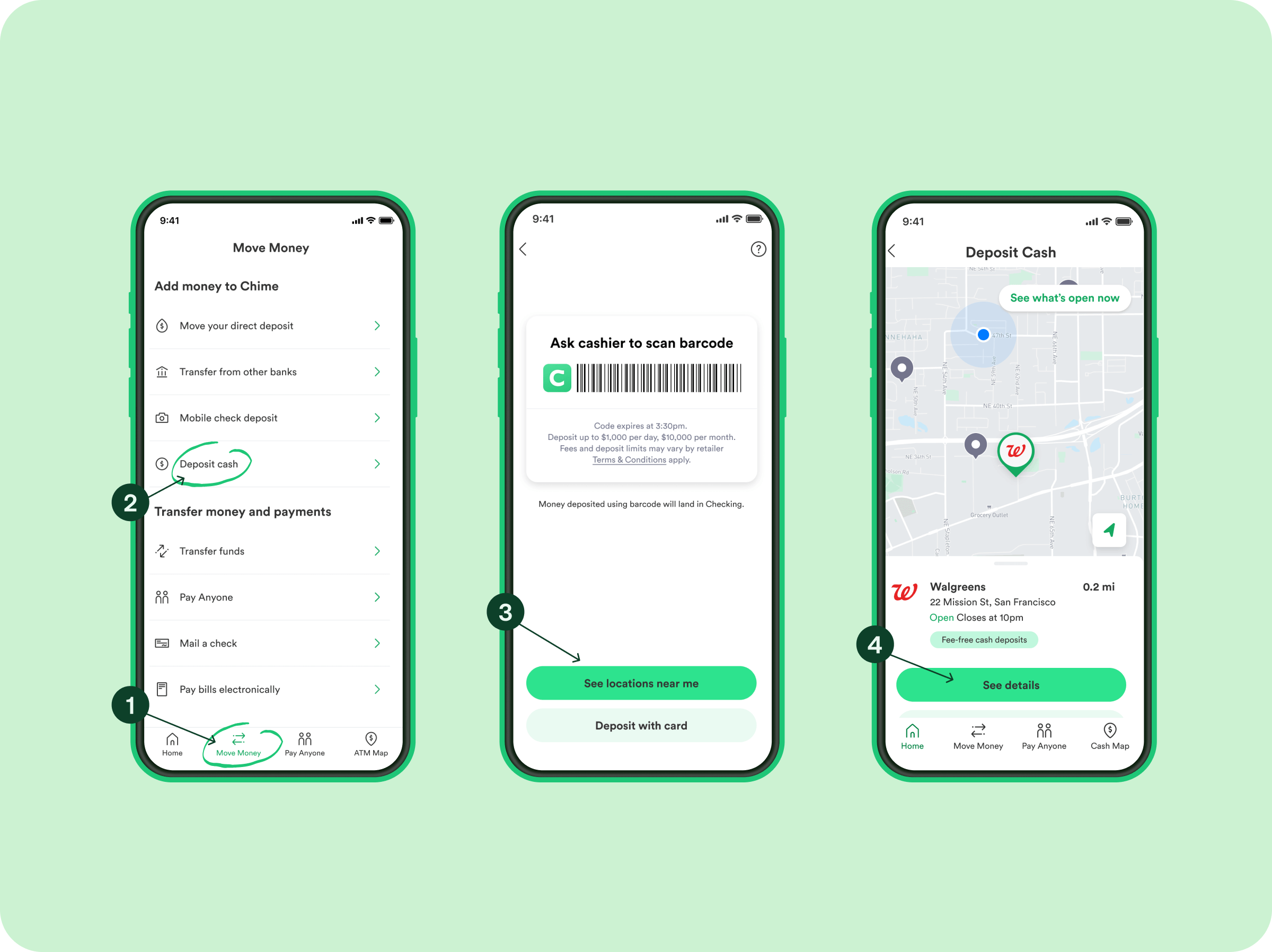
Chime’s Deposit Policies
Chime itself does not charge fees for receiving deposits from other financial institutions or payment apps like Cash App. Once the funds are sent from Cash App, Chime processes them according to its standard procedures. Chime is known for its “Get Paid Early” feature for direct deposits, but this usually applies to employer payroll and government benefits. Transfers from Cash App, whether standard or instant, will be processed upon receipt without additional fees from Chime.
Typical Transfer Speeds
- Standard Transfer: Expect funds to appear in your Chime account within 1 to 3 business days. Business days exclude weekends and public holidays.
- Instant Transfer: Funds from an instant transfer typically arrive in your Chime account within minutes, often almost immediately. However, occasional delays can occur due to bank processing times, network issues, or security reviews.
Daily and Weekly Transfer Limits
Both Cash App and Chime have certain limits designed for security and regulatory compliance.
- Cash App Limits: Unverified Cash App accounts have lower sending and receiving limits. Verified accounts generally have higher limits, often allowing for thousands of dollars in transfers per week. These limits can vary and are often dynamic based on your usage history and account verification status. You can check your specific limits within the Cash App.
- Chime Limits: While Chime doesn’t typically impose strict limits on incoming transfers, there might be daily spending limits on your Chime debit card or limits on ATM withdrawals once the funds are in your Chime account. These are separate from the transfer itself.
It’s always advisable to verify your current limits within both apps before attempting large transfers to avoid unexpected disruptions.
Ensuring a Smooth and Secure Transfer
Security is paramount when dealing with financial transactions. While both Cash App and Chime employ robust security measures, user vigilance is key to preventing issues and safeguarding your funds.
Verifying Account Information
The most critical step in any transfer is ensuring the accuracy of account details.
- Double-Check Numbers: Always verify that the Chime account number and routing number you’ve entered into Cash App are correct. A single incorrect digit can lead to funds being sent to the wrong account, which can be incredibly difficult, if not impossible, to recover.
- Account Holder Name: Ensure the name on your Cash App account matches the name on your Chime account to avoid potential holds or rejections due to mismatched information.
Security Features of Cash App and Chime
Both platforms have implemented multiple layers of security:
- Encryption: All data exchanged between your device and their servers is encrypted.
- Fraud Monitoring: Sophisticated systems monitor transactions for suspicious activity.
- Account Alerts: You can receive notifications for every transaction, helping you quickly identify unauthorized activity.
- Two-Factor Authentication (2FA): Enable 2FA on both Cash App and Chime for an extra layer of security. This requires a second form of verification (like a code sent to your phone) in addition to your password.
- PIN/Fingerprint/Face ID: Both apps allow you to secure transactions and access with a PIN, fingerprint, or facial recognition.
Common Issues and Troubleshooting Tips
Despite careful planning, issues can sometimes arise:
- Transfer Delays: If a standard transfer takes longer than 3 business days, or an instant transfer isn’t immediate, first check your Chime transaction history. If it’s not there, contact Cash App support with your transaction details.
- Failed Transfers: This can occur due to incorrect account information, exceeding limits, or temporary system glitches. Double-check all details and try again. If it persists, contact Cash App support.
- Account Verification Issues: If you encounter problems linking accounts, ensure your identity verification is complete on both platforms. Cash App sometimes requires additional verification steps.
- Mismatched Names: If the name on your Cash App account doesn’t exactly match your Chime account, the transfer might be flagged or rejected. Contact support for both platforms to resolve this.
Best Practices for Financial App Security
- Strong, Unique Passwords: Use complex passwords for both Cash App and Chime that are different from other online accounts.
- Enable 2FA: Always activate two-factor authentication.
- Monitor Accounts Regularly: Check your transaction history on both apps frequently for any unauthorized activity.
- Beware of Phishing: Be suspicious of unsolicited emails or messages asking for your login credentials or personal information. Cash App and Chime will never ask for your PIN or full password via email or text.
- Public Wi-Fi Caution: Avoid conducting financial transactions over unsecured public Wi-Fi networks, as they can be vulnerable to eavesdropping.
- Keep Apps Updated: Ensure both Cash App and Chime apps are always updated to the latest version to benefit from the newest security patches and features.
Maximizing Your Financial Flexibility with Cash App and Chime
Effectively transferring funds between Cash App and Chime is more than just moving money; it’s about leveraging the strengths of each platform to enhance your overall personal finance strategy. By understanding the intricacies of each service and the transfer process, you can maintain greater control and flexibility over your money.
Weighing the Pros and Cons
- Cash App Strengths: Excellent for peer-to-peer payments, micro-investing (stocks, Bitcoin), and quick access to a debit card. Its ease of use makes it ideal for casual transactions.
- Chime Strengths: Strong focus on fee-free banking, early access to direct deposits, a useful savings account with automatic features, and credit-building tools. It serves as a robust primary banking solution for many.
- Transfer Benefit: The ability to move funds between them allows you to benefit from both: receive money easily on Cash App, then consolidate it into Chime for more comprehensive banking and savings features.
Strategic Use for Personal Finance Management
Consider these strategies:
- Centralized Spending: Use Cash App for receiving payments or making specific quick transactions, then transfer funds to Chime to manage all your spending, bill payments, and budgeting from one primary account.
- Savings Goals: If you receive irregular income via Cash App, you can regularly sweep these funds into your Chime Savings Account to take advantage of its automatic savings features.
- Credit Building: Use Cash App funds to pay off your Chime Credit Builder card, helping to improve your credit score without traditional interest or annual fees.
- Emergency Fund: Keep a small amount of liquid cash on Cash App for immediate, unforeseen needs, while transferring larger sums to Chime for more secure, long-term emergency savings.
Future of Digital Transfers
The integration and interoperability between financial applications like Cash App and Chime are continuously improving. As financial technology advances, we can expect even more seamless, faster, and potentially cheaper ways to move money across different platforms. The trend toward open banking APIs and standardized financial protocols will likely further simplify these processes, empowering users with even greater control over their digital finances.
By mastering the transfer process between Cash App and Chime, you’re not just moving numbers; you’re actively managing your financial ecosystem, making informed decisions, and utilizing modern tools to achieve your personal finance goals.
aViewFromTheCave is a participant in the Amazon Services LLC Associates Program, an affiliate advertising program designed to provide a means for sites to earn advertising fees by advertising and linking to Amazon.com. Amazon, the Amazon logo, AmazonSupply, and the AmazonSupply logo are trademarks of Amazon.com, Inc. or its affiliates. As an Amazon Associate we earn affiliate commissions from qualifying purchases.