
In the contemporary landscape of personal finance, the speed and fluidity of capital movement have become paramount. Digital wallets, once considered niche tools for tech enthusiasts, have evolved into central pillars of the modern financial ecosystem. Among these, Cash App—developed by Block, Inc.—has emerged as a dominant force, bridging the gap between social payments and traditional banking. However, for many users, the most critical function remains the “exit strategy”: moving liquidity from the digital ledger of the app into a regulated, interest-bearing bank account.

Understanding how to transfer money from Cash App to your bank is more than just a technical exercise; it is a strategic component of cash flow management. Whether you are managing side hustle income, receiving reimbursements from friends, or liquidating a small Bitcoin position, the efficiency with which you move these funds dictates your financial agility.
Understanding the Cash App Ecosystem in Modern Personal Finance
Before diving into the mechanics of the transfer, it is essential to contextualize where Cash App fits within your broader financial strategy. We no longer live in a world where a single checking account suffices for all financial needs. Instead, savvy individuals utilize a “hub and spoke” model, where various fintech tools serve specific purposes while connecting back to a primary banking institution.
The Role of Digital Wallets in Your Financial Portfolio
Cash App functions as a high-velocity digital wallet. It is designed for immediate peer-to-peer (P2P) transactions, micro-investing, and even receiving direct deposits. For many, it serves as an “operating account”—a place where money is fluid and active. However, digital wallets generally lack the robust long-term savings features, high-yield interest rates, and comprehensive insurance protections (such as FDIC coverage on the app balance itself unless specific conditions are met) that traditional banks offer.
Transferring money to your bank is the act of moving capital from a “transactional” state to a “stored” or “invested” state. This transition is vital for long-term wealth building, as it allows your capital to participate in more sophisticated financial vehicles, such as high-yield savings accounts (HYSA) or brokerage-linked checking accounts.
Cash App as a Bridge Between Traditional and Neo-Banking
Cash App represents the “Neo-Banking” movement—a shift toward mobile-first, user-centric financial services. By providing a routing and account number, Cash App acts as a bridge. For freelancers and side-hustlers, this bridge is a lifeline. It allows for the rapid collection of payments from clients which can then be funneled into a business bank account for tax categorization and professional accounting. Recognizing the transfer process as this “bridge” helps users prioritize the frequency and timing of their withdrawals.
Step-by-Step: Executing Your Transfer with Precision
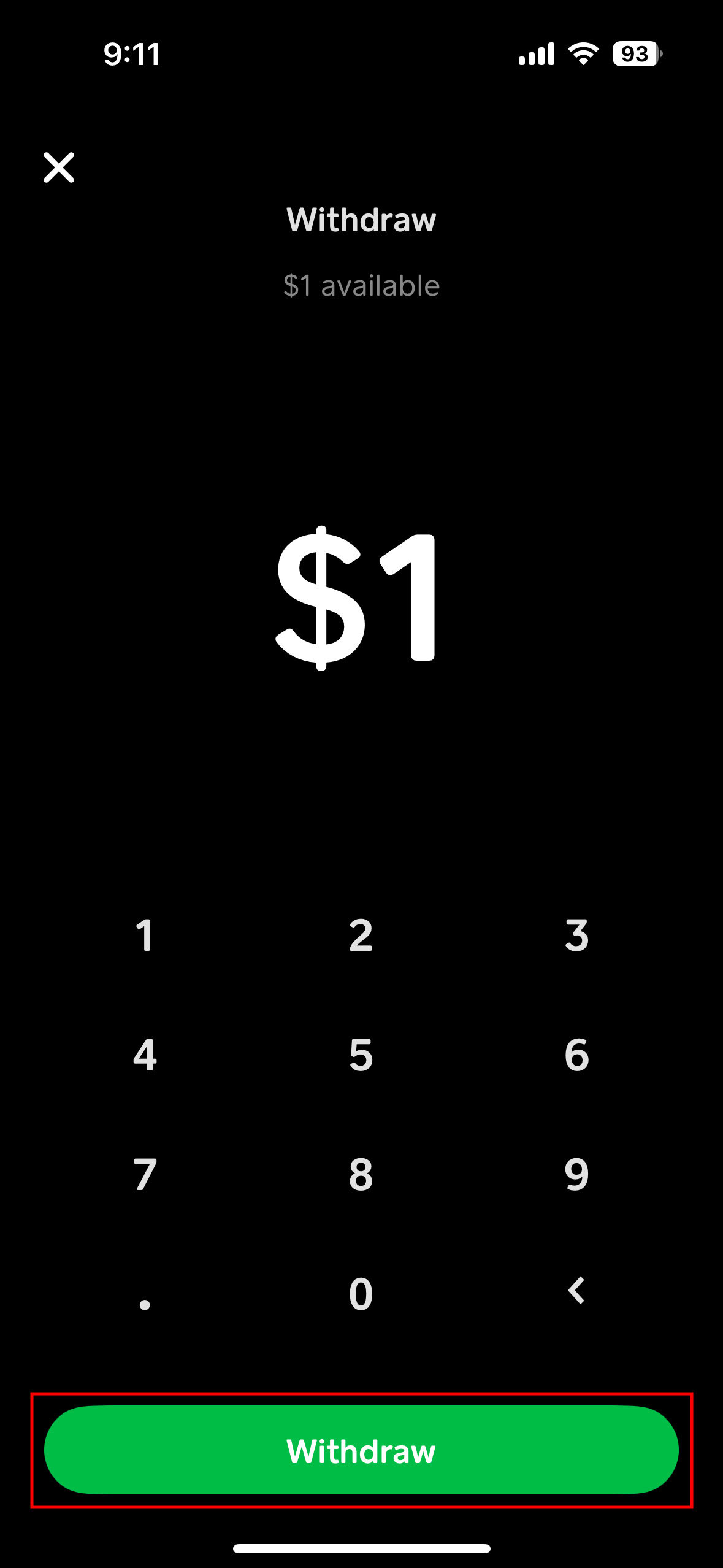
The actual process of moving funds is straightforward, yet it requires an understanding of the underlying mechanics to avoid unnecessary delays or fees. To initiate a transfer, you must first ensure your digital infrastructure is correctly configured.
Linking Your Bank Account and Debit Card
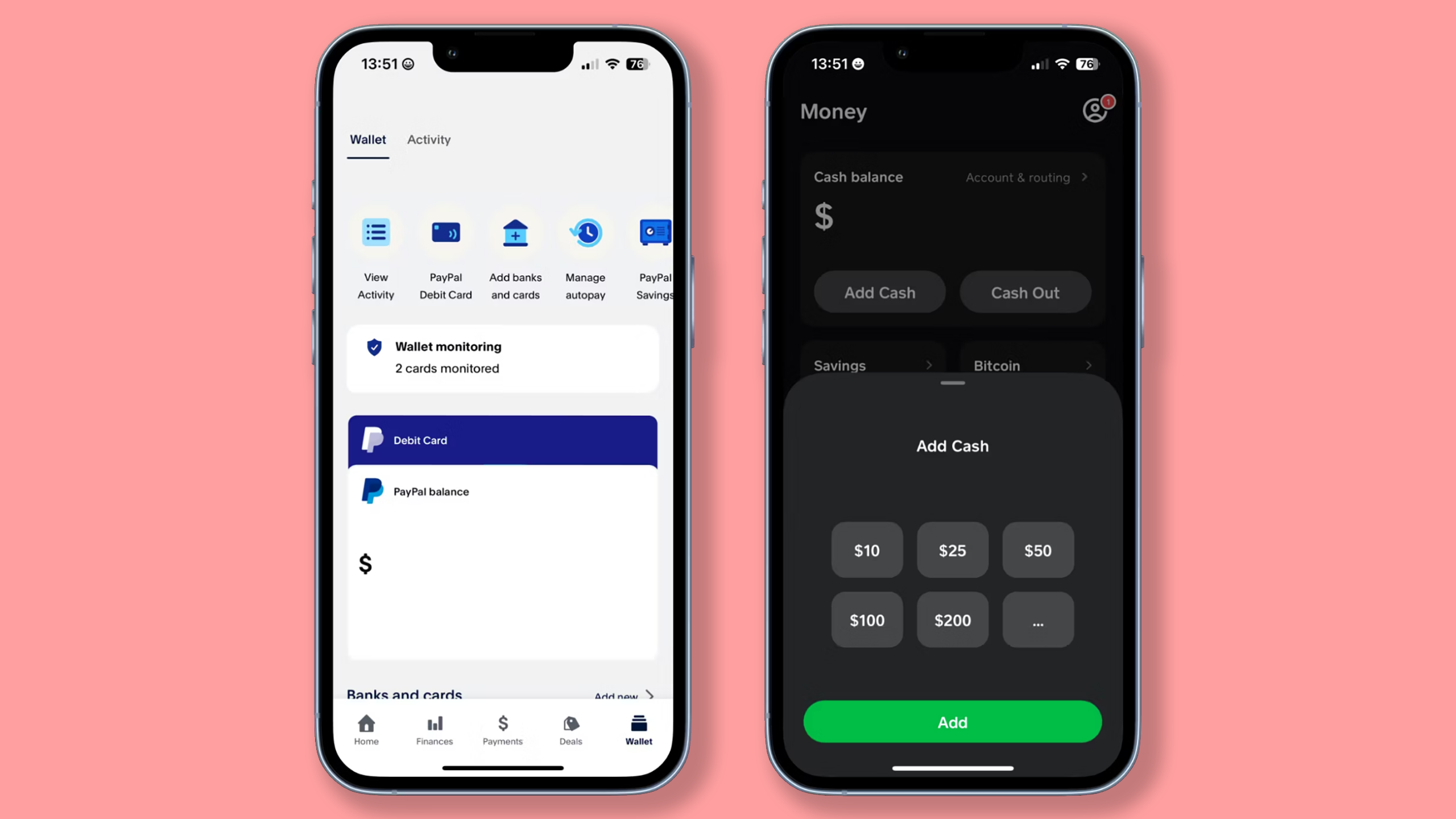
To move money out of Cash App, you must establish a secure link to a traditional financial institution. Cash App allows for two primary types of connections:
- Linked Debit Card: This is required for “Instant Deposits.” By linking a Visa or Mastercard debit card issued by your bank, you create a real-time pathway for funds.
- Linked Bank Account: This is established using your bank’s routing and account numbers (often facilitated via Plaid). This connection is used for “Standard Deposits.”
From a financial management perspective, it is best practice to link both. Having both options ensures that you have a fallback method should one system face a service interruption, and it allows you to choose between speed and cost-effectiveness.
The Standard Transfer vs. Instant Deposit: A Cost-Benefit Analysis
This is the most critical decision-point for any user. Cash App offers two tiers of transfer:
- Standard Deposit: This method is free of charge. The funds typically arrive in your bank account within one to three business days. From a personal finance standpoint, this is the superior choice for non-urgent funds. If you are moving a large sum—say $2,000—a standard transfer saves you the percentage-based fee, which adds up significantly over time.
- Instant Deposit: This method sends funds to your linked debit card immediately. However, it comes with a fee (typically ranging from 0.5% to 1.75%, with a minimum fee). While 1.5% might seem negligible on a $20 transfer, on larger amounts, it represents a “leakage” of capital.
Pro Tip: If you are using Cash App for business or a side hustle, these fees are often tax-deductible as business expenses, but they still represent a loss of net income. Planning your transfers a few days in advance to utilize the Standard Deposit is a simple way to increase your financial efficiency.
Troubleshooting Common Transfer Hurdles
Occasionally, a transfer may fail or be held. Usually, this is due to one of three factors:
- Expired Debit Cards: If your Instant Deposit fails, check the expiration date of the linked card.
- Account Mismatches: Ensure the name on your Cash App account matches the name on your bank account to prevent anti-money laundering (AML) flags.
- Insufficient Balance: Always confirm the “Cash Out” amount does not exceed your available balance after accounting for any pending transactions.
Strategic Financial Management: When to Move Your Money
Beyond the “how,” a sophisticated approach to finance requires asking “when.” Holding large balances in a P2P app is rarely the most efficient use of capital.
Optimizing Liquidity and Interest Rates
In a high-interest-rate environment, every day your money sits in a non-interest-bearing Cash App balance, you are losing “opportunity cost.” For example, if you have $5,000 sitting idle in Cash App instead of a 4.5% APY high-yield savings account, you are effectively losing roughly $18 per month.
A disciplined financial habit is to perform a “sweep” every Friday. Transfer all non-essential funds from Cash App to your bank. This ensures your capital is working for you, earning interest, and is protected by the full weight of banking regulations and insurance.
Cash App for Side Hustles and Business Finance
For entrepreneurs, Cash App can be a double-edged sword. While it makes accepting payments easy, mixing business and personal funds is a major accounting pitfall. To maintain clean financial records:
- Use the “Cash App for Business” setting if applicable.
- Transfer business earnings directly to a dedicated business bank account.
- Avoid spending directly from the Cash App balance for personal items if the incoming funds are business-related.
By transferring the money to a bank first, you create a clear “paper trail” or digital ledger that simplifies tax season and provides a clearer picture of your business’s actual profitability.
Security Protocols and Regulatory Compliance
When moving money between platforms, security should be your primary concern. Digital transfers are targets for various forms of cyber-fraud, and understanding the protections in place is vital.
Safeguarding Your Assets During Transit
Cash App employs encryption and fraud detection triggers, but the user is the first line of defense. When initiating a transfer to a bank:
- Enable Security Locks: Ensure that every “Cash Out” requires biometrics (FaceID/TouchID) or a PIN.
- Verify the Destination: Periodically double-check your linked bank account details. If your bank merges or changes its routing number, update your Cash App settings immediately.
- Public Wi-Fi Warning: Never initiate a financial transfer over an unsecured public Wi-Fi network. Use a VPN or your cellular data to ensure the connection is encrypted from end to end.
Tax Implications and Reporting Requirements
Under current IRS regulations (specifically regarding the 1099-K reporting threshold), digital payment processors are required to report certain levels of activity. While the transfer from Cash App to your bank itself isn’t a taxable event (it’s simply moving your own money), the source of that money might be.
If you are receiving payments for goods and services, those funds are taxable income. Moving them to a bank account allows you to set aside a percentage (typically 25-30%) in a separate tax savings sub-account. This level of financial foresight prevents the “tax season scramble” that many independent contractors face.
Looking Ahead: The Future of Frictionless Value Transfer
The technology behind transferring money from Cash App to your bank is constantly evolving. We are moving toward a world of “Real-Time Payments” (RTP). With the launch of systems like FedNow in the United States, the distinction between “Standard” and “Instant” deposits may eventually disappear, making all transfers instantaneous and low-cost.
Until that frictionless future arrives, the strategic management of your Cash App balance remains a hallmark of financial literacy. By choosing the right transfer method, timing your withdrawals to maximize interest, and maintaining rigorous security standards, you transform a simple app interaction into a powerful tool for wealth management.
In conclusion, moving money from Cash App to your bank is the final, essential step in a cycle of earning and saving. Treat your digital wallet as a gateway, but treat your bank account as the fortress where your financial future is built. Master this flow, and you master one of the most practical aspects of modern personal finance.
aViewFromTheCave is a participant in the Amazon Services LLC Associates Program, an affiliate advertising program designed to provide a means for sites to earn advertising fees by advertising and linking to Amazon.com. Amazon, the Amazon logo, AmazonSupply, and the AmazonSupply logo are trademarks of Amazon.com, Inc. or its affiliates. As an Amazon Associate we earn affiliate commissions from qualifying purchases.