
In the rapidly evolving landscape of digital finance, peer-to-peer (P2P) payment applications have become indispensable tools for managing personal transactions. Cash App and Venmo stand out as two of the most popular platforms, each boasting millions of users who rely on them for sending, receiving, and spending money. While both apps serve similar core functions, they operate as distinct entities, often leading users to wonder about the interoperability between them. Directly transferring funds from Cash App to Venmo isn’t a native, one-click feature, a common design choice among competing fintech platforms. However, understanding the underlying technical mechanisms and leveraging standard banking infrastructure allows users to seamlessly bridge these applications. This guide delves into the practical methods, technical considerations, and best practices for moving money between your Cash App and Venmo accounts, ensuring a smooth and secure digital transaction experience.
Understanding the Interoperability Challenge Between Digital Wallets
The digital finance ecosystem is characterized by innovation, convenience, and, often, a degree of fragmentation. While apps like Cash App and Venmo simplify P2P payments, they are designed with specific business models and user experiences in mind, which typically do not prioritize direct inter-app fund transfers with competing services.
The Walled Garden Approach of Peer-to-Peer Apps
Most P2P payment applications, including Cash App and Venmo, operate on a “walled garden” principle. This means they are designed to keep users within their respective ecosystems as much as possible. The primary goal for these platforms is to facilitate transactions between their own users and to encourage engagement with their additional features, such as investing (Cash App) or splitting bills with friends (Venmo). Direct integration with a competing service would, from a business perspective, divert transaction volume and user engagement away from their platform. Technically, this translates to an absence of built-in features that would allow you to simply select “Transfer to Venmo” from Cash App, or vice-versa. This isn’t a technical limitation in terms of data transfer capability, but rather a strategic product design choice.
Why Direct Transfers Are Not a Native Feature
The lack of direct transfer functionality isn’t due to a lack of technical feasibility, but rather a combination of competitive strategy, security protocols, and regulatory compliance. Each platform maintains its own set of user data, transaction logs, and security measures. Building direct bridges would require extensive API integration, complex data sharing agreements, and the navigation of diverse regulatory landscapes concerning money transmission. Furthermore, it would necessitate a unified approach to dispute resolution and fraud prevention across multiple platforms, adding layers of complexity that neither company is incentivized to undertake for a competitor. As a result, users must rely on existing financial infrastructure to move funds indirectly.
The Role of Linked Bank Accounts in Bridging Platforms
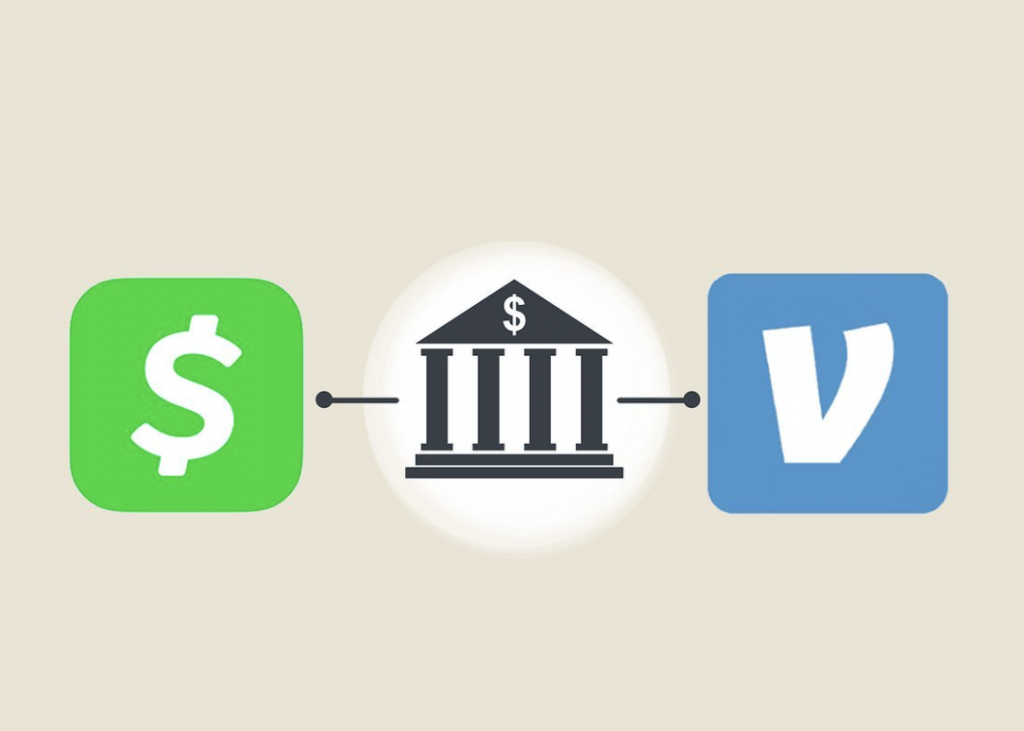
The common denominator and the technical “bridge” between virtually all digital payment apps and traditional finance is the user’s linked bank account. Both Cash App and Venmo require users to link a bank account or debit card for various functions, including cashing out funds, adding money to their balance, or verifying identity. This reliance on traditional banking provides the crucial mechanism for moving money between disparate digital wallets. When you initiate a “cash out” from Cash App, the funds are sent to your linked bank account. Once these funds arrive in your bank, they become available to be deposited into your Venmo account from that same bank account. This multi-step process, while not instantaneous, leverages the established and regulated financial rails to achieve the desired outcome. Understanding this fundamental principle is key to successfully navigating transfers between different digital payment services.
The Step-by-Step Process: Indirect Transfer Methods
Since direct transfers between Cash App and Venmo are not supported, the most reliable and commonly used method involves using your linked bank account as an intermediary. This process ensures the security and traceability of your funds.
Method 1: Cash App to Bank Account to Venmo
This method is the most straightforward and universally applicable way to move money between the two platforms. It leverages the existing banking infrastructure that both apps utilize.
Initiating a Cash Out from Cash App
The first step is to withdraw the desired funds from your Cash App balance to your linked bank account.
- Open Cash App: Launch the Cash App on your mobile device.
- Navigate to the Banking Tab: Tap on the “Banking” tab, which is represented by a house icon or the dollar amount of your balance, typically found in the bottom-left corner of the screen.
- Select “Cash Out”: Within the Banking tab, you’ll see your Cash App balance. Tap the “Cash Out” button.
- Enter Amount: Input the specific amount of money you wish to transfer. Ensure this amount is available in your Cash App balance.
- Choose Transfer Speed: Cash App offers two options:
- Standard (1-3 business days): This option is usually free and funds are deposited into your linked bank account within 1 to 3 business days. This is the recommended option for most transfers where speed isn’t critical.
- Instant (0.5% – 1.75% fee): For an immediate transfer, Cash App charges a small fee. The funds are typically available in your linked bank account within minutes.
- Confirm Transfer: Review the details, including the amount and chosen speed. Confirm the transaction.
Waiting for Bank Transfer Completion
Once you’ve initiated the cash out from Cash App, the funds are now in transit to your linked bank account.
- Standard Transfers: These transfers are processed through the ACH (Automated Clearing House) network. ACH transfers are batched and processed at specific times, which accounts for the 1-3 business day timeframe. It’s crucial to understand that “business days” exclude weekends and public holidays.
- Instant Transfers: These transfers typically use debit card networks (like Visa Direct or Mastercard Send) to expedite the transfer. While often instant, bank processing times can still vary slightly, and in rare cases, it might take a few hours for the funds to reflect in your bank balance, especially if initiated outside of standard banking hours.
It’s important to verify that the funds have indeed arrived in your bank account before attempting to transfer them to Venmo. You can do this by checking your bank’s mobile app or online banking portal.
Adding Funds to Venmo from Your Bank
Once the money is securely in your bank account, you can now transfer it to your Venmo balance.
- Open Venmo: Launch the Venmo app on your mobile device.
- Navigate to “Me” or “You” Tab: Tap on the single person icon or the “Me” tab, usually found in the bottom-right corner.
- Tap “Manage Balance” or “Add Money”: On your profile screen, you’ll see your Venmo balance. Look for an option like “Manage Balance” or “Add Money” (often represented by a plus sign icon).
- Enter Amount: Input the exact amount you wish to transfer from your bank to Venmo. Ensure this amount matches what was transferred from Cash App to your bank.
- Select Linked Bank Account: Choose the bank account that you used to receive funds from Cash App. This bank account must already be linked and verified with Venmo.
- Confirm Transfer: Review the details and confirm the transaction. Venmo usually initiates these transfers as ACH deposits, meaning they typically take 1-3 business days to reflect in your Venmo balance. Venmo also offers instant transfers from your Venmo balance to your bank, but typically not the other way around for adding funds without specific debit card functionality.
Method 2: Cash App to Debit Card to Venmo (Less Common but Possible)
While less common and potentially involving more steps or fees, some users explore using a debit card as an intermediary. This method is generally less advisable due to potential fees and complexities.

Understanding Instant Deposits and Fees on Cash App
Cash App’s “Instant Deposit” feature typically pushes funds from Cash App to a linked debit card (which is often linked to your primary bank account). This incurs a fee and is essentially an expedited version of Method 1’s “Instant” option. The Cash Card, a prepaid debit card issued by Cash App, could also theoretically be used.
Funding Venmo via a Linked Debit Card (if applicable and allowed by Venmo)
Venmo allows users to add funds to their balance using a linked bank account, but direct funding from a debit card balance to your Venmo balance (bypassing the bank account) is not a standard feature. While you can send money using a debit card on Venmo (which may incur a fee), adding money to your Venmo balance typically defaults to your linked bank account.
If you were to use the Cash Card, it functions like any other debit card. You would need to ensure your Cash Card has sufficient funds (from your Cash App balance) and then attempt to use it to “add money” to Venmo, if Venmo allows adding money from a debit card in your specific region or for your account type. Generally, this is not a guaranteed or recommended path compared to the bank account intermediary. The primary use of the Cash Card is for spending directly, not as an intermediary for inter-app transfers.
Key Considerations and Potential Hurdles
Navigating transfers between digital payment platforms requires attention to detail. Several factors can influence the success, speed, and cost of your transfers.
Transaction Limits and Verification Requirements
Both Cash App and Venmo impose transaction limits, which can vary based on your account’s verification status. Unverified accounts typically have lower sending, receiving, and cash-out limits. To increase these limits, both platforms require identity verification, usually involving your full name, date of birth, and the last four digits of your Social Security Number (SSN).
- Cash App: Verification increases cash-out limits and allows for higher transaction amounts.
- Venmo: Verification is required for most advanced features, including receiving large sums and cashing out to a bank account without issues.
- Impact on Transfers: If you’re attempting to transfer a significant amount, ensure both your Cash App and Venmo accounts, as well as your linked bank account, are fully verified to avoid transfer rejections or delays.
Understanding Transfer Fees and Speed
The cost and speed of your transfer are critical considerations.
- Cash App Cash Out Fees:
- Standard Transfer (1-3 business days): Free.
- Instant Transfer (minutes): Typically 0.5% to 1.75% of the transferred amount.
- Venmo “Add Money” Fees: Adding money to your Venmo balance from a linked bank account is generally free, but it’s usually a standard ACH transfer (1-3 business days).
- Overall Cost: The primary cost driver in this process is the “Instant” cash-out option from Cash App. If you’re not in a rush, opting for standard transfers can make the entire process free of platform-specific fees. Your bank might have its own fees for certain transfers, but this is less common for standard ACH deposits.
- Timing: Factor in weekends and public holidays when estimating transfer times, as these can extend the “business day” count.
Common Troubleshooting Tips for Failed Transfers
Even with careful planning, transfers can sometimes encounter issues.
- Verify Account Information: Double-check that your linked bank account details (routing and account numbers) are correct and up-to-date on both Cash App and Venmo. An incorrect digit is a common cause of failure.
- Check Balances: Ensure you have sufficient funds in your Cash App balance before initiating a cash out. Also, confirm the money has landed in your bank account before trying to add it to Venmo.
- Review Limits: Confirm that your transfer amount does not exceed the daily, weekly, or monthly limits imposed by Cash App, Venmo, or your bank.
- Account Verification Status: Ensure both your Cash App and Venmo accounts are fully verified. Unverified accounts often face restrictions.
- Bank Issues: Sometimes the issue lies with your bank. Check for any transaction holds, fraud alerts, or temporary system outages with your financial institution.
- App Updates: Make sure both Cash App and Venmo applications are updated to their latest versions. Outdated apps can sometimes cause functionality issues.
- Contact Support: If the problem persists after troubleshooting, contact the customer support teams for Cash App, Venmo, or your bank, depending on where the transaction is stalled. Provide them with transaction IDs and relevant details.
Security Best Practices for Digital Wallet Transactions
Security is paramount when dealing with financial technology.
- Enable Two-Factor Authentication (2FA): Always activate 2FA on both Cash App and Venmo for an extra layer of security. This typically involves a code sent to your phone or generated by an authenticator app.
- Use Strong, Unique Passwords: Create complex and unique passwords for each app and your bank account. Avoid reusing passwords.
- Monitor Account Activity: Regularly review your transaction history on Cash App, Venmo, and your bank account for any unauthorized activity. Set up notifications for all transactions.
- Beware of Phishing Scams: Be cautious of unsolicited emails, texts, or calls claiming to be from Cash App or Venmo. These scams often try to trick you into revealing your login credentials. Always access the apps directly or through official websites.
- Secure Your Device: Use a strong passcode or biometric authentication (fingerprint/Face ID) to secure your mobile device.
- Public Wi-Fi Caution: Avoid performing financial transactions over unsecured public Wi-Fi networks, as they can be vulnerable to eavesdropping. Use a VPN or wait until you have a secure connection.
Optimizing Your Digital Wallet Experience
As digital wallets become more integral to daily financial life, understanding how to best manage and leverage them can significantly enhance your experience.
Leveraging Instant Transfers vs. Standard Transfers
The choice between instant and standard transfers often comes down to a trade-off between speed and cost.
- When to Use Instant: Instant transfers are invaluable for urgent situations, such as paying a bill last minute or needing immediate access to funds. Be mindful of the associated fees and factor them into your decision.
- When to Use Standard: For non-urgent transfers, the standard (free) option is almost always preferable. Planning ahead can save you money on fees, allowing you to maximize the funds available for your intended purpose. It’s a strategic decision that reflects your immediate financial needs versus cost-efficiency.
Managing Multiple Payment Apps Efficiently
Many users find themselves juggling several digital payment apps. Efficient management involves more than just knowing how to transfer money between them.
- Centralized Tracking: Consider using budgeting or financial tracking apps that can link to multiple bank accounts and payment apps. This provides a holistic view of your finances, regardless of which app holds your money.
- Purpose-Driven Usage: Assign specific roles to each app. For example, use Venmo primarily for social payments with friends and Cash App for sending money to specific contacts or leveraging its investing features. This can reduce confusion and streamline your financial habits.
- Regular Reconciliation: Periodically reconcile your balances across all platforms with your bank statements to ensure accuracy and detect any discrepancies early.
- Consolidate When Possible: If you find yourself consistently moving money between apps for the same reason, evaluate if consolidating your activities into a single primary app could simplify your process.

Staying Informed on App Updates and Feature Changes
The fintech landscape is dynamic, with apps frequently rolling out updates, new features, and changes to their policies or fee structures.
- Enable Notifications: Allow notifications from Cash App and Venmo to stay informed about important updates, security alerts, and new features.
- Review App Store Release Notes: Before updating, take a moment to read the release notes in your app store. These often detail changes that could impact your usage.
- Follow Official Channels: Subscribe to official blogs, newsletters, or social media accounts of Cash App and Venmo for announcements regarding new services, security advisories, or changes in terms of service.
- Understand Impact: New features or policy changes can sometimes directly affect transfer options, limits, or fees. Staying informed ensures you can adapt your strategies for moving money effectively and securely. For instance, a new partnership between a payment app and a bank could potentially streamline certain transfer types in the future.
While Cash App and Venmo do not offer direct inter-app transfers, the methods outlined above, primarily leveraging your linked bank account, provide secure and reliable pathways. By understanding the technical underpinnings, being mindful of fees and limits, and adhering to security best practices, you can effectively manage your funds across these popular digital wallets, optimizing your overall digital finance experience.
aViewFromTheCave is a participant in the Amazon Services LLC Associates Program, an affiliate advertising program designed to provide a means for sites to earn advertising fees by advertising and linking to Amazon.com. Amazon, the Amazon logo, AmazonSupply, and the AmazonSupply logo are trademarks of Amazon.com, Inc. or its affiliates. As an Amazon Associate we earn affiliate commissions from qualifying purchases.