
In an increasingly data-driven world, understanding and calculating percentages is not merely a mathematical exercise; it’s a fundamental skill essential for navigating everything from personal finance and shopping discounts to business analytics and scientific data interpretation. While the concept of a percentage might seem straightforward, the various ways to compute it efficiently and accurately using the diverse array of calculators available today can sometimes be less clear. This guide delves into the practical art of “taking percentages” on different technological platforms, ensuring you can harness the power of your calculator—be it a dedicated gadget, a smartphone app, or spreadsheet software—to perform these vital computations with ease and precision.
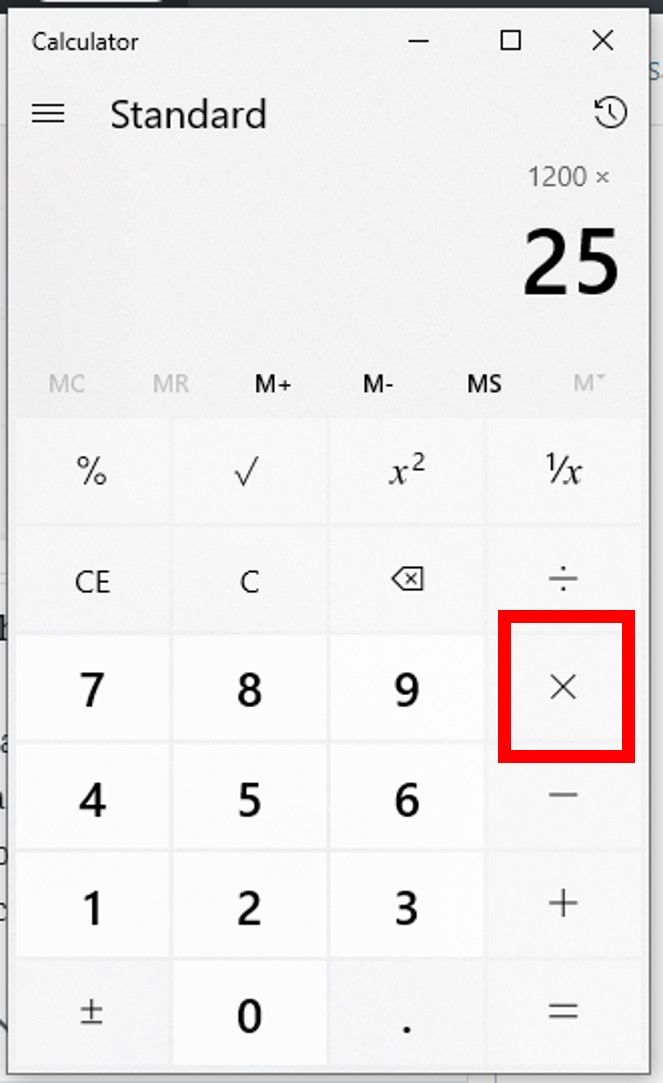
Our journey will explore the nuances of various calculator types, demystifying the ‘percent’ key, providing clear step-by-step instructions for common calculations, and offering insights into advanced techniques. By the end of this comprehensive tutorial, you’ll not only be proficient in calculating percentages on any device but also gain a deeper appreciation for the technological tools that empower our daily computational needs.
The Ubiquitous Percentage: Why It Matters in a Digital World
Percentages are omnipresent, serving as a universal language for proportional representation. In an era saturated with information, the ability to quickly grasp and manipulate these figures is a cornerstone of digital literacy and informed decision-making.
From Discounts to Data: Everyday Applications
Think about the last time you bought something on sale. The “20% off” sticker immediately translates into a percentage calculation you might perform, consciously or subconsciously, to determine the final price. Similarly, understanding interest rates on loans or savings, interpreting survey results showing “60% of respondents agreed,” or analyzing business reports detailing “a 15% growth in revenue” all hinge on the concept of percentages. In the tech landscape, percentages are crucial for battery life indicators, download progress bars, data compression rates, and even the efficacy metrics of AI models. They provide a standardized way to compare parts to a whole, making complex information digestible and actionable across countless scenarios.
The Calculator as Your Digital Ally
Before the advent of digital calculators, these computations were a manual, often tedious, task. Today, whether embedded in our smartphones, accessible through web browsers, or as dedicated physical devices, calculators serve as indispensable digital allies, simplifying complex arithmetic and ensuring accuracy. They abstract away the raw mathematical operations, allowing users to focus on the application of the results rather than the mechanics of calculation. Mastering your calculator’s percentage functions is not just about crunching numbers; it’s about leveraging technology to enhance your analytical capabilities and efficiency.
Mastering Basic Percentage Calculations on Any Calculator
While calculators come in various forms, the fundamental approach to percentage calculations remains largely consistent. Understanding the ‘percent’ key and its common functionalities is your entry point.
The Fundamental ‘Percent’ Key: Your First Step
Most basic and scientific calculators feature a dedicated ‘%’ key. This key often acts as an operator, simplifying percentage calculations significantly. Its exact behavior can vary slightly between models and brands, but generally, it converts the preceding number into its decimal equivalent (e.g., pressing 50 % might display 0.5 or prepare for a calculation involving 0.5). However, its most powerful use comes in conjunction with other arithmetic operators.
Calculating a Percentage of a Number (e.g., 15% of 200)
This is perhaps the most common percentage calculation. You want to find what a certain percentage slice of a whole number is.
Method 1: Using the ‘%’ key (if your calculator supports direct calculation)
-
Enter the number you want to find the percentage of. (e.g.,
200) -
Press the multiplication operator. (e.g.,
*) -
Enter the percentage value. (e.g.,
15) -
Press the ‘%’ key.
-
Press the equals key (
=) if your calculator doesn’t automatically display the result.- Example sequence:
200 * 15 % =(Result:30)
- Example sequence:
Method 2: Manual conversion to decimal (universal method)
-
Convert the percentage to a decimal by dividing it by 100. (e.g.,
15 / 100 = 0.15) -
Multiply the original number by this decimal.
- Example sequence:
200 * 0.15 =(Result:30)
This method works on any calculator, even those without a ‘%’ key or where its behavior is ambiguous.
- Example sequence:
Finding Percentage Increase or Decrease (e.g., Price Markups/Downs)
Calculating an increase or decrease by a certain percentage is crucial for tracking growth, discounts, or tax additions.
Percentage Increase (e.g., a product costs $50, and you want to add a 10% tax):
-
Enter the original number. (e.g.,
50) -
Press the addition operator. (e.g.,
+) -
Enter the percentage value. (e.g.,
10) -
Press the ‘%’ key. (Your calculator might display the calculated percentage amount, e.g.,
5, before adding it to the original number). -
Press the equals key (
=).-
Example sequence:
50 + 10 % =(Result:55) -
Manual method:
50 * 0.10 = 5. Then50 + 5 = 55. Or, more efficiently:50 * 1.10 = 55(because 100% + 10% = 110% or 1.10).
-
Percentage Decrease (e.g., a $50 item with a 10% discount):
-
Enter the original number. (e.g.,
50) -
Press the subtraction operator. (e.g.,
-) -
Enter the percentage value. (e.g.,
10) -
Press the ‘%’ key.
-
Press the equals key (
=).-
Example sequence:
50 - 10 % =(Result:45) -
Manual method:
50 * 0.10 = 5. Then50 - 5 = 45. Or, more efficiently:50 * 0.90 = 45(because 100% – 10% = 90% or 0.90).
-
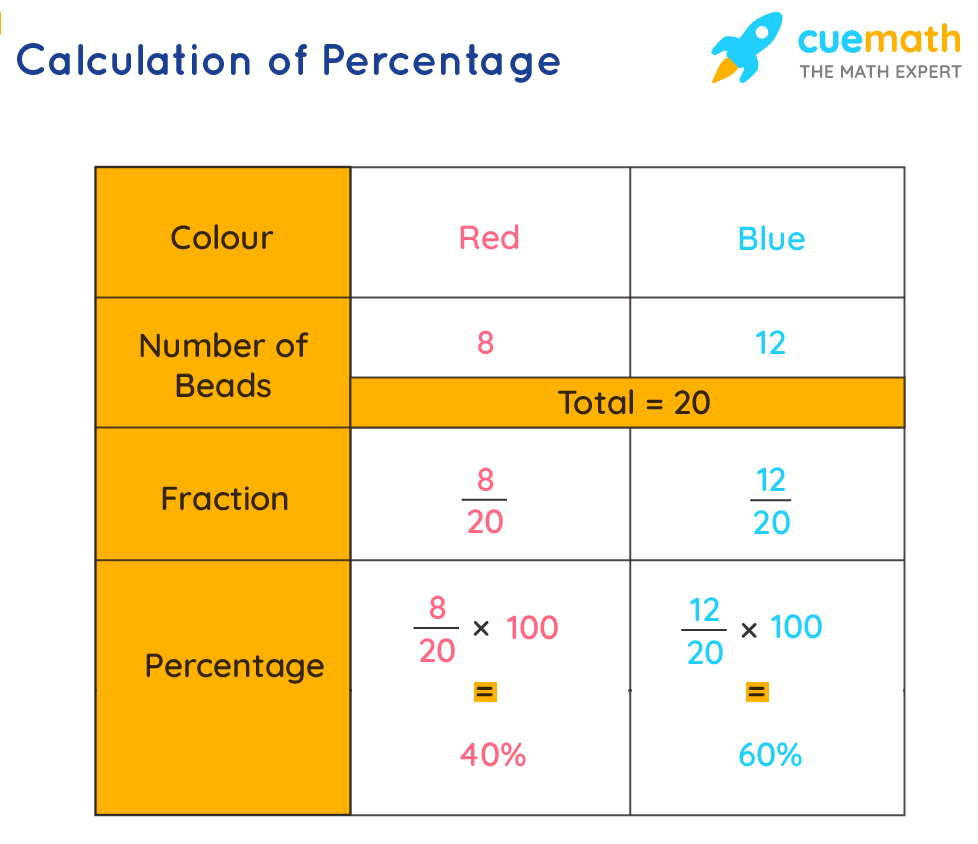
Determining What Percentage One Number Is of Another (e.g., 20 is what percent of 80)
This calculation is used to find the proportional relationship between two numbers, often seen in scores, proportions, or market share.
-
Enter the part. (e.g.,
20) -
Press the division operator. (e.g.,
/) -
Enter the whole. (e.g.,
80) -
Press the equals key (
=). This will give you the decimal representation. (Result:0.25) -
Multiply the result by 100 to convert it to a percentage. (e.g.,
* 100 =)-
Example sequence:
20 / 80 = * 100 =(Result:25) -
Some advanced calculators might allow:
20 / 80 %which may directly give25, but this behavior is less common and should be tested.
-
Advanced Percentage Techniques Across Different Calculator Platforms
While the core principles remain, the user experience and available features for percentage calculations differ significantly across various technological platforms.

Smartphone Calculator Apps: Intuitive Interfaces and Hidden Features
Modern smartphone calculators, whether native iOS/Android apps or third-party downloads, often boast intuitive interfaces. Many mimic traditional scientific calculators in landscape mode, revealing advanced functions. For percentages, they usually follow the direct input methods described above. Some advanced apps might even include dedicated percentage change functions or allow for complex chained operations where percentages are part of a larger equation. It’s worth exploring the settings and hidden gestures (like swiping to reveal more functions) within your phone’s default calculator app. Some advanced calculator apps, like MyScript Calculator, allow you to write expressions naturally, and it interprets and solves them, including percentage calculations.
Desktop Software & Web-Based Calculators: Leveraging Enhanced Functionality
Desktop operating systems (Windows Calculator, macOS Calculator) provide robust calculator applications. These often have different modes (Standard, Scientific, Programmer, Statistic) that expand functionality. For percentages, they typically adhere to standard mathematical logic. Web-based calculators (e.g., Google’s built-in calculator, dedicated online percentage calculators) offer a similar experience, often with a visual display of the entire equation as you type, aiding in error prevention. Many online calculators are specialized, designed specifically for percentage changes, tips, or compound interest, streamlining complex financial or statistical percentage calculations by prompting for specific inputs.
Scientific and Graphing Calculators: Beyond Basic Arithmetic
While scientific and graphing calculators are powerful tools for advanced mathematics, their percentage functionality is generally similar to basic calculators. They typically require the decimal conversion method (value * percentage / 100) or use the ‘%’ key in a manner consistent with basic models. Their strength lies in handling percentages within more complex equations, using parentheses for order of operations, and storing values in memory for multi-step calculations. For instance, calculating a percentage of a variable defined earlier in an equation.
Spreadsheet Software (Excel/Google Sheets): The Ultimate Percentage Powerhouse
For repeated, complex, or large-scale percentage calculations, spreadsheet software like Microsoft Excel or Google Sheets is unparalleled. Not only can you perform all the basic operations, but you can also automate them across entire datasets.
Key features for percentages in spreadsheets:
-
Direct Percentage Formatting: You can format cells as percentages. If you type
0.25into a cell and format it as a percentage, it will display25%. If you type25%, it will automatically store it as0.25. -
Formulas:
-
Percentage of a Number: To find 15% of the value in cell A1:
=A1*0.15or=A1*15%. -
Percentage Increase/Decrease: To increase cell A1 by 10%:
=A1*(1+0.10)or=A1*110%. To decrease:=A1*(1-0.10)or=A1*90%. -
What Percentage One Number is of Another: If B1 is part and A1 is whole:
=(B1/A1)*100(then format as General) or=(B1/A1)(then format as Percentage).
-
-
Conditional Formatting: Highlight cells based on percentage criteria (e.g., sales growth above 5%).
-
Charting: Visualize percentage distributions (pie charts, stacked bar charts).
The ability to reference cells, copy formulas, and integrate percentages into sophisticated financial models or data analyses makes spreadsheets the go-to tech tool for professional percentage management.
Troubleshooting Common Percentage Calculation Hurdles
Even with the right tools, mistakes can happen. Being aware of common pitfalls can save you time and ensure accuracy.
Understanding Operator Precedence and Parentheses
A frequent source of error is not understanding how your calculator handles the order of operations (PEMDAS/BODMAS). For example, if you want to calculate 100 + 10% * 50, a calculator might interpret 10% * 50 first, then add it to 100, which is likely not what you intended. If you mean (100 + 10) % * 50 or 100 + (10% of 50), you need to be explicit. Use parentheses () to force the order of operations, especially on scientific and graphing calculators or in spreadsheets. E.g., (100 + 10) % won’t work correctly on many calculators for “10 percent of the sum“, you’d need (100 + 10) * 0.10. For “100 plus 10 percent of 50“, it’s 100 + (0.10 * 50).
The Pitfalls of Incorrect Keying
A simple slip of the finger can lead to drastically incorrect results. Double-check your input, especially when dealing with long numbers or complex sequences. Be mindful of the placement of the ‘%’ key and whether it acts as an immediate operator or requires an equals sign. Some calculators might apply the percentage to the last displayed number, while others to the current number being input after an operator. Familiarity with your specific calculator’s logic is key.
Verifying Your Results: Mental Math and Estimation
Before blindly accepting a calculator’s output, perform a quick mental check or estimation. If you’re calculating 20% of 500, you know the answer should be around 100. If your calculator spits out 10 or 1000, you immediately know something went wrong. This quick verification step acts as a crucial safety net, especially in professional or financial contexts where accuracy is paramount. For example, 10% of $150 is $15. So 20% would be $30. If your calculator gave you $1.50 or $300, you’d know to re-enter the calculation.
Optimizing Your Workflow: Tips for Efficient Percentage Calculation
Efficiency is as important as accuracy, especially when performing multiple calculations. Leverage your calculator’s advanced features to streamline your workflow.
Utilizing Memory Functions and Constants
Most calculators include memory functions (M+, M-, MR, MC). For multi-step percentage calculations where an intermediate result is needed for subsequent steps, storing it in memory can prevent re-keying errors and speed up the process. For instance, if you calculate a discount percentage and then need to apply a sales tax percentage to the discounted price, you can store the discounted price in memory. Similarly, some calculators allow you to set a constant multiplier, which is useful if you’re repeatedly applying the same percentage (e.g., always adding 8% sales tax) to different base numbers.
Keyboard Shortcuts for Desktop Calculators
When using desktop calculator apps, familiarize yourself with keyboard shortcuts. For instance, in many operating systems, pressing * for multiplication, / for division, + for addition, - for subtraction, and Enter or = for equals significantly speeds up input compared to clicking buttons with a mouse. Specific shortcuts for percentage (%) or memory functions might also exist, depending on the application. For spreadsheet software, mastering keyboard shortcuts for navigation, formula entry, and cell formatting is indispensable for high-volume percentage analysis.
Practicing with Real-World Scenarios
The best way to master percentage calculations on your chosen devices is through practice. Take real-world scenarios – your grocery bill, a mock investment portfolio, a fitness tracker’s progress – and calculate percentages. Experiment with different calculator types to understand their unique behaviors. The more you use these tools in practical situations, the more intuitive the process will become, transforming you from a hesitant user into a proficient master of digital computation.
In conclusion, while the core concept of percentages remains timeless, the technological tools we use to compute them have evolved dramatically. From simple handheld gadgets to sophisticated spreadsheet applications, each platform offers unique advantages. By understanding the common principles, mastering the specific functionalities of your preferred calculator, and applying smart troubleshooting techniques, you can confidently navigate the world of percentages and leverage technology to enhance your analytical capabilities in every facet of life.
aViewFromTheCave is a participant in the Amazon Services LLC Associates Program, an affiliate advertising program designed to provide a means for sites to earn advertising fees by advertising and linking to Amazon.com. Amazon, the Amazon logo, AmazonSupply, and the AmazonSupply logo are trademarks of Amazon.com, Inc. or its affiliates. As an Amazon Associate we earn affiliate commissions from qualifying purchases.