
The annual ritual of tax filing, once synonymous with stacks of paper, intricate forms, and often, a degree of apprehension, has been profoundly transformed by the digital age. Submitting your tax return online is no longer a niche option but the predominant, most efficient, and increasingly, the preferred method for millions worldwide. This shift isn’t merely about convenience; it represents a fundamental evolution in personal finance management, offering unparalleled accuracy, speed, and access to crucial financial tools.
Navigating the complexities of tax law can still be daunting, but the online filing process itself has been streamlined to empower taxpayers, regardless of their financial literacy. This guide will demystify the process, providing a professional, insightful, and engaging roadmap to successfully submitting your tax return online, ensuring you harness the full potential of digital financial compliance.
Embracing Digital Tax Filing: The Modern Approach to Compliance
The transition from physical forms to digital platforms marks a significant milestone in how individuals and businesses interact with tax authorities. Online tax filing isn’t just a technological upgrade; it’s a strategic move towards greater efficiency, transparency, and personal empowerment in managing one’s financial obligations. Understanding the foundational benefits and dispelling common misconceptions are the first steps toward embracing this modern approach.
The Irrefutable Advantages of Online Submission
The benefits of submitting your tax return online are numerous and compelling, impacting everything from the speed of your refund to the security of your personal data.
- Speed and Efficiency: Perhaps the most immediate advantage is the unparalleled speed. E-filed returns are processed much faster than paper returns, often leading to quicker refunds. The entire process, from data entry to submission, can often be completed in a fraction of the time it would take to manually prepare and mail forms.
- Enhanced Accuracy: Online tax software is designed with sophisticated algorithms and built-in error checks. These tools flag potential mistakes, identify missing information, and ensure calculations are precise, significantly reducing the likelihood of mathematical errors that can delay processing or trigger audits. Many programs also automatically update with the latest tax laws, ensuring compliance without requiring you to constantly monitor legislative changes.
- Convenience and Accessibility: The ability to file from anywhere, at any time, with an internet connection offers unmatched flexibility. Whether you prefer to work on your taxes in short bursts or complete them in one sitting, the online platform adapts to your schedule, eliminating the need for office visits or postal queues.
- Security and Confirmation: Reputable online tax services employ robust encryption and security protocols to protect your sensitive financial information. Upon successful submission, you receive instant electronic confirmation from the tax authority, providing peace of mind that your return has been received and accepted. This digital trail is far more reliable than hoping a paper return doesn’t get lost in transit.
- Maximized Deductions and Credits: Many online platforms go beyond simple calculation; they proactively identify potential deductions and credits based on your entered information, often prompting you with questions you might not have considered. This guided approach can help you uncover tax savings you might otherwise overlook, optimizing your refund or reducing your tax liability.
Dispelling Common Myths About E-Filing
Despite its widespread adoption, some misconceptions about online tax filing persist. Addressing these can further build confidence in the digital method.
- Myth: Online filing is less secure. Fact: Reputable tax software providers invest heavily in cybersecurity, often exceeding the security standards of traditional paper filing. Data is encrypted, and secure servers protect personal information.
- Myth: It’s only for simple tax situations. Fact: While ideal for straightforward returns, modern tax software can handle highly complex scenarios, including self-employment income, investments, rental properties, and international income, guiding users through each specific form and calculation.
- Myth: You need to be tech-savvy. Fact: Most online tax platforms are designed with intuitive, user-friendly interfaces that guide you step-by-step, making them accessible to users with varying levels of computer literacy.
- Myth: You still need to print everything. Fact: While you can print your return for personal records, the entire process, including signatures (e-signatures), is digital, eliminating the need for physical printing and mailing to the tax authority.
Selecting Your Digital Tax Ally: Navigating Software and Services
The cornerstone of a successful online tax filing experience is choosing the right software or service. The market offers a diverse range of options, from free government-backed initiatives to sophisticated paid platforms, each designed to cater to different financial complexities and user preferences. Making an informed choice is crucial for a smooth and efficient filing process.
Free vs. Paid: Deciphering Your Needs
The decision between a free and paid service often hinges on the complexity of your tax situation.
- Free Options:
- IRS Free File Program: This is a partnership between the IRS and various tax software companies, offering free federal tax filing for eligible taxpayers (typically those with an Adjusted Gross Income below a certain threshold). Some partners also offer free state filing. It’s an excellent option for individuals with straightforward tax situations, W-2 income, and standard deductions.
- Direct File by IRS: A newer initiative that allows eligible taxpayers in certain states to file their federal tax returns directly with the IRS for free. This is currently a pilot program with limited scope but represents a significant step towards accessible government-provided filing tools.
- Freemium Models: Some commercial software offers a free tier for basic federal returns, often charging for state returns or more complex forms.
- Paid Options:
- Comprehensive Software (e.g., TurboTax, H&R Block, TaxAct): These platforms are ideal for more complex tax situations, including self-employment income (Schedule C), investments (Schedule D), rental properties (Schedule E), and various itemized deductions. They offer robust guidance, audit support, and access to tax professionals.
- Full-Service Options: Some providers offer the option to have a tax professional review or even prepare and file your return for you, blending the convenience of online submission with expert advice. This is often the most expensive option but can be invaluable for highly intricate financial situations or those who prefer a hands-off approach.
Key Features to Prioritize in Tax Software
When evaluating different platforms, consider these essential features:
- User-Friendliness: An intuitive interface and clear, guided questions are paramount, especially if you’re not a tax expert.
- Accuracy Guarantees: Many services offer guarantees against calculation errors, and some even provide audit support or representation.
- Data Import Capabilities: The ability to import W-2s, 1099s, and investment data directly from financial institutions or previous year’s returns can save significant time and reduce errors.
- Comprehensive Form Support: Ensure the software supports all the federal and state forms relevant to your income, deductions, and credits.
- Customer Support: Look for accessible and responsive customer service, whether via chat, phone, or email, especially during peak tax season.
- Security Measures: Verify that the platform uses robust encryption and adheres to industry best practices for data protection.
- Audit Risk Reduction Tools: Some software analyzes your return for potential red flags that might trigger an audit and provides suggestions for strengthening your position.
Popular Platforms: A Snapshot
- TurboTax: Known for its user-friendly interface and comprehensive guidance, suitable for a wide range of tax situations. Offers various tiers from free to full-service.
- H&R Block: A strong competitor with similar offerings to TurboTax, including in-person support options for those who prefer a hybrid approach.
- FreeTaxUSA: Often lauded for its affordability, offering free federal filing and a low fee for state returns, making it a great value for many users.
- TaxAct: Provides a balance of features and affordability, suitable for users who want comprehensive support without the higher price tag of premium services.
- Jackson Hewitt: Offers both online software and in-person assistance, catering to a diverse client base.
Preparation is Paramount: Assembling Your Financial Puzzle Pieces
Regardless of the software you choose, the success of your online tax filing hinges on thorough preparation. Gathering all necessary documents before you begin entering data will not only streamline the process but also minimize errors and ensure you claim every deduction and credit you’re entitled to. This phase is less about technology and more about meticulous financial organization, a core tenet of effective personal finance.
Income Documentation: The Foundation
Your tax return is built upon an accurate accounting of your income from all sources. Ensure you have the following readily available:
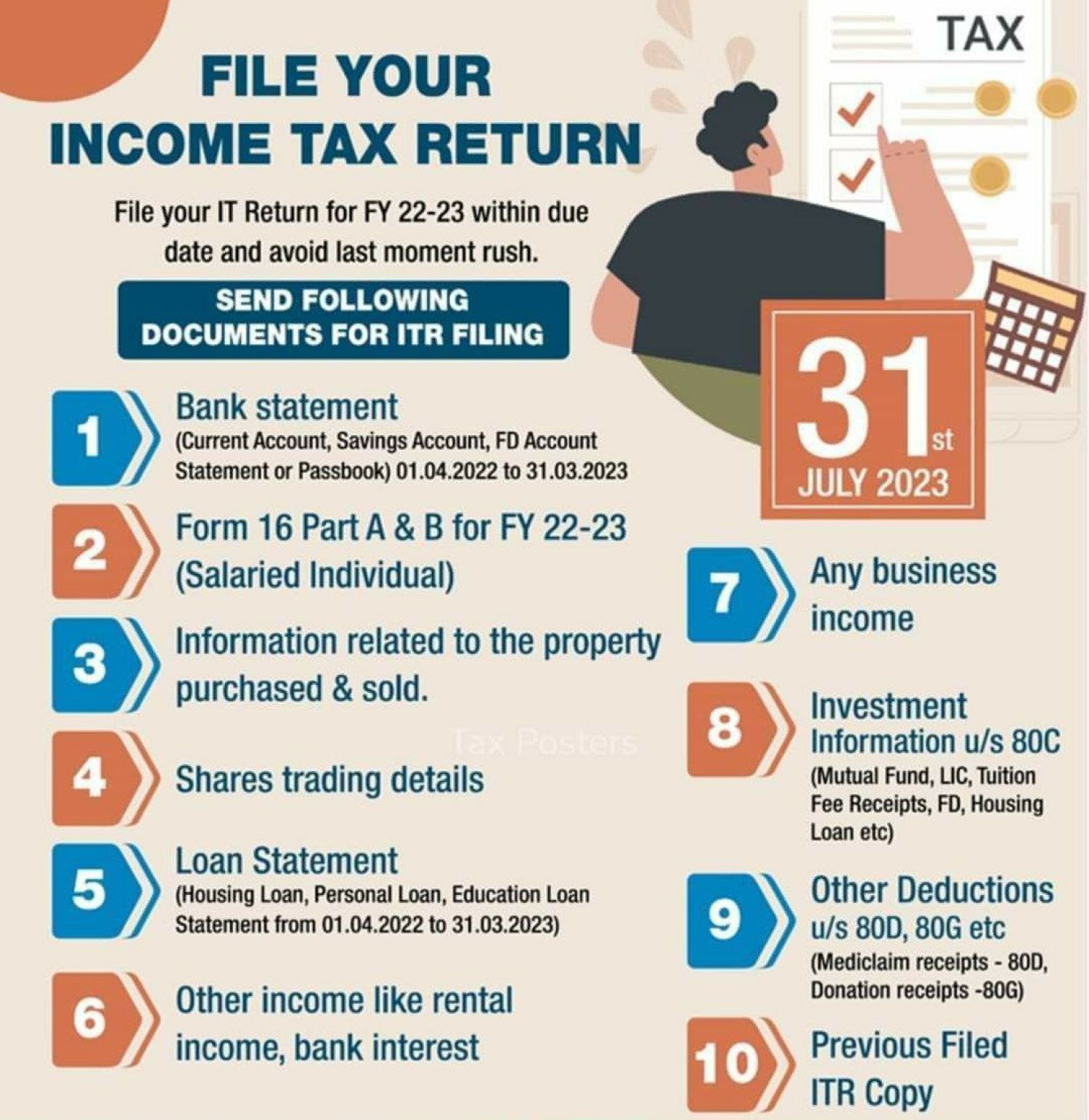
- W-2 Forms: From your employer(s), detailing wages, tips, and other compensation, as well as withheld federal, state, and local taxes.
- 1099 Forms: These come in various types:
- 1099-NEC/MISC: For non-employee compensation (freelance, contract work, gig economy income).
- 1099-INT: For interest income from banks, credit unions, etc.
- 1099-DIV: For dividend income from investments.
- 1099-B: For proceeds from brokerage and barter exchange transactions (stock sales).
- 1099-R: For distributions from pensions, annuities, IRAs, etc.
- 1099-G: For unemployment compensation and certain government payments.
- K-1 Forms: For income from partnerships, S corporations, and trusts.
- Social Security Benefit Statements (SSA-1099): If you receive Social Security benefits.
- Records of any other income: This includes rental income, alimony received, gambling winnings, or income from foreign sources.
Deductions and Credits: Unlocking Savings
Beyond income, identifying eligible deductions and credits is where significant tax savings can be realized. Have documentation for:
- Mortgage Interest (Form 1098): If you own a home.
- Student Loan Interest (Form 1098-E): For interest paid on qualified student loans.
- Tuition and Fees (Form 1098-T): For educational expenses.
- Medical and Dental Expenses: Records of out-of-pocket costs (if itemizing).
- Charitable Contributions: Receipts for cash and non-cash donations.
- Retirement Contributions: Records of contributions to IRAs, 401(k)s (if not pre-tax through payroll).
- Child Care Expenses: Provider’s name, address, and taxpayer identification number (TIN) for the Child and Dependent Care Credit.
- State and Local Taxes (SALT): Property tax statements, state income tax paid, etc.
- Business Expenses: For self-employed individuals, detailed records of all business-related expenditures.
Special Circumstances: Investments, Gig Economy, Homeownership
Certain financial situations require specific documentation and attention:
- Investments: Beyond 1099-B, gather records of original purchase prices (cost basis) for any investments sold, as this impacts capital gains/losses.
- Gig Economy/Self-Employment: Maintain meticulous records of all income and expenses, including mileage logs, home office expenses, and business-related purchases. You’ll likely need to calculate your own self-employment taxes.
- Homeownership: In addition to mortgage interest, consider property taxes, mortgage insurance premiums, and any energy-efficient home improvement expenses that might qualify for credits.
- Health Savings Accounts (HSAs) & Flexible Spending Accounts (FSAs): Forms 1099-SA for distributions and records of contributions.
Organizing these documents into a physical or digital folder well before tax season begins will save you considerable stress and ensure no critical piece of information is overlooked.
The Step-by-Step Journey: From Data Entry to Digital Submission
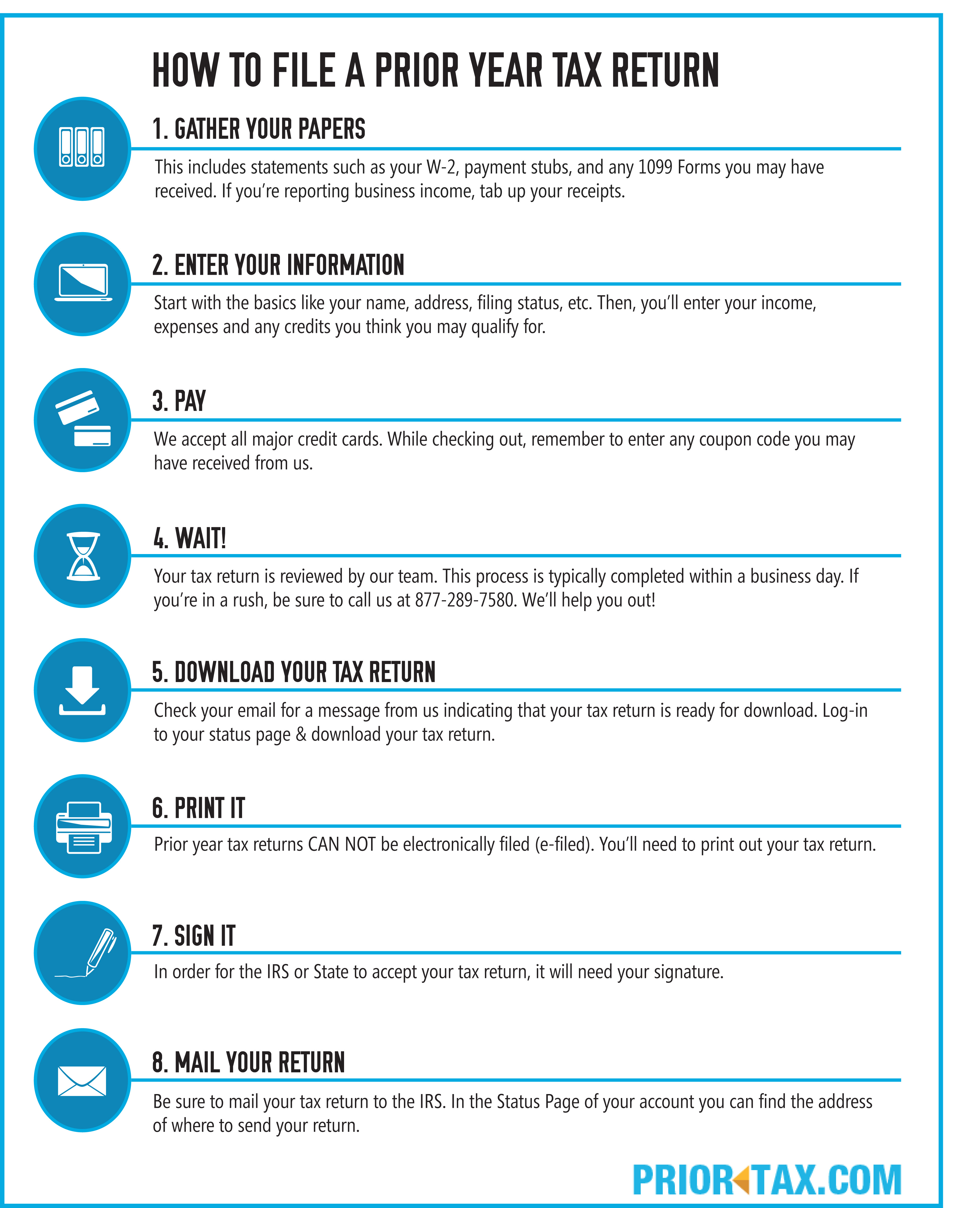
Once your documents are organized and your software selected, the actual process of online filing becomes a guided, step-by-step journey. Modern tax software is designed to be intuitive, walking you through each section with clear prompts and explanations. This structure ensures accuracy and helps you avoid common pitfalls.
Setting Up Your Secure Account
Your first step is typically to create a secure account with your chosen online tax software. This involves:
- Email and Password: Choose a strong, unique password.
- Security Questions: Set up answers to security questions for account recovery.
- Two-Factor Authentication (2FA): Enable 2FA for an added layer of security. This is highly recommended to protect your sensitive financial data.
Many platforms also offer the option to import your previous year’s tax data if you filed with them, pre-filling much of your personal information and potentially saving significant time.
Inputting Your Information Accurately
This is the core of the filing process. The software will guide you through various sections:
- Personal Information: Enter your name, Social Security Number, date of birth, and contact information, as well as details for any dependents. Ensure this matches your government IDs exactly.
- Income: Systematically enter information from all your W-2s, 1099s, and other income documents. Most software allows you to either manually type in the data or upload PDF versions of documents for automatic import, significantly reducing manual effort and error.
- Deductions and Credits: The software will prompt you with questions to identify eligible deductions (e.g., student loan interest, IRA contributions, health savings account contributions) and credits (e.g., child tax credit, education credits, earned income tax credit). Be thorough in answering these questions, as they directly impact your tax liability or refund.
- Review and Adjustments: As you input data, the software continuously calculates your estimated refund or taxes owed, updating in real-time. This provides immediate feedback and allows you to see the impact of various entries.
The Critical Review and Verification Phase
Before you hit “submit,” a thorough review is paramount. This is where you catch any overlooked errors or missed opportunities.
- Software’s Review Tools: All reputable tax software includes a comprehensive review function that scans your entire return for inconsistencies, missing information, and potential audit triggers. Pay close attention to any warnings or suggestions.
- Line-by-Line Check: Even after the software’s review, take a moment to skim through your entire return, comparing key figures against your original documents. Double-check Social Security numbers, bank account numbers (for direct deposit), and mailing addresses.
- State Return Consistency: If you’re filing a state return, ensure the information aligns perfectly with your federal return, as many state tax calculations start with federal adjusted gross income.
The Final Click: Submitting Your Return
Once you are confident in the accuracy of your return, you’re ready to submit.
- E-Signature: You’ll typically provide an electronic signature by entering your prior-year Adjusted Gross Income (AGI) or a self-selected PIN, verifying your identity.
- Payment (if applicable): If you owe taxes, you’ll be prompted to choose a payment method. Options usually include direct debit from your bank account, payment by credit card (often with a processing fee), or sending a check/money order. You can typically schedule the payment for the tax deadline.
- Click “Submit”: After confirming your payment method and e-signature, you’ll click the final submit button. The software will transmit your return directly to the IRS and relevant state tax agencies.
Beyond the “Submit” Button: Post-Filing Best Practices and Expectations
Submitting your tax return online is a significant achievement, but the process doesn’t end with the click of a button. What happens next, and how you manage your post-filing responsibilities, are crucial aspects of responsible financial management.
Confirming Your Submission and Tracking Your Refund
The immediate aftermath of submission involves confirmation and, for many, eager anticipation of a refund.
- IRS Acceptance Confirmation: Within 24-48 hours (sometimes longer during peak periods), you should receive an email confirmation that the IRS (and state, if applicable) has “accepted” your e-filed return. This is your official proof of filing and receipt. Do not consider your return filed until you receive this acceptance notification.
- Tracking Your Refund: If you’re expecting a refund, you can track its status using the IRS’s “Where’s My Refund?” tool or your state’s equivalent tool. You’ll typically need your Social Security number, filing status, and the exact refund amount shown on your return. Direct deposit is the fastest way to receive your refund, often within 7-21 days of acceptance.
The Importance of Digital Record Keeping
Even though you’ve filed digitally, maintaining meticulous records remains paramount for your financial well-being and in case of any future inquiries.
- Save Digital Copies: Most tax software allows you to download and save a PDF copy of your submitted return, including all forms and schedules. Save this to a secure, backed-up location (e.g., cloud storage, external hard drive).
- Retain Supporting Documents: Keep digital (and physical, if preferred) copies of all your W-2s, 1099s, receipts for deductions, and other supporting documents for at least three years from the date you filed your original return or two years from the date you paid the tax, whichever is later. This is the general statute of limitations for the IRS to audit your return. For certain situations (e.g., unreported substantial income), this period can extend to six years.
- Secure Storage: Ensure your digital records are stored securely, perhaps in an encrypted folder or a reputable cloud service with strong security features.

What If You Need to Amend?
Mistakes happen, and sometimes, after filing, you might realize you forgot to include income or claim a deduction. The good news is that you can amend your return.
- Form 1040-X: To amend a federal tax return, you’ll need to file Form 1040-X, Amended U.S. Individual Income Tax Return. Many online tax software providers offer tools to help you prepare an amended return based on your original submission.
- When to Amend: Amend your return if an error affects your tax liability or refund. Small, inconsequential errors usually don’t require an amendment.
- Timing: It’s best to amend as soon as you discover an error. You generally have up to three years from the date you filed your original return or two years from the date you paid the tax (whichever is later) to file an amended return to claim a refund.
Submitting your tax return online is a powerful demonstration of how modern technology empowers individuals to take control of their financial compliance. By understanding the advantages, selecting the right tools, meticulously preparing, and diligently following the step-by-step process, you can transform a once-dreaded annual task into a straightforward, efficient, and ultimately, empowering experience in managing your financial life.
aViewFromTheCave is a participant in the Amazon Services LLC Associates Program, an affiliate advertising program designed to provide a means for sites to earn advertising fees by advertising and linking to Amazon.com. Amazon, the Amazon logo, AmazonSupply, and the AmazonSupply logo are trademarks of Amazon.com, Inc. or its affiliates. As an Amazon Associate we earn affiliate commissions from qualifying purchases.