
The way we consume television has undergone a monumental transformation, shifting from the era of scheduled linear broadcasts to an on-demand, personalized, and inherently digital experience. “How to stream live television” is no longer a niche inquiry but a mainstream quest, reflecting a fundamental technological evolution in media delivery. This guide delves into the intricate technical landscape of live TV streaming, demystifying the processes, hardware, and services that empower users to access real-time content over the internet. From understanding the underlying network protocols to optimizing home infrastructure and navigating a plethora of streaming platforms, we will explore every facet of this dynamic digital shift.
The Technological Evolution of Live TV
The journey from traditional broadcast to live internet streaming represents a significant leap in media technology. It’s a move away from physically constrained signals to the agile, IP-based delivery system we rely on today.
From Analog to IP: The Core Transition
At its heart, the shift to streaming live television is a transition from analog or digitally modulated radio frequency (RF) signals to internet protocol (IP) data packets. Traditional television, whether terrestrial, cable, or satellite, relied on dedicated transmission methods. Terrestrial TV used over-the-air RF signals, cable TV leveraged coaxial cables, and satellite TV beamed signals from orbit. Each of these methods involved specific hardware (antennas, set-top boxes, dishes) and was inherently geographically or infrastructure-limited.
Internet Protocol television (IPTV) and Over-The-Top (OTT) streaming, by contrast, utilize the existing global internet infrastructure. Video and audio are encoded, compressed into digital data, broken down into packets, and transmitted over standard internet connections. This packet-switching technology, the backbone of the internet, allows for efficient, flexible, and global delivery of content without the need for dedicated broadcast spectrum or proprietary physical networks beyond the end-user’s broadband connection. The inherent flexibility of IP allows content to be delivered to a vast array of internet-connected devices, from smartphones to smart TVs, anywhere with sufficient bandwidth.
Decoding the “Cord-Cutting” Phenomenon
The “cord-cutting” phenomenon, the widespread cancellation of traditional cable or satellite TV subscriptions, is not merely an economic decision but a technically enabled revolution. Its rise has been powered by several intertwined technological advancements:
- Widespread Broadband Adoption: High-speed internet, particularly fiber and high-tier cable broadband, has become ubiquitous, providing the necessary bandwidth and low latency required for reliable video streaming. Without robust internet infrastructure, live streaming would be plagued by buffering and low quality.
- Rise of Smart Devices: The proliferation of smartphones, tablets, smart TVs, and dedicated streaming devices (like Roku, Amazon Fire TV, Apple TV) has created a diverse ecosystem of platforms capable of decoding and displaying streamed content. These devices have advanced processors, ample RAM, and optimized operating systems for media consumption.
- Development of Robust Streaming Platforms: Sophisticated Content Delivery Networks (CDNs) have emerged, geographically distributing server infrastructure to minimize latency and improve delivery speed. Alongside this, adaptive bitrate streaming (ABS) technologies (like HLS for Apple devices and MPEG-DASH for others) dynamically adjust video quality based on the user’s real-time network conditions, ensuring a smoother viewing experience even with fluctuating internet speeds. These platforms handle everything from user authentication to content rights management and dynamic ad insertion.
Key Architectural Components of Live TV Streaming
Understanding the technical architecture behind live TV streaming reveals its complexity and sophistication:
- Content Ingestion and Encoding: Live video feeds are first ingested and then encoded from their raw format into highly compressed digital video formats, typically H.264 (AVC) or the more efficient H.265 (HEVC). This process converts the video into a format suitable for internet transmission while preserving as much quality as possible.
- Transcoding for Adaptive Bitrate (ABS): To ensure compatibility across various devices and network conditions, the single encoded stream is often transcoded into multiple versions, each with a different resolution, bitrate, and codec. This multi-bitrate ladder is crucial for adaptive bitrate streaming, allowing the player to seamlessly switch between different quality levels.
- Packaging and Segmentation: The transcoded streams are then segmented into small chunks (typically 2-10 seconds long) and packaged into formats like HLS (HTTP Live Streaming) or MPEG-DASH (Dynamic Adaptive Streaming over HTTP). These protocols include manifest files that tell the player which segment to request next and what bitrates are available.
- Content Delivery Networks (CDNs): CDNs are distributed networks of servers that cache content closer to end-users. When a user requests a live stream, the CDN directs the request to the nearest available server, significantly reducing latency and server load, which is critical for live, real-time delivery.
- DRM (Digital Rights Management): To protect copyrighted content, streaming services employ DRM technologies. These encrypt the video streams, requiring authenticated playback devices to decrypt them, thereby preventing unauthorized copying and distribution.
Essential Hardware and Network Infrastructure for Seamless Streaming
The quality of your live TV streaming experience hinges heavily on the underlying hardware and network infrastructure in your home. It’s not just about having internet; it’s about having the right internet and the right devices configured optimally.
The Prerequisite: A Robust Internet Connection
Your internet connection is the absolute bedrock of live TV streaming. Without sufficient bandwidth and stability, buffering and low-resolution playback become inevitable.
- Bandwidth Requirements: For standard definition (SD), 3-5 Mbps download speed per stream is typically adequate. For high definition (HD 720p/1080p), 5-10 Mbps is recommended per stream. For 4K UHD streaming with HDR, you’ll need a minimum of 20-25 Mbps per stream. These figures are per simultaneous stream, meaning if two devices are streaming HD, you need at least 10-20 Mbps dedicated for streaming, plus overhead for other internet activities. Upload speed is generally less critical for consumers, primarily impacting self-hosted content or video conferencing.
- Latency: Low latency (the delay before data transfer begins) is crucial for live content, especially for fast-paced events like sports. High latency can contribute to buffering and delays in real-time updates. Aim for latency under 50ms to your streaming service’s CDN servers.
- ISP Considerations: Evaluate your Internet Service Provider (ISP) for consistent speeds, reliability, and potential data caps. Fiber optic connections generally offer the highest speeds and lowest latency, followed by cable broadband. DSL and satellite internet often struggle with the demands of high-quality live streaming.
Choosing Your Streaming Hardware Ecosystem
The device you use to stream acts as your portal to content, and its technical specifications directly impact performance.
- Smart TVs: Modern Smart TVs integrate streaming apps directly, leveraging their internal processors (CPU, GPU), RAM, and operating systems (e.g., Android TV, webOS, TizenOS). Higher-end Smart TVs boast more powerful processors for smoother app navigation, faster loading times, and support for advanced video codecs (HEVC, AV1) and display technologies (4K, HDR10+, Dolby Vision). Ensure the TV’s Wi-Fi module supports modern standards (Wi-Fi 5 or Wi-Fi 6) for optimal wireless connectivity.
- Dedicated Streaming Devices: Devices like Roku streamers, Amazon Fire TV sticks/cubes, Apple TV, and Chromecast offer specialized hardware optimized purely for streaming. They vary in processing power, RAM, storage, and connectivity options (HDMI, USB-C for power). Higher-tier models support 4K UHD, HDR, and sometimes Dolby Atmos audio, with more robust Wi-Fi capabilities and Ethernet ports for wired connections, which often provide the most stable stream.
- Mobile Devices & Gaming Consoles: Smartphones and tablets are convenient for portable viewing, leveraging their powerful SoCs (System on Chip) and high-resolution displays. Gaming consoles (PlayStation, Xbox) also serve as capable streaming hubs, utilizing their strong processing power and network capabilities. However, their primary design is gaming, so their streaming interfaces might be less streamlined than dedicated devices.
Optimizing Your Home Network for Performance
Even with a fast internet connection, a poorly configured home network can degrade your streaming experience.
- Router Specifications: Your Wi-Fi router is the traffic controller. Look for routers supporting modern Wi-Fi standards (Wi-Fi 5/802.11ac or Wi-Fi 6/802.11ax) for better speeds and efficiency, especially in congested environments. Dual-band routers (2.4GHz and 5GHz) are standard. The 5GHz band offers higher speeds over shorter distances with less interference, ideal for streaming. The 2.4GHz band provides better range but lower speeds and is prone to interference.
- Mesh Wi-Fi Systems: For larger homes or those with dead zones, mesh Wi-Fi systems provide seamless coverage by using multiple interconnected nodes to create a single, robust Wi-Fi network. This eliminates range extenders’ performance bottlenecks and ensures consistent signal strength for all streaming devices.
- Quality of Service (QoS): Many routers offer QoS settings, allowing you to prioritize network traffic for specific applications or devices. Configuring QoS to prioritize streaming devices or video traffic can significantly reduce buffering when other devices are simultaneously using the network for downloads or gaming.
- Ethernet vs. Wi-Fi: For mission-critical streaming devices (like your primary living room TV), a wired Ethernet connection is almost always superior to Wi-Fi. Ethernet provides consistent speed, lower latency, and immunity to wireless interference, offering the most stable and highest-quality stream possible.
Navigating the Digital Landscape of Live TV Services
Once your hardware and network are in order, the next step is selecting the right live TV streaming service. The market is fragmented, offering a range of technical architectures and feature sets designed to cater to different user needs.
Varieties of Over-the-Top (OTT) Live TV Platforms
The landscape of live TV streaming services is diverse, each with its own technical implementation and target audience:
- Virtual Multichannel Video Programming Distributors (vMVPDs): These services, like YouTube TV, Hulu + Live TV, Sling TV, and FuboTV, mimic traditional cable/satellite bundles by offering a “skinny bundle” of live linear channels delivered over the internet. Their technical challenge lies in licensing vast amounts of content, distributing it efficiently via CDNs, and providing features like cloud DVR and multiple simultaneous streams.
- Niche Sports and News Apps: Dedicated apps for sports (e.g., ESPN+, MLB.TV, NBA League Pass) or news (e.g., CNNgo, Fox News App) often provide direct access to live feeds. These typically focus on optimizing for low latency, crucial for sports, and robust mobile streaming capabilities.
- Free Ad-Supported Streaming TV (FAST) Services: Platforms like Pluto TV, Tubi, and Peacock Free offer “live” linear channels of curated content for free, supported by advertising. Technically, these services typically stream pre-scheduled VOD (Video On Demand) content that is programmed to mimic live TV, requiring sophisticated ad-insertion technology to place dynamic ads into the stream without disrupting the user experience.
Core Features and Technical Capabilities
Beyond channel lineups, the technical features offered by a service are critical:
- Cloud DVR Architecture: Unlike traditional DVRs that record to local hard drives, cloud DVRs store recordings on remote servers. This requires robust server infrastructure, efficient storage management, and sophisticated indexing to allow users to pause, rewind, and fast-forward through recordings, often across multiple devices. The technical challenge is providing a “personal” recording that is actually a link to a shared server copy, or a unique copy based on licensing.
- Simultaneous Stream Management: Services limit the number of devices that can stream simultaneously from a single account. This feature requires real-time authentication and session management systems to track active streams and enforce limits across different IP addresses and device types.
- Video Quality Options: Services offer various quality settings (SD, HD, 4K, HDR). This relies on the adaptive bitrate streaming (ABS) technology to deliver the most appropriate stream based on network conditions and device capabilities. Achieving true 4K HDR live streaming demands immense bandwidth and robust encoding/transcoding pipelines.
- User Interface Design Principles: A well-designed UI is crucial for discoverability and ease of use. This involves sophisticated backend APIs to fetch content metadata, personalization algorithms to recommend relevant shows, and a front-end framework optimized for responsiveness across diverse platforms.
Integration with Digital Antennas (OTA): A Hybrid Approach
For many, especially in the era of “cord-cutting,” a digital antenna (Over-the-Air, OTA) remains a vital component. It’s a way to receive local broadcast channels (major networks like ABC, CBS, Fox, NBC, PBS) completely free, often in superior, uncompressed HD quality.
- ATSC 3.0 (NextGen TV): The latest broadcast standard, ATSC 3.0, is technically significant. It’s IP-based, meaning it delivers broadcast signals via internet protocols, allowing for 4K UHD resolution, HDR, improved audio (Dolby Atmos), and enhanced emergency alerts. Crucially, it facilitates integration with internet-connected devices, potentially merging traditional broadcast seamlessly with IP streaming services for a unified viewing experience through compatible tuners and smart TVs.
- Bridging Broadcast with IP: Devices like HDHomeRun connect an antenna to your home network, allowing you to stream live antenna TV to any device on your network (smartphones, tablets, streaming boxes) via an app. Some vMVPDs also integrate OTA channels into their guides, requiring compatible hardware. This hybrid approach allows users to combine the reliability and cost-effectiveness of local broadcast with the flexibility of internet streaming.
Implementation, Troubleshooting, and Future-Proofing Your Setup
Successfully integrating live TV streaming into your home requires not just understanding the technology but also practical steps for setup, troubleshooting common issues, and an eye towards future innovations.
A Technical Walkthrough of Initial Setup
Setting up live TV streaming involves a series of logical steps, each with technical considerations:
- Choosing a Service: Based on channel lineups, features (DVR, simultaneous streams), video quality, and platform compatibility, select a vMVPD or niche service. Consider trial periods to assess performance on your specific network and devices.
- Downloading and Installing Apps: On your chosen streaming device (Smart TV, streaming stick, mobile), navigate to its app store and download the service’s application. Ensure your device’s operating system is up-to-date for optimal compatibility and security.
- Account Linking and Authentication: Launch the app and follow the prompts to sign in with your service credentials. This often involves device activation codes that you enter on a web browser, linking your device to your subscription.
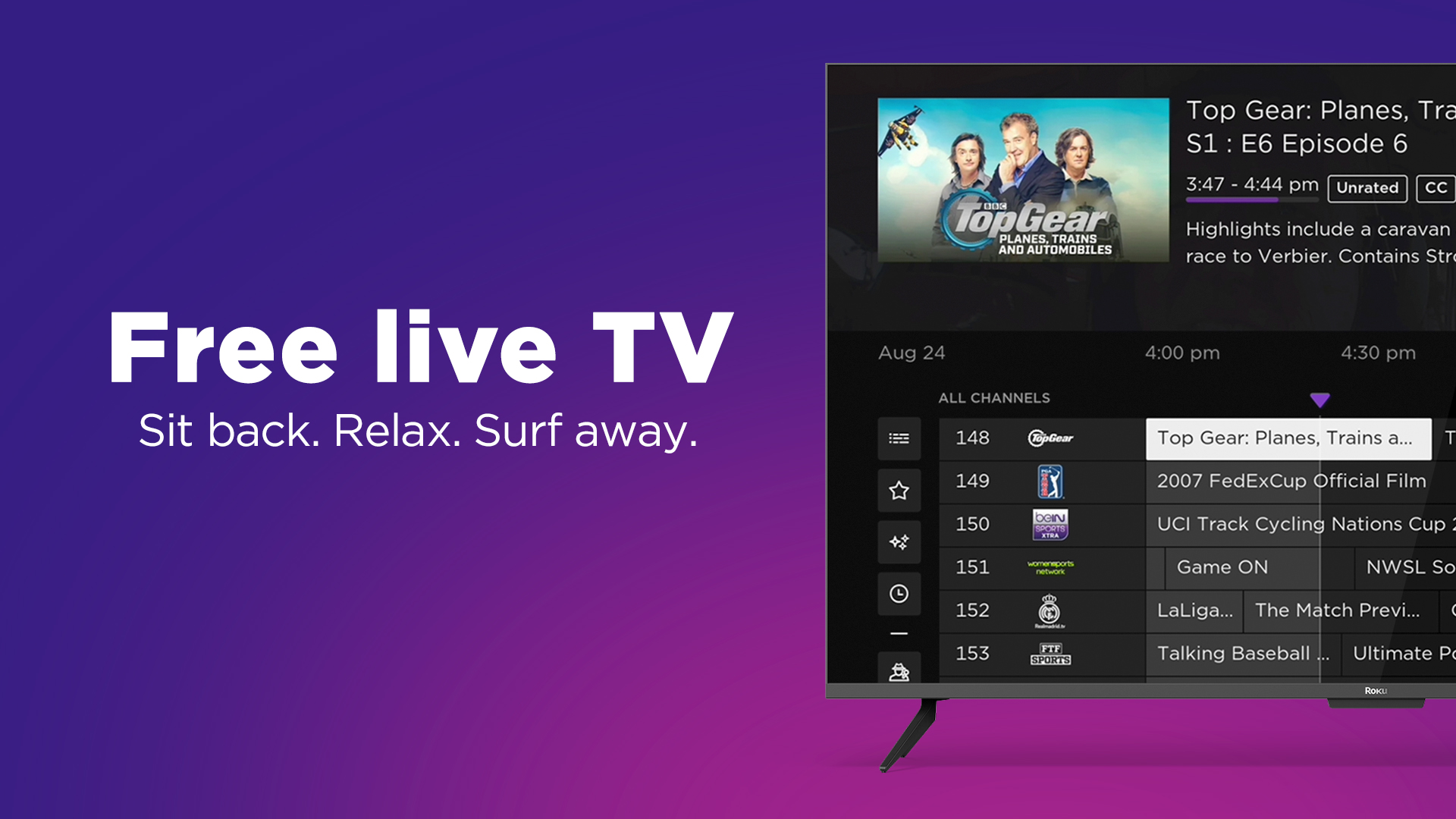
- Navigating Settings and UI: Explore the app’s settings menu. Configure video quality preferences, audio output, parental controls, and user profiles. Familiarize yourself with the Electronic Program Guide (EPG) interface for live channel browsing and DVR management. Understanding how to customize these elements ensures a tailored experience.
Diagnosing and Resolving Common Streaming Glitches
Despite robust infrastructure, streaming issues can arise. Effective troubleshooting requires identifying the technical root cause:
- Buffering Issues: This is typically a network congestion problem.
- Diagnosis: Check your internet speed (speedtest.net) on the affected device. Monitor network usage on your router.
- Solutions: Restart your router and modem. Use a wired Ethernet connection if possible. Reduce the number of concurrent high-bandwidth activities on your network. Lower the streaming quality setting in the app. Investigate QoS settings on your router. Ensure your Wi-Fi channel isn’t overly congested with neighboring networks (tools like Wi-Fi Analyzer apps can help).
- Video Pixelation/Low Quality: Indicates insufficient bandwidth or a problem with the adaptive bitrate streaming.
- Diagnosis: Similar to buffering, check bandwidth. Could also be issues with the service’s CDN or encoding.
- Solutions: Confirm your internet plan provides adequate speed. Ensure your streaming device is close enough to the Wi-Fi router (for 5GHz band) or consider an Ethernet connection. Force the app to a higher quality setting if available and bandwidth permits.
- Audio Sync Problems: When audio and video are out of sync.
- Diagnosis: Can be codec issues, device processing delays, or external audio system lag.
- Solutions: Restart the app or device. Check for firmware updates for your TV/streaming device and audio receiver. Adjust audio delay settings on your TV or sound system.
- App Crashes/Freezing: Often related to device memory, software bugs, or corrupted app data.
- Diagnosis: Device is struggling to run the app.
- Solutions: Force-close and restart the app. Clear the app’s cache and data (in device settings). Uninstall and reinstall the app. Ensure your device’s operating system is updated.
Enhancing Your Experience with Advanced Features
Modern streaming offers more than just linear channels:
- Parental Control Algorithms: Most services offer robust parental controls, allowing you to restrict content based on ratings or specific channels. These systems rely on content metadata and user-defined profiles to filter access, often protected by PINs.
- User Profile Management: Create individual profiles for family members, each with personalized recommendations, watch histories, and settings. This requires sophisticated backend databases and recommendation engines.
- Accessibility Features: Closed captions (CC), subtitles, audio descriptions, and customizable playback speeds are crucial accessibility features implemented through timed text tracks and audio mixing.
- Multi-Room Audio/Video Synchronization: Technologies like AirPlay, Chromecast built-in, or proprietary smart home ecosystems allow you to cast content or synchronize playback across multiple devices and rooms, requiring robust network protocols and device interoperability.
Emerging Technologies Shaping Live TV Streaming’s Future
The evolution of live TV streaming is continuous, with several emerging technologies poised to redefine the experience:
- AI-Driven Content Recommendations: Beyond simple watch history, AI will increasingly analyze viewing patterns, emotional responses (via smart sensors), and social trends to offer hyper-personalized live programming suggestions.
- Low-Latency Streaming Protocols: For critical live events like sports, current streaming latency (often 10-30 seconds behind broadcast) is a challenge. New protocols like LL-HLS and LL-DASH are being developed to reduce this delay to near real-time.
- Personalized Ad Insertion: Expect more sophisticated dynamic ad insertion (DAI) that targets individual viewers with highly relevant advertisements in real-time, leveraging vast datasets and AI.
- Web3 Integration: Blockchain and decentralized technologies could enable new models for content ownership, distribution, and viewer engagement, potentially empowering creators and users with greater control.
- Spatial Computing Applications: Augmented Reality (AR) and Virtual Reality (VR) platforms could offer immersive live viewing experiences, allowing viewers to watch games from unique perspectives or interact with content in a 3D environment.
Conclusion
Streaming live television is a triumph of digital technology, offering unprecedented flexibility, choice, and access. From the foundational shift from analog signals to IP packets, through the careful selection and optimization of hardware and network infrastructure, to the nuanced navigation of diverse streaming platforms, every step is underpinned by sophisticated engineering. As technology continues its relentless march forward, integrating AI, improving latency, and embracing new immersive experiences, the future of live TV streaming promises even greater innovation. By understanding these technical underpinnings, users can not only optimize their current viewing experience but also confidently embrace the evolving digital broadcast landscape.
aViewFromTheCave is a participant in the Amazon Services LLC Associates Program, an affiliate advertising program designed to provide a means for sites to earn advertising fees by advertising and linking to Amazon.com. Amazon, the Amazon logo, AmazonSupply, and the AmazonSupply logo are trademarks of Amazon.com, Inc. or its affiliates. As an Amazon Associate we earn affiliate commissions from qualifying purchases.