
In the digital age, platforms like YouTube have become indispensable for entertainment, education, and information. Accessing the full breadth of its features, from personalized recommendations to content creation, hinges on a simple yet crucial step: signing in. While seemingly straightforward, understanding the underlying technology, security protocols, and various access methods can significantly enhance a user’s experience and digital safety. This article delves into the technical nuances and best practices for signing into YouTube, ensuring a seamless and secure interaction with one of the internet’s most powerful content hubs.
The Foundational Importance of a Google Account
At the heart of the YouTube experience lies the ubiquitous Google Account. YouTube, being a subsidiary of Google, leverages this unified identity system to provide a cohesive and integrated user experience across its vast ecosystem of services. Understanding this fundamental connection is the first step toward mastering YouTube access.

Understanding the Google Ecosystem
A Google Account serves as your digital passport not just for YouTube, but for a multitude of Google services including Gmail, Google Drive, Google Docs, Google Photos, and Android devices. This integration means that once you’re signed into your Google Account, you’re often automatically signed into YouTube, simplifying access significantly. This interconnectedness is a testament to Google’s architectural approach to user identity and data management, aiming to provide a frictionless experience across its platforms. From a technological standpoint, this single sign-on (SSO) mechanism is a sophisticated system that authenticates a user once and permits them to access multiple applications without re-entering credentials, streamlining user experience while maintaining a centralized security posture.
Creating a New Google Account (If Necessary)
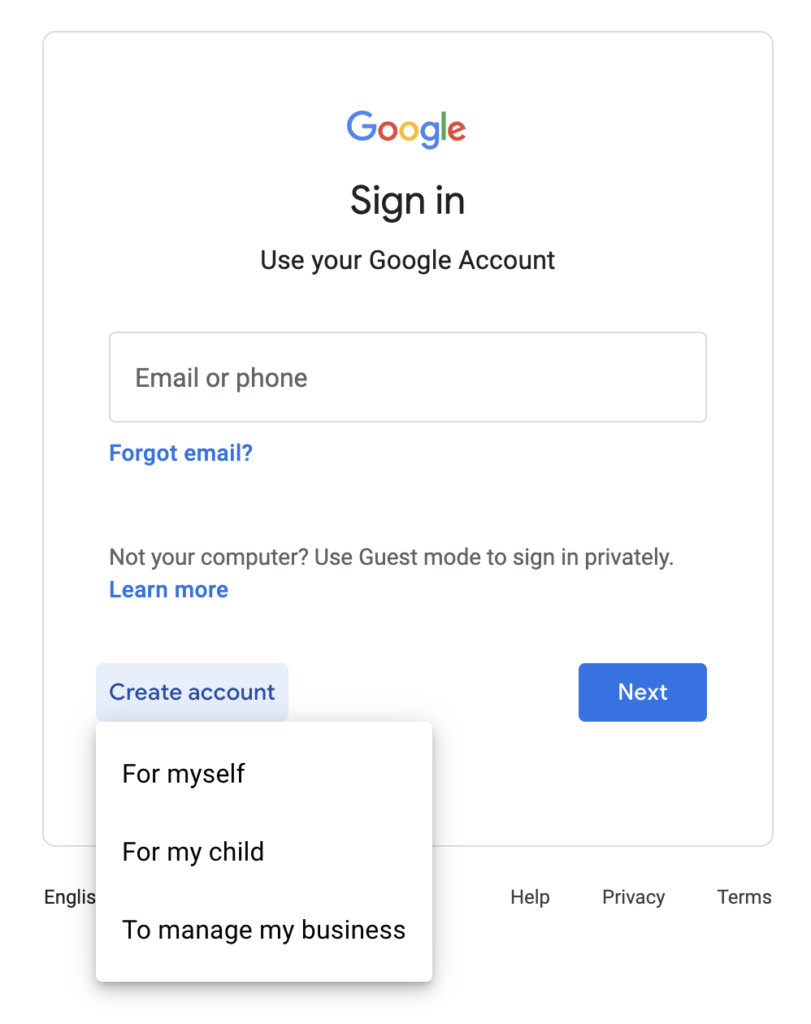
For new users or those without a Google Account, the journey begins with its creation. This process is designed to be intuitive but involves several critical data points for security and account recovery. Users are prompted to provide basic personal information, select a username (which often becomes the Gmail address), and create a strong password. It’s during this phase that crucial security features like a recovery email and phone number should be meticulously set up. These recovery options are vital for regaining access in case of a forgotten password or a compromised account, acting as a failsafe within the digital security architecture. The system also encourages enabling Two-Factor Authentication (2FA) during signup, a critical layer of defense that will be discussed further. This initial setup is not just about creating an account; it’s about establishing a secure digital identity within Google’s framework.
Benefits of an Integrated Account
The advantages of an integrated Google Account for YouTube extend far beyond mere login convenience. Technologically, it enables a highly personalized experience. Google’s sophisticated algorithms, powered by machine learning, can aggregate data from your interactions across various Google services (with user consent and privacy controls) to refine content recommendations on YouTube. This leads to a more relevant and engaging viewing experience. Furthermore, an integrated account facilitates seamless content creation and management. Creators can easily switch between their personal viewing profile and their channel management dashboard, access their content from Google Drive, and utilize tools like Google Analytics for performance tracking—all under one unified login. This synergy underscores the strategic value of the Google Account as a central hub for digital life, optimizing both consumption and production within its ecosystem.
Step-by-Step Guide to Signing In
Navigating the sign-in process for YouTube is generally straightforward, but understanding each step, especially when encountering issues, is key. This section provides a meticulous breakdown of the technical flow.
Accessing YouTube’s Login Interface
Whether on a desktop browser or a mobile application, the initial point of entry is consistent. On a desktop, users typically navigate to youtube.com. In the top-right corner, a “Sign In” button is prominently displayed. Clicking this initiates the authentication sequence. On mobile devices, launching the YouTube app presents a similar “Sign In” option, often represented by a profile icon. These user interface elements are designed for intuitive discovery, leveraging common design patterns across digital platforms to minimize user friction. Behind the scenes, these buttons trigger secure communication protocols (like HTTPS) that initiate a request to Google’s authentication servers, preparing the system for credential submission.
Entering Your Credentials
Upon clicking “Sign In,” users are redirected to a secure Google login page. Here, they are prompted to enter their Google Account email address or phone number associated with the account. This initial input acts as the primary identifier. After submitting this, the system then requests the associated password. It is crucial to ensure that these credentials are typed accurately. Modern browsers and apps often offer password managers or auto-fill features, which, when used securely, can expedite this process while minimizing typing errors. From a security perspective, this data is transmitted encrypted to Google’s servers, where it is compared against stored hashed credentials. The system is engineered to prevent brute-force attacks by implementing rate limiting and temporary account lockouts after multiple failed attempts.
Navigating Two-Factor Authentication (2FA)
One of the most critical security layers in modern authentication is Two-Factor Authentication (2FA), also known as Multi-Factor Authentication (MFA). If 2FA is enabled on your Google Account (which is highly recommended), after successfully entering your password, you will be prompted for a second verification step. This could involve:
- Google Prompt: Receiving a notification on a trusted mobile device, requiring a tap to approve the login. This leverages secure push notifications and device-level authentication.
- Verification Code: Entering a one-time code generated by an authenticator app (e.g., Google Authenticator) or sent via SMS to your registered phone number. These codes are time-sensitive and cryptographically generated.
- Security Key: Using a physical hardware key (e.g., YubiKey) that plugs into your device. This is often considered the strongest form of 2FA, leveraging public-key cryptography.
Successfully navigating 2FA is paramount for account security, as it significantly reduces the risk of unauthorized access even if your primary password is compromised.
Troubleshooting Common Login Issues
Despite the robust design, users may occasionally encounter login difficulties. Common issues and their technical resolutions include:
- Incorrect Password: The most frequent problem. Ensure caps lock is off. If forgotten, utilize the “Forgot password?” link, which initiates a secure account recovery process, typically involving verification via recovery email/phone or security questions.
- 2FA Problems: If your verification method isn’t working (e.g., lost phone, authenticator app sync issues), Google provides backup codes (which should be stored securely offline) or alternative recovery options through a dedicated account recovery flow.
- Browser Issues: Corrupted browser cache or cookies can interfere with login sessions. Clearing browser data often resolves these. Outdated browsers may also lack compatibility with modern security protocols; ensuring your browser is updated is a good practice.
- Network Connectivity: A stable internet connection is fundamental. Intermittent connectivity can disrupt the authentication handshake with Google’s servers.
- Account Locked: Multiple failed login attempts can trigger a temporary account lock for security reasons. Waiting a short period or following Google’s prompts to verify identity can unlock it.
Each of these troubleshooting steps relies on understanding the underlying technical mechanisms of web authentication and security, empowering users to diagnose and resolve issues effectively.
Enhancing Your YouTube Experience Through Account Features
Signing in to YouTube unlocks a universe of personalized features, moving beyond passive consumption to active engagement and tailored content discovery. These features are powered by sophisticated algorithms and data management.
Personalization and Recommendations
Once logged in, YouTube transforms from a generic video platform into a highly personalized content feed. This is primarily driven by advanced recommendation algorithms that analyze your viewing history, subscriptions, likes, comments, and search queries. These machine learning models aim to predict content you’re likely to enjoy, surfacing videos from diverse creators and topics. From a technical perspective, this involves massive data processing, pattern recognition, and predictive analytics. Your logged-in state allows these algorithms to build a persistent profile of your preferences, continually refining recommendations with every interaction. This hyper-personalization is a cornerstone of YouTube’s engagement strategy, keeping users on the platform for longer periods by catering directly to their interests.
Managing Subscriptions and Playlists
A signed-in account is essential for effectively managing your content ecosystem on YouTube. Subscribing to channels is a fundamental feature, allowing you to receive updates from your favorite creators and have their latest content appear in your subscription feed. This feed acts as a curated stream, prioritizing content from your chosen sources. Similarly, the ability to create and manage playlists is invaluable. Playlists allow users to organize videos into custom collections for later viewing, sharing, or continuous playback. This feature goes beyond simple bookmarking, enabling thematic grouping and sequential viewing experiences. Technologically, subscriptions and playlists are database-driven features, where your account serves as the key to store and retrieve these user-defined content relationships, ensuring consistency across devices and sessions.
Content Creation and Community Engagement
For aspiring creators, a signed-in YouTube account is the gateway to publishing content. The “Upload video” functionality, accessible only when logged in, connects directly to your associated channel. This process involves sophisticated backend systems for video encoding, metadata management, and content delivery network (CDN) distribution. Beyond publishing, being signed in facilitates robust community engagement. Users can leave comments, reply to others, like or dislike videos, and even participate in live chat during streams. These interactive elements foster a sense of community and direct communication between creators and their audience. Account-based engagement also allows for moderation tools, reporting inappropriate content, and managing privacy settings for comments, all contributing to a healthier and more controlled digital environment.
Digital Security Best Practices for Your YouTube Account
Given the centrality of your Google Account to your digital life, securing it against threats is paramount. Implementing robust security practices is not merely optional; it is a critical defense mechanism in the evolving landscape of cyber threats.
Strong Password Creation and Management
The first line of defense is a strong, unique password. A strong password typically involves a combination of uppercase and lowercase letters, numbers, and symbols, and should be at least 12-16 characters long. Avoiding easily guessable information (birthdates, names) is crucial. However, memorizing multiple complex passwords is challenging. This is where password managers come in. These applications (e.g., LastPass, 1Password, Bitwarden) securely store and encrypt your credentials, requiring you to remember only one master password. They can also generate highly complex, unique passwords for each service, significantly reducing the risk associated with password reuse—a common vulnerability exploited by attackers. Technically, password managers leverage robust encryption algorithms to protect your stored data, offering a secure vault for your digital keys.
Leveraging Two-Factor Authentication (2FA)
As previously highlighted, 2FA adds a critical second layer of security beyond your password. Even if a malicious actor obtains your password through phishing or a data breach, they would still need access to your second factor (e.g., your phone for a Google Prompt or an authenticator app code) to gain entry. This dramatically raises the bar for attackers. Google offers various 2FA methods, each with varying levels of security. Hardware security keys (like those using FIDO U2F/WebAuthn standards) are generally considered the most secure due to their cryptographic resistance to phishing. Authenticator apps are also highly recommended over SMS-based codes, as SMS can be vulnerable to SIM-swapping attacks. Enabling and regularly reviewing your 2FA settings within your Google Account security dashboard is a proactive measure against unauthorized access.
Recognizing and Avoiding Phishing Attempts
Phishing is a prevalent and sophisticated social engineering tactic used by cybercriminals to trick users into divulging their credentials. Attackers often craft deceptive emails or fake websites that mimic legitimate services like YouTube or Google, urging users to “verify their account” or “update billing information.” Key indicators of phishing attempts include:
- Suspicious Sender: Email addresses that don’t match the official domain (e.g., “support@youtubecustomers.com” instead of “@youtube.com”).
- Generic Greetings: Impersonal salutations (“Dear User”) instead of your name.
- Urgent or Threatening Language: Messages designed to induce panic or immediate action.
- Misspellings and Poor Grammar: Often a tell-tale sign of amateurish phishing attempts.
- Hovering Over Links: Always hover over a link before clicking to see the actual URL. If it doesn’t match the expected domain (e.g., accounts.google.com for login), do not click.
Training yourself to recognize these red flags and habitually verifying the legitimacy of requests directly on the official YouTube or Google website (by typing the URL yourself) is an indispensable security habit.
Regular Security Check-ups
Google provides a comprehensive “Security Checkup” tool within your Google Account settings. This tool acts as a personal security auditor, guiding you through a series of steps to review and enhance your account’s defenses. It checks for common vulnerabilities such as:
- Recently Used Devices: Allows you to review all devices currently signed into your Google Account and remove any unrecognized ones. This is crucial for detecting unauthorized access.
- Third-Party App Access: Identifies applications and services that have been granted access to your Google Account data. Regularly revoking access for apps you no longer use or trust minimizes potential data exposure.
- Recovery Information: Ensures your recovery phone number and email are up-to-date, vital for account recovery.
- 2FA Status: Verifies if 2FA is enabled and suggests stronger methods if available.
Periodically conducting this security check-up (e.g., quarterly) is a proactive and highly effective strategy for maintaining the integrity and security of your YouTube and broader Google presence.
Device-Specific Considerations for YouTube Access
YouTube’s ubiquitous presence means users access it from a variety of devices, each with its own technical nuances and best practices for signing in and managing sessions.
Signing In on Desktop Browsers
On desktop computers, YouTube is typically accessed via web browsers. The login process involves navigating to youtube.com and using the “Sign In” button. Key considerations here include:
- Browser Security: Ensure your browser (Chrome, Firefox, Edge, Safari) is up-to-date to benefit from the latest security patches and compatibility with modern web standards.
- Private/Incognito Mode: While useful for temporary, unauthenticated browsing, private modes do not retain login sessions, meaning you’ll need to sign in each time. For regular use, standard browsing is more convenient.
- Session Management: Browsers remember your login state using cookies. Be mindful of sharing computers; always sign out explicitly, especially on public or shared machines, to prevent unauthorized access to your account. This involves clearing session cookies associated with YouTube and Google.
- Browser Extensions: While many extensions enhance user experience, poorly developed or malicious ones can pose security risks, potentially intercepting login data. Exercise caution when installing extensions.
The YouTube Mobile App Experience
The YouTube mobile app for iOS and Android offers a highly optimized and integrated experience. Signing in typically happens automatically if you are already signed into your Google Account on the device.
- Seamless Integration: Android devices are deeply integrated with Google Accounts, often requiring no separate sign-in for YouTube once the device is set up. iOS users may need to manually add their Google Account via device settings or sign in directly within the YouTube app.
- App Permissions: Be aware of the permissions requested by the YouTube app (e.g., camera access for live streaming, microphone for voice search). Granting only necessary permissions is a good security practice.
- Biometric Authentication: Many mobile apps, including YouTube, support biometric authentication (fingerprint, face ID) once you’re initially signed in. This adds a convenient and secure layer for quick re-access, leveraging device-level hardware security modules.
- Offline Access: Certain features, like downloading videos (with YouTube Premium), require a signed-in account to manage content licenses and user profiles for offline viewing.
Smart TVs and Streaming Devices
Accessing YouTube on smart TVs (e.g., Samsung Tizen, LG webOS) and dedicated streaming devices (e.g., Roku, Apple TV, Amazon Fire TV, Chromecast) offers a large-screen viewing experience. The login process here often involves a “device activation” method:
- Code-Based Login: Instead of typing long email and password credentials on a TV remote, you typically receive a unique alphanumeric code on your TV screen. You then navigate to a specific Google activation URL (e.g., youtube.com/activate) on a separate computer or mobile device, sign into your Google Account there, and enter the code. This securely links the TV app to your Google Account.
- Casting/Mirroring: While not a direct sign-in, casting from a mobile device (where you are already signed in) allows you to push YouTube content to the TV. This leverages the signed-in session on your phone without requiring a separate login on the TV itself.
- Managing Devices: Ensure you know which devices are linked to your YouTube account. Google’s security checkup allows you to review and remove these connected devices, crucial if you sell or dispose of a smart TV or streaming stick.

Managing Logged-in Devices
Regardless of the device, actively managing your logged-in sessions is a critical component of account security. Within your Google Account settings, under “Security,” there’s a section to review “Your devices” or “Manage devices.” This interface lists all active sessions where your Google Account is currently signed in.
- Identify Unknown Devices: Regularly check this list for any devices you don’t recognize or no longer own.
- Sign Out Remotely: For any suspicious or old devices, Google provides the option to “Sign out” remotely. This immediately terminates the session on that device, preventing further unauthorized access.
- Session Lifespan: Understand that login sessions can persist for extended periods unless explicitly signed out or revoked. Proactively managing these sessions ensures that only authorized devices maintain access to your YouTube and Google data.
In conclusion, signing into YouTube is more than just a gateway to videos; it’s an entry point into a sophisticated technological ecosystem. By understanding the foundational role of the Google Account, mastering the step-by-step login process, leveraging account features, implementing rigorous digital security practices, and being mindful of device-specific considerations, users can ensure a rich, personalized, and, most importantly, secure experience on YouTube. This comprehensive approach transforms a simple login task into an informed act of digital citizenship.
aViewFromTheCave is a participant in the Amazon Services LLC Associates Program, an affiliate advertising program designed to provide a means for sites to earn advertising fees by advertising and linking to Amazon.com. Amazon, the Amazon logo, AmazonSupply, and the AmazonSupply logo are trademarks of Amazon.com, Inc. or its affiliates. As an Amazon Associate we earn affiliate commissions from qualifying purchases.