
In the contemporary financial landscape, the boundary between traditional banking and digital commerce has effectively dissolved. As we move toward a more decentralized and globalized economy, having a robust digital wallet is no longer a luxury—it is a foundational requirement for personal finance management, freelance income, and global purchasing power. PayPal remains the preeminent leader in this space, acting as a bridge between your local bank account and the international marketplace.
Setting up a PayPal account is more than a simple registration process; it is an exercise in configuring a financial tool that can help you manage cash flow, secure your sensitive data, and even earn interest on your holdings. This guide provides a comprehensive roadmap for establishing your account while optimizing it for long-term financial health.
Understanding PayPal’s Role in Modern Financial Management
Before diving into the technical setup, it is essential to understand where PayPal fits within your broader financial strategy. PayPal is not a bank in the traditional sense, but it functions as a sophisticated intermediary and a financial services platform. By centralizing your payment methods, it allows you to transact without sharing your primary credit card or bank details with every individual merchant.
Personal vs. Business Accounts
The first strategic decision you must make is selecting the correct account type. This choice has significant implications for your tax reporting, fee structures, and professional image.
-
Personal Accounts: These are designed for the casual user. They are ideal for individuals who want to shop online safely, send money to friends and family for shared expenses, or receive small, infrequent payments. Personal accounts have simplified interfaces and are generally free of monthly maintenance fees.
-
Business Accounts: If you are a freelancer, a side-hustler, or an established business owner, a Business Account is a necessity. It allows you to operate under a corporate or brand name, provides access to multi-user logins for employees, and enables advanced invoicing features. Crucially, Business Accounts offer more robust reporting tools, which are invaluable when tax season arrives and you need to reconcile your digital income.
Security and Financial Protection
A primary motivation for using PayPal is the layer of security it adds to your financial ecosystem. When you use a digital wallet, you are effectively “tokenizing” your financial identity. Instead of your bank’s routing number or your credit card’s CVV being stored on dozens of different retail servers—each with varying levels of security—only PayPal holds that data. This centralized security model significantly reduces your surface area for potential identity theft or fraudulent charges.
Step-by-Step Guide to Creating Your PayPal Account
To ensure your account is fully functional and free of transfer limits, you must follow a methodical setup process. This involves registration, rigorous verification, and the strategic linking of your existing assets.
Phase 1: Registration and Basic Information
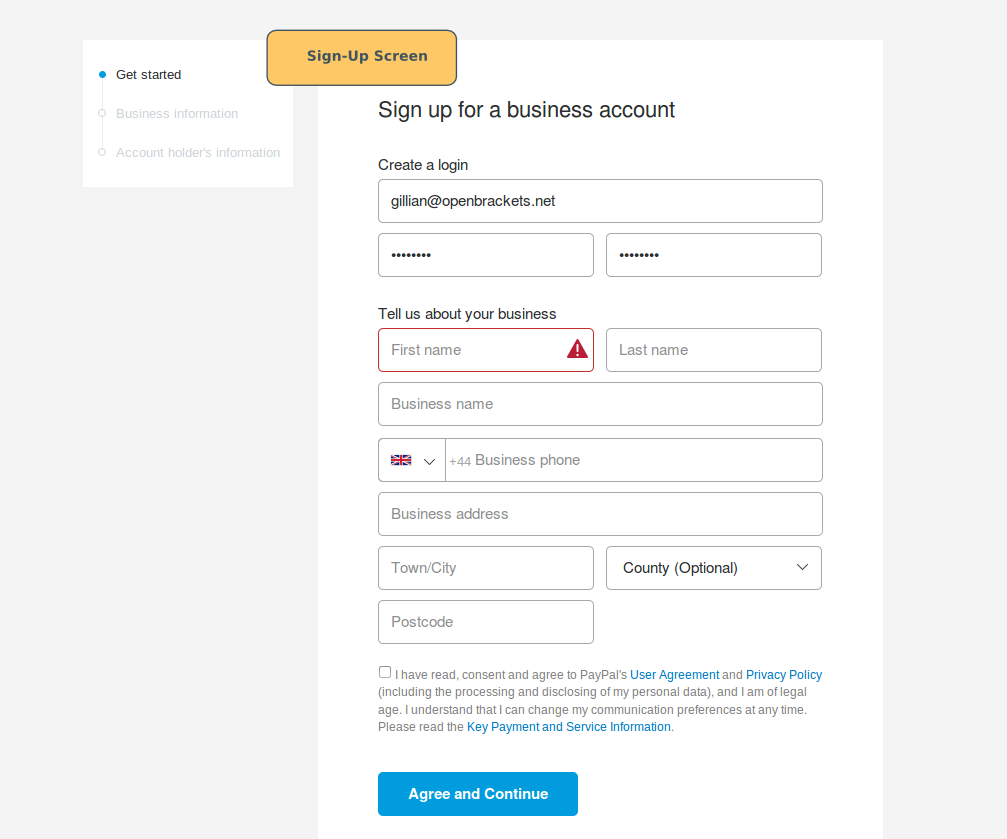
Begin by visiting the official PayPal website or downloading the mobile application. Select “Sign Up” and choose between a Personal or Business account based on the criteria discussed above. You will be prompted to enter a primary email address.
From a financial management perspective, it is often wise to use a dedicated email address specifically for financial services. This prevents your transaction notifications and security alerts from getting lost in a sea of marketing emails or personal correspondence, allowing for better oversight of your spending patterns.
Phase 2: Verifying Your Identity and Email
Once the initial form is submitted, PayPal will send a verification link to your email. Confirming your email is the first step in lifting the “unverified” status of a new account. However, true verification—which allows for higher transaction limits and increased trust within the PayPal network—requires more data.
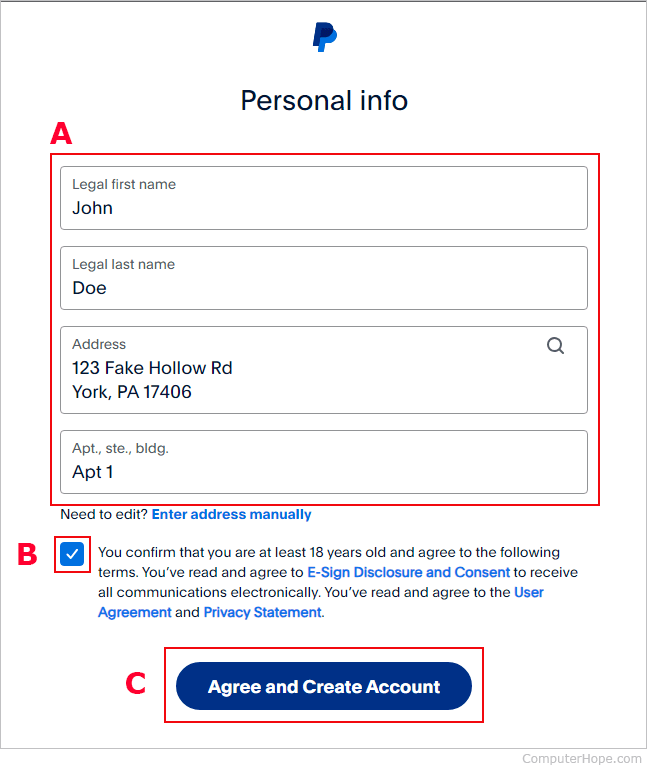
You will likely be asked to provide your legal name, physical address, and a phone number. For users in many jurisdictions, providing a Taxpayer Identification Number (TIN) or Social Security Number (SSN) is required by law to comply with Anti-Money Laundering (AML) and Know Your Customer (KYC) regulations. Providing this information early prevents your funds from being “frozen” or placed on hold later when you attempt to move significant sums of money.
Phase 3: Linking Bank Accounts and Credit Cards
The final stage of the basic setup is connecting your funding sources. You should link both a primary bank account and a backup credit card.

-
Linking a Bank Account: This is done via your bank’s routing and account numbers. PayPal typically uses a “micro-deposit” system for verification. They will send two very small deposits (usually less than $0.50) to your bank account. After two to three business days, you check your bank statement and enter those exact amounts into the PayPal verification portal. This proves that you have authorized access to the account.
-
Linking a Credit Card: While bank accounts are better for transferring large sums of money into your PayPal balance, credit cards offer an additional layer of consumer protection for purchases. Linking a card ensures that if your PayPal balance is empty, your transaction will still process smoothly.
Optimizing Your Account for Financial Growth
Once your account is active, the focus shifts from setup to optimization. PayPal offers several features that can help you manage your money more effectively than a standard checking account.
Managing Multiple Currencies
For those involved in the digital economy or global freelancing, currency management is a critical skill. PayPal allows you to hold balances in dozens of different currencies. If you are receiving a payment in Euros but live in the United States, you can choose to hold that money in a Euro sub-balance rather than converting it immediately. This allows you to wait for a more favorable exchange rate or use those Euros to pay a foreign vendor directly, thereby avoiding double-conversion fees.
Setting Up PayPal Savings and High-Yield Options
In recent years, PayPal has integrated high-yield savings features through partner banks. By navigating to the “Finances” tab, users can often find options to move their idle PayPal balance into a dedicated savings goal. These accounts frequently offer interest rates that significantly outperform traditional “big bank” savings accounts. From a personal finance standpoint, this turns your digital wallet from a simple spending tool into a passive income generator.
Fees and Cost Management
Understanding the fee structure is vital for anyone using PayPal for income. While it is free to send money to friends and family using a linked bank account, “Goods and Services” transactions carry a fee (typically around 2.9% plus a fixed fee for domestic transactions).
To optimize your finances, you must account for these margins. If you are a freelancer, you should factor these transaction costs into your pricing model. Furthermore, be aware of the “Instant Transfer” fee. While PayPal offers the ability to move money to your bank in minutes, they charge a percentage for the privilege. Opting for the standard 1–3 day transfer is free and is the smarter choice for routine financial management.
Leveraging PayPal for Online Income and Business Scaling
If you have opted for a Business Account or are using your Personal Account for side-hustle income, PayPal provides tools that act as a lightweight accounting suite.
Receiving Payments as a Freelancer
PayPal eliminates the need for expensive merchant accounts or complicated wire transfers. You can provide clients with a “PayPal.Me” link—a customized URL that allows them to pay you instantly without needing your email address or phone number. This streamlines the accounts receivable process, ensuring that you get paid faster and can maintain a healthier cash flow for your business or household.
Invoicing and Financial Tracking
One of the most underutilized features of PayPal is its robust invoicing system. You can create professional, branded invoices that itemize services, calculate taxes, and even allow for partial payments or tips.
Beyond the professional appearance, these invoices serve as a digital paper trail. When it comes time to track your annual revenue or provide proof of income for a loan application, PayPal’s ability to export detailed CSV reports of your transaction history is invaluable. It transforms your payment processor into a central hub for financial record-keeping.
Best Practices for Digital Financial Security
A well-set-up account is only useful if it is secure. Because PayPal is a high-value target for bad actors, you must implement the highest level of protection available.
-
Two-Factor Authentication (2FA): Never rely solely on a password. Enable 2FA so that a unique code is required from your mobile device every time you log in from a new location.
-
Monitor “Pre-approved Payments”: Over time, many users accumulate a long list of subscriptions and “automatic” payment permissions given to various websites. Periodically review your “Automatic Payments” settings to ensure you aren’t leaking money to services you no longer use.
-
Dispute Resolution Awareness: Familiarize yourself with the Purchase Protection and Seller Protection programs. Understanding the documentation required to win a dispute—such as tracking numbers and clear communication logs—is essential for protecting your capital in the event of a transaction gone wrong.
By following this strategic approach to setting up and managing your PayPal account, you transition from being a passive consumer to an active manager of your digital wealth. In an era where financial agility is key, your PayPal account serves as a sophisticated terminal for global commerce, savings, and professional growth.
aViewFromTheCave is a participant in the Amazon Services LLC Associates Program, an affiliate advertising program designed to provide a means for sites to earn advertising fees by advertising and linking to Amazon.com. Amazon, the Amazon logo, AmazonSupply, and the AmazonSupply logo are trademarks of Amazon.com, Inc. or its affiliates. As an Amazon Associate we earn affiliate commissions from qualifying purchases.