
In the modern financial landscape, speed and reliability are the cornerstones of effective personal money management. Direct deposit has transitioned from a convenient perk to a fundamental necessity for anyone looking to optimize their cash flow. By automating the transfer of your earnings directly into your Chase account, you eliminate the risks associated with physical checks, such as loss, theft, or delays in mail delivery. Furthermore, for Chase customers, setting up direct deposit is often the key to unlocking premium account features, waiving monthly service fees, and gaining faster access to earned wages.
Why Direct Deposit is the Foundation of a Modern Financial Strategy
Before diving into the technical steps of the setup, it is essential to understand why direct deposit is a strategic move for your financial health. At its core, direct deposit is an Electronic Funds Transfer (EFT) that moves money from your employer’s bank account to yours. However, within the Chase ecosystem, its impact is much broader.
Eliminating Monthly Service Fees
One of the primary reasons Chase customers prioritize direct deposit is to bypass monthly maintenance fees. For example, the Chase Total Checking® account—one of the most popular banking products in the United States—typically carries a monthly service fee. One of the most common ways to waive this fee is by having qualifying direct deposits totaling a specific amount (often $500 or more) made into the account each monthly statement period. By automating this process, you effectively make your banking experience free, allowing you to keep more of your hard-earned money.
Accelerated Access to Capital
Chase has introduced features like “Early Pay” for specific account types, such as Chase Secure Banking. This feature allows users to receive their direct deposit funds up to two days early, depending on when the employer sends the payment instructions. In a world where inflation and unexpected expenses can squeeze a budget, having access to your salary 48 hours ahead of schedule can provide a vital buffer for bill payments and emergency costs.
Enhanced Security and Record-Keeping
Physical checks are inherently vulnerable. They can be misplaced, stolen from mailboxes, or forged. Direct deposit utilizes encrypted electronic networks, ensuring that the transition of funds is secure and traceable. From a professional accounting perspective, direct deposit provides a clean, digital paper trail. This simplifies the process of tracking income for tax purposes, mortgage applications, or personal budgeting software integrations.
Practical Steps to Configuring Your Chase Direct Deposit
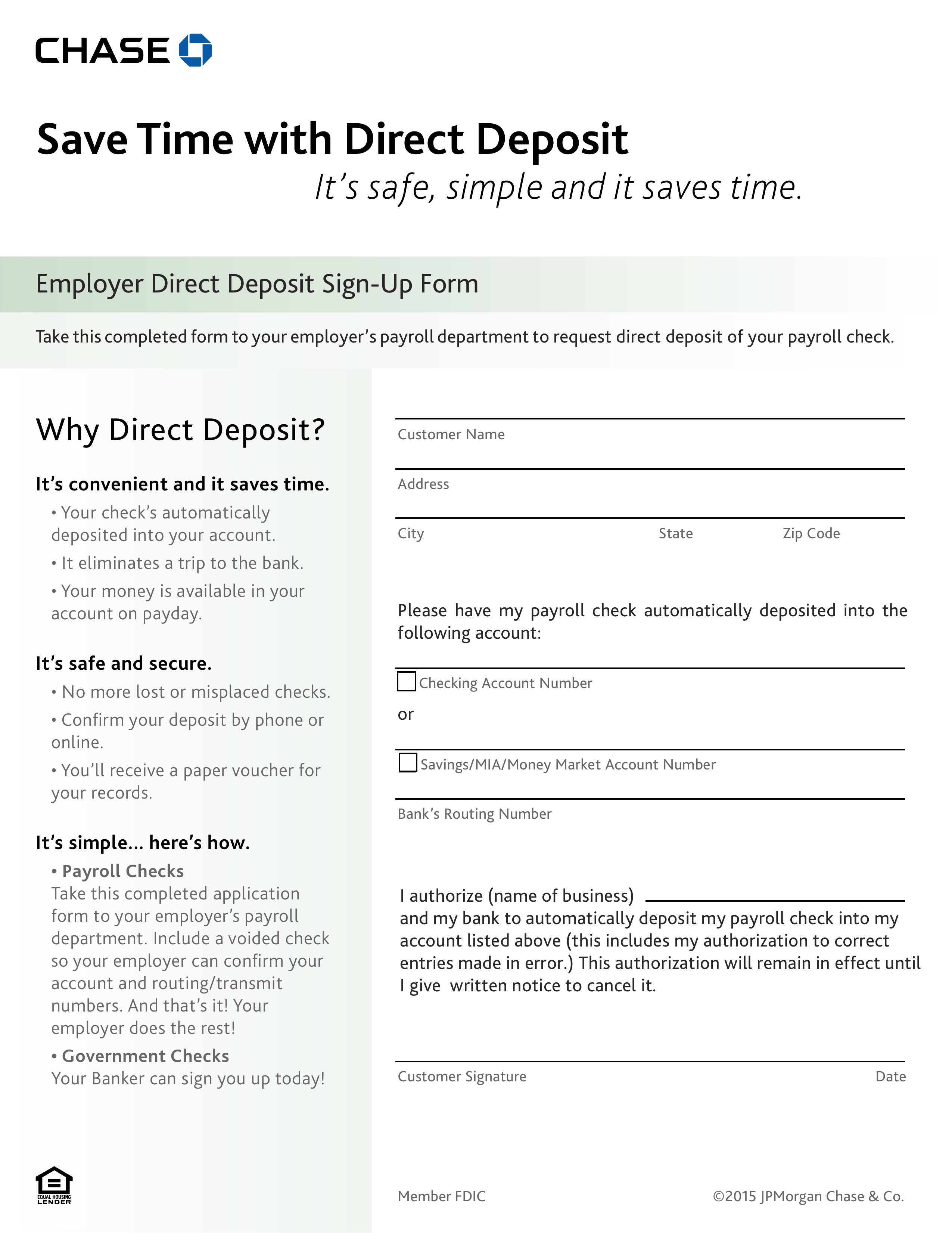
Setting up direct deposit with Chase is a straightforward process, but it requires precision to ensure that funds are routed correctly. You can initiate this through the Chase Mobile® app, the Chase online portal, or by providing a traditional form to your employer’s payroll department.
Identifying Your Account and Routing Numbers
The first step in any direct deposit setup is locating your specific banking credentials. Every Chase account is assigned an account number and a routing number. The routing number identifies Chase as the financial institution, while the account number identifies your specific “bucket” within that institution.
To find these numbers via the Chase Mobile® app:
-
Log in to your account.
-
Tap on the specific checking account you wish to use.
-
Scroll down to “Account details.”
-
You will see your routing number and the last four digits of your account number (tap to reveal the full number).
If you are using a desktop, log in to Chase.com, click on the account name, and look for “Account details” under the “See more” or “Show details” toggle. It is important to note that routing numbers can vary depending on the state where you opened your account, so always use the number provided in your secure portal rather than searching for a general Chase routing number online.
Utilizing the Chase Pre-Filled Direct Deposit Form
To minimize the risk of manual entry errors, Chase provides a pre-filled direct deposit form. This document contains all the necessary information your employer needs to initiate the transfer.
-
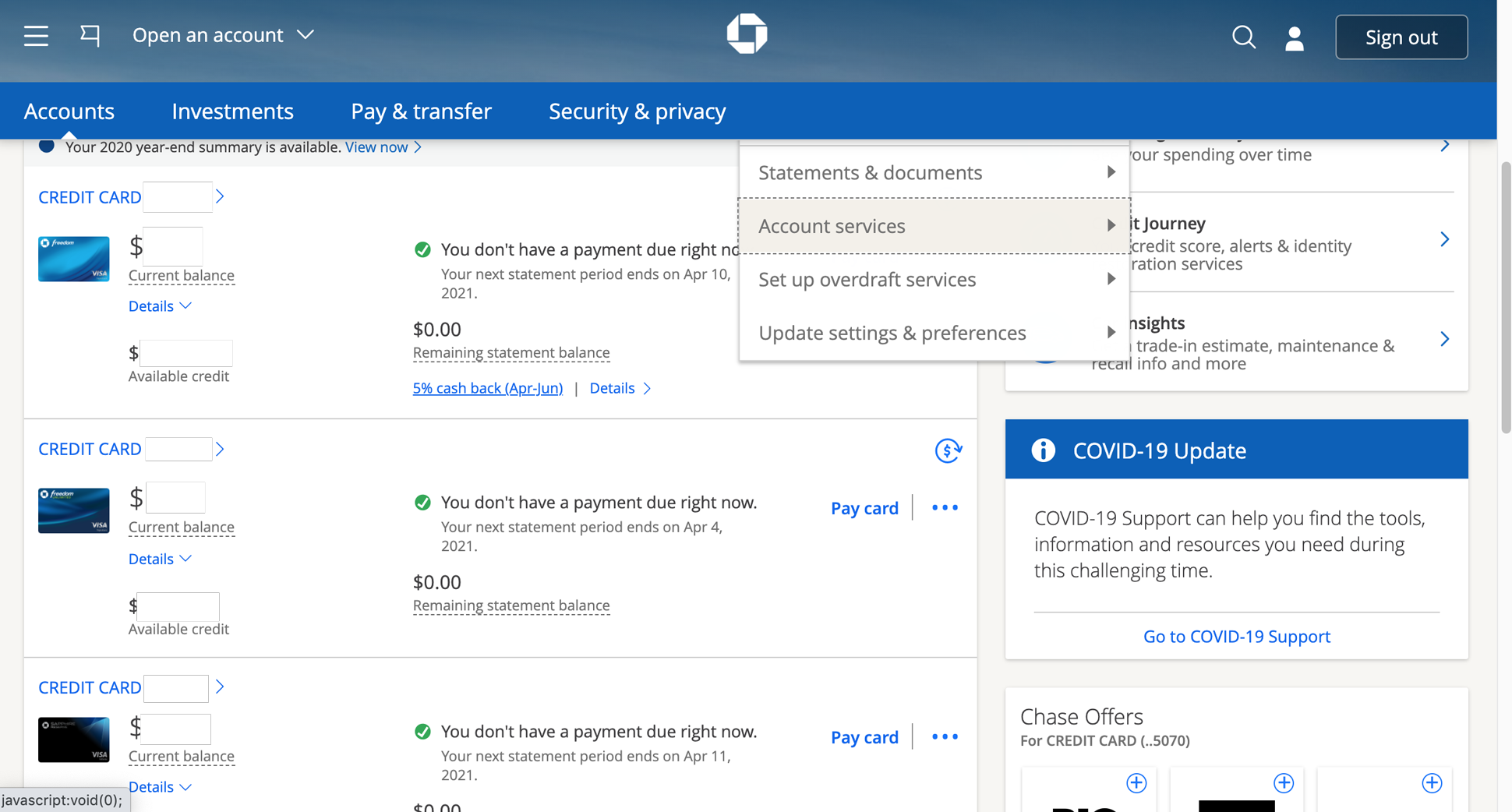
Sign in to your Chase account online.
-
Navigate to the “Paperless & account Settings” or search for “Direct Deposit” in the search bar.
-
Select “Create direct deposit form.”
-
The system will generate a PDF that includes your name, your account number, and the correct routing number.
-
You can download this form and email it to your HR department or print it for physical submission.
Setting Up via the Employer Portal
Most modern companies use payroll platforms like Workday, ADP, or Gusto. If your employer uses a self-service portal, you likely won’t need to submit a paper form. Instead, you will log into your payroll account and navigate to the “Payment Methods” or “Direct Deposit” section. There, you will enter the routing and account numbers you retrieved from Chase. Be sure to select “Checking” as the account type to ensure the transfer is processed correctly.
Leveraging Direct Deposit for Wealth Building and Automation
Once the technical setup is complete, the true power of direct deposit lies in how you use it to automate your financial growth. High-net-worth individuals often use direct deposit not just to pay bills, but as a tool for “paying themselves first.”
The Power of the Split Deposit
Most employers allow you to split your direct deposit between multiple accounts. This is a highly effective strategy for forced savings. For example, you can instruct your employer to send 80% of your paycheck to your Chase Total Checking account for monthly expenses and 20% to a Chase Savings account or an external investment vehicle.
By automating this split, you remove the “decision fatigue” associated with saving. When the money never hits your checking account, you are less likely to spend it, allowing your emergency fund or investment portfolio to grow passively.
Integration with Personal Finance Ecosystems
A consistent direct deposit into a Chase account acts as a heartbeat for your entire financial ecosystem. When your income is centralized and predictable, you can more effectively use tools like Chase “Plan & Manage” to track your spending. Furthermore, a steady history of direct deposits can improve your internal “creditworthiness” within the bank. While it doesn’t directly impact your FICO score, having a consistent income stream visible to Chase can be a positive factor if you apply for a Chase Sapphire credit card or a mortgage, as it demonstrates financial stability and a reliable cash flow.
Transitioning Between Employers
When changing jobs, the direct deposit setup is one of the most critical items on your financial checklist. To avoid a “gap” where you receive a physical check (which takes longer to clear), aim to set up your new direct deposit as soon as you receive your employee onboarding credentials. It often takes one to two pay cycles for a new direct deposit to take effect. During this transition, ensure you have enough liquidity in your Chase account to cover any automated bill payments or “Chase QuickPay with Zelle” transactions that may be scheduled.
Troubleshooting and Optimizing Your Deposits
While the system is generally seamless, there are nuances to manage to ensure your money is always where it needs to be.
Understanding Deposit Timing
A common point of confusion is exactly when the funds will appear in the account. Standard direct deposits typically arrive on the morning of your official payday, often as early as 3:00 AM to 5:00 AM Eastern Time. If your payday falls on a federal holiday or a weekend, the deposit is usually processed on the business day prior. If you do not see your funds by mid-morning on payday, your first step should be to check with your employer’s payroll department to ensure the transfer was initiated.
Verification of Small Deposits
In some instances, particularly when linking your Chase account to an external side-hustle platform or a brokerage, the entity may perform “micro-deposits.” They will send two small amounts (usually under $1.00) to your account to verify ownership. You will need to log into Chase, find these amounts in your transaction history, and enter them back into the external platform to “verify” the link. Once verified, the full direct deposit of your earnings can begin.

Managing Account Changes
If you decide to upgrade your Chase account—moving, for example, from Chase Total Checking to a Chase Sapphire Checking account—your account number and routing number typically stay the same, meaning your direct deposit will continue uninterrupted. However, if you open a brand-new account rather than upgrading an existing one, you must update your information with your employer immediately to avoid funds being sent to a closed or inactive account.
By viewing direct deposit not just as a way to get paid, but as a strategic tool for financial organization, you can significantly reduce the time spent managing your money. Setting it up with Chase provides the dual benefit of institutional security and the potential for fee-free banking, creating a solid foundation for your long-term financial journey.
aViewFromTheCave is a participant in the Amazon Services LLC Associates Program, an affiliate advertising program designed to provide a means for sites to earn advertising fees by advertising and linking to Amazon.com. Amazon, the Amazon logo, AmazonSupply, and the AmazonSupply logo are trademarks of Amazon.com, Inc. or its affiliates. As an Amazon Associate we earn affiliate commissions from qualifying purchases.