
In the modern financial landscape, the ability to move money securely and efficiently across the globe is no longer a luxury—it is a necessity. PayPal has established itself as a cornerstone of the digital economy, acting as a bridge between traditional banking systems and the fast-paced world of e-commerce, freelance work, and peer-to-peer lending. Whether you are looking to streamline your personal spending, launch a side hustle, or manage a growing business’s cash flow, setting up a PayPal account correctly is the first step toward masterly financial management.

This guide explores the strategic nuances of establishing a PayPal presence, ensuring that your account is not only functional but also optimized for security, tax compliance, and long-term financial health.
Understanding the Role of PayPal in Modern Personal Finance
Before diving into the technical setup, it is essential to understand where PayPal fits into your broader financial ecosystem. Unlike a traditional bank account, PayPal acts as a digital wallet and a payment processor. It provides a layer of insulation between your primary bank account and the various merchants or individuals you interact with online.
Personal vs. Business Accounts: Which Fits Your Financial Goals?
The first decision you will face is choosing between a Personal and a Business account. This choice dictates your fee structure, your privacy levels, and the tools available to you.
Personal Accounts are designed for the individual consumer. They are ideal for those who primarily use the platform to shop online, send money to friends and family, or receive occasional small payments. The primary advantage of a Personal account is its simplicity and the lack of fees for standard purchases. However, if you intend to sell goods or services regularly, a Personal account may lack the professional features required for scale.
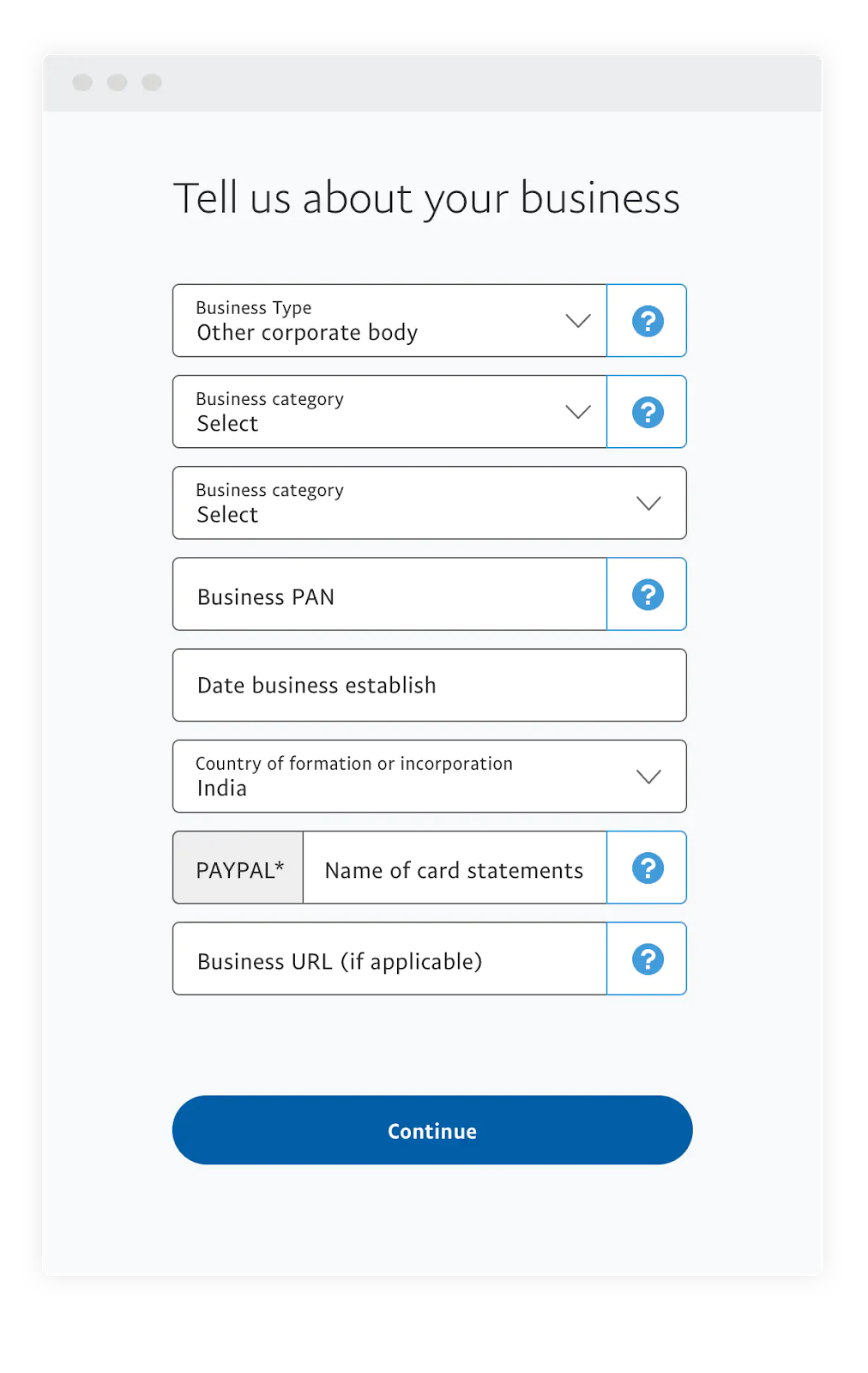
Business Accounts are built for entrepreneurs, freelancers, and corporate entities. They allow you to operate under a company name, accept credit card payments from customers who do not have PayPal accounts, and grant multi-user access to employees. From a financial management perspective, Business accounts are superior for record-keeping and tax preparation, as they offer detailed reporting tools and integration with accounting software like QuickBooks or Xero.
The Benefits of Centralizing Your Online Transactions
Centralizing your digital spending through PayPal offers significant advantages in financial tracking. By using PayPal as a single “hub” for various subscriptions and online purchases, you can easily review your monthly outgoings in one consolidated statement. This visibility is crucial for effective budgeting and identifying “subscription creep”—those small, recurring charges that can quietly erode your savings over time.
Step-by-Step: Establishing Your Financial Gateway
Setting up the account is a straightforward process, but it requires attention to detail to ensure that your financial data remains secure and your account remains in good standing with international financial regulations.
Initial Registration and Email Verification
To begin, visit the PayPal website or download the mobile application. You will be prompted to select your account type. Once selected, you must provide a legal name that matches your government-issued identification. Using a pseudonym or a “nickname” can lead to significant hurdles later, particularly when you attempt to withdraw funds to a bank account.
The email address you choose serves as your unique financial identifier. For business users, it is highly recommended to use a dedicated professional email address rather than a personal one. This aids in brand consistency and ensures that financial correspondence does not get lost in a cluttered personal inbox. After providing your details, you must verify your email address via the link sent to your inbox. This step is a critical security measure that “activates” your ability to receive funds.
Linking Bank Accounts and Credit Cards for Fluidity
An empty PayPal account is of limited use. To leverage the platform fully, you must link it to an external source of capital. You can link a traditional checking account, a savings account, or a debit/credit card.
Linking a bank account involves providing your routing and account numbers. PayPal typically verifies these accounts through “micro-deposits”—two small sums (usually a few cents) sent to your bank. Once these appear in your bank statement, you enter the amounts into the PayPal interface to confirm ownership. This process ensures that you are the legitimate owner of the funds, providing a vital layer of protection against fraud.
From a personal finance strategy standpoint, linking a credit card can be beneficial for those looking to maximize rewards points or cash-back offers, as PayPal transactions often qualify for these incentives while providing an extra layer of “Buyer Protection.”
Completing the Identity Verification Process (KYC)
As a financial institution, PayPal is bound by “Know Your Customer” (KYC) and Anti-Money Laundering (AML) laws. To prevent your account from being limited or frozen, you should proactively complete the identity verification process. This usually involves uploading a photo of a driver’s license or passport and confirming your Social Security number or Tax ID. While this may feel invasive, it is a standard industry practice designed to protect the integrity of the global financial system.
Optimizing Your Account for Financial Security and Efficiency
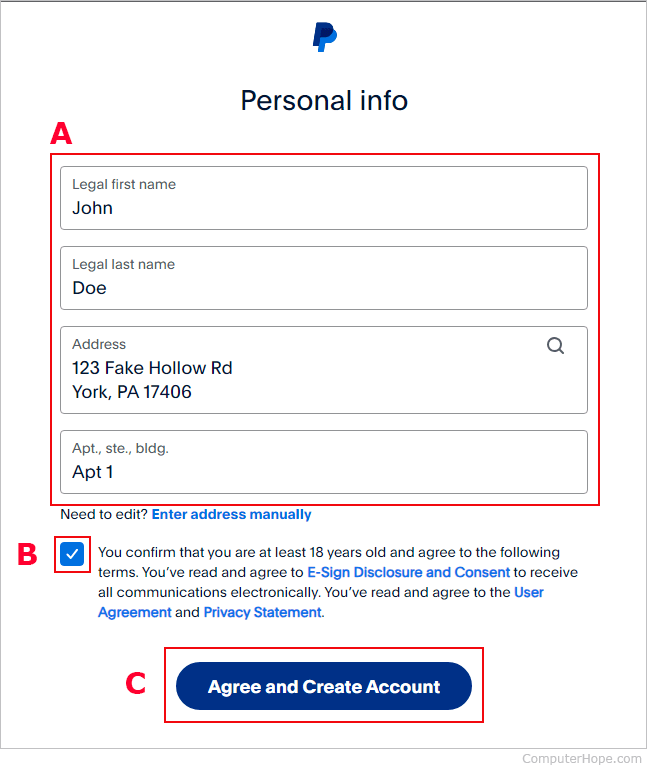
Once the account is live, the focus shifts from setup to optimization. A poorly managed account is a liability; an optimized one is an asset.
Implementing Multi-Factor Authentication (MFA)
In the realm of digital finance, security is the highest priority. Standard passwords, no matter how complex, are often insufficient. You should immediately enable Multi-Factor Authentication (MFA). This requires a secondary code—sent via SMS or generated by an authenticator app—to log in. This simple step reduces the risk of unauthorized access by an order of magnitude, protecting your linked bank accounts from potential “drainage” if your credentials are compromised elsewhere.
Managing Currency Conversions and International Fees
One of PayPal’s most powerful features is its ability to handle international transactions. However, this comes at a cost. PayPal applies its own exchange rates, which typically include a spread (a percentage added to the mid-market rate).
If you are a freelancer working with international clients or a traveler purchasing goods from overseas, these fees can add up to 3-4% of every transaction. To manage this, consider holding balances in multiple currencies within your PayPal wallet. By keeping USD in a USD balance and EUR in a EUR balance, you can avoid unnecessary conversion fees until you are ready to make a strategic withdrawal.
Setting Up a Budgeting Buffer with PayPal Balances
A sophisticated way to use PayPal for personal finance is to treat your PayPal balance as a “buffer” or a specific category in your budget. For instance, if you earn side-income through freelance writing or selling on eBay, you might choose to keep those funds within PayPal to cover your own online purchases or business expenses. This prevents “leakage” into your primary checking account, where the money might be spent on daily living expenses rather than reinvested into your growth goals.
Leveraging PayPal for Online Income and Side Hustles
For many, PayPal is the primary engine for generating online income. If you are entering the “gig economy,” understanding how to use PayPal’s merchant tools is vital for cash flow management.
Integrating with E-commerce and Freelance Platforms
PayPal integrates seamlessly with platforms like Shopify, Etsy, Upwork, and Fiverr. When setting up these integrations, ensure that your PayPal Business name matches the store name seen by customers. This reduces “friendly fraud,” where customers initiate a chargeback because they do not recognize a transaction on their bank statement.
Utilizing Invoicing Tools for Business Growth
One of the most underutilized financial tools in PayPal is the Invoicing system. Rather than waiting for a client to ask how to pay you, you can send professional, itemized invoices directly through the platform. These invoices allow clients to pay via credit card or their own PayPal balance. From a finance perspective, this speeds up your “Accounts Receivable” cycle, ensuring that cash enters your business as quickly as possible.
Understanding Tax Documentation and Reporting Requirements
As your online income grows, so does your responsibility to the tax authorities. In the United States, for example, PayPal is required to issue Form 1099-K to users who exceed certain payment thresholds. By maintaining a clean PayPal Business account, you can generate annual financial reports that categorize your income and expenses, making tax season significantly less stressful. Always remember that PayPal fees are generally considered a tax-deductible business expense.
Navigating Common Financial Pitfalls and Disputes
Even with a perfect setup, financial friction can occur. Knowing how to navigate disputes is part of professional financial management.
Managing the Resolution Center
PayPal’s Resolution Center is the designated space for handling disputes, claims, and unauthorized transactions. If a buyer claims they didn’t receive an item, or a seller sends a faulty product, the Resolution Center acts as a mediator. To protect your finances, always provide tracking numbers for physical goods and keep records of communication for digital services. Under “Seller Protection” and “Buyer Protection” policies, having a clear paper trail is your best defense against financial loss.
Avoiding Common Phishing Scams and Account Freezes
Finally, a key part of maintaining your digital financial health is awareness. PayPal will never ask for your password via email. Be wary of “phishing” emails that claim your account has been limited and provide a suspicious link. Always navigate directly to PayPal.com to check your account status.
Furthermore, sudden spikes in transaction volume can sometimes trigger an automatic account freeze as a fraud prevention measure. To avoid this, if you expect a significant increase in sales (e.g., during a holiday promotion), it is wise to contact PayPal support in advance to verify your identity and business model, ensuring your cash flow remains uninterrupted.
By following these steps and treating your PayPal account as a core component of your financial strategy, you can enjoy the convenience of digital payments while maintaining the security and oversight necessary for long-term financial success.
aViewFromTheCave is a participant in the Amazon Services LLC Associates Program, an affiliate advertising program designed to provide a means for sites to earn advertising fees by advertising and linking to Amazon.com. Amazon, the Amazon logo, AmazonSupply, and the AmazonSupply logo are trademarks of Amazon.com, Inc. or its affiliates. As an Amazon Associate we earn affiliate commissions from qualifying purchases.