
Understanding Google Wallet in the Modern Financial Landscape
The digital age has revolutionized how we manage and move our money, transforming physical wallets crammed with cards and cash into streamlined, secure applications on our smartphones. Google Wallet stands at the forefront of this transformation, serving as a pivotal financial tool designed to simplify everyday transactions and enhance financial control. As a central repository for your digital payment methods, loyalty cards, and even digital keys, Google Wallet acts as your personalized financial hub, integrating seamlessly into the broader Google ecosystem to facilitate secure and efficient money transfers.
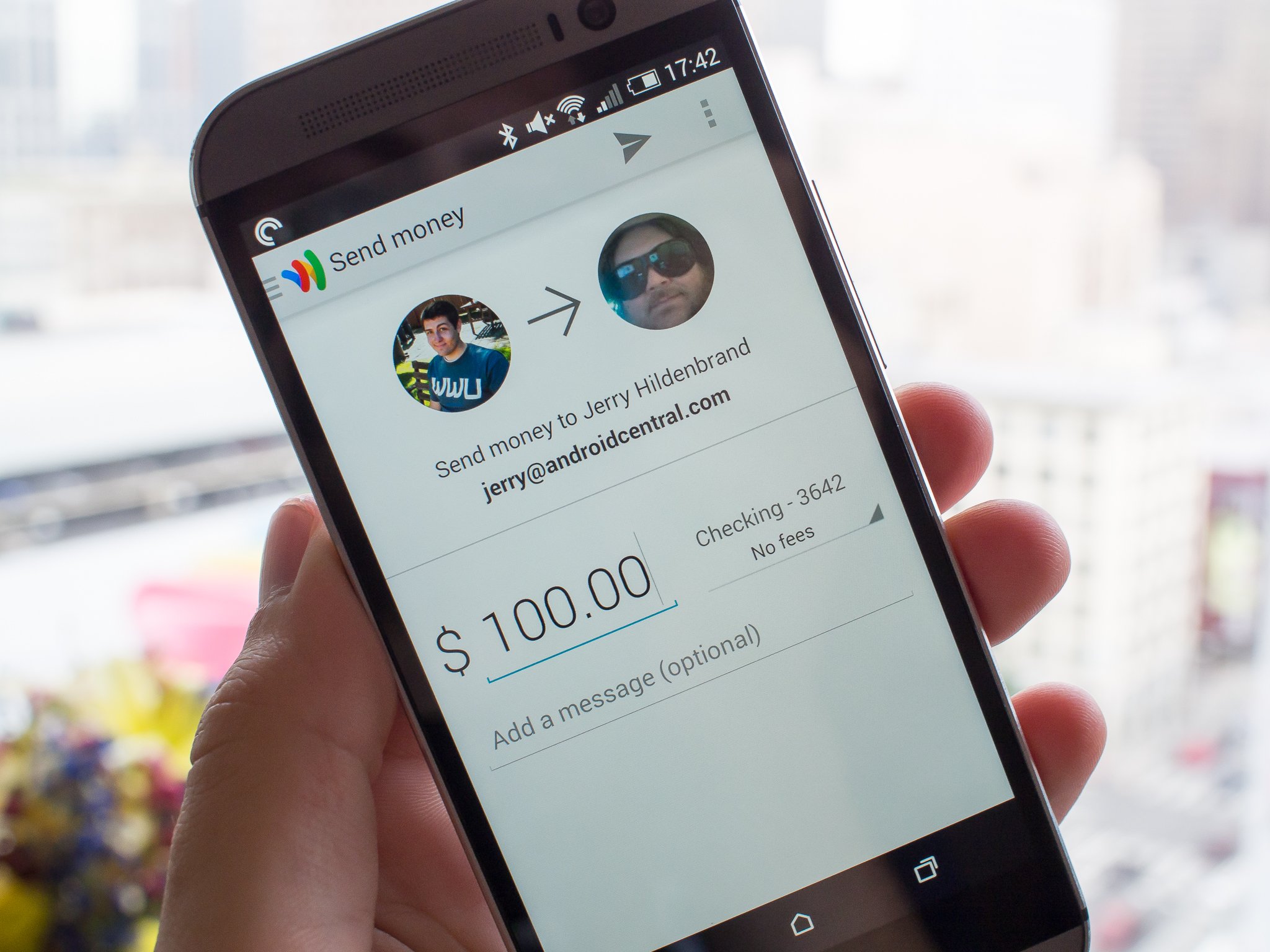
The Role of Google Wallet: Your Digital Financial Hub
At its core, Google Wallet is a digital wallet designed to securely store various digital items, predominantly payment cards (credit, debit, prepaid), but also loyalty programs, event tickets, boarding passes, and even digital car keys. Its primary function is to digitize and secure your physical wallet contents, making them readily accessible and usable from your Android device or Wear OS watch. For personal finance, this means less clutter, enhanced security through tokenization, and the convenience of having your financial instruments at your fingertips without physically carrying them. The true power of Google Wallet, when it comes to “sending money,” lies in its ability to securely provide these stored payment methods to various services and platforms that facilitate actual transfers.
Distinguishing Google Wallet from Google Pay: Clarifying the Ecosystem
A common point of confusion arises from the relationship between Google Wallet and Google Pay. Historically, “Google Wallet” had a direct peer-to-peer (P2P) money sending feature. However, Google’s payment ecosystem has evolved. Today, the Google Wallet app primarily functions as a secure digital container for your cards and other digital items. It’s where you store your credit cards, debit cards, and other payment methods. Google Pay, on the other hand, is the underlying payment technology and service that uses the cards stored in Google Wallet to make actual transactions.
Think of Google Wallet as the physical wallet where you keep your cards, and Google Pay as the payment terminal or service that processes the transaction using a card from that wallet. When you “send money” using Google’s ecosystem, you are typically leveraging Google Pay’s functionality, which, in turn, accesses the secure payment methods you’ve stored and managed within your Google Wallet. This distinction is crucial for understanding the mechanics of how your funds are moved and for navigating the various features offered by Google for personal finance.
The Benefits of a Unified Digital Wallet for Personal Finance
For individuals focused on smart money management, a unified digital wallet like Google Wallet offers several compelling benefits. Firstly, it centralizes your payment methods, reducing the risk of lost or stolen physical cards and simplifying the management of multiple accounts. Secondly, the enhanced security features, including tokenization and biometric authentication (PIN, fingerprint, face recognition), significantly reduce the risk of fraud during transactions. Thirdly, the convenience factor is unmatched; whether you’re making an in-store payment, an online purchase, or facilitating a money transfer through an integrated app, your financial tools are instantly available. This seamless integration contributes to a more efficient and secure financial lifestyle, allowing you to focus on your spending, saving, and budgeting goals without unnecessary friction.
Preparing Your Google Wallet for Secure Transactions
Before you can effectively leverage Google Wallet to facilitate money transfers and payments, proper setup and security measures are paramount. A well-configured Google Wallet not only ensures smooth transactions but also protects your financial information from unauthorized access, aligning with best practices in personal financial security.
Setting Up Your Wallet and Linking Payment Methods
The first step involves downloading the Google Wallet app from your device’s app store (Google Play Store for Android). Once installed, you’ll be prompted to add your payment methods. This typically involves scanning your credit or debit card with your device’s camera or manually entering the card details. Google Wallet supports a wide array of cards from major banks and card networks. For each card, you may be required to verify ownership through a one-time code sent via SMS, email, or a call to your bank. Adding multiple cards provides flexibility, allowing you to choose the most appropriate payment method for different transactions, be it a specific credit card for rewards or a debit card for direct transfers from your checking account. This initial setup is foundational to establishing your digital financial presence within the Google ecosystem.
Ensuring Financial Security: PINs, Biometrics, and Verification
Security is a cornerstone of digital finance, and Google Wallet integrates robust measures to protect your data. When setting up your wallet, you’ll be encouraged to enable screen lock security, such as a PIN, pattern, password, or biometric authentication (fingerprint or face unlock). This ensures that even if your device falls into the wrong hands, your payment information remains inaccessible. Furthermore, during transactions, Google Pay uses tokenization; instead of transmitting your actual card number, a unique encrypted token is used, adding an extra layer of security. Regular verification of your identity, particularly for larger transactions or when linking new financial accounts, also serves as a critical safeguard against fraud. Adhering to these security protocols is not just a recommendation but a necessity for safeguarding your personal finances in the digital realm.
Facilitating Money Transfers via Google’s Ecosystem
While Google Wallet primarily stores your payment methods, the act of “sending money” or making payments is executed through Google Pay or other applications that integrate with the payment methods stored in your Google Wallet. Understanding how these components work together is key to leveraging Google’s comprehensive financial ecosystem for various money transfer needs.
Sending Money to Friends and Family (Peer-to-Peer Transfers)
For peer-to-peer (P2P) money transfers to friends and family, the functionality is typically handled by Google Pay, which draws upon the payment methods stored in your Google Wallet. If you’re using an older version of Google Pay or a region where this feature is active, you can:
- Open the Google Pay app: Or navigate to the payment section within a Google service that supports P2P transfers.
- Select “Send money” or “Pay someone”: This option will prompt you to choose a contact or enter an email address/phone number.
- Enter the amount: Specify how much you wish to send.
- Choose your funding source: This is where Google Wallet comes into play. You’ll select a debit card or bank account that you have previously linked and stored within your Google Wallet. Credit cards are generally not supported for P2P transfers to avoid cash advance fees.
- Review and confirm: Double-check the recipient and amount before finalizing the transaction.
These transfers are often instant or near-instant, making them convenient for splitting bills, sharing expenses, or sending gifts.
Making Payments to Businesses and Services
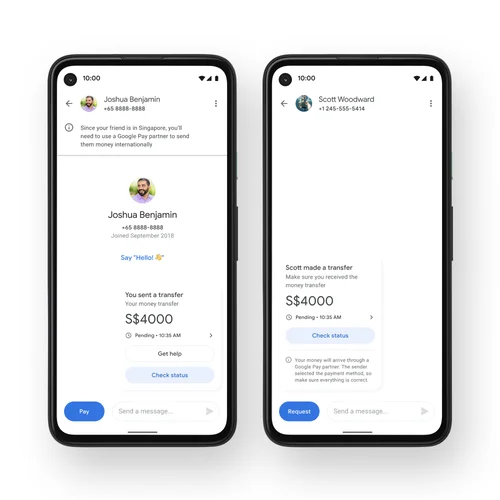
Google Wallet, via Google Pay, is widely accepted for payments to businesses, both online and in physical stores.
- In-store payments: For contactless payments, simply tap your phone or watch at any NFC-enabled payment terminal. Google Pay will automatically use your default card from Google Wallet, though you can quickly switch to another stored card if needed.
- Online and in-app payments: Many websites and apps offer “Pay with Google Pay” as a checkout option. Clicking this button allows you to select a payment method stored in your Google Wallet without needing to manually enter your card details, significantly speeding up the checkout process and enhancing security by not sharing your raw card number with every merchant.
This broad acceptance makes Google Wallet an invaluable tool for managing virtually all your daily expenditures, from groceries to online subscriptions.
The Mechanics: How Your Wallet-Stored Cards Power Transfers
The underlying mechanism for all these transactions hinges on the secure provision of your payment credentials from Google Wallet to the Google Pay service. When you initiate a payment, Google Pay requests the necessary card information (or its tokenized equivalent) from Google Wallet. This information is then securely transmitted to the merchant’s payment processor or the P2P transfer network. The transaction is authorized by your bank, and the funds are debited from your chosen account (debit card) or charged to your credit line (credit card). This seamless integration allows you to “send money” in various forms—be it a direct payment to a friend or a purchase from a retailer—all powered by the financial instruments safely tucked away in your Google Wallet.
Managing Your Funds and Transactions
Effective financial management extends beyond just making payments; it encompasses tracking your spending, understanding transaction limits, and safeguarding your accounts. Google Wallet, through its integration with the Google Pay app and your broader Google account, provides tools to help you maintain control over your finances.
Tracking Your Spending and Payment History
One of the significant advantages of using digital payment methods is the automatic record-keeping. Within the Google Pay app, you can typically view a comprehensive history of your transactions, including peer-to-peer transfers, in-store purchases, and online payments. Each entry usually provides details such as the merchant, date, amount, and the payment method used. This detailed transaction log is an invaluable asset for personal finance management, allowing you to:
- Monitor your budget: Easily categorize and track expenditures against your financial goals.
- Reconcile bank statements: Cross-reference your digital records with your bank or credit card statements for accuracy.
- Identify unusual activity: Quickly spot unauthorized transactions, which is crucial for fraud detection.
Regularly reviewing your payment history empowers you with greater financial oversight and helps you stay on top of your money.
Understanding Transaction Limits and Potential Fees
While Google Wallet itself doesn’t impose direct limits on the value of cards it stores, the underlying payment methods and the Google Pay service may have specific transaction limits.
- Daily/Weekly Limits for P2P Transfers: For sending money to friends and family via Google Pay, there are often daily or weekly limits imposed by Google or the financial institutions involved. These limits are designed to mitigate risk and comply with financial regulations.
- Bank-Specific Limits: Your bank or credit card issuer may have its own daily transaction limits for debit or credit card usage, which will apply regardless of whether you use Google Wallet.
- Fees: While many transactions via Google Pay (especially using debit cards or linked bank accounts) are free, there might be fees associated with certain types of transfers, particularly if a credit card is used for a P2P transaction (often treated as a cash advance by the card issuer). International transfers may also incur conversion fees or service charges.
It’s essential to familiarize yourself with these potential limits and fees, typically outlined in the terms of service of Google Pay and your financial institutions, to avoid surprises and effectively plan your money movements.
Best Practices for Financial Safety and Fraud Prevention
Maintaining vigilance is key to protecting your digital finances. Beyond the built-in security features of Google Wallet and Google Pay, adopting these best practices will further safeguard your money:
- Strong Passwords and Biometrics: Always use strong, unique passwords for your Google account and ensure biometric security (fingerprint, face ID) is enabled on your device.
- Monitor Account Activity: Regularly check your Google Pay transaction history, bank statements, and credit card statements for any discrepancies. Report suspicious activity immediately to your bank and Google.
- Be Wary of Phishing: Google will never ask for your password or sensitive financial information via email or unsolicited calls. Be cautious of any requests for personal data.
- Keep Software Updated: Ensure your device’s operating system and the Google Wallet/Google Pay apps are always updated to the latest versions to benefit from the newest security patches.
- Use Public Wi-Fi with Caution: Avoid making financial transactions or accessing sensitive information over unsecured public Wi-Fi networks, which can be vulnerable to eavesdropping.
By actively managing your transactions and adhering to these safety guidelines, you can harness the convenience of Google Wallet while minimizing financial risks.
Integrating Google Wallet into Your Broader Financial Strategy
Google Wallet is more than just a tool for making payments; it’s an integral component that can enhance your overall personal financial strategy. By streamlining how you handle transactions and providing a digital record of your spending, it supports better budgeting and financial oversight.
Streamlining Everyday Spending
The ability to access all your payment methods digitally means faster, more convenient transactions in a variety of settings. This streamlining isn’t just about speed; it also reduces the cognitive load associated with managing multiple physical cards and cash. For instance, when traveling, your digital wallet can hold multiple currencies or travel cards, simplifying international transactions. For daily errands, tapping your phone at the checkout is often quicker and more secure than swiping a physical card. By making everyday spending more efficient, Google Wallet frees up mental space, allowing you to focus on larger financial goals like saving for a down payment, investing, or planning for retirement.
Budgeting and Financial Oversight
While Google Wallet doesn’t offer robust budgeting features directly within its interface, its integration with Google Pay provides a clear transaction history that is invaluable for budgeting. This digital trail eliminates the need for manual receipt keeping and provides an accurate record of where your money is going. You can export this data or connect it with third-party budgeting apps that integrate with Google Pay to:
- Categorize expenses: Understand spending patterns in areas like groceries, transport, or entertainment.
- Track against budgets: Compare your actual spending with your planned budget for various categories.
- Identify areas for savings: Pinpoint where you might be overspending and make informed adjustments to your financial habits.
This level of insight is crucial for maintaining financial discipline and achieving long-term financial stability.

Future Trends in Digital Finance and Wallet Capabilities
The landscape of digital finance is constantly evolving, and Google Wallet is poised to grow with it. Future enhancements are likely to include even deeper integration with other financial services, potentially offering more direct budgeting tools, enhanced investment tracking, or personalized financial advice based on spending patterns. As digital currencies and blockchain technology mature, we might also see Google Wallet incorporating support for cryptocurrencies, further expanding its capabilities as a comprehensive financial tool. The move towards digital IDs, health cards, and other verifiable credentials also points to a future where your digital wallet becomes an even more central hub for your identity and financial interactions. Staying abreast of these trends will allow savvy individuals to continuously optimize their use of Google Wallet as a powerful component of their evolving personal financial strategy.
aViewFromTheCave is a participant in the Amazon Services LLC Associates Program, an affiliate advertising program designed to provide a means for sites to earn advertising fees by advertising and linking to Amazon.com. Amazon, the Amazon logo, AmazonSupply, and the AmazonSupply logo are trademarks of Amazon.com, Inc. or its affiliates. As an Amazon Associate we earn affiliate commissions from qualifying purchases.