
Cash App has firmly established itself as a cornerstone in the landscape of peer-to-peer digital payments. Its intuitive interface and rapid transaction capabilities have made it a preferred choice for millions to send, receive, and manage funds. However, like any sophisticated technological tool handling financial transactions, situations inevitably arise where a payment needs to be reversed or returned. Whether it’s an accidental transfer, an incorrect amount, or a service cancellation, understanding the precise technical steps and functionalities within Cash App to send money back is crucial for maintaining financial accuracy and security. This guide delves deep into the mechanics and best practices for managing returns on Cash App, empowering users with the knowledge to navigate its features with confidence and precision.
Understanding Cash App’s Core Functionality and Transaction Flows
At its heart, Cash App is a robust application designed to simplify the complex world of money transfers. Its underlying architecture facilitates seamless, almost instantaneous, digital transactions. Grasping how these transactions flow is the first step to mastering the art of returning funds.
The Ecosystem of Peer-to-Peer Payments
The advent of apps like Cash App has democratized money transfers, moving beyond traditional banking hours and lengthy processing times. This technological leap has created an ecosystem where users can transact directly with each other, often needing just a $Cashtag, email, or phone number. This ease of use, while highly beneficial, also necessitates a clear understanding of error correction mechanisms. The app’s design prioritizes speed and convenience, building a framework that handles the complexities of bank transfers, card processing, and digital wallets behind a user-friendly facade. This digital infrastructure is what allows for the rapid sending, receiving, and crucially, the returning of funds.
Types of Transactions on Cash App
Cash App supports several primary transaction types. The most common involve sending money to another user (a payment) and receiving money from another user. Beyond these direct transfers, the platform also integrates functionalities for direct deposits, investing in stocks or Bitcoin, and utilizing the Cash Card for debit purchases. When it comes to returning money, the scenario often involves either a direct “refund” initiated by the recipient of the original payment or a new “payment” sent by the recipient back to the original sender. The distinction lies in the technical process and the impact on the original transaction record. A direct refund typically reverses the original transaction, while a new payment creates a separate, independent transaction.
Why You Might Need to Send Money Back
The reasons for needing to return money on Cash App are varied and common in digital financial interactions. Understanding these scenarios helps frame the necessity of mastering the app’s return functionalities:
-
Accidental Payment: The most frequent reason, often involving sending money to the wrong $Cashtag or contact.
-
Incorrect Amount: Sending more or less than intended due to a typo or miscalculation.
-
Service/Product Not Delivered: A payment made for goods or services that were not rendered or were unsatisfactory, necessitating a return.
-
Fraudulent Activity: In cases where an unauthorized transaction occurred, though often these require more direct intervention from Cash App support.
-
Requested Return: The original sender might realize an error and request their money back, or a mutual agreement requires a return.
In each scenario, the technical ability to accurately and securely send money back is paramount for user satisfaction and financial integrity within the Cash App ecosystem.
Navigating the Cash App Interface for Money Returns
The process of sending money back on Cash App is designed to be as straightforward as its payment sending functionality. It leverages the app’s intuitive user interface (UI) to guide users through the necessary steps.
Locating Past Transactions
The first step in any return process is to identify the original transaction. Cash App provides a comprehensive activity feed that logs all incoming and outgoing funds.
-
Open Cash App: Launch the application on your mobile device.
-
Access the Activity Tab: Tap the clock icon (or activity feed icon, depending on your app version) located in the bottom right corner of the main screen. This tab displays a chronological list of all your transactions.
-
Find the Specific Transaction: Scroll through your activity feed to locate the payment you wish to return. You can use the search bar at the top if you have a large transaction history or know specific details like the sender’s $Cashtag or the amount. Tapping on a transaction will open its detailed view, showing the date, time, recipient, amount, and transaction ID.
This detailed view is the gateway to initiating a refund. The app’s design ensures that every transaction is traceable, a fundamental aspect of secure digital financial tools.
Initiating a Refund/Return
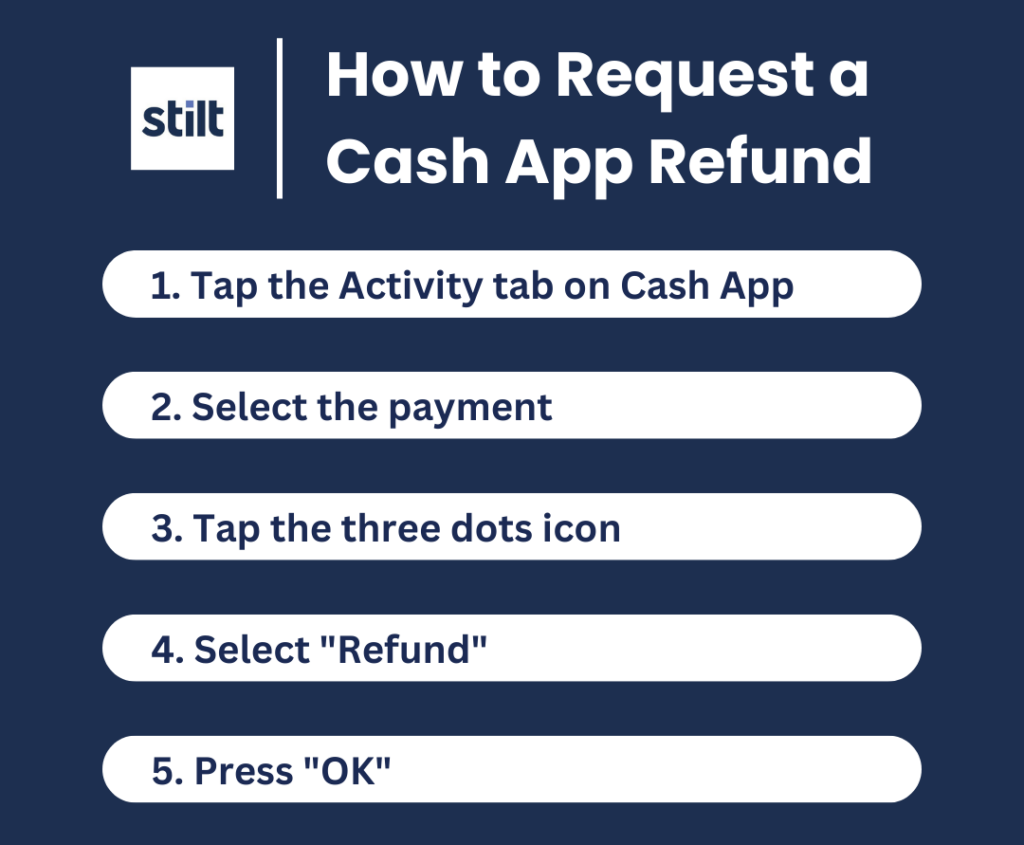
Once the specific transaction is identified, initiating the return process is typically a few taps away. It’s important to note that a “refund” can only be initiated by the recipient of the original payment. If you sent money and want it back, you must request it from the recipient, who then follows these steps.
-
Select the Transaction: From the activity feed, tap on the specific payment you received that you now wish to return.
-
Access Refund Options: On the transaction details screen, you’ll typically see an option like “Refund” or “…” (three dots) which, when tapped, reveals more options, including “Refund.”
-
Confirm the Refund: Tap “Refund.” Cash App will ask you to confirm the amount and the original sender. Carefully review these details to ensure accuracy.
-
Complete the Refund: Tap “Confirm” or “Yes” to finalize the refund.
Upon successful confirmation, Cash App processes the return. This direct refund mechanism is the most straightforward and technically elegant way to reverse an erroneous or unwanted payment, as it ties directly back to the original transaction record.
Confirmation and Notification Protocols
After initiating a refund, Cash App employs several technical protocols to ensure both parties are informed and the transaction is recorded accurately.
-
Instant Notification: Both the person returning the money and the original sender will receive an immediate notification within the Cash App, confirming that the refund has been initiated.
-
Activity Feed Update: The original transaction in the activity feed will be updated to reflect its “Refunded” status. A new entry for the refund will also appear in the feed.
-
Email/SMS Alerts: Depending on user preferences and verification settings, Cash App may also send an email or SMS notification to both parties, providing an additional layer of confirmation.
These notification systems are critical components of the app’s transparency and security features, providing clear digital trails for all financial activities.
Technical Considerations and Best Practices for Secure Returns
While the interface makes returns seem simple, underlying technical processes govern how refunds are handled. Understanding these nuances is key to secure and effective transaction management.
Understanding Cash App’s Refund Policy and Mechanisms
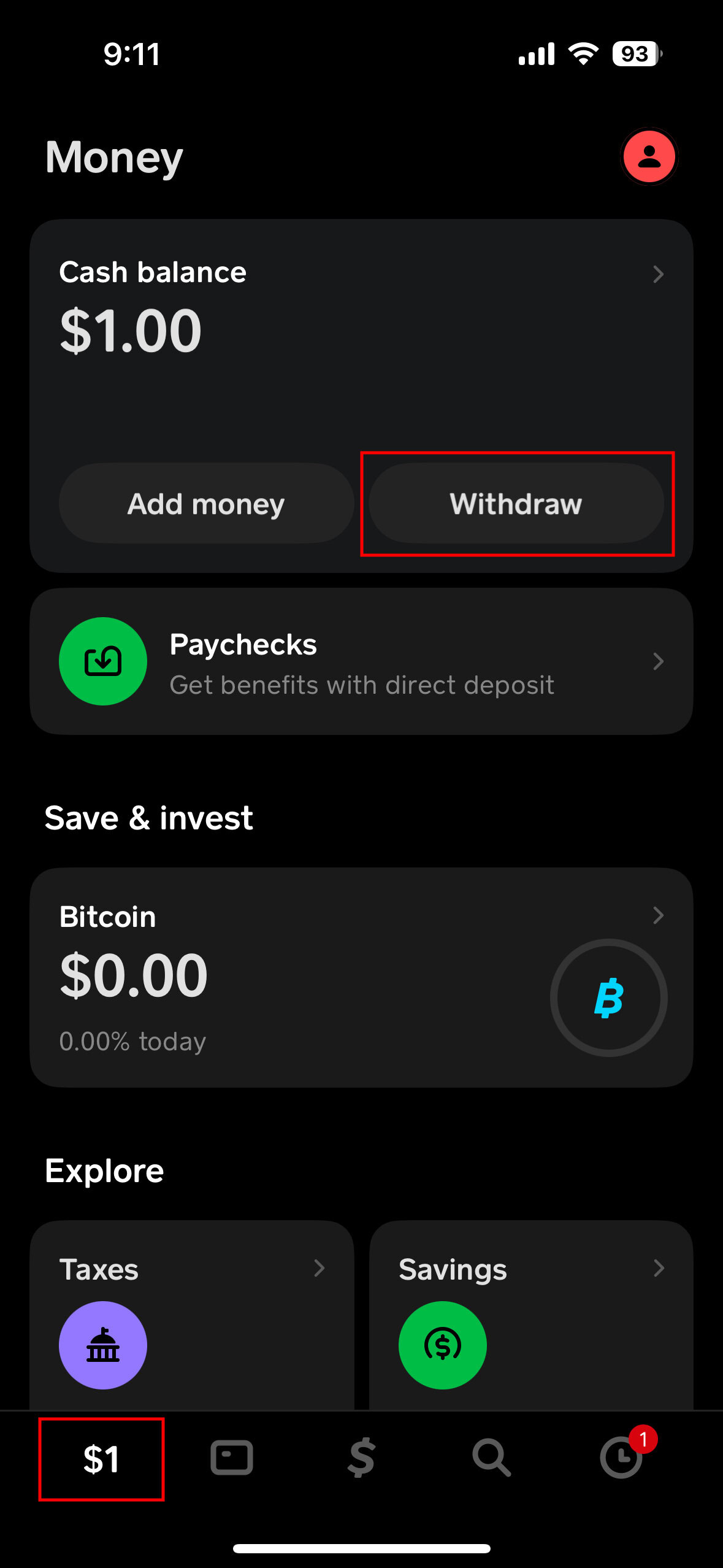
Cash App’s refund mechanism is designed to reverse the flow of funds from the recipient’s Cash App balance back to the original sender’s linked bank account or Cash App balance.
-
Fund Availability: For a refund to be processed instantly, the recipient must have sufficient funds in their Cash App balance to cover the refunded amount. If the balance is insufficient, the refund will likely fail or require the recipient to add funds.
-
Processing Time: While Cash App processes the refund almost instantly on its end, the time it takes for the money to reflect in the sender’s bank account can vary, typically 1-3 business days. This delay is often due to the processing times of intermediary banks, not Cash App itself. For refunds to a Cash App balance, it’s usually immediate.
-
Transaction Fees: It’s important to note that any fees associated with the original transaction (e.g., instant transfer fees for the sender) are typically not refunded. The refund only covers the principal amount transferred.
These technical aspects highlight the distinction between an in-app action and the broader banking infrastructure that supports it.
Addressing Scenarios Without a Direct Refund Option
Sometimes, the “Refund” option may not be available for an old transaction, or the payment was made under circumstances that don’t allow a direct refund (e.g., if it was categorized differently by Cash App). In these cases, the “sending money back” process shifts to initiating a new payment.
-
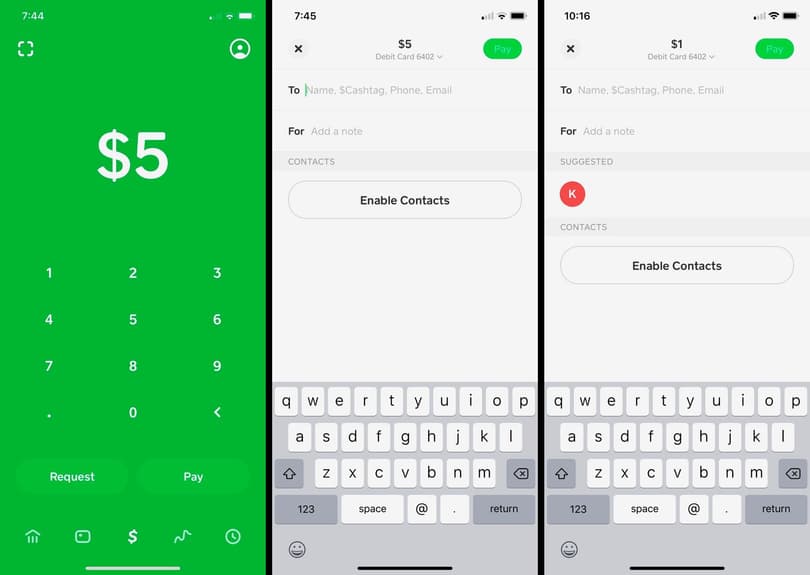
Initiate a New Payment: If a direct refund isn’t an option, you would send a new payment to the original sender.
-
Verify Recipient: Crucially, ensure you have the correct $Cashtag, phone number, or email of the person you intend to send money back to. Double-checking is vital to avoid sending funds to an unintended recipient.
-
Input Amount and Memo: Enter the exact amount to be returned. In the “For” field, add a clear memo (e.g., “Refund for [original transaction date/item],” “Return of accidental payment”) to provide context for the new transaction. This documentation is important for both parties.
-
Confirm and Send: Review all details before confirming and sending the new payment.
This method, while effective, creates a new transaction entry rather than directly reversing the old one, which is an important technical distinction for record-keeping.
Verifying Recipient Information for Returns
Whether initiating a direct refund or sending a new payment, verifying the recipient’s information is paramount. A single digit error in a $Cashtag or phone number can send funds to an entirely different person, making retrieval extremely difficult, if not impossible. Cash App, like most digital payment platforms, emphasizes user responsibility in verifying transaction details. Always:
-
Double-check $Cashtag: Ensure the $Cashtag matches exactly.
-
Confirm Phone Number/Email: Verify the contact details if sending via these methods.
-
Review Recipient Name: Cash App often displays the recipient’s name or initial upon entering their $Cashtag; confirm this matches your intended recipient.
These steps are critical digital security practices embedded within the app’s workflow.
Digital Security Best Practices for All Transactions
Beyond specific return mechanisms, general digital security hygiene is vital for all Cash App activities:
-
Strong, Unique Passwords: Protect your Cash App account with a complex password not used elsewhere.
-
Two-Factor Authentication (2FA): Enable 2FA for an added layer of security. This usually involves a code sent to your phone or email.
-
Beware of Scams: Be vigilant against phishing attempts, fake customer support, or requests for your login details. Cash App will never ask for your PIN or sign-in code outside of the app.
-
Monitor Activity: Regularly review your activity feed for any unauthorized transactions.
-
Report Suspicious Activity: If you suspect fraudulent activity or have been scammed, use Cash App’s in-app reporting tools or contact support immediately.
These measures protect not just your ability to send money back, but your entire digital financial presence on the platform.
Troubleshooting Common Issues and Advanced Tips
Even with a clear understanding of the process, users might encounter issues. Knowing how to troubleshoot and when to seek external help is part of being a proficient user of any sophisticated app.
Handling Pending or Failed Returns
Occasionally, a refund or return payment might get stuck in a “pending” state or outright fail. Common technical reasons include:
-
Insufficient Funds: As mentioned, the recipient’s Cash App balance must cover the refund amount.
-
Network Issues: A poor internet connection on either side can disrupt the transaction.
-
App Glitches: While rare, temporary bugs or issues with the Cash App servers can occur.
-
Bank Delays: For refunds linked to external bank accounts, delays can arise from the banks themselves.
If a return is pending or fails, first check your internet connection and ensure your app is updated to the latest version. If the issue persists, document the transaction details (transaction ID, timestamps) as you might need them for further assistance.
When to Contact Cash App Support
There are instances where self-help isn’t enough, and direct intervention from Cash App’s technical support team is required. You should contact support if:
-
A refund you initiated is stuck in pending for an unreasonable amount of time (beyond 3-5 business days).
-
You are unable to find the “Refund” option for a transaction that should have it.
-
You suspect fraudulent activity on your account.
-
You accidentally sent money to the wrong person and the recipient is unresponsive or uncooperative in returning the funds.
-
You have technical issues with the app preventing you from performing the return action.
Cash App provides in-app support options, phone lines, and Twitter support for different types of queries. Having all relevant transaction IDs and details ready will expedite the support process.
Leveraging Cash App’s Integrated Features for Better Management
Beyond basic sending and returning, Cash App offers features that enhance overall transaction management, all falling under the app’s technological umbrella:
-
Activity Filtering: Use the activity tab’s filter options to quickly find specific types of transactions or transactions within a certain date range, making it easier to locate the one you need to return.
-
Transaction Details: Each transaction record includes a unique ID, which is vital for customer support or tracking.
-
Reporting Tools: For suspicious or unauthorized transactions, Cash App provides built-in reporting tools directly within the transaction details, streamlining the process of flagging issues.
By leveraging these integrated features, users gain greater control and insight into their digital financial activities within the Cash App platform.
Mastering the process of sending money back on Cash App is an essential skill for any user navigating the digital payment landscape. It’s not just about correcting errors; it’s about understanding the technological mechanics of a powerful financial tool and leveraging its features to ensure accuracy, security, and peace of mind. By familiarizing oneself with the interface, understanding the underlying technical processes, and adhering to best practices for digital security, users can confidently manage their transactions and resolve any issues that may arise, contributing to a seamless and secure digital payment experience.
aViewFromTheCave is a participant in the Amazon Services LLC Associates Program, an affiliate advertising program designed to provide a means for sites to earn advertising fees by advertising and linking to Amazon.com. Amazon, the Amazon logo, AmazonSupply, and the AmazonSupply logo are trademarks of Amazon.com, Inc. or its affiliates. As an Amazon Associate we earn affiliate commissions from qualifying purchases.