
In an era where we are constantly connected, it seems ironic that one of the most common tech-related queries remains: “What is my phone number?” Whether you have just purchased a new SIM card, switched to an eSIM, or are managing multiple professional and personal lines, losing track of your specific digits is a common occurrence. From a technical perspective, your phone number is more than just a sequence of digits; it is a unique identifier linked to your International Mobile Subscriber Identity (IMSI) and stored within the secure architecture of your SIM card or device hardware.
Understanding how to retrieve this information across various platforms—and understanding the technology that facilitates it—is essential for seamless digital communication and security. This guide explores the diverse methods for identifying your phone number across iOS, Android, and desktop environments, while also delving into the underlying network protocols that make this identification possible.
Navigating Operating System Settings: The Direct Approach
The most reliable way to find your phone number is through the native settings of your device’s operating system. Because mobile OS developers prioritize user identity, these paths are designed to be accessible, though they vary slightly depending on your hardware manufacturer and software version.
Locating Your Number on iOS (iPhone)
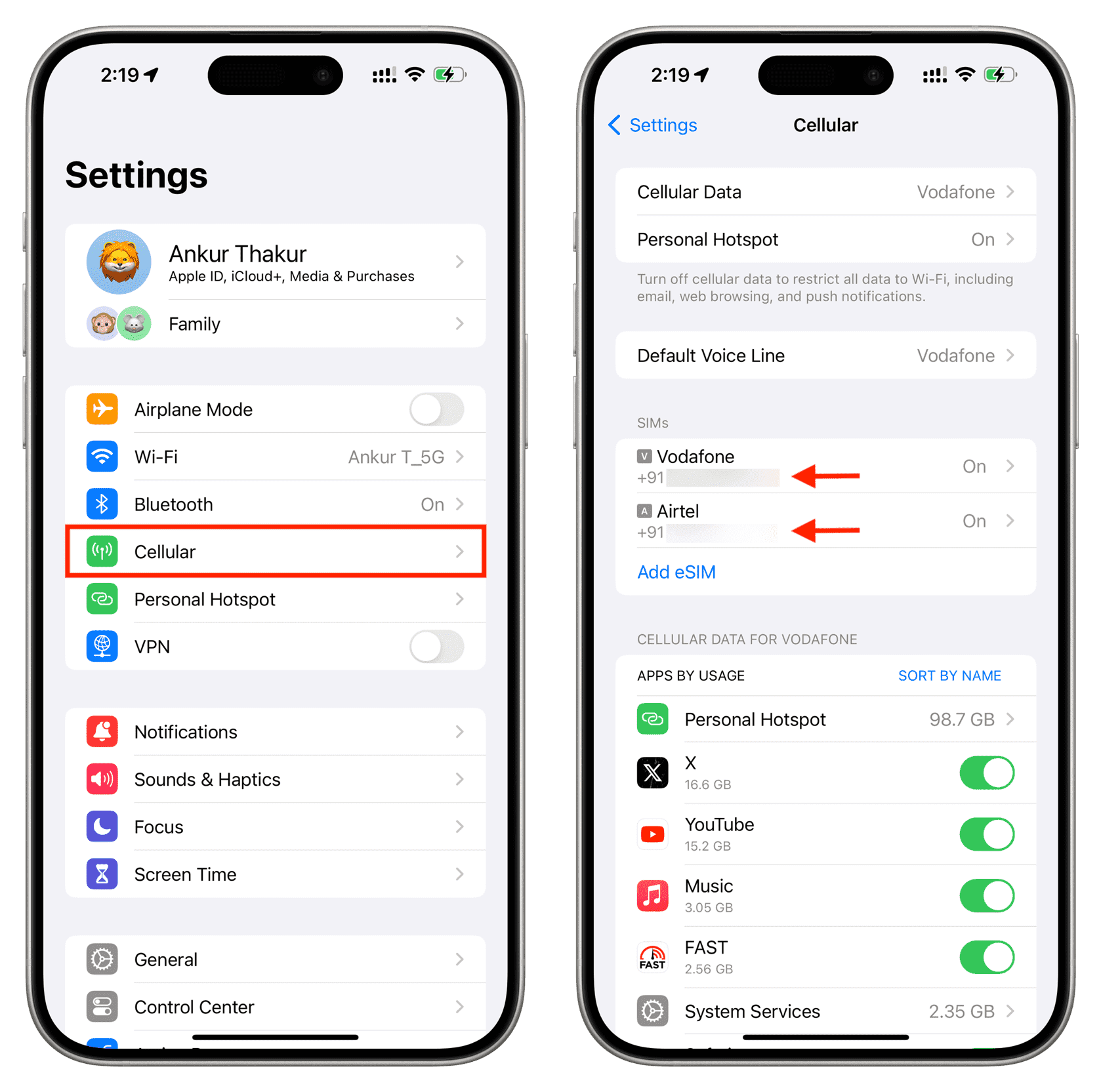
Apple’s ecosystem is known for its streamlined user interface. For iPhone users, the phone number is typically registered within the “Phone” application settings or the “Apple ID” menu. To find it, navigate to Settings > Phone. At the top of this menu, you will see a field labeled “My Number.”
If the number is missing or appears as “Unknown,” it usually indicates that the SIM card has not yet written the data to the device’s storage. In such cases, checking Settings > Messages > Send & Receive can also reveal which numbers are currently associated with your iMessage account. Tech enthusiasts should note that on iPhones with Dual SIM or eSIM capabilities, this menu will display multiple labels (e.g., Primary and Secondary), allowing you to differentiate between different carrier profiles.
Retrieving Identity on Android Devices
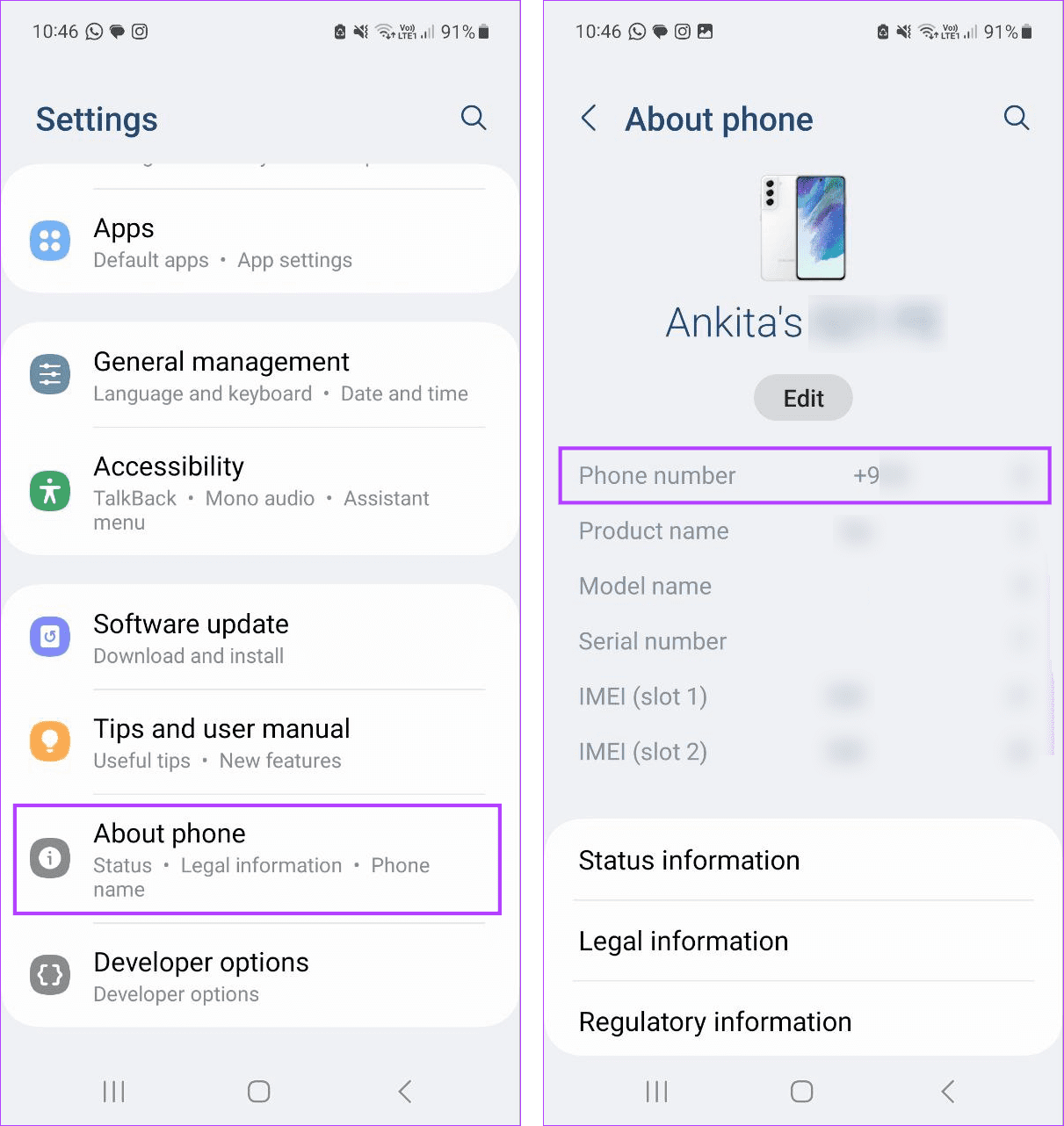
Android’s fragmented ecosystem means the path may differ between a Google Pixel, a Samsung Galaxy, or a OnePlus device. However, the standard path for most modern Android builds (Android 10 and above) is Settings > About Phone. Here, you will find a “Phone Number” status.
On Samsung devices, the path is often Settings > About Phone > Status > SIM Card Status. If your device supports multiple SIMs, you will see tabs for “SIM 1” and “SIM 2.” From a technical standpoint, Android pulls this information from the “Subscriber” metadata provided by the SIM card. If the carrier hasn’t “burned” the number onto the SIM’s internal memory, the field may remain blank, necessitating alternative methods.
Using the Contacts Application
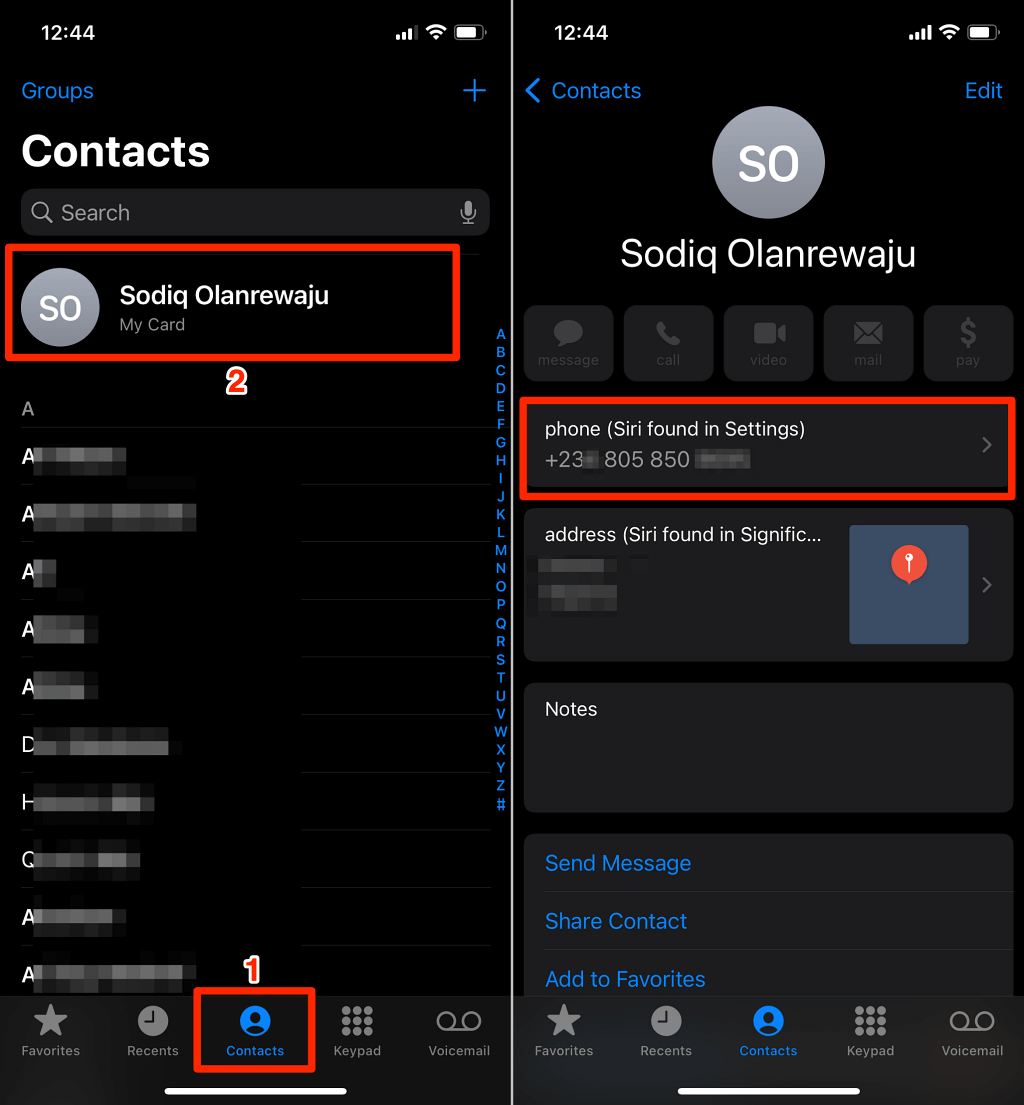
A frequently overlooked “low-tech” shortcut within high-tech devices is the Contacts app. Both iOS and Android often create a “Me” card or a “My Card” at the very top of the contact list. By tapping on your own profile at the top of the list, the device displays all synchronized information, including the hardware-detected phone number and any manually entered contact details.
Network-Based Identification: USSD Codes and Carrier Tools
When the device software fails to display the number—often due to a SIM card that hasn’t been fully provisioned or an older legacy device—you can turn to network-level communication. This involves interacting directly with your Service Provider’s infrastructure.
The Power of USSD Codes
Unstructured Supplementary Service Data (USSD) is a protocol used by GSM cellular telephones to communicate with the service provider’s computers. Unlike SMS, USSD creates a real-time connection during the session. Most carriers have a “What is my number?” USSD code that, when dialed, triggers an automated response from the Home Location Register (HLR) to display your number on the screen.
Common codes include:
- T-Mobile: #NUM# (#686#)
- Vodafone: *#100#
- EE: Texting “NUMBER” to 150
- AT&T: *611# (often requires navigating a menu)
These codes are invaluable for tech-savvy users because they bypass the phone’s UI and fetch data directly from the carrier’s database, ensuring the information is current and accurate regardless of device settings.
Carrier-Specific Applications
In the age of digital transformation, most major telecommunications companies (Verizon, Orange, Telstra, etc.) offer proprietary apps. By logging into these apps via a Wi-Fi connection, the app authenticates the device’s unique IMEI (International Mobile Equipment Identity) and matches it with the account billing records. This is often the most foolproof way to see not only your phone number but also your current data usage, plan details, and eSIM status.
The “Echo Call” Method
If you have a functioning signal but no data or USSD access, the simplest technical workaround is the “Echo Call.” By calling another device or a “What’s My Number” service line, you can use Caller ID (Calling Line Identification Presentation or CLIP) to see the number. If you are alone, many regions offer automated toll-free numbers that simply read your number back to you when you call—a classic utility tool for field technicians and IT professionals.
Troubleshooting and Technical Hurdles: Why the Number Is Hidden
Occasionally, a device will persistently show “Unknown” or “Private” in the settings. This is rarely a hardware failure and is usually a result of how the SIM card or the network handles subscriber data.
SIM Card Provisioning and the “My Number” Field
A SIM (Subscriber Identity Module) contains a small amount of writeable memory. Ideally, when a SIM is activated, the carrier sends an Over-the-Air (OTA) update that writes the phone number to a specific file on the SIM card (the EF-MSISDN file). If this process is interrupted or if the carrier does not support this feature, the phone has no local file to read, resulting in the “Unknown” status. In professional tech circles, this is often resolved by placing the SIM in an older device (like a Blackberry or an older Android) that allows manual editing of the “My Number” field, or by requesting a SIM refresh from the carrier.
eSIM and Virtual SIM Configurations
The shift from physical SIM cards to eSIM (embedded SIM) has added a layer of complexity. An eSIM is a programmable chip embedded in the motherboard. When you download a travel eSIM or a secondary business line, the number might not appear until the profile is fully “Active” and “Attached” to a local cell tower. If you are using a data-only eSIM (common for international travel), the device may never show a phone number because the profile lacks a traditional MSISDN (Mobile Station International Subscriber Directory Number).
Privacy Settings and Network Restrictions
In some corporate environments, IT departments manage devices through Mobile Device Management (MDM) software. These profiles can occasionally restrict the visibility of certain hardware identifiers for security reasons. Additionally, if “Show My Caller ID” is toggled off in the system settings, it may interfere with certain automated retrieval scripts or apps that rely on outbound signaling to identify the line.
The Security and Privacy Implications of Your Phone Number
Your phone number is no longer just a way to receive calls; it has become a “de facto” digital identity. Understanding how to see and manage your number is the first step in maintaining digital security.
Phone Numbers as Multi-Factor Authentication (MFA)
Most modern software services, from Google to banking apps, use your phone number for SMS-based Two-Factor Authentication. If you cannot identify your number or if you are using a recycled number, you risk being locked out of essential accounts. From a tech-security standpoint, it is vital to ensure that the number displayed in your “About Phone” settings matches the number registered with your financial institutions.
The Risk of SIM Swapping
Knowing how to verify your number is crucial when troubleshooting sudden loss of service. If your phone suddenly shows “No Service” and your number is no longer visible in the settings, it could be a sign of a “SIM swap” attack. This is where a malicious actor convinces a carrier to port your number to a new SIM card they control. Rapidly identifying that your number has been de-linked from your hardware can save your digital accounts from being compromised.
Digital Footprints and VoIP
Many users now utilize Virtual Numbers or VoIP (Voice over IP) services like Google Voice or Skype. These numbers do not live on a SIM card but in the cloud. To see these numbers, you must navigate the specific app’s settings (e.g., Google Voice > Settings > Account). Because these numbers are decoupled from hardware, they offer a layer of privacy, acting as a “proxy” for your primary physical number.
Conclusion: Mastering Your Digital Identity
While finding your phone number might seem like a basic task, it serves as an entry point into understanding the complex relationship between hardware, software, and cellular networks. Whether you are using the deep menus of iOS and Android, leveraging USSD protocols for direct carrier communication, or troubleshooting the intricacies of eSIM provisioning, being able to identify your mobile identity is a fundamental tech skill.
As we move toward a future where physical SIM cards disappear and our identities become increasingly digitized, the way we view and manage our “phone numbers” will continue to evolve. For now, maintaining a clear understanding of your device’s status and the tools provided by your carrier ensures that you remain connected, secure, and in control of your primary gateway to the digital world.
aViewFromTheCave is a participant in the Amazon Services LLC Associates Program, an affiliate advertising program designed to provide a means for sites to earn advertising fees by advertising and linking to Amazon.com. Amazon, the Amazon logo, AmazonSupply, and the AmazonSupply logo are trademarks of Amazon.com, Inc. or its affiliates. As an Amazon Associate we earn affiliate commissions from qualifying purchases.