
In an increasingly digital world, managing your finances effectively requires a clear understanding of all your monetary assets, including funds held within popular online payment platforms like PayPal. For millions globally, PayPal serves as a vital financial tool for everything from online shopping and sending money to friends and family, to receiving payments for freelance work or e-commerce sales. Knowing how to quickly and accurately check your PayPal balance is not just about curiosity; it’s a fundamental step in maintaining good personal finance hygiene, enabling better budgeting, tracking income, and monitoring spending.
Understanding Your PayPal Balance: More Than Just a Number
Your PayPal balance isn’t merely a static figure; it represents the immediate liquidity you have within the platform, ready for use or transfer. Gaining a deeper understanding of what constitutes this balance and its various facets is crucial for comprehensive financial management.
What Constitutes Your PayPal Balance?
Your primary PayPal balance typically reflects the sum of funds that have been successfully deposited into your account and are immediately available for use. This can originate from several sources:
- Incoming Payments: Funds received from other PayPal users for goods, services, or personal transfers.
- Refunds: Money returned to you from merchants for cancelled orders or returned items.
- Bank Transfers: Funds you’ve initiated from a linked bank account into your PayPal balance.
- Debit/Credit Card Transfers (less common): In some regions, funds can be added directly from cards, though bank transfers are generally preferred due to lower fees or instant availability.
- Cash Load: In select locations, you might be able to add cash to your PayPal balance at participating retail stores.
It’s important to differentiate your available balance from other potential states of funds within your PayPal account, such as pending transactions or holds.
Primary Balance vs. Other Fund States
While the numerical balance prominently displayed on your PayPal dashboard is your primary, immediately available fund, other states of money can influence your overall financial picture:
- Pending Balance: This refers to funds that have been sent to you but are not yet cleared for immediate use. This often occurs with payments from new senders, large transactions, or payments under review for security reasons. PayPal typically provides an estimated clearance date for these funds.
- Holds: Sometimes, a portion of your balance might be temporarily held. This can happen for various reasons, such as a payment dispute, a security review of a transaction (especially for sellers), or if you are a new seller and PayPal holds funds to ensure transaction completion. Understanding the reason for a hold is vital for financial planning.
- Multi-Currency Balances: If you conduct international transactions or receive payments in different currencies, PayPal allows you to hold balances in multiple currencies. While these contribute to your total wealth, each currency balance is distinct and must be converted if you wish to use it in a different currency or withdraw it to a bank account primarily denominated in another currency.
Why Tracking Your Balance is Crucial for Financial Health
Regularly monitoring your PayPal balance is more than just a convenience; it’s an essential component of sound financial management.
- Budgeting and Expense Tracking: By knowing your available funds, you can better adhere to your budget, avoiding overspending when using PayPal for purchases. It also helps in tracking expenditures made through the platform.
- Income Monitoring: For freelancers, online sellers, or anyone receiving income via PayPal, a clear view of your balance ensures you can track earnings effectively and plan for tax obligations.
- Fraud Detection: Promptly checking your balance allows you to quickly identify any unauthorized transactions or suspicious activity, enabling you to report them to PayPal immediately and mitigate potential financial losses.
- Liquidity Management: Understanding your accessible funds helps you decide when to transfer money to your bank account, when to use PayPal for payments, or when to hold funds for upcoming expenses.
Step-by-Step Guide to Accessing Your Balance
Whether you prefer managing your finances on a desktop or on the go with your mobile device, PayPal offers intuitive interfaces to check your balance swiftly.
Via the PayPal Website (Desktop)
Accessing your balance through a web browser provides a comprehensive overview of your account.
- Open Your Web Browser: Navigate to the official PayPal website (www.paypal.com).
- Log In: Click on the “Log In” button, usually located in the top right corner. Enter your email address or mobile number and your password. Complete any two-factor authentication steps if you have them enabled.
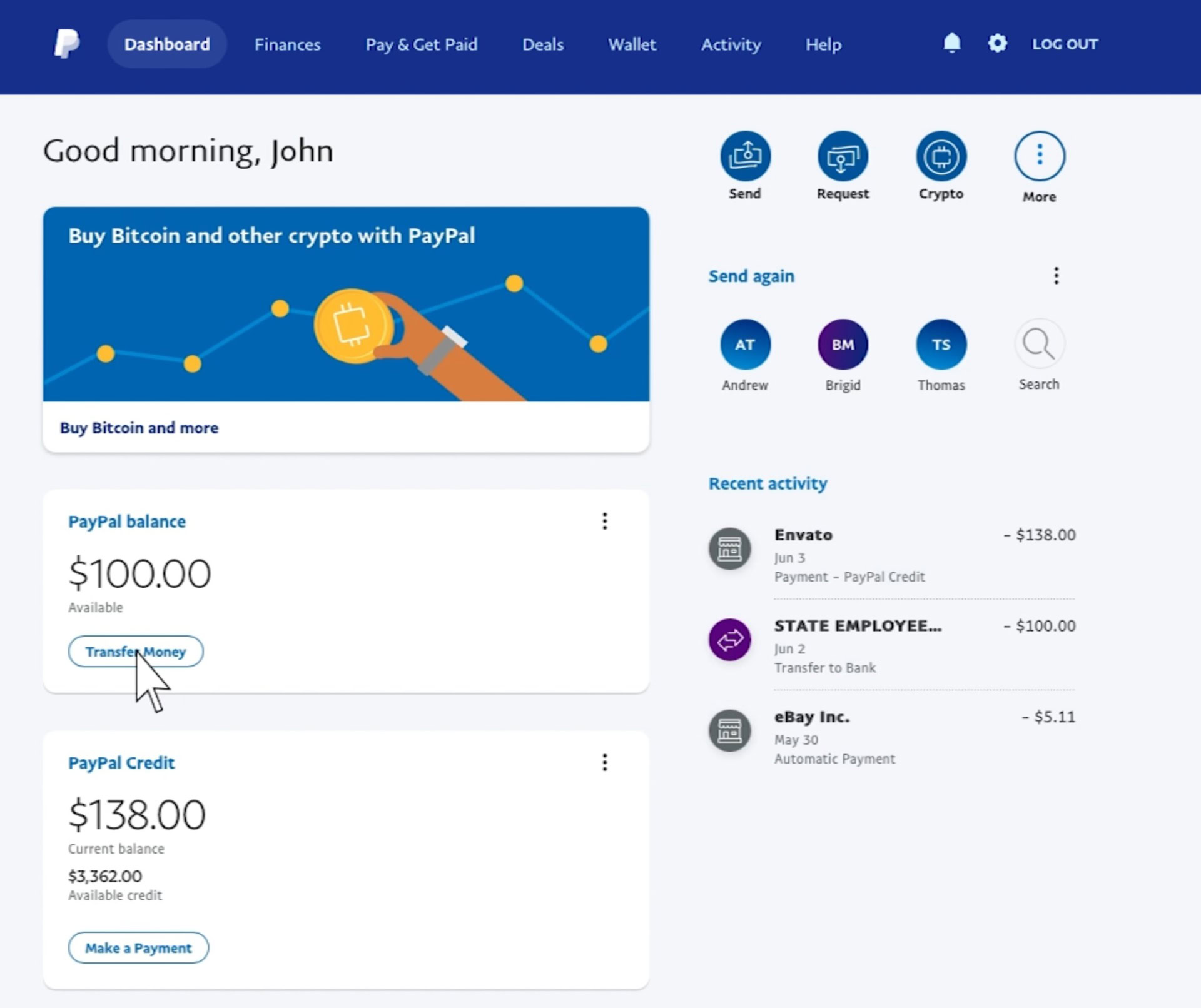
- Dashboard Overview: Once logged in, you will typically land on your “Summary” or “Dashboard” page. Your current PayPal balance is prominently displayed, often in a large font, usually on the left-hand side or central part of the page. It will indicate the primary currency (e.g., “PayPal Balance: $X.XX USD”).
- Multi-Currency View (If Applicable): If you hold balances in multiple currencies, you might see an option below your primary balance or within a specific “Wallet” or “Money” section to view other currency balances. Clicking on these usually expands to show a breakdown of each currency you hold.
- Activity for Details: For a detailed breakdown of transactions that contributed to or deducted from your balance, click on the “Activity” or “History” tab. This provides a chronological list of all your PayPal transactions.
Via the PayPal Mobile App
The PayPal mobile app offers convenience and quick access, perfect for checking your balance on the move.
- Download and Install: Ensure you have the official PayPal app installed on your smartphone (available for iOS and Android).
- Log In: Open the app and log in using your credentials. If you have biometric authentication (fingerprint, face ID) enabled, you can use that for a faster login.
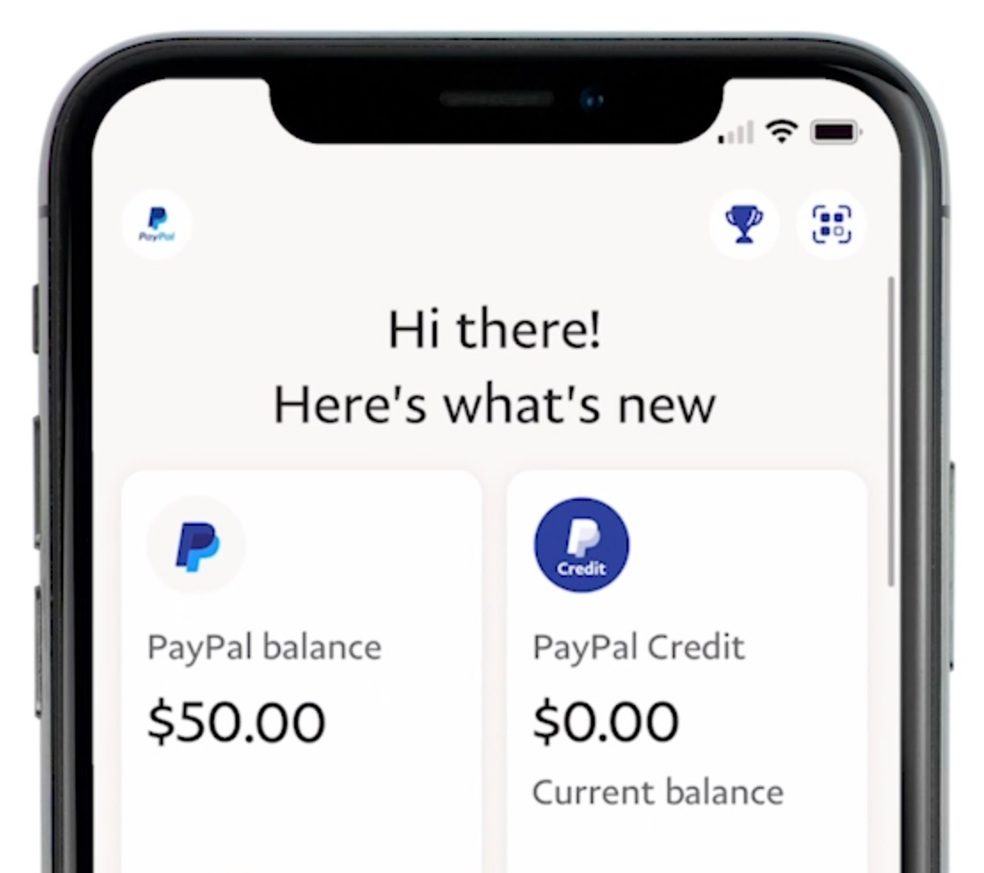
- Home Screen Balance: Upon logging in, your home screen will immediately display your primary PayPal balance, usually at the top or center of the screen.
- Activity Feed: Below your balance, you’ll typically see a feed of your recent activity, providing quick context for changes to your balance. Tapping on “Activity” or scrolling down further will reveal your full transaction history.
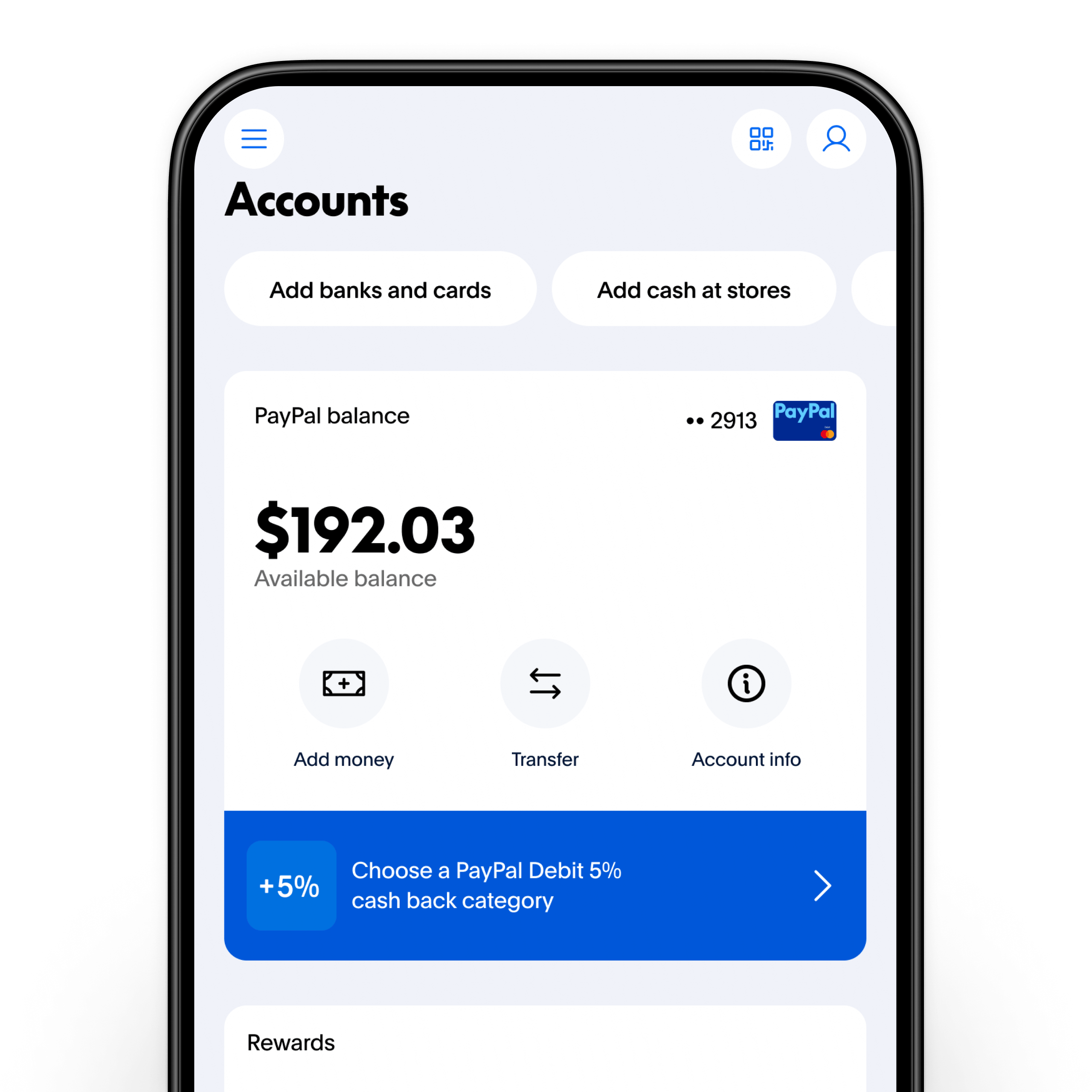
- Wallet/Money Section: Depending on the app version, you might find a “Wallet” or “Money” icon at the bottom of the screen. Tapping this will usually give you a more detailed view of your balance, including multi-currency options if applicable, and ways to manage linked bank accounts and cards.
Understanding Multi-Currency Balances
For users dealing with international transactions, managing multi-currency balances is a common occurrence. When viewing your balance on either the website or app, if you hold funds in different currencies, PayPal typically displays your primary currency balance first. There will be an option (e.g., a dropdown menu, a separate section in “Wallet,” or a link) to view or manage your other currency balances. Keep in mind that converting funds between currencies within PayPal usually involves an exchange rate and a conversion fee, which impacts the effective value of your money.
Beyond the Current Balance: Leveraging PayPal for Financial Management
While seeing your current balance is fundamental, PayPal offers a suite of features that, when utilized effectively, can greatly enhance your overall financial management strategy.
Reviewing Transaction History for Deeper Insights
The “Activity” or “History” section of your PayPal account is a treasure trove of financial data.
- Categorizing Expenses: Regularly review your transactions. While PayPal doesn’t offer robust auto-categorization like some dedicated budgeting apps, manually reviewing transactions allows you to understand where your money is going. You can often add notes to transactions for better tracking.
- Tracking Income Streams: For freelancers or small businesses, the activity log provides a clear record of incoming payments, helping you monitor revenue, identify peak periods, and ensure all payments are received.
- Identifying Irregularities: Beyond fraud, a quick scan can reveal recurring subscriptions you forgot about or duplicate charges, allowing you to take corrective action. You can filter transactions by date, type, or specific individuals/merchants for more focused analysis.
Setting Up Balance Notifications and Alerts
Proactive alerts can keep you informed about your financial activity without needing to constantly log in.
- Email Notifications: PayPal allows you to customize email notifications for various events, such as receiving payments, sending payments, or when your balance falls below a certain threshold.
- App Push Notifications: The mobile app can send push notifications directly to your device for real-time updates on transactions and balance changes, offering immediate awareness.
- Low Balance Alerts: For critical financial planning, setting up an alert when your balance drops below a predefined amount can prevent unexpected overdrafts or missed payments, prompting you to top up funds or adjust spending.
Managing Multiple Currencies
For global users, effectively managing multi-currency balances is key to optimizing financial outcomes.
- Understanding Conversion Fees: Be aware that converting funds from one currency to another within PayPal involves a currency conversion fee, which is typically factored into the exchange rate offered. These fees can impact the net amount you receive or send.
- Holding Different Currencies: If you frequently receive payments in a specific foreign currency, it might be more beneficial to hold that currency in your PayPal balance rather than immediately converting it, especially if you plan to spend it in that same currency later. This avoids multiple conversion fees.
- Preferred Currency: You can set a preferred currency for your account, which is the default for most transactions and balance displays.
Connecting Bank Accounts and Cards
Seamless integration with your traditional banking infrastructure is a cornerstone of PayPal’s utility.
- Easy Transfers: Linking a bank account allows you to easily add funds to your PayPal balance or withdraw funds from PayPal to your bank account. Withdrawals to a linked bank account are usually free, though they may take a few business days to process.
- Funding Options: A linked bank account or debit/credit card can serve as a backup funding source for payments if your PayPal balance is insufficient, ensuring transactions always go through.
- Verification: Verifying your bank account and cards adds an extra layer of security to your PayPal account and often increases transaction limits.
Best Practices for Securing Your PayPal Account and Funds
The convenience of digital finance comes with the imperative of robust security. Protecting your PayPal balance is paramount to your financial well-being.
Strong Passwords and Two-Factor Authentication (2FA)
These are the foundational pillars of online account security.
- Unique and Complex Passwords: Always use a strong, unique password for your PayPal account that includes a mix of uppercase and lowercase letters, numbers, and symbols. Never reuse passwords across different online services.
- Enable 2FA: Two-factor authentication adds an extra layer of security by requiring a second verification step (e.g., a code sent to your phone, a fingerprint scan) in addition to your password. This significantly reduces the risk of unauthorized access even if your password is compromised.
Recognizing Phishing Scams
Cybercriminals frequently target PayPal users with sophisticated phishing attempts.
- Email Vigilance: Be extremely cautious of emails claiming to be from PayPal, especially those asking for personal information, password resets, or threatening account suspension. Always check the sender’s email address for legitimacy.
- Official Channels Only: Never click on suspicious links in emails. If you need to access your PayPal account, always type www.paypal.com directly into your browser or use the official mobile app. PayPal will never ask for your password or sensitive financial details via email.
- Look for Red Flags: Poor grammar, generic greetings (“Dear PayPal User” instead of your name), and urgent, threatening language are common signs of phishing attempts.
Regularly Reviewing Activity
Proactive monitoring of your account activity is your first line of defense against financial discrepancies.
- Check Transactions Frequently: Make it a habit to review your transaction history at least weekly. This helps you spot any unauthorized purchases or transfers immediately.
- Report Suspicious Activity: If you notice any transaction you don’t recognize, report it to PayPal’s resolution center immediately. The sooner you report, the better the chances of recovering funds.
Understanding PayPal’s Buyer/Seller Protection
PayPal offers protection programs that can safeguard your funds and transactions.
- Buyer Protection: If an eligible item you bought online doesn’t arrive or isn’t as described, PayPal’s Buyer Protection can help you get a full refund. This provides peace of mind when making purchases.
- Seller Protection: For eligible sales, PayPal’s Seller Protection program can protect sellers from claims, chargebacks, and reversals for reasons like unauthorized transactions or items not received. Understanding these protections is vital for managing financial risk.
Integrating PayPal into Your Broader Financial Strategy
PayPal can be more than just a payment processor; it can be an integral part of your overall financial ecosystem.
Budgeting with PayPal Data
For many, PayPal activity represents a significant portion of online spending and income.
- Exporting Statements: PayPal allows you to download detailed statements of your account activity, often in formats compatible with spreadsheet software (CSV) or accounting programs (Quicken, QuickBooks). This data can be invaluable for detailed budgeting and financial analysis.
- Linking to Budgeting Apps: Many modern budgeting applications and personal finance tools offer integrations with PayPal. Linking your account can automatically import transactions, providing a holistic view of your spending alongside your bank accounts and credit cards.
Using PayPal for Online Income Management
For individuals earning income through online channels, PayPal is often a primary conduit for payments.
- Tracking Freelance Income: Keep a clear record of all client payments received via PayPal. This streamlines income tracking for tax purposes and helps in monitoring cash flow.
- Managing E-commerce Revenue: If you sell products online, PayPal can be central to managing sales revenue. Regularly checking your balance and activity helps you track sales performance and available funds for business operations.
- Separate Business Accounts (If Applicable): For serious entrepreneurs, consider setting up a separate PayPal Business account to keep personal and business finances distinctly separate. This simplifies accounting, tax preparation, and provides access to business-specific tools and reports.
Financial Planning and Goal Setting with Digital Wallets
While PayPal isn’t a savings account in the traditional sense, understanding your balance and cash flow through the platform can inform broader financial decisions.
- Short-Term Cash Management: Use your PayPal balance to manage short-term online expenses or to hold funds intended for immediate digital transactions.
- Contribution to Savings Goals: By regularly transferring surplus funds from PayPal to a dedicated savings account, you can ensure that digital earnings contribute directly to your long-term financial goals, rather than simply being spent.
- Informed Spending Decisions: A clear understanding of all your available funds, including those in PayPal, empowers you to make more informed spending and saving decisions, fostering a more robust financial future.
In conclusion, knowing how to efficiently see and manage your PayPal balance is a fundamental skill in today’s digital economy. It empowers you to maintain control over your money, protect against fraud, and integrate this powerful tool seamlessly into your personal financial strategy for greater clarity and peace of mind.
aViewFromTheCave is a participant in the Amazon Services LLC Associates Program, an affiliate advertising program designed to provide a means for sites to earn advertising fees by advertising and linking to Amazon.com. Amazon, the Amazon logo, AmazonSupply, and the AmazonSupply logo are trademarks of Amazon.com, Inc. or its affiliates. As an Amazon Associate we earn affiliate commissions from qualifying purchases.