
Apple Cash, integrated seamlessly into the Apple Wallet and Messages apps, provides a convenient way for users to send and receive money directly from their iPhone, iPad, or Apple Watch. As a peer-to-peer payment system, its design prioritizes ease of use, allowing for instant transfers for everything from splitting a dinner bill to sending funds to a family member. However, the convenience of digital transactions also necessitates robust user control, especially concerning unsolicited or unwanted payments. Understanding how to manage these transactions, including the process of rejecting Apple Cash, is crucial for maintaining digital security and financial autonomy within the Apple ecosystem.
Understanding Apple Cash and Its Security Framework
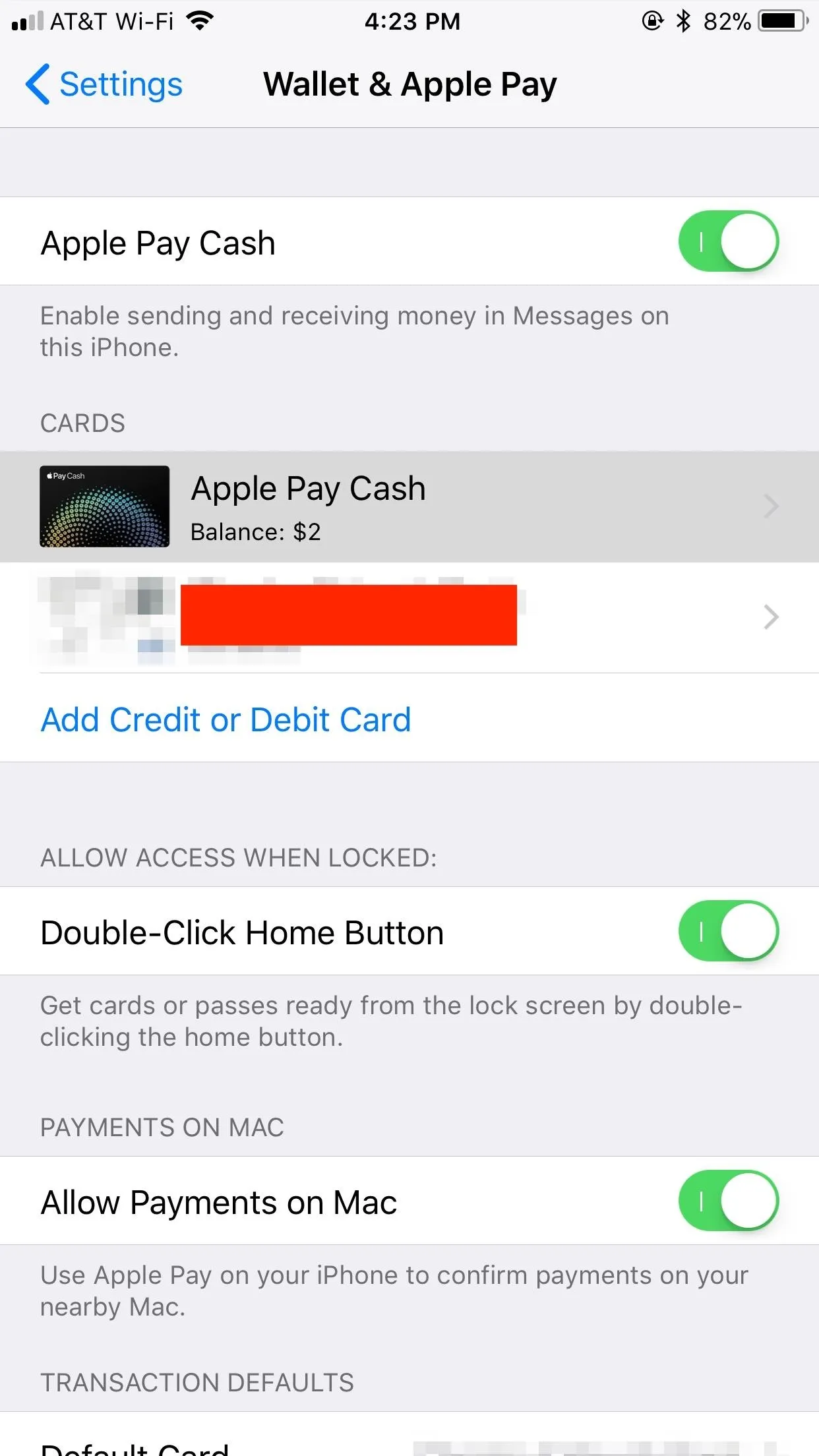
At its core, Apple Cash functions as a virtual debit card within the Apple Wallet app, powered by Green Dot Bank. When users send money via Apple Cash, it’s debited from their Apple Cash balance or, if insufficient, from a linked debit card. Recipients receive these funds directly into their Apple Cash balance, which they can then use for purchases via Apple Pay, send to others, or transfer to a linked bank account. This framework is designed for efficiency, yet it also includes mechanisms to protect users from unwanted financial interactions, aligning with broader digital security principles.
How Apple Cash Works
Apple Cash operates directly within the Messages app, enabling a fluid transaction experience that feels like a natural extension of conversation. To send money, users simply tap the Apple Cash icon in a Messages conversation, enter the amount, and authenticate with Face ID, Touch ID, or a passcode. The funds are typically available to the recipient immediately. The system is designed to be user-friendly, abstracting much of the underlying financial complexity, but this simplicity also means users need to be aware of how to manage the flow of funds effectively. The digital nature of these transactions means that every interaction, including receiving money, is recorded and can impact a user’s balance and transaction history.
The Importance of Transaction Control
In any digital payment system, the ability to control incoming transactions is a fundamental security and privacy feature. While receiving money might seem universally positive, there can be several reasons an individual might wish to reject an Apple Cash payment. These include:
-
Error Correction: A sender might have accidentally sent money to the wrong person or an incorrect amount. Rejecting the payment allows the sender to correct their mistake without further complications.
-
Unsolicited Funds from Unknown Sources: Receiving money from someone you don’t recognize can be a precursor to phishing attempts or scams. Scammers might send small amounts to verify an active account, or as part of a larger social engineering scheme.
-
Disputes or Unwanted Payments: In personal or business contexts, a payment might be sent for a service not rendered, a product not delivered, or in the midst of a disagreement where the recipient does not wish to accept the funds.
-
Maintaining Financial Privacy: Some users prefer not to receive funds from certain individuals or for specific reasons, wanting to keep their digital wallet interactions clean and intentional.
The lack of control over incoming digital payments could lead to unwanted liabilities, potential tax implications for unexpected income, or simply cluttering one’s financial records with irrelevant transactions. Therefore, Apple’s implementation of rejection mechanisms is a critical component of its digital security offering, putting power back into the user’s hands.
Methods for Managing Unwanted Apple Cash Payments
Apple Cash offers different approaches to handle unwanted funds, depending on whether the payment is still pending or has already been accepted into your balance. Understanding these distinctions is key to effectively managing your digital finances.
Rejecting Pending Payments
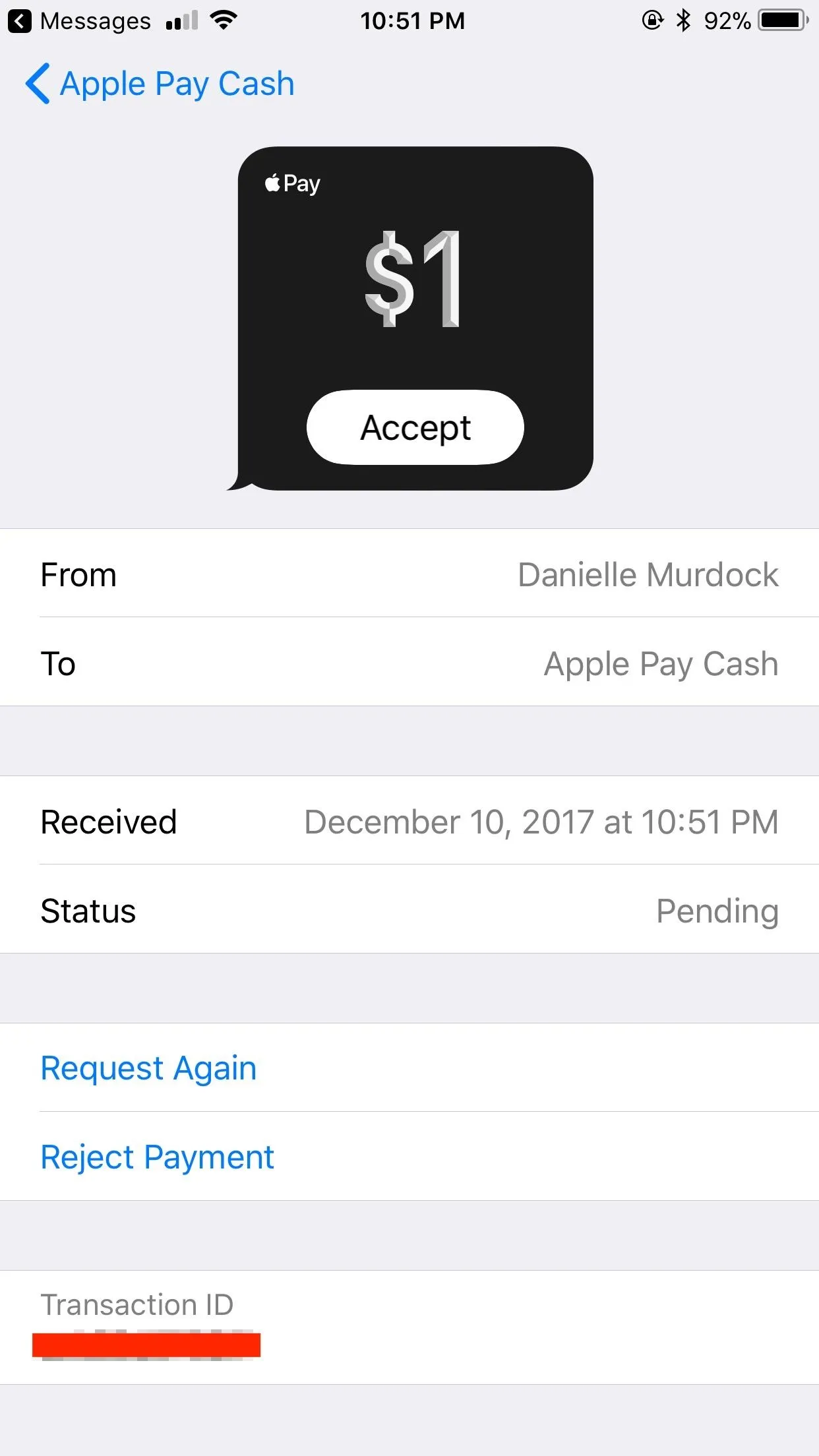
When someone sends you Apple Cash, the payment typically appears as a message in the conversation thread. If you haven’t accepted it yet, the funds are considered “pending.” This is the easiest scenario for rejection.
-
Open the Messages App: Locate the conversation with the sender who sent the Apple Cash payment.
-
Locate the Payment Message: You’ll see a message indicating that money was sent, often with an option to “Accept” or sometimes, if there’s an issue or it’s from an unknown sender, “Decline.”
-
Tap “Decline” or the specific prompt: If an explicit “Decline” button is visible, tap it. For payments from unknown numbers, you may also see an option to “Reject” the payment directly within the message bubble or by tapping the payment and viewing its details.
-
Confirm Rejection: The system will usually ask for confirmation. Confirm your decision, and the funds will be returned to the sender.
It’s important to act promptly, as pending payments usually have a time limit (e.g., 7 days) within which they must be accepted or declined. If no action is taken, the funds may automatically be returned to the sender.
Addressing Received Funds

If you’ve already accepted the Apple Cash payment, or if it was automatically accepted (which can happen with known contacts if certain settings are enabled), the funds will be in your Apple Cash balance. In this scenario, a direct “rejection” option isn’t available in the same way as a pending payment. Instead, you’ll need to send the money back to the original sender.
-
Open the Wallet App: Tap on your Apple Cash card.
-
View Recent Transactions: Scroll down to see your transaction history.
-
Select the Unwanted Payment: Tap on the specific transaction you wish to return.
-
Send Money Back: From the transaction details screen, you might see an option to “Send” or initiate a new payment. You’ll need to manually send the exact amount back to the original sender.
-
Confirm Details: Double-check that you are sending the correct amount to the correct recipient to avoid further errors.
While this isn’t a “rejection” in the strictest sense, it achieves the same practical outcome by returning the funds. It also creates a clear transaction record of the funds being received and then returned, which can be useful for dispute resolution or record-keeping.
Preventing Future Unsolicited Payments
Proactive measures can help reduce the incidence of unwanted Apple Cash payments, particularly from unknown or suspicious sources.
-
Block Contacts: If an unsolicited payment comes from an unknown number or a contact you no longer wish to interact with, you can block that contact directly from the Messages app. This prevents them from sending you messages and, by extension, Apple Cash.
-
Adjust Privacy Settings: While Apple Cash doesn’t have a direct “block all payments” setting, maintaining strict privacy over your phone number and Apple ID can reduce exposure to unknown senders.
-
Educate Yourself on Scams: Being aware of common digital payment scams (e.g., “accidental” overpayments, verification scams) can help you identify and avoid engaging with malicious requests.
Security Implications and Best Practices
Rejecting Apple Cash payments is often a step in a broader digital security strategy. Unsolicited payments can sometimes be more than just an inconvenience; they can be part of sophisticated fraud attempts.
Phishing Scams and Unsolicited Funds
Scammers frequently use digital payment platforms to conduct phishing attempts. They might send a small, unexpected payment, then follow up with a message claiming it was sent in error and asking you to send back a larger amount, or to click a suspicious link to “verify” your account. If you receive an unexpected payment, especially from an unknown sender, exercise extreme caution.
-
Never click suspicious links: If a message accompanying an unexpected payment asks you to click a link to “refund” or “verify,” do not. Always navigate directly to the official Wallet app or Apple support channels.
-
Verify the sender: If the sender is unknown, do not engage. If they claim to be from a legitimate service, contact that service directly through official channels (not through numbers or links provided in the suspicious message) to verify.
-
Report suspicious activity: If you suspect an attempt at fraud, report the sender and the incident to Apple Support and, if necessary, to law enforcement.
Maintaining Digital Wallet Hygiene
Good digital wallet hygiene extends beyond just rejecting unwanted payments. It includes:
-
Regularly reviewing transactions: Periodically check your Apple Cash transaction history in the Wallet app for any unrecognized activity.
-
Using strong authentication: Ensure Face ID, Touch ID, or a strong passcode is always required for purchases and transactions.
-
Keeping software updated: Apple regularly releases security updates. Keeping your iOS/iPadOS up-to-date ensures you have the latest protections.
-
Being wary of public Wi-Fi for financial transactions: Public Wi-Fi networks can be less secure. Avoid conducting sensitive financial transactions when connected to unsecured networks.
Navigating Apple Support and Troubleshooting
While the process of rejecting or returning Apple Cash is generally straightforward, technical issues can arise. If you encounter difficulties, such as a payment that won’t decline, funds that seem stuck, or issues with a return, Apple Support is the primary resource.
-
Apple Support Website: The official Apple Support website offers comprehensive articles and troubleshooting guides for Apple Cash and Wallet issues. Searching for specific error messages or scenarios can often provide immediate solutions.
-
Contacting Support Directly: For more complex problems, you can contact Apple Support via phone, chat, or by scheduling a Genius Bar appointment. Be prepared to provide details of the transaction, sender information (if available), and any error messages you received.
-
Reporting Fraud: If you believe you’ve been targeted by fraud related to Apple Cash, it’s critical to report it immediately. Apple has specific channels for reporting suspicious activity to help protect other users and investigate potential security breaches.
Effectively managing Apple Cash, including the ability to reject or return funds, empowers users to maintain control over their digital finances and bolster their personal digital security. By understanding the mechanisms, following best practices, and leveraging available support, users can navigate the conveniences and complexities of peer-to-peer payments with confidence.
aViewFromTheCave is a participant in the Amazon Services LLC Associates Program, an affiliate advertising program designed to provide a means for sites to earn advertising fees by advertising and linking to Amazon.com. Amazon, the Amazon logo, AmazonSupply, and the AmazonSupply logo are trademarks of Amazon.com, Inc. or its affiliates. As an Amazon Associate we earn affiliate commissions from qualifying purchases.