
In an increasingly digital world, the convenience and efficiency of managing personal finances are paramount. As mobile payment solutions continue to evolve, integrating various financial tools can significantly streamline how we access and spend our money. For many, Cash App has become a go-to platform for sending, receiving, and investing money, while Apple Pay offers a secure and swift method for contactless transactions. The natural question arises: how can these two powerful financial tools work together? This article will delve into the practical steps and financial considerations involved in seamlessly putting your Cash App money onto Apple Pay, ensuring your funds are always at your fingertips for everyday purchases.

The Synergistic Potential of Cash App and Apple Pay
The integration of Cash App with Apple Pay represents a significant leap in personal financial management, offering users unparalleled flexibility and security. Understanding why this synergy is beneficial is the first step toward optimizing your digital payment strategy.
Bridging Your Digital Wallets for Enhanced Financial Flexibility
Cash App functions as a versatile financial hub, allowing users to perform various transactions from peer-to-peer payments to direct deposits and even Bitcoin trading. However, its primary interface for spending in physical stores or online is often linked to its branded debit card, the Cash Card. Apple Pay, on the other hand, is a ubiquitous contactless payment system that consolidates your credit and debit cards, loyalty cards, and more into your Apple devices. The ability to link your Cash App funds to Apple Pay essentially merges these two powerful platforms, transforming your Cash Card into a digital asset accessible via your iPhone, Apple Watch, iPad, or Mac. This integration means your Cash App balance becomes spendable wherever Apple Pay is accepted, broadening its utility beyond simply swiping or inserting a physical card. It’s about creating a unified financial ecosystem that works for you, offering immediate access to your funds in a secure, digital format.
Why Integrate Cash App with Apple Pay?
The benefits of combining Cash App and Apple Pay extend beyond mere convenience. They touch upon critical aspects of personal finance management:
- Enhanced Security: Apple Pay utilizes advanced security features like tokenization and Face ID/Touch ID authentication. When you use your Cash Card through Apple Pay, your actual card number is never stored on your device or shared with merchants. Instead, a unique, encrypted Device Account Number is used for each transaction, significantly reducing the risk of fraud compared to traditional card payments. This adds an extra layer of protection to your Cash App funds.
- Unrivaled Convenience: Imagine leaving your wallet at home but still having access to your Cash App balance for payments. With Apple Pay, your smartphone or Apple Watch becomes your payment method, allowing for quick, tap-and-go transactions at millions of locations worldwide. This frictionless experience saves time and simplifies your daily financial interactions.
- Streamlined Budgeting and Tracking: By channeling your Cash App spending through Apple Pay, you can consolidate your transaction history. While Cash App provides its own tracking, seeing these expenses within your broader digital wallet context can offer a clearer picture of your spending habits, aiding in personal budgeting and financial oversight.
- Accessibility: For those who rely on Cash App for various financial activities, integrating it with Apple Pay means their funds are always accessible for everyday purchases, without needing to transfer money to another bank account first or carry the physical Cash Card. This is particularly beneficial for individuals who use Cash App as their primary banking alternative.
In essence, linking Cash App to Apple Pay is a strategic move for anyone looking to modernize their personal finance management, blending the robust features of a peer-to-peer payment app with the widespread acceptance and security of a leading digital wallet system.
The Direct Method: Leveraging Your Cash Card for Apple Pay
The most straightforward and financially prudent way to utilize your Cash App money with Apple Pay is through your Cash Card. This method effectively transforms your Cash App balance into a universally accepted digital payment option.
Obtaining and Activating Your Cash Card
Before you can add Cash App funds to Apple Pay, you must first have an active Cash Card. The Cash Card is a free, customizable debit card issued by Sutton Bank and powered by Visa. It’s directly linked to your Cash App balance, meaning any funds you have in your Cash App account are immediately available to spend using the card.
- Requesting Your Cash Card: To get one, simply open your Cash App, navigate to the “Cash Card” tab (it looks like a debit card icon), and follow the prompts to design and order your card. You’ll be asked to provide shipping details, and the card typically arrives within 5-10 business days.
- Activating Your Cash Card: Once your physical Cash Card arrives, you must activate it within the Cash App. This usually involves scanning the QR code on the card packaging or manually entering the CVV and expiration date found on the card. Activation ensures that your card is securely linked to your Cash App account and ready for use. It’s a crucial step to confirm your ownership and to protect your funds.
Step-by-Step Guide to Adding Your Cash Card to Apple Pay
Once your Cash Card is activated, adding it to Apple Pay is a quick and secure process. There are two primary ways to do this, both designed for user convenience and security.
Adding via the Cash App
This is often the most intuitive method, as you’re already within the Cash App environment.
- Open Cash App: Launch the Cash App on your iPhone.
- Navigate to the Cash Card Tab: Tap on the “Cash Card” icon, which is usually found on the main navigation bar at the bottom of the screen.
- Select “Add to Apple Pay”: Look for an option that says “Add to Apple Pay” or “Add to Wallet & Apple Pay.” This button is typically prominent within the Cash Card section.
- Follow On-Screen Prompts: Cash App will guide you through the process of transferring your Cash Card details to your Apple Wallet. You might be asked to confirm your identity or enter your Cash App PIN for security purposes.
- Review and Confirm: Apple Wallet will display your card details for review. Confirm that everything is correct and tap “Next” or “Add.”
- Agree to Terms and Conditions: You’ll need to read and agree to the issuer’s (Sutton Bank) terms and conditions for adding the card to Apple Pay.
- Card Added: Once complete, your Cash Card will appear in your Apple Wallet, ready for use.
Adding via the Apple Wallet App
If you prefer to manage all your cards directly within Apple’s ecosystem, you can add your Cash Card directly through the Wallet app.
- Open Wallet App: On your iPhone, open the “Wallet” app.
- Tap the Plus Sign (+): In the top right corner of the Wallet app, tap the plus sign (+) to add a new card.
- Select “Debit or Credit Card”: Choose this option when prompted to add a card type.
- Scan or Enter Details:
- You can attempt to scan your physical Cash Card using your iPhone’s camera. Ensure the card number is clearly visible.
- If scanning isn’t successful or preferred, select “Enter Card Details Manually” and type in your Cash Card number, expiration date, and security code (CVV).
- Provide Additional Information: You’ll likely be asked for your name and address associated with your Cash App account.
- Verify Your Card: To ensure you are the legitimate owner, Cash App (or Sutton Bank) will typically require verification. This often involves receiving a verification code via SMS to the phone number associated with your Cash App account, which you then enter into the Wallet app.
- Terms and Conditions: Agree to the terms and conditions.
- Card Added: Your Cash Card will now be securely added to your Apple Wallet.
Verifying and Securing Your Cash Card in Apple Pay
After adding your Cash Card, it’s prudent to take a moment to verify its presence and ensure optimal security settings. Open your Apple Wallet, select your Cash Card, and explore its settings. You can often set it as your default card for Apple Pay transactions, ensuring your Cash App funds are prioritized. Additionally, familiarize yourself with Apple Pay’s security features, such as requiring Face ID, Touch ID, or a passcode for every transaction. This ensures that even if your device falls into the wrong hands, your financial information remains protected. Regularly review your Cash App and Apple Wallet transaction histories to monitor for any unauthorized activity, a fundamental practice in maintaining robust personal financial security.
Utilizing Cash App Funds Through Apple Pay: Practical Applications
Once your Cash Card is successfully integrated into Apple Pay, you unlock a world of seamless transactions. Understanding how to effectively use this integration for everyday spending and how funds are managed is key to maximizing its financial benefits.
Making Payments with Your Integrated Digital Wallet
The primary advantage of linking your Cash Card to Apple Pay is the ability to make secure and convenient payments wherever Apple Pay is accepted. This includes millions of brick-and-mortar stores, within apps, and on websites.
- In-Store Purchases: At checkout, look for the Apple Pay or contactless payment symbol. Simply double-click the side button (on iPhones with Face ID) or place your finger on the Touch ID sensor (on iPhones with Touch ID), then hold your device near the payment terminal. Confirm your identity with Face ID, Touch ID, or your passcode, and the transaction will be processed using your Cash Card funds. For Apple Watch, double-click the side button and hold the watch near the reader.
- Online and In-App Purchases: When shopping online or within apps, select Apple Pay as your payment method at checkout. You’ll then authenticate the purchase with Face ID, Touch ID, or your passcode. This eliminates the need to manually enter card details, offering both speed and enhanced security.
- ATM Withdrawals (Select ATMs): While less common, some ATMs are equipped with NFC readers and support contactless withdrawals. If an ATM displays the Apple Pay or contactless symbol, you may be able to use your Cash Card via Apple Pay to withdraw cash directly from your Cash App balance, provided the ATM supports this functionality. Always check for any associated fees.
Understanding Transaction Flows and Fund Access

When you make a payment using your Cash Card through Apple Pay, the transaction works much like a standard debit card purchase. The funds are directly drawn from your available Cash App balance.
- Direct Debit from Cash App Balance: There’s no intermediary step where money is first “loaded” onto Apple Pay. Apple Pay acts as a secure conduit, transmitting your Cash Card details (in tokenized form) to the merchant. The transaction then processes against your Cash App balance.
- Real-time Balance Reflection: Your Cash App balance will reflect these transactions in real-time or near real-time, just as it would if you used the physical Cash Card. This direct link simplifies balance management, as you only need to monitor your Cash App account.
- Transaction History: Both your Cash App activity feed and your Apple Wallet transaction history will record these purchases. This dual recording can be beneficial for cross-referencing and ensuring accurate financial tracking.
Managing Your Cash App Balance for Apple Pay Transactions
Effective management of your Cash App balance is crucial to ensure smooth transactions when using Apple Pay.
- Fund Your Cash App: Regularly add funds to your Cash App account through linked bank accounts, direct deposits, or receiving payments from others. Ensure your balance is sufficient for anticipated Apple Pay purchases.
- Set Up Direct Deposit: For those who use Cash App as a primary financial tool, setting up direct deposit can ensure a consistent flow of funds, making your Cash Card via Apple Pay a reliable spending method.
- Monitor Spending: Keep an eye on your Cash App balance and transaction history. This helps prevent overdrafts (though Cash App typically declines transactions if funds are insufficient) and aids in staying within your personal budget.
- Instant Deposit Considerations: If you need to quickly add funds from a linked bank account to cover an Apple Pay transaction, Cash App offers instant deposits. Be mindful of any associated fees for instant transfers, balancing convenience against cost.
By understanding these practical applications and maintaining diligent balance management, you can fully leverage the power of your Cash App funds through the ubiquitous and secure platform of Apple Pay, transforming your digital wallet into an even more versatile financial instrument.
Beyond Direct Integration: Alternative Strategies and Financial Prudence
While linking your Cash Card directly to Apple Pay is the most efficient method, understanding alternative strategies and broader financial considerations can enhance your overall digital payment experience and provide backup options.
Transferring Funds to a Linked Bank Account as an Indirect Route
For various reasons, some users might prefer an indirect approach, or perhaps they don’t have a Cash Card. In such cases, transferring your Cash App funds to a linked bank account, and then using a debit or credit card from that bank with Apple Pay, serves as a viable alternative.
- The Process:
- Initiate Transfer in Cash App: Within your Cash App, tap on the “Banking” tab (the house icon).
- Select “Cash Out”: Choose the “Cash Out” option.
- Enter Amount and Speed: Specify the amount you wish to transfer to your linked bank account. You’ll have options for “Standard” (free, 1-3 business days) or “Instant” (small fee, immediate transfer).
- Confirm Transfer: Confirm the transaction, and the funds will be moved to your bank account.
- Use Bank Card with Apple Pay: Once the funds are in your bank account, you can use any debit or credit card linked to that bank account that you’ve already added to Apple Pay.
- When This is Useful: This method is particularly useful if you need to consolidate funds from Cash App into a primary checking account before making a larger purchase, or if you prefer to use a specific bank card with Apple Pay for its rewards program or other benefits, rather than the Cash Card itself. It adds an extra step but offers greater flexibility in how your funds are managed across different financial institutions.
Exploring Other Financial Tools and Considerations
The landscape of digital finance is constantly evolving, and integrating Cash App with Apple Pay is just one piece of a larger puzzle. Smart financial management involves understanding and leveraging a range of tools.
- Budgeting Apps: Consider integrating your Cash App transactions with dedicated budgeting apps. While Cash App provides basic tracking, specialized apps can offer deeper insights into spending categories, help set financial goals, and provide a holistic view of your financial health, including money held across different platforms.
- Investment Features: Cash App also offers investing in stocks and Bitcoin. While this doesn’t directly relate to Apple Pay, understanding how these investments fit into your overall financial portfolio is crucial. Remember that investing carries risks, and it’s important to only invest what you can afford to lose.
- Security Best Practices: Beyond Apple Pay’s built-in security, always practice good digital hygiene for your Cash App account. Use strong, unique passwords, enable two-factor authentication, and be wary of phishing attempts. Regularly review your transaction history for both Cash App and Apple Pay to spot any suspicious activity.
- Fee Awareness: While adding the Cash Card to Apple Pay and using it generally incurs no additional fees, be mindful of potential fees within Cash App itself, such as instant deposit fees or specific merchant fees (though rare for general purchases). Always read the terms and conditions.
Maximizing Security and Convenience in Digital Transactions
The core benefit of integrating Cash App and Apple Pay lies in striking a balance between security and convenience.
- Prioritize Biometric Authentication: Always use Face ID or Touch ID for Apple Pay transactions. This provides the strongest form of authentication, ensuring that only you can authorize payments from your device.
- Keep Software Updated: Regularly update your iPhone’s iOS, Cash App, and other financial apps. Updates often include critical security patches and performance enhancements that protect your financial data.
- Lost or Stolen Device Protocols: Familiarize yourself with Apple’s “Find My” feature to locate, lock, or erase your device remotely if it’s lost or stolen. Additionally, know how to quickly disable your Cash Card within the Cash App if your physical card is compromised, or remove cards from Apple Pay via iCloud.com.
- Digital Footprint Awareness: Be conscious of your digital footprint. Only link your Cash App to trusted devices and avoid sharing personal financial information over unsecured networks.
By taking a holistic approach to your digital financial tools and practicing robust security measures, you can confidently navigate the modern payment landscape, making your Cash App funds readily accessible and secure through Apple Pay, while maintaining strong overall financial health.
Troubleshooting and Maximizing Your Digital Payment Experience
While integrating Cash App and Apple Pay is generally a smooth process, occasional issues can arise. Knowing how to troubleshoot common problems and continuously optimize your setup can ensure a consistently reliable digital payment experience.
Common Issues When Adding Your Cash Card to Apple Pay
Encountering a snag when adding your Cash Card to Apple Pay can be frustrating, but many issues have straightforward solutions.
- Card Not Activating/Verifying:
- Check Cash App Status: Ensure your Cash App account is fully verified. Sometimes, incomplete profile information (like ID verification) can prevent card activation or linking to third-party services.
- Internet Connection: A stable internet connection (Wi-Fi or cellular data) is essential during the setup process.
- Correct Information: Double-check that you’re entering the correct Cash Card number, expiration date, and CVV. Even a single digit error can cause verification failure.
- Verification Code Issues: If you’re not receiving a verification SMS, check your phone’s signal, ensure the number linked to your Cash App is correct, and check your spam/junk folders. Sometimes, restarting your phone can help.
- “Card Not Added” Error:
- Regional Restrictions: While Cash App and Apple Pay are widely available, confirm both services operate fully in your specific region.
- Device Compatibility: Ensure your Apple device (iPhone, Apple Watch, etc.) is compatible with Apple Pay and running an up-to-date operating system.
- Too Many Cards: Although rare, there might be a limit to the number of cards you can have in Apple Wallet. Try removing an old, unused card.
- Cash App Account Problems: If your Cash App account is suspended, restricted, or has security alerts, this could prevent your Cash Card from being added or used with Apple Pay. Resolve any outstanding issues with Cash App support first.
If these basic checks don’t resolve the issue, contacting Cash App support directly is the next logical step. They can access your account details and provide specific guidance.
Ensuring Smooth Transactions and Account Health
Once your Cash Card is in Apple Pay, maintaining smooth transactions requires a few proactive measures.
- Sufficient Balance: The most common reason for a declined Apple Pay transaction using your Cash Card is insufficient funds in your Cash App balance. Always check your Cash App balance before making a significant purchase.
- Transaction Limits: Be aware of any daily, weekly, or per-transaction limits imposed by Cash App or Sutton Bank on your Cash Card. These limits are in place for security and regulatory compliance. If you hit a limit, your transaction will be declined.
- Merchant Acceptance: While Apple Pay is widely accepted, a few merchants might not have compatible terminals. Always look for the Apple Pay or contactless symbol at checkout.
- App Updates: Regularly update your Cash App and your device’s operating system. Updates often fix bugs, improve performance, and enhance security, contributing to a smoother overall experience.
- Review Transaction History: Periodically review both your Cash App activity and your Apple Wallet transaction history. This helps you monitor your spending, reconcile your records, and quickly identify any unauthorized charges. Proactive monitoring is a cornerstone of good personal finance.
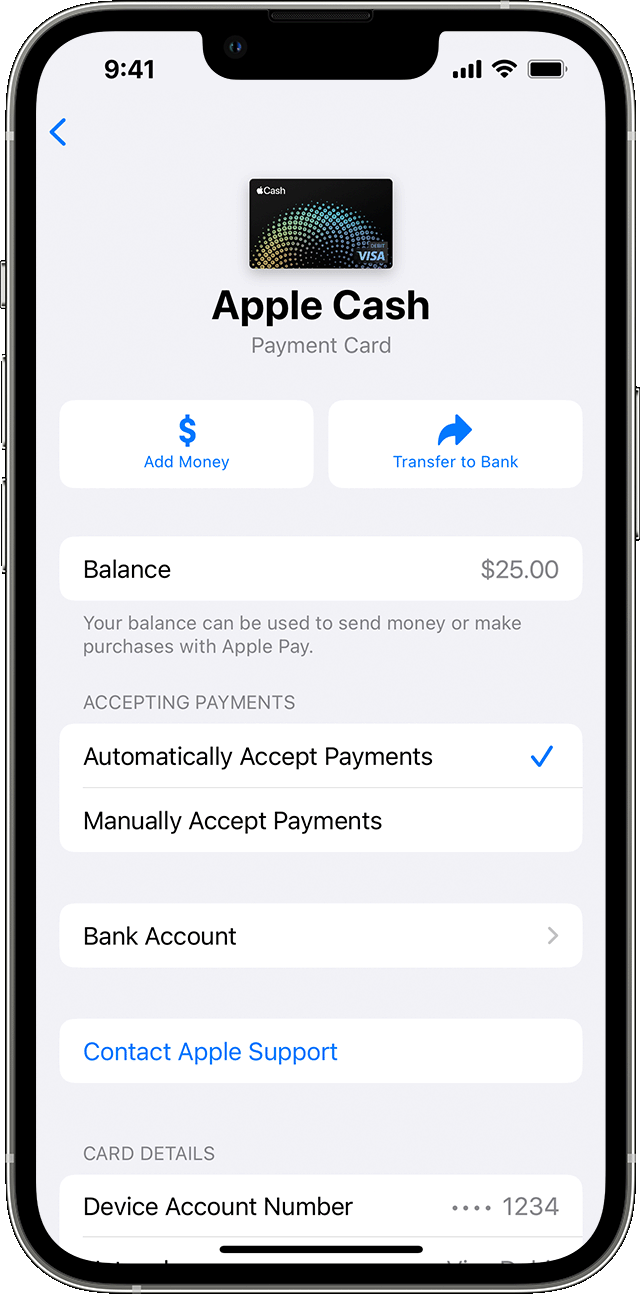
The Future of Integrated Personal Finance Tools
The convergence of apps like Cash App with digital wallets like Apple Pay is a clear indicator of the future trajectory of personal finance. We are moving towards an ecosystem where:
- Seamless Interoperability: Financial tools will increasingly integrate, allowing users to move and manage their money across platforms with minimal friction.
- Enhanced Security: Advancements in biometric authentication, tokenization, and AI-driven fraud detection will continue to make digital payments safer than ever.
- Personalized Financial Management: Integrated platforms will offer more personalized insights into spending, saving, and investing, becoming true digital financial advisors.
- Reduced Reliance on Physical Cards: The shift away from physical cards towards mobile-first payment solutions will accelerate, making digital wallets the primary method for everyday transactions.
By actively engaging with and optimizing tools like Cash App and Apple Pay, you’re not just simplifying your current financial life; you’re also positioning yourself to benefit from the ongoing innovations in personal finance technology. Embracing these integrations is a smart strategy for anyone looking to stay ahead in the digital money landscape, ensuring convenience, security, and control over their funds.
aViewFromTheCave is a participant in the Amazon Services LLC Associates Program, an affiliate advertising program designed to provide a means for sites to earn advertising fees by advertising and linking to Amazon.com. Amazon, the Amazon logo, AmazonSupply, and the AmazonSupply logo are trademarks of Amazon.com, Inc. or its affiliates. As an Amazon Associate we earn affiliate commissions from qualifying purchases.