
In the last decade, the phrase “I’ll Venmo you” has transitioned from niche tech-slang to a foundational pillar of the modern financial vocabulary. As we move further away from a cash-based society, mobile payment services have become the primary method for settling dinner bills, paying rent to roommates, and even purchasing goods from small businesses. Venmo, owned by PayPal, stands at the forefront of this revolution. However, using Venmo effectively involves more than just hitting a “send” button. To truly master the platform within the context of personal finance, one must understand its mechanics, its fee structures, and the security protocols that keep your capital safe.

This guide explores the multifaceted world of Venmo, providing a deep dive into how to leverage this financial tool for maximum efficiency and security.
Mastering the Basics of the Venmo Ecosystem
Before you can execute your first payment, you must understand that Venmo functions as a digital wallet—a middle ground between your traditional bank account and the person or entity you are paying. It acts as a ledger that facilitates the movement of digital credits which represent real-world currency.
Setting Up Your Account for Success
The first step in your Venmo journey is account creation. While the process is intuitive, the financial implications of your initial setup are significant. You are required to provide a phone number, email address, and a verified bank account. From a personal finance perspective, it is critical to use a strong, unique password and enable multi-factor authentication (MFA) immediately. Since Venmo is directly tied to your liquid assets, treating its security with the same gravity as your primary banking app is non-negotiable.
Linking Bank Accounts vs. Cards
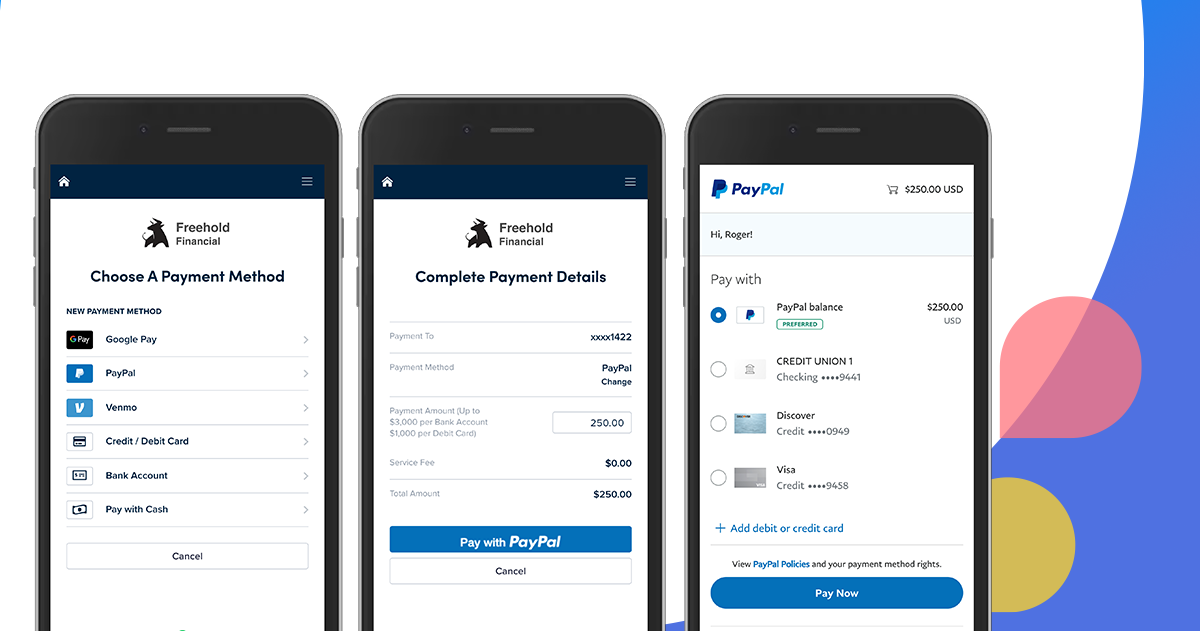
Venmo allows you to fund your payments through three primary sources: your Venmo balance, a linked bank account, or a credit/debit card. Understanding the cost-benefit analysis of these options is key to smart money management:
- Bank Accounts and Debit Cards: Generally, sending money using these methods is free. For most users, linking a bank account via the Plaid interface is the most cost-effective way to move money.
- Credit Cards: Venmo charges a 3% fee for payments made via credit card. In the world of personal finance, a 3% hit on every transaction is a significant loss that can negate any “cash back” or rewards points you might earn. Consequently, using a credit card on Venmo is generally discouraged unless it is an emergency.
Understanding the Venmo Balance
When someone sends you money, it sits in your “Venmo Balance.” This is not the same as your bank account. While you can use this balance to pay others, the money is not federally insured in the same way a traditional bank account (FDIC) might be unless you have added a Venmo Debit Card or completed identity verification. For optimal financial health, it is often wise to “sweep” your Venmo balance into your primary interest-bearing savings account regularly rather than letting large sums sit idle in the app.
Executing Payments: A Step-by-Step Guide
Once your profile is funded and verified, the core utility of Venmo is its payment interface. Paying someone is designed to be social and seamless, but precision is required to ensure funds reach the correct destination.
Peer-to-Peer (P2P) Transactions
The most common use for Venmo is the P2P transaction. To initiate a payment, tap the “Pay/Request” button (usually a pencil and square icon). You can search for a recipient by their name, @username, email, or phone number.
- The Verification Step: Because digital transactions are often irreversible, Venmo will sometimes ask you to verify the last four digits of the recipient’s phone number. This is a crucial financial safeguard. Always double-check the recipient’s profile picture and handle to ensure you aren’t sending money to a stranger with a similar name.
- The Note Requirement: Venmo requires a note for every transaction. While many users use emojis, from a bookkeeping perspective, it is helpful to use descriptive notes (e.g., “Oct Rent” or “Dinner 10/14”). This creates a searchable financial trail that can be useful for personal budgeting or tax purposes.
Using QR Codes for Instant Discovery
In crowded environments—like a busy farmers’ market or a large group dinner—searching for a username can be tedious. Venmo’s QR code feature simplifies this. By tapping the QR icon next to your profile picture, you can display your own code for others to scan or open your camera to scan a friend’s code. This eliminates the risk of “fat-finger” errors where money is sent to the wrong person due to a typo.
Paying Businesses and Authorized Merchants
Venmo has expanded beyond friendships into the commercial sector. Many mobile apps and websites now offer “Pay with Venmo” at checkout. Furthermore, many small business owners use Venmo Business Profiles. When paying a business, you may see a “Turn on Purchase Protection” toggle. While this may incur a small fee for the seller, it provides the buyer with peace of mind. If the goods or services aren’t delivered as promised, Venmo can assist in the recovery of those funds—a protection not typically offered in standard P2P “friend” transactions.
Advanced Features for Smart Money Management
As Venmo has matured, it has introduced features that allow it to compete with traditional banks and investment platforms. Integrating these into your financial routine can streamline your monthly cash flow.
The Split Feature: Seamless Group Finances
One of the most powerful financial tools within the app is the “Split” function. After you pay for a large expense—such as a group vacation or a shared utility bill—you can tap the transaction in your feed and select “Split.” Venmo will calculate the shares and send request notifications to the selected individuals. This automates the “debt collection” process and ensures your personal cash flow isn’t hampered by delayed repayments from friends.
Venmo Credit and Debit Cards
To bridge the gap between digital and physical payments, Venmo offers both a Debit Mastercard and a Visa Credit Card.
- The Debit Card: This card pulls directly from your Venmo balance. It is an excellent tool for those who want to use their Venmo earnings in physical stores without waiting 1–3 days for a bank transfer. It also offers “Venmo Offers,” which provide cash-back rewards at specific retailers, directly augmenting your savings.
- The Credit Card: The Venmo Credit Card is a more sophisticated financial product. It automatically categorizes your spending and offers tiered cash back (3% on your top spend category, 2% on the second, and 1% on others). For those who are already deep into the Venmo ecosystem, this can be a strategic way to build credit while earning rewards on niche categories like groceries or health and beauty.
Exploring Crypto and Savings
Venmo now allows users to buy, hold, and sell cryptocurrencies like Bitcoin and Ethereum for as little as $1. While this is a “Tech” feature on the surface, it is a “Money” feature at its core. It serves as an entry-point for casual investors to diversify their portfolios. However, users should approach this with caution, understanding the volatility of the crypto market and ensuring that such investments only represent a small, “risk-tolerant” portion of their overall financial plan.
Security and Financial Best Practices
In any financial system, security is the paramount concern. Because Venmo is designed to be “social,” users often inadvertently expose themselves to risks that traditional banking avoids.
Protecting Your Funds from Scams
The “Money” niche is rife with cautionary tales of P2P fraud. A common scam involves a stranger “accidentally” sending you money and then asking you to send it back. Often, the initial funds were sent from a stolen credit card; once the bank flags the theft, the initial deposit is reversed, but the money you “sent back” is gone forever.
- Rule of Thumb: Only use Venmo with people you know and trust. For transactions with strangers (like buying furniture on a local marketplace), always use the “Business” or “Purchase Protection” features.
Managing Privacy Settings for Financial Discretion
By default, Venmo often makes your transaction feed public. From a financial privacy perspective, this is a significant vulnerability. It allows others to see who you are paying and how often. To protect your financial data, go to Settings > Privacy and set your default transaction sharing to “Private.” This ensures that only you and the recipient can see the details of your financial life.
Tax Implications and the 1099-K
Recent changes in tax law (specifically regarding the IRS Form 1099-K) mean that Venmo is now required to report gross payments received for goods and services that exceed certain thresholds. If you use Venmo for a side hustle or small business, it is vital to keep meticulous records. Ensure you are using a “Business Profile” for these transactions. This keeps your personal and professional finances separate, making it much easier to calculate deductions and liabilities when tax season arrives.

Conclusion: The Role of Venmo in Your Financial Future
Learning how to pay with Venmo is about more than just navigating an app; it is about managing liquidity in a digital age. By understanding the nuances of funding sources, utilizing the split features for budgeting, and maintaining strict privacy and security protocols, you can transform Venmo from a simple social tool into a robust component of your personal finance strategy.
As the lines between social media and banking continue to blur, the disciplined user—the one who avoids credit card fees, sweeps their balances into high-yield accounts, and guards their private data—will be the one who benefits most from the mobile payment revolution. Venmo offers unparalleled convenience, but like any financial tool, its value is ultimately determined by the wisdom of the person using it.
aViewFromTheCave is a participant in the Amazon Services LLC Associates Program, an affiliate advertising program designed to provide a means for sites to earn advertising fees by advertising and linking to Amazon.com. Amazon, the Amazon logo, AmazonSupply, and the AmazonSupply logo are trademarks of Amazon.com, Inc. or its affiliates. As an Amazon Associate we earn affiliate commissions from qualifying purchases.