
In an increasingly digital world, the smartphone has evolved far beyond a mere communication device. It has become a personal assistant, an entertainment hub, and crucially, a powerful financial tool. The ability to pay with your phone, once a novelty, is now a ubiquitous feature revolutionizing how we conduct transactions. This guide delves into the technology, setup, usage, and security protocols that empower your smartphone to act as your digital wallet, streamlining your financial interactions in an unprecedented way.
The shift towards mobile payments is more than just a convenience; it represents a fundamental technological evolution in how value is exchanged. From contactless payments at the grocery store to seamless online purchases and peer-to-peer transfers, your phone is now capable of handling a vast array of financial tasks with speed and security. Understanding the underlying technology, mastering its setup, and adopting best practices for its use are key to fully leveraging this powerful functionality.
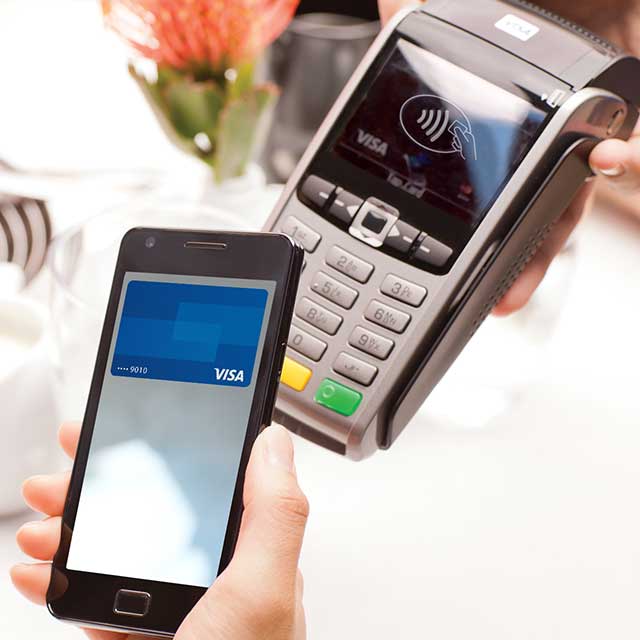
The Rise of Mobile Wallets: Understanding the Technology
The concept of a “mobile wallet” has rapidly transformed from a futuristic ideal into a present-day reality, fundamentally reshaping consumer payment habits. At its core, a mobile wallet is a digital rendition of your physical wallet, securely storing credit, debit, loyalty cards, and even tickets on your smartphone. This technological innovation not only offers unparalleled convenience but also introduces advanced security layers that often surpass traditional payment methods.
What is a Mobile Wallet?
A mobile wallet, often referred to as a digital wallet or e-wallet, is an application that allows users to store and manage payment information, such as credit card, debit card, and bank account details, on their mobile devices. Major players in this space include Apple Pay, Google Pay (formerly Android Pay), and Samsung Pay, each offering a distinct yet functionally similar service tailored to their respective device ecosystems. Beyond just payment cards, many mobile wallets can also store digital versions of boarding passes, event tickets, loyalty cards, and even identification documents, centralizing your essential cards in one secure digital location. The beauty of these systems lies in their integration with existing financial infrastructures, making them accessible at millions of retail locations and online platforms globally.
NFC, QR Codes, and Beyond: The Core Technologies
The magic behind mobile payments largely hinges on specific technological protocols that facilitate the secure transfer of payment data between your phone and a payment terminal.
One of the most prevalent technologies is Near Field Communication (NFC). NFC is a short-range wireless technology that allows two devices to communicate when they are brought within a few centimeters of each other. Most modern smartphones and point-of-sale (POS) terminals are equipped with NFC chips. When you tap your phone near an NFC-enabled terminal, the NFC chip in your phone securely transmits your payment information. This process is incredibly fast, typically completing a transaction in less than a second, and is highly secure due to its short operational range, minimizing the risk of interception.
Another significant technology is Quick Response (QR) codes. While NFC requires proximity, QR codes offer a visual alternative. When a merchant displays a QR code, you can use your phone’s camera to scan it. This action typically directs you to a secure payment gateway or a merchant’s app where you can complete the transaction. QR codes are particularly popular in regions with lower NFC penetration and among smaller businesses due to their cost-effectiveness and ease of implementation. They are also widely used for peer-to-peer payments and online transactions where physical proximity isn’t a factor.
Beyond NFC and QR codes, other technologies like Magnetic Secure Transmission (MST), primarily associated with older Samsung Pay models, allowed phones to emulate the magnetic stripe of a traditional credit card, making them compatible with virtually any card reader. While MST is becoming less common as NFC adoption grows, it historically played a crucial role in bridging the gap for mobile payments. The ongoing evolution of payment technology also hints at future integrations with biometric recognition beyond fingerprint and facial scans, and even sound-based data transmission for certain niche applications.
Advantages of Mobile Payment Technology
The technological foundation of mobile payments brings forth a multitude of advantages for both consumers and businesses. For consumers, the primary benefit is convenience. Carrying fewer physical cards reduces wallet bulk and the risk of losing multiple items. The speed of transactions is another significant plus; a quick tap of the phone is often faster than swiping a card or fumbling for cash.
Enhanced security is a critical advantage. Mobile payment systems employ advanced encryption and tokenization, which we will explore in detail, making them inherently more secure than traditional card transactions. Your actual card number is rarely shared with the merchant, significantly reducing the risk of fraud.
Furthermore, mobile payments offer integrated loyalty programs and budgeting tools. Many mobile wallets automatically apply loyalty points or offer cashback rewards, and some integrate with financial tracking apps, providing a clearer overview of spending habits. For businesses, mobile payment acceptance can lead to faster checkout times, reduced cash handling, and improved customer experience, ultimately boosting efficiency and sales. The data insights gained from digital transactions can also be invaluable for understanding consumer behavior and optimizing operations.
Setting Up Your Phone for Contactless Payments
Getting started with mobile payments is a straightforward process, designed to be user-friendly across different smartphone platforms. The initial setup involves selecting your preferred mobile payment service, adding your financial cards, and configuring the necessary security measures. This section will guide you through these crucial steps, ensuring your phone is ready to make secure, contactless payments.
Choosing Your Preferred Mobile Payment Service
The choice of mobile payment service largely depends on the brand of your smartphone. Each major ecosystem offers its proprietary solution, meticulously integrated into the device’s hardware and software for optimal performance and security.
- Apple Pay: Exclusively for Apple devices (iPhone, Apple Watch, iPad, Mac), Apple Pay is renowned for its seamless integration and robust security features, leveraging the Secure Element hardware chip. It’s incredibly easy to use, accessible directly from the lock screen or side button.
- Google Pay: Available for Android smartphones, Google Pay offers broad compatibility across a vast range of devices and payment terminals. It integrates well with other Google services and provides a consistent user experience regardless of the Android phone manufacturer.
- Samsung Pay: Unique to Samsung Galaxy devices, Samsung Pay stands out due to its support for both NFC and Magnetic Secure Transmission (MST). This dual compatibility means it can be used at nearly any card reader, including older ones that don’t have NFC, providing broader acceptance in some markets.
While these are the dominant players, some banks and third-party apps also offer their own mobile payment solutions. It’s advisable to choose the service that best aligns with your device and personal preferences, considering factors like ease of use, security features, and merchant acceptance.
Adding Your Payment Cards
Once you’ve selected your mobile payment service, the next step is to digitize your physical payment cards. This process is designed to be simple and secure.
- Open the App: Locate and open the dedicated mobile wallet app on your phone (e.g., Wallet app on iOS, Google Wallet on Android, Samsung Wallet on Samsung devices).
- Add a Card: Look for an option to “Add Card,” “Add Debit/Credit Card,” or a plus (+) icon.
- Scan or Enter Details: You will typically have two options:
- Scan your card: Position your physical card within the frame provided by the app. The app will automatically read the card number and expiration date.
- Enter details manually: If scanning isn’t possible or preferred, you can manually type in your card number, expiration date, and CVV/CVC code.
- Bank Verification: For security purposes, your bank will need to verify the card addition. This often involves receiving a one-time passcode (OTP) via SMS, email, or a phone call to the contact information associated with your bank account. Follow the prompts to enter this code.
- Terms and Conditions: Review and accept the terms and conditions from both your mobile payment service and your bank.
- Card Activated: Once verified, your card will be added to your mobile wallet and ready for use. You can typically add multiple cards and select a default card for quicker payments.
This process encrypts your card details and stores them securely within the device’s hardware, never directly transmitting your full card number during transactions.
Security Features and Verification
Mobile payment systems are built with multiple layers of security to protect your financial information. Understanding these features can alleviate concerns about digital transactions.
- Device-Level Security: Your phone itself acts as the first line of defense. Accessing your mobile wallet typically requires unlocking your device using a passcode, fingerprint (Touch ID/Fingerprint Sensor), or facial recognition (Face ID/Iris Scanner). This ensures that even if your phone is lost or stolen, unauthorized individuals cannot easily access your payment methods.
- Tokenization: This is a cornerstone of mobile payment security. Instead of transmitting your actual 16-digit card number during a transaction, a unique, encrypted “token” or “device account number” is created for each card on your device. This token is useless if intercepted by fraudsters as it cannot be reverse-engineered to reveal your actual card details. Each payment uses a unique, single-use cryptogram based on this token.
- Secure Element: Many smartphones, particularly those from Apple and Samsung, incorporate a dedicated hardware chip called the “Secure Element.” This tamper-resistant chip isolates and encrypts your payment information, making it extremely difficult for malicious software to access. Google Pay also uses similar secure enclaves and cloud-based tokenization for robust protection.
- No Card Data Stored on Servers: Your actual card numbers are not stored on the mobile payment service’s servers, nor are they transmitted to the merchant during a transaction. This distributed security model minimizes the risk of large-scale data breaches affecting your payment information.
By combining device authentication, tokenization, and secure hardware, mobile payment systems offer a level of security that often surpasses traditional plastic card payments, where your full card number is routinely exposed during transactions.
Making a Payment: Step-by-Step Usage
Once your mobile wallet is set up, making payments becomes incredibly intuitive. Whether you’re in a physical store, shopping online, or sending money to a friend, your phone streamlines the process. This section provides detailed instructions for various payment scenarios.
In-Store Contactless Payments
Making a contactless payment with your phone at a physical retail location is remarkably quick and simple. This method utilizes NFC technology.
- Look for the Symbol: At the checkout, look for the contactless payment symbol (four curved lines resembling a Wi-Fi signal) or the logo of your specific mobile payment service (e.g., Apple Pay, Google Pay). This indicates the terminal is NFC-enabled.
- Activate Your Mobile Wallet:
- iPhone: Double-click the side button (Face ID) or the Home button (Touch ID) to bring up your default card.
- Android (Google Pay): Simply wake your phone (no need to open the app) and hold it near the terminal. If you have multiple cards, you might need to open the Google Pay app to select a different one.
- Samsung Pay: Swipe up from the bottom of your screen to launch Samsung Pay.
- Authenticate Your Payment:
- iPhone (Face ID/Touch ID): Authenticate with Face ID, Touch ID, or your passcode.
- Android (Google Pay): Unlock your phone with your fingerprint, face unlock, or PIN/pattern. For smaller transactions, you might not need to unlock the phone.
- Samsung Pay: Authenticate with your fingerprint, iris scan, or PIN.
- Tap and Go: Hold the top of your phone (or the back, depending on your device’s NFC antenna) close to the contactless reader on the payment terminal.
- Confirmation: A checkmark, audible chime, or message on your phone screen and/or the terminal will confirm the successful transaction. You may also receive a notification from your banking app.

It’s that simple! There’s no need to open a specific app before approaching the terminal; your phone automatically recognizes the payment opportunity once activated and authenticated.
Online and In-App Purchases
Mobile payment services extend their convenience to the digital realm, allowing for swift and secure online and in-app purchases without manually entering card details.
- Online Shopping: When shopping on websites from your phone or desktop, look for the “Pay with Apple Pay,” “Pay with Google Pay,” or “Pay with Samsung Pay” buttons at checkout. Clicking this button will initiate a secure payment process.
- You’ll typically be prompted to confirm the payment on your phone using your authentication method (Face ID, Touch ID, fingerprint, passcode).
- Your shipping and billing information, if stored in your mobile wallet, can also be automatically populated, further speeding up the checkout.
- In-App Purchases: For purchases made directly within apps (e.g., ordering food, buying digital content), the process is even more integrated.
- Upon reaching the payment stage within the app, select your preferred mobile payment option.
- Confirm the purchase using your device’s biometric authentication or passcode.
- The transaction is processed instantly, often without leaving the app.
This method eliminates the need to expose your card details to various websites or apps, as the secure tokenization process handles the transaction securely behind the scenes.
Peer-to-Peer Transfers (P2P) via Mobile
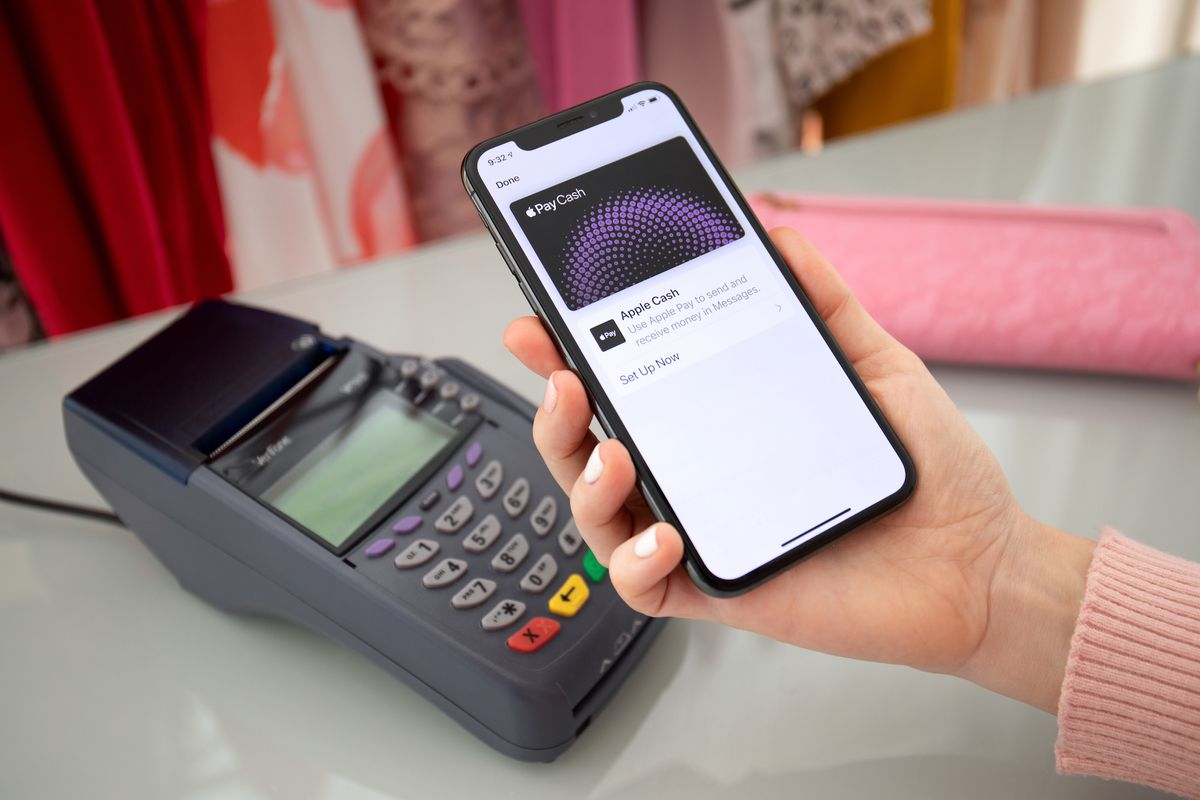
Beyond merchant payments, many mobile payment apps and dedicated P2P services allow you to send money directly to friends, family, or even small businesses. While some mobile wallets like Apple Pay Cash (integrated within Messages) and Google Pay offer direct P2P functionality, other popular options include Venmo, PayPal, and Cash App.
- Select Your Service: Choose the P2P service you and the recipient both use (e.g., Apple Pay Cash, Google Pay, Venmo).
- Link Your Bank Account/Debit Card: Most P2P services require you to link a debit card or bank account for funding transfers. Credit cards can sometimes be used but may incur fees.
- Find the Recipient: Locate the recipient by their username, phone number, or email address.
- Enter Amount and Send: Input the amount you wish to send, optionally add a note, and confirm the transaction.
- Authentication: You will likely need to authenticate the transfer with your device’s security features or the app’s PIN.
P2P transfers are generally fast, often instant, though withdrawal times to a bank account can vary. It’s crucial to double-check the recipient’s details before sending money, as P2P transactions are often irreversible. This functionality transforms your phone into a versatile tool for managing informal financial exchanges, making splitting bills or repaying friends effortless.
Ensuring Digital Security and Privacy
While the convenience of mobile payments is undeniable, concerns about digital security and privacy are paramount. Fortunately, mobile payment technologies are designed with robust security frameworks to protect your financial data, often making them more secure than traditional payment methods. Understanding these mechanisms is key to using your phone as a payment tool with confidence.
Tokenization and Encryption Explained
The bedrock of mobile payment security lies in two interconnected technologies: tokenization and encryption.
- Tokenization: This is the process of converting sensitive data, such as your 16-digit credit card number, into a unique, randomly generated alphanumeric string called a “token.” When you add a card to your mobile wallet, your card details are securely transmitted to your bank or card issuer. They then create a specific “device account number” (which is the token) unique to your device and card. This token is what is actually transmitted to the merchant during a transaction, not your real card number. If intercepted, this token is useless outside of its intended purpose and cannot be reverse-engineered to reveal your actual card information. Each transaction might even use a dynamically generated cryptogram based on this token, adding another layer of security.
- Encryption: This involves scrambling data so that it can only be understood by authorized parties who possess the correct decryption key. From the moment you input your card details to the point it’s stored on your device’s Secure Element (or similar secure enclave) and during its transmission to the payment network, robust encryption protocols are in place. This ensures that even if data is intercepted during transit, it appears as an unreadable jumble of characters, making it incomprehensible to unauthorized individuals.
Together, tokenization and encryption create a formidable barrier against data breaches and fraud, ensuring that your sensitive financial information remains private and secure throughout the payment process.
Biometric Authentication and Passcodes
Another crucial layer of security in mobile payments is the strong authentication required to authorize a transaction. This is typically achieved through biometric authentication or a device passcode.
- Biometric Authentication: This uses unique physical or behavioral characteristics to verify your identity.
- Fingerprint Scanners (Touch ID on Apple, Fingerprint Sensor on Android/Samsung): Your unique fingerprint is matched against the stored biometric data on your device. This is fast, convenient, and highly secure, as fingerprints are difficult to replicate.
- Facial Recognition (Face ID on Apple, similar features on Android/Samsung): Advanced 3D mapping or image recognition technology scans your face to confirm your identity. This is considered very secure due to its complexity and the difficulty of spoofing.
- Iris Scanners: Some devices, particularly older Samsung models, used iris recognition, which scans the unique patterns in your eye.
- Passcodes/PINs: If biometric authentication is unavailable (e.g., if your hands are wet) or preferred, your device’s passcode or PIN serves as a reliable fallback. This numeric or alphanumeric code is known only to you and unlocks the payment functionality.
Requiring biometric authentication or a passcode for every transaction (or for transactions above a certain threshold) means that even if someone gains physical access to your phone, they cannot make payments without your unique biometric identifier or personal code. This significantly reduces the risk of unauthorized transactions if your device is lost or stolen.
Best Practices for Secure Mobile Payments
While mobile payment technology is inherently secure, adopting certain best practices further enhances your protection:
- Keep Your Device Updated: Regularly install software updates for your smartphone’s operating system and mobile wallet apps. These updates often include critical security patches that address newly discovered vulnerabilities.
- Use Strong Device Security: Always protect your phone with a strong passcode, PIN, or biometric lock (fingerprint, face ID). Never disable these features.
- Be Mindful of Your Surroundings: When making a payment in public, be aware of “shoulder surfers” who might try to glimpse your screen or PIN.
- Enable Find My Phone/Remote Wipe: Ensure that features like Apple’s “Find My” or Google’s “Find My Device” are enabled. In case your phone is lost or stolen, these tools allow you to remotely locate, lock, or erase your device, protecting your sensitive data.
- Monitor Your Bank Statements: Regularly check your bank and credit card statements for any unauthorized transactions, just as you would with physical cards. Most mobile payment services provide a transaction history within the app.
- Download Apps from Official Stores Only: Only download mobile wallet apps and other financial applications from official app stores (Apple App Store, Google Play Store) to avoid malicious software.
- Be Skeptical of Suspicious Links/Messages: Never click on suspicious links or respond to unsolicited messages asking for your payment information or login credentials. Phishing attempts are a common tactic for fraudsters.
By combining the robust built-in security of mobile payment systems with diligent personal practices, you can confidently and securely leverage your phone for all your payment needs.
The Future Landscape of Mobile Payment Technology
The evolution of mobile payment technology is far from over. As consumer behavior shifts and digital infrastructures become more sophisticated, we can anticipate further innovations that will integrate payment capabilities even more seamlessly into our daily lives. The future promises an even more interconnected and intelligent payment ecosystem, extending beyond smartphones to various smart devices and leveraging advanced analytical capabilities.
Wearable Payments and IoT Integration
The concept of paying with your phone is already expanding to other personal devices, particularly wearables. Smartwatches with built-in NFC capabilities, like the Apple Watch, Samsung Galaxy Watch, and various Garmin models, allow for quick, convenient payments with a flick of the wrist. This trend is set to accelerate as more everyday objects become “smart” and connect to the Internet of Things (IoT).
Imagine a future where your smart ring, smart glasses, or even your connected car can initiate payments. Your refrigerator could automatically reorder groceries and pay for them, or your smart home system could pay utility bills based on consumption. This level of IoT integration moves beyond just convenience to create an ambient payment experience, where transactions occur in the background, almost invisibly, facilitated by authenticated smart devices interacting with payment networks. This integration requires extremely robust security protocols and user consent mechanisms to ensure privacy and prevent unauthorized transactions, but the technological groundwork is steadily being laid.
Cross-Border Mobile Payments
One significant area of growth for mobile payment technology is in simplifying and securing cross-border transactions. Traditional international payments often involve high fees, unfavorable exchange rates, and lengthy processing times. Mobile payment platforms, particularly those leveraging blockchain technology or direct bank-to-bank integrations, are poised to disrupt this landscape.
Platforms like PayPal and Wise (formerly TransferWise) already facilitate international transfers through mobile apps, often at lower costs and faster speeds than traditional banks. However, future developments could see true global interoperability of mobile wallets, allowing users to pay with their local currency in any country, with real-time currency conversion and transparent fees. This would be a boon for international travelers, e-commerce, and remittances, fostering greater financial inclusion and economic fluidity across borders. The challenge lies in harmonizing diverse regulatory frameworks and integrating disparate financial infrastructures worldwide.
The Role of AI and Machine Learning in Payment Security
As mobile payment systems become more complex and handle larger volumes of transactions, the role of Artificial Intelligence (AI) and Machine Learning (ML) in maintaining security and detecting fraud will become indispensable.
- Real-time Fraud Detection: AI and ML algorithms can analyze vast datasets of transaction patterns in real-time, identifying anomalies that might indicate fraudulent activity. These systems learn from every transaction, becoming increasingly adept at distinguishing legitimate spending habits from suspicious patterns, often flagging potential fraud before it even completes.
- Enhanced Biometric Security: AI can improve the accuracy and anti-spoofing capabilities of facial recognition and fingerprint scanning, making it even harder for unauthorized individuals to bypass biometric authentication.
- Personalized Security Measures: Machine learning could potentially adapt security protocols based on user behavior and risk context. For instance, a transaction in an unfamiliar location or for an unusually high amount might trigger additional authentication steps, while routine payments might remain seamless.
- Proactive Threat Intelligence: AI can scour the internet for new cyber threats, vulnerabilities, and fraud schemes, allowing payment providers to proactively update their security measures and protect users before attacks even materialize.
By leveraging the predictive power of AI and ML, mobile payment systems will continue to evolve, offering an unparalleled combination of convenience, speed, and cutting-edge security, cementing the smartphone’s position as the ultimate financial instrument of the digital age.
aViewFromTheCave is a participant in the Amazon Services LLC Associates Program, an affiliate advertising program designed to provide a means for sites to earn advertising fees by advertising and linking to Amazon.com. Amazon, the Amazon logo, AmazonSupply, and the AmazonSupply logo are trademarks of Amazon.com, Inc. or its affiliates. As an Amazon Associate we earn affiliate commissions from qualifying purchases.