
In an increasingly digital world, the convenience of carrying your financial life in your pocket has become not just a luxury, but an expectation. For iPhone users, this expectation is met with exceptional fluidity and security through Apple Pay. More than just a digital wallet, Apple Pay transforms your iPhone into a versatile payment instrument, enabling secure transactions in stores, within apps, and online with unprecedented ease. This comprehensive guide delves into the mechanics, benefits, and practical applications of paying with your iPhone, adhering strictly to a technological focus to illuminate how this innovation has reshaped our transactional landscape.
Unlocking the Power of Apple Pay: Getting Started
Before you can tap, click, or authenticate your way to a purchase, your iPhone needs to be configured for Apple Pay. This initial setup is a streamlined process designed to integrate your financial instruments securely into your device’s digital ecosystem. Understanding the prerequisites and the steps involved is crucial for harnessing the full potential of mobile payments.
Prerequisites for Apple Pay: What You Need to Know
To begin your journey with iPhone payments, a few fundamental components must be in place. Firstly, you’ll need a compatible Apple device, which includes virtually all iPhones from the iPhone 6 and newer models. This compatibility is primarily driven by the integration of Near Field Communication (NFC) hardware, essential for contactless payments in physical stores. Secondly, your device must be running a recent version of iOS, ensuring access to the latest security features and Wallet app functionalities. An active Apple ID is also mandatory, as it links your device to Apple’s services and secures your payment information. Finally, and most importantly, you’ll need a supported credit, debit, or prepaid card issued by a participating bank or financial institution. The network of banks supporting Apple Pay is vast and continuously expanding, covering a significant portion of global financial services. Without these foundational elements, the seamless experience of Apple Pay cannot be fully realized.
Adding Your Cards to Wallet: A Step-by-Step Guide
The core of enabling iPhone payments lies in adding your desired payment cards to the Wallet app. This process is designed for both security and user-friendliness. To add a card, open the Wallet app on your iPhone and tap the ‘+’ icon located in the top right corner. You’ll then be prompted to either scan your physical card using your iPhone’s camera or manually enter the card details, including the card number, expiration date, and security code. After entering the details, you’ll need to agree to your bank’s terms and conditions. As a final security measure, your bank will typically require a verification step, which might involve a text message, email, or a phone call to confirm your identity and authorize the card for use with Apple Pay. This verification ensures that only the legitimate cardholder can link a card to their device, adding a critical layer of protection against unauthorized access. Once verified, your card is securely tokenized and ready for use, appearing visually in your Wallet app.
Managing Multiple Cards and Default Settings
Many users prefer to add multiple cards to their Wallet for various purposes—perhaps a personal credit card, a business debit card, and a loyalty card. The Wallet app provides robust tools for managing this array of options. After adding several cards, you can easily set a default card for payments. This is done by simply tapping and holding the card you wish to make primary and dragging it to the front of the stack within the Wallet app. While a default card streamlines most transactions, Apple Pay also allows you to quickly switch between cards at the point of sale. Before authenticating a payment, a quick tap on the default card in the Wallet interface will reveal your other registered cards, enabling you to select an alternative with ease. Furthermore, the Wallet app allows you to view recent transactions for each card (depending on bank support), review card details, and even contact your bank directly if issues arise. This comprehensive management functionality ensures that your digital wallet is as flexible and controllable as its physical counterpart.
Making Payments Effortlessly: In-Store, Online, and In-App
Once your iPhone is configured with your payment cards, the world of effortless transactions opens up. Apple Pay integrates seamlessly across various retail and digital environments, providing a consistent and secure payment experience whether you’re buying coffee or purchasing digital content.
Paying in Physical Stores: The Tap-and-Go Revolution
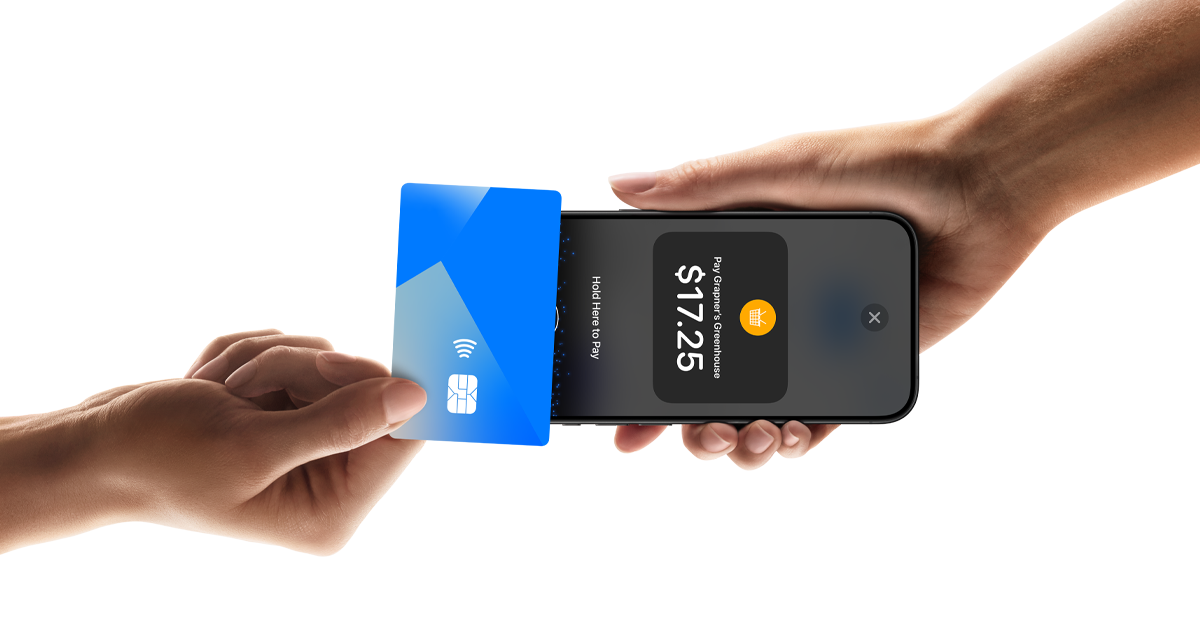
The most visible and perhaps revolutionary aspect of Apple Pay is its capability for contactless payments in physical retail locations. This “tap-and-go” method leverages Near Field Communication (NFC) technology, which allows your iPhone to communicate securely with compatible payment terminals. To pay in a store, simply double-click the side button on your iPhone (for Face ID models) or rest your finger on the Touch ID sensor (for Touch ID models). This action brings up your default card in the Wallet app. After authenticating with Face ID or Touch ID, or by entering your passcode, hold the top of your iPhone near the contactless reader. A subtle vibration and a checkmark on your iPhone screen will confirm that the payment has been successfully processed. This entire interaction typically takes mere seconds, eliminating the need to fumble for physical cards, swipe, or enter PINs, significantly speeding up checkout times and enhancing convenience.
Online and In-App Purchases: Streamlining Digital Transactions
Beyond brick-and-mortar stores, Apple Pay extends its convenience to the digital realm, transforming the experience of online shopping and in-app purchases. When browsing websites or using apps that support Apple Pay, you’ll often see a “Pay with Apple Pay” button at checkout. Clicking this button initiates a secure payment flow that bypasses the tedious process of manually entering card numbers, expiration dates, and billing addresses. Instead, your iPhone will prompt you to authenticate the purchase using Face ID or Touch ID. Once authenticated, the necessary payment and shipping information (which can also be stored securely in Wallet) is transmitted to the merchant. This not only significantly reduces the number of steps required to complete a purchase but also enhances security, as your actual card details are never shared with the merchant. This frictionless process encourages higher conversion rates for businesses and provides a smoother, more private shopping experience for users, making impulse buys almost too easy.
Apple Cash and Peer-to-Peer Payments: Sending Money Securely
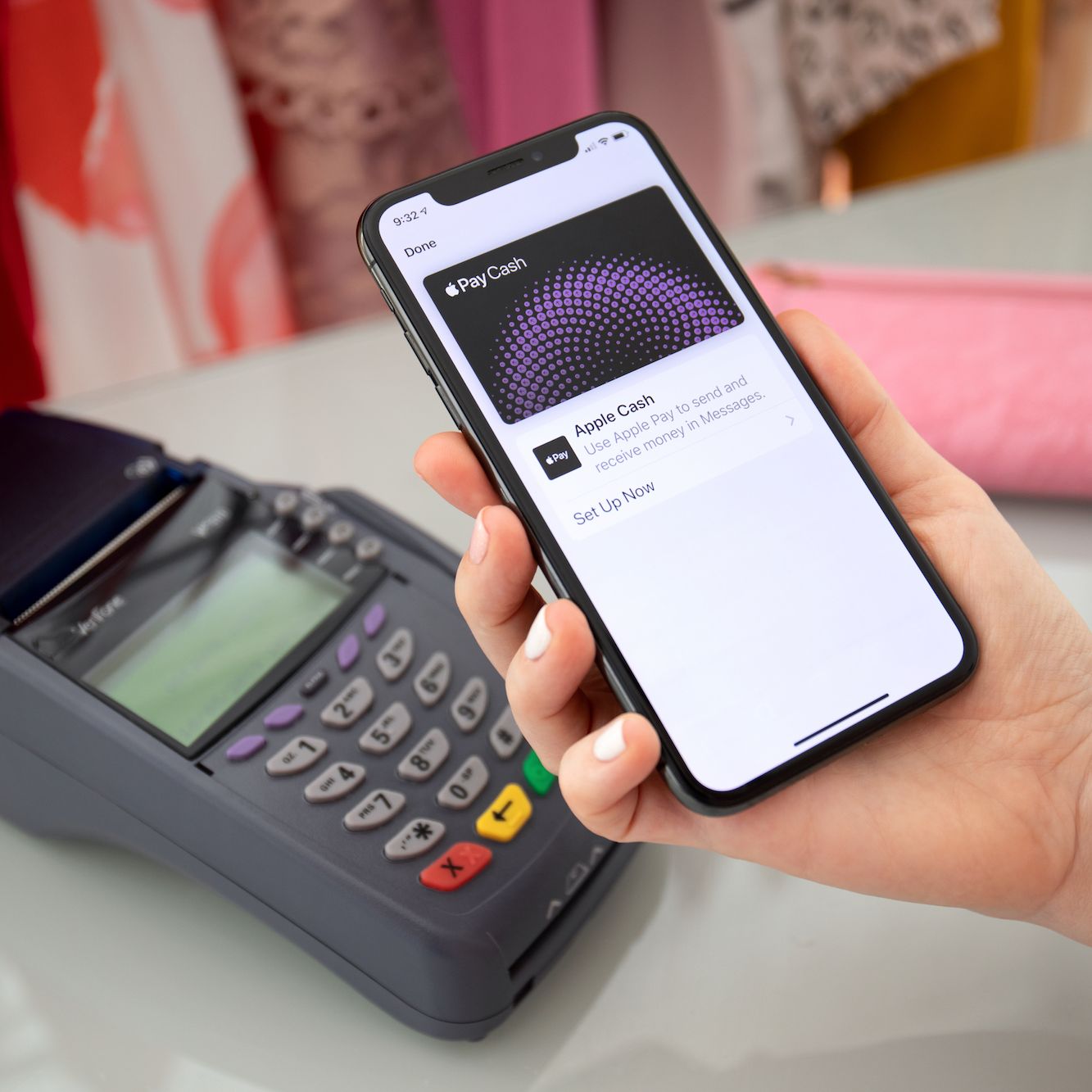
Expanding the utility of iPhone payments beyond merchant transactions, Apple Pay also integrates with Apple Cash for peer-to-peer (P2P) money transfers. Apple Cash functions as a digital debit card stored in the Wallet app, allowing users to send and receive money directly through the Messages app. To send money, simply open a conversation with a contact, tap the Apple Pay icon (or the ‘A’ App Store icon and select Apple Pay), enter the amount, and authenticate with Face ID or Touch ID. The funds are transferred instantly from your Apple Cash balance or, if insufficient, from your default debit card in Wallet. Received funds are deposited into your Apple Cash balance, which can then be used for purchases anywhere Apple Pay is accepted, transferred to your bank account, or sent to other individuals. This feature leverages the same underlying security infrastructure as other Apple Pay transactions, making it a trustworthy and immediate way to manage personal finances between friends and family, further solidifying the iPhone’s role as a central financial tool.
The Technological Backbone of Secure Transactions
While the user experience of paying with an iPhone is characterized by simplicity, the underlying technology that powers Apple Pay is sophisticated, multilayered, and designed with paramount security and privacy in mind. Understanding these mechanisms offers insight into why Apple Pay is considered one of the most secure payment methods available today.
Tokenization and Device Account Numbers: Shielding Your Information

At the heart of Apple Pay’s security architecture lies a technology called tokenization. When you add a credit or debit card to your Wallet, the actual 16-digit card number is not stored on your device, nor is it ever shared with Apple’s servers or the merchant during a transaction. Instead, a unique, encrypted “Device Account Number” (also known as a token) is created, stored on a dedicated chip within your iPhone called the Secure Element. This Secure Element is an industry-standard, certified chip designed to store sensitive data in an isolated and highly protected environment. When you make a purchase, it’s this Device Account Number, along with a dynamic, transaction-specific cryptogram, that is sent to the merchant’s payment processor. If intercepted, this token is useless as it cannot be reverse-engineered to reveal your actual card number. Each transaction uses a new cryptogram, making it impossible to reuse stolen payment data, effectively rendering your original card number invisible and invulnerable during the payment process.
Biometric Authentication: Face ID and Touch ID
The second critical pillar of Apple Pay’s security is biometric authentication. Every transaction initiated from your iPhone requires your explicit authorization using either Face ID or Touch ID, or in some cases, your device passcode. Face ID, available on newer iPhone models, uses advanced facial recognition technology to securely unlock your device and authorize payments by simply glancing at your screen. Touch ID, found on older models and the iPhone SE, uses your unique fingerprint for authentication. These biometric systems are designed to be extremely difficult to spoof, with sophisticated sensors and algorithms verifying your identity. This means that even if your iPhone is lost or stolen, unauthorized individuals cannot make purchases with your stored cards without your unique biometric signature. This direct, personal authorization step ensures that every payment is consciously approved by the device owner, adding a robust layer of protection against fraudulent transactions.
End-to-End Encryption and Privacy Assurance
Beyond tokenization and biometrics, Apple Pay operates with a strong commitment to user privacy through end-to-end encryption. From the moment your payment information leaves your device to its journey through payment networks, it is protected by encryption. Apple itself does not store your transaction data that can be tied back to you. They do not know what you bought, where you bought it, or how much you paid. This privacy-first approach means that your shopping habits remain your own, eliminating the creation of detailed purchasing profiles by Apple. Transaction details are solely between you, your bank, and the merchant. For online and in-app purchases, even the merchant only receives the Device Account Number, not your actual card number, further safeguarding your privacy. This comprehensive approach to encryption and data minimalization reinforces the trust users place in Apple Pay as a secure and private method of digital transaction.
Optimizing Your Mobile Payment Experience and Troubleshooting
While Apple Pay is designed for seamless operation, a few tips can enhance your experience, and knowing how to troubleshoot common issues ensures uninterrupted service. Maximizing the efficiency and reliability of your iPhone for payments is key to a truly frictionless experience.
Tips for a Smooth Experience: Maximizing Convenience
To ensure every payment with your iPhone is as smooth as possible, there are several best practices to adopt. Firstly, always ensure your iPhone has sufficient battery life; a dead phone means no payments. Secondly, confirm that the merchant you are interacting with accepts Apple Pay; look for the Apple Pay or contactless payment symbols at checkout. For in-store payments, make sure your iPhone’s NFC reader (at the top of the device) is held close to the terminal until the transaction is confirmed. Regularly review your Wallet app to ensure your preferred default card is selected, especially if you have multiple cards. Keep your iOS software updated to benefit from the latest security enhancements and feature improvements. Lastly, consider exploring the broader capabilities of the Wallet app beyond credit and debit cards, such as adding loyalty cards, transit cards, or event tickets, to truly consolidate your physical wallet into your iPhone.
Common Issues and Solutions: What to Do When Things Go Wrong
Even with robust technology, occasional hiccups can occur. If your Apple Pay transaction fails, there are a few common culprits and quick fixes. If the terminal doesn’t register your payment, ensure your iPhone is unlocked and you’ve initiated the Apple Pay sequence (double-click side button or Touch ID) before holding it near the reader. Sometimes, a simply repositioning of the phone can help, or trying again. If a card is repeatedly declined, verify with your bank that the card is active and there are no issues with the account (e.g., spending limits, expired card details, or unusual activity flags). Occasionally, a merchant’s payment terminal might not be properly configured or could be experiencing a temporary network issue—in such cases, trying a different terminal or a traditional card might be necessary. If a specific card continuously fails, try removing it from the Wallet app and re-adding it, ensuring the verification process is completed again. For persistent issues, contacting Apple Support or your bank can provide specific insights and resolutions.
Beyond Payments: Other Wallet App Features
The Wallet app on your iPhone is not solely dedicated to financial transactions; it has evolved into a comprehensive digital hub for various essential items you might traditionally carry in a physical wallet. Beyond credit and debit cards, you can store and use a multitude of digital passes. These include loyalty cards from your favorite retailers, allowing you to earn points and redeem rewards effortlessly. Boarding passes for flights, event tickets for concerts or sports games, and even cinema tickets can be stored and presented directly from your iPhone, often with real-time updates for gate changes or seat assignments. More recently, Apple has expanded Wallet’s capabilities to include digital car keys for compatible vehicles, and in some regions, even digital driver’s licenses or state IDs. This consolidation of digital credentials into one secure location underscores the iPhone’s transformation from a mere communication device into an indispensable, multi-functional digital identity and access tool, further enhancing its technological utility in daily life.
The Future of iPhone Payments and Digital Wallets
The journey of paying with an iPhone is far from over. As technology continues to evolve and societal norms shift towards greater digitalization, Apple Pay and the broader concept of the digital wallet are poised for significant expansion and integration into new facets of our lives.
Expanding Reach and Acceptance: A Global Shift
The trajectory for iPhone payments points towards an ever-increasing global reach and ubiquitous acceptance. What began as a niche offering in select markets has now expanded to numerous countries and millions of merchant locations worldwide. As more businesses, from large retail chains to independent small businesses, upgrade their point-of-sale systems to support contactless payments, the opportunities to pay with an iPhone will only grow. This expansion is driven by both consumer demand for convenience and the inherent security benefits for merchants. Expect to see Apple Pay’s presence solidify in emerging markets and integrate into new payment scenarios, such as public transport systems globally adopting digital ticketing, further normalizing the act of simply tapping your iPhone to move through the world.
Integration with Emerging Technologies: Beyond the Tap
The future of iPhone payments is not just about broader acceptance but also deeper integration with emerging technological trends. We can anticipate more sophisticated interactions between Apple Pay and other Apple devices. Imagine seamless payments initiated from your Apple Watch with enhanced biometric cues, or even augmented reality (AR) experiences that allow you to visualize products and then pay with a single, intuitive gesture using your iPhone. The potential for Apple Pay to integrate with smart home devices, connected cars, and the Internet of Things (IoT) is vast, moving towards a world where secure, authenticated payments can be made from virtually any smart surface or device. This will push the boundaries of what a “payment” means, moving from a distinct transaction to an integrated part of a larger digital interaction.
The Vision of a Cardless Society: A Digital Horizon
Ultimately, the advancements in paying with an iPhone contribute significantly to the long-term vision of a truly cardless and even wallet-less society. As digital identities become more robust and universally accepted, the need for physical cards—be they credit cards, loyalty cards, or identification—diminishes. The iPhone, securely holding these digital equivalents, becomes the primary key to unlocking various services and purchases. This shift promises not only unparalleled convenience but also enhanced security, as digital credentials are far harder to forge or steal than their physical counterparts. The future of payments, as championed by innovations like Apple Pay, is one where your financial life is seamlessly intertwined with your digital life, secured by cutting-edge technology, and managed with effortless simplicity, all from the palm of your hand.
aViewFromTheCave is a participant in the Amazon Services LLC Associates Program, an affiliate advertising program designed to provide a means for sites to earn advertising fees by advertising and linking to Amazon.com. Amazon, the Amazon logo, AmazonSupply, and the AmazonSupply logo are trademarks of Amazon.com, Inc. or its affiliates. As an Amazon Associate we earn affiliate commissions from qualifying purchases.