
The Amazon Store Card, issued by Synchrony Bank, offers a convenient way for frequent Amazon shoppers to finance purchases, often with special promotional offers. While its allure lies in exclusive financing deals and potential rewards, the cornerstone of leveraging any credit product effectively is understanding and executing timely payments. Mismanaging payments can quickly erode the benefits, leading to interest charges, late fees, and potential damage to your credit score. This comprehensive guide will walk you through every aspect of paying your Amazon Store Card, from setting up your online account to strategic debt management, ensuring you maintain a healthy financial standing.

Understanding Your Amazon Store Card: A Foundation for Responsible Payments
Before diving into the mechanics of payment, it’s crucial to grasp what the Amazon Store Card entails and why its responsible management is paramount to your financial well-being. This understanding forms the bedrock for making informed payment decisions.
What Exactly is the Amazon Store Card?
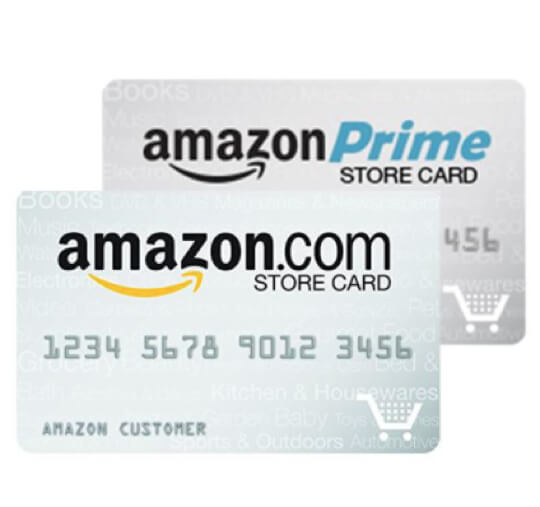
The Amazon Store Card is a private label credit card, meaning it can primarily be used for purchases made on Amazon.com, its affiliated merchants, and sometimes with Amazon Pay. Unlike general-purpose credit cards (like Visa or MasterCard), it has limited utility outside the Amazon ecosystem. Issued by Synchrony Bank, it functions much like any other credit card, offering a credit limit and requiring minimum monthly payments. For Amazon Prime members, there’s often a Prime Rewards Visa Signature Card option, which is a general-purpose card with broader acceptance and different rewards, but the Amazon Store Card specifically refers to the Synchrony Bank-issued product designed for Amazon purchases.
The Allure and The Responsibility
The primary draw of the Amazon Store Card often comes in the form of promotional financing offers, such as 0% APR for a set period on qualifying purchases. These offers can be incredibly beneficial, allowing consumers to spread out payments for larger items without incurring interest. However, these promotions often come with a critical caveat: “deferred interest.” If the promotional balance is not paid in full by the end of the promotional period, interest can be retroactively applied to the entire original purchase amount from the date of purchase, not just the remaining balance. This feature underscores the immense responsibility tied to these cards. While attractive, they demand diligent payment planning.
Why Timely Payments are Non-Negotiable
Failing to make timely payments on your Amazon Store Card can have several negative consequences:
- Interest Charges: If you don’t pay your full statement balance by the due date (and aren’t under a 0% APR promotion), interest will be applied to your outstanding balance. This rapidly increases the cost of your purchases.
- Late Fees: Synchrony Bank will charge a late fee if your payment isn’t received by the due date. These fees can range from $30 to $41, depending on your account history and state regulations.
- Credit Score Damage: Payment history is the most significant factor in calculating your credit score (accounting for 35% of your FICO score). A single late payment reported to credit bureaus can significantly drop your score, making it harder to secure loans, mortgages, or even new credit cards in the future.
- Loss of Promotional Offers: Missing a payment can often result in the forfeiture of any active promotional financing offers, immediately triggering the deferred interest clause and accelerating your financial burden.
Understanding these implications makes it clear that timely and strategic payments are not just a recommendation but a financial imperative.
Your Guide to Seamless Amazon Store Card Payments
Making a payment on your Amazon Store Card is a straightforward process, primarily managed through Synchrony Bank, the card’s issuer. There are several convenient methods available, catering to different preferences.
The Primary Method: Online Payments via Synchrony Bank
The most common, efficient, and recommended way to pay your Amazon Store Card is online through the Synchrony Bank website.
Setting Up Your Online Account
If you haven’t already, your first step is to register for online access to your Amazon Store Card account on the Synchrony Bank website. You’ll need your card number, Social Security Number, and date of birth to verify your identity. Once registered, you’ll create a username and password, which will be your credentials for future logins. This portal provides access to your account summary, statements, transaction history, and payment options.
Scheduling a One-Time Payment
To make a one-time payment:
- Log In: Visit the Synchrony Bank website (often accessible via a link from Amazon’s “Your Account” section under “Payment Options”) and log in with your credentials.
- Navigate to Payments: Look for a “Make a Payment,” “Pay Now,” or similar link in your account dashboard.
- Select Payment Amount: You’ll typically have options to pay:
- Statement Balance: The full amount due on your last billing statement.
- Current Balance: The total outstanding balance, including recent transactions not yet on a statement.
- Minimum Payment Due: The lowest amount required to keep your account in good standing.
- Other Amount: Allows you to specify any custom amount you wish to pay.
- Insight: Always aim to pay at least the statement balance to avoid interest, and preferably the full current balance if you can, especially if you have promotional financing.
- Choose Payment Method: Link your checking or savings account. You’ll need your bank’s routing number and your account number. You can often save this information for future payments.
- Select Payment Date: Choose the date you want the payment to be processed. Synchrony typically allows you to schedule payments for a future date, up to your due date.
- Review and Confirm: Double-check all details—amount, bank account, and date—before submitting. You’ll usually receive an email confirmation of your scheduled payment.
Mastering Automatic Payments
For ultimate convenience and to prevent missed payments, setting up automatic payments is highly recommended.
- Log In and Navigate: Access your account online and find the “AutoPay” or “Recurring Payments” section.
- Configure AutoPay: You can typically choose to automatically pay:
- Statement Balance: Ensures you avoid interest every month (unless a promotional period is active and you need to pay more to avoid deferred interest).
- Minimum Payment Due: Avoids late fees but incurs interest if you carry a balance.
- A Fixed Amount: A consistent amount you pre-determine.
- Select Payment Date: Usually, you can set it to occur on your due date or a few days before.
- Choose Bank Account: Link the bank account from which payments will be debited.
- Review and Activate: Confirm your choices. Automatic payments provide peace of mind, but it’s still wise to review your statements monthly to ensure adequate funds are available and to monitor promotional financing end dates.
Alternative Payment Channels
While online payment is paramount, Synchrony Bank offers other methods for your convenience.
Making Payments by Phone
You can call Synchrony Bank’s customer service number to make a payment over the phone. This can be useful if you’re experiencing online technical difficulties or prefer speaking to a representative. Be prepared to provide your account information and bank details. There might be an automated system, or you can request to speak to a live agent. Keep in mind that some banks might charge a fee for phone payments, although Synchrony typically doesn’t for self-service options.
The Mail-In Option
For those who prefer traditional methods, you can mail a check or money order.
- Retrieve Mailing Address: The payment mailing address is always listed on your monthly statement.
- Include Payment Stub: Detach the payment stub from your statement and mail it along with your check or money order.
- Allow Sufficient Time: Mail can take several business days to arrive and be processed. To avoid late fees, send your payment at least 7-10 business days before your due date.
Leveraging the Synchrony Mobile App
Synchrony Bank provides a dedicated mobile app (available for iOS and Android) that allows you to manage your Amazon Store Card account on the go. The app typically offers similar functionalities to the desktop website, including viewing statements, checking your balance, and making one-time or setting up recurring payments. It’s an excellent tool for quick checks and payments, especially if you’re frequently away from a computer.

Decoding Your Statements and Payment Obligations
A thorough understanding of your monthly Amazon Store Card statement is crucial for effective financial management. It’s not just a bill; it’s a detailed report of your spending and payment obligations.
Navigating Your Monthly Statement
Your statement provides a snapshot of your account activity and financial responsibilities for the billing cycle. Key sections to scrutinize include:
- Account Summary: Shows your previous balance, new purchases, payments, credits, interest charged, and new balance.
- Payment Information: Clearly displays your “New Balance,” “Minimum Payment Due,” and “Payment Due Date.”
- Transaction Details: A chronological list of all purchases, payments, and other transactions during the billing period.
- Promotional Financing Details: This is vital. It will outline any special financing purchases, the original amount, payments applied, and, most importantly, the promotional end date. Pay close attention to this section to avoid deferred interest.
- Interest Charged and Fees: Details any interest accrued or fees applied to your account.
- Account Notifications: Important messages about changes to your terms, promotional offers, or payment reminders.
Regularly reviewing your statement helps you catch discrepancies, monitor your spending, and stay on top of your payment deadlines.
The Criticality of Your Due Date
The payment due date is the absolute deadline by which your payment must be received and processed by Synchrony Bank. While some creditors offer a “grace period” of a few days post-due date, it’s never wise to rely on it. Aim to make your payment several days before the due date, especially if using a non-instantaneous method like mail. Payments received after this date can result in late fees and, more critically, negative marks on your credit report. Remember, your billing cycle usually ends 20-25 days before your due date, providing you with time to review your statement.
Beyond the Minimum: Strategies for Accelerated Debt Reduction
While paying the minimum payment due will keep your account in good standing, it’s often the most expensive way to manage credit card debt.
- Avoiding Interest: If you carry a balance month-to-month and are not under a 0% APR promotion, paying only the minimum means you’ll accrue significant interest. Always strive to pay the statement balance in full to avoid interest charges.
- Tackling Deferred Interest: For promotional financing offers, paying just the minimum will almost certainly result in deferred interest. To fully benefit from these promotions, you must divide the original purchase amount by the number of months in the promotional period and ensure you pay at least that amount each month. If you purchase something for $600 with 12 months of 0% APR, you need to pay at least $50 per month to pay it off entirely before the promotion ends and avoid retroactive interest.
- Accelerating Payoff: Paying more than the minimum payment, even a small extra amount, significantly reduces the principal balance faster. This, in turn, reduces the total interest you’ll pay over the life of the debt, saving you money and shortening your debt payoff timeline.
Strategic Management and Avoiding Common Pitfalls
Effective management of your Amazon Store Card extends beyond merely making payments. It involves strategic planning and vigilance to maximize benefits and circumvent costly errors.
Maximizing Promotional Financing Offers
As mentioned, promotional financing is a key feature of the Amazon Store Card. To leverage it wisely:
- Understand the Terms: Always read the fine print. Know the promotional period length, the purchase amount required to qualify, and especially the deferred interest clause.
- Create a Payoff Plan: For each promotional purchase, calculate the exact monthly payment needed to pay off the balance entirely before the promotion expires. Set up a separate reminder or specific auto-payment for this amount.
- Prioritize Payments: If you have multiple balances on your card (some with promotional financing, some accruing standard interest), prioritize paying off the promotional balances first to avoid deferred interest, followed by high-interest regular balances.
Integrating Payments into Your Budget
Your Amazon Store Card payments should be a consistent line item in your monthly budget.
- Budgeting Tools: Use budgeting apps (e.g., Mint, YNAB), spreadsheets, or even a simple pen-and-paper system to track your income and expenses.
- Allocate Funds: Before your due date, ensure you have sufficient funds allocated in your checking account specifically for your Amazon Store Card payment.
- The 50/30/20 Rule: If you follow a budgeting framework like the 50/30/20 rule (50% needs, 30% wants, 20% savings/debt), categorize your credit card payments within the appropriate section, generally under ‘needs’ if it’s an essential expense or ‘debt repayment’ in the 20% category for accelerated payoff.
What Happens When You Miss a Payment?
Missing a payment, even by a day, can initiate a cascade of negative events:
- Immediate Late Fee: As discussed, a fee is typically charged.
- Penalty APR: Your interest rate (APR) can significantly increase, sometimes to as high as 29.99%, known as a Penalty APR. This applies to all existing and new balances.
- Deferred Interest Triggered: If you had promotional financing, the deferred interest clause is likely invoked, applying interest retroactively.
- Credit Report Impact: If the payment is 30 days or more overdue, Synchrony Bank will report this to credit bureaus, severely damaging your credit score for up to seven years. Multiple late payments will further compound the damage.
- Account Closure/Credit Limit Reduction: Persistent late payments can lead to your account being closed or your credit limit being reduced, making it harder to access credit when you need it.
When to Seek Help: Dealing with Financial Hardship
If you find yourself struggling to make payments due to job loss, medical emergency, or other unforeseen circumstances, don’t ignore the problem.
- Contact Synchrony Bank Immediately: Reach out to their customer service department. They may be able to offer hardship programs, temporary payment deferrals, or modified payment plans. The sooner you communicate, the more options you’ll likely have.
- Credit Counseling: Consider speaking with a non-profit credit counseling agency. They can help you assess your financial situation, create a budget, and explore debt management plans.
- Avoid Payday Loans: While tempting in a pinch, high-interest payday loans will only exacerbate your financial difficulties.
The Amazon Store Card in Your Broader Financial Picture
Understanding how your Amazon Store Card fits into your overall financial landscape is essential for long-term fiscal health. It’s not just an isolated payment; it’s a component of your credit profile and debt management strategy.
Its Influence on Your Credit Score
Your Amazon Store Card plays a role in your credit score, primarily through:
- Payment History (35%): As emphasized, timely payments are crucial. Every payment on time boosts your score; every late payment harms it.
- Credit Utilization (30%): This is the ratio of your outstanding balance to your credit limit. Keeping your utilization low (ideally under 30%) for each card and overall is beneficial. High utilization on your Amazon Store Card, even if paid on time, can negatively impact your score.
- Length of Credit History (15%): The longer you responsibly manage the card, the better.
- New Credit (10%): Opening new credit can temporarily ding your score.
- Credit Mix (10%): Having a mix of different types of credit (revolving like store cards, installment like mortgages) can be beneficial.
Responsible use of your Amazon Store Card can build positive credit history, but misuse can quickly undermine years of good behavior.
Weighing the Pros and Cons: Is It Right for You?
Before applying for or continuing to use the Amazon Store Card, consider its place in your financial strategy:
- Pros: Access to promotional financing, special Amazon Prime member benefits (if applicable), potential for building credit history (if managed well).
- Cons: Limited usability, deferred interest risk, potentially high standard APR, can encourage overspending on Amazon.
It’s an excellent tool for disciplined shoppers who can consistently pay off promotional balances before the interest kicks in. For others prone to carrying balances or impulsivity, a general-purpose cash-back credit card might be a safer and more versatile option.
Cultivating Long-Term Financial Health
Managing your Amazon Store Card payments is one piece of a larger financial puzzle. To achieve long-term financial health:
- Comprehensive Debt Management: View your Amazon Store Card as part of your total debt. If you have other high-interest debts, prioritize paying those down using strategies like the debt snowball or debt avalanche method.
- Emergency Fund: Build an emergency fund (3-6 months of living expenses) so you don’t have to rely on credit cards, including your Amazon Store Card, for unexpected expenses.
- Savings Goals: Align your spending and payment habits with broader savings goals, whether for retirement, a down payment, or education.
- Regular Review: Periodically review your credit report for errors and assess if your current financial products, including your Amazon Store Card, are still serving your best interests.
By diligently understanding, managing, and strategically paying your Amazon Store Card, you not only avoid unnecessary fees and interest but also contribute positively to your overall credit health and financial stability, ensuring that convenience doesn’t come at a cost.
aViewFromTheCave is a participant in the Amazon Services LLC Associates Program, an affiliate advertising program designed to provide a means for sites to earn advertising fees by advertising and linking to Amazon.com. Amazon, the Amazon logo, AmazonSupply, and the AmazonSupply logo are trademarks of Amazon.com, Inc. or its affiliates. As an Amazon Associate we earn affiliate commissions from qualifying purchases.