
In an era defined by instantaneous gratification and seamless digital experiences, even the humble pizza order has been transformed. Whole Foods Market, renowned for its commitment to quality and natural foods, has embraced technology to make enjoying their delicious pizzas more accessible than ever. Gone are the days of solely relying on phone calls or in-person visits; today, ordering a Whole Foods pizza is largely a tech-driven endeavor. This guide delves into the various digital pathways available, offering a comprehensive look at how technology facilitates a convenient, customized, and satisfying pizza experience from your local Whole Foods. Whether you’re a tech novice or a seasoned digital shopper, understanding these platforms is key to unlocking the full potential of Whole Foods’ culinary offerings right from your fingertips.

Navigating the Digital Ordering Ecosystem
The primary avenue for ordering pizza from Whole Foods Market leverages the extensive digital infrastructure of Amazon, its parent company. This integration provides multiple touchpoints for customers, each designed to offer convenience through technology. Understanding where to go and which platform suits your needs is the first step in a smooth ordering process.
The Whole Foods Market App and Website
The dedicated Whole Foods Market app and its corresponding website are central to accessing in-store services, including prepared foods like pizza. These platforms serve as digital storefronts, showcasing local store offerings, current promotions, and the ability to place orders for pickup or, in some cases, limited local delivery. The app, in particular, is designed with user experience in mind, featuring intuitive navigation, high-resolution images of menu items, and personalized recommendations based on past purchases. For pizza, users can often browse specific types available at their local store, check daily specials, and sometimes even pre-order custom pizzas for a designated pickup time, streamlining the in-store experience. This digital direct channel ensures that you are interacting directly with Whole Foods’ own inventory and ordering system.
Leveraging Amazon’s Integration: Prime Now and Amazon.com
Given Whole Foods Market’s ownership by Amazon, the integration with Amazon’s powerful e-commerce ecosystem is robust. For many regions, ordering Whole Foods groceries, including prepared foods and, by extension, pizza, can be done through services like Amazon Prime Now or directly via Amazon.com (under the Whole Foods Market section). Prime Now, specifically, was initially built for ultra-fast delivery of Whole Foods items and other local products. When ordering pizza through these Amazon channels, you benefit from the familiarity of the Amazon interface, your saved payment methods, and Amazon’s renowned logistics for delivery. This option is particularly convenient for Prime members who already utilize Amazon for other shopping needs, consolidating their digital purchases onto a single, trusted platform. The underlying technology ensures real-time inventory updates and efficient order routing, making the entire process remarkably seamless.
Third-Party Delivery Platforms: A Limited, Yet Sometimes Necessary, Alternative
While Whole Foods and Amazon primarily push their own direct ordering and delivery channels, there might be instances where certain Whole Foods locations have partnered with third-party food delivery services like Uber Eats, DoorDash, or Grubhub for specific prepared food items, including pizza. This is less common for full grocery orders but can occur for individual restaurant-style items. If a Whole Foods location does offer pizza through these apps, it provides an additional layer of convenience, especially for users who prefer to manage all their food delivery through a single third-party application. However, it’s crucial to verify the availability and pricing, as third-party services often include additional fees or have slightly different menu options compared to direct Whole Foods/Amazon channels. The technology powering these platforms enables real-time tracking of your order, from the moment it’s prepared to its arrival at your doorstep, adding another dimension of digital oversight to your meal.
Step-by-Step Guide to Placing Your Pizza Order Digitally
Mastering the digital ordering process involves more than just knowing where to click; it’s about understanding the flow, customization options, and confirmation procedures. This section breaks down the typical steps involved, ensuring a smooth journey from selection to consumption.
Account Setup and Location Selection
Before you can even dream of your perfect pizza, you need to establish your digital presence and location. If you’re using the Whole Foods Market app or website, you’ll typically be prompted to create an account or log in with your Amazon credentials. This links your profile to your shopping habits and payment information. Crucially, you must then select your preferred Whole Foods Market location. This is paramount because pizza offerings, pricing, and availability can vary significantly from one store to another. The app uses your device’s location services or allows manual input to help you find the nearest or desired store, ensuring you’re viewing accurate menu items and pickup/delivery options. For Amazon Prime Now or Amazon.com, your default shipping address will automatically determine the Whole Foods Market nearest you that offers delivery, simplifying this initial step.
Browsing Pizza Options and Customization
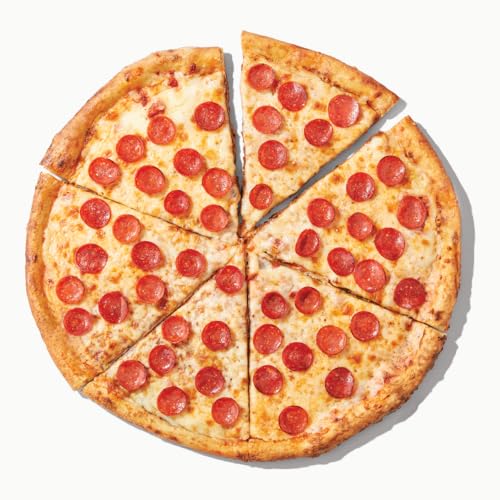
Once your location is set, the fun begins. Navigate to the “Prepared Foods” or “Pizza” section within the app or website. Here, you’ll find an array of options: classic cheese and pepperoni, specialty pizzas with gourmet toppings, and sometimes even gluten-free or vegan alternatives. Each pizza typically comes with a detailed description of ingredients and sizing options. Many digital interfaces allow for a degree of customization, such as choosing crust type (if available), adding or removing toppings, or selecting half-and-half options. This granular control, enabled by sophisticated menu management software, empowers customers to tailor their order precisely to their preferences, much like they would in person. High-quality images accompany most listings, providing a visual preview of your potential meal.
Checkout, Payment, and Delivery/Pickup Preferences
With your pizza selected and customized, proceed to the checkout. Here, you’ll review your order details, ensuring accuracy. The digital platforms securely integrate various payment methods, from credit/debit cards to Amazon Pay, gift cards, and even EBT for eligible items. The payment gateway technology ensures that your financial information is encrypted and processed safely. A critical step is then choosing your fulfillment method:
-
Pickup: If selecting pickup, you’ll typically choose a specific time slot that works for you. The app or website will confirm the pickup location within the store (e.g., the prepared foods counter). Real-time order updates are usually provided, notifying you when your pizza is ready.
-
Delivery: For delivery, you’ll confirm your address, and the system will provide an estimated delivery window. You may also have options to leave specific delivery instructions (e.g., “leave at front door”) and choose whether to tip your driver digitally. The technology here is crucial, from route optimization algorithms for drivers to real-time mapping for customer tracking.

Upon confirmation, you’ll receive an order number and usually an email or in-app notification summarizing your purchase, providing peace of mind that your order has been successfully placed and is being processed.
Optimizing Your Ordering Experience Through Technology
Beyond the basic mechanics of placing an order, technology offers several features designed to enhance convenience and efficiency. Leveraging these tools can transform your pizza ordering from a functional task into a truly optimized experience.
Understanding Delivery Zones and Timelines
One of the most frequent points of friction in online ordering is misunderstanding delivery logistics. Digital platforms provide clear, upfront information regarding delivery zones. By inputting your address early in the process, the system can immediately confirm if your location is within the delivery radius for Whole Foods pizza. Furthermore, estimated delivery timelines are dynamically generated based on current order volume, driver availability, and distance. This real-time data, powered by sophisticated logistics software, helps manage expectations and allows you to plan your meal accordingly. Some apps even offer “express delivery” options for an additional fee, showcasing how technology can offer flexible service tiers.
Utilizing Special Features: Favorites, Reordering, and Notifications
Modern ordering apps are designed to learn from your habits and streamline repeat purchases. Most platforms allow you to “favorite” specific pizza configurations or your local Whole Foods store. This creates shortcuts for future orders, eliminating the need to re-enter preferences. The “reorder” feature is a godsend for regular customers, allowing you to instantly place an identical order with just a few taps. Furthermore, robust notification systems keep you informed every step of the way: order confirmation, preparation status, driver dispatch, and estimated arrival times. These push notifications, delivered directly to your device, provide transparency and reduce anxiety, ensuring you’re never left wondering about the status of your Whole Foods pizza.
Troubleshooting Common Digital Ordering Issues
Even with the most advanced technology, glitches can occur. Being prepared for common digital ordering issues can save time and frustration. If an item appears unavailable, it might be an inventory error that a quick refresh or calling the store can resolve. Payment processing errors can sometimes be fixed by re-entering card details or trying an alternative payment method. For delivery delays or discrepancies, the in-app chat support or a direct call to the Whole Foods store or Amazon customer service is often the quickest route to resolution. Most apps feature a “Help” or “FAQ” section that leverages a knowledge base to provide immediate answers to common problems, acting as a first line of digital support. Understanding these built-in troubleshooting mechanisms is key to maintaining a smooth experience.
Beyond the Basic Order: Enhancing Your Whole Foods Pizza Journey
The digital evolution of food ordering is continuous. Whole Foods, backed by Amazon, is at the forefront of integrating new technologies to make the customer journey even richer and more personalized.
In-Store Kiosks and Digital Menus
For those who prefer to order on-site or want to customize their pizza while browsing the store, many Whole Foods locations feature interactive digital kiosks. These touchscreen interfaces provide the same robust menu options and customization capabilities as the mobile app, allowing customers to place an order for immediate pickup without waiting in line at a counter. Digital menu boards above the prepared foods section also provide real-time updates on daily specials, availability, and pricing, ensuring customers always have the most current information at their fingertips. These technologies merge the convenience of digital ordering with the immediacy of an in-store experience.
Staying Informed About Deals and Promotions via Apps
One of the significant advantages of using the Whole Foods Market app or the Amazon Prime app for your pizza orders is the access to exclusive deals and promotions. These platforms frequently feature special offers for Prime members, digital coupons, or limited-time discounts on prepared foods. The apps use sophisticated recommendation engines and notification systems to alert users to relevant deals, often personalized based on past purchases or browsing history. This means you might receive a push notification about a “2-for-1 pizza” deal precisely when you’re contemplating dinner, transforming the convenience into an economic advantage, all driven by data and algorithmic targeting.
The Future of Food Ordering: AI and Personalization
Looking ahead, the digital ordering experience for Whole Foods pizza is only set to become more sophisticated. Artificial intelligence (AI) and machine learning are increasingly being employed to predict customer preferences, offer hyper-personalized recommendations, and even suggest ideal meal pairings. Imagine an AI learning your favorite toppings and automatically suggesting a new seasonal pizza that perfectly aligns with your taste profile, or offering a wine pairing based on your pizza choice and past purchase history. Voice ordering, already prevalent with devices like Amazon Echo, is likely to become more integrated, allowing customers to simply speak their pizza order into existence. These advancements promise an even more intuitive, predictive, and effortless ordering experience, further cementing technology’s role at the heart of convenience.
In conclusion, ordering pizza from Whole Foods Market is a prime example of how technology has revolutionized the retail and food service industries. From the initial navigation of dedicated apps and websites to the intricate logistics of delivery and the future promise of AI-driven personalization, every step is optimized for convenience, speed, and customer satisfaction. Embracing these digital tools not only simplifies the process but also opens up a world of customization, deals, and informed decision-making, ensuring that your next Whole Foods pizza experience is as delightful as the first bite.
aViewFromTheCave is a participant in the Amazon Services LLC Associates Program, an affiliate advertising program designed to provide a means for sites to earn advertising fees by advertising and linking to Amazon.com. Amazon, the Amazon logo, AmazonSupply, and the AmazonSupply logo are trademarks of Amazon.com, Inc. or its affiliates. As an Amazon Associate we earn affiliate commissions from qualifying purchases.