
In the rapidly evolving digital landscape, establishing an online presence is no longer a luxury but a necessity for businesses of all sizes. Among the myriad e-commerce platforms available, Shopify stands out as a robust, scalable, and user-friendly solution. This guide will delve into the technical intricacies of setting up a Shopify store, providing a detailed roadmap for entrepreneurs and developers alike to leverage its powerful ecosystem. We’ll focus on the platform’s architecture, configuration steps, and optimization strategies from a purely technical perspective, ensuring your digital storefront is not just operational but also performant and secure.
I. Understanding Shopify’s E-commerce Ecosystem
At its core, Shopify is a proprietary e-commerce platform that simplifies the process of creating and managing an online store. It abstracts away many of the complex technical challenges typically associated with web development and hosting, allowing merchants to focus on their products and customers.
What is Shopify and Why Choose It?
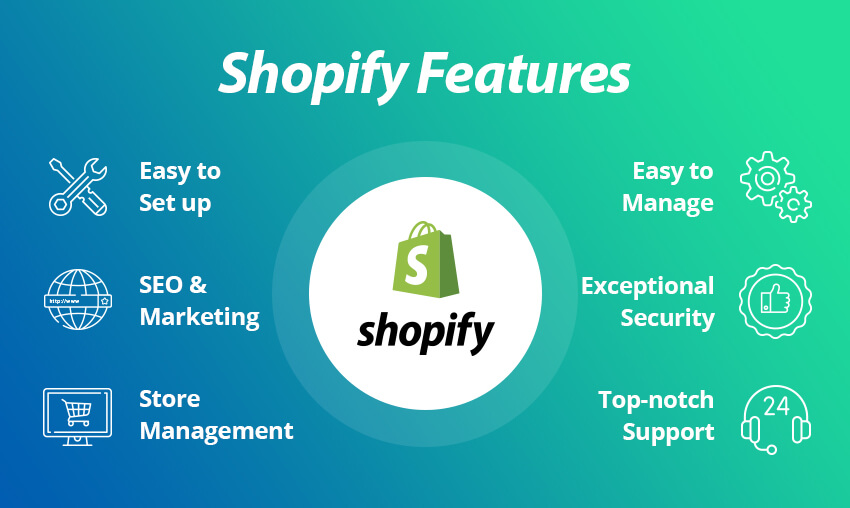
Shopify is a software-as-a-service (SaaS) solution, meaning you pay a monthly subscription fee to use its platform, which includes hosting, security, and maintenance. This model offers significant technical advantages:
-
Managed Hosting: Shopify handles all server maintenance, uptime, and scaling, eliminating the need for merchants to manage their own web hosting, server configurations, or bandwidth. This includes automatic load balancing and disaster recovery.
-
Built-in Security: The platform is PCI DSS (Payment Card Industry Data Security Standard) compliant, ensuring that customer payment information is handled securely. It also provides automatic SSL certificates for all stores, encrypting data transmission and boosting SEO.
-
Scalability: Shopify’s infrastructure is designed to handle businesses from startups to enterprises. Its architecture allows stores to scale seamlessly during peak traffic periods without manual intervention or costly infrastructure upgrades.
-
Comprehensive Features: Beyond basic product listings, Shopify offers integrated tools for inventory management, order processing, analytics, and a powerful API for custom integrations.
-
App Ecosystem: A vast app store extends the platform’s native functionality, allowing merchants to integrate third-party tools for everything from advanced SEO to dropshipping automation, often with simple one-click installations.
Core Technical Components: Storefront, Admin Panel, and Hosting
To grasp how Shopify operates, it’s essential to understand its fundamental technical components:
-
The Storefront (Frontend): This is what your customers see and interact with. It’s powered by Shopify’s liquid templating language, a flexible open-source template language created by Shopify. Themes, which are essentially pre-built templates, dictate the visual design and layout. These themes are responsive by default, ensuring optimal viewing across various devices (desktops, tablets, mobile). The storefront’s performance is optimized for speed, utilizing content delivery networks (CDNs) for static assets (images, scripts) to reduce load times globally.
-
The Admin Panel (Backend): This web-based interface is your command center. Accessible via a secure login, it allows merchants to manage every aspect of their store: adding products, processing orders, managing customers, configuring shipping and payments, monitoring analytics, and customizing the storefront. The admin panel provides a structured database interface for all store data.
-
Shopify’s Hosted Infrastructure: Unlike self-hosted solutions (e.g., WordPress with WooCommerce on a custom server), Shopify provides a fully managed hosting environment. This means no server setup, no database administration (e.g., MySQL), no operating system patching, and no need to worry about web server software (e.g., Apache, Nginx). Shopify handles these layers entirely, offering a robust, secure, and highly available cloud infrastructure. This ‘black box’ approach simplifies operations but also means less granular control over the underlying server environment.
II. Initial Setup and Configuration: Laying the Digital Foundation
The journey to building a Shopify store begins with foundational technical steps that set the stage for your online presence.
Account Creation and Domain Connection
The first step is creating a Shopify account. This involves selecting a plan and setting up your initial store name, which will generate a default your-store-name.myshopify.com URL. While functional, a custom domain name is crucial for branding and professional credibility.
-
Domain Registration: You can purchase a domain directly through Shopify or connect an existing domain from a third-party registrar (e.g., GoDaddy, Namecheap).
-
DNS Configuration: If using a third-party domain, you’ll need to technically configure its DNS (Domain Name System) records. This typically involves:
-
A Record: Pointing the
@or root domain to Shopify’s IP address (usually23.227.38.32). -
CNAME Record: Pointing the
wwwsubdomain toshops.myshopify.com. -
Shopify automatically handles SSL certificate provisioning and renewal for connected domains, ensuring secure HTTPS connections. This is a critical security feature, encrypting data between the user’s browser and your store.
-
Navigating the Shopify Admin Dashboard
The admin dashboard is your technical control panel. Familiarizing yourself with its structure is key to efficient management. Key sections include:
-
Orders: For managing the lifecycle of customer purchases, including fulfillment status, refunds, and order editing.
-
Products: A database for all your inventory, including details like SKUs (Stock Keeping Units), barcodes, inventory levels, weight (for shipping calculations), variants (size, color), and rich media (images, videos).
-
Customers: A CRM-lite database for customer profiles, order history, and contact information.
-
Analytics: Provides insights into sales, traffic, customer behavior, and marketing performance through various reports and dashboards.
-
Settings: The nerve center for configuring technical aspects such as payment gateways, shipping zones, taxes, legal policies, user permissions, and notifications.
Selecting and Customizing Your Theme
A theme dictates the visual design and user interface of your storefront. Shopify offers a wide array of free and paid themes in its Theme Store.
-
Technical Architecture of Themes: Shopify themes are built using Liquid, HTML, CSS (Sass), and JavaScript. They are modular, composed of sections and blocks that allow for flexible layout customization without directly editing code.
-
Responsiveness: All modern Shopify themes are designed to be fully responsive, automatically adjusting their layout and elements to provide an optimal viewing experience on desktops, tablets, and mobile devices. This is crucial for user experience and SEO.
-
Customization via Theme Editor: Shopify’s visual theme editor allows non-technical users to modify layouts, colors, fonts, and section content without touching code.
-
Code Editing: For advanced customization, developers can access the theme’s underlying code (via Online Store > Themes > Actions > Edit code). This allows for deep modifications to Liquid templates, CSS, and JavaScript, enabling highly specific design and functionality adjustments. Caution is advised when editing code directly, as errors can break the theme. Best practice involves duplicating the theme before making code changes.
III. Populating Your Store: Products, Payments, and Shipping Integrations
Once the foundational setup is complete, the next technical phase involves populating your store with products and configuring the crucial transactional infrastructure.

Product Management: Technical Details
Adding products involves more than just uploading an image and description. Several technical considerations ensure proper functionality and data integrity:
-
SKUs and Inventory Tracking: Assigning unique SKUs is critical for inventory management and integration with external systems (e.g., fulfillment software). Shopify’s inventory tracking system allows you to manage stock levels, receive alerts for low stock, and prevent overselling.
-
Variants: For products with multiple options (e.g., size, color), Shopify’s variant system allows you to create different permutations, each with its own SKU, price, inventory, and image. This is a database-driven approach to product diversity.
-
Weight for Shipping: Accurately inputting product weight is essential for precise shipping rate calculations, especially when integrating with real-time carrier calculations.
-
Image Optimization: High-quality images are vital, but their file size can impact page load speed. Shopify automatically optimizes images to some extent, but uploading web-optimized images (e.g., compressed JPEGs, WebP format) is recommended to maintain fast load times, which is a key factor for user experience and SEO. Shopify also offers a CDN for faster global image delivery.
-
SEO Fields: Populate product title tags, meta descriptions, and URL handles for better search engine visibility. Shopify provides dedicated fields for these technical SEO elements.
Configuring Payment Gateways
The payment gateway is the technical system that authorizes and processes credit card or other payment methods securely.
-
PCI Compliance: Shopify is PCI DSS Level 1 compliant, which is the highest standard for payment processing. This means your store securely handles credit card information without you needing to manage the complex compliance requirements yourself.
-
Shopify Payments: Shopify’s integrated payment gateway simplifies setup and reduces transaction fees. It supports various payment methods (Visa, Mastercard, American Express, Apple Pay, Google Pay) and is technically configured with minimal input from the merchant.
-
Third-Party Gateways: You can integrate with numerous other payment providers (e.g., PayPal, Stripe, Authorize.net) through their respective API integrations. This usually involves enabling the gateway in your Shopify settings and entering API keys or other credentials provided by the payment processor.
-
Security Protocols: All payment processing occurs over secure, encrypted connections (HTTPS/TLS), safeguarding sensitive customer financial data. Shopify’s platform handles the technical aspects of tokenization and data encryption.
Setting Up Shipping and Fulfillment
Shipping configuration involves defining how products get from your warehouse to the customer’s door. This is a critical technical setup for logistics.
-
Shipping Zones: Configure geographically defined shipping zones (e.g., domestic, international regions) to apply different rates and rules.
-
Shipping Rates: Set up various rate types:
-
Flat Rates: A fixed cost regardless of order size.
-
Price-Based Rates: Rates that vary based on the total order value.
-
Weight-Based Rates: Rates calculated based on the total weight of the order.
-
Calculated Rates: Integrate directly with carriers (e.g., USPS, FedEx, UPS) via their APIs to pull real-time shipping costs based on package dimensions, weight, and destination. This requires your Shopify plan to support calculated shipping or the use of specific apps.
-
-
Fulfillment Options:
-
Manual Fulfillment: You manually package and ship orders.
-
Dropshipping: Integrate with dropshipping apps (e.g., Oberlo, Printful) that automatically send order data to suppliers for direct fulfillment to the customer. This involves API integrations between Shopify and the dropshipping provider.
-
Third-Party Logistics (3PL): Integrate with fulfillment centers (e.g., ShipBob, Deliverr) through apps or custom API integrations that automate order routing and inventory synchronization.
-
IV. Enhancing Functionality with Shopify Apps and Integrations
Shopify’s power is significantly amplified by its extensive app ecosystem and robust API, allowing for deep technical customization and integration with other business tools.
Exploring the Shopify App Store
The Shopify App Store is a marketplace for third-party applications that extend the platform’s core functionality. These apps are typically built to integrate seamlessly with Shopify’s API.
-
Categorization: Apps are categorized by function (e.g., marketing, SEO, customer service, reporting, inventory management, security).
-
Integration Method: Most apps are installed with a few clicks from the admin panel, establishing a secure connection (via OAuth or API keys) that grants the app specific permissions to interact with your store’s data (e.g., read products, update orders).
-
Benefits: Apps can automate tasks (e.g., email marketing, abandoned cart recovery), enhance storefront features (e.g., product reviews, wish lists), improve SEO (e.g., broken link checkers, sitemap generators), or provide advanced analytics.
-
Performance Considerations: While powerful, installing too many apps can potentially impact store performance (page load speed) or create conflicts. It’s crucial to evaluate an app’s impact and necessity.
API Integrations and Third-Party Tools
For advanced users and specific business needs, Shopify provides a comprehensive set of APIs (REST Admin API, Storefront API) that allow developers to build custom applications or integrate Shopify with virtually any external system.
-
REST Admin API: This API allows programmatic access to administrative functions, such as managing products, orders, customers, inventory, and discounts. It’s used to integrate Shopify with:
-
ERP Systems: Synchronize inventory, orders, and customer data with enterprise resource planning software.
-
CRM Systems: Connect customer data for marketing and sales efforts.
-
Accounting Software: Automate transaction syncing for financial reporting.
-
Custom Reporting Tools: Extract raw data for specialized analytics.
-
-
Storefront API: This API provides read-access to storefront data (products, collections, checkout) and write-access for creating carts and checkouts, allowing for headless commerce implementations where the frontend is built entirely separately (e.g., using React, Vue.js) while Shopify handles the backend commerce logic.
-
Webhooks: Shopify’s webhook system allows your store to send real-time notifications (HTTP POST requests) to external systems when specific events occur (e.g., new order, product update). This is crucial for event-driven integrations and automation workflows.
Security Best Practices and Data Management
Maintaining a secure and compliant store is paramount. Shopify handles much of the infrastructure security, but merchants have responsibilities too.
-
User Access Controls: Implement strong passwords and two-factor authentication for all admin accounts. Limit staff account permissions to only what is necessary for their roles.
-
Data Privacy (GDPR, CCPA): Ensure your store’s privacy policy clearly outlines data collection practices. Utilize apps or custom code to manage customer consent for cookies and marketing. Shopify provides tools to process customer data requests (e.g., deletion, access).
-
App Permissions: Carefully review the permissions requested by any app before installation. Only grant access to data necessary for the app’s function.
-
Regular Monitoring: Keep an eye on your Shopify admin activity logs for any suspicious behavior.
-
SSL Certificates: As mentioned, Shopify automatically provides and manages SSL certificates, encrypting all data exchanged between your store and your customers, which is a fundamental security layer.
V. Launching and Optimizing Your Technical Setup
The final phase involves meticulously preparing your store for public access and establishing ongoing optimization routines.
Pre-Launch Technical Checklist
Before making your store live, a thorough technical review is essential:
-
Payment Gateway Testing: Place a few test orders (using real or test payment credentials) to ensure all payment gateways are configured correctly and transactions process smoothly. Confirm order status updates in the admin.
-
Checkout Flow Validation: Go through the entire checkout process as a customer. Verify shipping calculations, tax application, discount codes, and confirmation emails.
-
Mobile Responsiveness: Test your store on various mobile devices and screen sizes. Ensure all elements are legible and interactive. Use tools like Google’s Mobile-Friendly Test.
-
Broken Link Check: Use an online broken link checker to scan your site for any dead links, which negatively impact user experience and SEO.
-
Analytics Setup: Confirm Google Analytics (or other tracking tools) are correctly installed and tracking data. Ensure any conversion tracking pixels (e.g., Facebook Pixel) are firing correctly.
-
Favicon: Upload a favicon for brand recognition in browser tabs.
-
Remove Password Protection: Disable the storefront password protection once you are ready for launch (under Online Store > Preferences).
Performance Monitoring and Analytics
Post-launch, continuous monitoring and optimization are key to a successful e-commerce operation.
-
Shopify Analytics: Regularly review the built-in analytics dashboard for insights into sales, traffic sources, customer behavior, and product performance. Identify technical bottlenecks if conversion rates are low.
-
Google Analytics Integration: For deeper insights, integrate Google Analytics (GA4 recommended) to track user journeys, traffic acquisition, site speed, and conversion funnels. This requires placing a GA tracking code snippet in your theme.
-
Site Speed Optimization: Monitor your store’s load speed using tools like Google PageSpeed Insights or GTmetrix. Optimize images, minimize JavaScript/CSS, and consider caching strategies (Shopify handles most server-side caching, but theme and app choices impact client-side performance). Fast loading times are critical for SEO and reducing bounce rates.
-
Error Monitoring: Keep an eye on your server logs (if accessible via apps) or use external tools to catch any technical errors that might impact user experience.

Ongoing Maintenance and Updates
A Shopify store is a living entity that requires continuous technical care.
-
Theme Updates: Periodically check for updates to your theme. Updates often include bug fixes, security patches, performance improvements, and new features. Always back up your current theme before updating.
-
App Updates: Ensure all installed apps are up-to-date. App developers frequently release updates for compatibility, security, and performance.
-
Security Monitoring: While Shopify manages much of the platform security, regularly review your store’s health, permissions, and app activity.
-
Data Backup: Although Shopify maintains robust backups of its entire platform, consider using third-party backup apps for your specific store data (products, orders, customers) for an extra layer of peace of mind, especially before major changes.
-
Scaling Infrastructure: As your business grows, leverage Shopify’s scalable architecture. This might involve upgrading your Shopify plan to access more features (e.g., advanced reporting, lower transaction fees with Shopify Payments, calculated shipping) or integrating more robust apps and API solutions for specific needs like multi-channel selling or warehouse management.
Creating a Shopify store involves a comprehensive technical journey, from initial setup and configuration to ongoing optimization and security. By understanding and meticulously managing these technical aspects, you can build a robust, high-performing, and secure online storefront that effectively serves your business objectives and delivers a seamless experience for your customers.
aViewFromTheCave is a participant in the Amazon Services LLC Associates Program, an affiliate advertising program designed to provide a means for sites to earn advertising fees by advertising and linking to Amazon.com. Amazon, the Amazon logo, AmazonSupply, and the AmazonSupply logo are trademarks of Amazon.com, Inc. or its affiliates. As an Amazon Associate we earn affiliate commissions from qualifying purchases.