
The landscape of home entertainment has shifted dramatically over the last decade. Gone are the days when television was a passive experience dictated by broadcast schedules. Today, the demand is for “on-demand” content—streaming services, interactive apps, and seamless integration with our digital lives. However, many households still possess high-quality “dumb” TVs—displays with excellent panels and color reproduction that simply lack the internal processors and operating systems to connect to the internet.
If you find yourself with a perfectly functional display that lacks native smart capabilities, there is no need to invest hundreds or thousands of dollars in a new unit. Converting a traditional television into a smart TV is not only cost-effective but often results in a superior user experience compared to the built-in software found in many budget smart TVs. This guide explores the hardware, software, and technical considerations required to modernize your home theater.
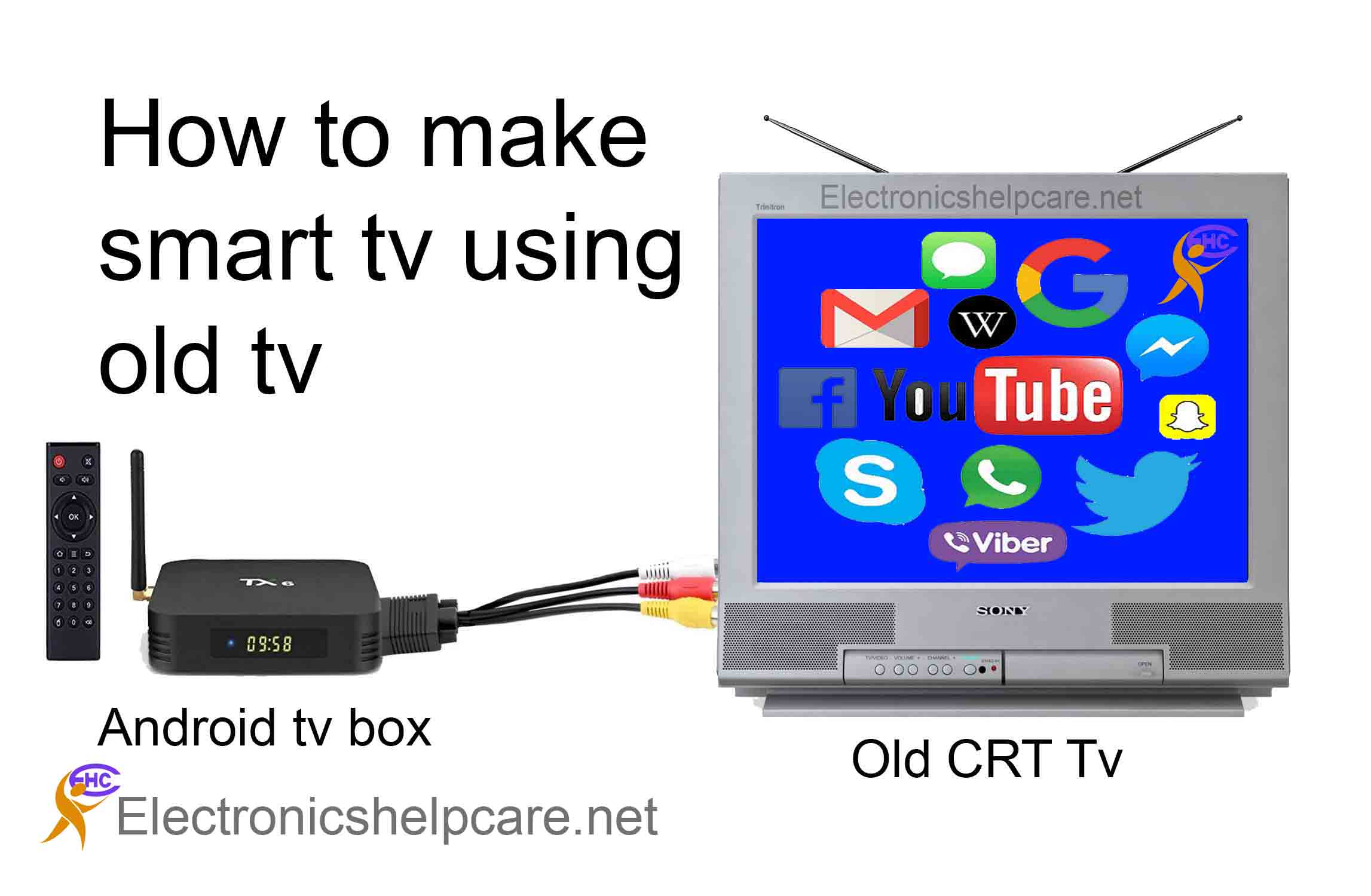
1. The Hardware Solutions: Choosing Your Streaming Gateway
The most common and effective way to “smarten” a TV is through external hardware. These devices act as the brain of your entertainment system, handling the processing, connectivity, and application hosting that your TV cannot perform on its own.
Streaming Sticks and Dongles
For those seeking a minimalist setup, streaming sticks—often called dongles—are the go-to solution. These devices, such as the Amazon Fire TV Stick, the Roku Streaming Stick, and the Google Chromecast with Google TV, plug directly into an available HDMI port on the back of your television. Because they draw power from a USB port or a wall outlet and hide behind the screen, they maintain the aesthetic of your living room while providing a robust interface. These devices are generally affordable, ranging from $30 to $70, and support high-definition or 4K streaming depending on the model.
Set-Top Boxes and Premium Media Players
If you are a power user who demands the highest possible bitrates, lossless audio, and snappy interface navigation, a dedicated set-top box is the preferred choice. Devices like the Apple TV 4K and the Nvidia Shield TV Pro offer significantly more powerful processors than their “stick” counterparts. This extra horsepower translates to faster app loading times, smoother scrolling, and the ability to handle complex tasks like AI-upscaling (taking 1080p content and making it look like 4K) or acting as a Plex media server. These devices also typically feature Ethernet ports, which provide a more stable connection than Wi-Fi for high-bandwidth 4K HDR content.
Gaming Consoles as Media Hubs
For many, the solution is already sitting on the media console. Modern gaming consoles like the PlayStation 5 and Xbox Series X/S are high-performance computers optimized for graphics and media. They feature dedicated “Media” sections where users can download Netflix, Disney+, YouTube, and Spotify. While they consume more power than a dedicated streaming stick, they offer a one-stop-shop for both interactive gaming and passive viewing, often supporting advanced formats like Dolby Vision and Dolby Atmos.
2. Software and Connectivity: Enhancing the User Experience
Hardware is only half of the equation; the software ecosystem defines how you interact with your content. When choosing how to make your TV smart, the operating system (OS) is a critical factor.
Operating Systems and App Ecosystems
Different devices run on different platforms, each with its own strengths.
- tvOS (Apple): Known for its clean, ad-free interface and deep integration with the Apple ecosystem (iPhone, iPad, Mac).
- Google TV / Android TV: Offers the widest range of apps via the Google Play Store and features highly personalized recommendations based on your viewing habits.
- Roku OS: Celebrated for its simplicity and “platform-agnostic” approach, meaning it doesn’t prioritize one streaming service over another.
- Fire OS (Amazon): Heavily integrated with Amazon Prime Video and Alexa, making it ideal for users already invested in the Amazon ecosystem.
Screen Mirroring and Casting
A key feature of a smart TV setup is the ability to move content from a handheld device to the big screen. Technologies like Apple AirPlay 2 and Google Cast allow you to “throw” a video, photo, or even a webpage from your phone or laptop directly to the TV. This is particularly useful for niche content that might not have a dedicated app on the streaming device’s store, such as local news broadcasts or personal videos.
Integrating Voice Assistants
Modernizing your TV also means integrating it into your smart home. Most streaming devices now come with voice-activated remotes. By pressing a button and speaking into the remote, or by linking the device to a smart speaker like an Echo or Nest Mini, you can control your TV hands-free. Commands like “Play Stranger Things on Netflix” or “Turn off the TV” transform the television from a static screen into an integrated component of an automated home environment.

3. Technical Setup and Optimization
Once you have selected your hardware, the “how-to” involves more than just plugging it in. To get the best possible performance, you must optimize the physical and digital connections.
HDMI and Power Connectivity
Most modern streaming devices require an HDMI 2.0 or 2.1 port to achieve 4K resolution at 60 frames per second. Ensure you are plugging your device into a port labeled “4K” or “HDCP 2.2” to avoid compatibility issues. Furthermore, while many streaming sticks can be powered by the USB port on the back of the TV, this often results in under-powering the device, leading to lag or random reboots. It is always recommended to use the included wall adapter for consistent power delivery.
Network Configuration: Wi-Fi vs. Ethernet
A smart TV is only as smart as its internet connection. Streaming 4K HDR content requires a stable connection of at least 25 Mbps. If your router is located in another room, the 5GHz Wi-Fi band is preferable for its speed, though it has a shorter range than 2.4GHz. For the ultimate lag-free experience, especially when using high-bitrate apps or cloud gaming services like Xbox Cloud Gaming or NVIDIA GeForce Now, a hardwired Ethernet connection is the gold standard.
Calibrating Audio and Video Settings
To truly modernize the experience, you should dive into the settings of both your new streaming device and your TV. Ensure that “Match Frame Rate” and “Match Dynamic Range” are enabled in the device settings; this allows the device to output the signal in the exact format it was filmed (e.g., 24fps for cinema). On the TV side, disable features like “Motion Smoothing” (the soap opera effect) to preserve the intended look of the content.
4. Future-Proofing and Security
Transitioning to a smart TV environment introduces new considerations regarding the longevity of your tech and the security of your data.
Firmware Updates and Longevity
One of the primary advantages of using an external device rather than a TV’s built-in smart features is the update cycle. TV manufacturers often stop updating the software on their sets after two or three years. In contrast, companies like Apple, Google, and Roku provide firmware updates for many years, ensuring your apps stay functional and secure. When the hardware eventually becomes obsolete, it is much cheaper to replace a $50 stick than a $1,000 television.
Privacy and Digital Security
Smart devices are data collectors. They track what you watch to serve targeted advertisements. When setting up your new smart TV interface, take a moment to visit the privacy settings. Opt-out of “Interest-based ads” or “Device usage data” sharing. Additionally, ensure your home Wi-Fi is secured with WPA3 encryption to prevent unauthorized access to your streaming accounts and personal information.
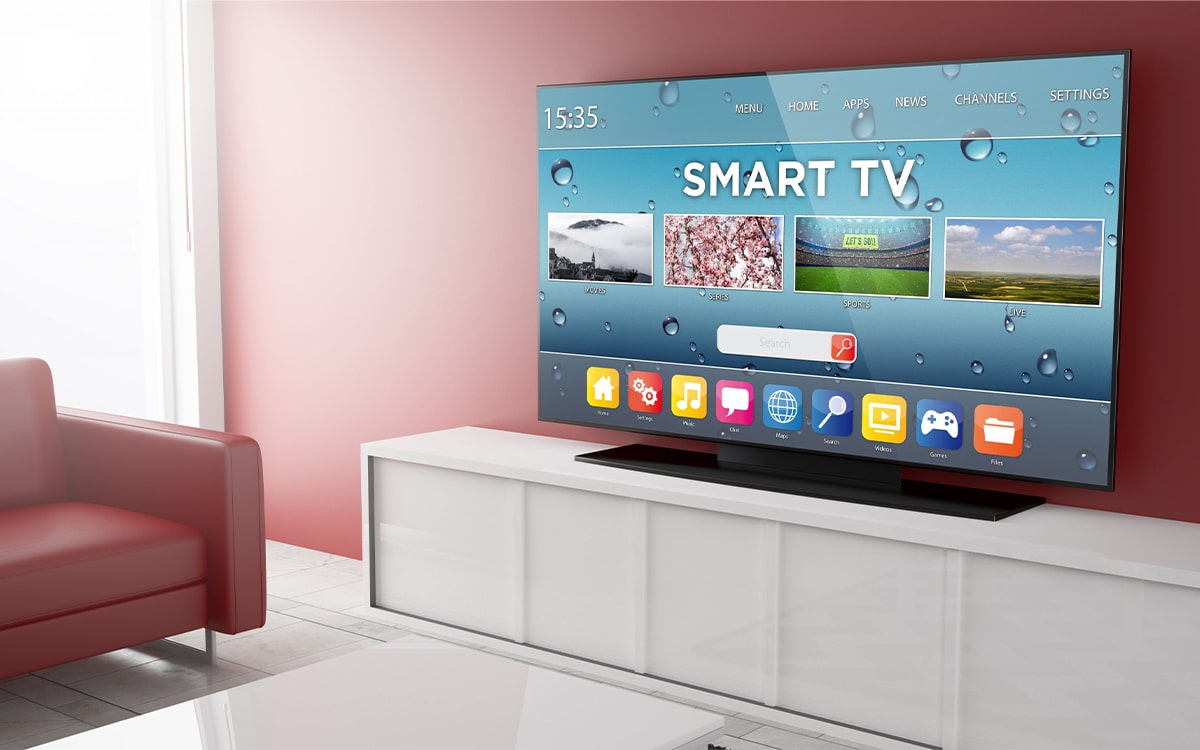
5. The Value Proposition: Why Modernizing Beats Replacing
In the rapidly evolving world of technology, “new” is often equated with “better.” However, from a technical and financial perspective, making your existing TV smart is frequently the smarter move.
The display panel is the most expensive part of a TV. If your current television features a high-quality OLED or LED panel with good contrast and color accuracy, the only thing it lacks is processing power. By adding an external streaming device, you are essentially separating the “display” from the “computer.” This modular approach allows you to upgrade the “smart” part of your TV every few years for a fraction of the cost of a new display.
Furthermore, standalone streaming devices generally offer more storage for apps, faster processors, and more frequent security patches than the “all-in-one” software found in smart TVs. By choosing to modernize rather than replace, you reduce e-waste and gain a customized, high-performance entertainment hub that fits your specific digital lifestyle. Whether you choose the simplicity of a Roku, the power of an Apple TV, or the versatility of a gaming console, your “dumb” TV has many years of smart life ahead of it.
aViewFromTheCave is a participant in the Amazon Services LLC Associates Program, an affiliate advertising program designed to provide a means for sites to earn advertising fees by advertising and linking to Amazon.com. Amazon, the Amazon logo, AmazonSupply, and the AmazonSupply logo are trademarks of Amazon.com, Inc. or its affiliates. As an Amazon Associate we earn affiliate commissions from qualifying purchases.