
Cash App has become a ubiquitous tool for peer-to-peer payments, investing, and banking services. Its intuitive interface is designed for ease of use, yet understanding the underlying mechanics of its login process and securing your access is paramount for any user. This guide delves into the technical aspects of logging into your Cash App account, ensuring a smooth and secure experience across various scenarios.
The Core Mechanics of Cash App Login
At its heart, the Cash App login system prioritizes a blend of accessibility and robust security. Unlike traditional banking apps that might rely heavily on usernames and complex passwords, Cash App employs a streamlined, mobile-centric authentication flow. This approach leverages elements intrinsic to modern smartphone usage and digital security protocols.
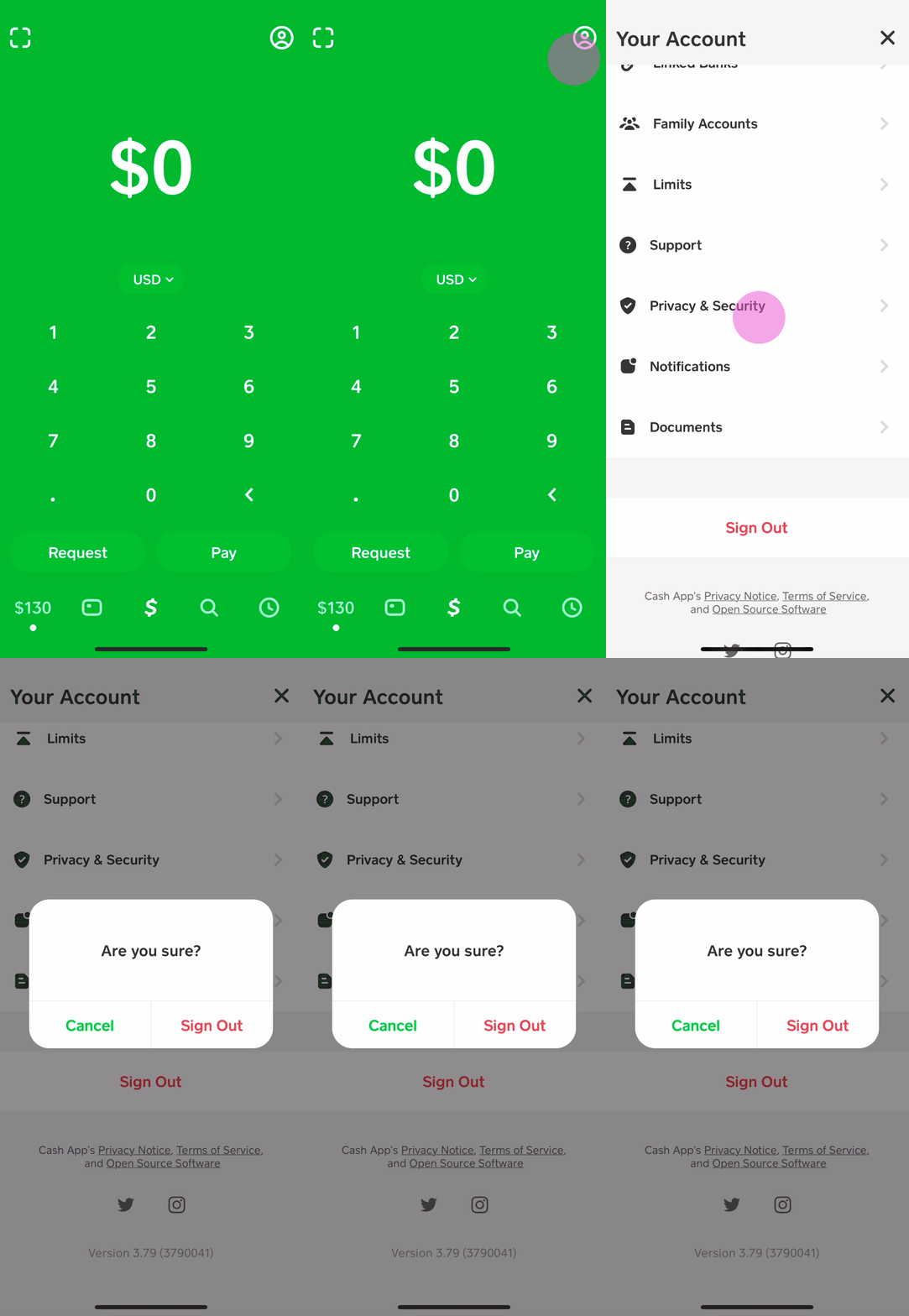
Phone Number or Email: Your Digital Identity
Your primary identifier for Cash App is either your registered phone number or email address. This foundational piece of information acts as your unique digital anchor within the Cash App ecosystem. When you initiate a login attempt, the system uses this identifier to locate your account and begin the authentication sequence. It’s crucial that this contact information is current and solely accessible by you, as it forms the initial gateway to your financial data. The technical design here assumes the user has control over the communication channels linked to these identifiers, making them effective primary keys for account access.
The One-Time Login Code: A Crucial Security Layer
Following the submission of your phone number or email, Cash App employs a one-time passcode (OTP) system. A unique, time-sensitive code is instantly sent to your registered phone number via SMS or to your email inbox. This OTP serves as a vital second factor in the authentication process, even before a traditional PIN or biometric is requested. The technical rationale behind OTPs is to mitigate the risk of unauthorized access even if someone knows your phone number or email. By requiring possession of the device or access to the email inbox, the system significantly raises the bar for an attacker, embodying a form of implicit multi-factor authentication from the outset. Each code is valid for a limited duration, typically five minutes, and can only be used once, further enhancing its security value by preventing replay attacks.
PIN and Biometric Authentication: Streamlined Access
After successfully entering the OTP, Cash App will often prompt for your personalized PIN (Personal Identification Number) or leverage biometric authentication methods like Touch ID (fingerprint) or Face ID (facial recognition), if enabled and supported by your device. The PIN acts as a local security layer, protecting access to the app once the initial remote authentication via OTP is complete. Biometric authentication offers an even more seamless and often more secure method, relying on unique biological traits stored securely within your device’s hardware enclave. From a technical standpoint, biometrics offer superior security against brute-force attacks compared to a simple PIN, as the probability of a false positive is astronomically low. Implementing both PIN and biometrics provides users with flexibility and an added layer of device-specific security, ensuring that even if someone gains access to your phone and somehow intercepts an OTP, they still cannot access your Cash App without your personal identifier.
A Comprehensive Step-by-Step Login Guide
Successfully logging into your Cash App account is a straightforward process when you understand each step and its purpose. Whether you’re a long-time user or just getting started, this guide covers the essential actions to gain secure access.
Initiating the Login Process
To begin, open the Cash App application on your smartphone or tablet. The app typically opens to a screen where you are prompted to enter your phone number or email address. This is the first and most critical piece of information Cash App needs to identify your account. Ensure you are using the exact phone number or email address associated with your existing Cash App account. Any discrepancy will prevent the system from recognizing you and proceeding with the login.
Entering Your Primary Identifier
Carefully type in your registered phone number or email address into the designated field. Double-check for typos, as even a single incorrect digit or character can lead to a failed login attempt. After entering the information, tap the “Login” or “Next” button. The app’s backend system will then process this identifier to prepare for the next authentication step.
Verifying with Your Unique Login Code
Upon successful submission of your identifier, Cash App will automatically send a one-time login code to your registered phone number (via SMS) or email address. You will see a new screen within the app prompting you to enter this code. Navigate to your phone’s messaging app or email inbox to retrieve the code. It’s important to use the most recent code, as older codes may have expired. Enter the six-digit (or similar format) code into the Cash App field. If the code doesn’t arrive within a minute or two, check your spam/junk folder for email or ensure your phone has network connectivity for SMS. There’s usually an option to resend the code if needed.
Finalizing Access with PIN or Biometrics
Once the one-time login code is correctly entered and verified, Cash App will typically ask for your personalized PIN. Enter your four-digit (or longer) PIN. If you have enabled biometric authentication (Touch ID or Face ID) on your device and within Cash App settings, the app may instead prompt for your fingerprint or facial scan. Simply follow the on-screen instructions to use your preferred biometric method. Successful entry of your PIN or a recognized biometric scan will grant you full access to your Cash App account.
What to Do if You’re a New User (First-Time Setup Nuances)
For new users, the process begins similarly but includes additional steps for account creation. After entering your phone number or email, you will typically receive a code, but instead of logging into an existing account, you will be guided through setting up your profile. This involves choosing a unique $Cashtag, linking a bank account, and potentially verifying your identity with personal details like your full name, date of birth, and the last four digits of your Social Security Number. These steps are crucial for adhering to financial regulations (KYC – Know Your Customer) and enabling full functionality, such as sending and receiving larger sums or using Cash Card. From a technical perspective, this process establishes your unique user profile and associates it with the provided identifiers and financial instruments.
Navigating Common Login Challenges and Solutions
While Cash App’s login process is designed to be user-friendly, various technical issues can occasionally arise, preventing seamless access. Understanding these common problems and their solutions is key to quickly regaining control of your account.
When Your Login Code Doesn’t Arrive
One of the most frequent hurdles is not receiving the one-time login code. Several technical factors can contribute to this:
-
Network Issues: Your phone might be experiencing poor cellular signal, preventing SMS delivery. Check your signal strength or try moving to an area with better reception.
-
Incorrect Contact Info: You may have entered a phone number or email address that is not registered with Cash App, or there’s a typo. Double-check the entered details.
-
Email Spam Filter: If you’re expecting an email code, it might have landed in your spam or junk folder. Always check these directories.
-
Carrier Blocking: In rare cases, your mobile carrier might inadvertently block the SMS from Cash App. Contact your carrier if persistent issues arise.
-
App Glitch: Occasionally, a temporary server-side issue or app bug can delay code delivery. Wait a few minutes and request a new code.
-
“Resend Code” Function: The app almost always provides an option to “Resend Code” if the first one doesn’t arrive promptly. Utilize this feature after a brief wait.
Forgotten PIN or Biometric Issues
Forgetting your PIN is a common occurrence. Cash App provides a recovery mechanism for this:

-
Forgot PIN Option: On the PIN entry screen, look for a “Forgot PIN” or similar option. Tapping this will typically initiate a process to reset your PIN, which often involves re-verifying your identity via your registered phone number/email and another OTP. This ensures that only the legitimate account holder can reset the PIN.
-
Biometric Malfunctions: If your Touch ID or Face ID isn’t working, first ensure your device’s biometric sensors are clean and free from obstructions. If the issue persists, try resetting the biometric settings within your phone’s operating system, then re-enabling them within Cash App. If all else fails, you can always revert to entering your PIN manually.
Account Suspension or Locking: Understanding the Triggers
Cash App may temporarily suspend or lock an account for security reasons or due to violations of its terms of service. This is a robust security measure designed to protect users and the platform from fraudulent activity.
-
Suspicious Activity: Multiple failed login attempts, login attempts from unusual geographic locations, or detected unusual transaction patterns can trigger an automatic security lock.
-
Terms of Service Violations: Engaging in prohibited activities (e.g., using a VPN to spoof location for specific features, unauthorized use of funds, or spamming) can lead to account suspension.
-
Identity Verification Issues: If Cash App’s automated systems or a manual review identifies discrepancies or issues with your identity verification documents, access may be restricted.
In such cases, you will typically see a message indicating your account is locked or suspended. The technical solution involves contacting Cash App support directly. They will guide you through a manual verification process, which might require submitting additional identification documents or explaining the suspicious activity. This ensures the integrity of the platform and the security of user funds.
Addressing App-Related Glitches and Device Compatibility
Software issues, while less common, can also impede login.
-
Outdated App Version: Ensure your Cash App is updated to the latest version. Developers frequently release updates to fix bugs and improve performance. Check your device’s app store for pending updates.
-
Operating System Compatibility: Cash App requires a relatively modern smartphone operating system. Extremely old OS versions might lead to compatibility issues.
-
Cache and Data Issues: Sometimes, corrupt app data or cache can cause login problems. On Android, clearing the app’s cache and data (via device settings) can resolve this. On iOS, reinstalling the app might be necessary (ensure you know your login details first).
-
Internet Connectivity: A stable internet connection (Wi-Fi or cellular data) is essential for the app to communicate with Cash App servers during the login process.
Bolstering Your Cash App Login Security
Beyond the standard login protocol, actively implementing additional security measures is crucial for safeguarding your Cash App account against unauthorized access and cyber threats. A proactive approach to digital security ensures your financial tools remain secure.
The Imperative of Strong, Unique PINs
Your Cash App PIN serves as a critical local security barrier. While the app’s initial authentication relies on your phone/email and an OTP, the PIN is what protects your account once that initial verification is complete. It prevents anyone with physical access to your unlocked phone from instantly transacting or viewing sensitive information within the app.
-
Avoid Obvious Choices: Never use easily guessable PINs like birthdays, anniversaries, consecutive numbers (1234), or repetitive numbers (1111). These are the first targets for brute-force attempts.
-
Unique to Cash App: Ideally, your Cash App PIN should be unique and not used for any other service, bank card, or device. This minimizes the risk if another service you use suffers a data breach.
-
Memorize, Don’t Write Down: Commit your PIN to memory. Avoid writing it down or storing it unencrypted on your device.
From a technical perspective, a strong, unpredictable PIN significantly increases the entropy of your local access control, making it exponentially harder for an attacker to guess or crack.
Activating Two-Factor Authentication (2FA) Beyond Basic Login
While Cash App’s OTP system is a form of 2FA for initial login, some users may wish to enhance security further for specific actions. For critical transactions or changes, Cash App often requires re-entry of your PIN or a new OTP.
-
Notification for All Logins: Ensure Cash App is set to notify you of all login attempts. This acts as an early warning system.
-
Security Lock for Payments: Within Cash App settings, enable the “Security Lock” feature, which requires your PIN or biometrics for every payment sent. This is a crucial defense against unauthorized transactions if your phone is compromised.
-
Email Login Confirmation: While your phone number is primary, using email for login provides an alternative and can be beneficial if your phone is lost or stolen, but only if that email is also secured with strong 2FA.
The principle here is to implement multiple, independent layers of authentication. Even if one layer is compromised, others remain to protect your account.
Vigilance Against Phishing and Social Engineering
The most sophisticated technical security measures can be circumvented by human error, primarily through phishing and social engineering attacks.
-
Verify Senders: Always scrutinize emails and SMS messages claiming to be from Cash App. Check the sender’s email address (it should come from an official Square/Cash App domain, not a generic one), and look for grammatical errors or unusual formatting.
-
Beware of Urgent Requests: Legitimate financial institutions rarely demand immediate action or threaten account suspension via unsolicited messages. Phishing attempts often create a sense of urgency to bypass rational thought.
-
Never Share Login Codes: Cash App support will never ask for your login code, PIN, or full account details via email, SMS, or phone. Any such request is a scam. Login codes are for your use only.
-
Use Official Channels: If you suspect an issue, open the Cash App directly and navigate to support within the app, or visit the official Cash App website. Do not click on links in suspicious messages.
These social engineering attacks exploit human psychology rather than technical vulnerabilities. Educating oneself about their tactics is a powerful defense.
Secure Device Practices for App Access
The security of your Cash App account is intrinsically linked to the security of the device it’s installed on.
-
Device Passcode/Biometrics: Always protect your smartphone with a strong passcode, PIN, fingerprint, or facial recognition. This is the first line of defense against physical theft.
-
Software Updates: Keep your device’s operating system (iOS or Android) updated. These updates often include critical security patches that protect against newly discovered vulnerabilities.
-
Avoid Public Wi-Fi for Transactions: Public Wi-Fi networks are often unsecured and susceptible to eavesdropping. Avoid logging into financial apps or conducting transactions while connected to them. If necessary, use a Virtual Private Network (VPN).
-
App Permissions: Regularly review Cash App’s permissions in your device settings. Ensure it only has access to necessary features (e.g., contacts for sending money, camera for QR codes).
-
Antivirus/Malware (Android): For Android users, consider installing a reputable antivirus/anti-malware application to detect and prevent malicious software that could compromise your device and app data.

Regularly Reviewing Login Activity and Authorized Devices
Cash App often provides a record of your login activity and a list of devices that have accessed your account.
-
Check Activity Logs: Periodically review your transaction history and security notifications within the app for any unfamiliar activity.
-
Remove Unauthorized Devices: If you see an unknown device listed as having accessed your account, immediately log out that device and change your PIN.
-
Reporting Suspicious Activity: If you suspect any unauthorized access or fraudulent activity, contact Cash App support immediately through the official in-app channels. Prompt reporting can significantly mitigate potential losses.
By diligently adhering to these security best practices, users can significantly reduce the risk of unauthorized access and ensure the integrity of their Cash App account.
aViewFromTheCave is a participant in the Amazon Services LLC Associates Program, an affiliate advertising program designed to provide a means for sites to earn advertising fees by advertising and linking to Amazon.com. Amazon, the Amazon logo, AmazonSupply, and the AmazonSupply logo are trademarks of Amazon.com, Inc. or its affiliates. As an Amazon Associate we earn affiliate commissions from qualifying purchases.