
In the ever-evolving landscape of digital finance, the ability to seamlessly move funds between various platforms is a critical aspect of modern technical infrastructure. While Venmo and PayPal are both titans in the peer-to-peer payment space, and indeed owned by the same parent company, their technical architectures remain largely distinct, preventing direct, native integration for fund transfers. Understanding this technical separation is the first step in mastering how to effectively “link” these services through a common intermediary.
The Technical Challenge of Digital Payment Interoperability
The apparent simplicity of sending money via a tap belies a complex web of proprietary software, security protocols, and business logic that govern each digital payment platform. Venmo and PayPal, despite their shared ownership, operate as largely independent entities, each meticulously designed to control its own user experience, data flow, and transaction processing. This foundational separation is the primary reason users cannot directly transfer funds from a Venmo balance to a PayPal balance with a single click within either application.

Each platform has developed its own application programming interfaces (APIs) and internal systems optimized for its specific features—be it Venmo’s social feed and quick P2P transfers or PayPal’s broader e-commerce integration and international capabilities. These APIs are primarily designed for external developers to build on their platforms (e.g., integrating PayPal into an online store) or for internal communication within their respective ecosystems, not for direct, bilateral fund transfers between them. The absence of a dedicated, public API endpoint for direct wallet-to-wallet transfers signifies a strategic choice to maintain distinct operational boundaries and user bases, necessitating an indirect method for funds movement.
The Bank Account: The Unofficial Digital Bridge
Given the lack of direct API-driven integration for fund transfers between Venmo and PayPal, a conventional bank account emerges as the most reliable and universally accepted intermediary. This method leverages the existing robust financial infrastructure that both digital wallets are already designed to interface with, effectively creating an “indirect link.” By withdrawing funds from one digital wallet to a linked bank account and then depositing those funds from the same bank account into the other digital wallet, users can achieve the desired interoperability.
This approach capitalizes on the Automated Clearing House (ACH) network in the United States, a secure, batch-oriented electronic funds transfer system that banks use to move money. Both Venmo and PayPal integrate with ACH to facilitate transfers to and from external bank accounts. When you link your bank to Venmo, you’re essentially authorizing Venmo to initiate ACH debits (to pull funds from your bank) and ACH credits (to push funds to your bank). The same principle applies to PayPal. Thus, your bank account becomes the common data point, a secure, regulated hub through which funds can flow, circumventing the proprietary walls between the digital wallet applications. This method, while not instant, is a proven and secure mechanism, ensuring transactional integrity even across disparate tech platforms.
Step-by-Step Guide: Leveraging Your Bank Account for Transfers
Successfully connecting Venmo and PayPal for fund transfers involves ensuring both platforms are linked to the same external bank account. This process requires attention to detail, particularly regarding account verification, which is a critical security measure.
Preparing Your Accounts for Connection
Before initiating any links or transfers, ensure both your Venmo and PayPal accounts are fully set up and verified. This typically involves confirming your email address, phone number, and identity through government-issued ID where required. Crucially, you must have a valid U.S. bank account with routing and account numbers that is in good standing. This account will serve as the necessary bridge. For optimal security and ease of management, it is highly recommended to use the same primary bank account for both digital wallets. This simplifies tracking and reduces potential points of error during transfers.
Adding and Verifying Your Bank on Venmo
-
Open the Venmo App: Navigate to the “Me” tab (your profile icon) at the bottom right.
-
Access Settings: Tap the “Settings” icon (gear or three horizontal lines) in the top right corner.
-
Manage Payment Methods: Select “Payment Methods.”
-
Add a Bank: Tap “Add a bank or card” and then “Bank.”
-
Instant Verification (Plaid): Venmo will typically prompt you to use Plaid, a secure third-party service, to instantly link your bank account by logging in with your online banking credentials. This is the fastest and most common method. Follow the on-screen prompts, providing your bank login information. Plaid encrypts this data and does not store it.
-
Manual Verification: If instant verification isn’t possible or preferred, select the option to verify manually. You will be asked to input your bank’s routing number and your account number. Venmo will then send two small deposits (micro-deposits, typically under $0.50) to your bank account within 1-3 business days. Once these deposits appear, return to the “Payment Methods” section in Venmo, tap the unverified bank account, and enter the exact amounts of the two micro-deposits to complete verification.
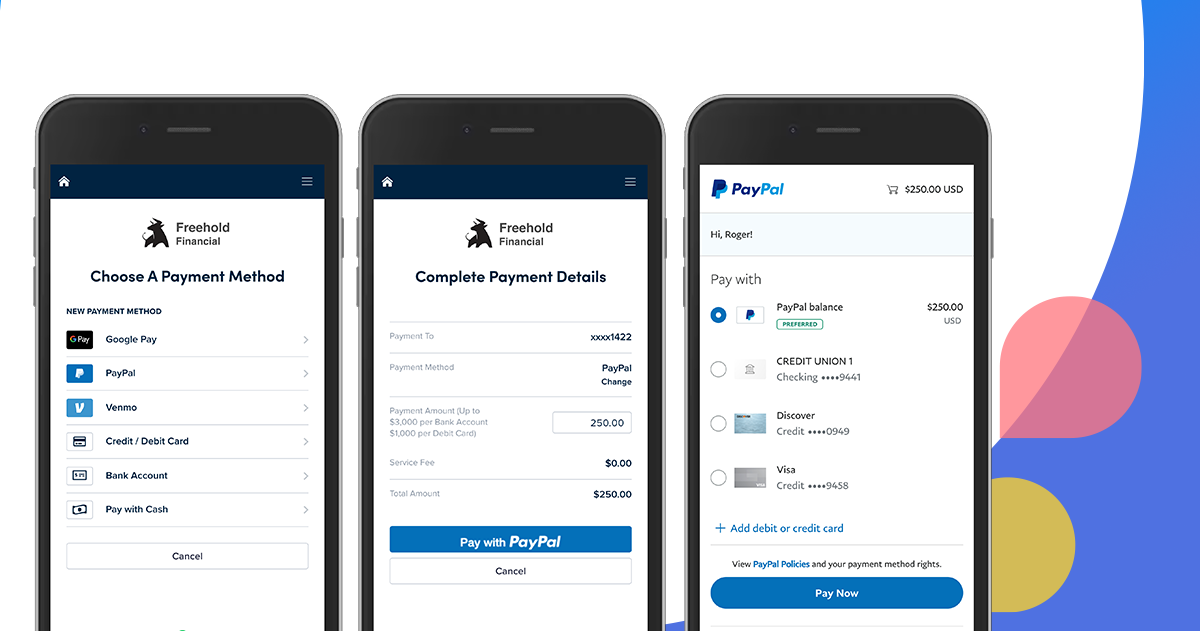
Adding and Verifying Your Bank on PayPal
-
Log in to PayPal: Access your PayPal account via the website or mobile app. For more comprehensive options, the website often provides a clearer interface.
-
Navigate to Wallet: On the website, click “Wallet” from the top menu. In the app, tap the “Wallet” icon.
-
Link a Bank: Select “Link a bank account.”
-
Instant Verification: Similar to Venmo, PayPal often uses Plaid or a similar service for instant linking. You can search for your bank and log in with your online banking credentials.
-
Manual Verification: If opting for manual linking, you’ll enter your bank’s routing number and account number. PayPal will then send two micro-deposits to your account, usually within 2-3 business days. Once these appear on your bank statement, log back into PayPal, go to your Wallet, click the unconfirmed bank account, and enter the two micro-deposit amounts to finalize verification.
Executing the Funds Transfer Sequence
Once both Venmo and PayPal are successfully linked to and verified with the same bank account, you can initiate funds movement. The process involves two distinct transfers:
-
Transfer from Source Wallet to Bank:
-
From Venmo: In the Venmo app, go to your profile, tap “Transfer Balance,” enter the amount, select your verified bank account, and choose between “Instant Transfer” (for a fee) or “Standard Transfer” (free, typically 1-3 business days via ACH).
-
From PayPal: On the PayPal website, click “Transfer Money” under your PayPal balance. In the app, tap “PayPal Balance” and then “Transfer.” Enter the amount, select your verified bank account, and choose “Standard” (free, 1-3 business days via ACH) or “Instant” (for a fee).
-
-
Transfer from Bank to Destination Wallet:
-
Once the funds have settled in your bank account (this is crucial – do not initiate the second transfer until the first one is complete and visible in your bank balance), open the destination app.
-
To PayPal: On the PayPal website or app, look for an “Add Money” or “Transfer Money” option and choose to add from your bank account.
-
To Venmo: In the Venmo app, locate the “Add Money” or “Add Cash” option and select to add from your linked bank account.
-
This two-step, bank-mediated process is the established technical pathway for moving funds between these otherwise segregated digital payment ecosystems. It effectively leverages the existing, secure banking infrastructure as a universal conduit.
Enhancing Your Digital Workflow and Security
Managing funds across multiple digital platforms requires not only a clear understanding of the technical transfer processes but also an awareness of associated timelines, costs, and security best practices to optimize your digital finance architecture.
Optimizing Transfer Timelines and Technical Costs
The choice between “Standard” (ACH) and “Instant” transfers has significant technical implications for speed and cost. Standard transfers leverage the ACH network, which operates in batches and typically clears within 1-3 business days. This method is generally free but involves a waiting period for funds to settle in your bank account before they can be transferred to the next platform. Instant transfers, on the other hand, often utilize real-time payment networks (like RTP or debit card networks) that can move funds within minutes, but they typically incur a small percentage-based fee. This fee covers the operational costs of leveraging these faster, on-demand payment rails. When planning to move funds between Venmo and PayPal, consider the urgency: for non-time-sensitive transfers, the free ACH option saves costs, while for immediate access, the instant transfer fee provides a technical premium for speed.
Fortifying Your Digital Security Posture
Operating across multiple digital payment platforms necessitates a robust approach to digital security. Implement two-factor authentication (2FA) on both Venmo and PayPal accounts without exception. This adds an essential layer of security, requiring a second verification step (like a code from your phone) beyond just your password, significantly reducing the risk of unauthorized access. Use strong, unique passwords for each service, ideally managed by a reputable password manager. Be vigilant against phishing attempts, which often mimic legitimate emails or messages from Venmo or PayPal to trick users into revealing login credentials or bank details. Always verify the sender’s email address and look for official domain names before clicking any links. Regularly review transaction histories on both platforms and your linked bank account to promptly identify and report any suspicious activity. These technical safeguards are crucial in protecting your financial data in a multi-platform environment.

Troubleshooting Common Technical Obstacles
Despite careful execution, users may occasionally encounter technical issues during the linking or transfer process. Common problems include failed bank verifications due to incorrect account or routing numbers—double-check these details meticulously. Delays in micro-deposit appearance can occur; wait the full 3 business days before re-initiating. If a transfer fails, verify that sufficient funds are available in the source account and that daily/weekly transfer limits (which are technical constraints set by the platforms) have not been exceeded. Sometimes, outdated app versions can cause glitches; ensure both your Venmo and PayPal applications are updated to the latest release. For persistent issues, contacting the customer support of the respective platform (Venmo or PayPal) is the next step, as they have access to internal diagnostics and can provide platform-specific solutions. Understanding these common technical roadblocks can help users efficiently resolve issues and maintain a smooth digital payment workflow.
aViewFromTheCave is a participant in the Amazon Services LLC Associates Program, an affiliate advertising program designed to provide a means for sites to earn advertising fees by advertising and linking to Amazon.com. Amazon, the Amazon logo, AmazonSupply, and the AmazonSupply logo are trademarks of Amazon.com, Inc. or its affiliates. As an Amazon Associate we earn affiliate commissions from qualifying purchases.