
In the rapidly evolving landscape of digital entertainment, the ability to centralize and streamline your content consumption is more valuable than ever. With a plethora of streaming services vying for your attention, managing multiple subscriptions, billing cycles, and app interfaces can quickly become a cumbersome task. This guide will provide a professional, insightful, and engaging tutorial on how to link Paramount Plus to Amazon, specifically by subscribing to Paramount Plus as an Amazon Prime Video Channel. This integration offers a compelling solution for viewers seeking convenience, unified billing, and a simplified gateway to their favorite shows and movies.
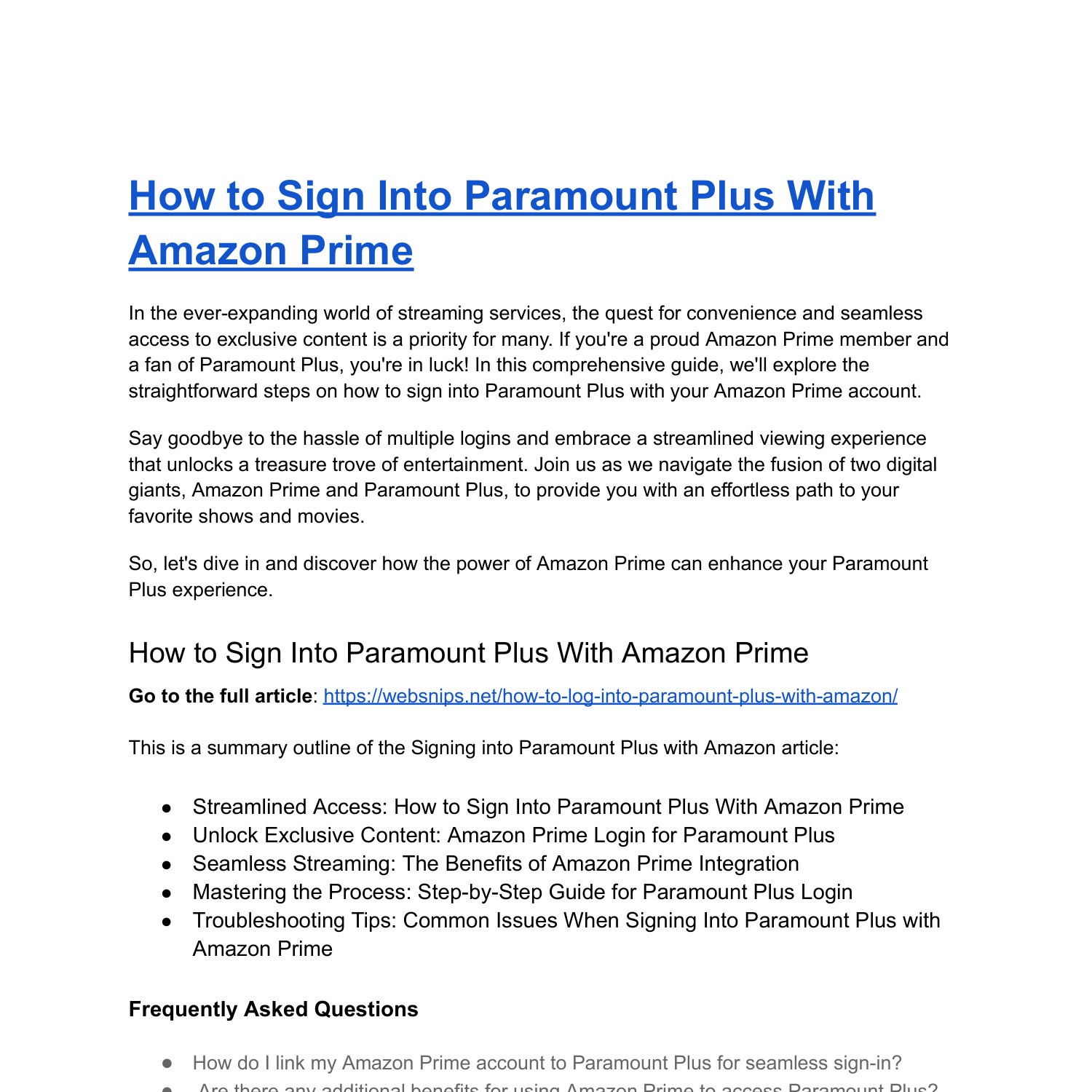
The convergence of services like Paramount Plus with major platforms such as Amazon Prime Video represents a significant trend in tech, aiming to enhance user experience by reducing friction. Instead of juggling separate applications and payment methods, linking these services allows you to access a diverse catalog of content—from blockbuster movies and live sports on Paramount Plus to a vast library on Prime Video—all within a single, familiar interface. This tutorial will demystify the process, explain the underlying technological benefits, and equip you with the knowledge to optimize your streaming setup.
Understanding the Paramount Plus and Amazon Ecosystems
Before diving into the mechanics of linking, it’s crucial to understand the distinct roles and offerings of both Paramount Plus and Amazon Prime Video Channels. This foundational knowledge will clarify why this integration is beneficial and how it leverages existing technological infrastructures to serve your entertainment needs.
What is Paramount Plus?
Paramount Plus is a premium streaming service from Paramount Global, offering a vast library of on-demand content alongside live TV. Its catalog includes original series (like 1883 and Star Trek: Strange New Worlds), movies from Paramount Pictures, live sports (NFL on CBS, UEFA Champions League), breaking news from CBSN, and an extensive back catalog from CBS, Comedy Central, MTV, Nickelodeon, and more. It operates as a standalone application available on a wide array of devices, from smart TVs and streaming sticks to mobile phones and web browsers. Users typically subscribe directly through its website or via app stores.
What are Amazon Prime Video Channels?
Amazon Prime Video Channels are an add-on subscription service available to Amazon Prime members. They allow users to subscribe to third-party streaming services, like Paramount Plus, HBO Max, Starz, Showtime, and many others, directly through their Amazon account. The key advantage here is integration: once subscribed, the content from these channels appears directly within the Amazon Prime Video app and website. This means you don’t need to download separate apps for each channel; everything is accessible from one central hub, managed and billed through your existing Amazon account. It leverages Amazon’s robust infrastructure for content delivery, user authentication, and billing.
Why Link Your Accounts?
The primary driver for linking Paramount Plus to Amazon via Prime Video Channels is convenience and centralization. Imagine a single monthly bill for all your premium channels, managed through an account you likely already use for shopping and entertainment. This method reduces “app fatigue” – the need to constantly switch between different applications – and consolidates your streaming experience. From a technological standpoint, it simplifies user authentication, leverages Amazon’s sophisticated content recommendation algorithms across all your subscribed channels, and often provides a more unified user interface across various devices that support the Prime Video app. For many, it’s about simplifying the digital sprawl and creating a more cohesive, less fragmented entertainment experience.
Step-by-Step Guide: Linking Paramount Plus via Amazon Prime Video Channels
The process of adding Paramount Plus as an Amazon Prime Video Channel is straightforward, designed to be user-friendly even for those less tech-savvy. Follow these steps carefully to ensure a smooth transition to integrated streaming.
Prerequisites for Linking
Before you begin, ensure you meet these fundamental requirements:
- Active Amazon Prime Membership: Paramount Plus, as an Amazon Channel, is exclusively available to Amazon Prime subscribers. If you don’t have one, you’ll need to sign up for Prime first.
- No Existing Standalone Paramount Plus Subscription (Recommended): While it’s technically possible to have both, if you already subscribe to Paramount Plus directly or via another third-party (like Apple TV Channels, Roku Channel Store, or your cable provider), subscribing again through Amazon will result in duplicate charges. It’s usually best to cancel your existing subscription first (ensuring you finish out your current billing cycle) before subscribing through Amazon to avoid confusion and redundant payments.
Navigating to Amazon Prime Video Channels
You can subscribe to Paramount Plus through Amazon Prime Video using several methods:
- Via Web Browser:
- Go to the Amazon website (
amazon.comor your regional equivalent). - Hover over “Accounts & Lists” and click “Prime Video” or navigate directly to
primevideo.com. - Once on Prime Video, look for the “Channels” section in the top navigation bar or menu. You can also use the search bar and type “Paramount Plus.”
- Go to the Amazon website (
- Via Amazon Prime Video App (Smart TV, Fire TV Stick, Gaming Console):
- Open the Prime Video app on your preferred device.
- Navigate to the “Channels” or “Store” section in the app’s menu.
- Use the search function to find “Paramount Plus.”
- Via Amazon Prime Video Mobile App:
- Open the Prime Video app on your smartphone or tablet.
- Tap on the “Store” icon or navigate to the “Channels” section.
- Search for “Paramount Plus.”
Locating and Subscribing to Paramount Plus
Once you’ve navigated to the Prime Video Channels section and found Paramount Plus:
- Select Paramount Plus: Click or tap on the Paramount Plus listing. This will take you to its dedicated channel page within Prime Video.
- Review Offerings: On this page, you’ll see details about the channel, its content, and often information about a free trial (if available).
- Start Your Free Trial or Subscribe: Click the button that typically says “Start your free trial” or “Subscribe & Watch.”
- Confirm Subscription: You’ll be prompted to confirm your purchase using your Amazon account’s default payment method. Follow the on-screen instructions, which usually involve entering your Amazon password or confirming with a fingerprint/Face ID on mobile.
Confirmation and Accessing Content
After successful subscription:
- Immediate Access: You should gain immediate access to Paramount Plus content.
- Finding Content: All Paramount Plus content will now appear directly within your Amazon Prime Video app and website. You can browse it under the “Channels” section, find it through search, or see it integrated into Prime Video’s recommendations. Look for the Paramount Plus logo next to titles to identify its content.
- Device Compatibility: Since it’s an Amazon Channel, you can access Paramount Plus content on any device where the Amazon Prime Video app is available and you’re logged into your Prime account, offering broad compatibility.
Managing Your Paramount Plus Subscription on Amazon
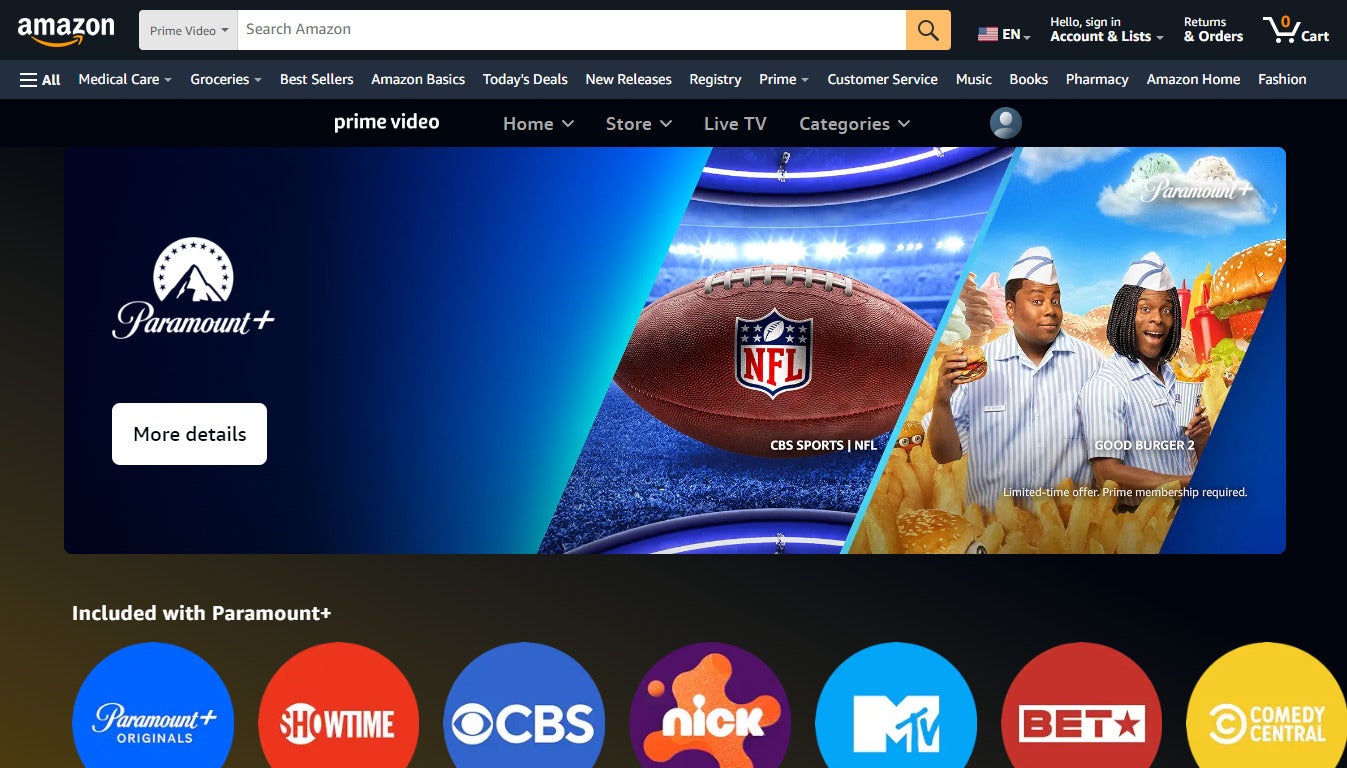
One of the significant advantages of subscribing to Paramount Plus as an Amazon Channel is the centralized management. All aspects of your subscription—from billing to cancellation—are handled through your Amazon account, simplifying what could otherwise be a fragmented administrative task.
Viewing and Modifying Subscription Details
To check your Paramount Plus subscription status, next billing date, or the cost:
- Go to
amazon.comand log in to your account. - Hover over “Accounts & Lists” and click on “Account.”
- Under “Digital content and devices,” click “Memberships & Subscriptions.”
- Here, you’ll see a list of all your active Amazon subscriptions, including Prime Video Channels. Locate “Paramount Plus” and click “Manage subscription” or “Manage Channel.”
- This page will display your renewal date, the monthly fee, and options to modify or cancel your subscription.
Troubleshooting Common Linking Issues
While the process is generally smooth, you might encounter a few hiccups. Here’s how to address common issues:
- Content Not Appearing:
- Check Prime Membership: Ensure your Amazon Prime membership is active.
- Verify Subscription: Double-check your “Memberships & Subscriptions” page on Amazon to confirm Paramount Plus is listed as active.
- Refresh/Restart App: Close and restart your Prime Video app, or refresh your browser page. Sometimes a simple reset is all that’s needed.
- Device Software: Ensure your Prime Video app and device operating system are up to date.
- Billing Discrepancies: If you see unexpected charges, first confirm you didn’t accidentally subscribe twice (once via Amazon, once directly). Then, compare your Amazon billing statement with your “Memberships & Subscriptions” page. If issues persist, contact Amazon Customer Service directly.
- Login Errors: Since Paramount Plus content is accessed through Prime Video, there’s no separate “Paramount Plus login” when subscribed as a Channel. If you’re having trouble logging into Prime Video itself, reset your Amazon password or contact Amazon support.
Cancelling Your Paramount Plus Channel Subscription
If you decide to discontinue your Paramount Plus Channel subscription:
- Follow steps 1-3 from “Viewing and Modifying Subscription Details” above.
- On the “Memberships & Subscriptions” page, locate “Paramount Plus.”
- Click “Manage subscription” or “Manage Channel.”
- You’ll typically see an option like “Cancel Channel” or “Cancel Subscription.” Click this.
- Follow the prompts to confirm your cancellation. You will usually retain access to the content until the end of your current billing cycle. This process ensures you retain control over your digital spending and can easily adjust your streaming lineup as your preferences change.
Advantages and Disadvantages of Subscribing Through Amazon
Subscribing to Paramount Plus via Amazon Prime Video Channels offers a unique blend of benefits and a few considerations that every potential subscriber should weigh. Understanding these can help you decide if this linking method is the best fit for your streaming habits.
The Benefits of Unified Billing and Interface
The most compelling advantage is the streamlined user experience. By integrating Paramount Plus content directly into the Prime Video interface, you benefit from:
- Single App Access: No need to download, update, and switch between separate Paramount Plus and Prime Video applications. Everything is in one place.
- Unified Billing: All your Amazon Channels appear on a single Amazon bill, simplifying financial tracking and reducing the number of individual transactions to monitor. This is a significant quality-of-life improvement for many.
- Consistent UI: You interact with Paramount Plus content using the familiar Prime Video navigation and playback controls, reducing the learning curve associated with new apps.
- Enhanced Discovery: Amazon’s recommendation engine can potentially suggest Paramount Plus content alongside Prime Video content, improving content discovery.
- Parental Controls: Amazon’s robust parental control features can be applied universally to all Prime Video content, including subscribed channels.
Potential Limitations and Considerations
While convenient, subscribing through Amazon isn’t without its potential drawbacks:
- Feature Parity: Occasionally, a Prime Video Channel version of a service might lack certain niche features found in the standalone app (e.g., specific profile management options, advanced accessibility settings, or unique bonus content tabs). This is rare but worth being aware of.
- No Direct Access to Standalone App: When subscribed as an Amazon Channel, your Amazon credentials do not grant you a separate login for the standalone Paramount Plus app. If you prefer using the dedicated Paramount Plus app for specific reasons (e.g., a particular device is better supported by the standalone app), this method won’t provide that.
- Pricing Variations: While generally the same, there might be occasional promotional offers directly from Paramount Plus or through other platforms that aren’t available via Amazon Channels. Always compare current pricing if deals are a priority.
- Tethered to Amazon Prime: You must maintain an active Amazon Prime membership to keep your Paramount Plus Channel subscription. If you cancel Prime, you lose access to all your Prime Video Channels.
When to Opt for a Standalone Paramount Plus Subscription
Consider a direct Paramount Plus subscription if:
- You do not have or do not want an Amazon Prime membership.
- You specifically prefer the native Paramount Plus app interface or features.
- You already have a subscription through another platform (e.g., Apple TV Channels, Roku Channel Store) and wish to maintain it.
- You find a better promotional deal directly from Paramount Plus that isn’t offered via Amazon Channels.
Ultimately, the choice hinges on your personal preference for interface, billing simplification, and device access. For many, the seamless integration offered by Amazon Channels significantly enhances the overall streaming experience.
Beyond the Link: Optimizing Your Streaming Experience
Successfully linking Paramount Plus to Amazon is just the first step. To truly get the most out of your integrated streaming setup, consider these additional tech-focused strategies for optimization. These go beyond the mere act of linking, delving into how you interact with and secure your digital entertainment.
Device Compatibility and App Usage
The beauty of Amazon Prime Video Channels is their broad device compatibility. Once subscribed, you can access Paramount Plus content on virtually any device that supports the Prime Video app. This includes:
- Smart TVs: Samsung, LG, Sony, Vizio, etc.
- Streaming Devices: Amazon Fire TV Stick, Roku, Apple TV, Google Chromecast.
- Gaming Consoles: PlayStation, Xbox.
- Mobile Devices: iOS (iPhone, iPad), Android smartphones and tablets.
- Web Browsers: Chrome, Firefox, Safari, Edge on Windows, macOS, and Linux.
Ensure your devices’ Prime Video apps are always updated to the latest version for optimal performance, security, and access to new features. Regularly checking for app updates can resolve minor bugs and enhance playback quality, ensuring you enjoy Paramount Plus’s content without interruption.
Maximizing Content Discovery
Amazon’s powerful recommendation algorithms don’t just stop at Prime Video’s own library; they extend to your subscribed channels. To maximize content discovery:
- Use the Watchlist: Add any interesting titles from Paramount Plus (or any other channel) to your Prime Video Watchlist. This helps Amazon understand your preferences and provide more accurate recommendations.
- Explore Categories: Don’t just rely on the home screen. Dive into the “Channels” section within Prime Video and browse Paramount Plus’s specific categories (e.g., “Originals,” “Movies,” “Live Sports,” “Kids”) to uncover hidden gems.
- Search Effectively: Utilize the search bar. If you’re looking for a specific show or movie, typing its name will pull it up, often indicating it’s available via Paramount Plus if you’re subscribed.
- Engage with the UI: The more you watch, rate, and interact with content, the better Amazon’s system becomes at personalizing your viewing experience across all your integrated channels.

Data Security and Privacy Considerations
While convenient, linking accounts and centralizing subscriptions also brings security considerations to the forefront. Protecting your Amazon account is paramount, as it now serves as the gateway to even more of your digital entertainment.
- Strong, Unique Passwords: Ensure your Amazon account has a strong, unique password. Avoid reusing passwords from other sites.
- Two-Factor Authentication (2FA): Enable 2FA on your Amazon account immediately. This adds an extra layer of security, requiring a code from your phone or authenticator app in addition to your password, making it significantly harder for unauthorized users to gain access.
- Review Authorized Devices: Regularly check the “Manage Your Content and Devices” section within your Amazon account to review and remove any unauthorized or unused devices logged into your Prime Video.
- Understand Data Usage: Be aware that Amazon collects data on your viewing habits across all channels to improve recommendations and services. Review Amazon’s privacy policy to understand how your data is handled.
By following these best practices, you can enjoy the seamless convenience of Paramount Plus integrated with Amazon Prime Video while maintaining robust digital security. The technological shift towards centralized entertainment hubs like Prime Video Channels is designed to make your life easier, and with a mindful approach, you can fully leverage these advancements for an unparalleled streaming experience.
aViewFromTheCave is a participant in the Amazon Services LLC Associates Program, an affiliate advertising program designed to provide a means for sites to earn advertising fees by advertising and linking to Amazon.com. Amazon, the Amazon logo, AmazonSupply, and the AmazonSupply logo are trademarks of Amazon.com, Inc. or its affiliates. As an Amazon Associate we earn affiliate commissions from qualifying purchases.