
In the evolving landscape of personal finance, digital tools like Cash App have become indispensable for managing money, sending funds, and making payments. However, the true power and utility of these applications are unlocked when they are seamlessly integrated with your primary financial institution – your bank account. Linking Cash App to your bank account is not just a technical step; it’s a foundational move toward creating a fluid and efficient financial ecosystem that supports your budgeting, saving, and spending habits.
This guide delves into the significance of connecting these financial entities, provides a clear, step-by-step process, and offers insights into leveraging this integration for optimal financial management and security. Understanding how to correctly and securely link your Cash App to your bank account is crucial for anyone looking to fully harness the benefits of modern financial technology.

Understanding the Importance of Linking Financial Tools
Connecting your Cash App to your traditional bank account extends beyond mere convenience; it creates a robust financial conduit that streamlines various aspects of your personal money management. This integration is a cornerstone for effective digital finance, ensuring that your funds are accessible, liquid, and secure across platforms.
Seamless Transactions and Financial Flow
A linked bank account is the primary artery for moving money into and out of your Cash App. Without it, your ability to fund payments, invest, or even receive direct deposits into Cash App would be severely limited or reliant on less direct methods. This connection enables instant or rapid transfers, allowing you to top up your Cash App balance from your bank for immediate needs, such as sending money to friends, paying for goods via the Cash Card, or making small investments. Conversely, it provides a direct pathway to transfer funds from your Cash App balance back to your bank account, ensuring that any money received on Cash App can be easily incorporated into your broader financial picture for savings, bill payments, or other expenditures. This seamless flow is vital for maintaining liquidity and control over your finances, preventing funds from being ‘stuck’ in one platform.
Managing Your Cash App Balance Effectively
While Cash App can hold a balance, it’s not designed to replace a traditional bank account for long-term savings or extensive financial management. A linked bank account empowers you to use Cash App strategically, maintaining only the necessary funds for immediate transactions while keeping the bulk of your money in a secure, interest-bearing bank account. This approach allows for proactive management of your Cash App balance. You can easily add money when you anticipate a need for spending or sending, and just as simply transfer excess funds back to your bank, where they can contribute to your savings goals or be utilized for larger financial obligations. This strategic balance management minimizes the risk associated with keeping significant sums in a peer-to-peer payment app and aligns with prudent personal finance practices.
Enhancing Financial Security and Oversight
The integration of your bank account with Cash App also plays a critical role in enhancing your financial security and oversight. By linking to your primary bank, you centralize your financial reporting. All transactions, whether originating from Cash App or ending up in your bank account, contribute to a comprehensive transaction history within your bank statements. This makes it easier to track your spending, identify unauthorized transactions, and reconcile your accounts. Furthermore, using your bank account as the primary funding source for Cash App can reduce the need to store large amounts of money directly within the app, potentially mitigating risks associated with app-specific security vulnerabilities. In the event of an issue with Cash App, knowing your funds are primarily held in a regulated banking institution provides an additional layer of assurance and recourse.
A Step-by-Step Guide to Linking Your Bank Account
Linking your bank account to Cash App is a straightforward process, designed with user experience and security in mind. By following these steps, you can quickly and securely establish the connection.
Pre-linking Checklist
Before you begin the linking process, ensure you have the following readily available:
-
Your Cash App Account: Make sure you have downloaded the app and created an account.
-
Your Bank Account Details: You will need your bank’s routing number and your account number. For instant verification, you might also need your online banking login credentials (username and password).
-
A Stable Internet Connection: A reliable connection prevents interruptions during the verification process.
-
Security Measures: Ensure your mobile device is secure, and consider having two-factor authentication enabled for your bank account if possible.
Initiating the Link from Cash App
-
Open Cash App: Launch the Cash App on your smartphone.
-
Navigate to the Profile/Banking Tab: Tap on the profile icon (usually a circle with your picture or initials) in the upper-right corner of the main screen. Alternatively, some versions might have a “Banking” or “My Cash” tab at the bottom of the screen.
-
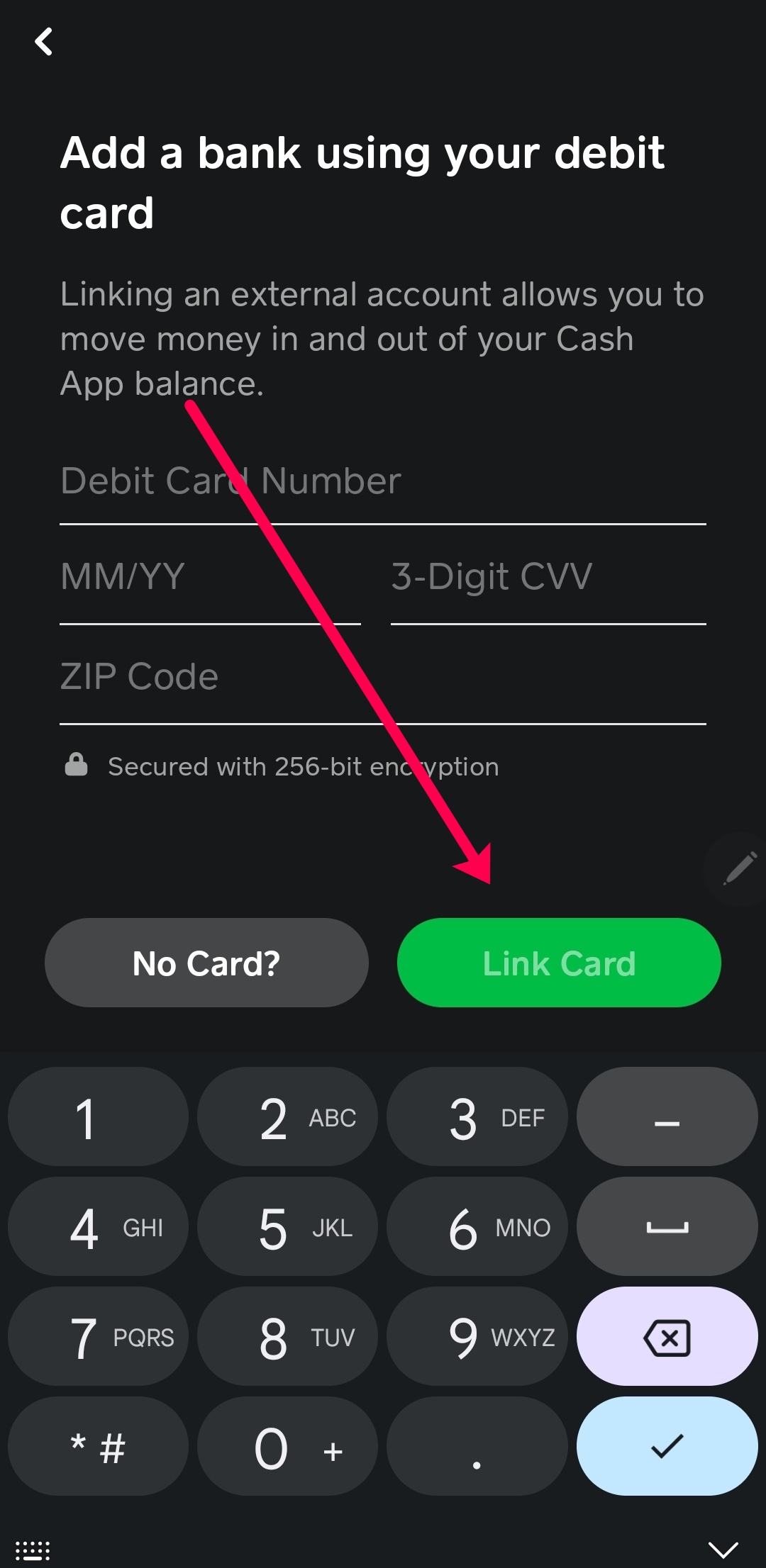
Select “Linked Banks” or “Add Bank”: Scroll down the profile menu until you see an option like “Linked Banks” or “Link Bank.” Tap on this. If you already have a debit card linked, it might show that card and give you an option to “Link a Bank.”
Inputting Bank Credentials Securely
Cash App typically uses secure third-party services, such as Plaid, to facilitate the linking process. This is a common industry practice for connecting financial institutions.
-
Choose Your Bank: You will be prompted to select your bank from a list of popular institutions or to search for it.
-
Log In to Your Bank Account (via Plaid): Once you select your bank, you will be redirected to a secure portal (powered by Plaid or a similar service) where you will enter your online banking username and password. This is a critical security point. Plaid acts as an intermediary, securely verifying your account without Cash App ever directly storing your bank login credentials. It authenticates with your bank and then passes back only the necessary information (like account ownership) to Cash App.
-
Select Account: If you have multiple accounts with your bank (e.g., checking, savings), you will be asked to select which account you wish to link. For most Cash App functionalities, a checking account is preferred.
Verification Process
In some cases, especially if instant verification through online banking login isn’t used or fails, your bank might require additional verification:
-
Micro-deposits: Cash App might send two small deposits (a few cents) to your bank account, which will appear on your bank statement within 1-2 business days. You will then need to return to Cash App and enter the exact amounts of these deposits to verify ownership.
-
Instant Verification: The most common and quickest method is through secure online banking login, where Plaid instantly verifies the account.
Confirmation and Troubleshooting
Once the linking process is successful, Cash App will display a confirmation message, and your bank account will appear under your “Linked Banks” section.
- Troubleshooting: If the link fails, double-check your bank login credentials, ensure you’re selecting the correct bank, and verify your internet connection. For persistent issues, contact Cash App support or your bank’s customer service.
Leveraging Your Linked Bank Account for Optimal Financial Management
With your bank account successfully linked, Cash App transforms into a powerful extension of your personal finance toolkit. This integration unlocks a range of features that enhance liquidity, simplify transactions, and contribute to a more holistic view of your financial health.

Funding Cash App for Payments and Investments
The most immediate benefit of a linked bank account is the ability to easily add funds to your Cash App balance. This means you can:
-
Send Money: Quickly transfer money to friends, family, or vendors directly from your bank account via Cash App, avoiding the need to manually move funds beforehand.
-
Use the Cash Card: Your Cash App Card (a free, customizable debit card) can draw directly from your Cash App balance. When your balance runs low, you can instantly add funds from your linked bank account to continue making purchases, both online and in physical stores.
-
Invest in Stocks and Bitcoin: Cash App offers simplified investment options for fractional shares of stocks and Bitcoin. With a linked bank account, you can make regular or one-off contributions to these investments directly from your primary funds, aligning your micro-investments with your broader financial strategy.
Cashing Out to Your Bank for Savings or Bill Payments
Equally important is the ability to withdraw funds from your Cash App balance back to your bank account. This ensures that money received via Cash App, whether from a friend, a side hustle payment, or a refund, isn’t siloed but can be integrated into your core financial planning:
-
Boost Savings: Easily transfer excess Cash App funds to your savings account to contribute towards long-term goals.
-
Pay Bills: Move funds to your bank to cover rent, utilities, or loan payments, consolidating your income streams before disbursement.
-
Maintain Liquidity: Avoid having significant funds tied up in an app where they aren’t earning interest, by regularly transferring them to your bank. Standard transfers are free and typically take 1-3 business days, while instant transfers incur a small fee.
Direct Deposit Integration
For many, Cash App has become a viable option for receiving direct deposits, especially for paychecks or government benefits. Your linked bank account facilitates this by providing the necessary routing and account numbers if you choose to use Cash App for direct deposits. This streamlines the process of getting paid, allowing funds to appear directly in your Cash App balance, which you can then manage or transfer to your linked bank account as needed. This flexibility can be particularly useful for those who prefer to keep a portion of their income in Cash App for immediate spending via the Cash Card and move the rest to their main bank for other financial obligations.
Monitoring Transactions and Budgeting
By channeling funds through your linked bank account, you gain a clearer, consolidated view of your financial activity. Every transfer from your bank to Cash App and vice-versa, along with direct deposits, will be logged on your bank statements. This centralization simplifies budgeting, making it easier to track your spending habits, identify patterns, and allocate funds more effectively across different categories. Instead of separately tracking funds across disparate platforms, your bank account becomes the central hub for monitoring your financial inflows and outflows, promoting greater financial awareness and control.
Security Best Practices for Linked Financial Accounts
While linking your bank account to Cash App offers significant advantages, maintaining robust security practices is paramount. Protecting your financial information requires vigilance and an understanding of how these systems work together.
Protecting Your Bank Login Credentials
The foundation of secure financial management lies in safeguarding your login details. When linking your bank account via services like Plaid, you momentarily provide your bank’s online login credentials. It’s crucial to:
-
Use Strong, Unique Passwords: Create complex passwords for your bank account that differ from those used for other online services. Incorporate a mix of upper and lowercase letters, numbers, and symbols.
-
Enable Two-Factor Authentication (2FA): If your bank offers 2FA, activate it immediately. This adds an extra layer of security, typically requiring a code sent to your phone or generated by an authenticator app, in addition to your password.
-
Be Wary of Phishing Attempts: Never share your bank login details in response to unsolicited emails, texts, or calls. Legitimate financial institutions will not ask for your full password or 2FA codes in this manner.
Understanding Third-Party Integrations (Plaid)
Third-party services like Plaid are industry standards for securely connecting financial accounts. They act as secure conduits, authenticating with your bank on your behalf and transmitting only the necessary information to Cash App.
-
Data Encryption: Plaid uses robust encryption protocols to protect your data both in transit and at rest.
-
No Storing of Credentials: Crucially, Plaid does not store your bank login credentials after the initial verification. It uses a tokenized system to maintain the connection, significantly reducing the risk of your login details being compromised.
-
Permissions Control: You typically grant specific permissions (e.g., viewing transactions, initiating transfers) to Cash App via Plaid, giving you control over what data is shared.
Regular Monitoring of Account Activity
Proactive monitoring is your best defense against unauthorized access or fraudulent activity.
-
Review Cash App Statements: Periodically check your Cash App transaction history for any unfamiliar activity.
-
Scrutinize Bank Statements: Regularly review your linked bank account statements for transfers to or from Cash App that you do not recognize. Report any suspicious transactions to your bank and Cash App immediately.
-
Set Up Alerts: Enable transaction alerts from both your bank and Cash App to be notified of activity in real-time.
When to Unlink and Re-link
There are instances when unlinking your bank account from Cash App might be advisable:
-
Changing Banks: If you switch primary banks, you’ll need to unlink the old account and link the new one.
-
Security Concerns: If you suspect your Cash App or bank account has been compromised, unlinking can be a temporary measure to sever the connection while you investigate and secure your accounts.
-
Discontinuing Use: If you no longer plan to use Cash App, unlinking your financial accounts is a good practice for data privacy.
The process to unlink is similar to linking: navigate to the “Linked Banks” section in Cash App and select the option to remove or unlink the desired account.
Beyond Linking: Integrating Cash App into Your Financial Strategy
Linking your bank account is the first step; fully integrating Cash App into your broader financial strategy is where its true value for personal finance becomes apparent. Modern financial applications are designed to work in concert, providing a holistic view and control over your money.
Cash App as a Budgeting Tool
While not a full-fledged budgeting app, Cash App’s transaction history, when combined with your linked bank’s records, can provide valuable insights. By easily transferring funds between your bank and Cash App for specific purposes (e.g., “Cash App for discretionary spending,” “Bank for bills and savings”), you can create a simple, effective budgeting system. Monitoring these transfers and the subsequent spending on Cash App can help you track categories of expenses and adhere to self-imposed limits for certain types of outflows.
Maximizing the Cash Card Benefits
The Cash Card, fueled by your linked bank account, offers unique spending benefits. Its “Boosts” feature provides instant discounts or rewards at selected merchants. By ensuring your Cash App balance is easily replenished from your bank, you can consistently take advantage of these Boosts for everyday spending, effectively saving money on purchases that align with your lifestyle. This integration turns the Cash Card into a strategic tool for optimizing your daily expenditures.
Small Investments and Savings
Cash App’s simplified investment features for stocks and Bitcoin become far more practical with a linked bank account. You can set up small, recurring investments directly from your bank funds, contributing to long-term wealth building without significant effort. This demystifies investing, allowing even small amounts of money, regularly transferred from your primary account, to participate in the market, aligning with a diversified savings and investment strategy.
The Role of Financial Apps in Modern Personal Finance
In conclusion, the ability to securely and efficiently link financial tools like Cash App to your bank account is a cornerstone of modern personal finance. It epitomizes the trend toward digital empowerment, offering flexibility, control, and insights that traditional banking alone might not provide. By understanding this connection, leveraging its features, and adhering to security best practices, individuals can create a robust and adaptive financial system that supports their goals for spending, saving, and investing in an increasingly digital world.
aViewFromTheCave is a participant in the Amazon Services LLC Associates Program, an affiliate advertising program designed to provide a means for sites to earn advertising fees by advertising and linking to Amazon.com. Amazon, the Amazon logo, AmazonSupply, and the AmazonSupply logo are trademarks of Amazon.com, Inc. or its affiliates. As an Amazon Associate we earn affiliate commissions from qualifying purchases.